




Rbz5416
Members
-
Joined
-
Last visited
Everything posted by Rbz5416
-
The problem with these wheels is that there's a nasty channel that the cheesegrater clips into, that fills with brake dust & is very difficult to clean. Hopefully less of an issue for you if the channel is also black. I also ordered 50mm caps from another Ebay supplier but they didn't fit as too small. Ordered another set from Amazon & they didn't fit either! But given how awful that channel looks with silver wheels, I've left the trims on.
-
Just realised I cocked up the table & transposed the dealers. It's Preston that are cheapest & Marshall most expensive. I've asked the Mods to correct as I'm outside the edit window. Edit Thanks Mods. 👍
-
Also makes me wonder how a service plan purchased direct from Skoda works. Presumably as with the Golf you cite, there's a much lower fixed price that Skoda get billed. Fortunately I have a couple of indies within a 10 mile radius & both can update the online service history. Although I'll be getting the service book stamped as well as I don't trust it.
-
Just out of curiosity, I've had a look at dealer service costs for my 25 SEL Edition 1.5 DSG. I think the variation in charges has been raised before, but I was shocked at how large the variation is. The table below shows the two extremes I found. Marshall are the supplying dealer & 65 miles away from Prestons. So if you're going to use a dealer for servicing, it clearly pays to shop around, with a variation of up to 40%! Curiously the 1st Service is quoted as being an oil change plus inspection. Not sure how that's so much cheaper that a subsequent oil change plus inspection? Also odd as the default variable servicing wouldn't include an oil change at the first service.

-
-
I believe all 1.5 TSI Karoqs have ACT. https://www.skoda-storyboard.com/en/skoda-world/innovation-and-technology/10-tips-that-may-help-you-save-fuel/attachment/act_orig/
-
Ouch!, the 1.5 DSG was £595... Are you willing to share how expensive?
-
Don't you just love autocorrect? 😄 Indeed, although mine was unregistered but the VED was factored into the price. Just as well as it didn't realise is was so hefty. Even the renewal will be a bit of a hit after the £20 I was paying on the Polo! Having lived with it for eight months I certainly wouldn't pay full price for one.
-
Have a good look at Autotrader for the price of new vehicles before going in, as there's a huge amount of stock sitting in the dealer network. The retail price of a new Karoq is far from being a bargain IMO, when you consider that things like the Varioflex seats are now a £1k option. You should be in a very strong position ahead of the 26 plates if you're prepared to take a 75. Obviously it limits options & colours but as a guide, I got £8k off an unregistered SEL Edition in June with very little effort, bar being willing to travel for the right car/deal. I doubt such discounts are available on bespoke factory orders, so could make that heated screen very expensive.
-
How about a stick-on? Angle the existing mirror up so it only show the roof lining & stick another mirror on it, something like this. Or just angle the mirror up at night & use the door mirrors as @thamestrader suggests.
-
@DaveLees Apple's HEIC image format isn't supported on this forum.
-
This is why I don't trust either the app or Skoda.
-
@Rory Have look this video for the current SEL & Sportline Edition spec. Virtual Cockpit is covered from 4:30. https://www.youtube.com/watch?v=PzE3AULUosQ
-
Don't know what you looked at but no new Karoq has the Bolero system & all have Virtual Cockpit. Only the entry level SE has the older looking Amundsen infotainment, everything else has the larger Columbus. Although Amundsen has its advantaged with more physical shortcuts & a real volume control. The shortcut buttons on Columbus are annoyingly out of reach for RHD.
-
Given all the BS I was fed by Skoda when I bought mine & the PDI wasn't shown, I have zero confidence in its accuracy. I bought a generic service log book from Ebay & will get that stamped. But then I'm unlikely to use a stealer for any servicing anyway.
-
Same nonsense as the last push. https://www.briskoda.net/forums/topic/534052-you-have-been-selected/ As @Rory said, the network is awash with cars they're desperate to get rid of.
-
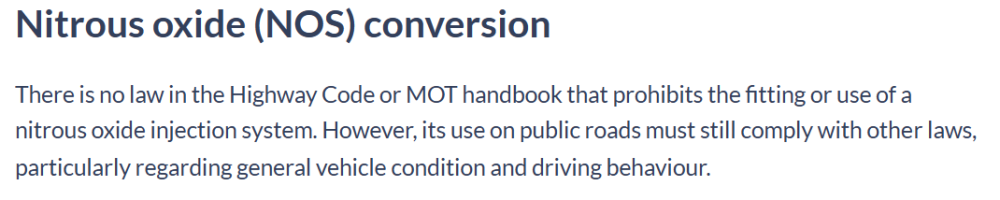
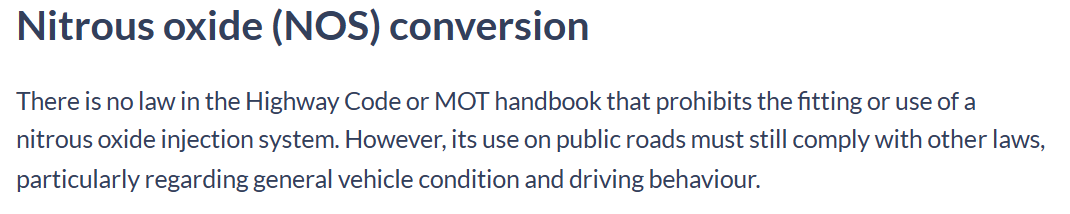
The difference is minimal at -1.6% diameter for the wrong tyre. But as @Carlston said, it's out of spec for the car. My only practical concern would be from an insurance perspective, so I'd be inclined to ask them if they're happy insuring a car with out of spec tyres. If they say yes, then get that in writing so they can't then use it as an excuse in the event of a claim. If they say no, also get that in writing & present it to the dealer. The line about it being a common setup is complete nonsense.What do you mean by "new", a spec change, a facelift or an entirely new model? Although given there are currently over 900 new cars sitting in the dealer network with heavy discounts available, I doubt any of the above are likely. I haven't even seen any suggestion of changes to the Edition specs that were announced in October 2024.Google Carstream. But as it's a sideloaded APK the safe aspect will be for you to judge.There are many street legal "Doorslammers" running at drag meets with nitrous. From Adrian Flux:
 I'm also in the walk away camp. It's by no means a rare car so unless it has desirable options that you desperately want/need, there will be whole raft of alternatives, even if it means travelling. I'd also question the diligence of the dealer if they couldn't be bothered to ensure their stock is in good shape. Although that could be mitigated if you just wandered in asking for a test drive rather than booking one. I had a Polo before the Karoq & the discs would literally rust overnight. But even if left for a week would never judder beyond the manual handbrake initially releasing. @Rory may have a point about wheelspin as the Karoq is indeed very prone to it even on a damp road, never mind icy. Although the 36 PSI her references is in fact the current specification at 2.5 bar. Something that seems to have changed on later cars.Edit: See the post below, apparently the presence of a camera doesn't mean TSR is present. Do you actually have a camera behind the rear view mirror? Not sure it was standard on the SEL in '23.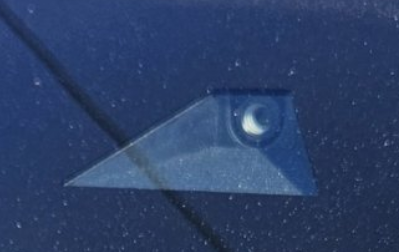




Important Information
Welcome to BRISKODA. Please note the following important links Terms of Use. We have a comprehensive Privacy Policy. We have placed cookies on your device to help make this website better. You can adjust your cookie settings, otherwise we'll assume you're okay to continue.