



Skip to content

My 1st mod ... cupra splitter
Featured Replies

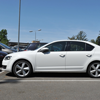
After a couple of hours yesterday with the car on axle stands and me on my back in the cold, this is the result.

splitter1.jpg

splitter2.jpg

splitter3.jpg

I know its a small start, but I'm really pleased and want to do more :)

In future I'd be looking at RARB, PD160 intake mod and stage 1 remap, maybe some new alloys (never really liked the standard vrs ones).

But at what point do you need to start declaring modifications to insurance co?

slippery_slope.jpg
slippery_slope.jpg

:rofl::rofl::rofl: He is already on it.:D

Looks good - always a good addition :thumbup:

I'd start declaring once you start on the rest of that list :)

Oh, and add at least some lowering springs to that list, and perhaps the 312mm brake upgrade. Welcome to the club ;)

Steve

good job but think it could have been brought forward a half inch or so seems to be sitting back a bit?

Wont be long till its as ghetto as mine, bloody snow

_MG_6142-2.jpg

It's mods like that that makes the car stand out more.

Davy

  • Author
good job but think it could have been brought forward a half inch or so seems to be sitting back a bit?

Yeah, I know what you mean, having seen some of the pics of others on here :o.

It took me ages to get it all lined up nicely on my own and then, once I'd drilled the holes I thought, ****, its too far back.

Doesn't really matter I suppose, and it makes mine unique :)

i think its one of the tidyest fitting jobs i've seen to date:thumbup:

Looks good.

But ba-jebus I forgot how high they are as standard.

Create an account or sign in to comment

Recently Browsing 0

  • No registered users viewing this page.

Important Information

Welcome to BRISKODA. Please note the following important links Terms of Use. We have a comprehensive Privacy Policy. We have placed cookies on your device to help make this website better. You can adjust your cookie settings, otherwise we'll assume you're okay to continue.

Account

Navigation

Configure browser push notifications

Chrome (Android)
  1. Tap the lock icon next to the address bar.
  2. Tap Permissions → Notifications.
  3. Adjust your preference.
Chrome (Desktop)
  1. Click the padlock icon in the address bar.
  2. Select Site settings.
  3. Find Notifications and adjust your preference.
