



Skip to content

Massive oil issues with no response from Skoda at all

Featured Replies

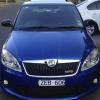
Hi guys bought a brand new fabia vrs in Australia and have just done 3000 km and have used over 4 litres of oil. I had the car for a week and had to get it towed back to dealer under advice and direction of Skoda assist. They said no oil what s o ever . Have sent many emails to Skoda Australia with not one response. I did a survey and was told from company that did it that VW Germany would make contact. Still nothing. M car car goe in for oil breather next week but m really concerned damage is already done . I can not believe that a company like this would disrespect there buyers like this. I get the same message from dealer that it is normal for it to burn oil. But when I took it in again for the 3rd time was told about the breather issue.

So happy to find u guys.

Cheers Coops

Hi and welcome aboard.

Sorry to hear you are having problems with your car and with Skoda themselves, i am no expert but it seems to use way to much oil.

Hello Coops and welcome along :thumbup:

Look up Evil Miyagi's posts, he's experiencing the same thing and experiencing little help from dealers and SUK. Good luck with it.

4 litres of oil in under 2000 miles!? Blimey.... In 5000 miles I've only added 300ml and the engines done 140,000 miles!

Is oil comsumption a big problem with the MK2 vRS TSI's?

Have a look in the mk2 fabia section, loads of posts on the oil consumption

Only a few of us have used no oil

  • Author

Thanks guys she goes in Wednesday for the breather pipe I hope this ends things. But really worried that minor engine damage has occurred or will exacerbate issues down the track. Can not get an honest reply from dealer Whois the only dealer and service provider basically in Melbourne. Appreciate any ideas or questions I can put to them to reassure myself.

Chees Coops

Create an account or sign in to comment

Recently Browsing 0

  • No registered users viewing this page.

Important Information

Welcome to BRISKODA. Please note the following important links Terms of Use. We have a comprehensive Privacy Policy. We have placed cookies on your device to help make this website better. You can adjust your cookie settings, otherwise we'll assume you're okay to continue.

Account

Navigation

Configure browser push notifications

Chrome (Android)
  1. Tap the lock icon next to the address bar.
  2. Tap Permissions → Notifications.
  3. Adjust your preference.
Chrome (Desktop)
  1. Click the padlock icon in the address bar.
  2. Select Site settings.
  3. Find Notifications and adjust your preference.
