



Skip to content

New Octavia vRS Owner
Featured Replies

Hey,


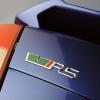
Put a deposit down yesterday on a 12 plate Octavia vRS TDI and pick it up next week from the stealers. Was hoping to go get it this week but it needs the DSG service done and they're really busy so have to hang off a bit to get it.


It's a race blue hatchback with DSG, MFSW, leather heated seats and parking sensors. It's from a Skoda dealer so comes with the 12 month warranty etc.


Sold my Golf GTI Edition 30 privately at the weekend there and currently driving a Fiat 500 Trekking as a hire car for a week which is an absolute nightmare!


Will be looking to pick up a Columbus sat nav for the nav car in the near future if anyone knows of a good one going for a decent price :-)


Cheers,

Billy

Hi Billy - Welcome to the forum!


New car order sounds nice - Race Blue, my favourite colour!  :rock:

  • 2 weeks later...
  • Author

Picked up my OCTAVIA vRS on Thursday from Gordon Lamb Skoda in Derby and really enjoying it so far.

The car feels very sold and planted on the road and pulls well.

The tracking was out on the car and the front wheels needed balanced when I got it home to Glasgow which I felt was a bit off for a 2 year old approved used car but it's sorted now and drives perfectly now.

Looking forward to getting to know the car better and enjoying the mpg compared to my previous Golf GTI Edition 30!

Hi & welcome

Hello! Welcome to the forum

  • Author

Thanks guys :-)

Create an account or sign in to comment

Recently Browsing 0

  • No registered users viewing this page.

Important Information

Welcome to BRISKODA. Please note the following important links Terms of Use. We have a comprehensive Privacy Policy. We have placed cookies on your device to help make this website better. You can adjust your cookie settings, otherwise we'll assume you're okay to continue.

Account

Navigation

Configure browser push notifications

Chrome (Android)
  1. Tap the lock icon next to the address bar.
  2. Tap Permissions → Notifications.
  3. Adjust your preference.
Chrome (Desktop)
  1. Click the padlock icon in the address bar.
  2. Select Site settings.
  3. Find Notifications and adjust your preference.
