



Skip to content

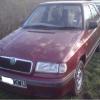
Replacing Felicia Speedometer Cable
Featured Replies

This guide only covers the replacment of the speedometer cable from the gearbox to the back of the speedometer/odemeter, not the replacment of the speedometer clock it's self (which I believe can also have issues, but is coverd in another guide by juan27 here at http://www.briskoda.net/forums/topic/292678-felicia-speedo-repair-thread/)

The car I worked on was a felicia 1.3 mpi (without air-con) and rhd, but I belive that the procedure is very similer for other modles with air-con, and for the favorit,and lhd cars, it's just a different cable.


So whilst I was on my way home about a fortnight ago, I noticed that my speedo had stoped working. So after getting home I first checked the cable drivegear at the gearbox end of the cable, and found it to be ok. So then I checked the dashbord end to make sure the cable had not come loose, again it was sound so I decided that it must be the cable that had snaped, (which it turned out to be) but also I have seen that the ends of the cable can become rounded, and cause insufficiant working of the speedo.

Anyway after ordering a new cable from local dealers (can't remember the part number, i'll post it later) (Price: £22.50) I got round to fitting it. Of cause half way through I started to forget to take pictures, so not everything is documented.


1. Firstly (if possable, don't worry if you can't at this point) Start by loosening the knurled ring at the end of the cable at the gearbox end. Then remove the cable from the gearbox by: removing the bolt at the side of the cable, then sliding out the retaining plate, then pulling the cable/drive unit up out of the gearbox (this could be tight and you may need to put the retaining plate without it's bolt back on the speedometer drive unit and use it to gain some leaverage)


DSC00358_zps9321faca.jpg


2. Now with the cable and speedometer drive unit removed from the gearbox, unscrew the knurled ring and withdraw the cable from the drive unit (I found to loosen the ring I needed to hold the drive unit using it's retaining plate in a vice, whilst using some mole grips on the ring)


3. Inside the car, the dash needs removing. The screws for which are located under blanking plugs as shown: At either end of the center switch bank, between the 2 middle air vents, to the right of the righthand lighting switches,and below the blank panel above them.


SAM_0029_zpsb1802224.jpg


SAM_0030_zpsfffd0b5b.jpg


4. Gently pull the dashboard forwards, as far as the steering wheel permits. Then disconnect the speedo cable from the back of the speedometer/odemeter (just unclips)


SAM_0027_zpsca1e86d9.jpg


Cable uncliped


SAM_0026_zps2d3a7be4.jpg


5. Follow the cable down with your hand to the bulkhead/firewall and push the cable's rubber gromit into the engine compartment. Unclip any cable ties or clips that are holding the spedo cable in place. Now tie a long lenth of string around the inside end of the speedo cable, and pull the cable out through the engine compartment, with the end of the string remaining inside the car. (It might be possable to do it the other way around, from engine compartment to inside the car, but this is the way I did it)


6.Now you should have your string in the engine compartment, and the other end inside the car. Tie the string to your new cable to aid the threading of the new cable back into the car, from the engine compartment.


SAM_0028_zps869cd9f0.jpg


7. After connecting the new cable to the back of the speedometer, place the dashboard back in the facia.


8. Re-assemble the cable and speeometer drive unit at the gearbox end of the cable by reversing steps 2 and 1 (The knurled ring only has to be hand tight) Might aswell check the gearbox oil level at this point aswell.


9. Then try your best to get the rubber gromit into place in the bulkhead (from the engine side), washing up liquid makes a good lubricant (I couldn't get it in 100% but it was good enough for me, because it's a pig to get to and do) Then reconnect any clips/ties making sure the cable is well away from the exhaust downpipe.


10 Go for a test drive, to see if the speedo is working. Job done :-D

  • 10 years later...

This must be the No1 thing in Felicia that makes me extremely nervous, WHY they made the speedometer cable hose SO SHORT?


SC-.jpg.029aff2622acfbe7474e30f5a56d2db0.jpg


Every time i had to re-install the panel back it's a painful process, i had to squeeze my hand to reach the white socket and while i am trying to connect it

paying attention to hear the ''click'' before i push the panel back otherwise the plastic socket goes back and every time the speedocable turns produces a characteristic noise.

WHY the didn't make that black hose at least 5cm longer? Where was their problem?

I have to make a patent for this.

I am searching ways to lubricate that wire, i read about grease but which one? Common, Lithium, Molybdenum, Graphite?

Spray as Silicone or WD-40?


This guy used Vaseline.

I removed the wire and clean it thoroughly


Nt-(1).jpg.34747c6e4ccf5e16ce52f853565844e3.jpg


I clean the socket of the cluster plus the white plug of the plastic hose to be more ''tight'' and i used molybdenum grease on the wire.


Nt-(2).jpg.a0729c350c3b290b2334b314319422c0.jpg


The head of that hexagon screw is for 9mm socket, i bet was for 10mm but i was wrong.


Nt-(3).jpg.994dca6dff472637fd5fcba3ee6cf850.jpg

I unscrew it, remove gently the speedometer cable and i push it back. This helped me to work more comfortable in the gauge cluster installing because my hand couldn't fit enough to push-in the white plug without damaging the harness.

If you don't pay attention the white plug goes back and leaves the wire a bit exposed and while turning makes a ''tzzzz" noise which i hate.

I didn't put too much grease in purpose, i pray that the square end of the wire fitted properly inside otherwise it would turn like crazy and i will not have any indications on the speedometer.


image.png.150540337ffb9b019c4644736e4a28bf.png


Road test in few days.


I done a 43 Km city test today, in the first meters the needle was not moving !!!

My blood frozen and my heart stopped beating, i said ''NO WAY'' thinking the effort and time to remove (again) the dashboard trying to solve the issue but thankfully everything turn back to normal after few seconds.

Maybe that square end of the wire wasn't 100% positioned inside but after few turns made the proper ''click''.

Everything Ok now, no ''tzzzz'' sounds so far (although i had to make a test in the Highway) and let's hope that molybdenum grease will last long.


WD-.jpg.ea93acef81b1dc034686fe8f6a679bc2.jpg


Create an account or sign in to comment

Recently Browsing 0

  • No registered users viewing this page.

Important Information

Welcome to BRISKODA. Please note the following important links Terms of Use. We have a comprehensive Privacy Policy. We have placed cookies on your device to help make this website better. You can adjust your cookie settings, otherwise we'll assume you're okay to continue.

Account

Navigation

Configure browser push notifications

Chrome (Android)
  1. Tap the lock icon next to the address bar.
  2. Tap Permissions → Notifications.
  3. Adjust your preference.
Chrome (Desktop)
  1. Click the padlock icon in the address bar.
  2. Select Site settings.
  3. Find Notifications and adjust your preference.
