



Skip to content

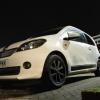
Citigo GT-Elegance

Featured Replies

  • Author

Finally! 


10622913_1082914025068102_80570520362166


10941022_1082914018401436_47559445395378


10940497_1082913928401445_30689088399932


Dark Smoke 20% Tints on the rear. :D

  • Replies 56
  • Views 13k
  • Created
  • Last Reply

Top Posters In This Topic

Most Popular Posts

  • My car was called Shelby, because I think it's the done thing to name your car. And having seen the white with the black stripes down the front and sides, it reminded me of the Shelby Mustang and Cobr

  • Mate, your car always comes first

  • A must need upgraded, I'll IT WILL look ace

Looking good, check your inbox if you go ahead keep it our secret ;)

  • Author

Looking good, check your inbox if you go ahead keep it our secret ;)

:ph34r:

Operation stealth is a (citi)go! 

  • 5 months later...
  • Author

11238266_1192106314148872_88218654871524


These (private plates) went on earlier this week! :) It's been about the only thing done to this car, since I booked my holiday for next week and also #PoloGTIMoney...

Edited by Camlep

holy20thread20resurrection.jpg


Plates also look good ;)

  • Author

holy20thread20resurrection.jpg


[snip]


Plates also look good ;)


I confess, I kind forgot about this part of the forum since it got separated from the citigo owners section! And even at that, I've not been posting too much recently. You missed me? :D


Cheers, though buddy! I like them!

I confess, I kind forgot about this part of the forum since it got separated from the citigo owners section! And even at that, I've not been posting too much recently. You missed me? :D


Cheers, though buddy! I like them!

Missed you very much :p

Create an account or sign in to comment

Recently Browsing 0

  • No registered users viewing this page.

Important Information

Welcome to BRISKODA. Please note the following important links Terms of Use. We have a comprehensive Privacy Policy. We have placed cookies on your device to help make this website better. You can adjust your cookie settings, otherwise we'll assume you're okay to continue.

Account

Navigation

Configure browser push notifications

Chrome (Android)
  1. Tap the lock icon next to the address bar.
  2. Tap Permissions → Notifications.
  3. Adjust your preference.
Chrome (Desktop)
  1. Click the padlock icon in the address bar.
  2. Select Site settings.
  3. Find Notifications and adjust your preference.
