Leaderboard
-
shyVRS245
Locked9Points0Posts -
MikeTheThinker
FREEDOM9Points8,537Posts -
J.R.
Resident Member8Points15,266Posts -

mac11irl
FREEDOM7Points16,806Posts



Popular Content
Showing content with the highest reputation on 18/04/20 in all areas
-
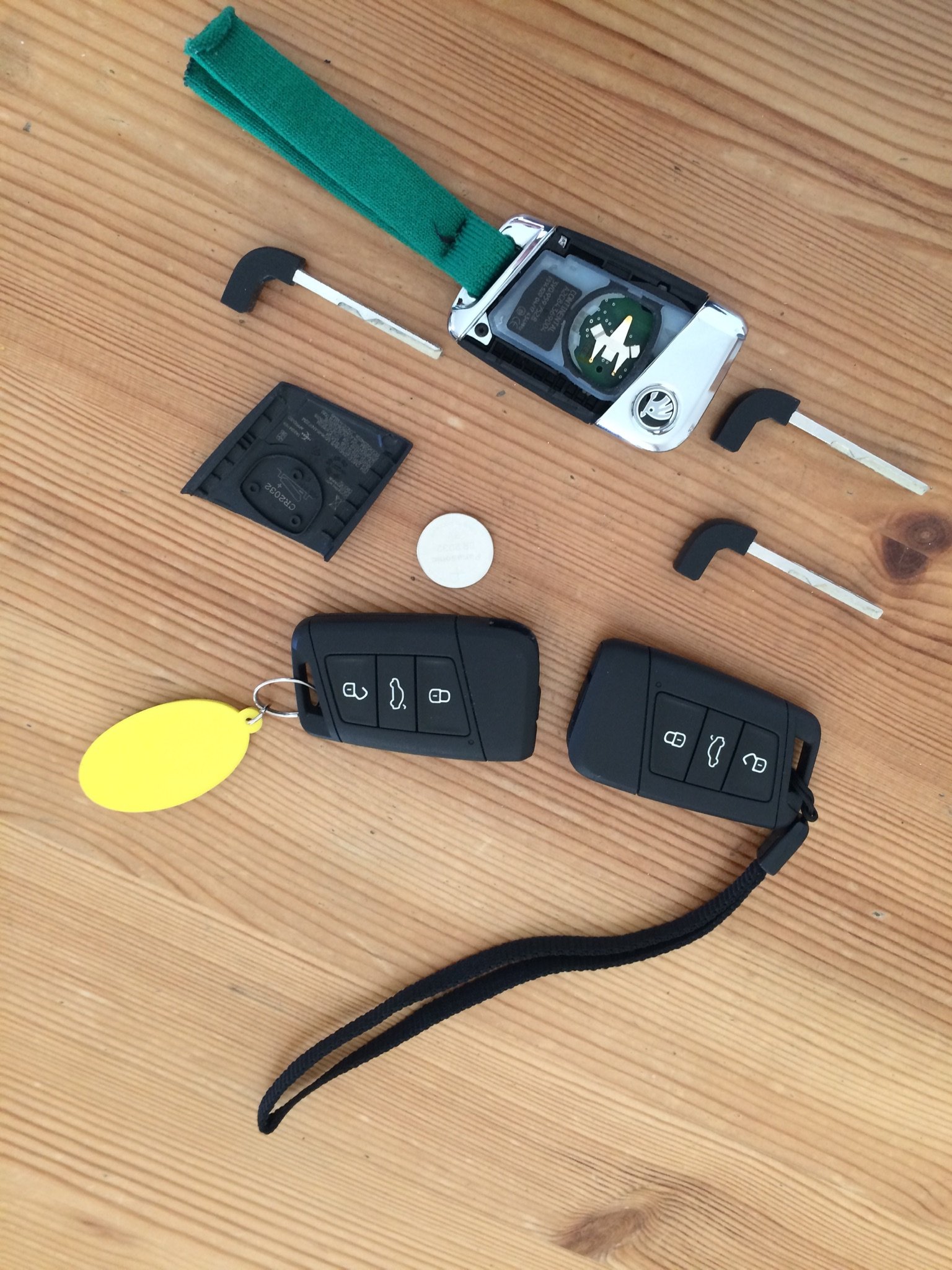
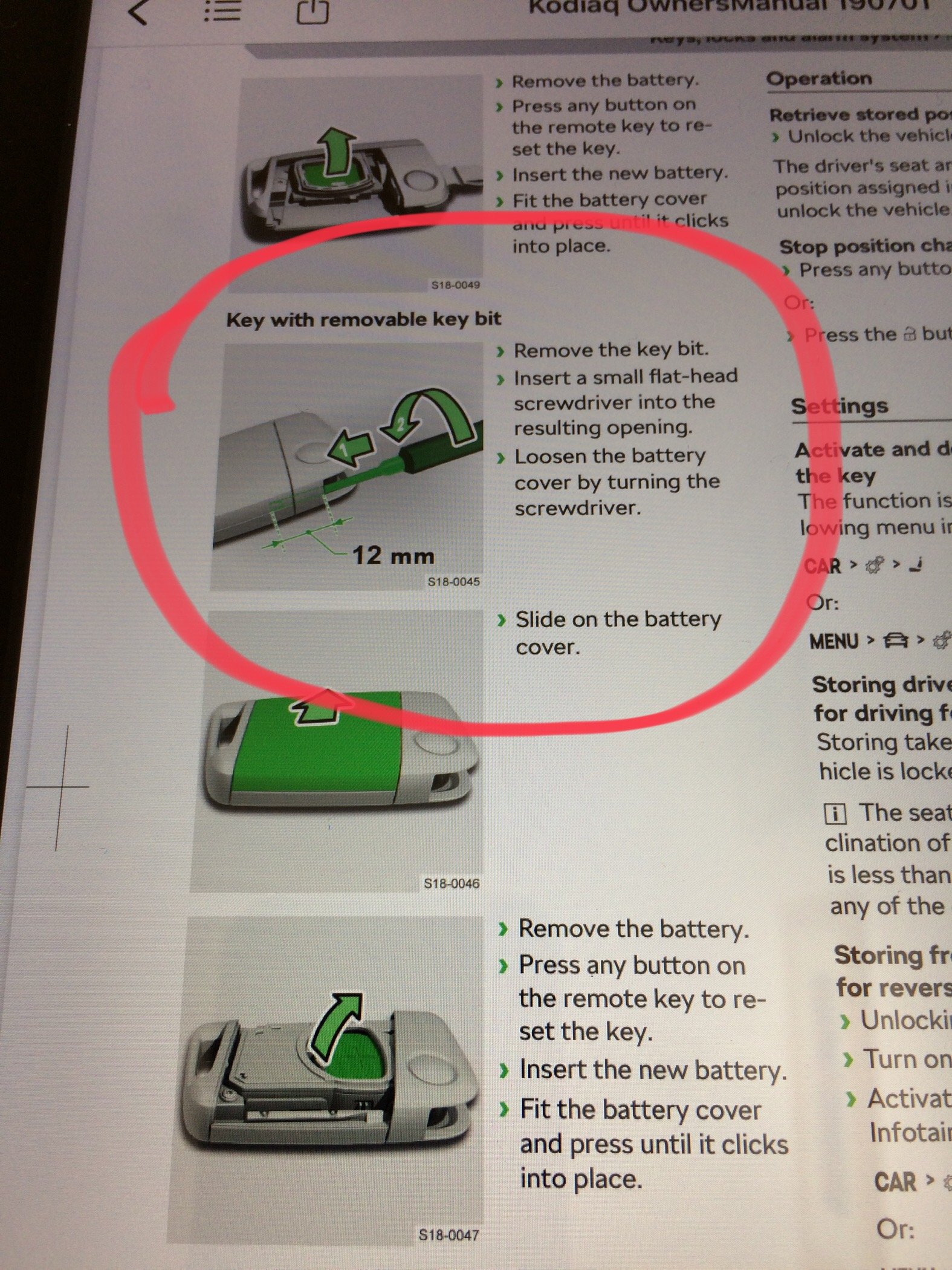
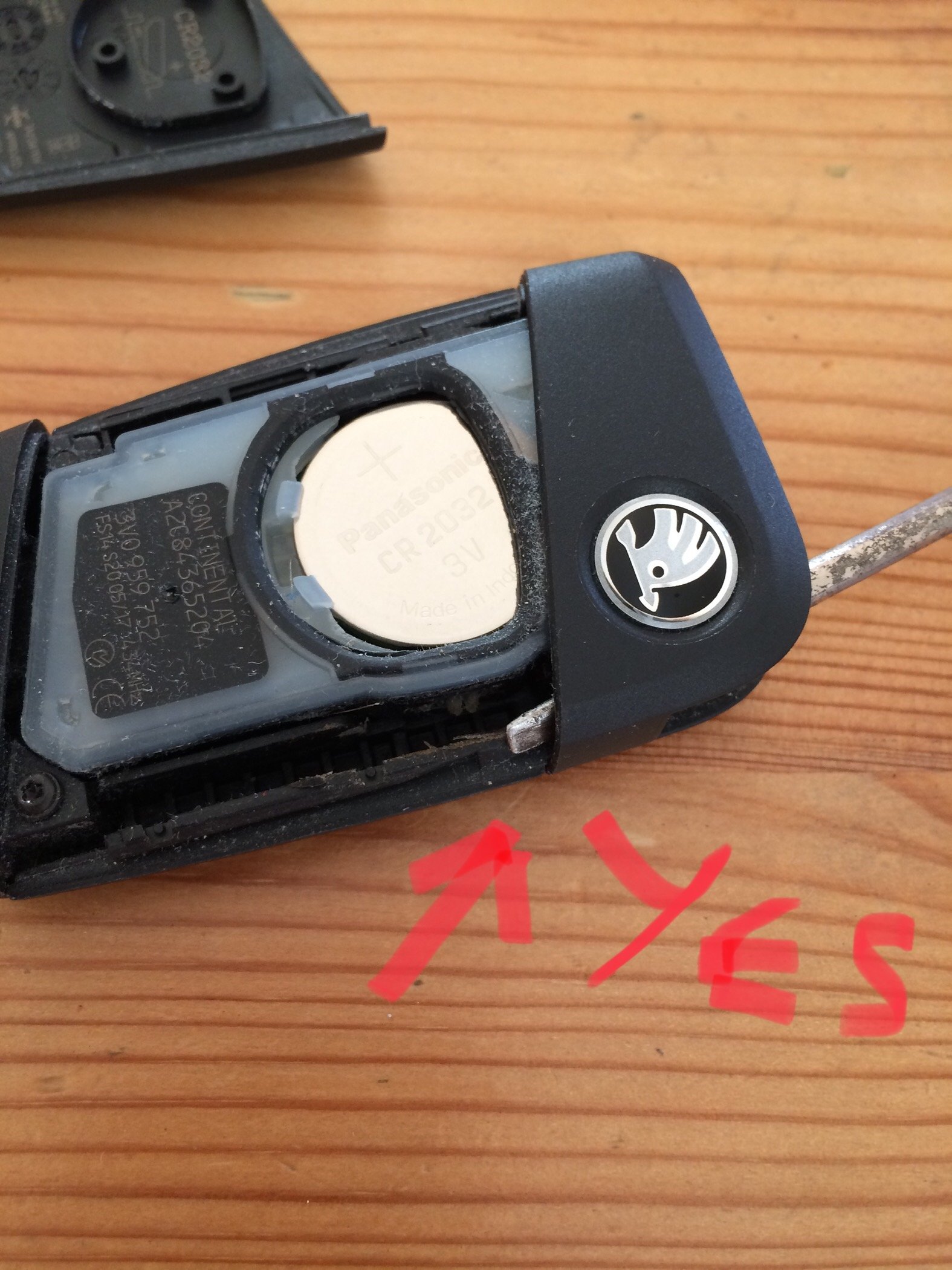
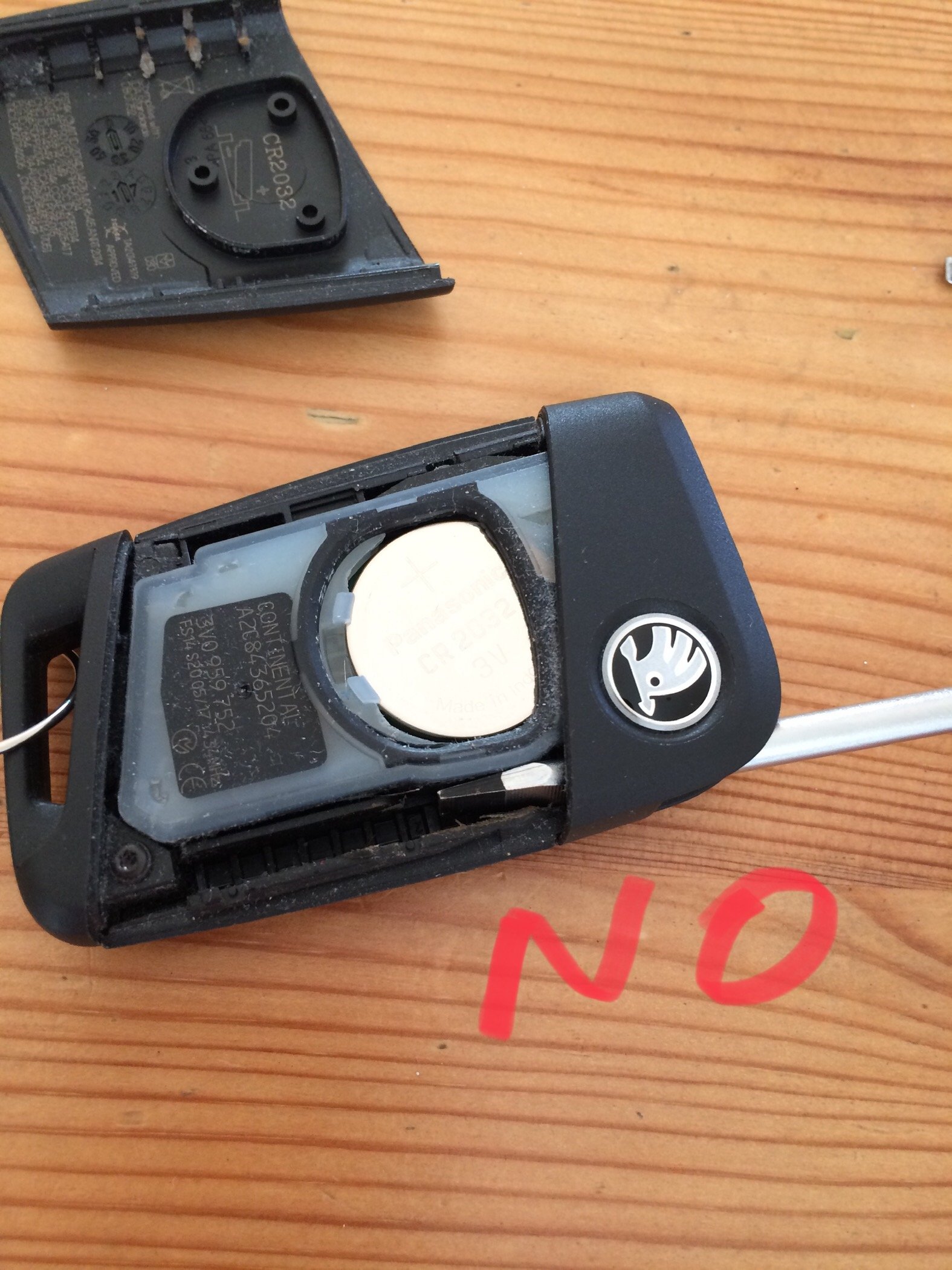
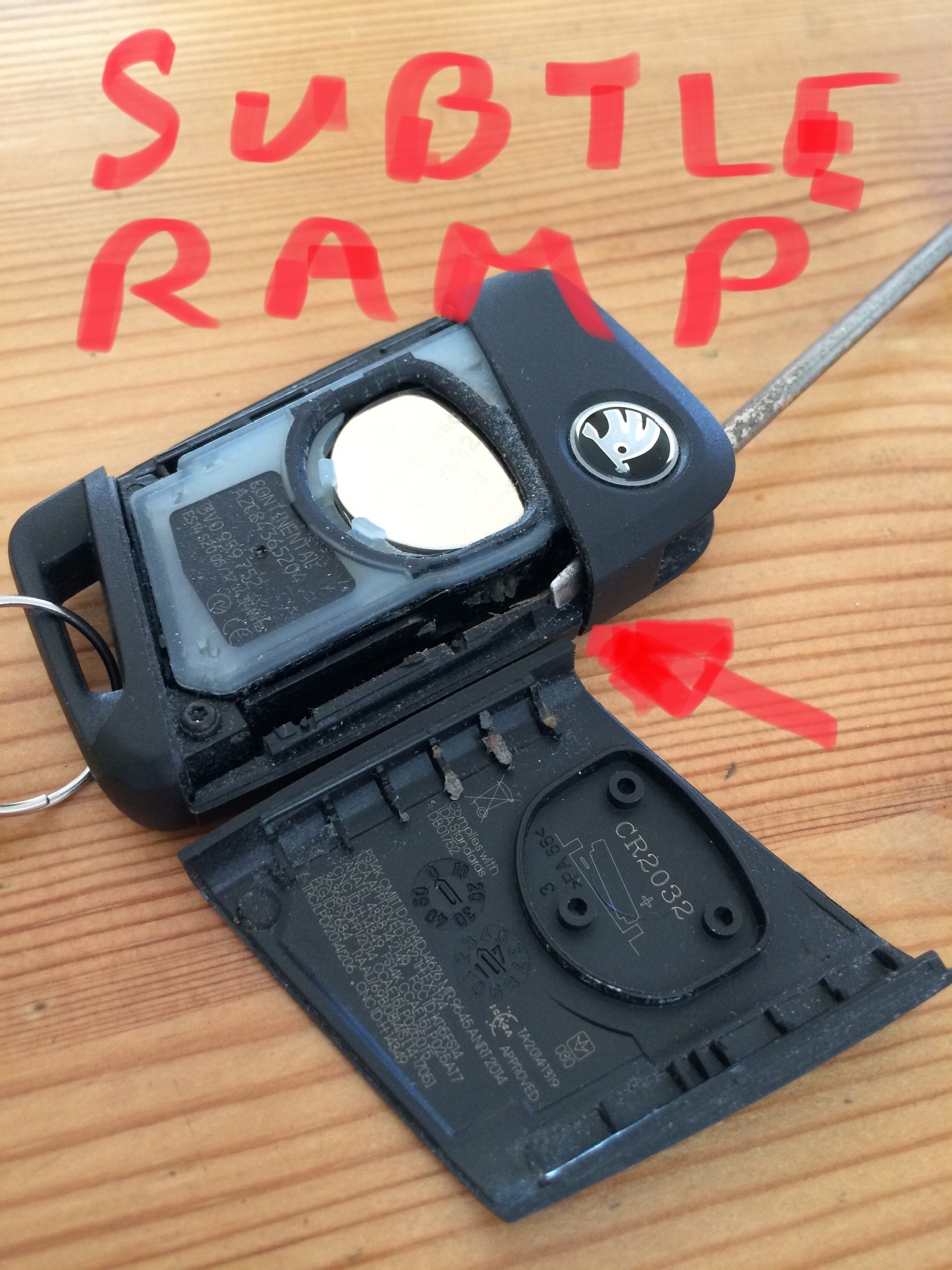
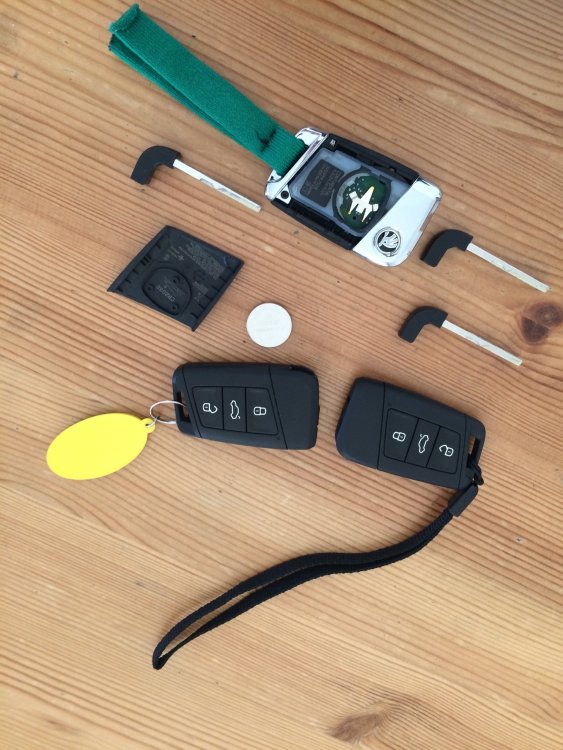
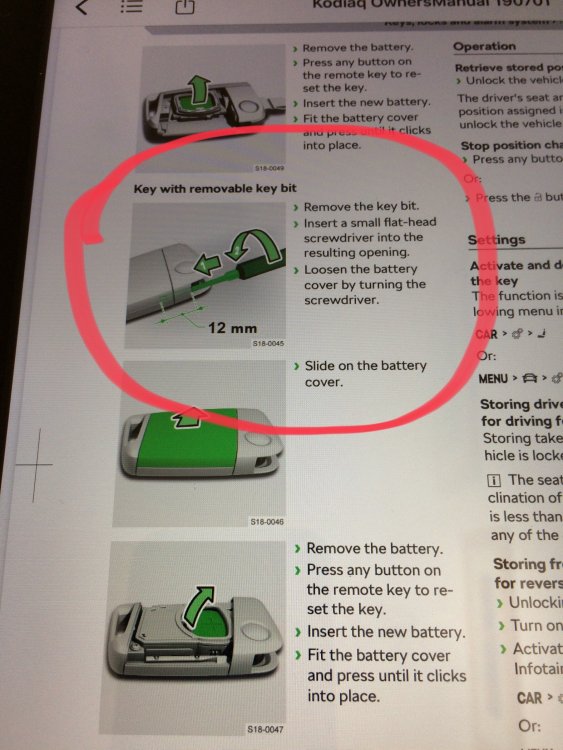
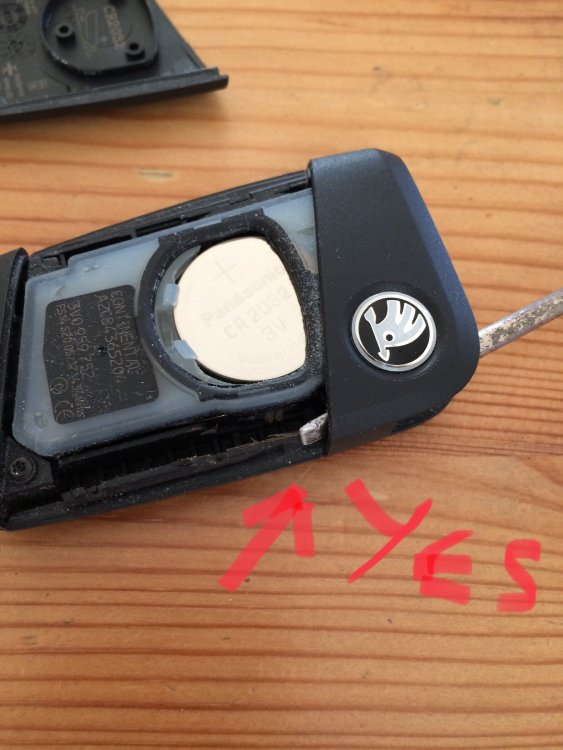
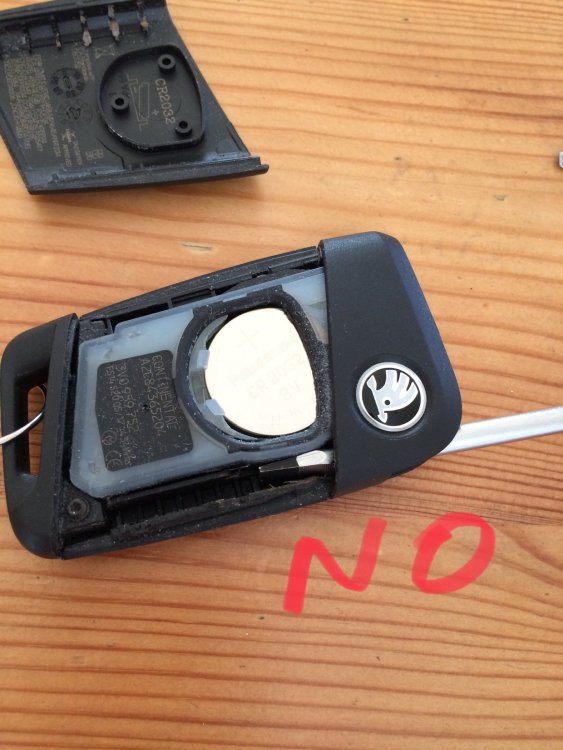
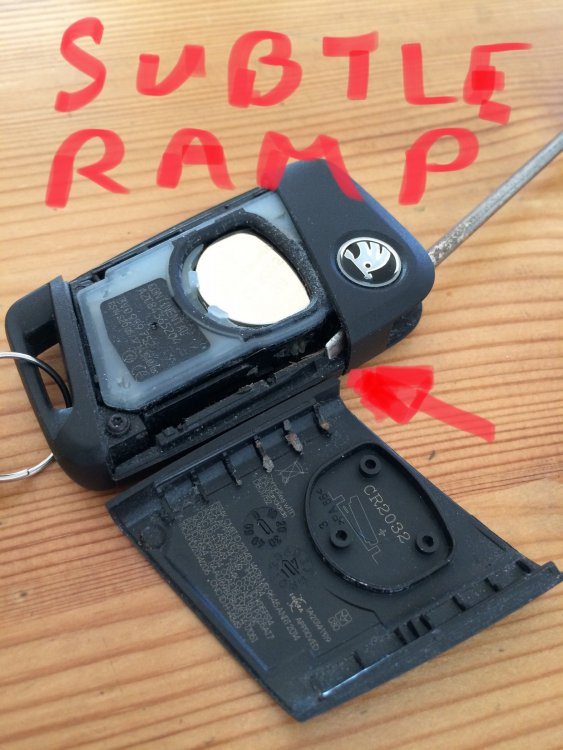
1 pointI’ve changed batteries on previous cars without a wrestling (and swearing) match. I’ve also read the useful Key Fob threads in the Octavia page, but my key fob internals have a different layout. Having seen the Low Batt message a few times on the dash in recent weeks I decided to open my 3 fobs and select the best battery for my No.1 key. Expecting all 3 to last another month till departure day. So I did RTFM. Surprisingly, Fob 1 opened up without much difficulty, but no way could I get 2 and 3 to open. Brute force in the wrong place of course was going to break something (expensive). With hindsight I’m not really sure how I managed to pop No1 first time. Long story short - there’s a very special location for a narrow bladed screwdriver (or ex-screwdriver in my case) to slide up a “ramp” inside the fob and pop one end of the cover and allow it to be prised off without damage. The manual simply says “stick a screwdriver in and turn it” without providing the vital clue regarding precise location. No chance. All is revealed, literally, when you get it open.
 1 point
 -
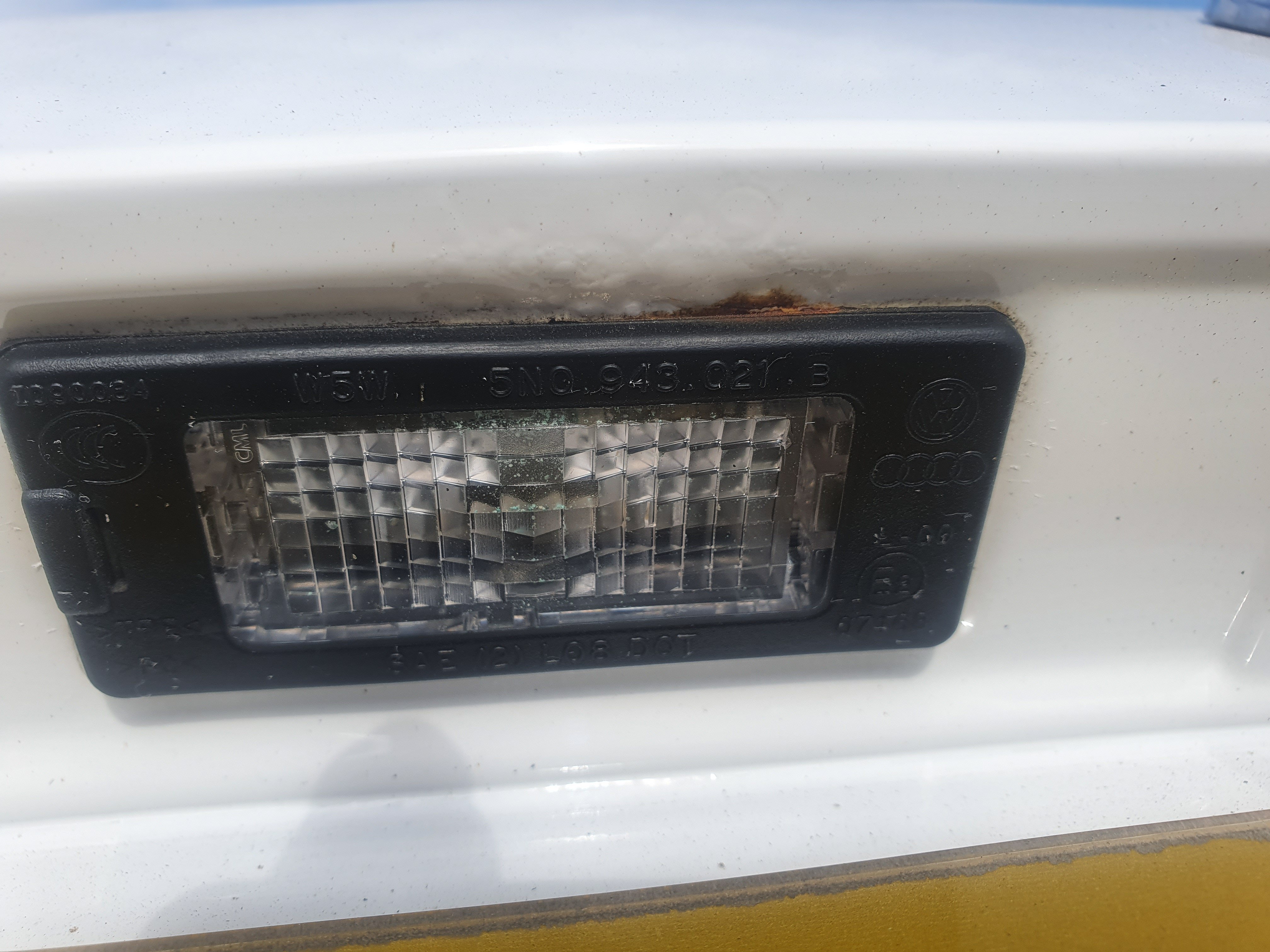
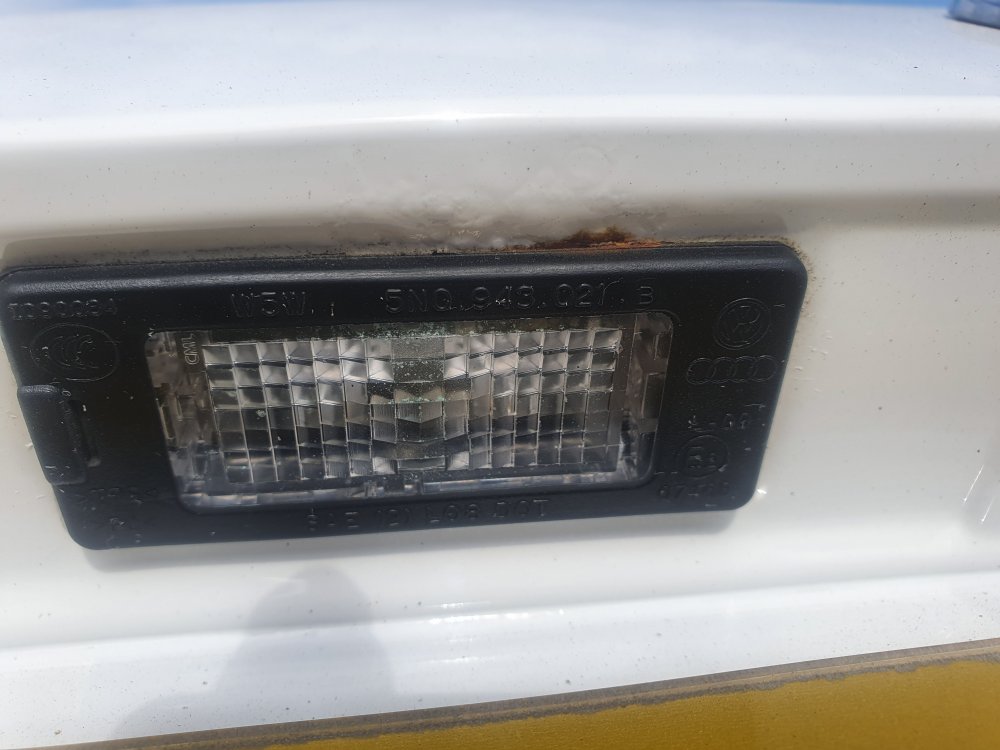
1 pointAnyone with a mk2 or 3 fabia check the boot by the lights for the playe and the button for the boot, I have found some on my 2016 fabia, some has been found on a 2015 fabia and some on a 2012, both are work colleagues of mine. Make sure to check it (or any of vw cars on the same platform for that matter) and mk3 owners (not sure about the mk 2) take advantage of the 12 year corrosion warranty, call them and tell them. They are doing mine because I'm a key worker but they will do it after lockdown is finished for non key workers.
 1 point