Kenny R
FREEDOM
-
Joined
-
Last visited
Everything posted by Kenny R
-
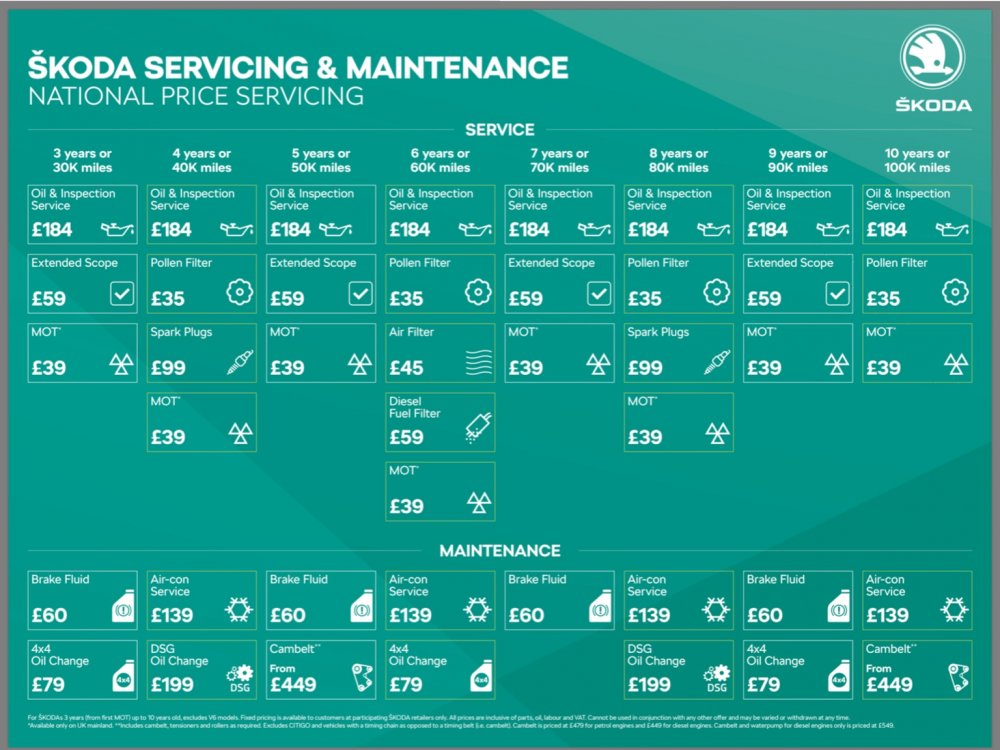
Your Haldex should have been done at its 3rd service the DSG will be due an oil change at its next (4th) service
-
https://youtu.be/ZSkwYwgd3ZI
-
Don’t know if it’s still the same but pressing the engine start/ stop button without a foot on the brake pedal switched on the ignition without the engine starting.
-
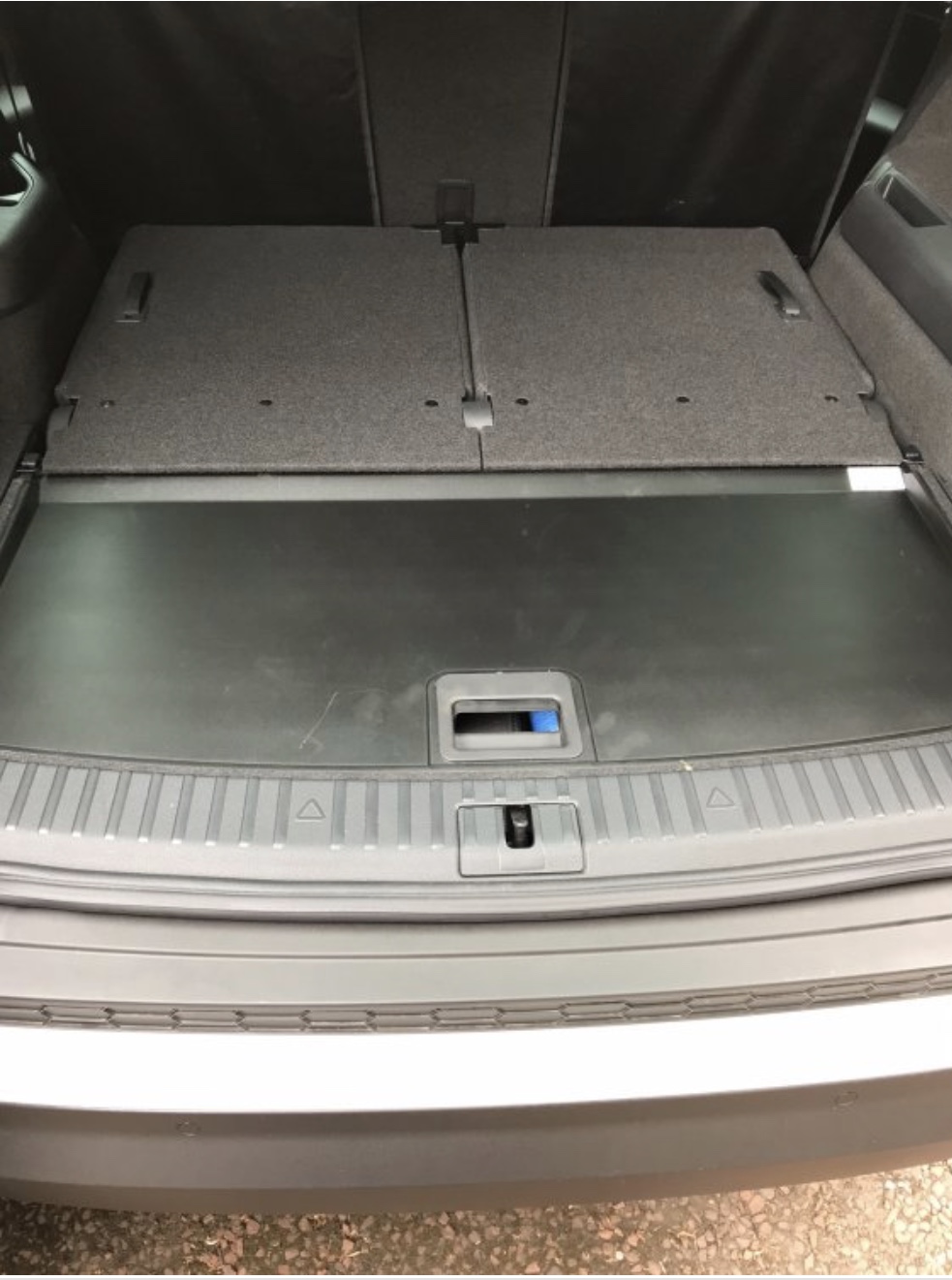
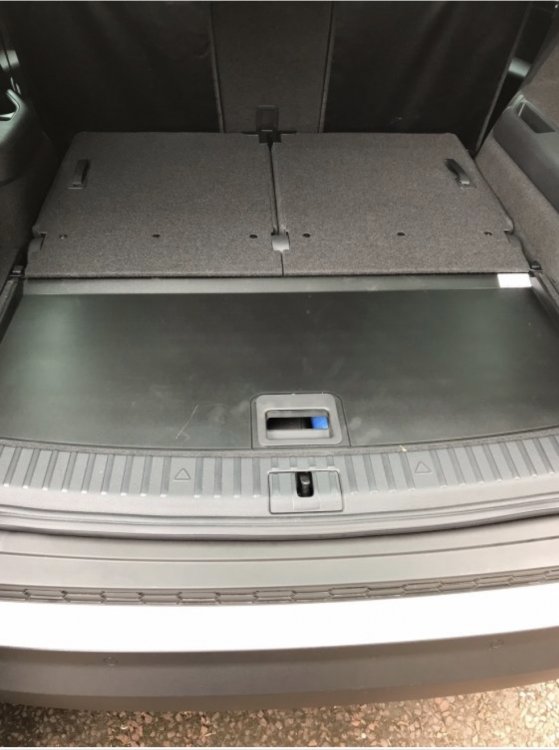
Yes, that’s the standard floor cover reversed. I said rubber in my post but it’s more just hard plastic but has raised edges and great for putting wet boots etc on instead of on the carpet side.
-
There’s this but is quite expensive… http://www.kopacek.com/Skoda/KODIAQ/Kodiaq-heavy-duty-rubber-rear-trunk-cargo-floor-mat-with-car-silhouette-7-seater or you could just reverse the raised floor cover to its rubber side
-
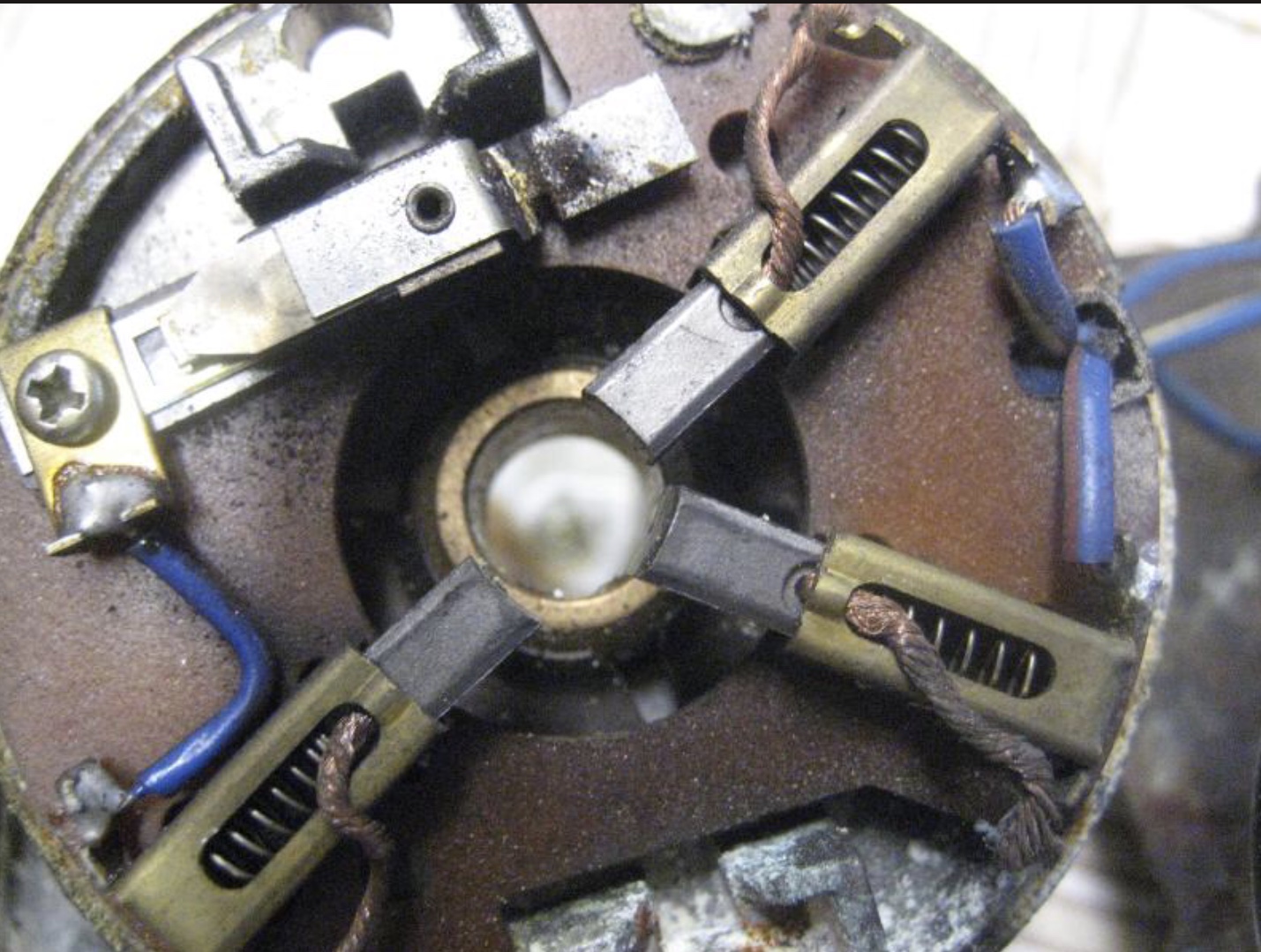
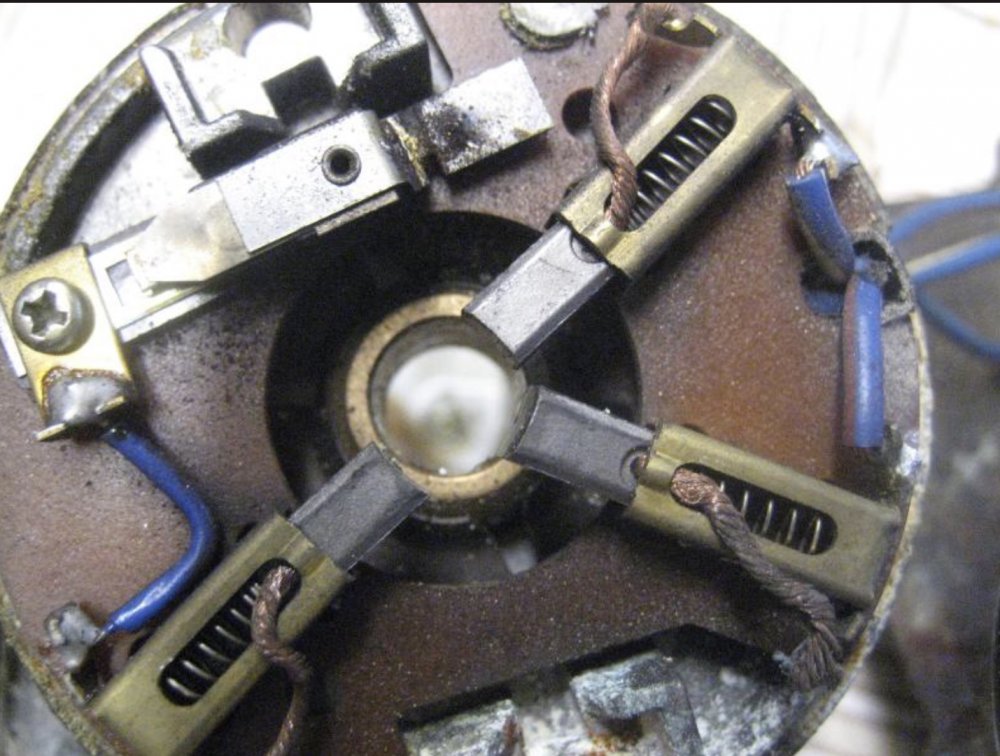
Brass brush boxes like this..
-
Does the other side have brass brush boxes ?
-
My first Yeti (2010) had the green headlights indicator on the dash, my second (2013) didn’t.
-
Chillax , embrace the technology, you get used to the auto lights doing their thing, and they are very good at doing it. If it’s dark it’s easy enough to see the lights are on, when it’s raining they come on automatically, and all it needs is a customary glance at the light switch to check. The only situation they might get caught out is when it’s misty and you might have to turn them on manually.
-
The headlight symbol only illuminates when the headlights are on, either on auto or by manually switching them on
-
The only indication that the headlights are on is the symbol on the headlights switch illuminates.
-
Just be careful on eBay as some sellers describe wheels being suitable for the Karoq but the tyre sizes are not an approved size and also work out dearer than the dealer kit as you would still need to buy wheel brace, jack etc.
-
For your £250 the kit you get from the dealer has a spare wheel, storage for tools that fits in side spare and a jack and wheel brace.
-
Not a diesel owner, but as I believe the adblue tank capacity is 20 litres you may need more than your 10 litre top up to fill the tank. I think you also have to do the level reset procedure after filling.
-
Sounds like you are pulling the gear selector back when selecting d and putting it into sport mode.
-
This was covered many years ago when I had my Yetis, and it worked for me on the both of them without moving seats etc, and they had the raised floor ( spare wheel) I seem to remember some owners at the time saying it didn’t work on their yeti but the design remained unchanged on to the F/L till end of production.
-
I have autohold and use it all the time. At traffic lights I just stop in D and the autohold keeps the brakes applied. If going to be stopped a while I just flick the stop/ start on just to save the clutches though I don’t think there’s any problems leaving my wet clutch DSG in D with the engine running.
-
Depends if you have autohold, stop/ start, dry or wet clutch DSG. B definitely a bad idea.
-
4 years have past since this topic was started and things have moved on again, as well as no CD you now get no SD card slot only a usb c port
-
Phone Skoda assist
-
Some front wipers don’t work if the bonnet is open. I would check the bonnet is fully closed or not showing open on the maxidot
-
Did you update the SD card on a pc or Mac. If the latter I’m sure someone that has one will come along and tell you how to remove the extra data it leaves on the card that the Amundsen doesn’t like.
-
-
Try in first up position and spray some water onto windscreen sensor to confirm that you do have auto wipers.
-
If you found it reluctant to change up sounds like you were in sports mode, which would tie in with your fuel economy comment.