Tell
Members
-
Joined
-
Last visited
Everything posted by Tell
-
-
They could try but what I've read is that its locked down in West Europe ie. the cars won't allow it. Out of contract with connected services if you could it would be free but VAG are suppose to have thought of that. Previously I had suggested to Seat people to try it that way.... then I read on a board it wasn't possible. Thus they have closed the door to people getting free map updates on both VW and Skoda if out of contract.... least that's my understanding of where we are at. It does beg the question of why VW publish the link thou. The over the air ones are incremental as you pass throu the zones. May be the published ones are for total updates for those in contract. May be what I'd read was wrong. Don't think any of the Seat people are out of contract. Worth a try thou....
-
I'm sure MartiniB or a mod will push you in the right direction. Unless Skoda are holding their maps back you should be getting updates. Seat users of mib3 have been getting them iin 2021 regularly. Suppose to be automatic but you do need the 4g signal. There are two contracts as I recall one for connected services the other with the eSim provider. You might be able to do it with WiFi... some people go over to that at times. Suspect it's your settings unless Skoda aren't updating Skodas this year. Seats with mib3 are ahead of us on mib2 high. They are Here Map maps you get across mib3. Some people fumble their privacy settings thinking the earth is flat and going dark helps matters with mqb evo problems. Best to ignore people who spread that, they are incorrect. Don't hide the unit from the mothership. Might have a bearing. 5th yes it does change the map update in the car... that's the one that Seat people talk about. You go into settings not the engineering menu. Try haunting this thread. I believe you fumble that screen on updates... but I'm sure they will redirect you. My Seat mod skills 🤣. Now I'm drained of info 🙄.
-
My understanding is it suppose to be automatic if connected as in connected cars with on going service license. The published files you see similar to the mib2 high ones but mib3 are suppose to be unusable in West Europe VAG locked the units down to force you to do it over the air. That is what I've read. Over the air could be the eSim or using the cars WiFi. I know Seat ones are nicely updating over the air. You might have to poke a button for that. My understanding is that whilst mib2 for VW and Skoda got "map updates for life for free", Seat didn't still still tangle with mapcare, mib3 nobody does so if you drop your subscription for connected services you loose the map updates. A cheapskate method doesnt exist... that's my understanding you are now like Seat VAG owners the door has been closed as it been monetized. Suspect that door will be knocked down one way or another by the "mib collective" in Europe. Happy for MartiniB to point out a Skoda thread on here and be proved wrong. Mib3 is so diabolical compared with Mib2 happy to stay with legacy systems 🤣. MQB Evo cars if you are lucky to have one equally are complete trouble compared with previous VAG platforms. Because of the PCP / contract merry go round if you stay with VAG you currently enter the world of problematic systems. Mib3 is one taste of that, the wider taste is on MQB Evo platforms. Here end-ith the 2020- sermon 😂. Amen.
-
You have a blend of topics there. 1. You can if it's a mib2 standard but not Columbus. The language files you chump out to get it to fit on the 16gb VAG card since the last release popped the card size. But that's off topic. The mib2 high release which is what Columbus is (mib2 high) uses a signature on the sla1 to protect the release from meddling. You see that signature at the end of the metadata2 files, a bank of four codes, if you see that it's signed. Apart from a hack that's been discovered with the mib2 hardware where you can add some code after it and it slips in undetected, you can't meddle with anything infront of it. One character out and it stops the upload to the unit. It is also protects the unit from any jigger in your communications in getting the download although 7 zip shouldnt unzip if you had that. That's where Mac users with unclean uploads that don't do CleanMydrive get caught out. The hack mentioned is used by the Green Menu (Gem) mib2 toolkits to get their payload into the unit so you can do retrofit activity in the car without pulling the unit out and putting it on a bench. So in essence you can't fiddle with the map upload due to the sla1 signature check, that's more than a checksum. 2. The card issue comes up due to cheapskates that won't buy the correct 32gb card and keep it formatted in fat32. They know best and propergate using different cards or usb sticks for the job in something other than fat32, people follow then find it doesn't work. The classic one in the last release of mib2 high was if you had the card formatted in NTFS it wouldn't fit due to the pointers to support NTFS take up more space than fat32. A fat32 full size SD card from Amazon Prime from a well know make will cost about £7 in the UK why use anything different ?... but they do. Veer away from VAG recommendations of fat32, 32gb standard SD card at your peril. It's only the HD that's suppose to be in NTFS, that piece of vag text is clumsily written not the SD card. "Well known make" covers Sandisk etc. Possibly true that dubious cards get caught out in the last release like the Toshiba card since it was the biggest release yet for Europe, not sure of Oz. We say use Amazon Prime since it's be known that Marketplace ones can be of the fake type. Saying this I have had no issue with Aldi / Lidl 32gb SD cards I inherited from by brother... probably have good QA on their suppliers. Testament to German discount chains :).
-
I thought there were but the target was to get it working via the workaround. Massaging the country code to make it look like Europe. Other than that more surgical work on the firmware. That would be hitting it with a crow bar rather a light tap. 😉 Anyhow those frigs are what people do on import units and import cars out of region. All free, no retrofitter required. I love your links BTW.
-
-
There is a trick you can do with the source rest of the world map file to make it look like a European map. Just requires a minor edit. It was first published by the T6forum for people who wanted to take their vehicles to Morroco. Brits emigrating to Australia with their UK vehicles also did it in Oz it works. I published it on the Seat UK forum having tried it myself. We have had a bit of T6forum / SeatCupra member board working to develop it further. New Golfs are more stringent so you need to edit a few more bits of the file. Now we have US Golfs brought to France where it works, French mib2s exported to Palestine working with Israel maps. It as a Palestinian that cracked the more advance edit on the Golf, I seeded that to the person with the US Golf in France and that worked... quite a party. You can follow this text if Briskoda allows T6forumn links. Also hunt down the Seat Cupra link 😉. Got a car with a working installed map but outside of the region - need to get local map working ? (Mib2 Standard only) Example taking a car to Morocco. Exporting a US VW to France. Exporting a European car to Palestine. Emigrated with your mib2 car from Europe to NZ. The T6forum perfected some of this but joint working across the boards got it going for more modern units. Guy in Palestine sorted that out for latest VWs which were the problem. Arona standard Mib2 is happy with the original T6forum method with the workaround above. Advanced method with example with Israel as the map (text taken from a VW user). This is taken from the Seat Cupra board where I wrote it. The steps are the advanced ones for newer mib2. 1-6 were the original steps the example is Morocco. On the the t6forum is the Australian / NZ country code in place of 27 (We hope else you delve into the file looking, how I found the Israel one for the export cars to there... The Palestinians like them apparently). 00 is Europe your unit, so your country takes on that identity and the unit is none the wiser. Step 7 is used if mapcare is in use, Seats. Step 8 and 9 for newer mib2s. Step 10 in the car. Suspect you might get away with 1-6 and 10, if not do all steps. Suggest you try Morocco first then branch out to home (country code 27 in the download). I've had Morrocco and Israel on an Arona in the UK whilst helping others to perfect the method. I did cover somewhere how to drop your finger on the country code without experiment but it's not springing to mind at the minute. Afraid you will have to work that one out by trial and error. Always reboot the unit long press after changing the SD card, obviously keep a copy of the original files and it only works with a Vag card unless the unit has been modded due to it reading the CID. https://www.t6forum.com/threads/how...-in-non-eu-countries-e-g-morocco.10331/page-2 1. Download the required Region Map Update. (For example, "Non-European countries - Package 3") 2. Use a VW SD card, as VW SD Cards have a special [CID] card identification code, and normal SD cards cannot be used for browsing data. 3. Erase everything on the card, (Before making a backup of what's on it). 4. Copy and paste the maps folder after unzipping it (do it in Windows because the mac fails something when unzipping, or use a recommended program "see volkswagen page"). 5. Use a file explorer to open the 'maps' folder on the SD card. Depending on the map package you have, you will see several numbered folders. 6. Change the name of the corresponding folder of the Region number found inside the 'maps' folder on the SD card to '00'. For example; To use the MRM3 Region SD card to navigate in Morocco, etc., rename the folder '27' to '00'. 7. Copy the OVERALL.NDS file from the original (European) maps folder, which is in the “maps / EEC / EEC_WLD / OVERALL.NDS" path, and subscribe it to the card in the same path. 8. Copy the file OVERALL.NDS from the original maps folder (European), which is in the path “maps / 00 / nds / PRODUCT / E1 / OVERALL.NDS”, and subscribe it to the card in the path “maps / 00 / nds / PRODUCT / XX / OVERALL.NDS ”where XX is the code of the desired region (ME1 in the case of Morocco). 9. Copy the PRODUCT.NDS file from the original (European) maps folder, which is in the "maps / EEC / PRODUCT.NDS" path, and subscribe it to the card in the same path. 10. In the car, restart the Infotainment System by keeping the on / off button pressed for a few seconds, then insert the card and you're done. Basically 7. is the Exciter workaround 8 and 9 are the two additional steps that some VAG heads required to make it work on out of zone maps. Was fine for the Arona, step 1- 7 was sufficient and only presenting the target country in 00 directory not editing and leaving the rest as is. Suspect the wifi standard heads of Seat would need steps 8 and 9. Had maps of Morocco and Israel on a European Arona unit. The method with steps 8 and 9 was used on the VW car brought to France from North America and the car that was exported to Palestine from Europe. For the US car the country code is 01 so 00 content is renamed to 01.
-
-
-
If you poke the infotainment back on 20 minutes in you'll get the 40 minutes or so all in one go. As I said it does put the update on hold untill it's stirred back to life, so you get 20 minute segments if it's standing. Like when you are sitting in the car and it turns the radio off, those are the 20 minute segments of power it's using or if driving all the time then into 20 minute segments after last closing the door.
-
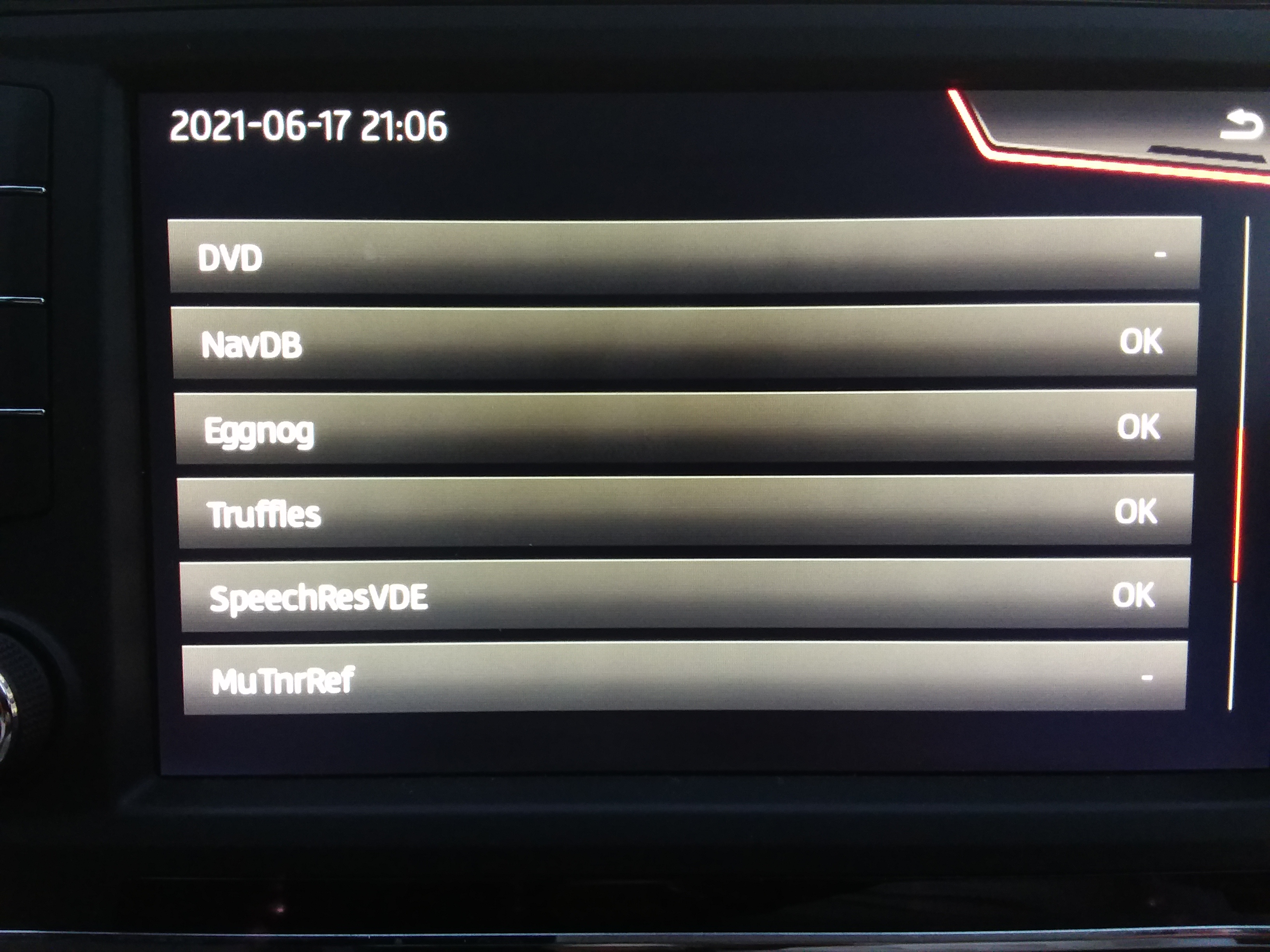
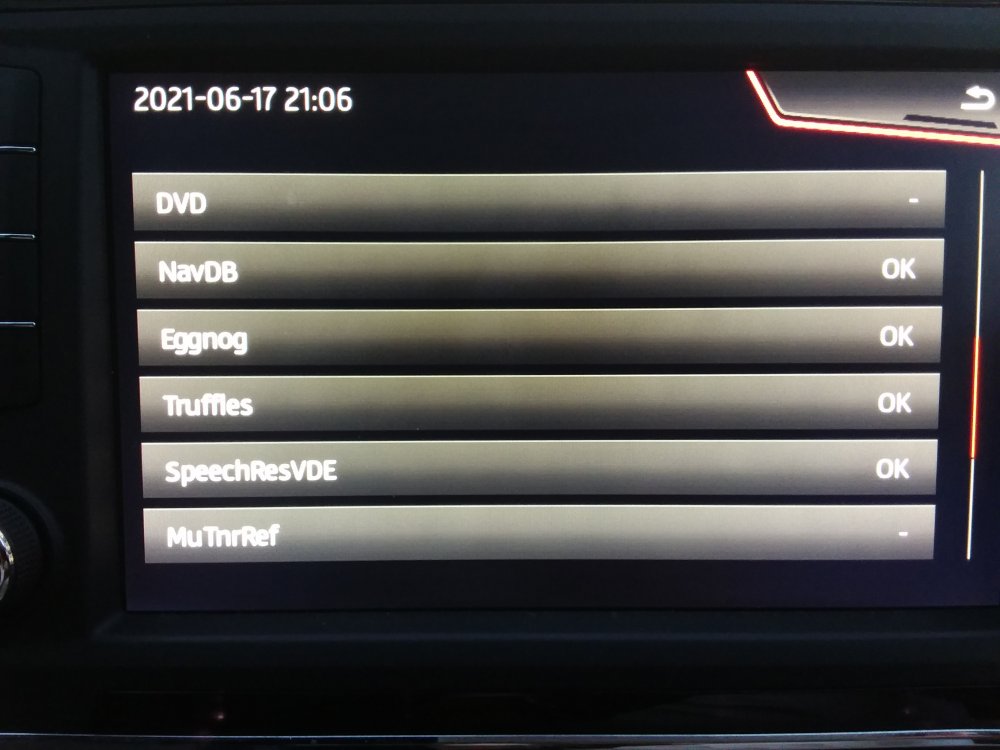
Did you have power for 20 minutes or open the door . I prefer to see the process, countries, Eggnogs and the like. Suspect newer units have faster processors in them so the 2016 mib2 high is beaten by those that came along later why they get the job done quicker. Use to be over an hour in background mode. You see the final screen in the developers menu and know job done 😂. Those comforting OKs. Now an honorary Skoda navigation lifetime FeC Seat 🤣. What I said... method 1 😉.
-
Method 1 Consumer Use The customer way of doing it is sort of yes. The process will run on for 20 minutes after you last close the door since the car has systems powered up for 20 minutes after ignition off and lock. It remember where it is, although there might be some roll back a little. Next time the unit gets some power it starts off again... probably from a mid point roll back position. Drive it around etc. Those 20 minutes of power add up. Most people seem to say just over 40 minutes which is a bit surprising since its suppose to be about an hour or more via that method. Method 2 Techie Use The other method is via the developers menu, SWDL. That menu is disabled on delivery, you need VCDS/Obdeleven, mib tool etc to enable it. Once enabled you can load up the maps in foreground only from the SWDL command (method 1 is still available). It suspends all other infotainment activity during the process. You need to keep power onto the unit since roll back is to the very start whilst the first method isn't, that method pieces together the powered periods and I believe you can still use the radio (You cant on method 2). Open the door every 15 minutes to keep the power going for just over 40 minutes if the engine is turned off. Those are the two methods. The latter is only really for techie people. It gets the job done and you can see the process. (I never do method 1 myself)
-
Well if it's the standard mib2 with SD then a 2019 Tiguan Discover Media. If its the mib2 high then it's the pro. If you head into the Passat 2019 you get mib3, ditto the rest in 2020 who all went over to mib3... or use the author of the threads pages. Columbus is a Pro. The other one Ams-whats it is the Discover Media. SD map card based. You see MartiniB page makes it easy.
-
That's because they are using postcode centroids from the postcode directory. They were intended for market research / government analysis to geo locate an address to area building bricks from census data (electoral ones or market research zones). Point mapping to an area etc for service usage. Roads bend so centroids can / will be off a road. Mib has the ability to tell you an address is off road or on the left or right if house numbered. Postcodes are basically a unique UK thing. Other forms are much wider. The error that the developers have got in mib3 is the way they are using them. They should have some logic that matches them to the closest street and then commits that name and location to the destination not the x,y coordinates in the store. If the road has been house numbered in the Here Maps cartography you are much better typing the house number and street. The search bar will also scan POIs. A business can have it's own postcode whilst a residential area the postcode is the "postman's walk". His delivery route with the elastic band round the envelopes to be delivered. The centroid itself may be incorrectly placed that use to be a bug of using the postcode directory in analysis. So in summary I'd say it's the VAG contractors that took the Here Maps cartography that doesn't contain full postcode data in it, used the UK postcode directory but didn't perfect the implementation for the user correctly as you find in the likes of Co-pilot and previous Mib2 high etc.
-
Living life on the wild side with microSD and SD Adaptors for mission critical things. Amazon market place did supply me with a counter fit microSD once. Failed. Examination of the microSD, the packaging and the adaptor checked all the boxes for a counterfeit as published on the web. It had failed. Got my money back. 128gb one. Only buy Amazon Prime supplied ones now not Market place ones. They had switched the re-order from Prime to Market Place. Something I now check if buying more. Pretty well known that counterfeit ones are sold on the Market Place although been reported by Prime as well. The cost of memory is so cheap these days buying the right thing for the job isn't that expensive. Kingston 32gb ones were quite reasonable the other day, ditto Sandisk Extreme 64gb the other day. Might be using that for map updates next year... You never know.
-
Of all my failed SD cards they have all been the micro SD ones. Running at four now, all well known makes. Two raspberry Pi and two in my phone. Don't reckon they are so durable which is why VW dont recommend them. You wouldn't do a firmware update using them... would brick your Mib unit. Map update it would suspend. Probably where they are coming from. You can buy more resilient micro SDs... which are more durable for constant use. Spotted that the other day.
-
-
-
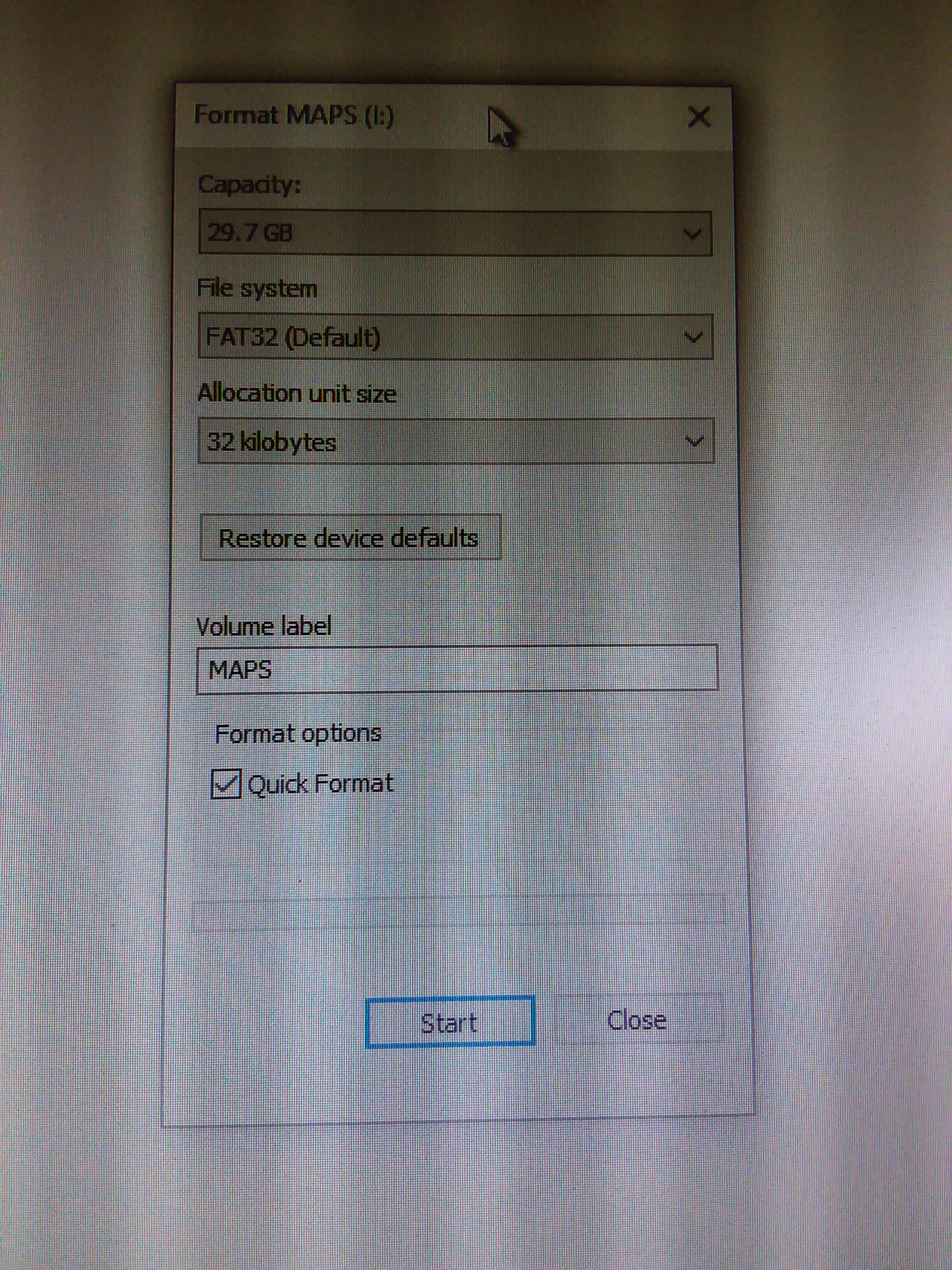
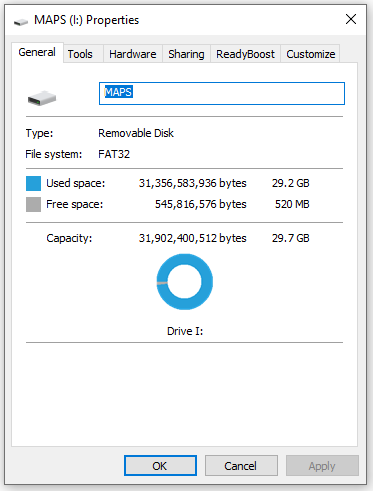
Correct which is why you dont use NTFS on a 32gb card. That's got more indexing than Fat32 so you loose more to indexing which is also stored in that useable space. NTFS is a trap that VW documentation leaves when they talk about NTFS in the documentation... That's on the hard disk. All NTFS on HD now. If you want to use a 32gb card it has to be in Fat32. The issue was picked up on German Skoda forum this time round. Mind you I reckon next year it will pop the 32gb limit as lockdown led more people to do Here Maps crowd sourcing which I suspect is why the Tom Tom one popped the limit on the Standard side. Here Maps is open to footpaths which you will see entered on the maps these days. You just hope your car stops at that point. I have tried the local one I put on. If correctly flagged it shouldn't take you up it. The navigable attributes are different to what you see on the map.
-
Get lazy all those Ctrl+'s 😍... Will use paint next time 🤣. De... dar (I do date back to CP/M you know and ICL George 3 operating system, IBM 360, PDP8s... they don't make them like they use too ;)... know a few replication punch card tricks that the youngsters don't know, very handy these days)
-
-
Well it should handle it if formatted to Fat 32 and nothing else is on the card. It's the guys that like NTFS on the card that get unstuck. Default sector size has a bearing also on Fat 32. Leave that untouched at the default. Saying that one of these days it may break the 32gb SD card limit but hasn't happened yet.... not on the brand I use.
-
An alternative way is to enable the developers menu via Obdeleven or VCDS etc which gives you the backdoor into the system. Having enabled the developers menu, a long press on the menu button opens up a second one which has SWDL on it. Press the top button on that, then second one down, that opens up what's on the SD card. Stroke down and should see Ys against the map attributes. You start it off, takes about 40 minutes. Trigger with the engine off and you have to open the door every 15 minutes to keep the unit powered up. I tend to wander in and come back out to the car during the process. Timing the visits.... gets the job done. I've never done it in the background. (3 folders ?... metainfo2.txt file plus mib1 and mib2, one file, two folders ;)) Well done.
-
Android Auto or CarPlay... hmm. Those M.I.B. collective people do have Skoda firmware. The beauty of Mib Tool, no pulling the box out, d link Usb Ethernet connections since its all loaded into the Green Menu (GEM). Some risk of trauma thou. I like to just poke a destination in and not bother with apps.