Tell
Members
-
Joined
-
Last visited
Everything posted by Tell
-
The VW recommended way for Macs is Keka and CleanMydrive, although I do know that some use Unarchiver. ATTENTION If the map update is performed using the Apple® OS X operating system you may find that Discover Pro does not recognise the map material or displays it incorrectly. This is due to a lack of compatibility between the “7 zip” program and the OS-X operating system. In addition, the OS-X operating system has a tendency to create hidden additional files on external data media. We therefore recommend that OS X users use the “Keka” unzipping program. We also recommend using the “CleanMyDrive” program to remove any hidden files. There the issue is whether the Skoda zipping method works any better in Keka. CleanMydrive takes out the dross that Mac's put in. Another solution is to use the VW portal that doesn't have the "funny" zipped file in it but still needs the special treatment on a Mac.
-
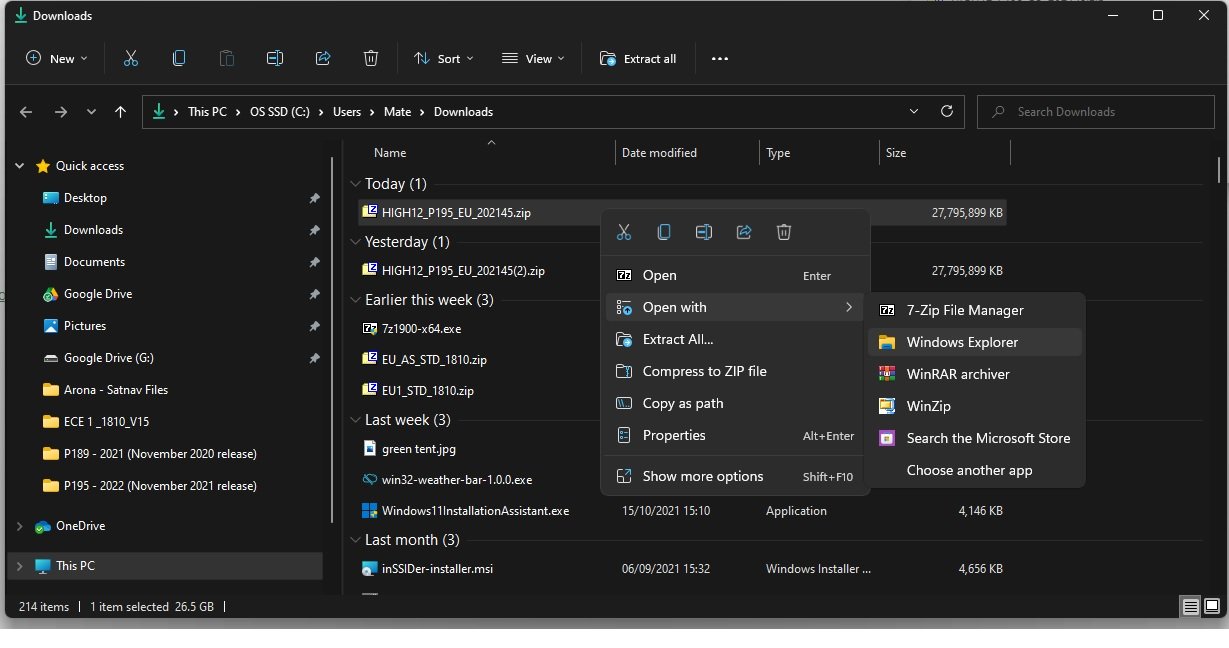
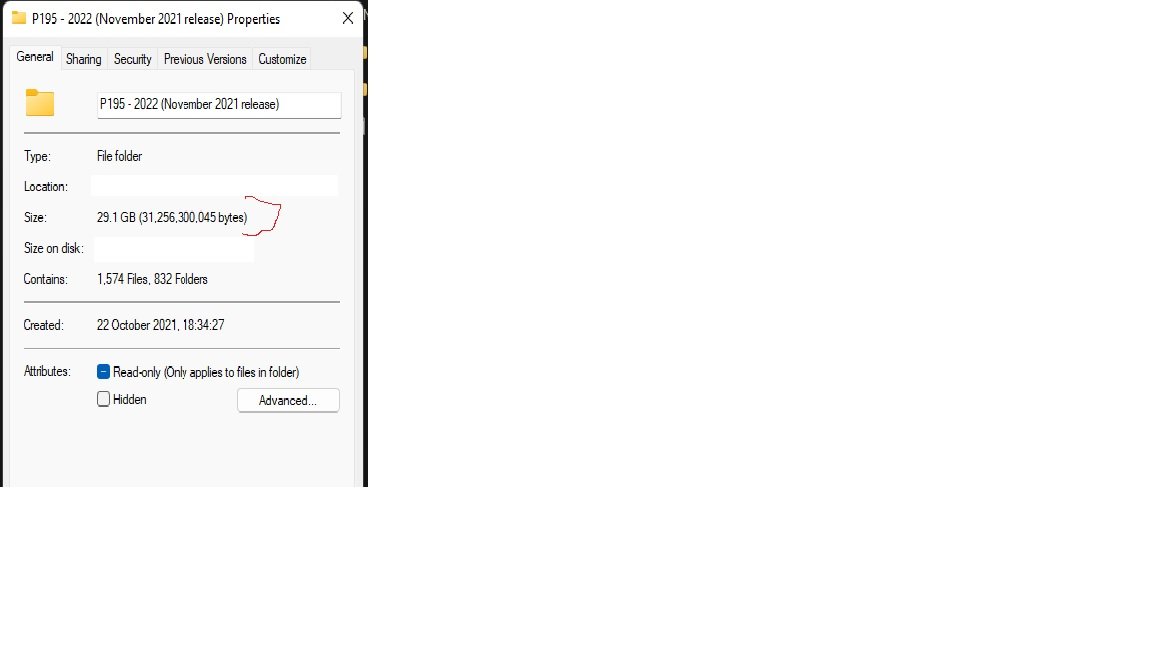
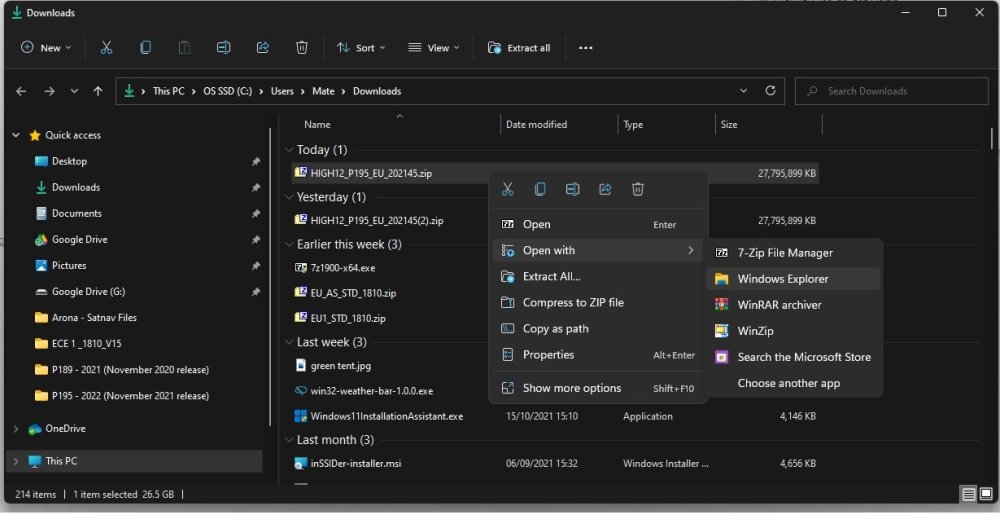
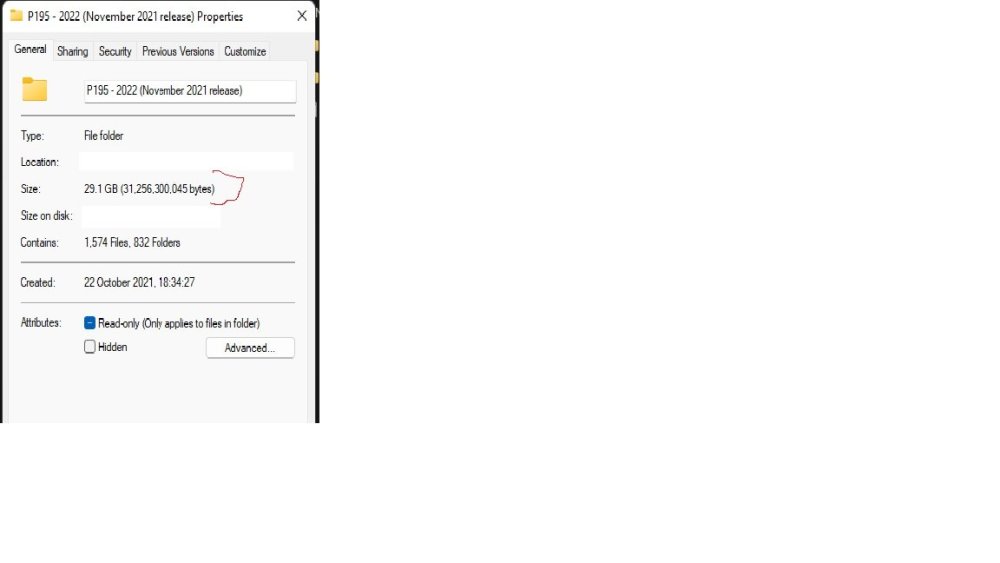
The VW portal link is kinder using 7zip on their zip file. As mentioned earlier it seems that Skoda mismanufactured the 7zip file to use with 7zip. It moans but works whilst the Windows built in one works without moaning. VW zip works on either and no moaning 😍. I don't think I gave the File Manager example screen here, open with the built in Windows Explorer, sit on the download, right clicks and Open With Windows Explorer.... so easy: The unzipped should have this size then you know you are in business:
-
You might find that Microsoft use the same code in their File Manager built in unzipped. I used the built in option of Windows 11, right click, drag and drop. No issues. Expect it's the same in Windows 10... so did you try that ?. 7zip moaned but generated the same output but I opted to use the File Manager built in option. Think they used a varying level of compression on those files which upsets 7 zip.
-
The NTFS format SD cards come in with the bigger SD cards above 32GB then you use that. The issue that people had who are preoccupied with NTFS was to format 32GB cards in that. The indexing of NTFS takes up more available space than Fat 32GB, so they all came a cropper last time round with release 192, it would not fit on a 32GB card in NTFS but fitted on a 32GB card in Fat32 :). If it's a 32GB card Fat32 is fine for this release, if it isn't then a larger card in NTFS. There were some reports that some people couldn't fit the 192 release on a 32GB FAT32 card. Possibly dubious cards. Fat32 on a 32GB card is fine for the 195 release. Cheaper enough to buy either way. I'm keeping a 64GB card ready for the day but hasn't occurred yet.
-
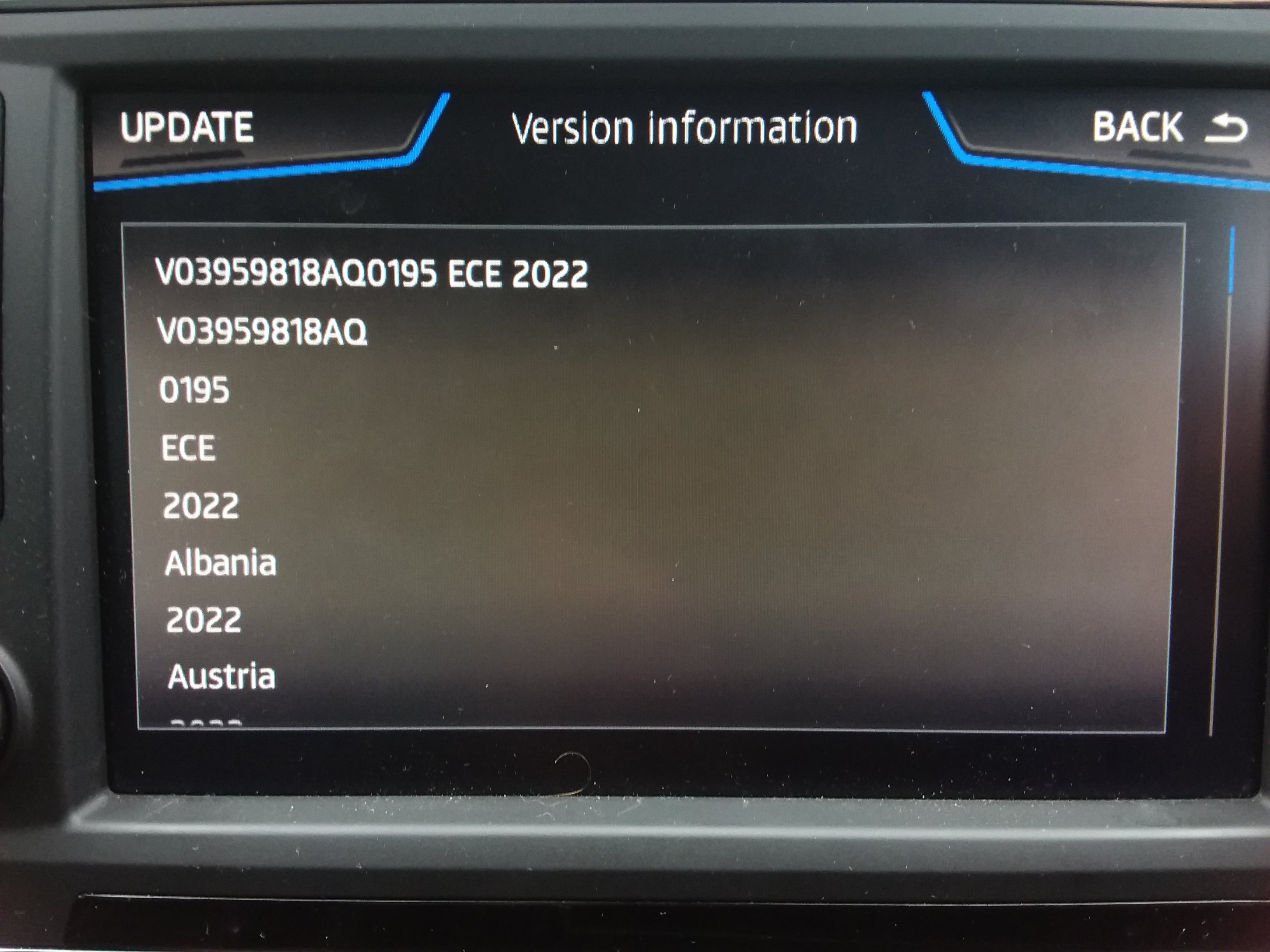
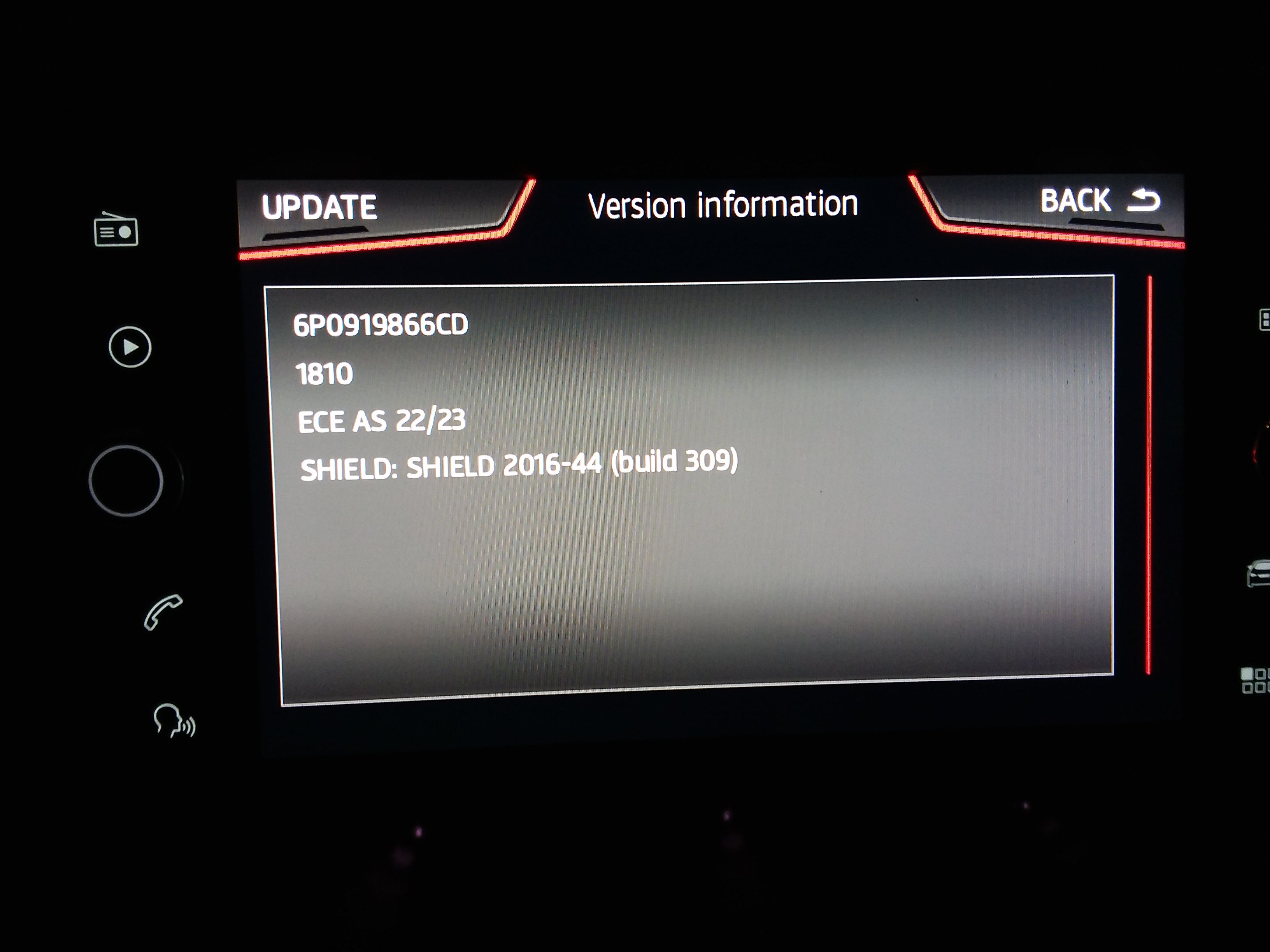
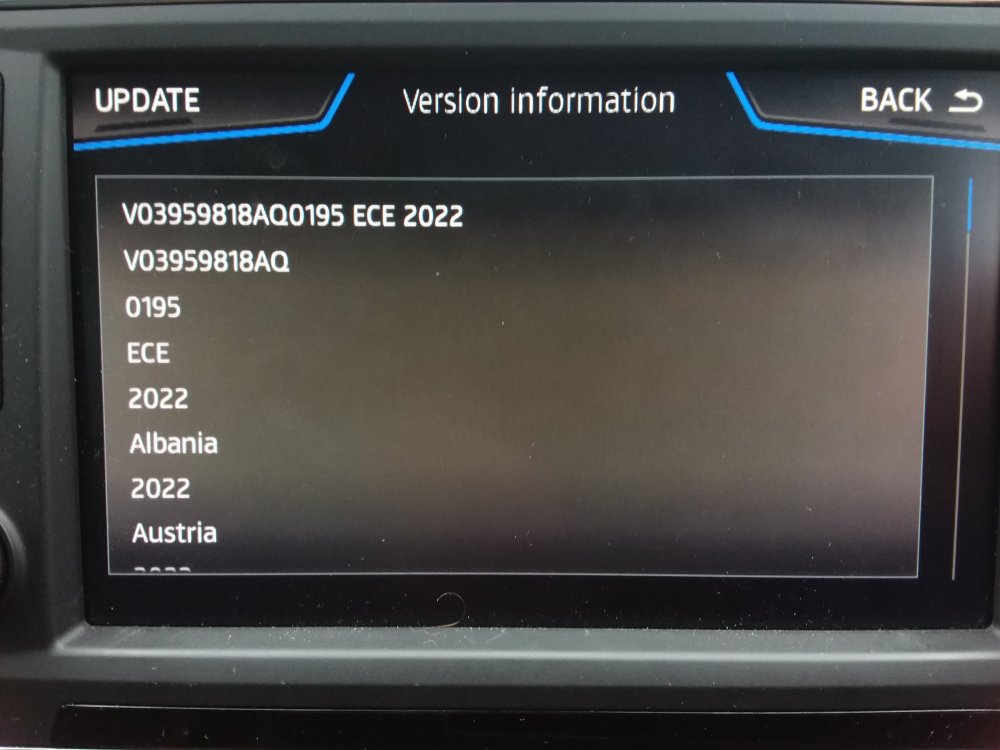
As long as you get the file size after unzipping finishing in 045 after unzipping as above, all should be good. 7 zip thru up many "errors" but did give the same output size as the Windows Explorer (It's proper name within the File Manager). This is a variation from the VAG recommendation to use 7zip but then these files were not zipped in 7zip. I think that's the issue. Possibly it goes unwritten now they expect Skoda customers to use the Windows inbuilt unzipping program, namely Windows Explorer, right click on properties under Windows File Manager to find it on the zip file. The above screen you have is indeed my back end mib2 high import check, the navigation attributes all showed Y which is good to go, 40 minutes later we get changed to OK when viewed and we are good to go. Seat part number this time. 192 it was missed out but the Skoda FeC in the unit took the import but didn't populate the part number area using the "Mib collective" Mib Tool. So it's running thru on the Seat life time FeC on my unit this time round.
-
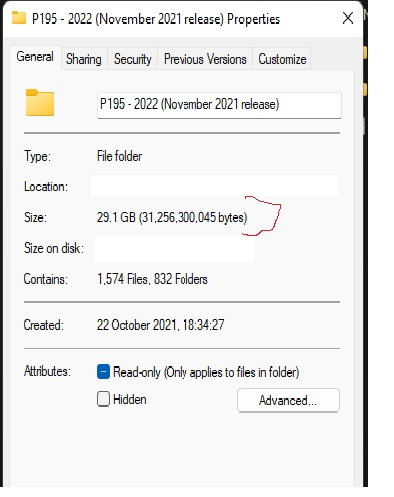
No problems unzipped with the built in file manager which gave unzipped the file size: Fitted on a 32gb FAT32 SD card, installed fine. Works in the car. I believe they have Seat FeCs back in on this release due to no missing line on the info screen that you had before when it used the Skoda FeC. e.g. it came with a Seat part number. (did the double check on the download just in case using Edge the second time, early in the day te downloads on Firefox were checking terminated but still unzipped, looked at the Firefox Furbo Download manager to check all came across inn the end ... zip file size compared fine between the Firefox download and the Edge one overnight - boot and braces approach. 7zip gave errors during unzipping yet gave the same unzipped file size - used the built in Filemanager unzip of the two in the end)
-
Thanks Martin. My WinRar is 6.0... moaned once on every folder basically. My 7Zip is 19.0... similar moaning and not extracting. Windows 11 Filemanager no moaning. I know I could work out from the signature whether it's going to work but I'll put in the car using the backend menu and see whether it gives nice little Y's against each attribute, failing that I'll try Total Commander... I might run another download tonight just in case anything did get slipped in and compare, that way before putting it in the car. Fun.
-
Yep I've got it also now that the autobahs are busy in Germany and they are off their downloads.... That answers my question that it's all the same link. I kept the Turbo Download Manager in Firefox add on open during the download which I think helps, didn't need to hit continue during the download. Some strange things going on unpacking the zip file. Will let you know the success tomorrow. 7Zip game, an error to most of the directories, ditto Winrar. Used the inbuilt Filemanager of Windows 11 to do the unzipping. Well it didn't give any errors unlike the other trusty two. Unpacked I get it to 29.1 GB (31,259,107,328 bytes) on the disk or size 29.1 GB (31,256,300,045 bytes) under properties, should fit on a 32gb Fat32 formatted SD I have with space spare. Will know tomorrow where any random bits and bytes got in when put in the car since it does a full signature validation. Odd that 7zip and Winrar didn't like the file.
-
Turbo download manager in Firefox is what the youngsters use and keep hitting continue.... how they get firmware downs. https://addons.mozilla.org/en-GB/firefox/addon/turbo-download-manager/ Anyhow is that website based portal any faster / reliable ?. I have a VIN 😉. (Still it's a Friday afternoon so Germans will be on their autobahn's heading to weekend destinations so might speed up)
-
Ditto. Some people swear by one of the Firefox file managers so will try that... apparently you keep tapping continue everytime it stops or the small hours ($). Skoda servers are rubbish. ($) how they get mib2 firmware off creaking servers 🙄...
-
We trust in Skoda servers....
-
Mib2 high assume or mib1 high. Does the link work for you ?. I though all Skoda mib2 highs got set with a lifetime FeC. That's the one I've got in my Seat as well for last time round thanks to the "mib collective" so it reads either the Seat life time one or the Skoda one. Whatever is presented. May be early mib2 highs from Skoda didn't get life time FeCs but reduced ones ?.
-
We'll find out. I have a 64gb card ready 😉.
-
Well done 😍. See whether they gave Seat the cold shoulder once I've downloaded it.
-
Next 2022 but where 😉. I see it hadn't arrived yesterday when I guessed the range of names, not as good as your processes thou. Meanwhile the German Skoda board has missed the November 2021 standard mib2 release (combined thread), still preoccupied with the 192 release, NTFS v Fat32 and how to copy the files. Groundhog day.
-
The cluster size one is a dead horse. German posters on the Skoda board found the language deletion trick worked on the June 2021 release. Namely the trick for UK users: June 2021 the All European map out grew 16GB current short term solution if you require all of Europe on the card: For GB language across Europe you just need GB and the meta_info.db in the folder: maps\00\sds That's a fix till it out grows the card again. Other languages pick your plate and delete the rest except meta_info.db It does work for other countries. Had positive reports back. But this was the June 2021 release, whether the 0.2gb expansion has put that trick out of business, pass, needs testing. Couldn't be bothered, it's only for cheapskates. The trick came from here click On reformatting cards I was warned they have changed the design of the cards now, so just delete files, don't reformat them or change cluster size. There have been people with dud 32gb Skoda cards so if the guy is right, don't tinker with the cluster size else you might kill the card. That's what been posted on the subject of 32gb cards when Seat people were looking to buy them. I advice to buy a Skoda 32gb card although Seat came thru in the summer if they were not fake. Have to be careful with eBay sellers. The MBR health warning on reformatting is here click I've discharged my Seat moderation duties 🤣.
-
But have you ?. 😉
-
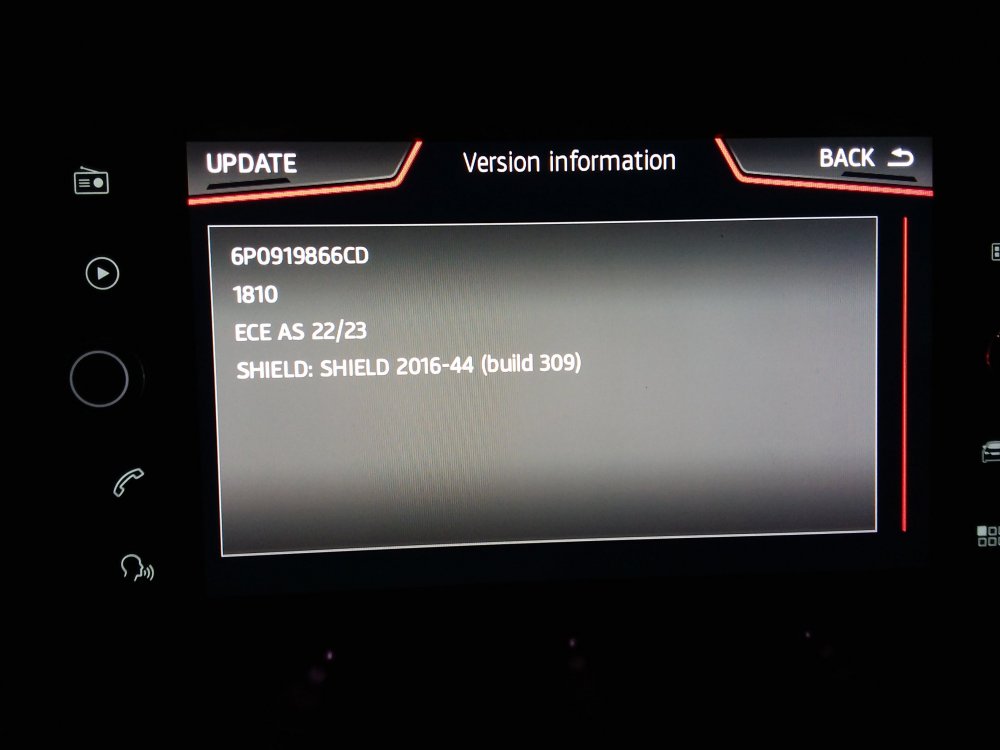
Indeed. I haven't tried 2. I'm letting Seat people test that out. The all Europe file has grown by .2gb, whether once you have deleted the language file it still fits pass (the language trick). Only a short term fix since it will continue growing over the next releases. Most Seat people have invested in 32gb card back in the summer who like the all Europe download. Positive reports of the new files and Israel is blessed with speed digitised on its roads now... it wasn't before. Got told that yesterday. Have my success picture of the all Europe map on a 32gb gold card... reverting back to the EU1 on the Seat card since we are not taking the Arona abroad. Seat Arona is far too uncomfortable for that 😂. Skoda it won't say 6P but pulls out the Skoda part number from the common release.
-
Thanks.... They beat the mib2 high to publish (on servers) even for Seat that didn't have the last mib2 high release with the part number and Seat FeC missing. That one is going to be interesting to see whether it was a big mistake or Seat decided they would stop funding mib2 high releases so their maps get taken out of the VAG releases. You have to use firmware surgery to get 192 loaded on a Seat to make it look like a Skoda unit. Will give some of these a whirl on a Seat standard unit today ("Amundsen"). Suspect the top one still exceeds the 16gb card as before so the same options of what to do still apply as detailed on your link to the 1730. Get a Vag 32gb card, use a different region in Europe or delete language files if that trick still remains and all of Europe hasn't outgrown that trick. Thats a footnote for those that didnt install 1730.
-
-
They could try but what I've read is that its locked down in West Europe ie. the cars won't allow it. Out of contract with connected services if you could it would be free but VAG are suppose to have thought of that. Previously I had suggested to Seat people to try it that way.... then I read on a board it wasn't possible. Thus they have closed the door to people getting free map updates on both VW and Skoda if out of contract.... least that's my understanding of where we are at. It does beg the question of why VW publish the link thou. The over the air ones are incremental as you pass throu the zones. May be the published ones are for total updates for those in contract. May be what I'd read was wrong. Don't think any of the Seat people are out of contract. Worth a try thou....
-
I'm sure MartiniB or a mod will push you in the right direction. Unless Skoda are holding their maps back you should be getting updates. Seat users of mib3 have been getting them iin 2021 regularly. Suppose to be automatic but you do need the 4g signal. There are two contracts as I recall one for connected services the other with the eSim provider. You might be able to do it with WiFi... some people go over to that at times. Suspect it's your settings unless Skoda aren't updating Skodas this year. Seats with mib3 are ahead of us on mib2 high. They are Here Map maps you get across mib3. Some people fumble their privacy settings thinking the earth is flat and going dark helps matters with mqb evo problems. Best to ignore people who spread that, they are incorrect. Don't hide the unit from the mothership. Might have a bearing. 5th yes it does change the map update in the car... that's the one that Seat people talk about. You go into settings not the engineering menu. Try haunting this thread. I believe you fumble that screen on updates... but I'm sure they will redirect you. My Seat mod skills 🤣. Now I'm drained of info 🙄.
-
My understanding is it suppose to be automatic if connected as in connected cars with on going service license. The published files you see similar to the mib2 high ones but mib3 are suppose to be unusable in West Europe VAG locked the units down to force you to do it over the air. That is what I've read. Over the air could be the eSim or using the cars WiFi. I know Seat ones are nicely updating over the air. You might have to poke a button for that. My understanding is that whilst mib2 for VW and Skoda got "map updates for life for free", Seat didn't still still tangle with mapcare, mib3 nobody does so if you drop your subscription for connected services you loose the map updates. A cheapskate method doesnt exist... that's my understanding you are now like Seat VAG owners the door has been closed as it been monetized. Suspect that door will be knocked down one way or another by the "mib collective" in Europe. Happy for MartiniB to point out a Skoda thread on here and be proved wrong. Mib3 is so diabolical compared with Mib2 happy to stay with legacy systems 🤣. MQB Evo cars if you are lucky to have one equally are complete trouble compared with previous VAG platforms. Because of the PCP / contract merry go round if you stay with VAG you currently enter the world of problematic systems. Mib3 is one taste of that, the wider taste is on MQB Evo platforms. Here end-ith the 2020- sermon 😂. Amen.
-
You have a blend of topics there. 1. You can if it's a mib2 standard but not Columbus. The language files you chump out to get it to fit on the 16gb VAG card since the last release popped the card size. But that's off topic. The mib2 high release which is what Columbus is (mib2 high) uses a signature on the sla1 to protect the release from meddling. You see that signature at the end of the metadata2 files, a bank of four codes, if you see that it's signed. Apart from a hack that's been discovered with the mib2 hardware where you can add some code after it and it slips in undetected, you can't meddle with anything infront of it. One character out and it stops the upload to the unit. It is also protects the unit from any jigger in your communications in getting the download although 7 zip shouldnt unzip if you had that. That's where Mac users with unclean uploads that don't do CleanMydrive get caught out. The hack mentioned is used by the Green Menu (Gem) mib2 toolkits to get their payload into the unit so you can do retrofit activity in the car without pulling the unit out and putting it on a bench. So in essence you can't fiddle with the map upload due to the sla1 signature check, that's more than a checksum. 2. The card issue comes up due to cheapskates that won't buy the correct 32gb card and keep it formatted in fat32. They know best and propergate using different cards or usb sticks for the job in something other than fat32, people follow then find it doesn't work. The classic one in the last release of mib2 high was if you had the card formatted in NTFS it wouldn't fit due to the pointers to support NTFS take up more space than fat32. A fat32 full size SD card from Amazon Prime from a well know make will cost about £7 in the UK why use anything different ?... but they do. Veer away from VAG recommendations of fat32, 32gb standard SD card at your peril. It's only the HD that's suppose to be in NTFS, that piece of vag text is clumsily written not the SD card. "Well known make" covers Sandisk etc. Possibly true that dubious cards get caught out in the last release like the Toshiba card since it was the biggest release yet for Europe, not sure of Oz. We say use Amazon Prime since it's be known that Marketplace ones can be of the fake type. Saying this I have had no issue with Aldi / Lidl 32gb SD cards I inherited from by brother... probably have good QA on their suppliers. Testament to German discount chains :).
-
I thought there were but the target was to get it working via the workaround. Massaging the country code to make it look like Europe. Other than that more surgical work on the firmware. That would be hitting it with a crow bar rather a light tap. 😉 Anyhow those frigs are what people do on import units and import cars out of region. All free, no retrofitter required. I love your links BTW.