Cairus
Members
-
Joined
-
Last visited
Everything posted by Cairus
-
Why Not OEM?
-
Ah this Version is mean. Unit until MJ 21 it is mib 2(2,5)
-
-
-
Autoscan,?
-
The Screen with the Round Button is Amundsen. Full Screen with Touch 9" Columbus
-
Superb 3 have Always MIB2. Same Kodiaq what i know
-
Admap & Autoscan?
-
Maybe this works Unit 09---> adjusment
-
News?
-
You have To Code step by step own. Or service Station with Odis online SVM Coding
-
Factory Reset dont Help
-
Passat B8 Coding Ambiente light Retrofit: Ambient lighting (multicolor) - Activation Control unit 09 > Access authorization: 31347 > Individualization > … > Channel “Interior lighting 2nd generation - smooth color change” > Adjust value to “active” (if desired) > Channel “Interior lighting 2nd generation center console lighting multicolor” > Adjust value to “active” (if installed) > Channel “Interior lighting 2nd generation instrument panel lighting multicolor” > Adjust value to “active” (if AID is installed) > Channel “Interior lighting 2nd generation speaker lighting multicolor” > Adjust value to “active” (if installed) > Channel “Interior lighting lamp configuration - ambient_application bar in instrument panel” > Adjust value to “installed” > Channel “Interior lighting lamp configuration - center console lighting” > Adjust value to “installed” (if installed) > Channel “Interior lighting lamp configuration - free_color_selection_via_HMI” > Adjust value to “not active” > “Interior lighting "Configuration-Ambient_ColorList_HMI" Channel > Value to be adjusted: "active" > Channel "Interior Light Configuration-Ambient Menu with all zones" > Adjust value to "active" > Channel "Interior Light Configuration-Ambient Menu with global off" > Adjust value to "active". After completing the coding, the infotainment system must be restarted via reset (press and hold the power button for 10 seconds). Ambient Lighting (Multicolor) - Adjusting Colors The colors are specified in RGB encoding. If a color is set to {R:0, G:0, B:0}, the color will not be displayed. The first three channel blocks are for the infotainment system and the AID (Active Info Display), the second three blocks for the LED ambient strips, which are controlled via the LIN bus. After completing the coding, the infotainment system must be restarted via reset (press and hold the power button for 10 seconds). Note: The colors are generally displayed 1:1 in the infotainment system and AID. Slight adjustments to the LIN colors may be necessary, as the colors can vary due to the different brightness of the LEDs. Control Unit 09 > Access Authorization: 31347 > Adjustment > … > Channels “Ambient Light Color List – Red Value Color?” > Adjust values in the range of 0-255 > Channels “Ambient Light Color List – Green Value Color?” > Adjust values in the range of 0-255 > Channels “Ambient Light Color List – Blue Value Color?” > Adjust values in the range of 0-255 > Channels “Interior Light 2nd Generation – Red Value Color?” > Adjust values in the range of 0-255 > Channels “Interior Light 2nd Generation – Green Value Color?” > Adjust values in the range of 0-255 > Channels “Interior Light 2nd Generation – Blue Value Color?” > Adjust values in the range of 0-255 or (for newer control units) > Channels "Ambient Light Color List - Red Value" > Set values in the range of 0-255 > Channels "Ambient Light Color List - Green Value" > Set values in the range of 0-255 > Channels "Ambient Light Color List - Blue Value" Color ?" > Set values in the range of 0-255 Channels "Ambient Light Color List LIN-Red Value_Color_?_lin" > Set values in the range of 0-255 > Channels "Ambient Light Color List LIN-Green Value_Color_?_lin" > Set values in the range of 0-255 > Channels "Ambient Light Color List LIN-Blue Value_Color_?_lin" > Set values in the range of 0-255 Ambient lighting (multicolor) - colors expanded to 30 options For "Facelift BCMs" (from index BA onwards), there are 20 additional options. Color sets belonging to the Ambience_lightning_color_list_2 & Ambience_lightning_color_list_lin_2 groups. The procedure is analogous to setting the colors in the previous chapter. STG 09 > Access permission: 31347 > Customization > … > Channels "Ambience_lightning_color_list_2 - red value color ?" > Adjust values in the range of 0-255 > Channels "Ambience_lightning_color_list_2 - green value color ?" > Adjust values in the range of 0-255 > Channels "Ambience_lightning_color_list_2 - blue value color ?" > Adjust values in the range of 0-255 > Channels "Ambience_lightning_color_list_lin_2 - red value_color_?_lin > Adjust values in the range of 0-255 > Channels " Ambience_lightning_color_list_lin_2-Greenvalue_color_?_lin > Values in the range of 0-255 > Channels "Ambient_lighting_color_list_lin_2-Blue_value_color_?_lin > Set value in the range of 0-255 Ambient Lighting (Multicolor) - Colors Expanded to 30 Options For "Facelift BCMs" (from index BA onwards), there are 20 additional color sets available, which belong to the Ambience_lightning_color_list_2 and Ambience_lightning_color_list_lin_2 groups. The procedure is analogous to setting the colors in the previous chapter. Control Unit 09 > Access Authorization: 31347 > Adaptation > … > Channels "Ambience_lightning_color_list_2 - red value color?" > Adjust values in the range of 0-255 > Channels "Ambience_lightning_color_list_2 - green value color?" > Adjust values in the range of 0-255 > Channels "Ambience_lightning_color_list_2 - blue value color?" > Adjust values in the range of 0-255 > Channels "Ambience_lightning_color_list_lin_2-Redvalue_Color_?_lin" > Adjust values in the range of 0-255 Channels "Ambience_lightning_color_list_lin_2-Greenvalue_color_?_lin" > Values in the range of 0-255 > Channels "Ambience_lighting_color_list_lin_2-blue_value_color_?_lin" > Set value in the range of 0-255 Ambient lighting (multicolor) - Change color assignment to driving profile Activate Control Unit 19 > Coding > Byte 11 > Bit 7 ("FPA_Function_AMB") Control Unit 09 > Access authorization: 31347 > Adaptation > … > Channel "Interior lighting 2nd generation Ambient color selection_FPA_selectable_coupling" > Set value to "active" Channel "Interior lighting 2nd generation Ambient color selection_FPA_selectable_pairing_status_HMI_Default" > Set value to "paired" > Channel "Ambient light color assignment to driving profile-Driving profile_?" > Adjust value as desired The assignment may vary depending on the gateway. This may need to be tested. The color values are retrieved from the channel lists "Ambient light color list" and "Ambient light color list LIN". The function must then be activated in the CAR menu under Ambient Lighting.
-
-
I've never had to edit a camera before.
-
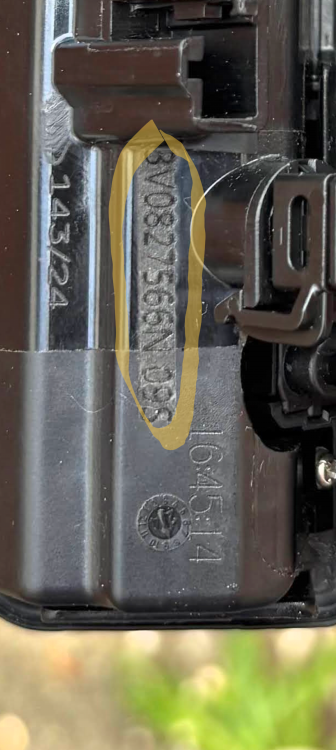
I meant that the article number was definitely listed, which is what the camera actually had.
-
This i mean
-
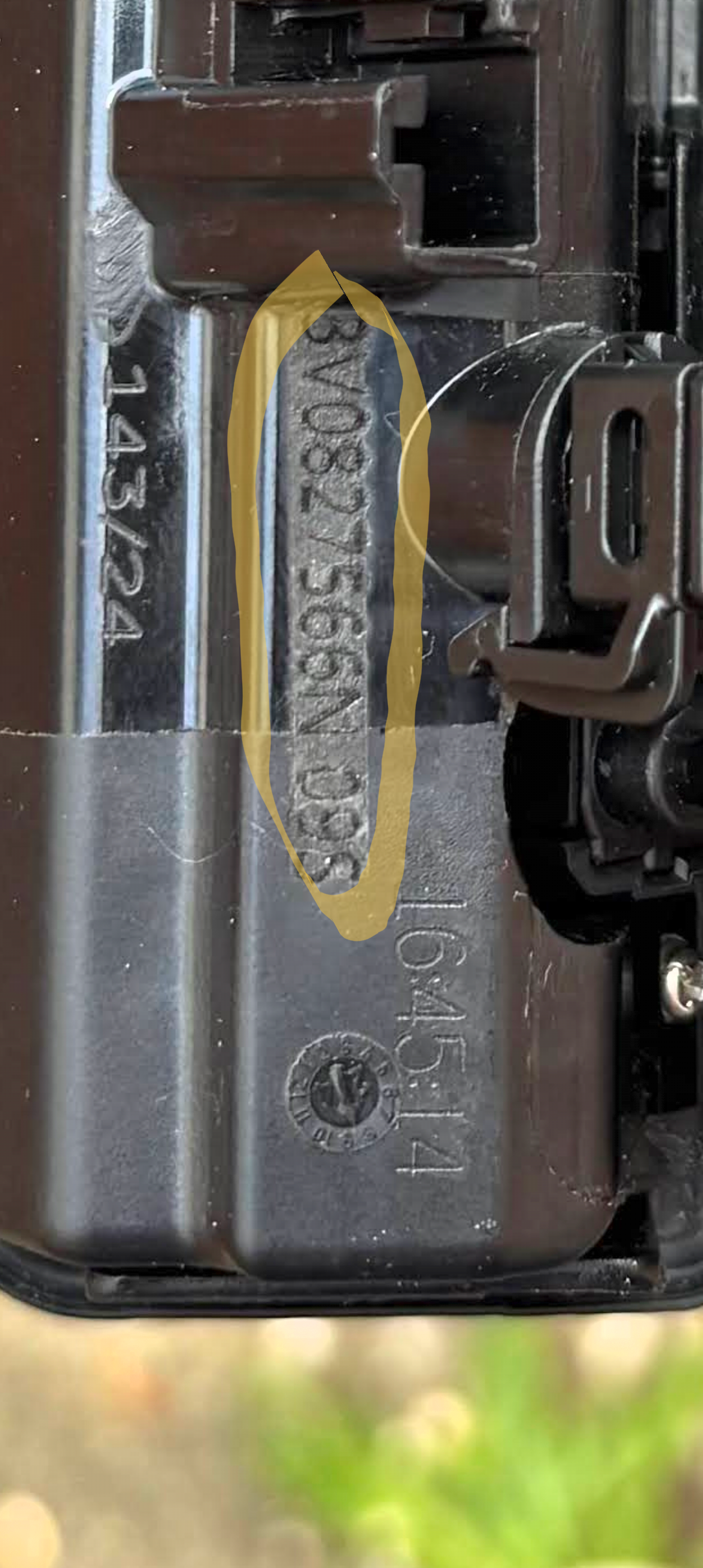
It's relatively easy to explain. The OEM number on your purchased camera was ground off, and the other one is engraved. Originally, it's cast or printed.
-
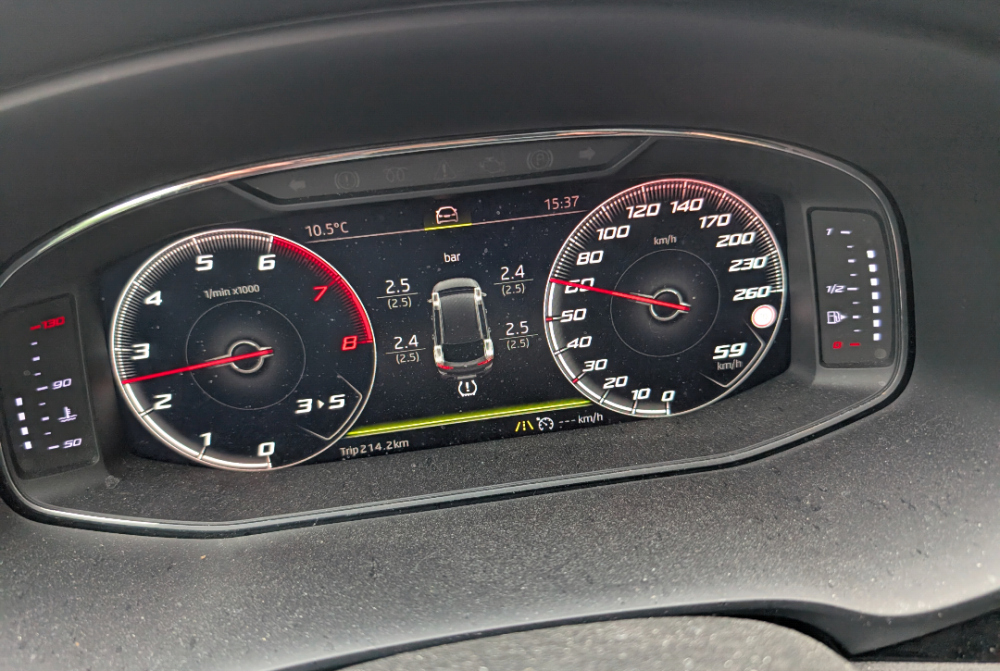
By Retrofit you need every time the Dash Coding
-
It doesn't matter what type of speedometer is installed.
-
I told you so 😜
-
Look Here
-
You have Code my Information?
-
Sorry Fabia topic. Here ist the BCM and Gateway one unit. So it is Possible the unit is damage
-
The multifunctional steering wheel is managed by the gateway via LIN. Then there's the question of whether it's the 5Q0 or 5Q1 control unit of the steering column. There's a significant difference.