varooom
Resident Member
-
Joined
-
Last visited
Everything posted by varooom
-
Best of luck, try every door as well to confirm each appears on dash. Also are we talking a RHD car?
-
Usually headlight washers are every 4-5 screen washes iirc. You maybe able to use VCDS to actuate, but won't work of course if wires are duff.
-
Let's hope you have some trouble free motoring ahead of you.
-
@Tioli When you open the boot, does your dashboard show diagram of boot opening if this is available on your screen? If yes then it should be sending power in theory, but won't if a wire is broke be able to light up of course.
-
The squished looking document looks fine if you zoom on phone, or here on PC. But cheers for assist.
-
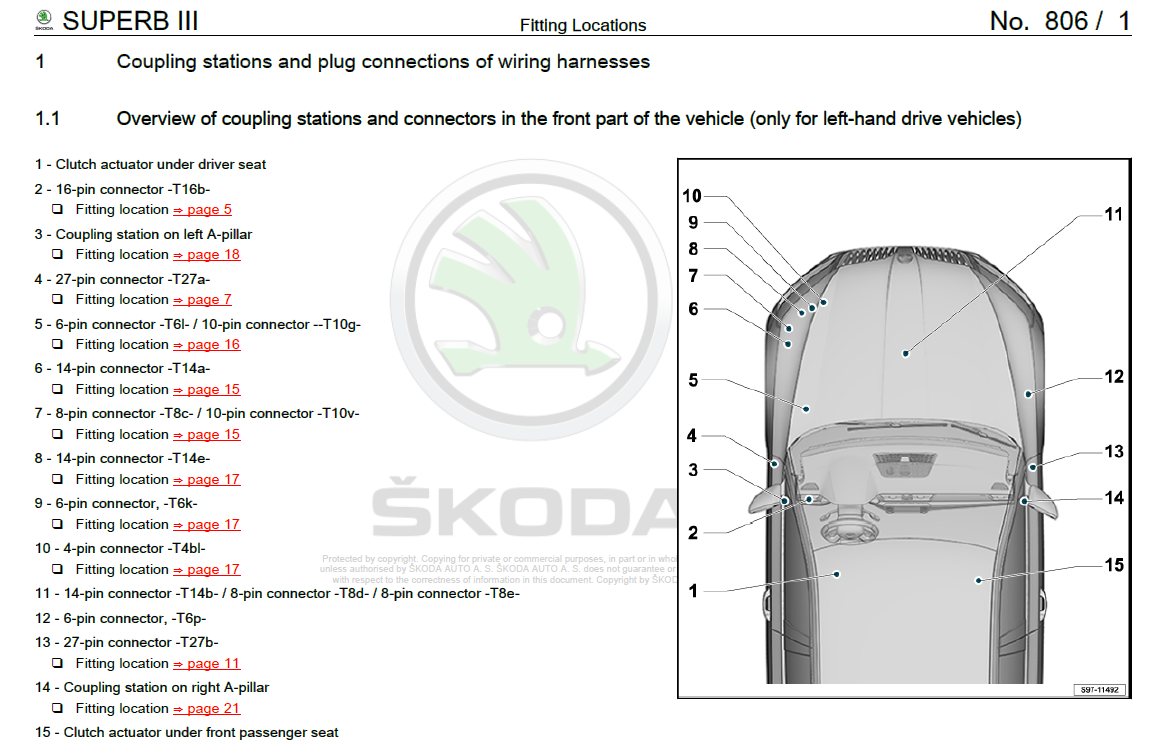
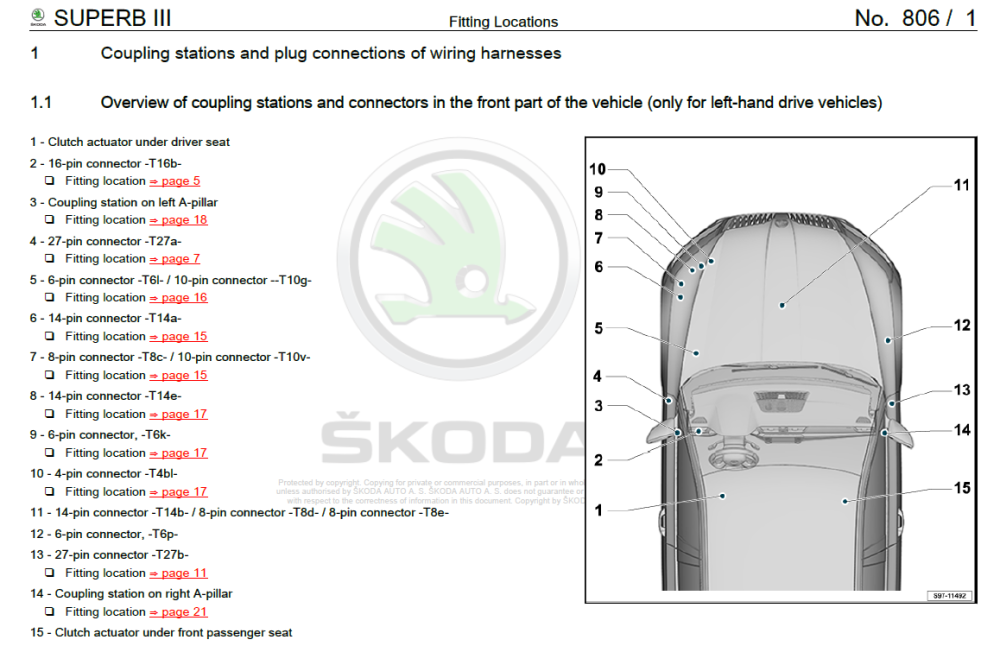
T6p location for LHD
-
Always quoted as you sit in driver seat looking forward. It should be not too far from washer bottle area in theory.
-
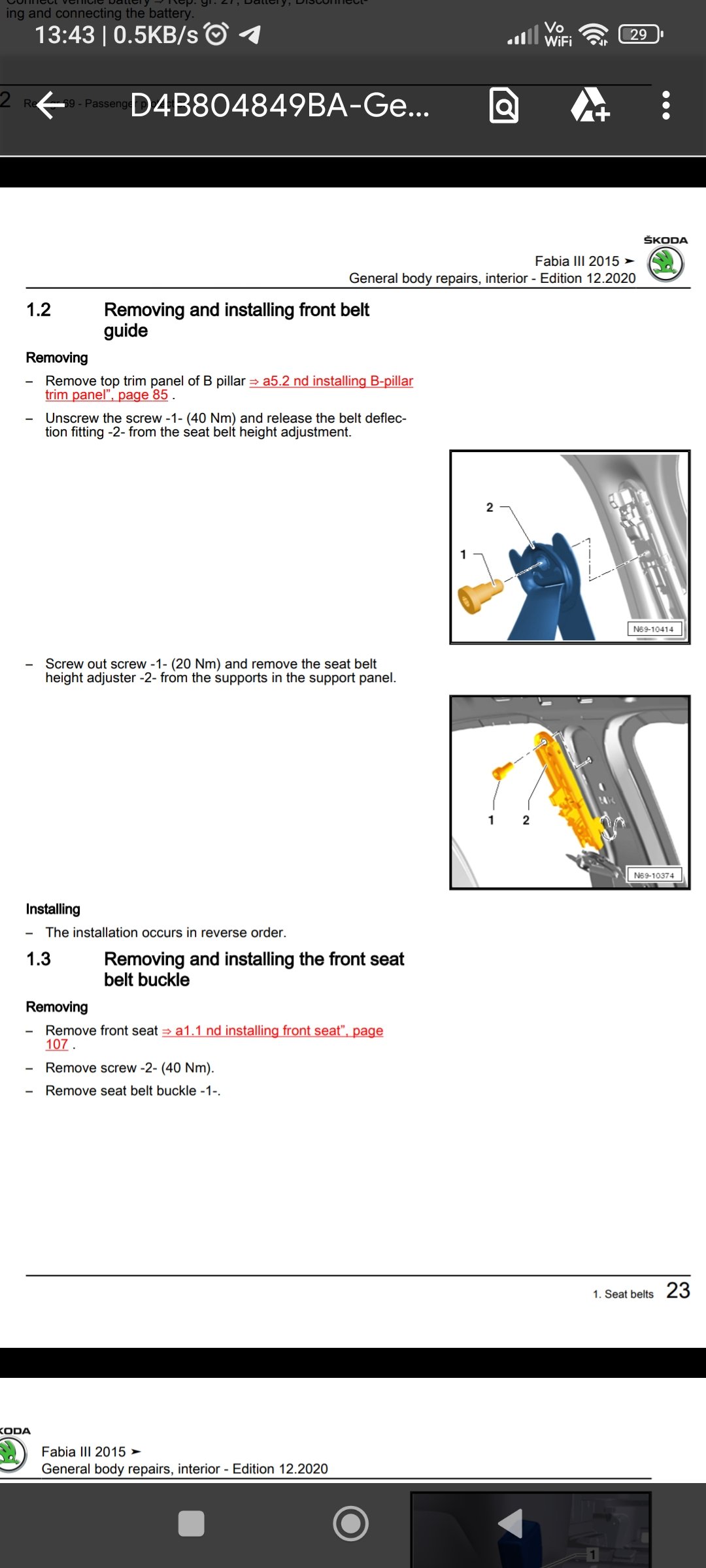
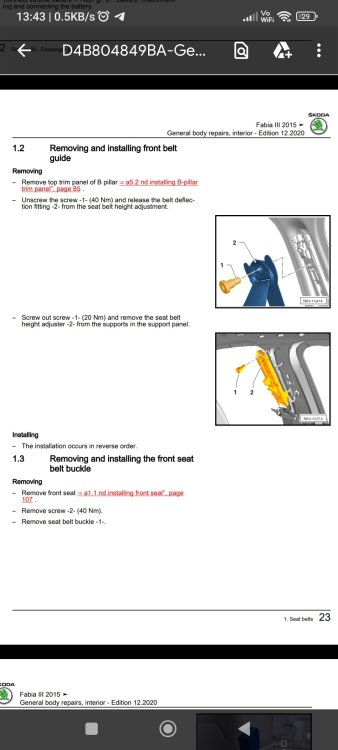
Here's the torque values if you need.
-
The Independants should have the required software of ODIS and flash files needed, if not then it's a walk away job.
-
You may need to push a little to get them to check, be very specific in booking in saying your gearchanges seem "off" or some such. Ask if they can check for any new DSG software, but of course tell them you wish to be informed before they update, price first and permission!
-
Ballast is just a part to light up the bulb with nice high Voltage, not sure why garage would swap those. So you brought the part @langers2k suggested, the "brain" as it were that decides where to place the beam. Did you get any pictures off old part/new part fitted? Is the fault code identical still after?
-
Just checking, headlights work as in light up both sides? Did you replace the ballast part only?
-
Before remapping, unless this is your ultimate goal, you could see about getting the latest gearbox SW installed. Here is one example of how in a single year roughly, the same gearbox had 5x revisions for complaints. https://www.briskoda.net/forums/topic/505928-no-software-update/?do=findComment&comment=5680620 Not every gearbox is like that, but you may find loading new SW might help. Cost up visiting dealer/independant/remapper and decide. Not saying new gearbox SW will cure your car, as we never get a changelog, and what you get can be vague from reading TPI's.
-
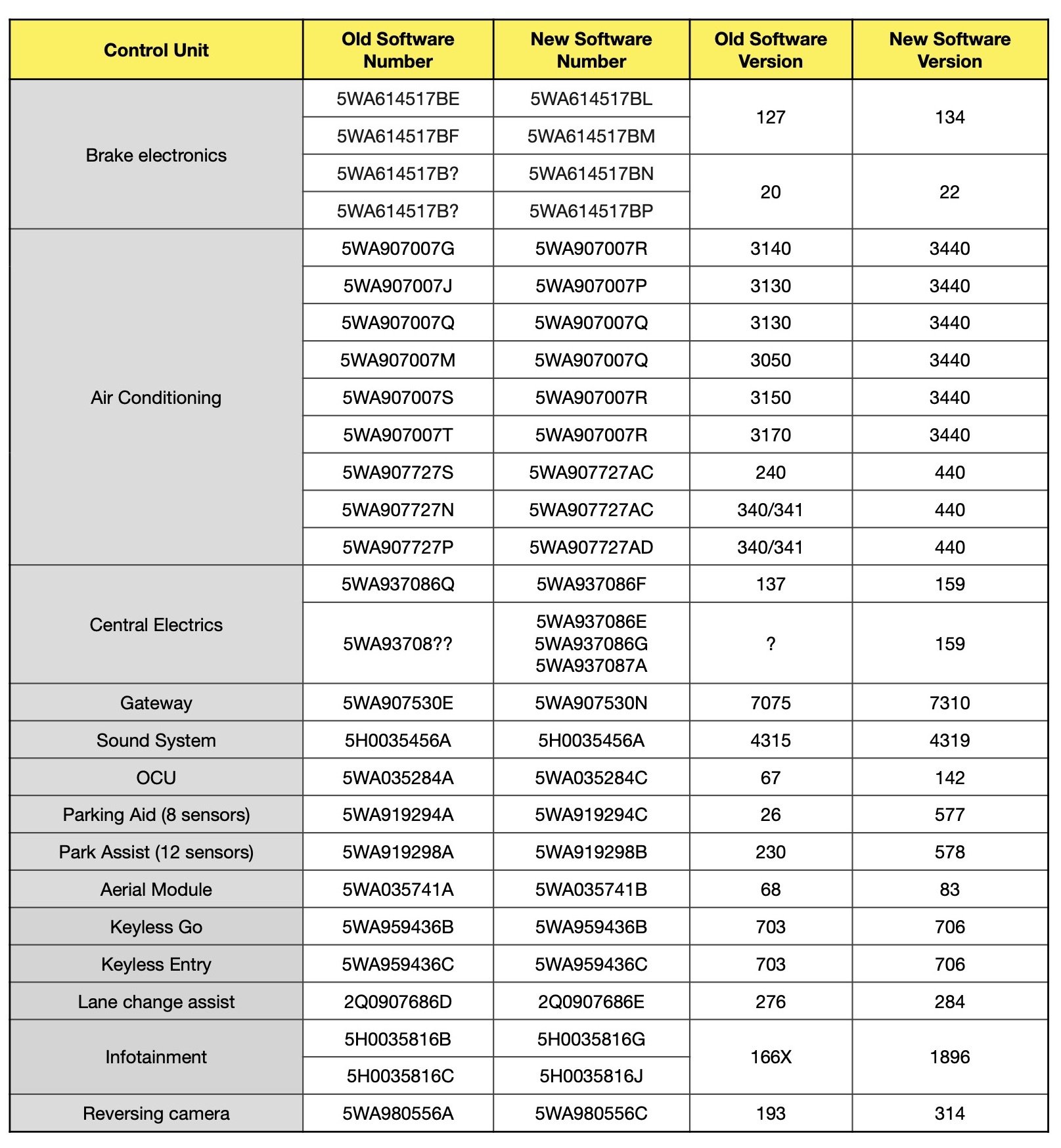
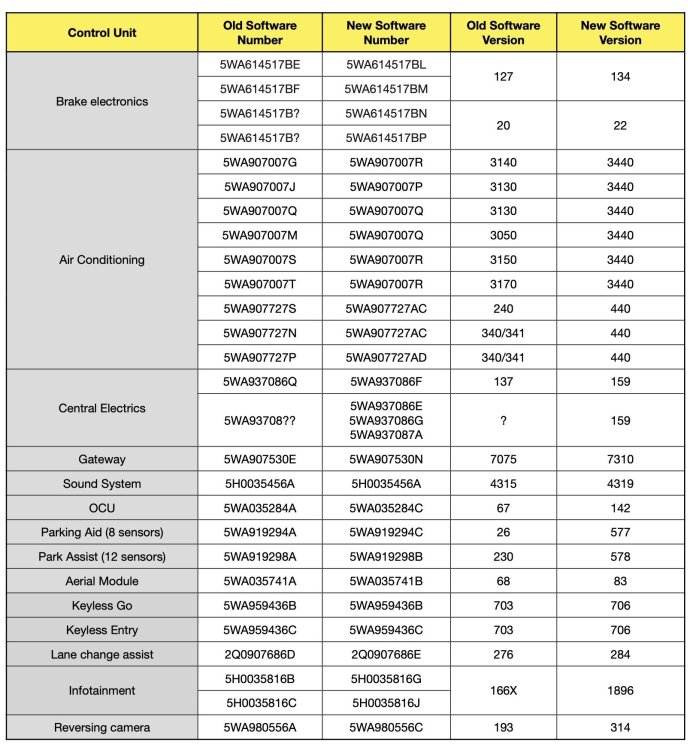
This list is for the Golf Mk8 platform, same software version that is applied to Skoda (with some tweaks of course) If you look at the amount of modules that should be updated as part of the recall, it gives you some insight as to how tied in the MMI is. Pay attention to "OCU" this is the part that is giving you issues. My theory I am working on, is that some dealers doing the update are not applying all of the updates they should be, this causes headaches as the SW1896 is expecting to be talking to OCU and other modules for information it seeks. I wish I had this document for Skoda (I am looking!)
-
Sadly the best source of real information is always the workshop manuals. Unless there's a physical switch for the interior boot lighting that I have never seen, then odds are a wire has broken. Without checking myself, fuse 27 would take out all interior lights and of course Xenon headlight's (you'd notice this) Fuse 42 covers J519 control module usually, and if they failed you again would notice a heck of a lot of failed systems. If you plan on keeping the car for a while then erWin Skoda is a nice way to get your hands on repair information/wiring diagrams etc. I shall try to revisit this thread if you need more assistance, as will others.
-
https://manual.skoda-auto.com/004/en-com/Models See if you can grab a manual off here, some you can download, others are online.
-
I don't know of any "reset" and really it should work, also not saying it is a faulty J519 yet, just testing the output. Did you locate T6p connection yet? If yes is any power getting to at least that connection?
-
Yes water pressure, and a devil to capture, the spring has a fair strength to it as mentioned.
-
We just need to wait for the OP to report back at some point. Some things we can at least tick off, he did VCDS scan with no faults, and did check several fuse's. Given how much easier it will be to access J519, hopefully he starts there to establish if any output is occurring, so we can decide where in the chain to look next.
-
I know, can be hard to take the plunge in the deep end. Have to weigh up worse case scenario Vs attempt. You can always abort if it feels uncomfortable, nothing lost at this point.
-
Given @ApertureS also reported some card issue's, perhaps you can wait a few days and try again.
-
I think we must be reading some different documents, SC42 is a 40Amp fuse for the whole entire J519, be a heck of a lot taken out by that fuse if it was blown.
-
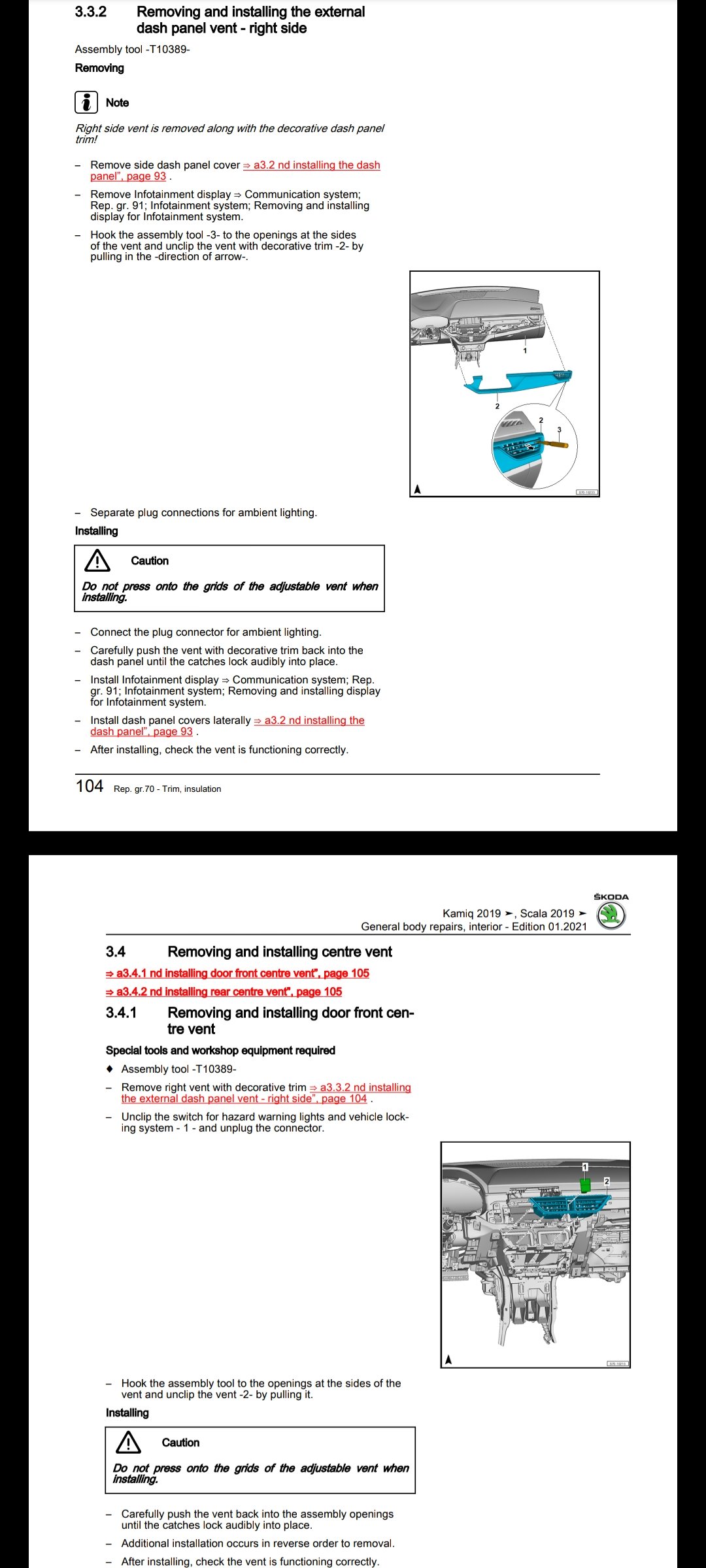
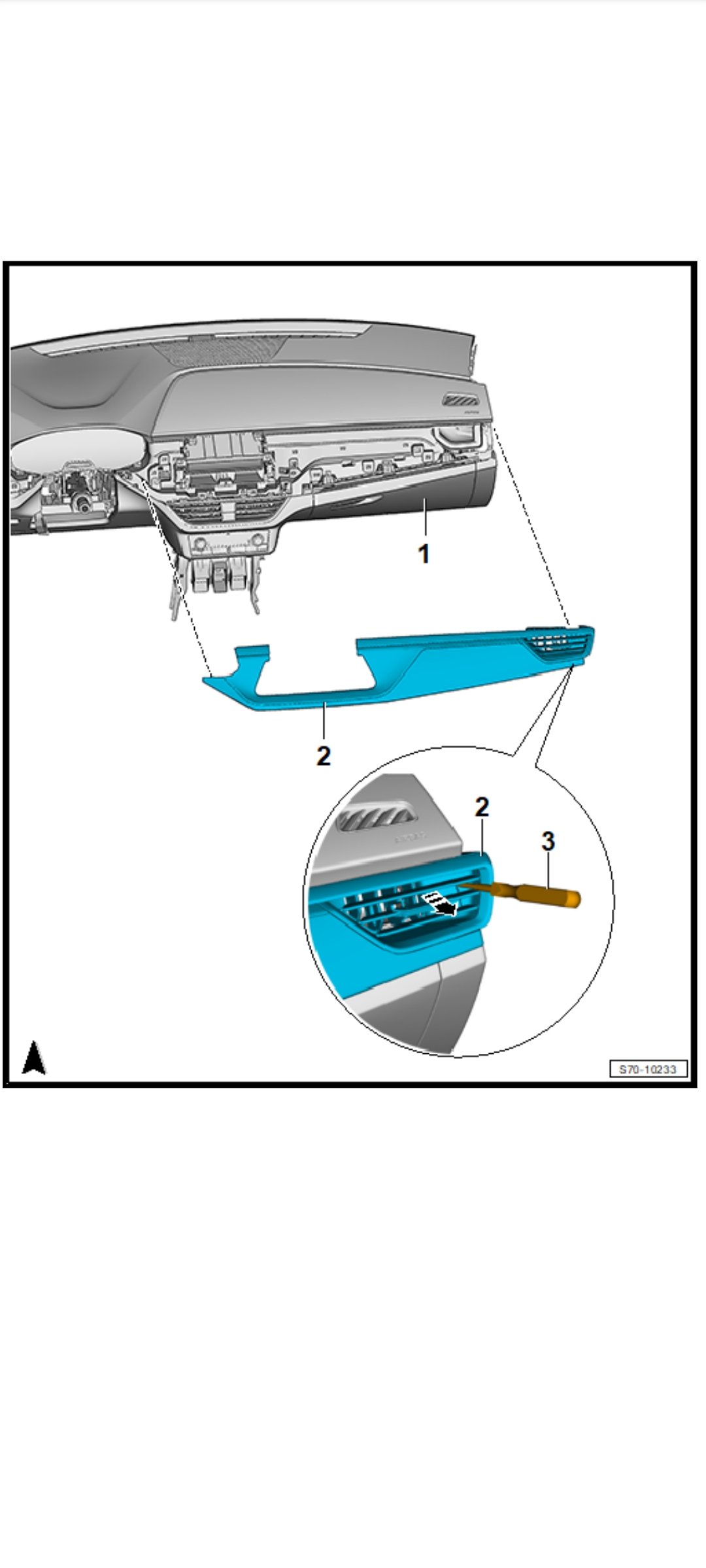
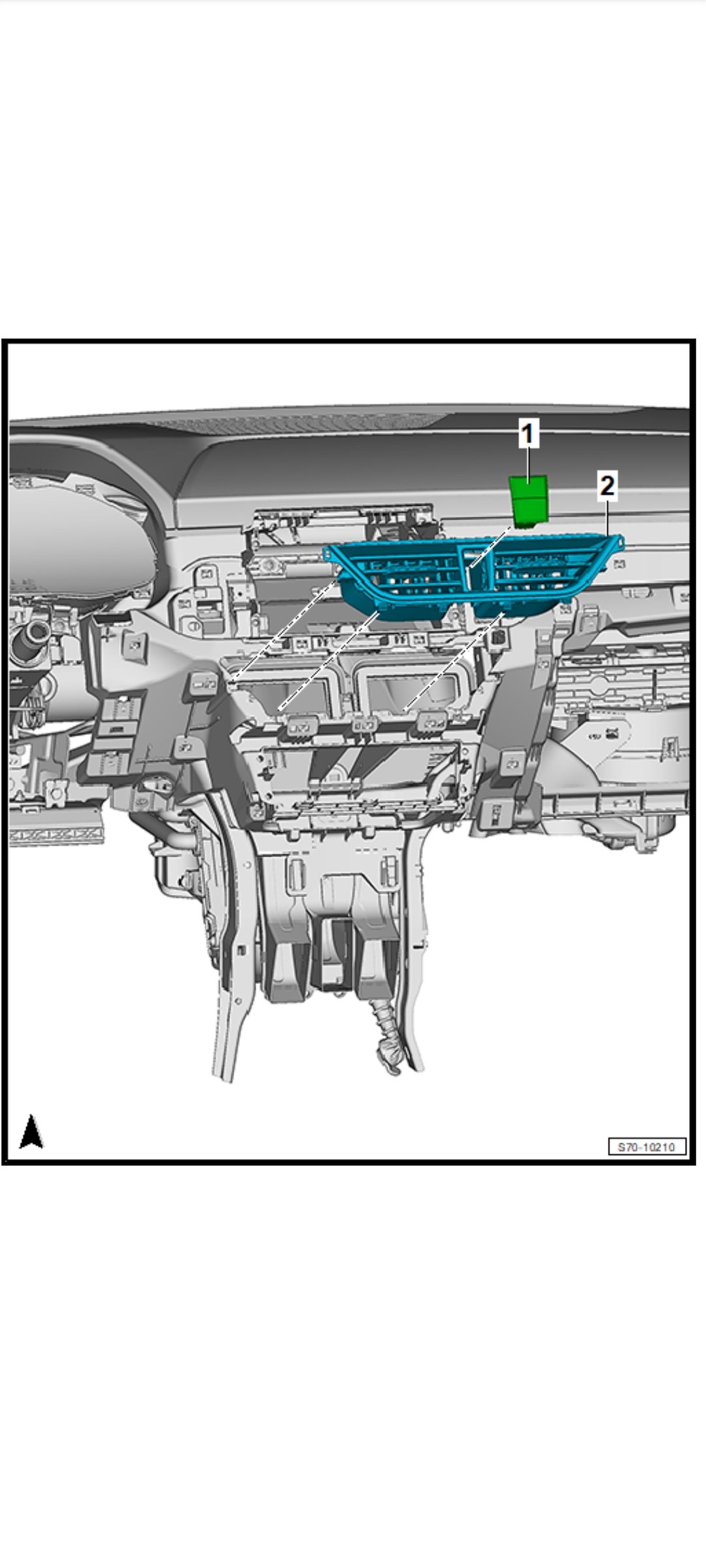
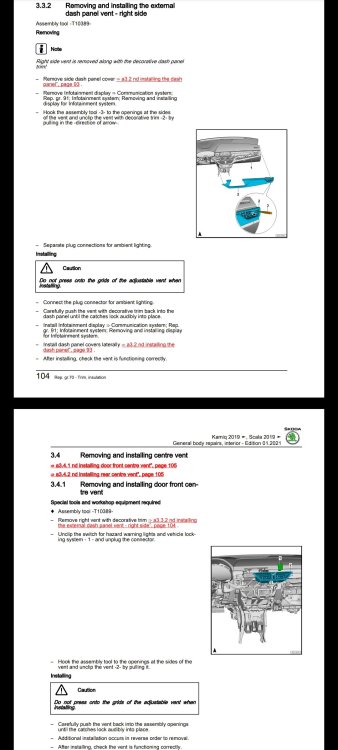
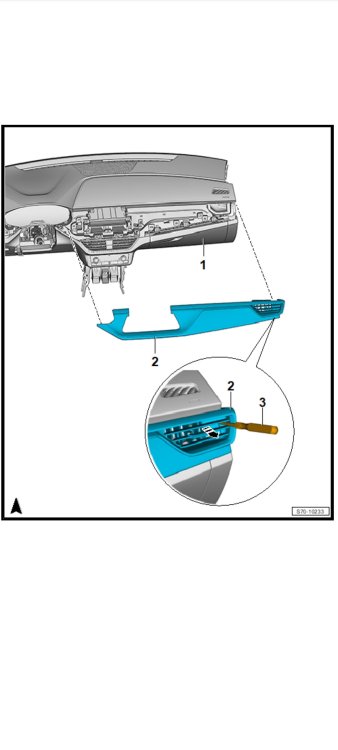
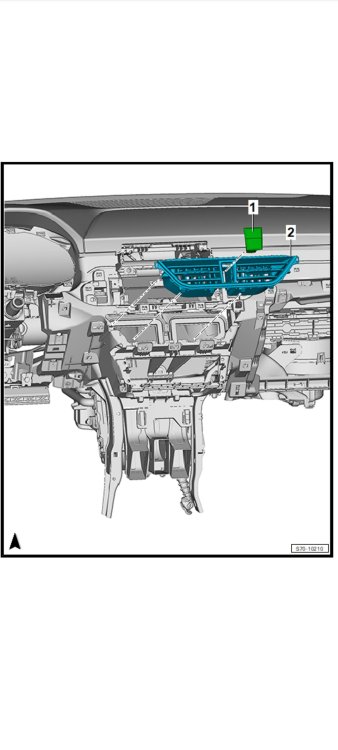
Kind of missed this post. Take note that the following images probably apply to LHD! So you may have to do opposite logic and remove opposite side vent.
-
I am 99.99% sure that the fuse only covers the relay to push high current to the wiper motors only. The very low power the washer pumps use are not covered by fuses, and recieve power from J519 afaik. So if both wiper systems move physically, then you need to see if J519 is sending power on the numbered pins from diagram. If no output on the pins, then you need to look towards the stalk and where it sends the "go" signal to. If the J519 is sending Voltage towards water pumps, then check if signal reaches connector T6p. If signal makes it to that connector, the the wire is broken between that connector and motor. If no signal is making it to T6p, then break is between that location and J519.
-
Maybe you need an entry in line 2 then, (cannot recall as it's been a while) Do you have a local area designation you can input?