varooom
Resident Member
-
Joined
-
Last visited
Everything posted by varooom
-
Recommend if you can post up how many Km driven so far, and what history of the car in terms of last time spark plugs were changed. Maybe there is a software update for engine, but unless you have tools to read in current version I cannot tell you if there is any update. Maybe someone has the same engine as you and can comment if they had same, and how they fixed it.
-
Best send along your VIN for lookup to check. Tentatively, 5Q0 919 275 B
-
The 1.4TSI has had many software fixes for rough idle, not sure if the issue with 1.5TSI has been ironed out. What kind of grade fuel are you putting into the tank? If I have read this correctly, then YES at idle and low loading the ACT (COD) will be active in shutting down 2x cylinders.

-
Best of luck, I do hope the part fixes your problem.
-
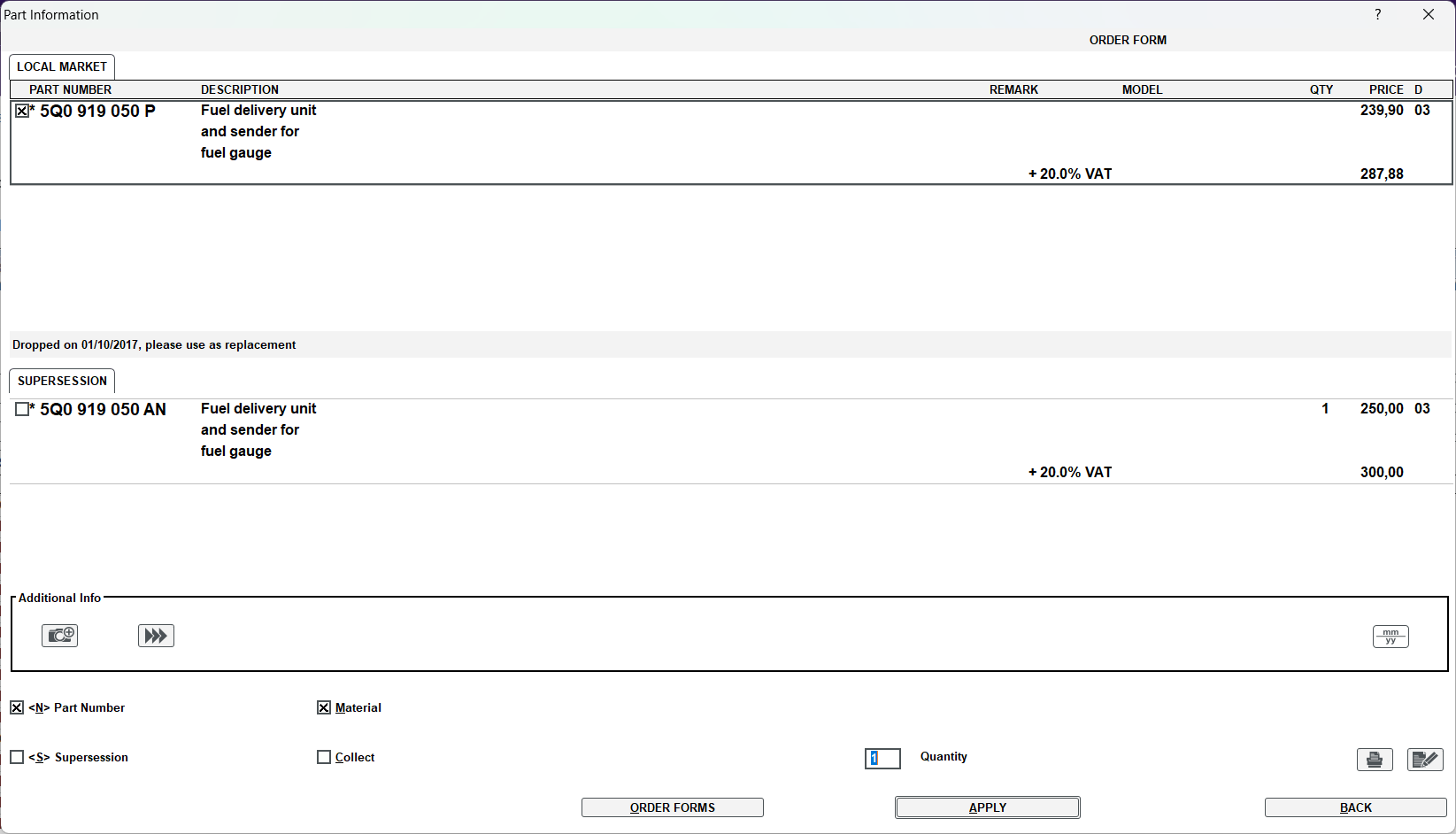
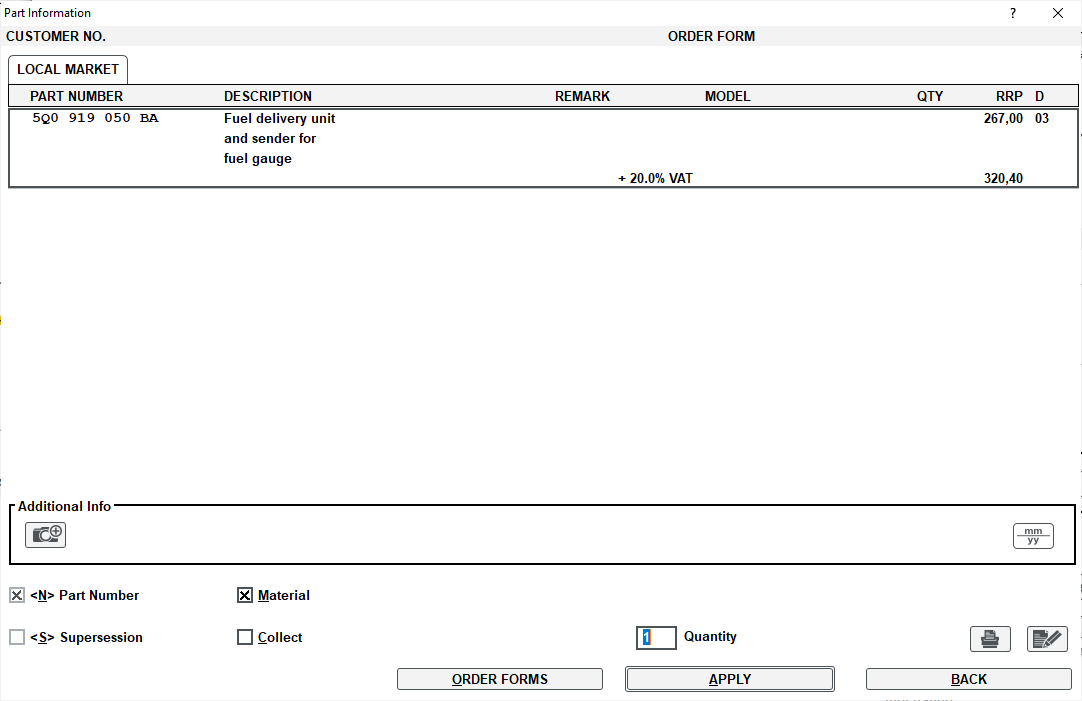
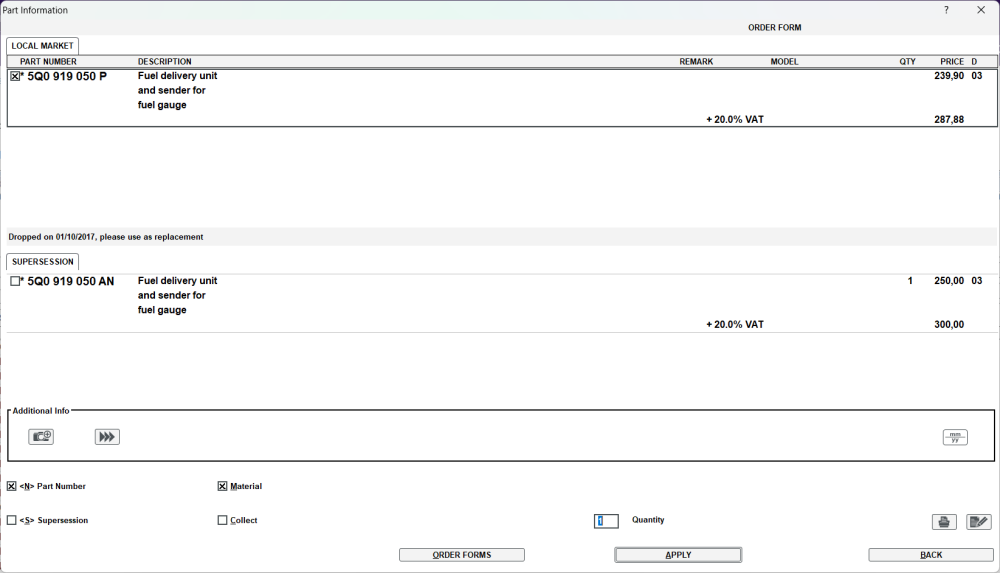
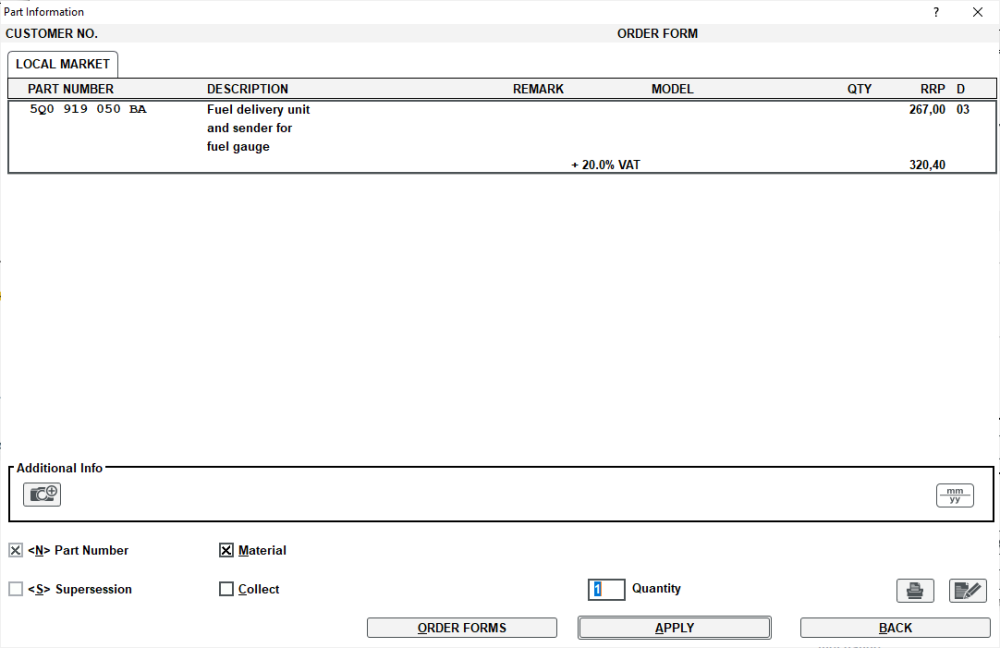
Supersessions Mike, 5Q0 919 050 P 5Q0 919 050 AN 5Q0 919 050 AH 5Q0 919 050 BA
-
It's not too old, it can be updated to 0480. I will fire over a PM in a few moments.
-
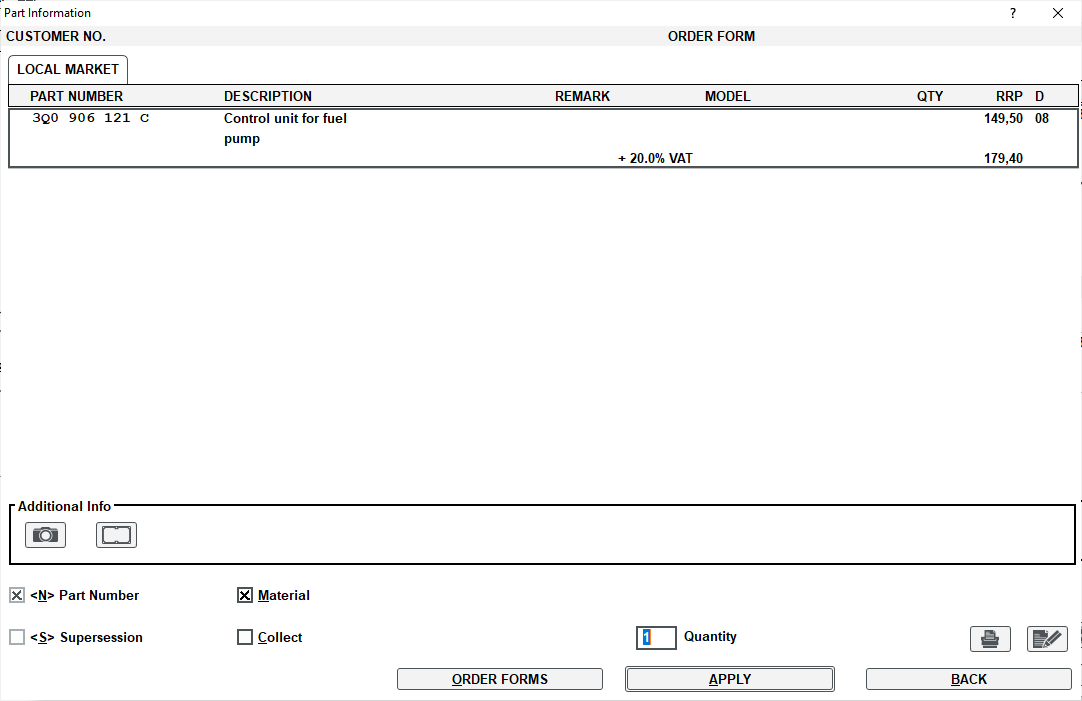
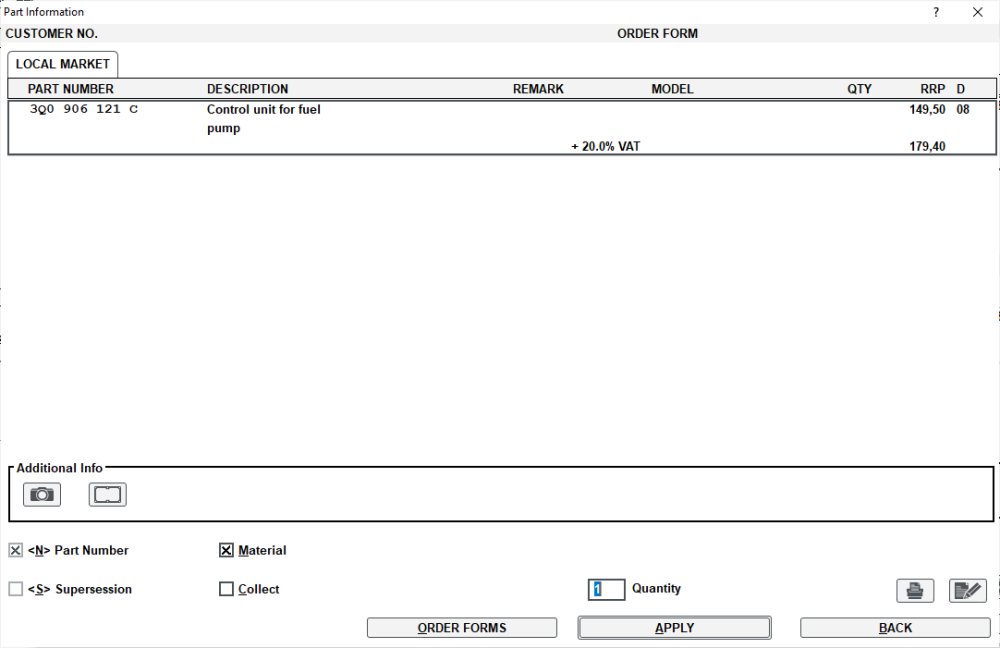
Here you are, fuel pump in case you need to check what you fitted Control unit for fuel pump Image of the control unit Pump Control Unit.pdf List of your PR Codes (build codes) TMBKG7NE9F0------.pdf Just note that it can be expensive chucking parts at a car, so make sure that all the wiring is good and not the cause of the issues.
-
OCT.COM AMB TD77/1.6 A7F, 2015, 5E533D, CLHA, QRK CLHA Engine Code QRK Gearbox code, gimme a few mins to dig about for you.
-
Glad to hear, hope it behaves or it will be for the high jump.
-
Yes their portal is trash! I have only these two releases release = "MHI2_ER_AU37x_P4203" MUVersion = "1168" release = "MHI2_ER_AU37x_P5089" MUVersion = "1326" I have sent you a PM with link to download 1326 version.
-
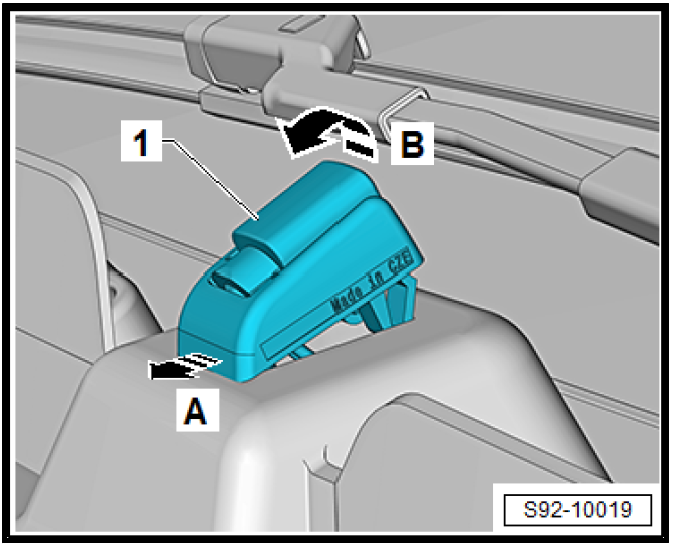
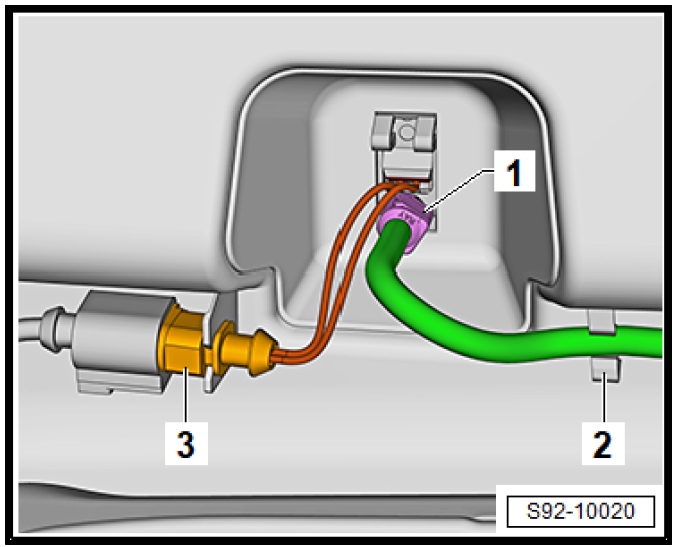
2.5 Removing and installing washer jets Removing – Support the nozzle -1- in the direction of the arrow -A- and swivel this out in the direction of arrow -B- and partially push it out. – Unlock and remove the hose connection -1-, the hose remains in the holder -2-.
-
Doesn't have to have the pop pop sos fault, but could be it's behind SW version and the infotainment system is current, so when you try to input details that are stored in the OCU, they cannot be input as they are not on the same "page" so to speak. They dropped the ball hard on their in house IT work.
-
You need a VIN really to make sure you get correct part. Your post is lacking engine size also, so a 1.6/2.0l will more than likely have a different part. Welcome to the forum "Mike"
-
I would cut out the middleman, Perrys Barnsley and talk directly to the local Perrys branch that has your motor. If you are a nice person, it could be time to get a little more forceful down the phone at this point, two weeks seems far too long. I doubt they are struggling to get the parts, but it could be the local Perrys doesn't have the knowledge to work on the car, or they have replaced the part and the error has not gone away, leading to headscratching. Sadly they are only my best guesses.
-
I assume it came with 1896 version if a Columbus unit? If yes, they should look at TPI documents for the OCU device, as that maybe due an update.
-
Yes you can update to 0306 Taken from inside the update "Release": "MOI3_EU_SKMQB_P30603P" "MuVersion": "0306" <snip> "SupportedTrains": [ "*_?268*", "*_?270*", "*_?272*", "*_?274*", "*_?276*", "*_?278*", "*_?300*", "*_?302*", "*_?304*", "*_?306*" ],
-
You might be ok to remove that, but best await an expert on the subject matter to make sure it is safe to do so. I was just making sure that you are fully aware of the danger of the area you are looking at. Nice to see you was able to capture it in a live log, nothing worse than an intermittant fault. Hopefully you can get this sorted, cannot be good keep dropping into limp mode.
-
You can probably do an in-place upgrade to Windows 10, but not one I have done in a long time. Worth a bash, worse case scenario it tells you to Foxtrot Oscar during installation.
-
I will send you update for your car
-
At this point I feel sorry for the OP, ask a simple question and get different answers. Hopefully they found the sticker in the fuel flap or door frame by now.
-
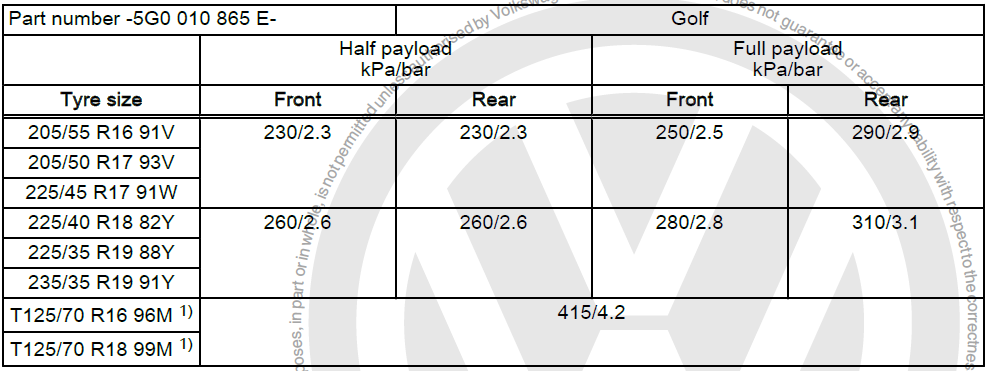
My point was the 225 or 235 didn't change the pressure requirements. Which suggests the original pressure table above is probably the same with a 10kPa difference is all.
-
VW Golf, here they show the same pressure for 225/35/R19 as they do for 235/35/R19, with a different load index. So I fail to see why this would differ from the above Octavia chart?
-
@pab567 You have a VIN available to process 🆙 Gman1978, make sure to use the @ symbol then name as he may not notice your message.
-
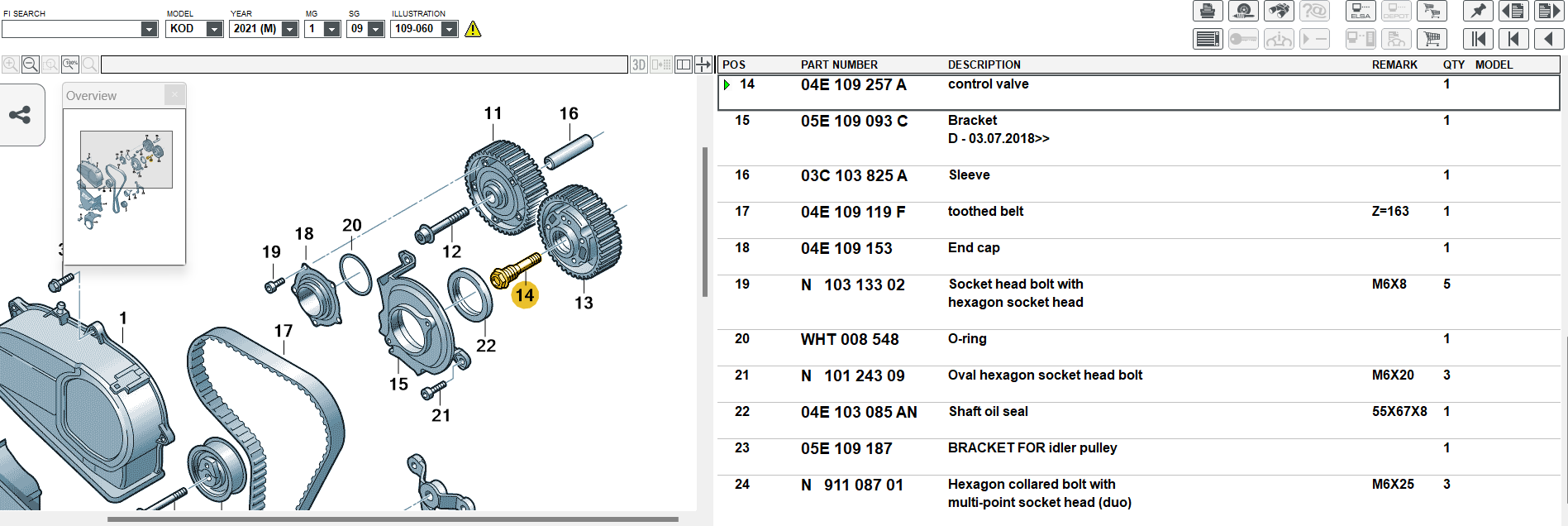
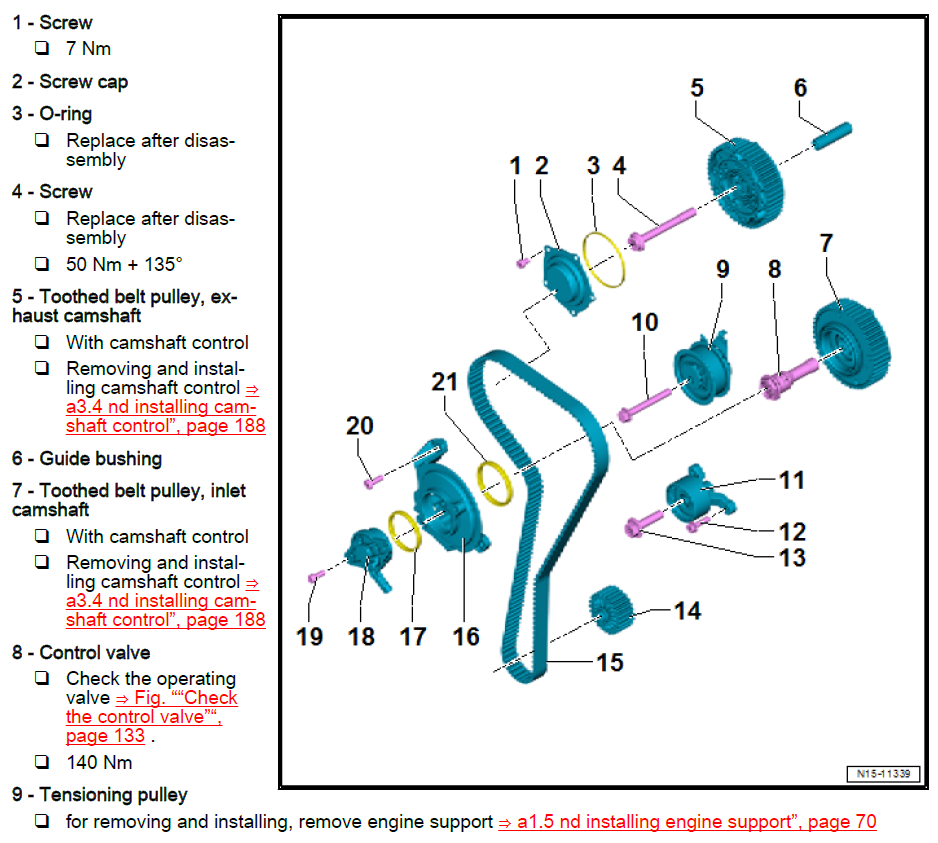
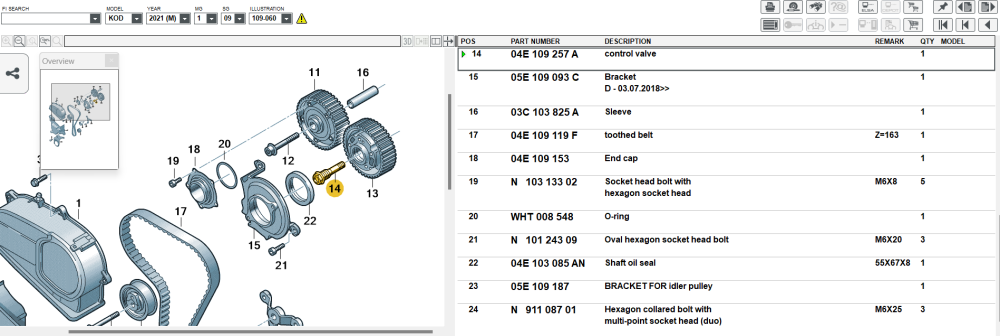
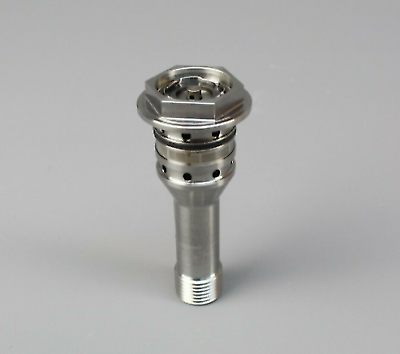
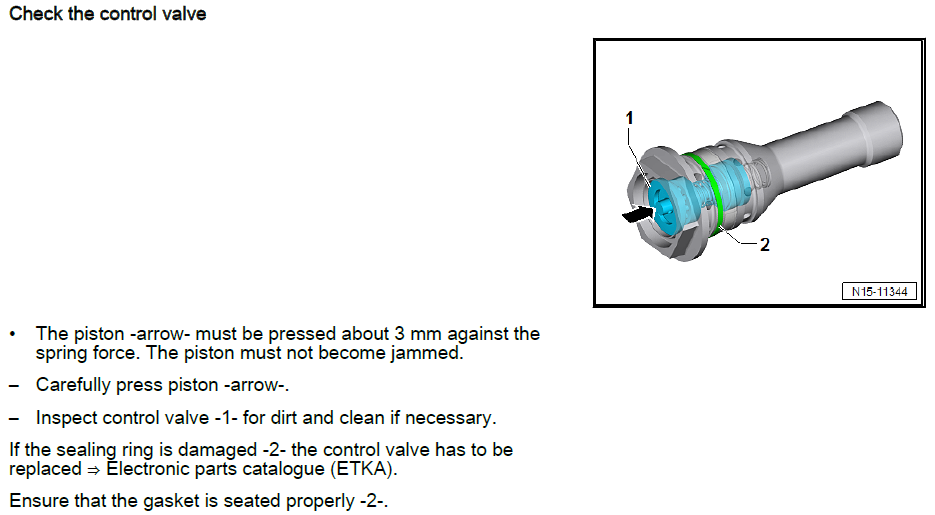
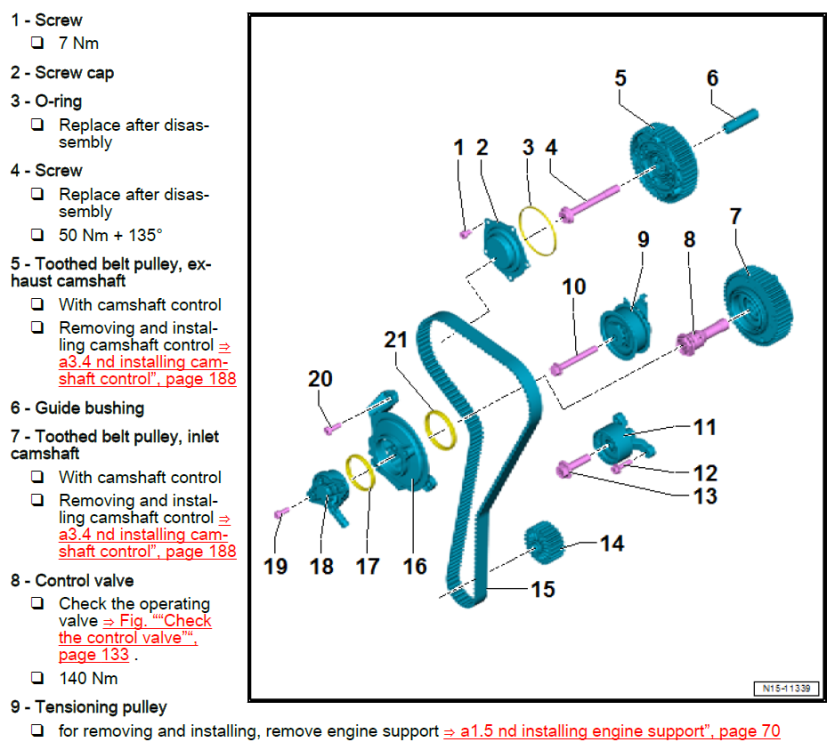
I shall try to help in a small way, please take a read here about anything to do with 1.5 EVO engine and being very careful with anything to do with the timing area, not saying you are in danger because you are touching this area, but you may upset a very accurately timed engine. It's a Karoq, but shares same engine across models Now onto the hopefully helpful part... Here is the exploded parts diagram. Here is the part in a nice image Here is the part in the workshop manual for a 1.5 EVO "DADA" engine code And the torque value is 140Nm from position 8
-
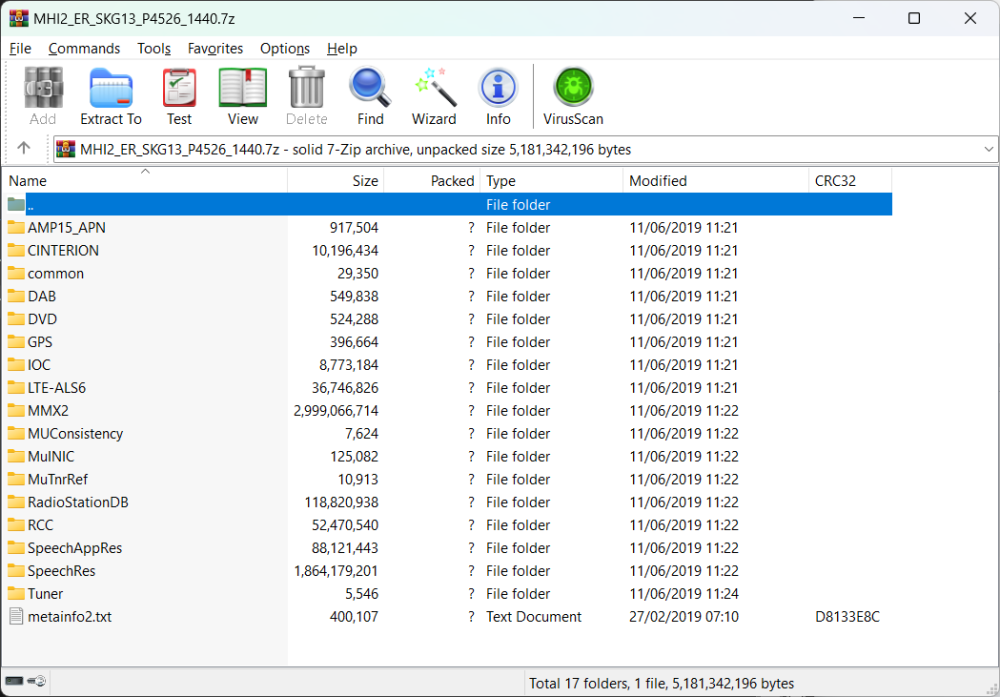
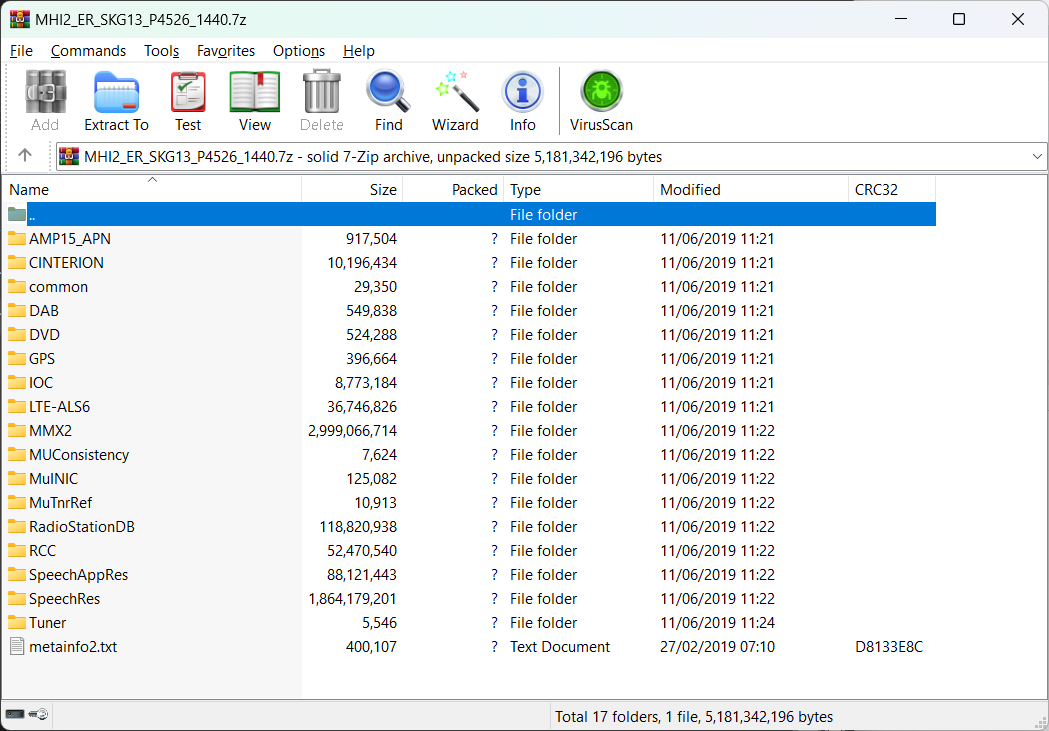
As mentioned, make sure it's with an MBR partition with FAT32 format or exFAT, also make sure you extract to the root of the USB, so that it has only a single file (metainfo2.txt) and the 17 folders seen. It cannot be D:\MHI2_ER_SKG13_P4526_1440, then the files and folders inside.