inspectorman
Members
-
Joined
-
Last visited
Everything posted by inspectorman
-
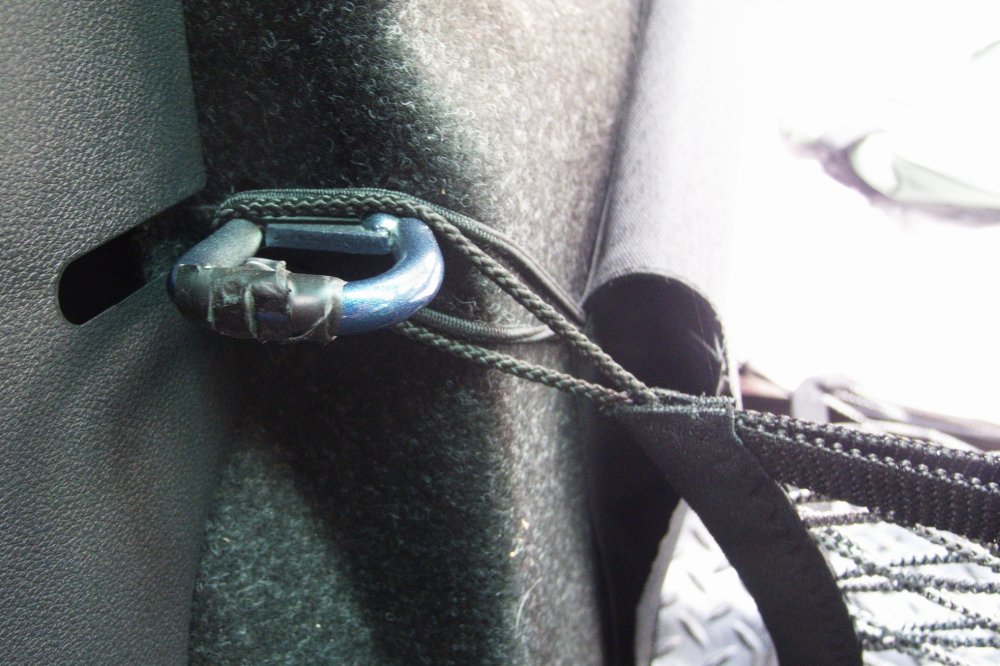
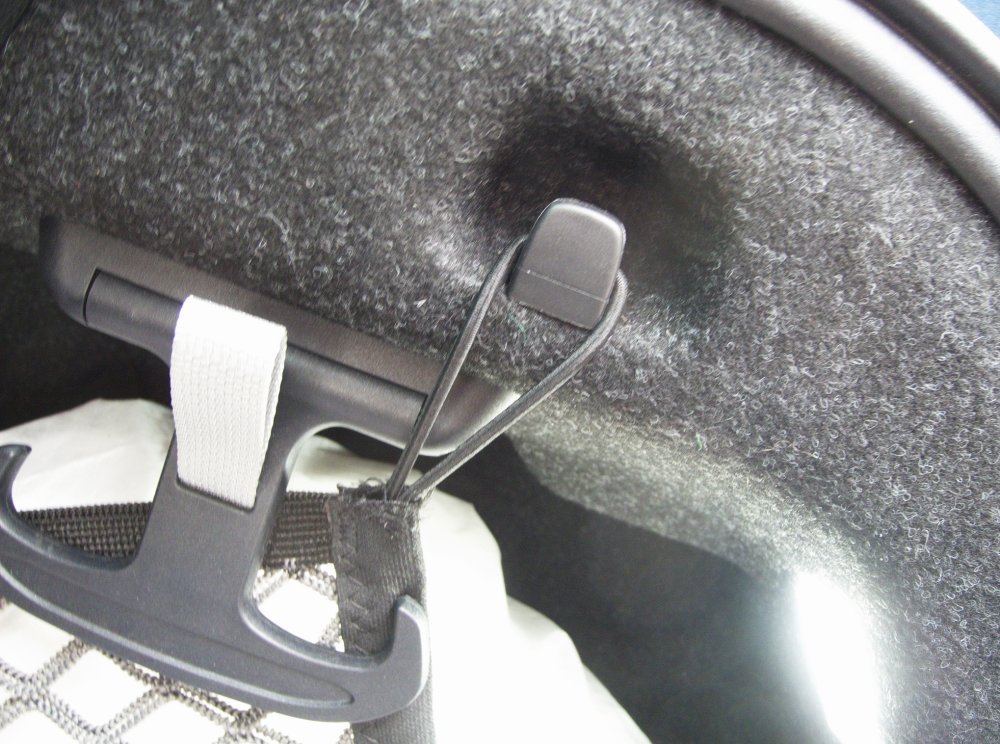
Don't have a rug, or an estate, but have some photos of the install in a hatchback. It did take me some time to work out where the front was meant to go.
-
JR seemed to have diagnosed this; "The noise could equally be the tin foil backplate having rusted and fractured at the mounting points, that corresponds more with your description"
-
Try these people; https://wheellockingkeys.com/product/locking-wheel-nut-key-matching-service/ I'd use a black Sharpie to highlight either the high points or the low points (not both!) to get a better picture of your nut. You have four goes at this.....
-
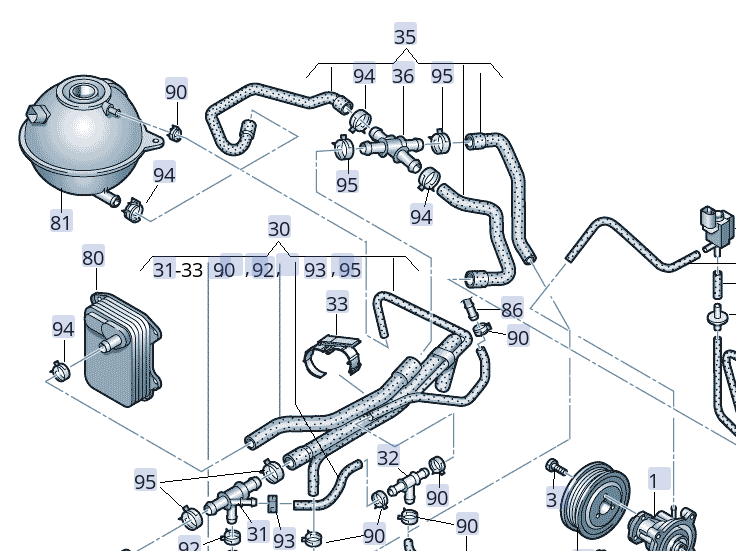
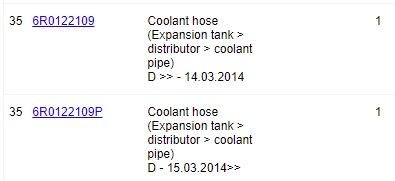
The online diagrams are pretty horrible without the engine in front of you but this might be your engine - CBZA or CBZB ; In which case part 35 is Doesn't look like it comes as one hose. Link for all these coolant layouts is at https://www.lllparts.co.uk/catalogs/skoda/CZ/RAP/740/1
-
Three months after changing mine I got the warning. Annoying but changed it again. The error message persisted. Eventually I realised the spare key - which lives in an allegedly RF proof pouch a long way from the car - had somehow contacted the car to tell it it was sad. Changed that one and all was OK. Got 2+ years out of the first set. The dealer might not have changed both.....
-
Tyre pressures last checked?
-
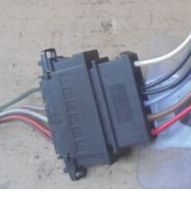
I'd start with the connector strip first, then the individual bulb holders. A bit of TLC on all contacts might save you having to replace the whole lot. Is this the connector to the rear light? Separate, inspect and clean.
-
Over on the German O4 forum, 4tz3nhainer states :"My current status is that 1899 is the latest version for the old hardware H56. 1898 is the latest version for the new hardware H58." I have no idea if this is correct or not but a number of people seem to have one or the other of these releases.
-
Electric.pdf appears to refer to the CanBus gateway module 6C0 909 901 A. The other appears to be a motor control unit. Given all errors have occurred only once at about the same time, I'd keep your VCDS results logged, clear all DTCs, and wait to see if it reoccurs. Chasing spurious and intermittent VCDS fault codes is rarely productive unless the fault is manifesting itself on the car. Your radio issue, for example, may be obvious if you have no, or poor, digital radio reception.
-
Relay terminal numbers follow a DIN standard (and have done since the 80s). On the base of a 4 pin relay will be 86 and 85 (low current switch and earth) and high current supply 30, then 87 is the high current output to device (in this case the starter motor). Your mechanics will know exactly what you're on about and it should be one of the first things to check with the symptoms you have. My money is still on the ignition switch.
-
Hard to see how a garage and another auto electrician aren't able to get to the bottom of this. If you have a good battery and starter motor - one new, one tested, then the relay output to the starter motor (terminal 87?) is simple to check. But both of them say the relays are fine. The only clue I can see is your initial difficulty with your ignition key. This is driving a switch behind the lock components which tells the ECU what to energise. here, it might be that the final switch turn to energise the starter motor has failed. Cheap enough part to change.
-
Scan done, email sent
-
OK. I'll have a try tomorrow. VCDS is now up on 22.10 so we'll see. Of course if I played the vid I would see it was an old RossTech vid.....
-
I am using VCDS. I do not know how to make a full scan of central electronics - and log it to pass to you. I can see the coding for individual addresses and probably would be able to copy the values you are interested in.
-
My wife's Rapid has BiXenon headlights. If you could specify which bits of code you need I could have a look for you with VCDS. Bear in mind this is a UK RHD car.
-
I don't believe I had the OCU changed to fix my Pop Pop SOS issue. After "charging the battery of the SOS unit" failed to achieve anything, "the software in the unit was updated". Which appears to have fixed the issue (4 weeks now.....). In another thread, Varoom refers to the TPI relating to this fault not being correctly applied. Perhaps this is the case here but you do have to take dealer statements with a pinch of salt. The complexity of the issue may be beyond some dealers... . The number of faults JamesK reports does seem to indicate a more difficult issue than I had. But my car did have the mad bonging of the "Front Assist not available" fixed in April.
-
If changing from a dying battery to one of the same type and Ah, there will be no perceptible impact on the cars electronics. The battery management system will work out that the (new) battery responds to charge slightly differently and will alter the charge parameters to suit over a period of time. There is no absolute necessity to recode the battery. On the other hand, if changing battery technology (from EFB to AGM, say) or putting in a battery with significantly different Ah capacity, then coding in the battery is advised. There is a map of VCDS users and someone local will be happy to help for a few beer tokens.
-
My pal swears by his Wurth one. Misters won't deliver enough liquid.
-
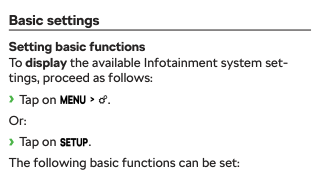
That looks like the Swing system. In the handbook; should enable the change from mph to kph. Bolero pretty similar and Columbus identical
-
Well, 40 miles from the dealer and it did it again. Several times. Including the exciting "call workshop" message and the wonky nav screen. Back in on Wednesday. My scepticism about what I was being told was well founded.
-
Into the dealers for its first service and to address the pop pop issue. I was told "The battery in the unit was low and we have recharged it. That will fix it." Well, I understand the unit has a small battery in it to power the emergency call if the normal 12V supply has been disrupted in a crash, but..... the car is being driven normally and yet this battery is not holding charge. Sometimes it occurs after a good couple of hours of driving by which point you might have thought all subsidiary batteries would have been fully charged. So either the battery in the unit is defective or the unit itself is defective. I have no confidence I'm not going to see the issue again. We shall see. 30% of the time it pops the navigation falls over if I'm using it.
-
Unless it's parked on the harbour slip in Whitehaven, you just might be having your leg pulled by the dealer. And - even if he's right that they're FUBAR'd - why would you want to replace them with the same OEM crap which hasn't lasted 2 years / 12K miles since rolling out of the factory? Having now done two Rapids, a Fabia and an Octavia for terrible rear discs within 2 years of leaving the factory, I can confirm the discs are truly bad quality. The replacements - nothing special, often Mintex - have easily outlasted the factory fit. The last Rapid I did was actively delaminating chunks of disc surface as it was driven! Get to a good independent for a second opinion.
-
You can get the list of PR Codes by signing up to Erwin and spending 7 Euros https://erwin.skoda-auto.cz/erwin/showHome.do Also take the opportunity to get hold of as many useful workshop procedures that you think you might need, and check for outstanding work waiting to be carried out on your car.
-
-
This is complete BS from your dealer. Skoda Germany have been replacing steering wheels for a year for Octavias with this issue. Mine got done in Carlisle with no particular need to put pressure get on the dealer in April. When I get to a proper computer I'll try to dig out the conversation we had back then.