SteveTheElder
FREEDOM
-
Joined
-
Last visited
Everything posted by SteveTheElder
-
I have used any, but there are gps diagnostic apps for iOS, and presumably Android, which gives the number of satellites and strength of the location fix. Now, AIUI, when connected to CarPlay (and I assume AndroidAuto) the phone gets its gps location fix from the in car antenna and unit. Potentially, one of the diagnostics apps will show the satellites. Maybe worth a try 🤷♂️…
-
The link provided by @BeaverRS has a menu option for Generation IV, the first few lines of which translate to ... "The Octavia IV (internal name NX) was first announced for the 125th anniversary of the Skoda brand on 05.02.2020." So, it seems that, in Škoda parlance, IV is Mk4 and iV is the PHEV variant.
-
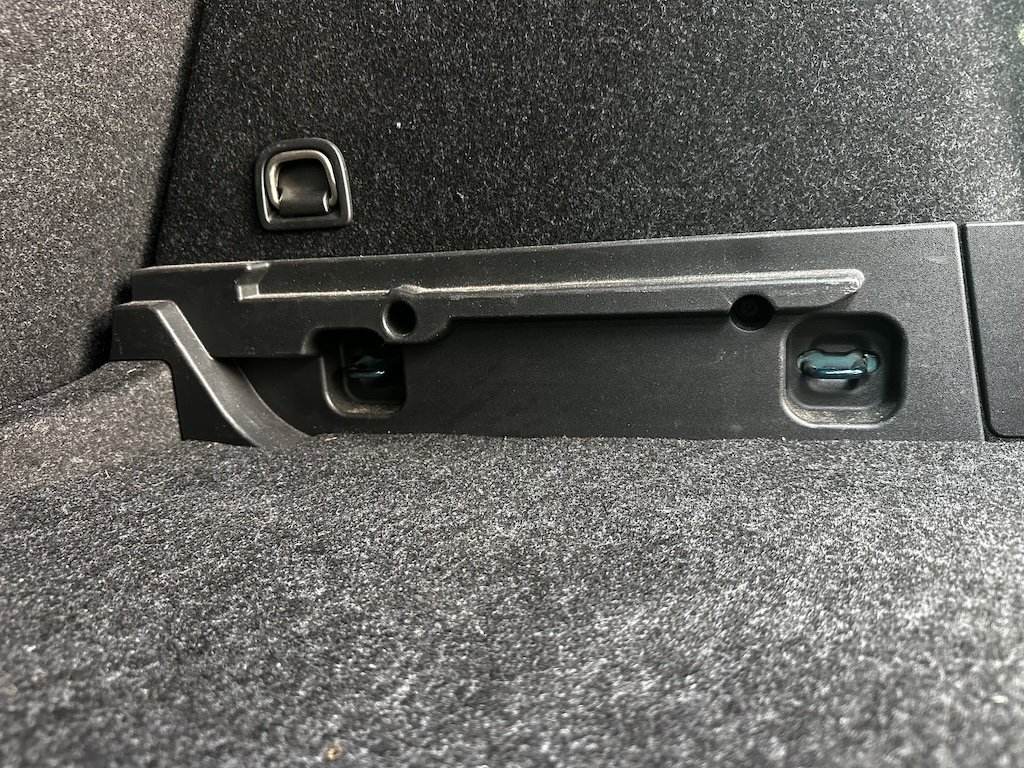
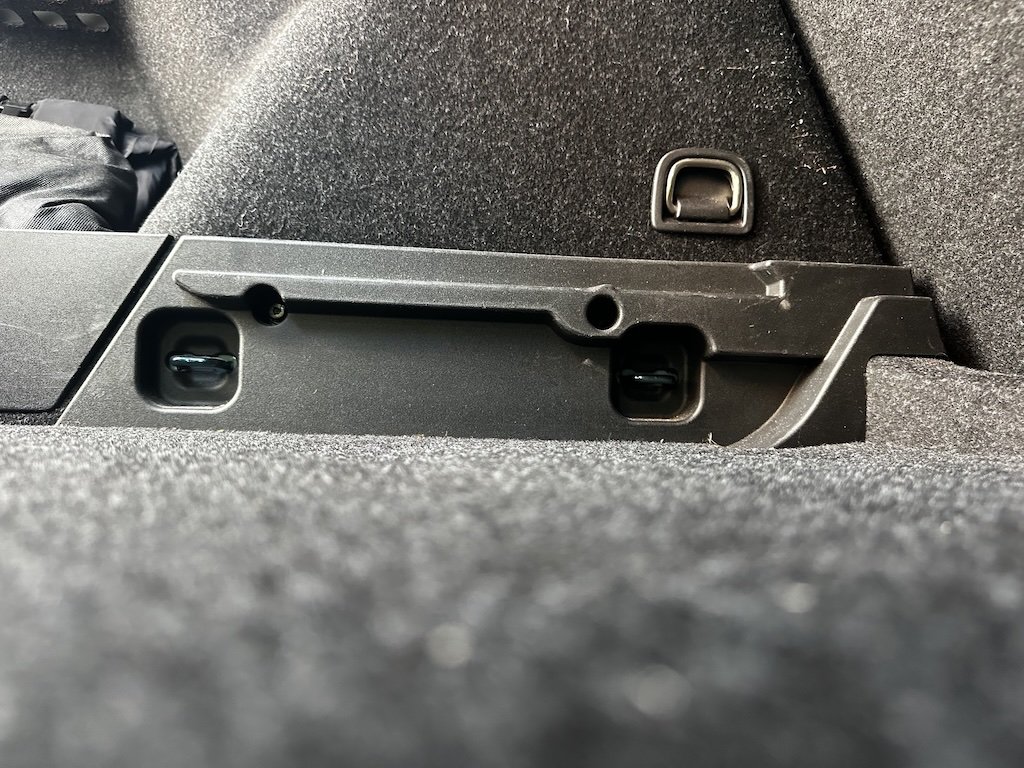
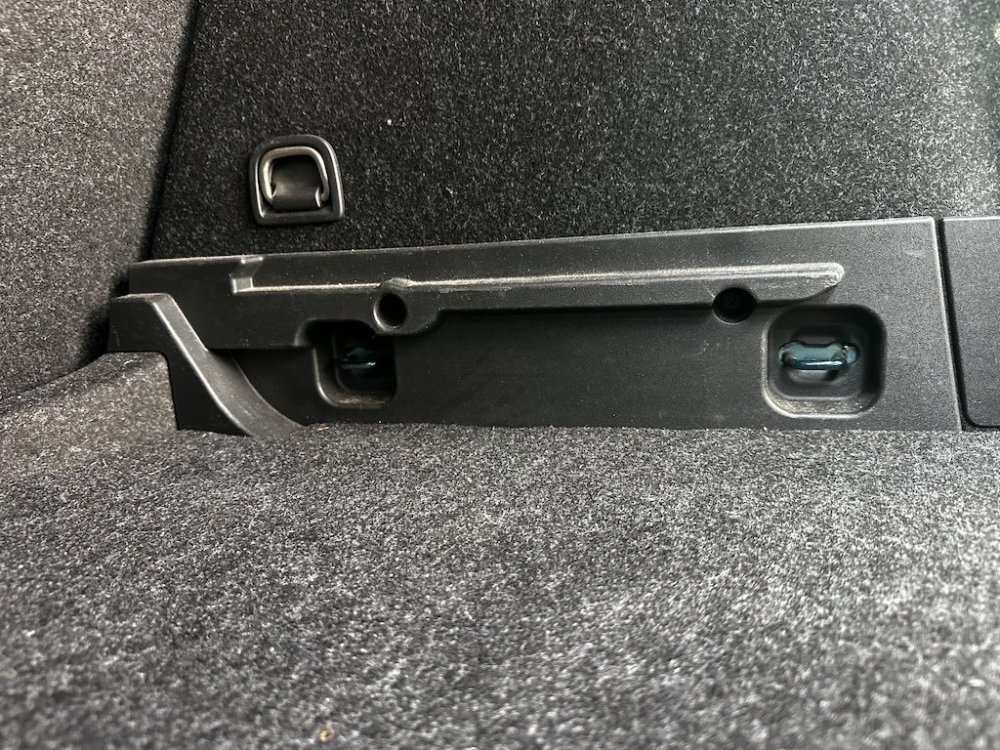
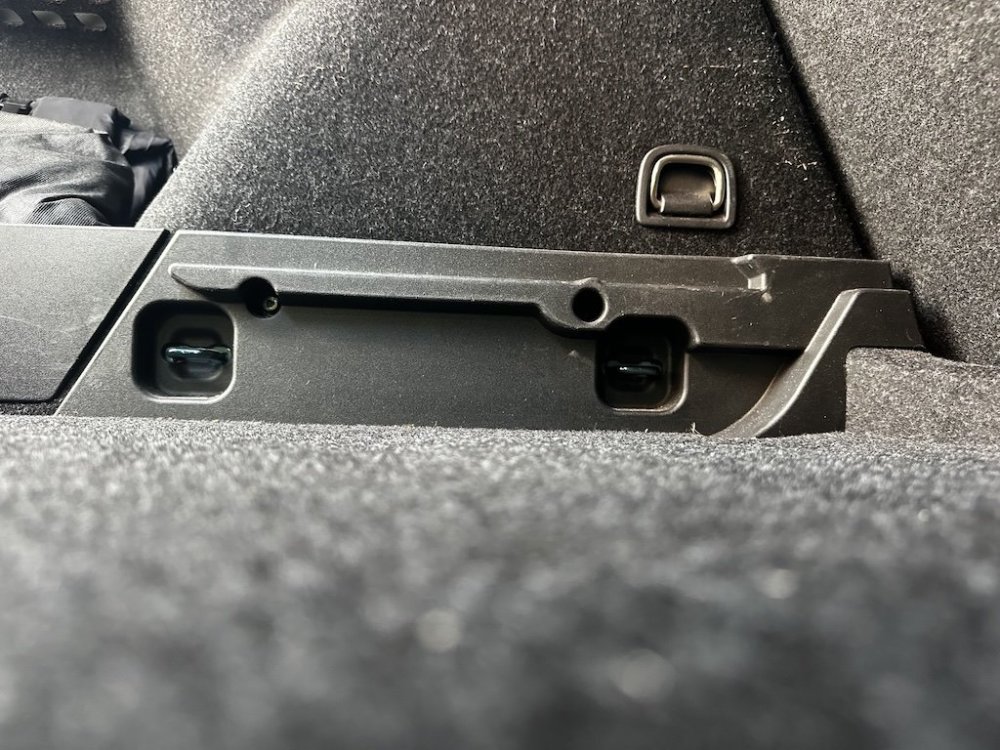
The attached are how the side supports look in my car (these were factory fitted), hopefully helps a bit.
-
Do you have a photo of where the problem 2mm is or what you think is causing it? I can look in my car tomorrow.
-
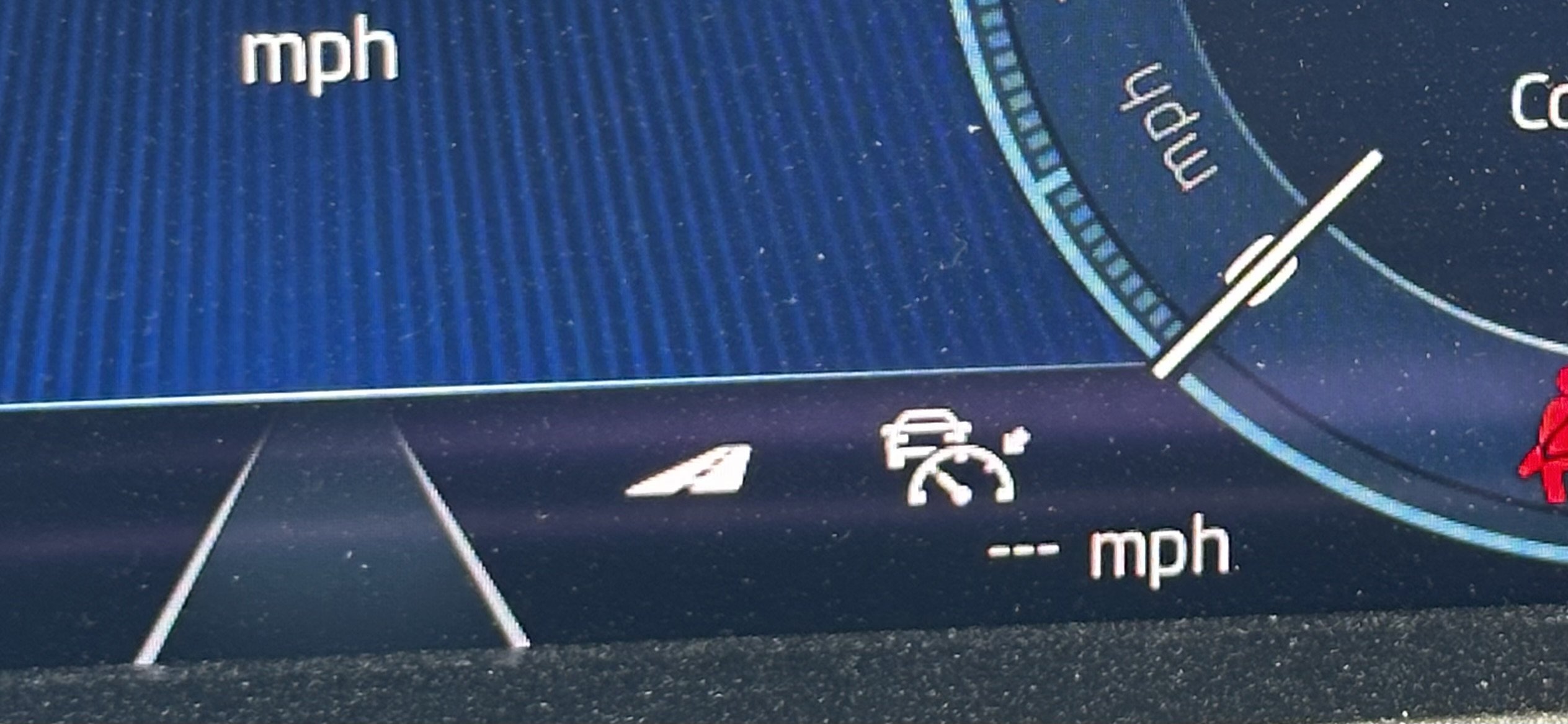
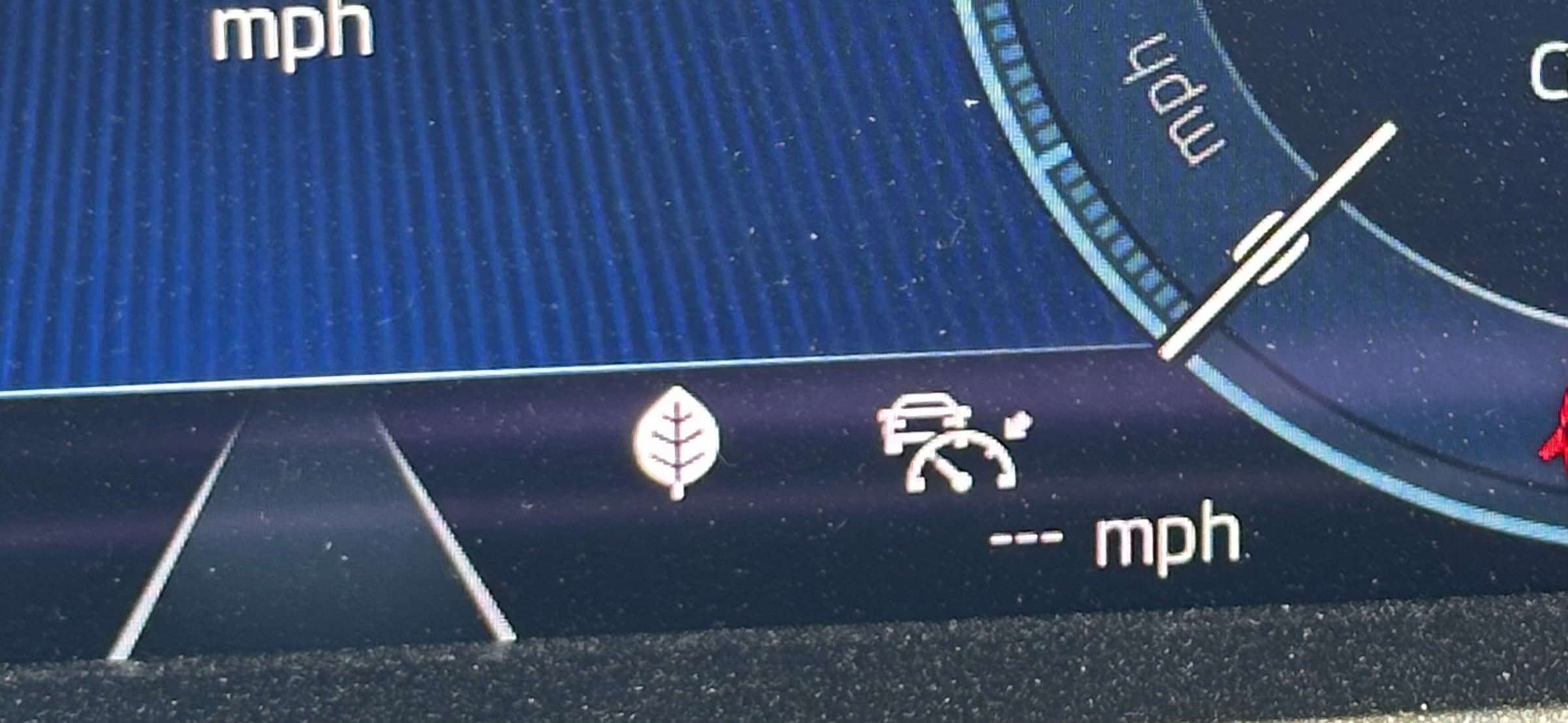
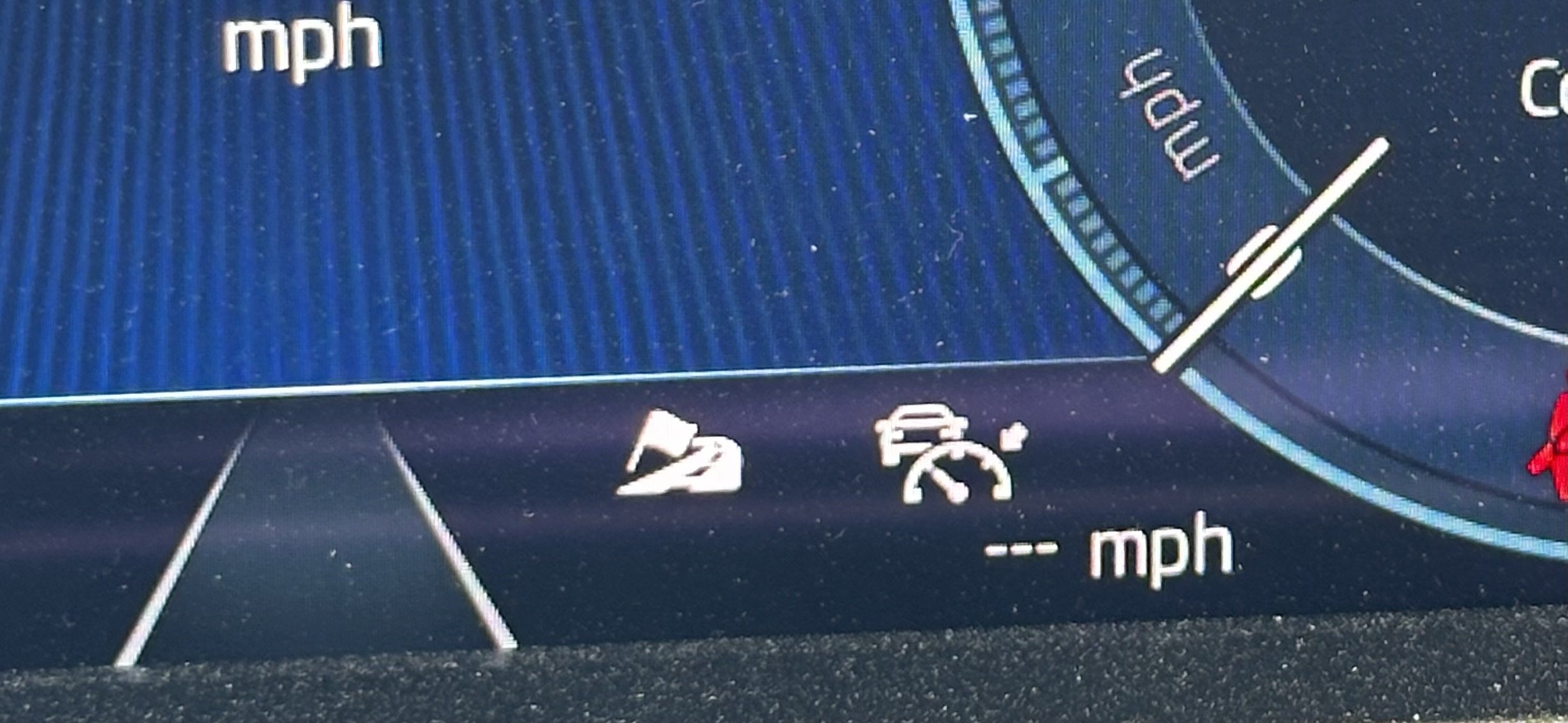
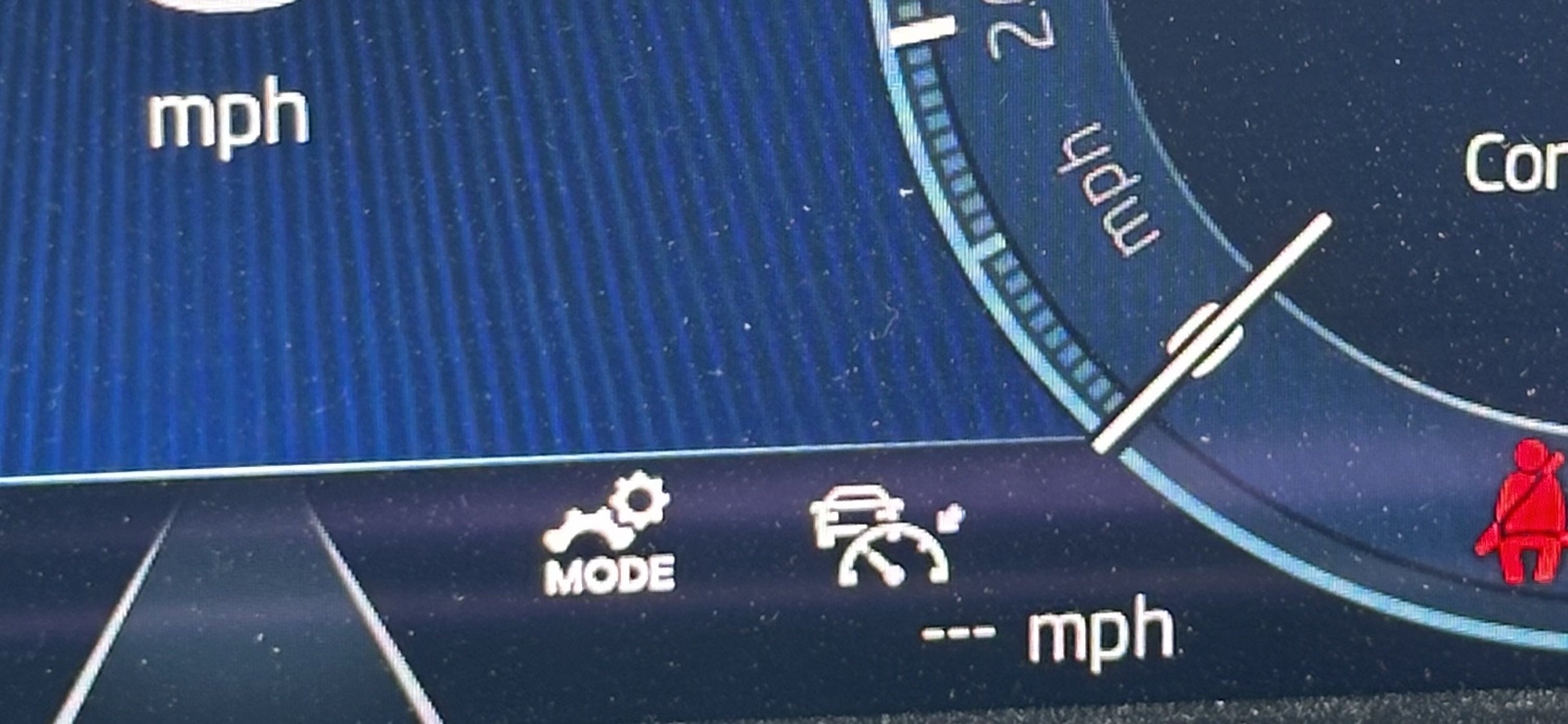
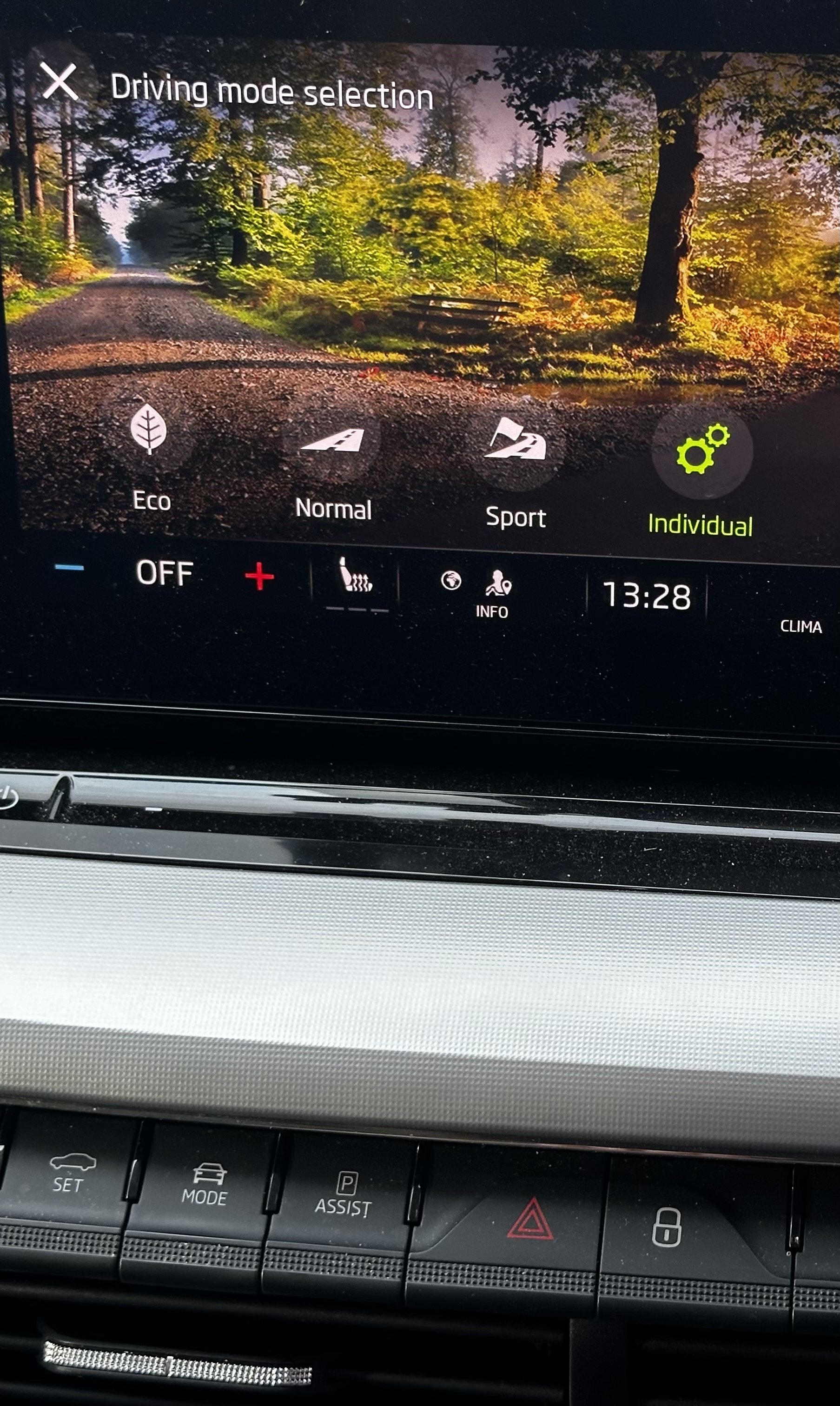
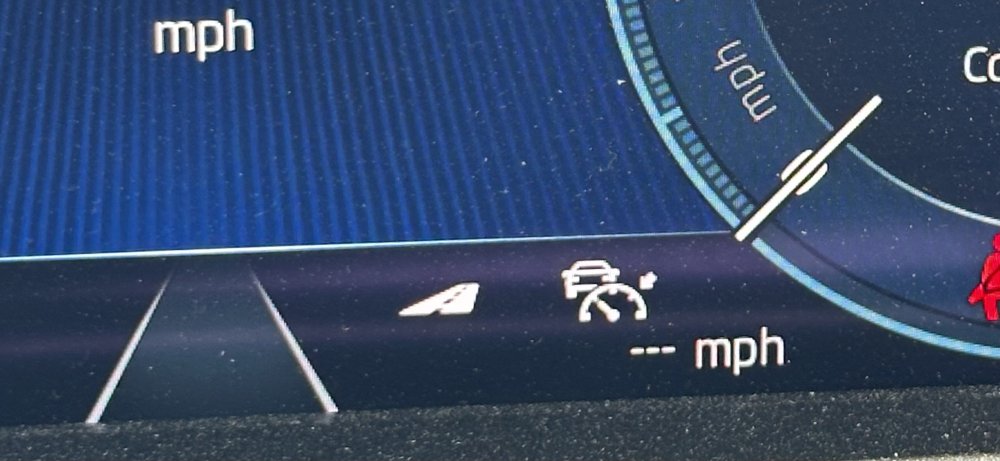
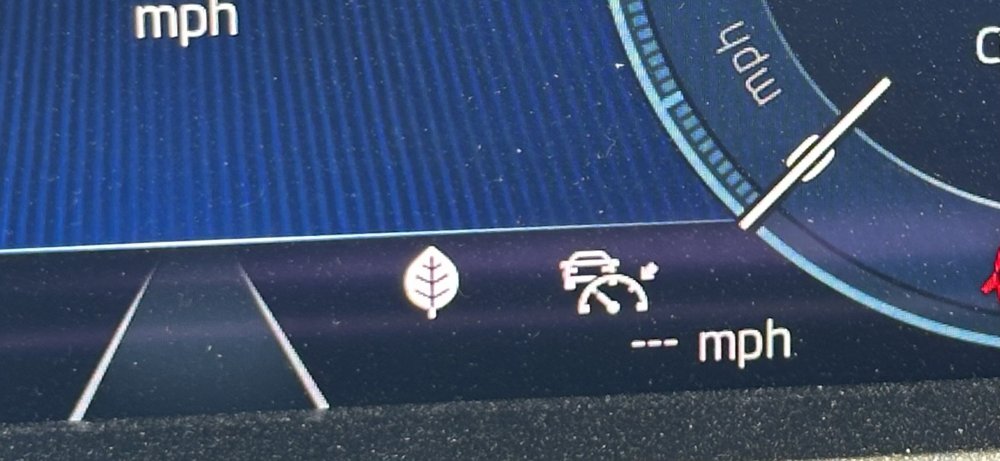
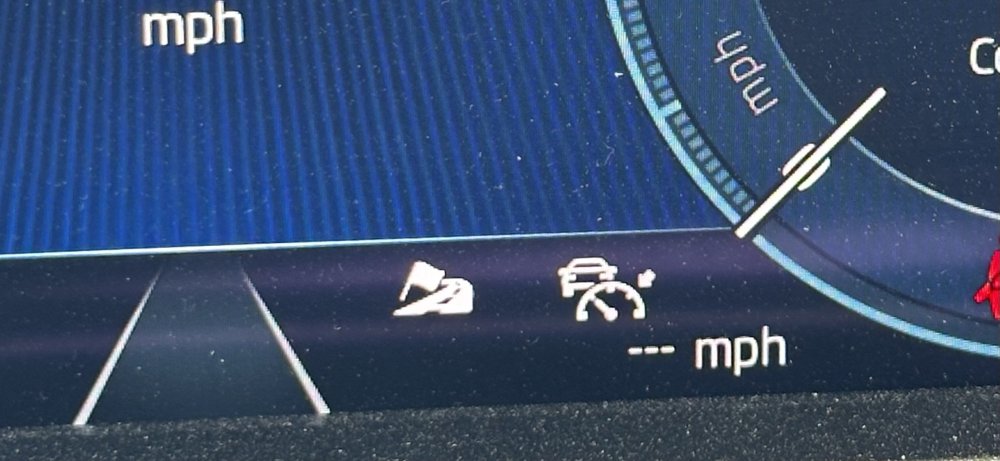
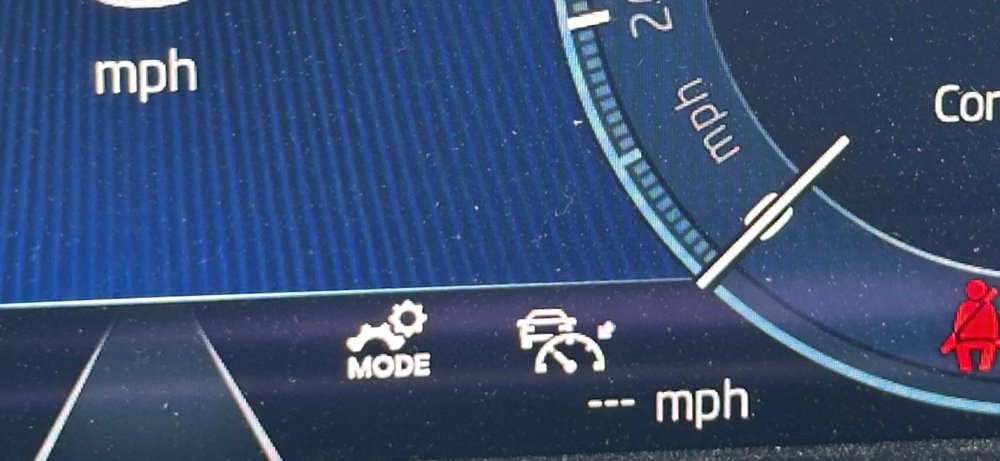
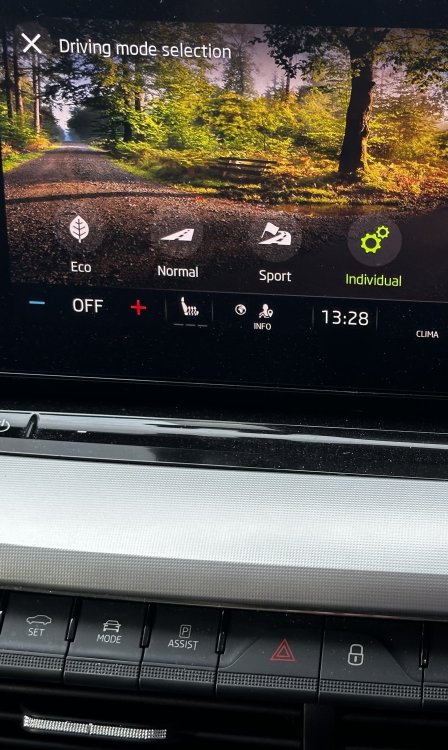
Yes, it’s the drive mode selected. On my manual ‘box 2020 1.5tsi SEL FE, I get these modes… Normal Eco Sport Individual Selectable from this screen… As yours is a hybrid I assume you’ll have a few different drives modes as well as DSG modes; symbols may vary too depending on s/ware revision levels. I usually select Individual, which I have configured to put the climate control in eco mode but leave the rest at default settings.
-
Gut feel is that it is either drive mode or DSG mode. Do you have a wider shot so better able to see where on the virtual cockpit it is?
-
At each service mine has had 0w-20 long life oil(508 00 compliant), with the variable interval scheme (up to 20,000 miles or two years). It’s now at 75,000 miles and running sweetly. OK it’s not a VRS, a 1.5tsi manual 150ps, so a less powerful engine but the 0w-20 seems absolutely fine. These pages may help too… https://engineneeds.com/0w20-508-spec-oil/?__cf_chl_f_tk=dyfYG1VOj7B8tmhnWC7_1UVGIRnvr1stFuf6dcboqR4-1783416265-1.0.1.1-y4o4iJkM4R7O.wSiWbsy1gSET0kY7inpRpL8IbMcpx0
-
AIUI the infotainment system stores different volume levels for different things. For example, media playback and navigation directions and ring volume. Could it be that you’d turned down the ring volume at some point? Try calling a connected phone and using the steering wheel control turn up the volume before answering.
-
I'm currently running a 1.5TSI Octavia Mk4, but previous car was a '14 plate Superb Mk2 hatch 1.4TSI (manual 'box) which I bought in 2016 with 10k miles on the clock. Ran it for 4 years and 60k miles. Clearly the 1.4 won't have the oomph of a 2 litre unit but is plenty powerful enough for long hauls up the motorways and A9 from Hampshire to near Inverness, often fully loaded. I found the engine to be very flexible and 6th gear long enough for relaxed motorway cruising. On long runs I was averaging over 50mpg which I was very pleased with given the size of car. My now son-in-law has had it for over 5 years and it's done something like 140+k miles - and still running very nicely; rear springs are a bit tired though. Both SiL and I are surprised at how well the ol' bus is doing. If you're looking at 2016-18 era cars then that's likely a Mk3 Superb which I believe came with the updated 150bhp 1.4tsi engine, IIRC mine was 125bhp. One of the last Mk2 cars may suit your needs and will be a few £££s less - just a thought.
-
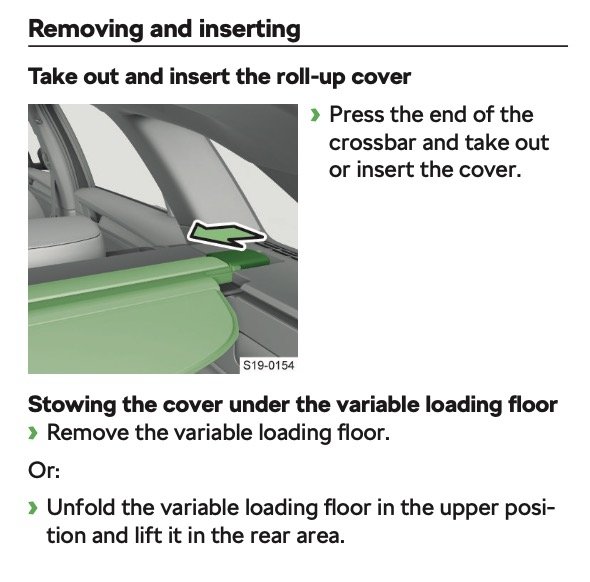
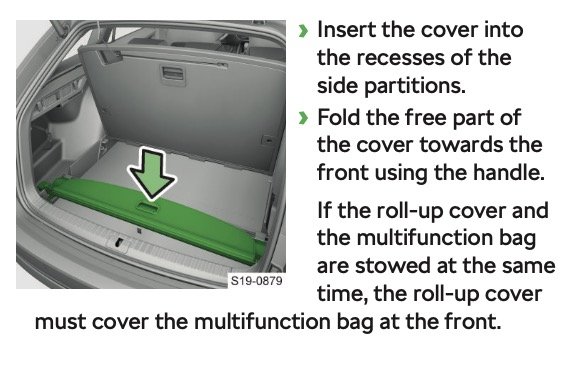
This from the pdf version Owners Manual I have...
-
Yes, I believe the cutouts are for the retractable cover. AIUI, the strap is for a first aid kit included in those markets where carrying one is mandatory (so not in the UK).
-
Oi! That’s my trick 😂😂😂 This morning, at 74,989, I set off headed south after a trip to N Wales - ok I said to myself, 10 miles in get Mrs Steve to prep the phone for a pic. Well, you know… … car is now on 75,239 🙄 Hey ho!
-
Translated to English… “My rearview mirror on the right tilts upwards from down while parking what could this be the case?” @faridjiaw01 - please note that somewhere in the guidelines/rules for these forums is the English should be used. https://www.briskoda.net/forums/guidelines/ OK to answer your question. There is a setting to enable the non-drivers side mirror to tilt when reverse is selected. I assume yours is set to rise upward rather than downward (to, for example, see the kerb line). Take a look in the online manual for how to set it up to behave as you would like it to be.
-
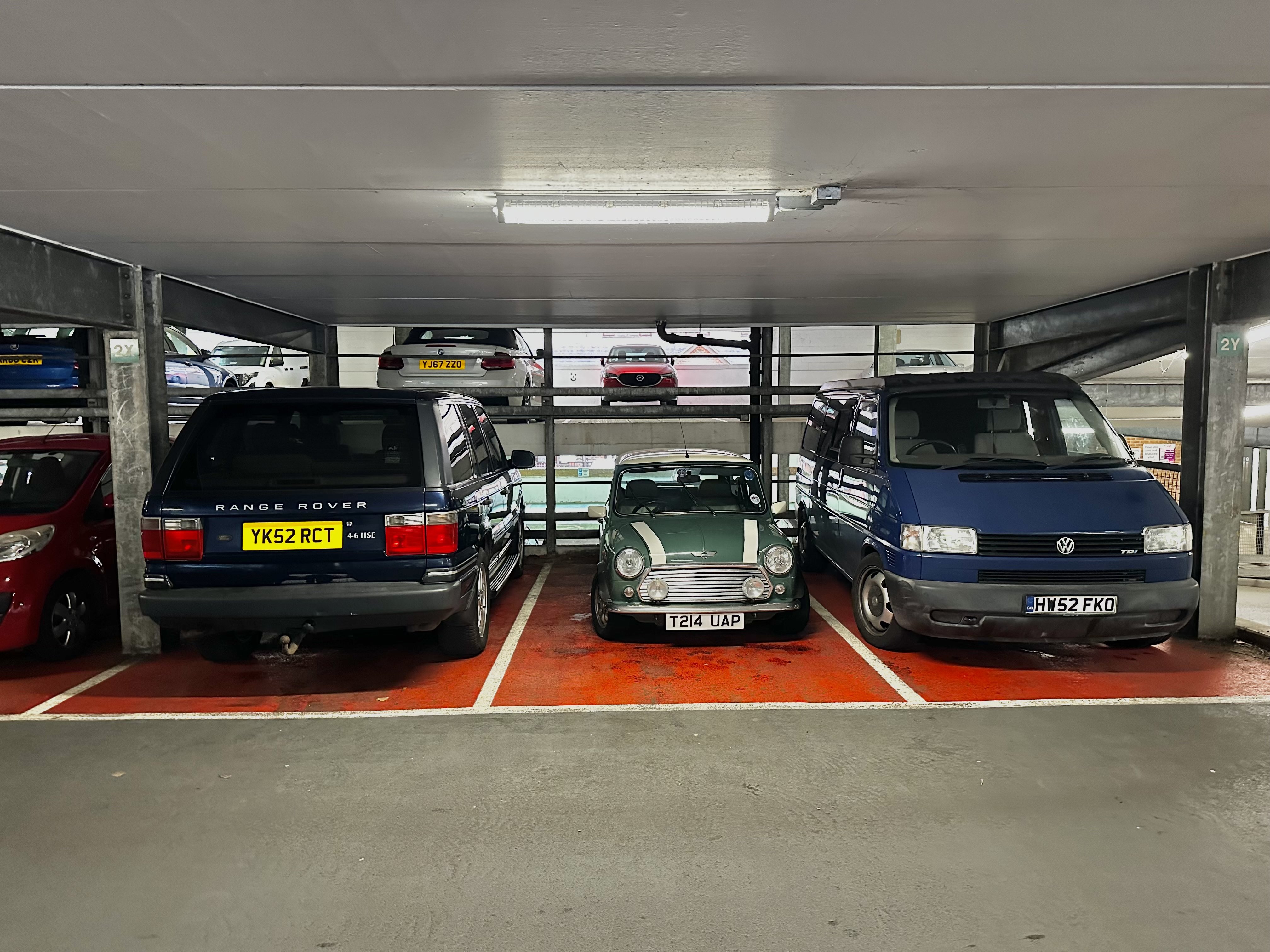
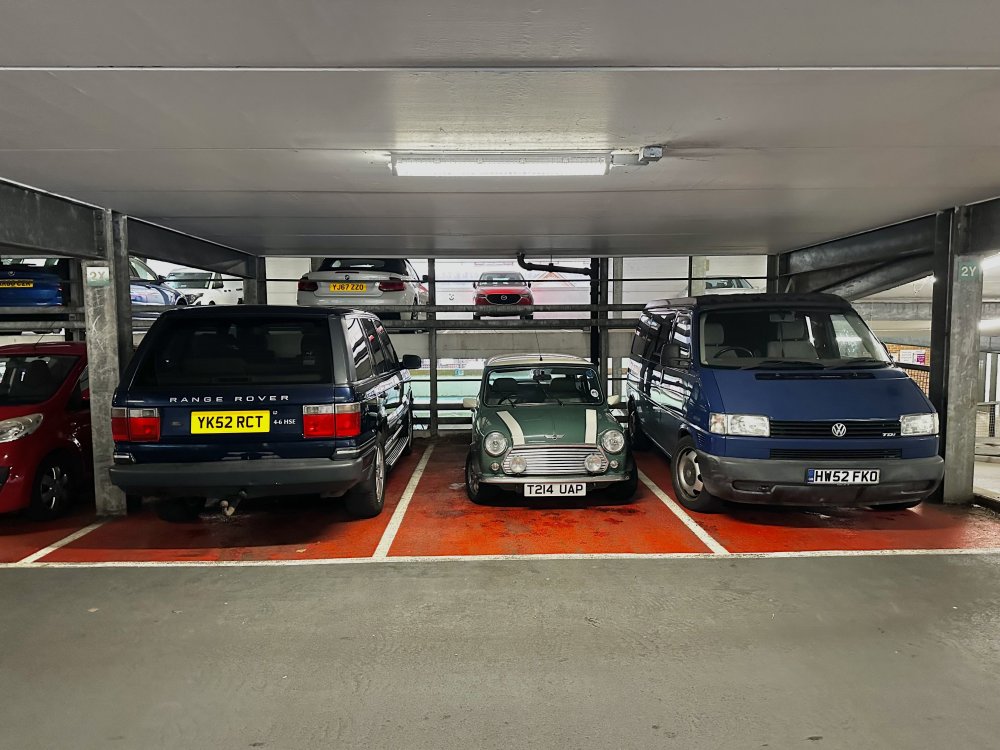
Parked opposite this little (literally) beauty, dwarfed by the Range Rover next to it. I really had forgotten how small the old minis were - and I, at 6’ 5”, drove one for 80k miles over five years.
-
Hmmm… interesting…. That’s about 5 miles up the road from me, and my 70 plate 1.5tsi SEL FE estate is on 75k miles. To look (heart) or not to look (head) - that is the question! Pleased to hear you’ve been pleased with it, hope the new one proves a worthy successor.
-
I suggest you take the V5C or proof or purchase just in case they need to verify it.
-
-
AIUI, when a phone is connected to CarPlay or Android Auto they use the car GPS antenna not the phone’s own. There are several folk on here who have replaced their car antenna to fix the location error in their cars (I think it’s a VW group wide problem). So, it could be that it’s the same issue for you - a faulty car antenna giving the error. As for coding any changes (nice idea by the way) I don’t have a clue, sorry.
-
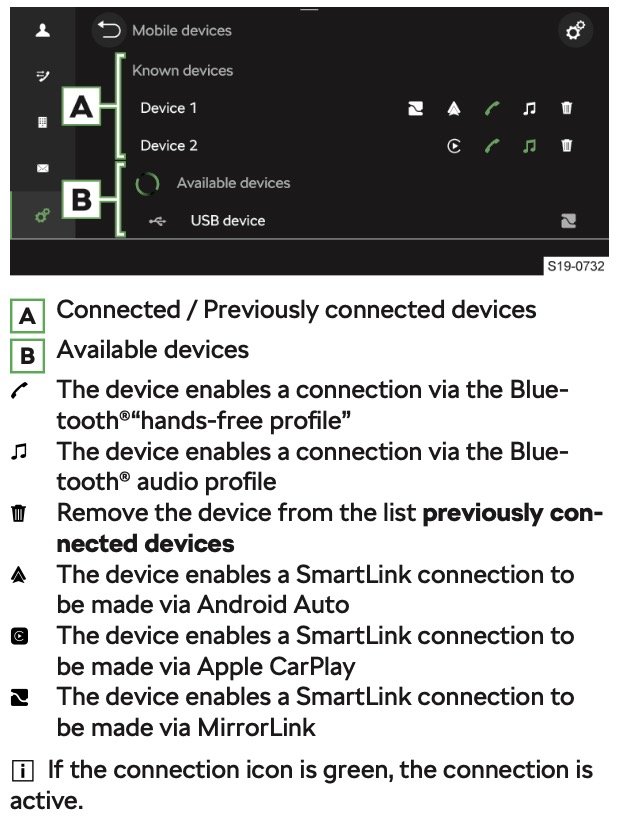
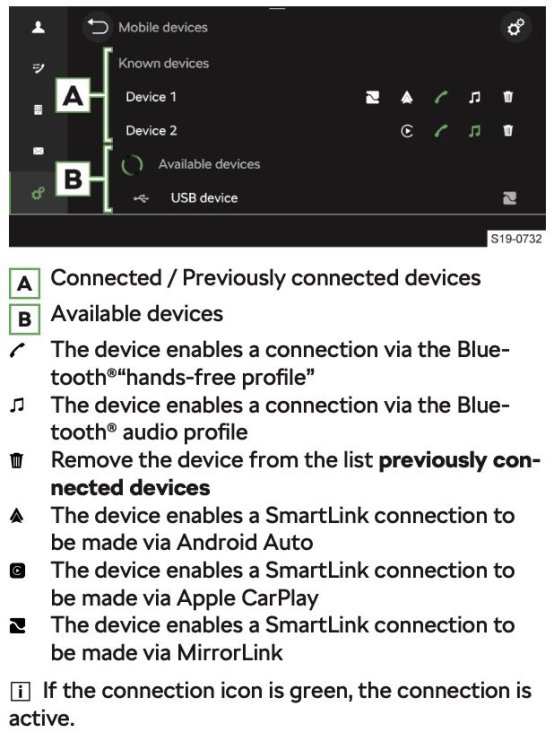
OK. Must admit I have only ever used my iPhone in CarPlay mode, though my wife's connects (at the same time) by Bluetooth and her incoming calls come in through the car Infotainment System & speaker. If you go to the Infotainment Mobile Devices app you should see something like the image below, with the icons alongside a device showing the features enabled. Does your iPhone work OK as a media source (e.g. music, audiobook, etc. playback)? I'd recommend using CarPlay for your iPhone if you can (but acknowledge that the car can only have one CarPlay or AndroidAuto device connected at any one time (but a second via Bluetooth)). Using CarPlay, it's easy to initiate calls using Siri.
-
Do you have the iPhone set up for Bluetooth or CarPlay? And is it fully updated?
-
At the local recycling centre (aka tip) this morning and was surprised to see a very well kept 1988 mk1 VW Caddy (essentially a Golf Pickup). Alas no photo as I didn't have my phone 🙄. Was in a lovely deep red not dissimilar to the one on this site - https://www.heritagepartscentre.com/uk/blog/vw-caddy-mk1-buying-guide.html
-
It's called progress 😂 To be fair, my Octavia Mk2 Elegance didn't have the option to change the lights so I'm not missing anything with the Mk4. As you have read through various posts in this forum you've probably already seen my comments. Initially I was all in favour of using the Eurolights stickers - that based on my first road trip (from UK to Tuscany) in the Mk4. So, full of confidence in my next few trips I was disappointed that after getting flashed several time by oncoming drivers, when I checked the lights against a wall, the 'uptick' of the lights was pretty much as normal; barely any adjustment. Fiddling with the stickers and double checking position I found that it has to be very precise (within a mm or two) - except there is precious little to go on. The headlight lens has no markings, and the diagram in the Eurolights pack only gives an indication. For the last few trips I have just adjusted the beam to the lowest setting; had no issues whatsoever other than the shorter reach of the headlights (only an consideration on open roads but nothing that moderating speed a little doesn't make up for). So, my suggestion would be try your Option 1, but fall back to Option 2 if, like me, you can't get the positioning spot on. In the UK there are so many cars with badly adjusted headlights and drivers who keep their lights on full beam (esp. on motorways and dual carriageways) that I'm almost tempted to say go for Option 5 (Do nothing) - but to do so would be irresponsible of me! EDIT: I have just had a thought - presumably the fitting location for a Eurolights sticker would be different on a light set up for a LHD car vs that for RHD even though the lights themselves look the same. Maybe that's where I went wrong with my later sticker - perhaps I had the LHD instructions? 🤷♂️ I need to investigate further. At least I have till October before my next trip.
-
I no longer have any feeler gauges so I can't do it - but I know a man that can... Will report back on anything significant.
-
-
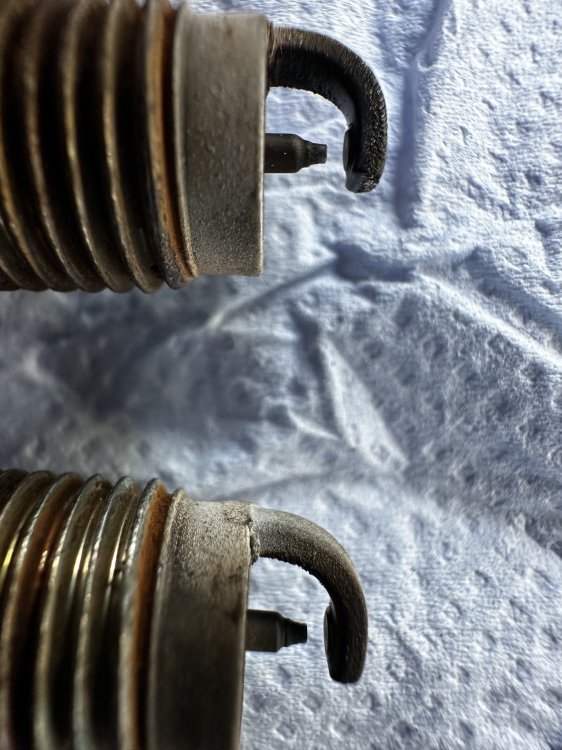
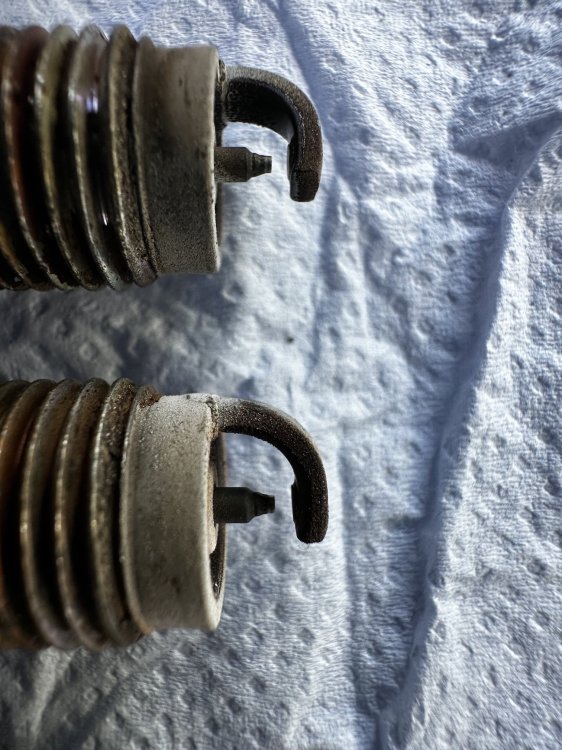
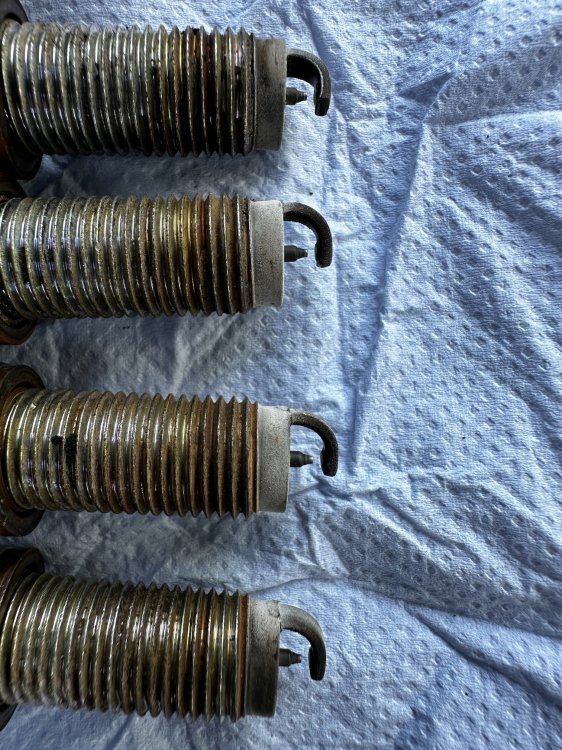
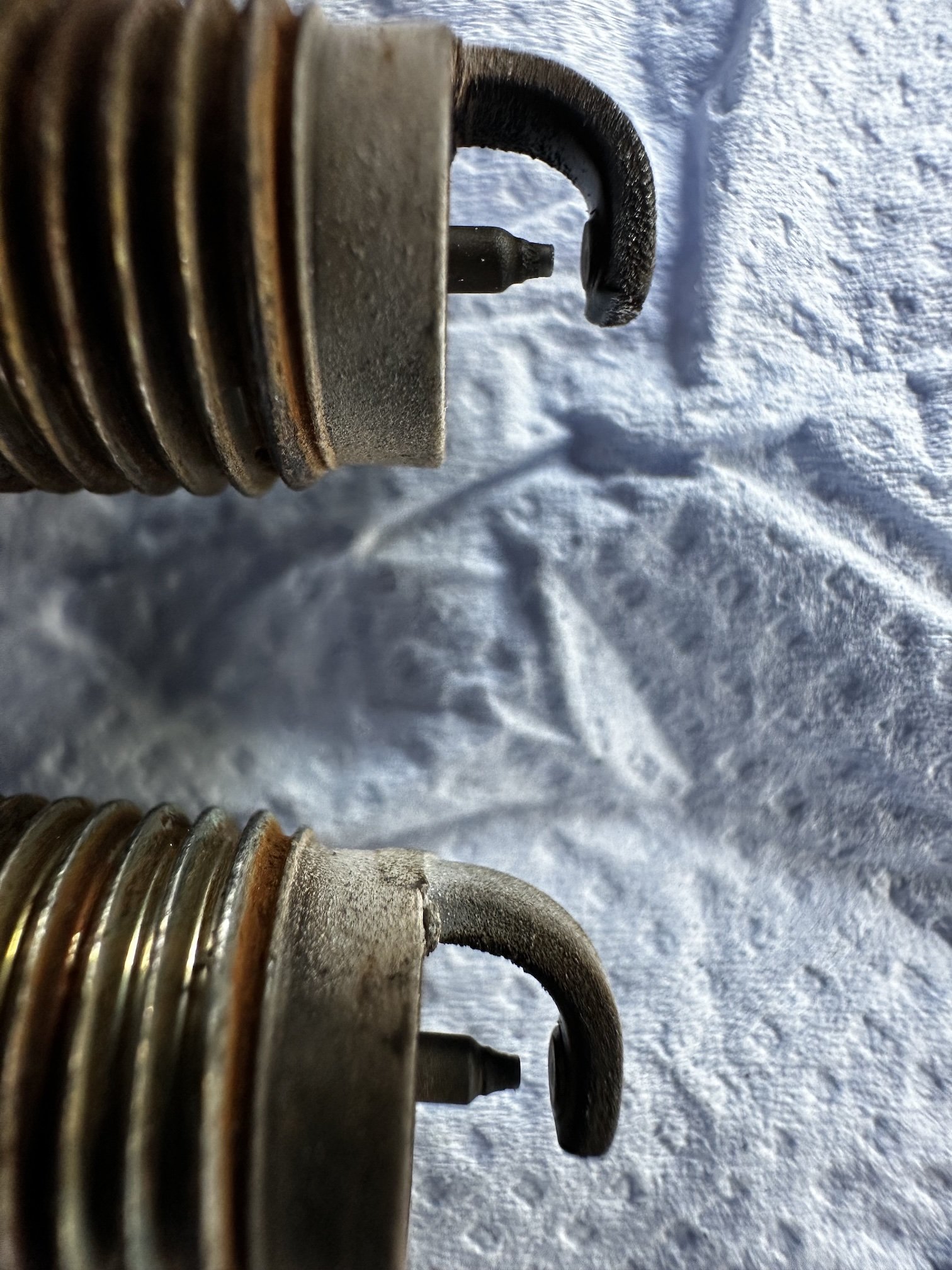
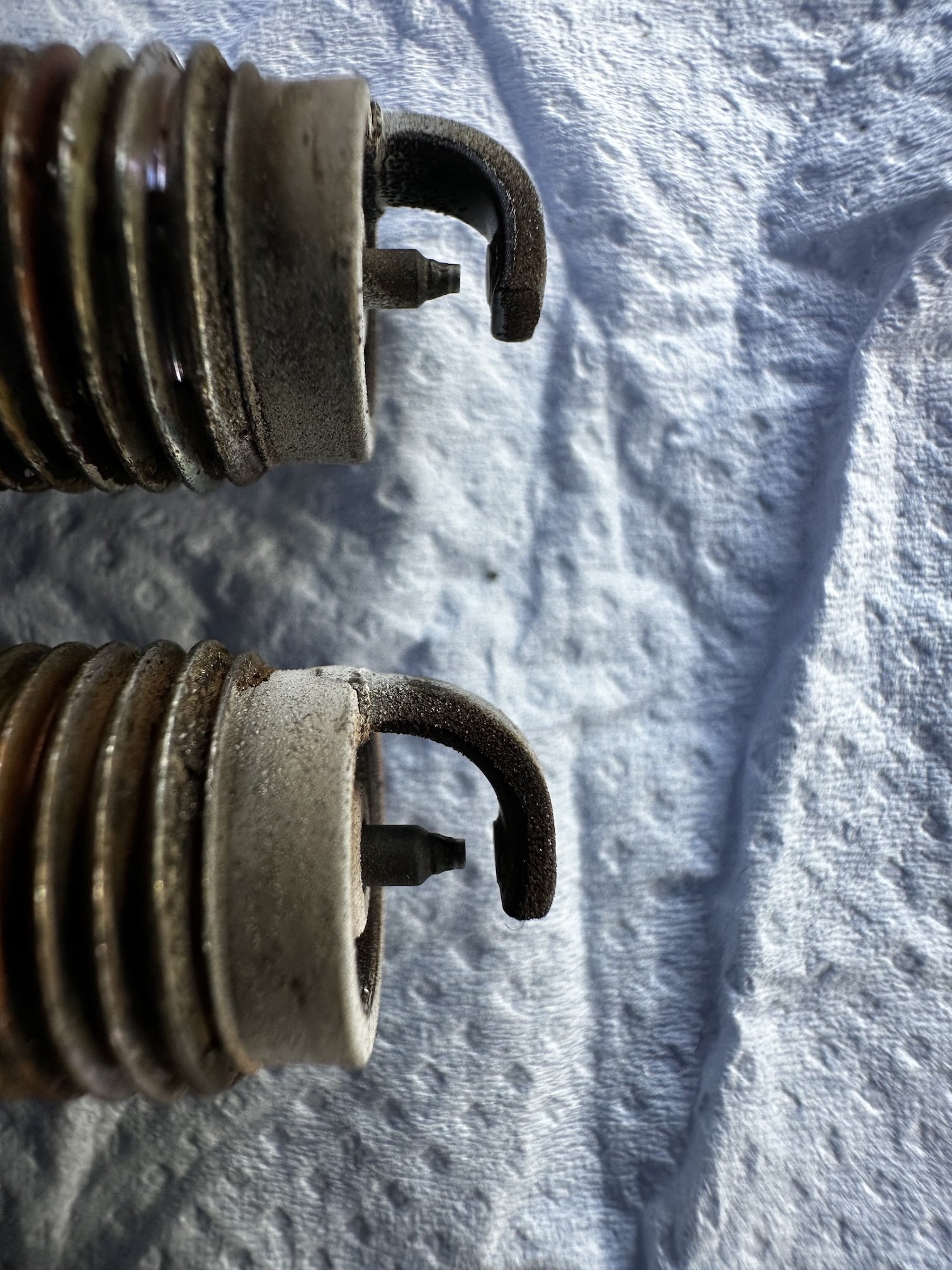
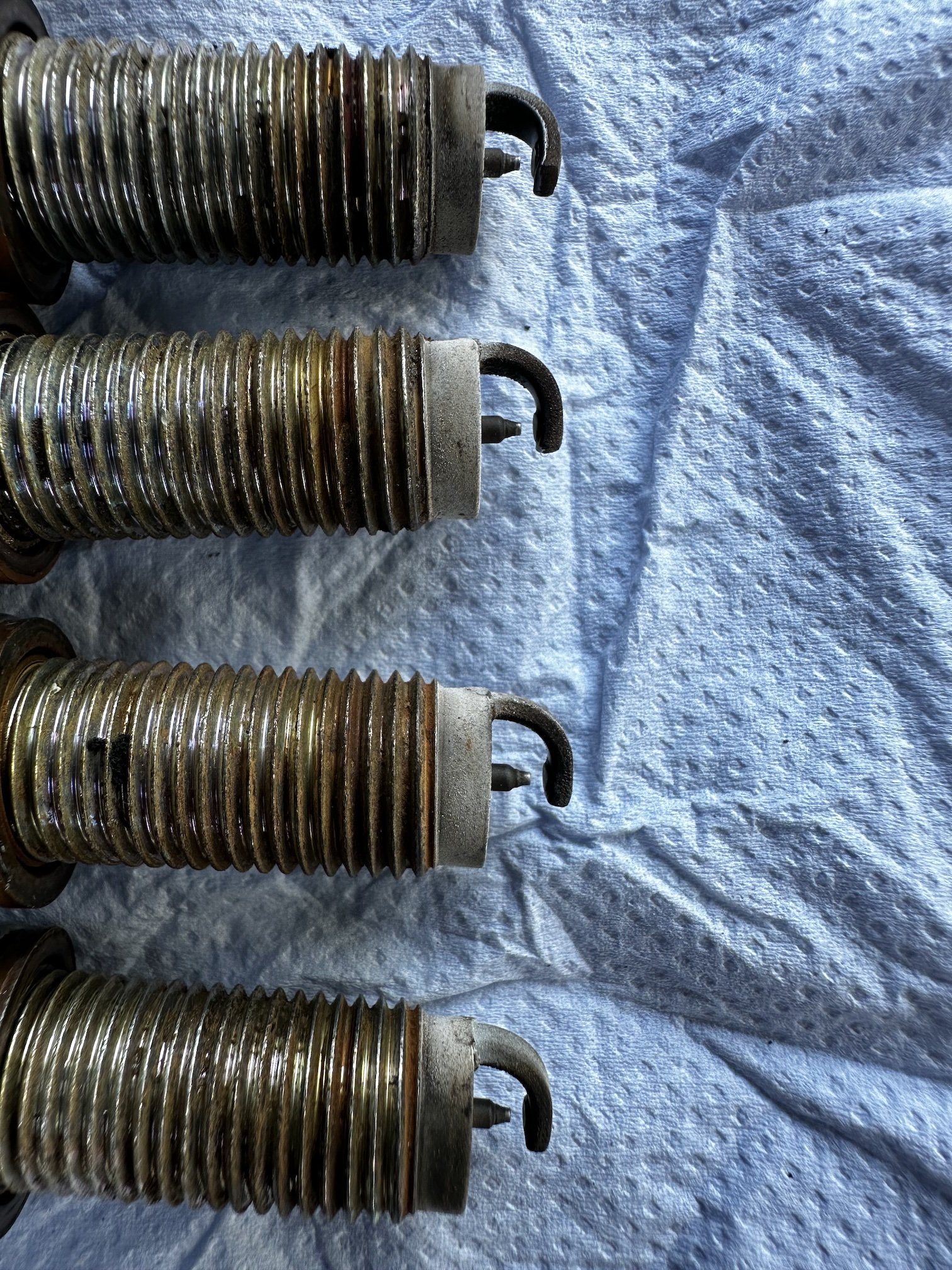
Jumping in on this discussion as I have just had the spark plus changed in my 1.5TSI ACT, been in situ for 39k miles; and yes, they're a ridiculous price! At least we don't have to change them every 6k miles as we did when I started driving. Anyway, to the point, remembering this thread I asked to technician to keep the plugs for me so I could have a look and upload some photos. It's probably worth adding here that the majority of my mileage is on runs in excess of 50 miles, often nearer 300, and a high proportion of that on motorways and dual carriageways - so a fairly high proportion in 2-cylinder mode compared to a car driven on shorter or urban roads. A trained eye may well see something significant but from what I can see, there is very little or no difference in the state of the plugs (other than the effects of grubby fingers). Makes me wonder if swapping them around would give another 10-15k miles - but that'd probably cost an arm & a leg in labour 😂. Some pics...