WaveyDavey
Resident Member
-
Joined
-
Last visited
Everything posted by WaveyDavey
-
-
Sorry I thought you were responding to the OP not the person you were. 🤪
-
Who said anything about the whole unit being replaced with a version B unit? There's nothing to say it wasn't a version B unit since new seeing as others have already said theirs are version B units.
-
The device part number would only change if you had the actual hardware replaced it doesn’t change with software updates. So the B at the end just means it is the second generation of the actual InfoTainment unit they fit in the car. (In cars of old it’s like the radio head unit you used to put your CDs in etc…. So just imagine they change a couple of bits of the electronics in it so call it a version B…. Version C etc etc…… even though it still looks the same externally.) An MIB update just means you’ve had the software on the touchscreen updated nothing to do with any other parts of the car.
-
-
When mine was running v1985 I had all the icons in the info box disappear a couple of times and at the same time the satnav would play up big style thinking it was a distance from where it actually was. It was resolved each time after the car was stood for a coyote of hours and the system therefore being fully off rather than just in standby etc…. The only common thing each time cause wise was that I had turned the ignition on/off quickly for different reasons as though the system got itself screwed up whilst booting.
-
-
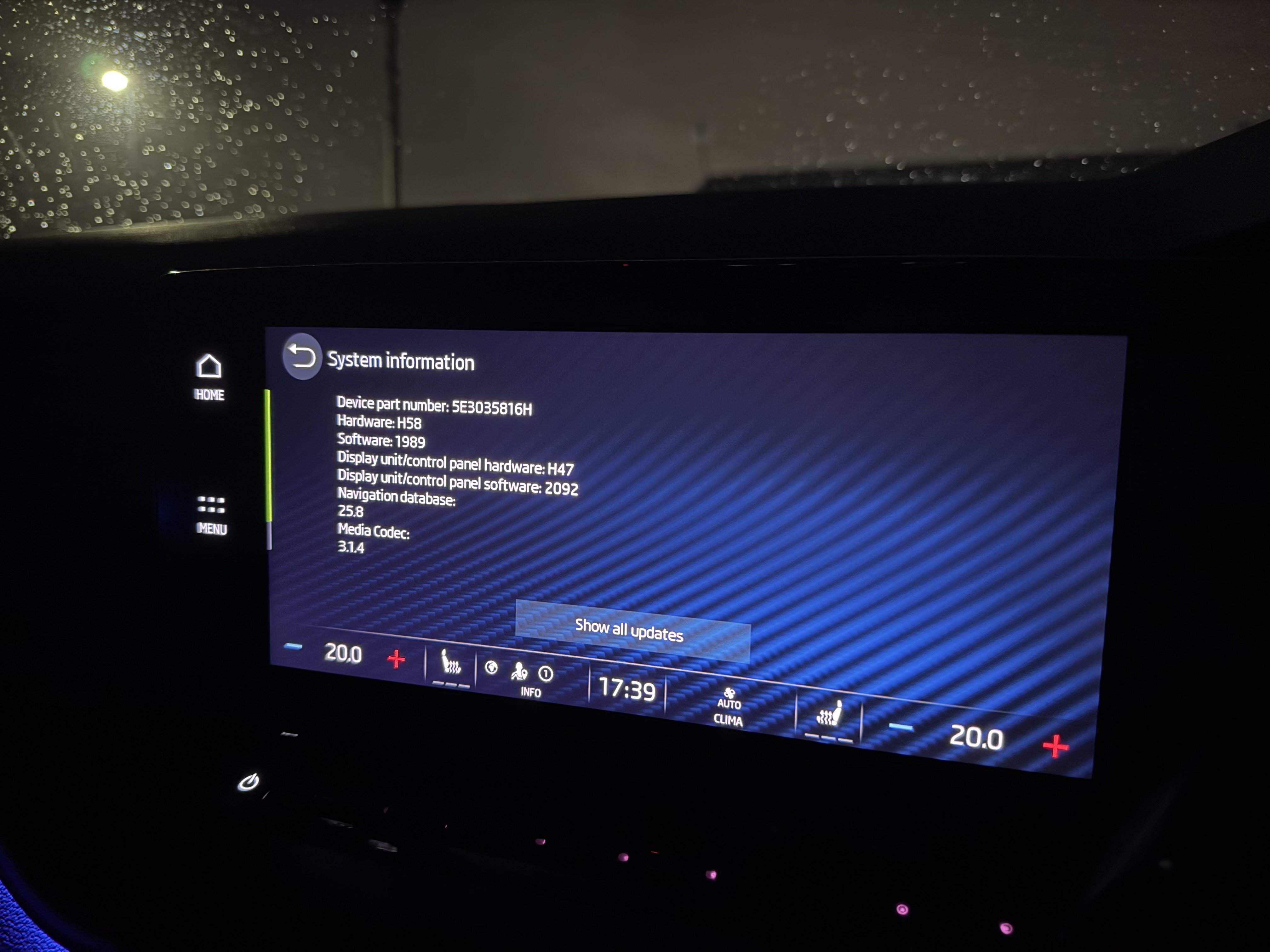
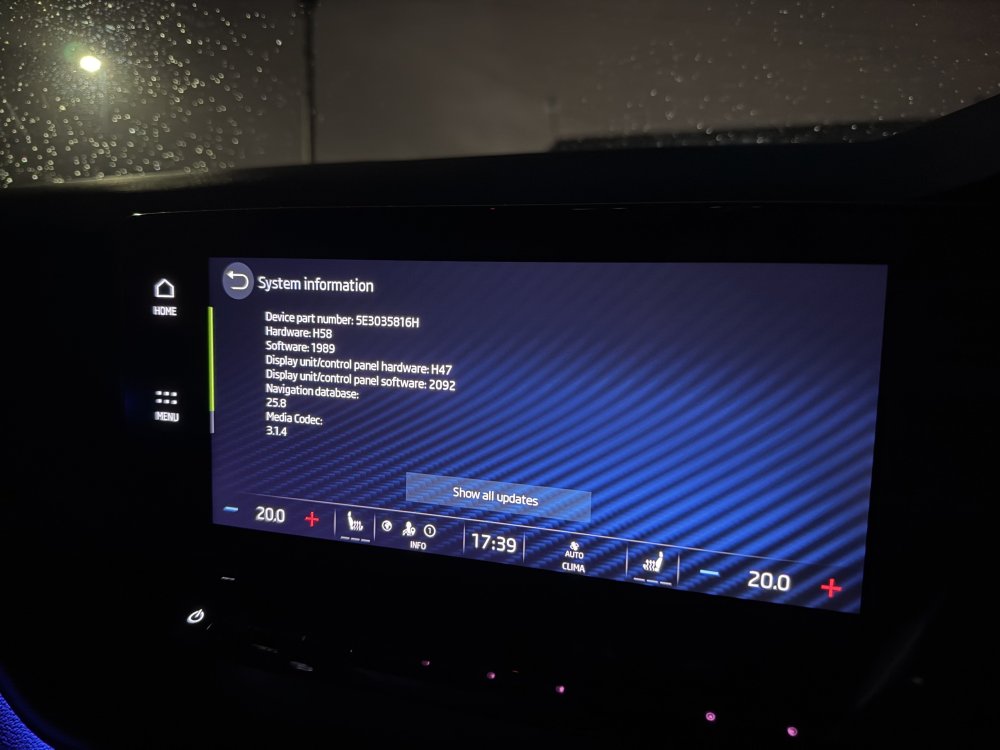
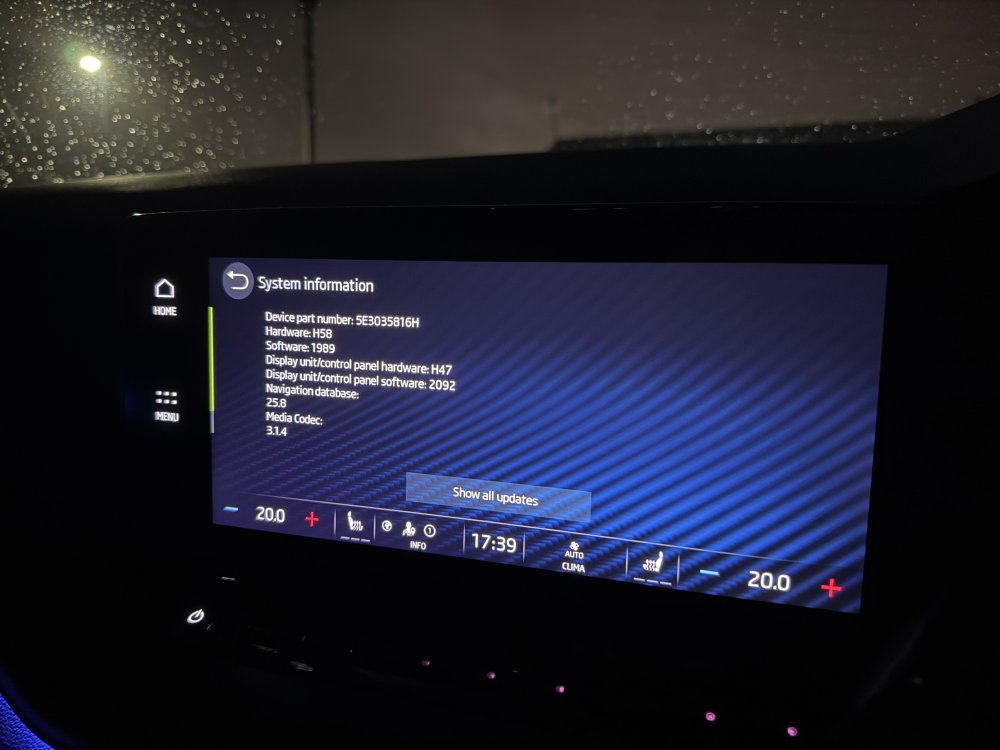
Been cancelling mine for a couple of months before it, for some reason, just downloaded it last week. Anyway carried out a system factory default restore afterwards just in case and all seems ok apart from it taking a couple of attempts to log me back in again and then the Traffication app taking a couple of times uninstalling/installing to get it to connect to my account again and also having to disable and re-enable the notifications for that app. My own car’s details as per the image. (January ‘22 car).
-
Well after nearly 2 months of cancelling the update whenever I got in the car it decided for whatever reason last Wednesday to download the update OTA while I was out and about in the car. It was my last day off before then returning to work and therefore using the car for the following few days so really didn’t want to update it at that stage in case things didn’t work but I bit the bullet and let it install it whilst at home that afternoon. Once installed everything seemed ok but I carried out a factory default reset just in case and then logged back in to my account and made myself the primary user again, (Took a couple of attempts to log myself back in again for whatever reason), and then went about changing the remaining settings that needed changing again after the restore. I also had to uninstall and reinstall the Traffication app a couple of times before that would log back in again and I’ve also gone through the settings of the app to disable and enable all the warnings as they didn’t seem to work properly after the update either but other than that all seems to be working as it should. (Touch wood!!!!!). My unit’s details are as per the image.
-
Hmmm that’s a new one. Might be best posting about it in the 1989 thread to see if others have the same issue. I didn’t even know you could turn radio station icons off to be honest. (I’m one of the ones who downloads and installs the latest radio database every time they release it to get them all filled in as they should be). 😁
-
As per the advice in the thread for the v1989 update……. Have you tried carrying out a restore factory default reset via the settings menu? If not give it a try and it should sort out your issues. Once you’ve done it you will need to sign yourself back in and make yourself the primary user again using both your keyfobs.
-
Exactly this....... My VAG guru independent said to me when we first got the wife's Fabia with stop/start and I asked him about it that do you really think that VAG would risk lawsuits from customers who's cars had packed in through constant stopping and starting in traffic? Everything affected by the stop/start was totally redesigned/re-engineered to the new criteria and was designed to last as long, if not longer, than the old school equivalents did without stop/start.
-
Possibly when the car itself is checking for updates for the Infotainment or installed apps as well as connecting to Skoda's servers and reporting in etc.....
-
The display unit isn't updated by the system software though (It has it's own software which is shown as 2092 in the image posted above) it's the main unit behind the glovebox/dashboard that is updated with the system software updates.
-
From what others have said in this thread it is a factory default reset you need to do via the settings rather than the forced reset with the power button.
-
Just wondering if the age of the car, and therefore the Infotainment unit, is a contributing factor when it comes to the current issues people are having when installing the latest v1989 software update? Is it worth commenting on here if you have had issues or not and what age your car is to try and see if there is a relationship between the age of the car and whether issues have arisen?
-
Was it the full factory default you did or just a forced reset with the power button? What year car is yours? Is the age of the Infotainment unit a consideration when it comes to the issues people are having I wonder?
-
My January ’22 vRS has just been in under the approved used warranty and had the whole water bottle and sensor assembly replaced as it appears it has been leaking and had leaked over the sensor unit and fried it. It’s not had chance to drop low enough yet to confirm it’s working again but they’ve said it I’d sorted so I have to assume they checked it flagged up a low fluid warning before filling the washer bottle up after fitting. 😁
-
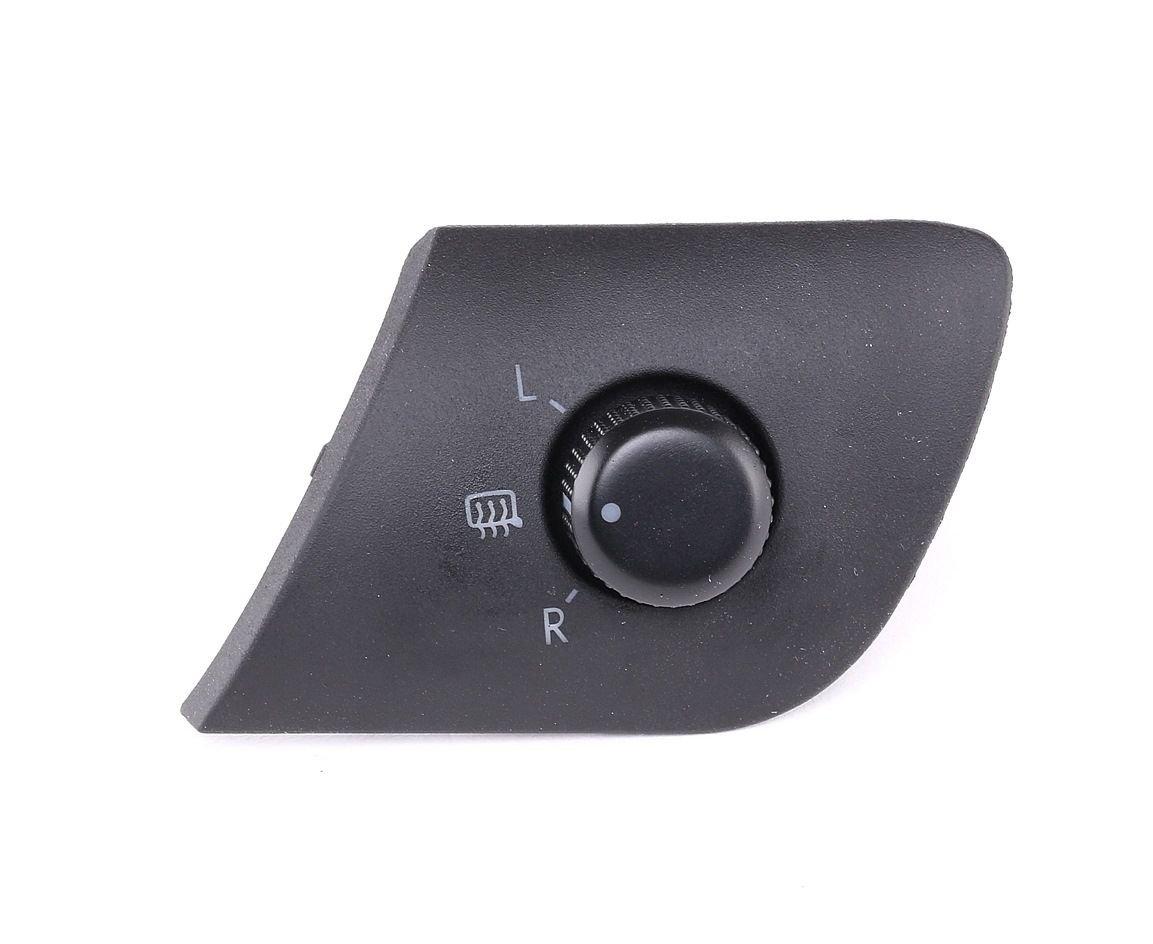
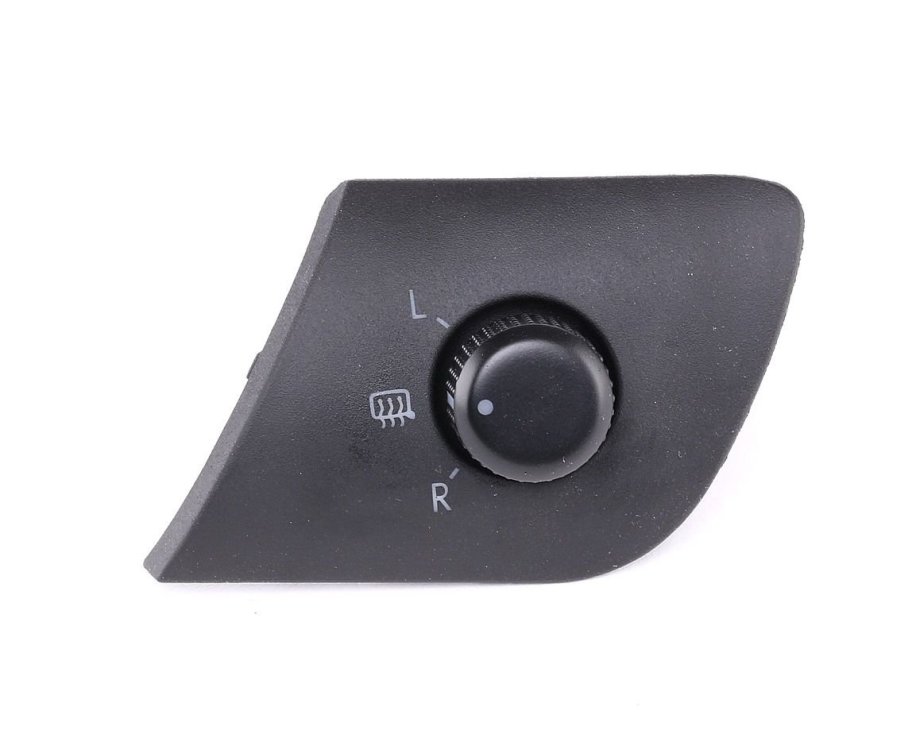
The mk1 Fabia vRS and possibly the mk1 Octy and mk1 Superb had mirrors which were permanently heated unless you selected a mirror to adjust it. It’s a more recent thing that Skoda have done rather than them always doing it. 😉👍🏼 Here’s the joystick from the mk1 Fabia vRS which is the same as was in both our mk1 vRSs.
-
Are the issues with ACC, Home button and locking up/freezing only happening when updated OTA or are people who updated via USB also having the same issues...... Wondering whether to just install from USB if that method is problem free rather than letting the car update itself by OTA
-
There's a separate thread about the new 1989 update with others having the same issues..... You might be better posting on that thread instead.
-
This sounds like the car has installed the new 1989 software rather than 1969.
-
Is there a way to stop it asking me if I want to install the 1989 update every time I start the car? Really not wanting to install 1989 at present and having to press cancel every time I get in the car is a pain.
-
Is the Home Button issue happening to all/most/few people? Just had the message start coming up each day saying I have the update available to download to my car but I’ve cancelled each day so far.
-
Is this full screen CarPlay something new with 1989? I’m on 1985 and my CarPlay has a massive border on all four sides of the CarPlay screen.