
WaveyDavey
Resident Member
-
Joined
-
Last visited
Everything posted by WaveyDavey
-
You don’t select update on the Infotainment though that relates to a system update. As per the instructions you just turn on the ignition and wait till the infotainment is up and running and then insert the memory stick into one of the two USB-C sockets and you’ll get a message come up on the screen to say it’s updating the database.
-
My VC firmware was updated to the latest version a couple have months ago under warranty due to having the flickering gauges issue. All been good since.
-
You just lift it out/up to put/get things underneath.
-
I got the same armrest organiser from Amazon..... Only complaint I have is that I had to fit a strip of that draught excluder foam you fit around the edges of doors along one side of it so that it fitted snugly and didn't make a little rattle sound when going over bumps.
-
I'd say it's the newer VC module in the first view (The one where you retain the gauges when in satnav/map view). Mine is a january 2022 MY22 car and I have the older VC module where the Map/satnav view only has the speed readout at the bottom rather than the gauges still showing either side. I believe the newer VC change came about with the MY23 cars which started production mid 2022 and it's a newer VC module/display itself rather than just a software change/update.
-
The icons along the top and the missing home and menu buttons on the left confirm its not a mk4. Looks to be the newer unit fitted in the facelift mk4.5
-
-
Just to follow up on this. I tried both CarPlay over WiFi and CarPlay over cable today and get the same result as per others with both….. VC track info stays on first track. Media played from USB stick works fine and updates track by track in the VC. As mentioned before I’m on Infotainment v1985 and have had the VC firmware updated last month to the latest firmware. I’m unable to say it started with v1985 though as I’ll be honest I always have torque and power figures displayed in my dials on the VC rather than what’s playing. 😁
-
-
I'm not using the car today but I'll try and remember to check what mine does tomorrow when I'm out. I'm running v1985 on the Infotainment and had the VC firmware updated a few weeks ago under warranty due to having the flickering gauges issue so will have the latest VC firmware installed too. (Coincidentally I know the album art changes fine in the VC when it's media files via the USB as I used that the other day but not checked CarPlay). Also is the issue happening when connected wirelessly or via cable or both?
-
Are you sure it's not just the new sports exhaust you are hearing...... Similar, at last, to what is fitted to the Golf GTi.
-
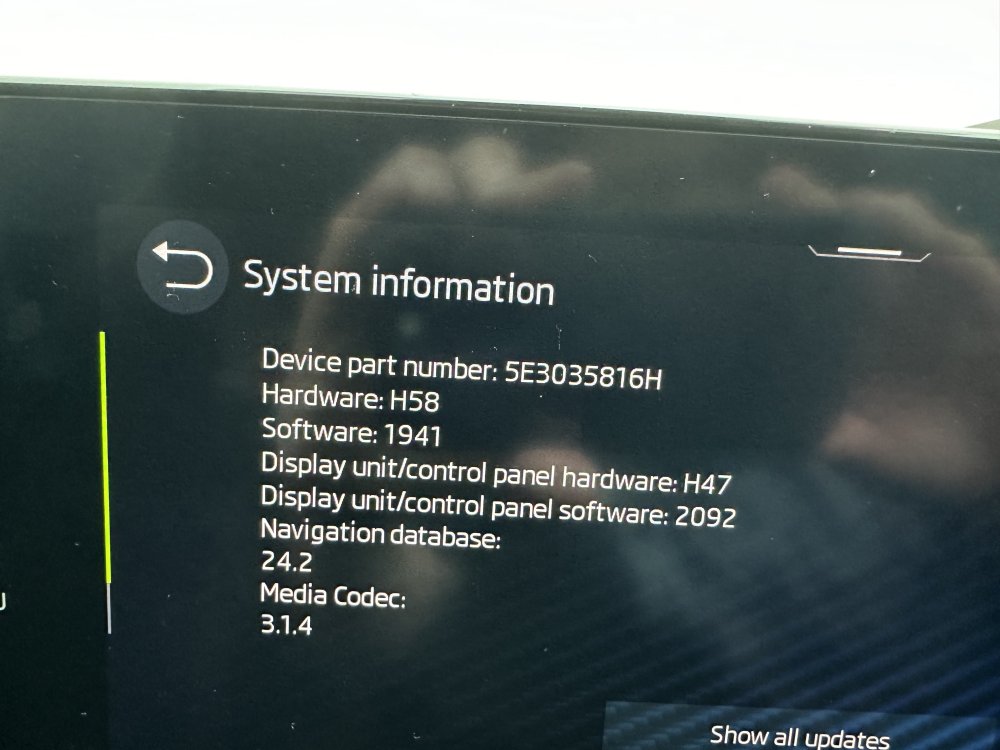
As others have said the Infotainment is way out of date as 1985 is the current software version which sorts pretty much everything out to how it should have been in the first place....... Maps again are way out of date (It's shown as Year.Month so yours are July 2019) but these either update automatically if you go for the Infotainment online service or you can update them with ones a couple of months out of date via the Skoda Update Portal. Other things need module firmware updates rather than Infotainment updates though. For example the SOS Module, Virtual Cockpit flickering water and fuel gauges etc.....
-
Updated mine just now..... Prefer the new dark BBC icons rather than the old white ones and happy I now have the Radio X icons as I listen to Radio X more than any other.
-
Don't suppose Radio X and Hits Radio are now included with the this latest version?
-
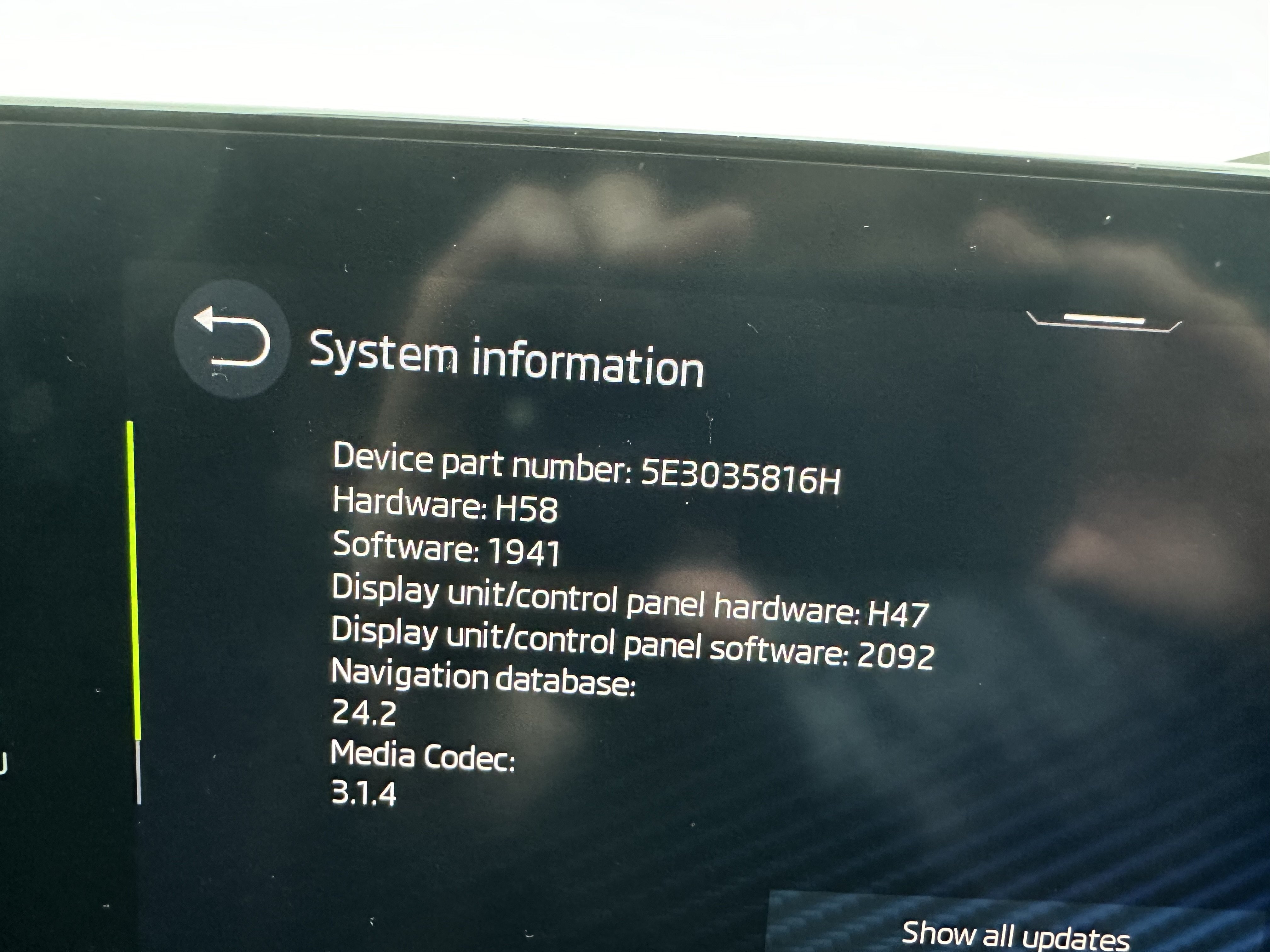
I've just gone to the portal linked above..... Entered my Infotainment part number and it says no update could be found for that part number and doesn't give a download link? (Ignore the out of date Software and Nav info it's a photo taken when I first got the car last April).
-
Was this on a car with the Infotainment? And if so I'm assuming you use one of the USB-C ports in the storage tray between the front seats? It really is weird how most of the missing logos are national stations like Absolute, Heart, Radio X etc....... Yet countless small local ones (Sheffield Live! for instance) are included.
-
Personally I prefer to use the grab the handle to unlock method (Only works on the door you are at so not a security risk) and the touch the handle to lock method when wanting to lock the car. That way I know the car has locked without having to get the key fob out or having to look back and check.
-
Just standard numberplate screws available in the little kits at Halfrauds etc..... with the coloured caps too. I always just use loads of the double sided plate tape as I don't like having to drill my plates when I put them on the car.
-
If only it was that simple for the rest of us..... One of the biggest bug bares for me that you cannot add radio logos in the mk4 with Infotainment..... The wife's 2019 Fabia Colour Edition has the option but the car that cost double the price doesn't. 🙄
-
-
Looks like someone has had a play with coding before you bought the car as you have the G meter showing which can only be enabled via OBD11 etc…… So I’d say someone has coded the speedo to be plain.
-
-
-
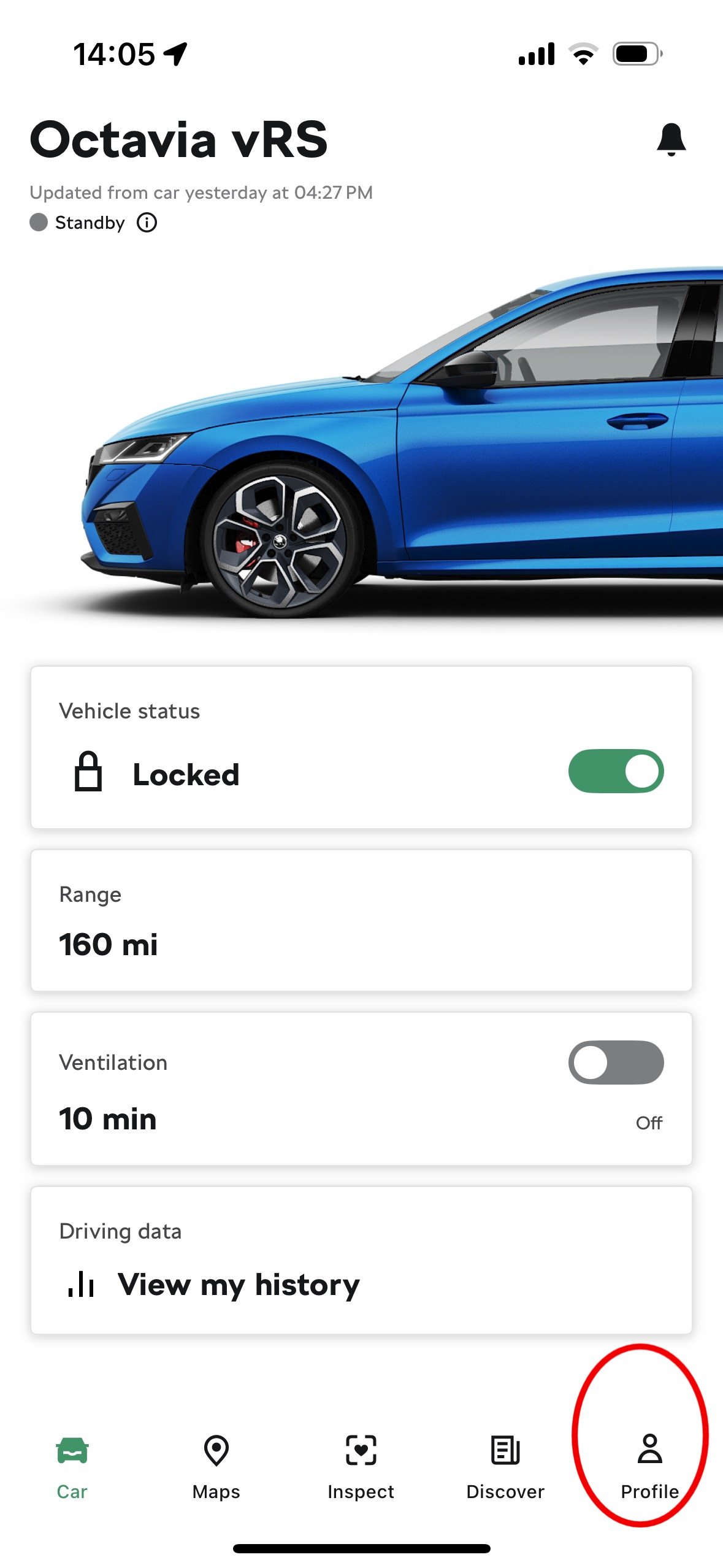
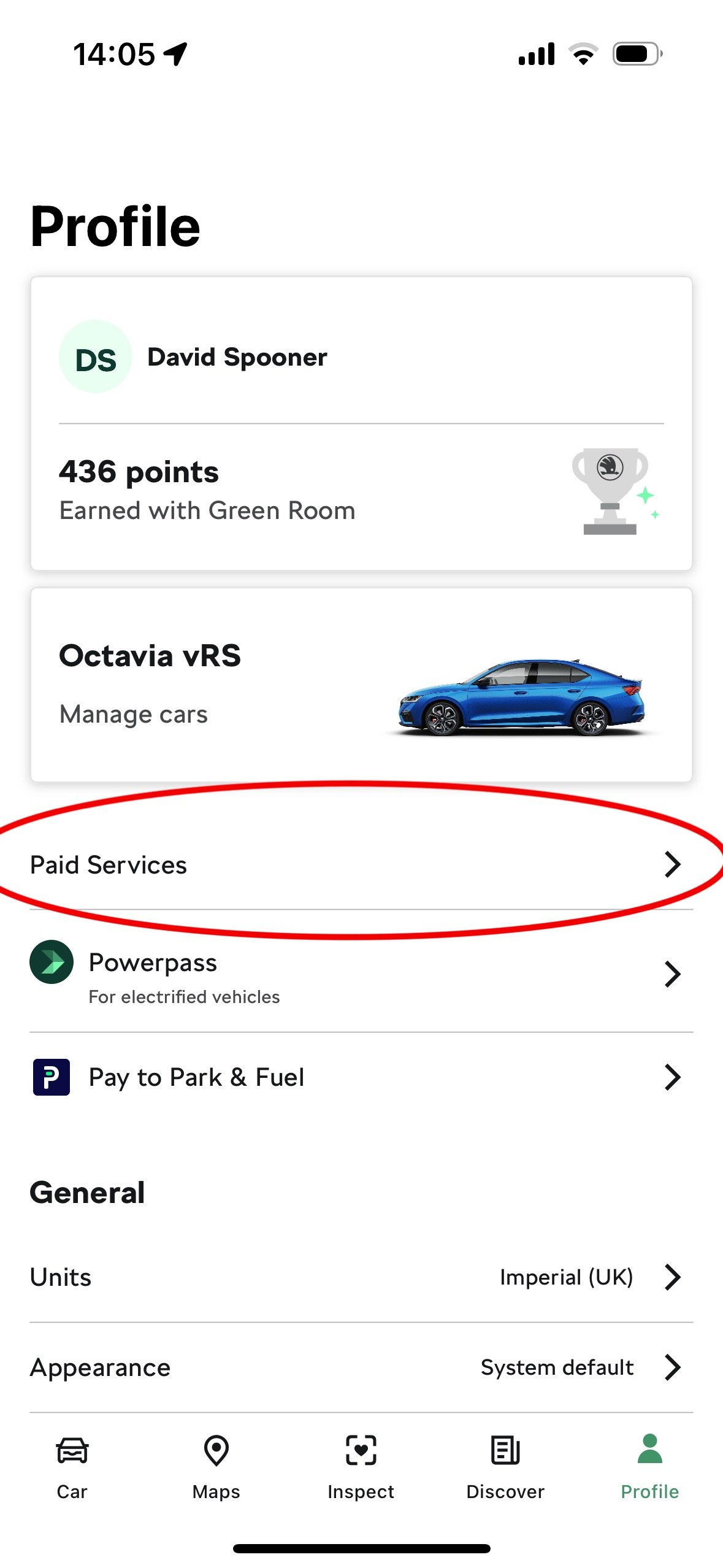
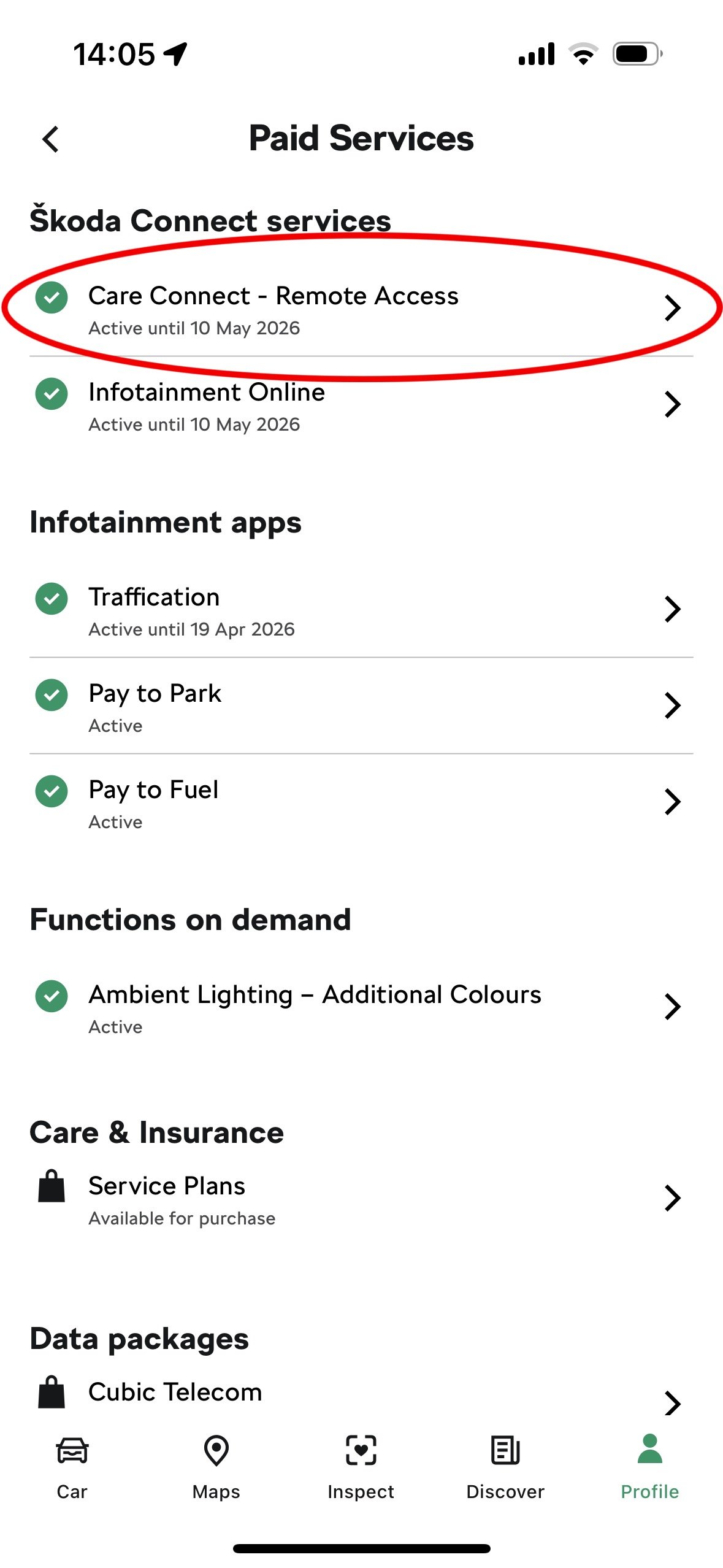
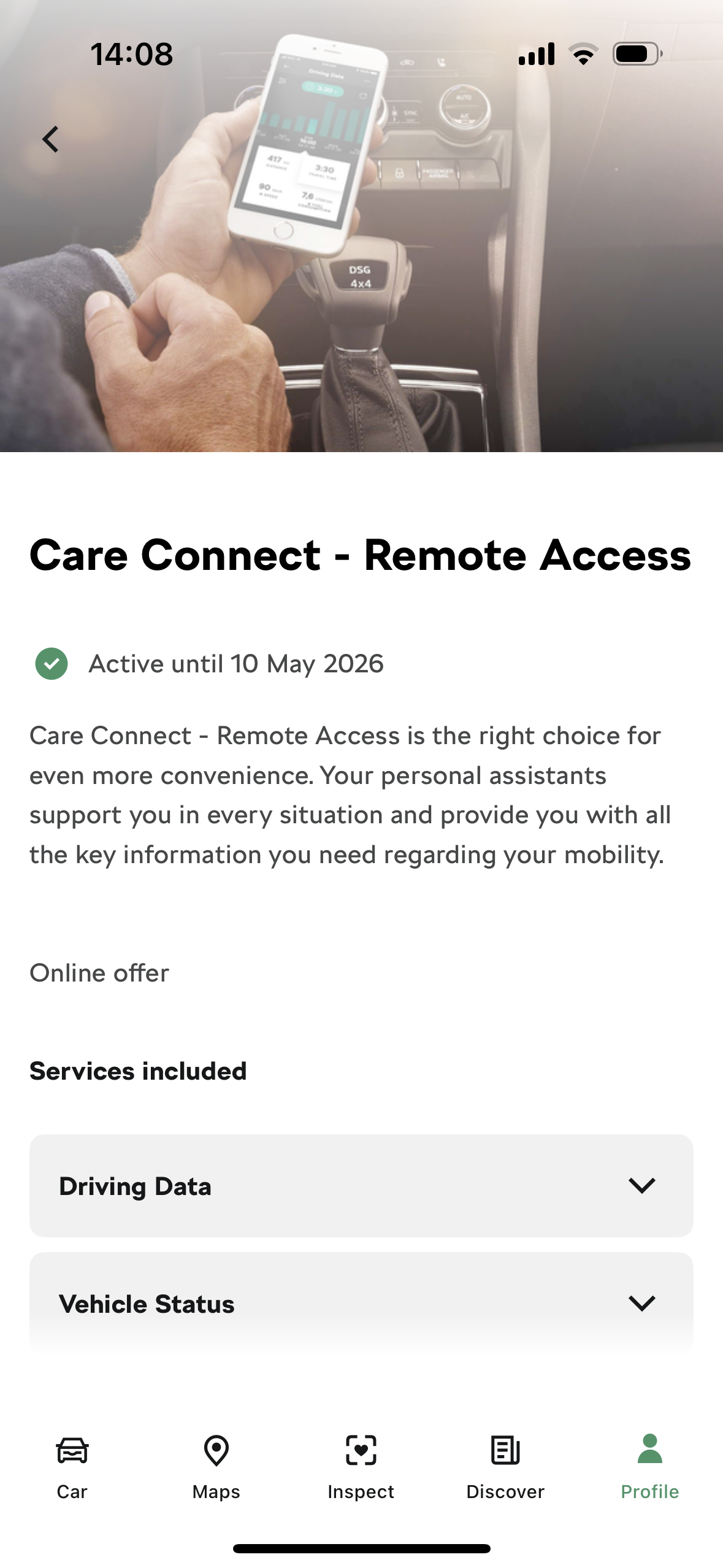
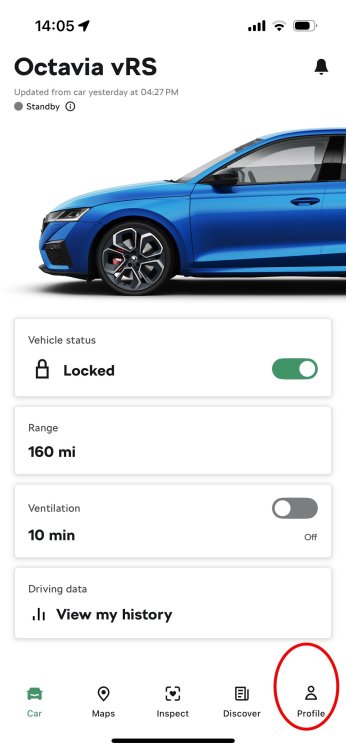
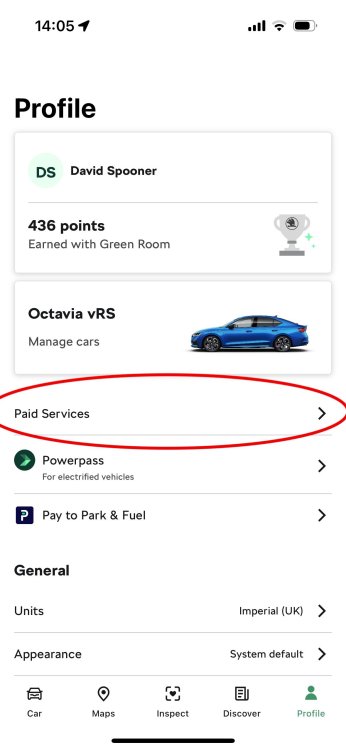
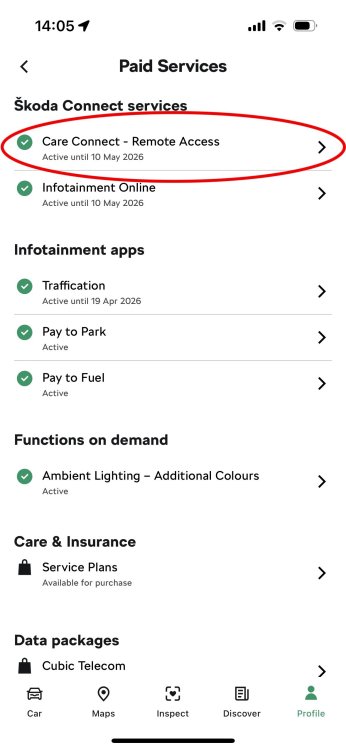
Makes sense....... They are saying your Skoda Care Connect expired on 8th February this year so you need to re-subscribe.... What you have purchased already as we have said from looking at your photos is the Cubic Telecom data package which is something totally different and just means passengers can use your car as a wifi hotspot then use that data to browse the web etc..... Can you show us via a photo the screen you have that says you need a code to use the Care Connect as you should just be given the option to buy in the app. In my app it's as follows..... In the MySkoda app you need to press Profile. then paid services..... then it will show what status your Care Connect and other services are....... Then if you touch Care Connect it takes you to Care Connect screen with details of what it can do and should give you a button to purchase (I don't get that button as I am already subscribed).
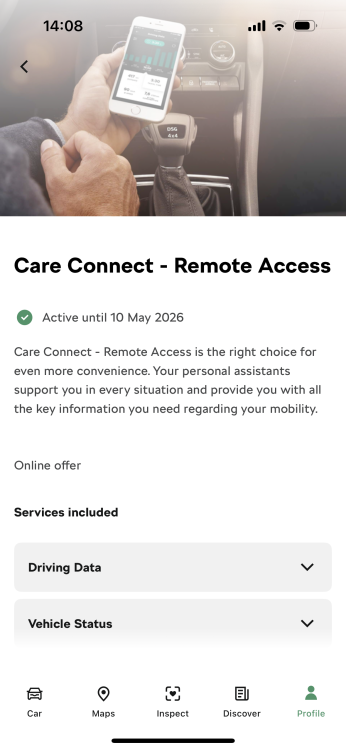
-
Ah so it looks like it's not part of the UK spec but is standard in the European spec....... If i'm honest it doesn't bother me it not working as i like it being dark down in that location and the thought of the LED reflecting back up from my phone screen is something that would just annoy me.