WaveyDavey
Resident Member
-
Joined
-
Last visited
Everything posted by WaveyDavey
-
You yourself said the upcoming update was going to be v1.31.58 when you quoted the email you received. The file name for the new update that looks to have gone live since last week is..... "MQB3_LGe_Europe_v1.31.58.zip" which is the same name as the .56 files I used a few months ago and the same as has been linked to a few times in this and another thread in the mk4 section of the forum. Bearing in mind from what I know the Infotainment in the mk4 is made by LG this file name format would fit with that. https://www.phonostar.de/download/vw/MQB3_LGe_Europe_v1.31.58.zip
-
Yes Private Mode deactivates everything. Mine had some work done at the dealership last month and they activated Private Mode whilst it was in there. Once I collected it I needed to turn private mode off to get everything working again. I have heard that it’s what dealerships should do when your car is with them for service or repairs etc…..
-
v1.31.56 was released last November.... I've had it a while. The email you had sent you said the update that was meant to be released last week was v1.31.58. I've just checked the site again and it does now have the latest version available to download as v1.31.58 (12/03/2025) so the latest update is now live.
-
You can't sell legal tints and recoup some/all of your money though can you???? 😉
-
That's one of the options....... Which means they can't store it or give it to 3rd parties....... Having that set to off means you can still use the functions of the app but they don't keep any of the data.
-
As mentioned manufactures have been collecting data for years. The use of certain functions in a car is collected in case you make a warranty claim for example. The petrol vRS has launch control but each time you use it the car records it. If you were to then take a DSG fault to them as a warranty claim and it was found you’d been using the launch control left, right and centre they’d have the evidence they needed to refuse the claim due to you’re own misuse. The app gives you the option of them not using any of the data used by the driving score function of the app to not be kept or shared to other parties so you just need to go with that option if you have any concerns.
-
Not sure i'd have let them take the unit out and then expect the car to still be used..... How are you supposed to turn any of the safety systems on/off?
-
-
If you don't have Care Connect, and I've never paid £36 for it in the two years I've subscribed to it (1-Month free then paid something like £22 for first year on offer then resubscribed when it was on offer again after about 6 months and paid £20 for this current second year which only started this month), then you can ask your local dealership service desk to print out the service history and i've never been charged for that by any car dealership be it VAG or non-VAG.
-
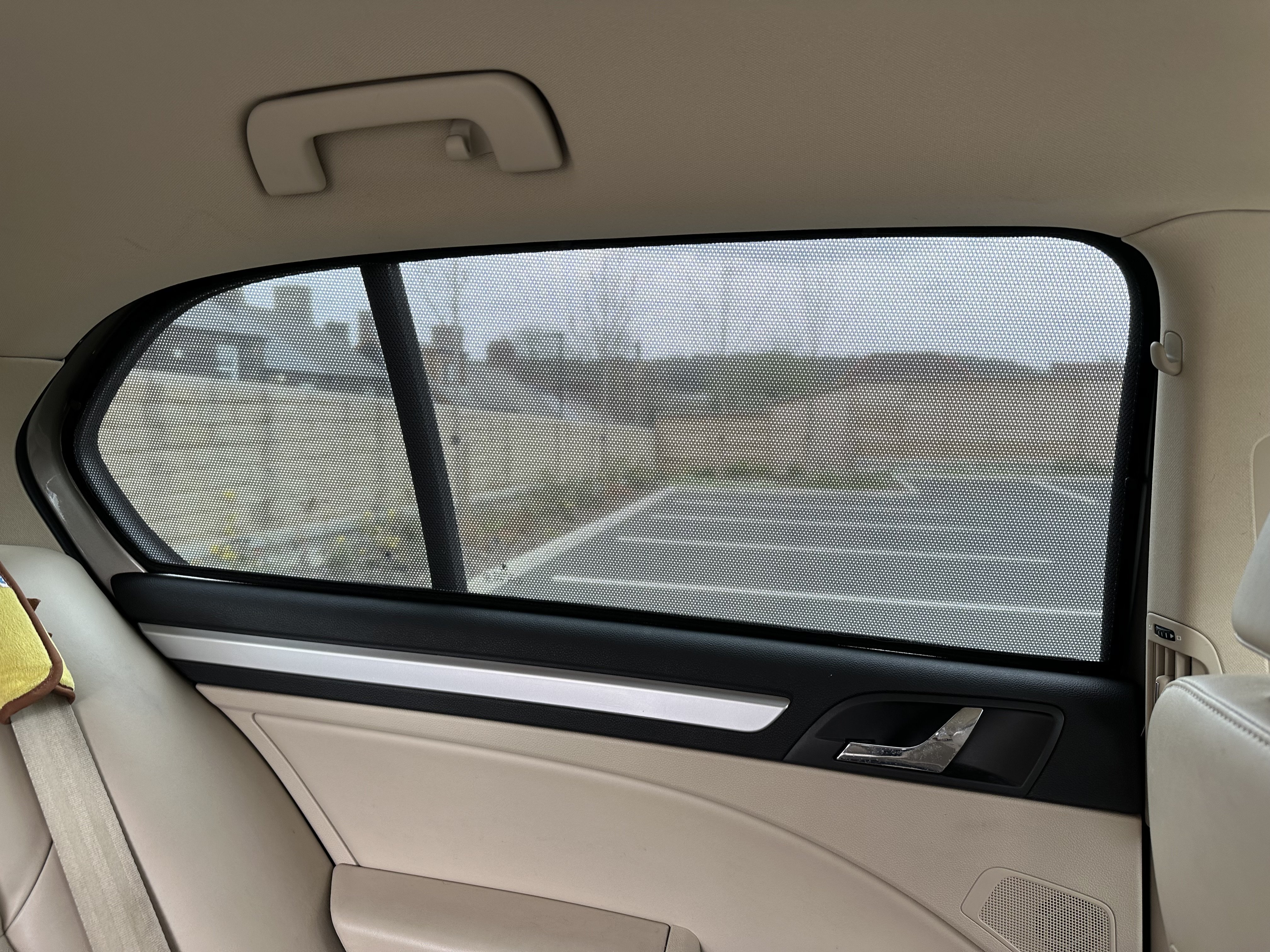
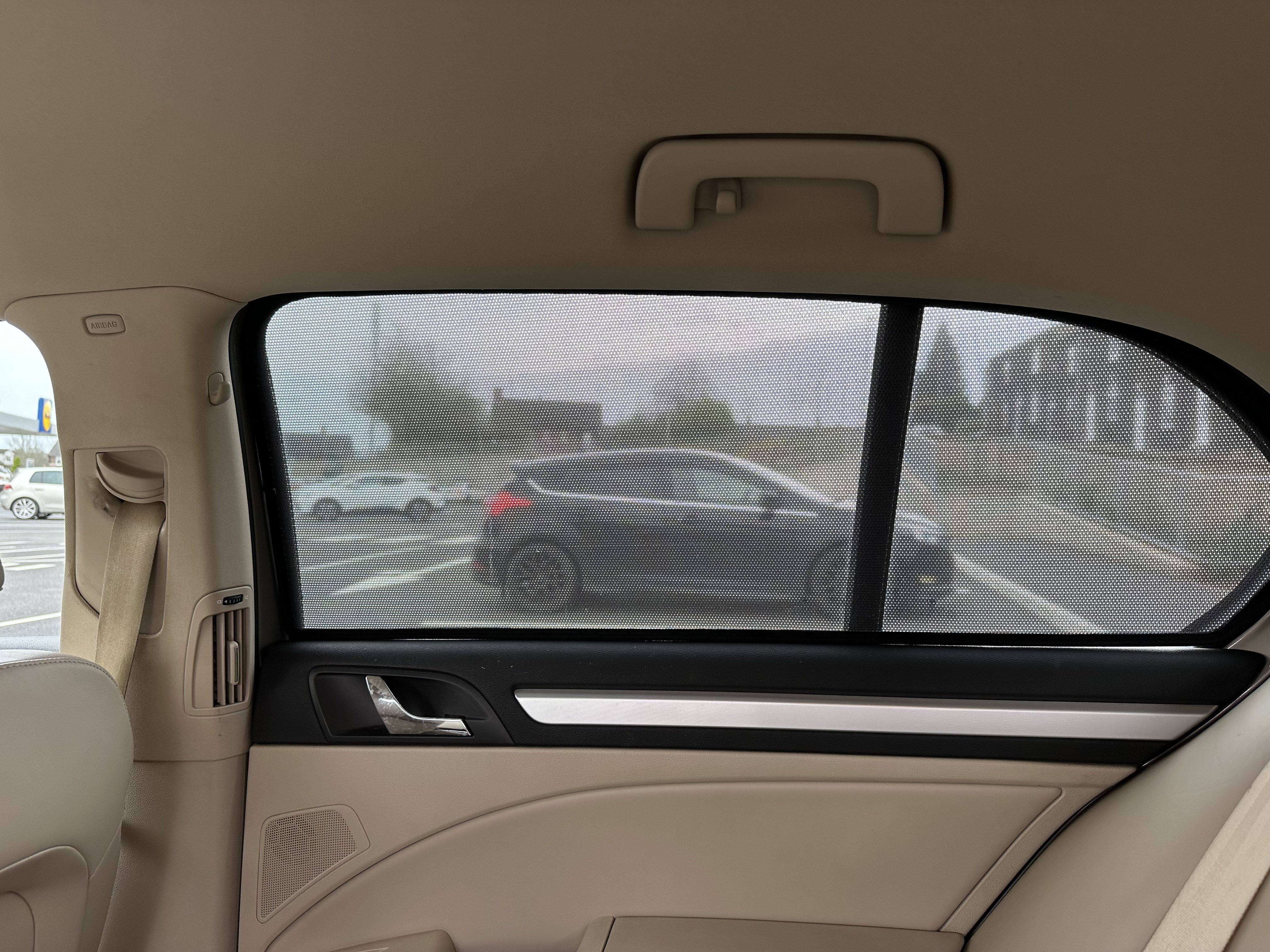
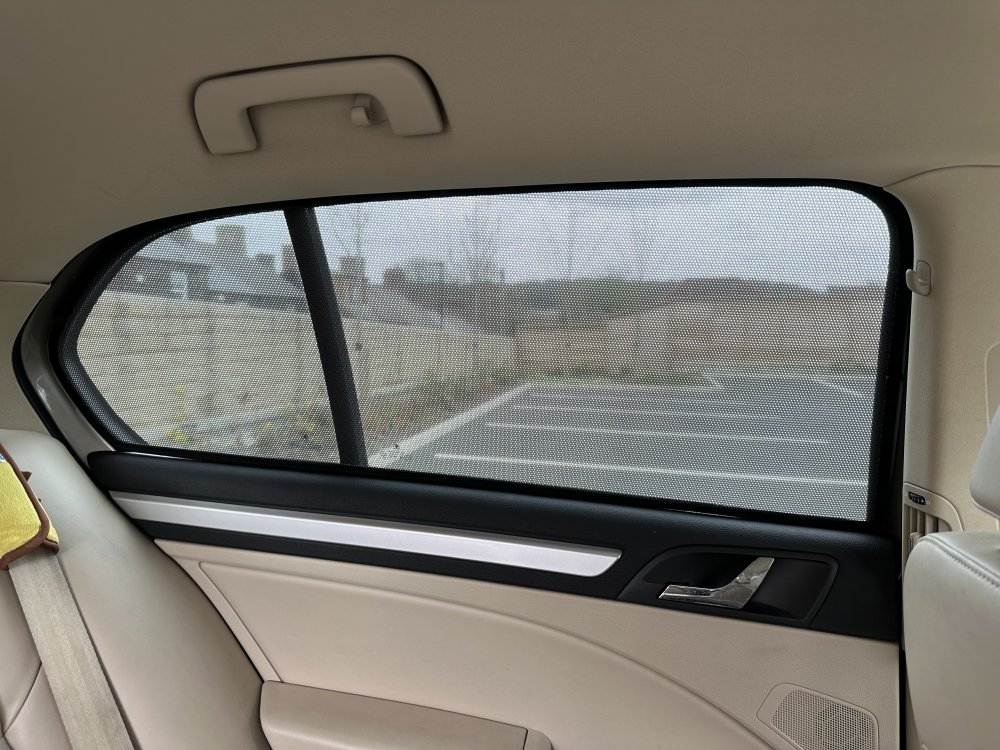
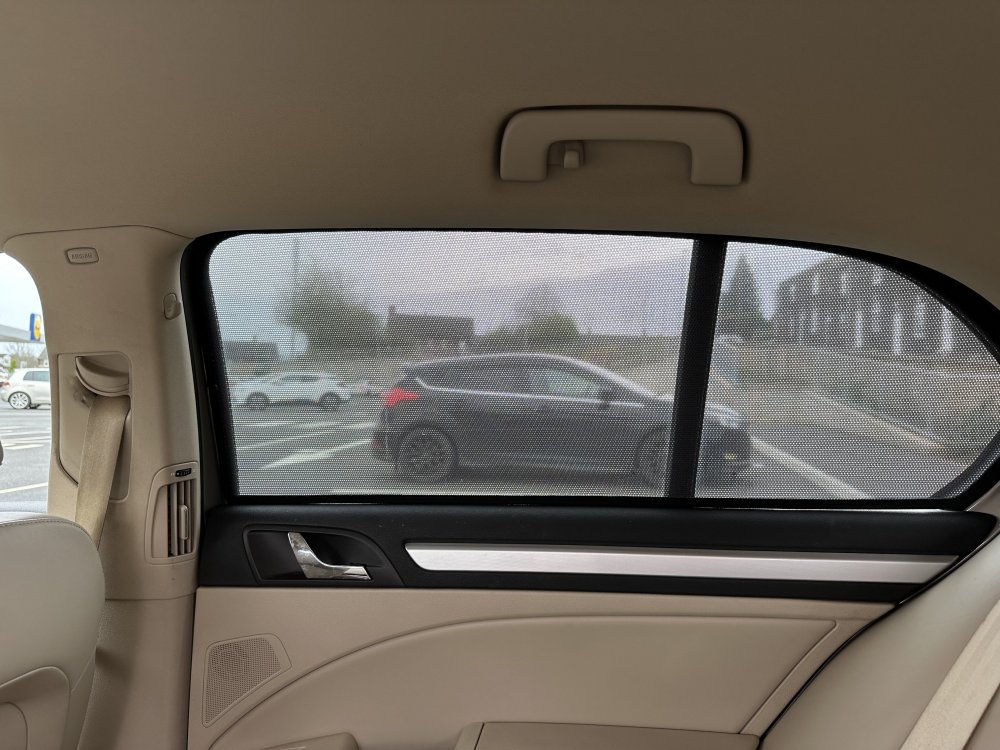
Not sure if they do them anymore but Skoda used to sell them for most models that did clip inside the inside edges of the windows but didn't need glueing in etc.... And could be removed added easily as required. I had a set on my mk2 Superb.
-
Cheers i'll give that a try instead..... I installed v1.31.56 a while ago but according to the email from Phonostar posted in the other radio logos thread elsewhere in the forum the next release is out today.
-
I still get told my InfoTainment part number cannot be updated when using the above web link..... It gives me the option to report my prt number so it can be added which I've done numerous times. My Infotainment part is..... 5E3035816H Anyone else able to confirm they can use the web link posted above to check for updates for the Infotainment in mk4 cars?
-
-
You push the direction of the vent towards the middle of the two vents and that turns that particular vent off..... Air flow can be lessened on that vent by positioning it to be just before it is turned off completely.
-
An MOT is £50-odd now....... The roadside recovery is VAG Assist so not £25.... It's currently £120 a year and gives you close to, if not the, maximum AA cover plus the option of a VAG Assist patrol instead (The one's in the silver vans) rather than a normal AA patrol). 😉
-
Yep I think you should just reject it and look at others... Like I say maybe decide on another 2 or possibly 3 colours other than white (They're like black cars great the day you clean them but look dirty the day after 🙂) and then take a look at what's available elsewhere. 👍
-
I think you need to really think about rejecting the car..... If you are having this many doubts then I would just err on the side of caution and reject. You may only have a small pool of vehicles to pick from when it comes to the same spec and colour but you also need to be a bit flexible too to make the most of what vehicles are available nationwide. I got my vRS last year with the options I favoured (Winter Pack+ and Tri-zone climate) I would have also preferred the Canton stereo option and possibly the active suspension system but to find all these options i'd have probably still been looking now.... But then the colour of the car I bought (Race Blue) was always my fourth choice colour after Hyper Green, Metallic Grey & Metallic Orange. You have to start thinking what's most important the options you want or the colour? Then either start looking at cars with similar options in the only colour you want or cars with the options you want but in a choice of maybe 2, 3 or 4 colours. Again like I say if you are having this many questions and doubts at this stage I'd reject as you'll possibly end up just thinking something else is wrong in the future each time you hear a knock or see something new.
-
-
Version 1804 is one of the first releases so extremely old and very much out of date. Version 1941 sorted the vast majority of known issues and was released end of 2023/beginning of 2024, Version 1969 sorted a couple more issues and was released around this time last year and lastly version 1985 again sorted out a few bugs and was released November/December last year.
-
Points I can help with...... Not sure about the dust on the car issue..... Without seeing the amount of dust it's hard to say but with the recent dry weather with the odd shower of rain and southerly winds from the North African coast it is quite possible a newly cleaned car can be covered in a layer of dust after only a couple of days. (I speak from experience from this last few weeks when my own car has had a layer of dust on it within two days of having spent a full day cleaning it). Service history can be pulled and printed out for you by the dealership's service dept..... You can also get it once the car has been linked to you as the owner via the MySkoda app using the Digital Certificate option. (This also gives warranty work carried out). The Approved Used scheme includes software updates to be carried out before collection of the vehicle so the car should have been updated to version 1985 which was released last December time before you collected it. For me this is a must have as the amount of bugs prior to version 1941 is huge.
-
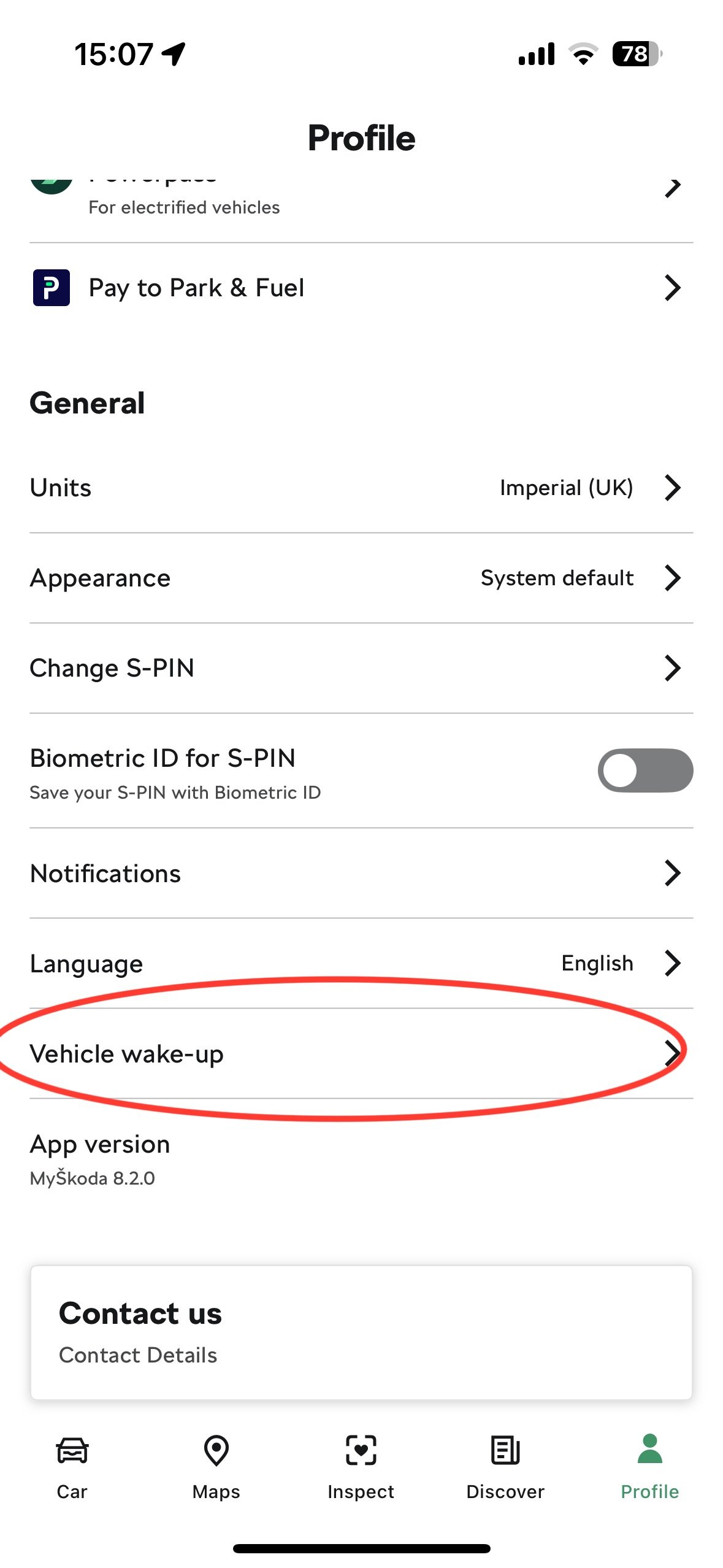
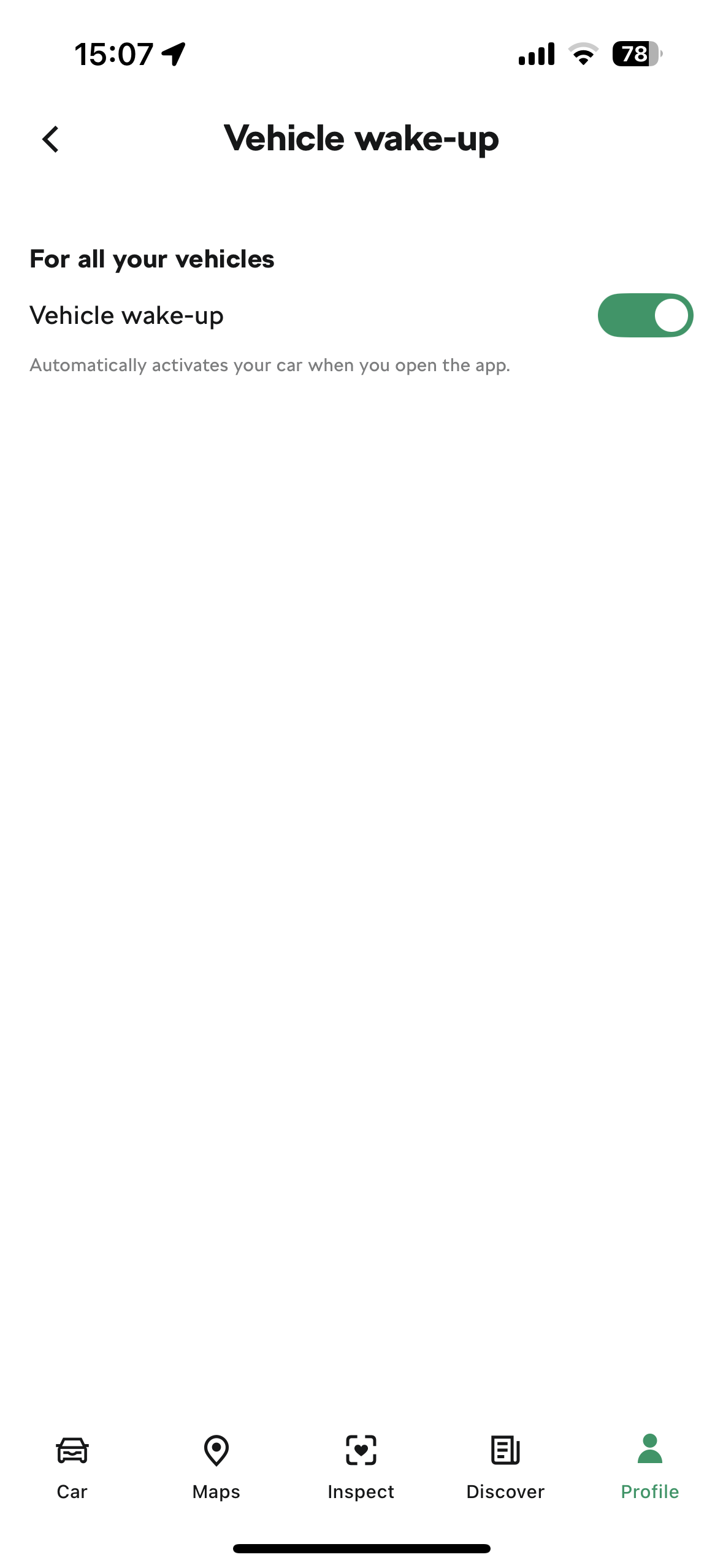
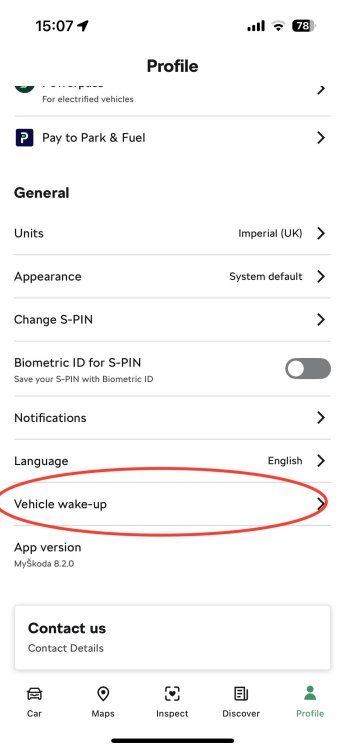
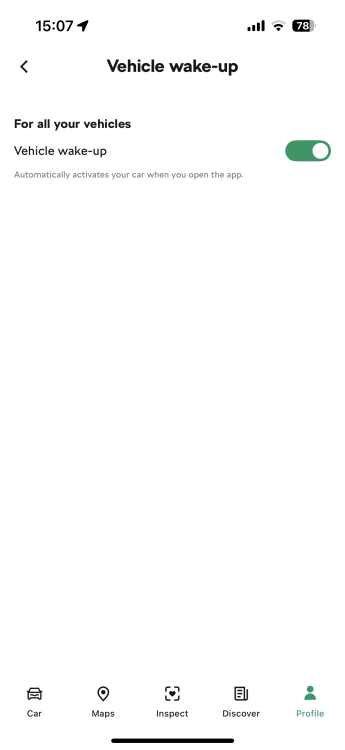
As per the two attached images….. I also edited my last post possibly just after you replied to it… But in that edit I was just also checking that you had got the eSIM turned on in the car which is done via the settings on the Infotainment screen in the car. I’m sure you can have it set to use a WiFi hotspot/home WiFi rather than the car’s own eSIM which could also be another reason your connection icon isn't activating.
-
Ah that's OK then..... Just wanted to rule out the basics before pulling fuses etc..... Another silly question but you do have the eSIM turned on in the car's settings on the Infotainment don't you and not set to be running off your wifi at home? Re: battery..... One of the options in the app is to stop it waking up the car unless you tell it to. Could it be worth you turning this option on/off (I can't remember if it's set to auto wake the car as default or not). I last used it a few weeks ago and it worked fine then but not used it recently.
-
Before you start pulling fuses make sure you rule out more simple explanations first. Make sure the connection icon stays greyed out after having the car started for anything up to a minute or so.... Sometimes for reasons unknown it can take a little while for the logo to go white. If it stays greyed out make sure it stays greyed out after moving some distance away from where it has been parked. VAG use the Vodafone mobile network in the UK so it could be that your home is in a Vodafone blackspot or poor coverage area and your car is struggling to get a stable Vodafone signal to work with. (Depending on if you live in a rural or urban area can mean you may have to drive further to confirm the poor signal issue).
-
-
I have the Infotainement online service too so use it to send destinations to the car before getting in which is quite useful. Adding the price per litre of fuel when i fill it up means you also get costs for journeys etc.... And you get freebies by saving up your points by going in to the app each day. (I just got the shopping bag to keep in the boot). On iPhone if you add the widget to the homescreen you can see what range you have left and if the car is locked etc.... without having to open the app. Pay to Park and Pay to Fuel aren't available in the UK so unless you're travelling to mainland Europe you might as well remove them again.