




pab567
FREEDOMTech
-
Joined
-
Last visited
Everything posted by pab567
-
3V0919606 is for Superb, not for Octavia, and it will NOT work with your MIB1 Amundsen. if you want bigger display you have to replace both glove box and display units. Your current modules do NOT support high camera at all, several of them must have SW upgraded or be retrofitted to work with high camera. If you are interested in retrofitting infotainment system pls contact me on PM.
-
Weird - Bluetooth should be active only when ignition is ON. What's the part number and SW version of this Swing?
-
Infotainment reader (glove box unit) must be replaced, if you are interested pls contact me via PM.
-
All check you PMs.
-
Try another Skoda dealer?
-
They should get for you part number 000 054 830A and use it for online activation. Should be possible as well
-
You are welcome
-
@octa_user what are the new features you are looking for: 1. Android Auto 2. Apple CarPlay 3. Video playback from DVD, USB, SD 4. CD playback 5. OEM navigation 6. displaying OEM maps in Virtual Cluster (Active Info Display).
-
Exactly - need to know infotainment unit part number and SW version first.
-
Yes, it's possible
-
And what happens when it's black and you press on/off button?
-
Yes
-
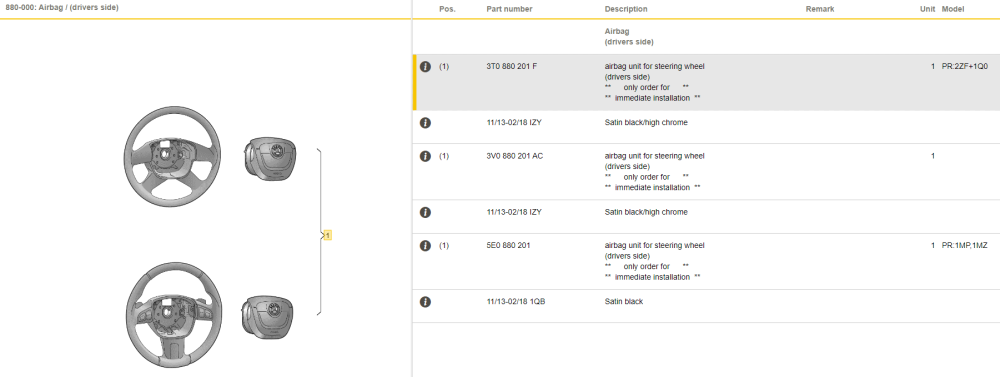
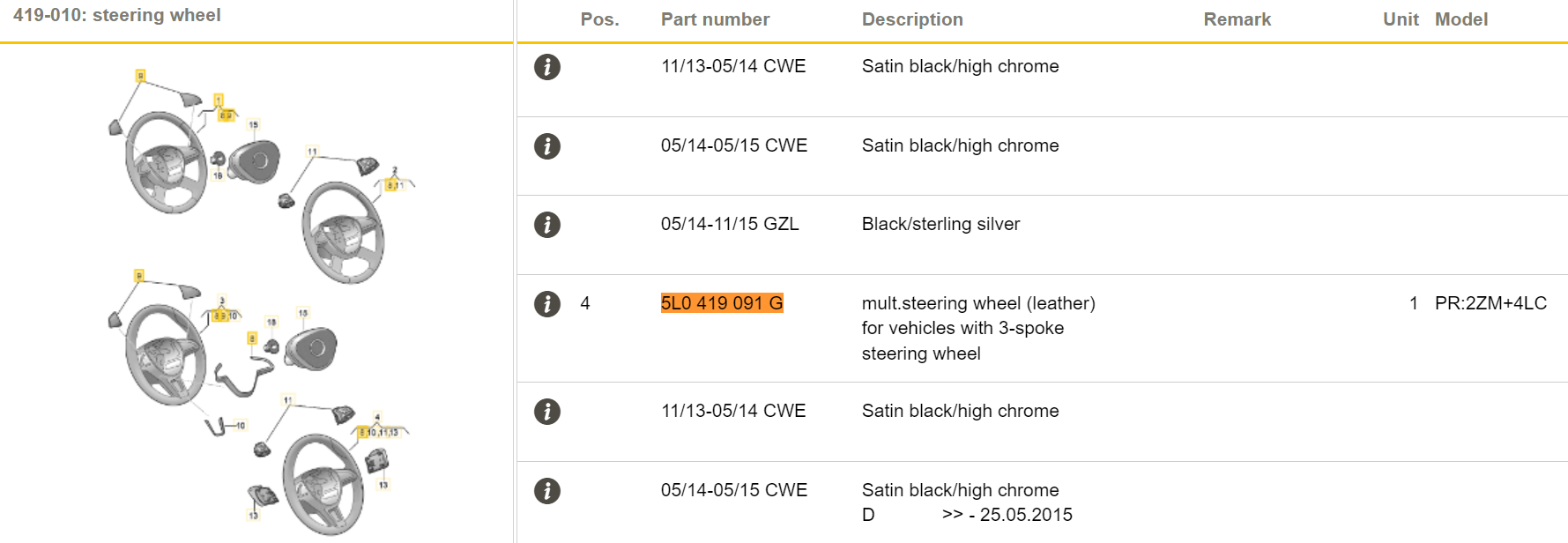
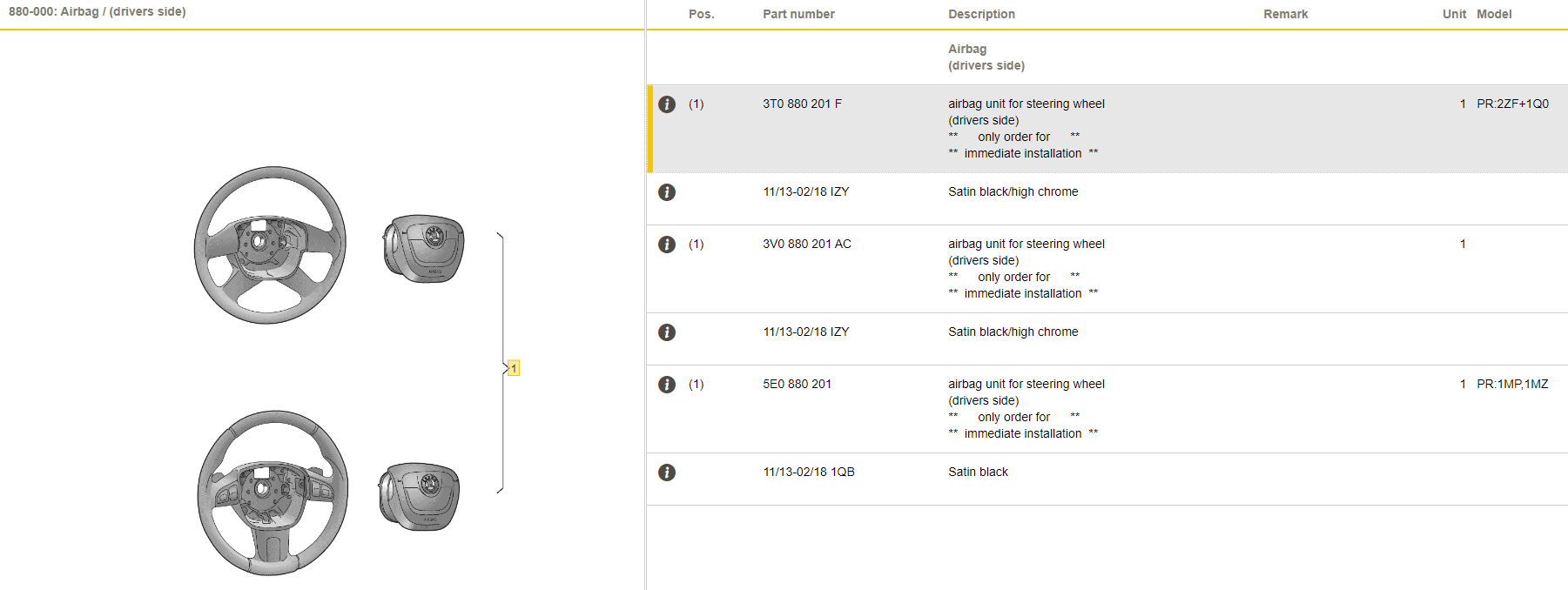
3T0080201G is NOT a sterring wheel but airbag. As I mentioned - I have just put the screenshots from parts catalogue for Yeti. I cannot give you a answer :"will it match or not".
-
3T0 880 201 G => not listed in spare parts for Yeti. Does it mean it will not suit steering wheel you bought? I have no idea. I have just shared with you part numbers listed in Yeti catalogue.
-
Yeti MY18. Options listed: 2ZF Leather-wrapped sports steering wheel 1Q0 Without mass damper for steering wheel 1MP Steering wheel for airbag system 1MZ Steering wheel for airbag system
 @naeclue what is part number of your infotainment unit?Proabbly your microphone goes directly to the BT module. Pls post a picture of QUadLock plug that goes to RNS315, focus on the cables going into the green 12-pin socket.Steering wheel can be swapped but it's not a simple thing - it requires retrofit of gateway/bcm module, adding some wires and coding. If you want to use Android Auto (MirrorLink is obsolete and abandoned) you need to replace your unit with a set of diaplsy unit, glove box unit (infotainment reader) and add extra harness. If you would like to get Apple CarPlay support then USB must be replaced as well.complete lockout, unit will have to be patched again.@Lalapotty you have download link on PMSW upgrade will kill patch so unit will be locked with component protection. Try different cable between USB and your phone.@westiej your unit is a retrofit, do not make any SW upgrade.Indeed, looks like a retrofit. Some faults are Ok in this case (15360768 - Component Protection). 1555 - Check Software Version Management must be cleared using the procedure with checksum calculation. 2565 - GPS Antenna - is probably a result of using aftermarket GPS antenna and as long as GPS staellites are visible then it's OK. 3077 - Telephone baseplate - is a result of wrong coding - change to 03730101FF0000005111120400880A002F0108C6012005004E. 7199 - Function Restricted due to Missing Message(s) - is probably a result of incorrectly adjusted some adaptation channels but as your VCDS does not support UDS I can't give more details.Possible but you have to contact your Skoda dealer, I don't know anyone who hacks these units. All check your PMs for dwonload link. No message means you already have the latest firmware.




Important Information
Welcome to BRISKODA. Please note the following important links Terms of Use. We have a comprehensive Privacy Policy. We have placed cookies on your device to help make this website better. You can adjust your cookie settings, otherwise we'll assume you're okay to continue.