26DIPP
Members
-
Joined
-
Last visited
Everything posted by 26DIPP
-
I have the variable boot floor. It was ordered by the first owner -Skoda, and it was a cost option. I think it is crap and would have preferred the SII boot setup. As said before there are lots of parts to fit / change. I retrofitted a boot light and had to remove a lot of trim including the variable floor.
-
Dynamic front indicators only work on pre face lift SIII with a 55 controller.
-
-
-
-
I retrofitted HBA to my old SII and it worked really well. I have Matrix LED lights in the SIII now and they are excellent except for when we travel with tourist mode / continental driving turned on that it seems to be unable to blank the oncoming card on the left hand side and I get flashed by lorries and buses. My HBA is coded to be on all the time if the light switch is on Auto.
-
Have they worked before and stopped working? Are they turned off in the head unit or have they been coded out?
-
Just an update. I replaced the sender last night as I thought that HAS to be the faulty part. I think the fault is not fixed as the fuel display on the gauge was the same as before. Unfortunately I did not do any major testing, i.e. level up and level down and electrical measurements. I looked on the wiring diagram again thinking I must have missed a connection but there is only one straight connection into the dashboard. I have not removed the dashboard for inspection yet. That will have to wait as we are going away soon. Any other ideas?
-
Hi, We have just been through this - again. The second BCM or wiper relais failure since my daughter got the car. I desoldered the relay with a hot air soldering machine which was o.k. Unfortunately I was a little generous with the solder and created a short on the board under the relay. So I got a second hand BCM. You have to make sure you order the correct PN. They are 6Q0..., 6Q1... and 6Q2... As Pete said you probably will have to code the replacement unit as the trim level will be slightly different.
-
I replaced the flexi pipe on a BXW engine and you can by a clamp in pipe. Works as well as welding.
-
Hello, I just want to reactivate the TSR. I have noticed that Kufatec are offering the TSR for SIII WITH 2Q0 A5 cameras. Does this mean the MIB3 coding has been hacked? Has anyone used Kufatec activation dongles?
-
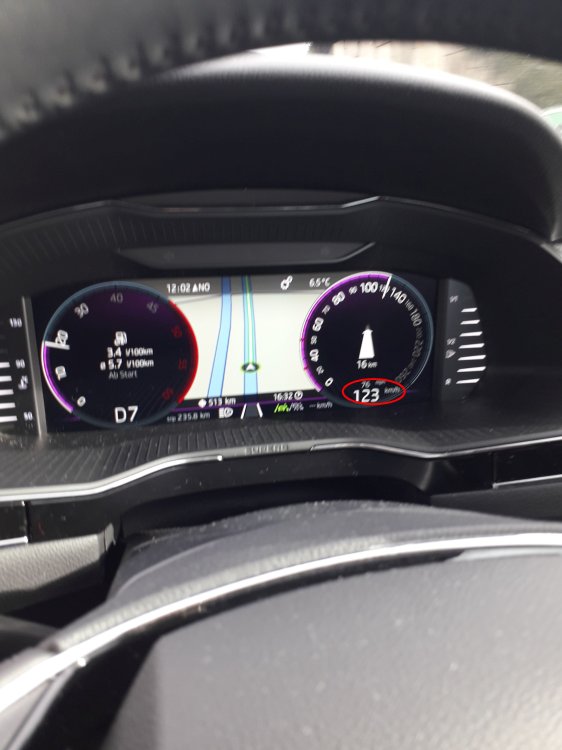
Hello Gabbo, If you have a LHD car your setup of the virtual cockpit should have to MPH for the UK in analog and digital readout which I would prefer rather than another line for a small Km/h display. My brother in law's LHD was like that when the first VW virtual cockpits were introduced and I was so jealous when I still had my SII.
-
I had a look at the car today. Strangely the gauge responds now to filling up and using petrol, just in reverse, i.e. it shows empty when the tank is full and vice versa. With VCDS the fuel gauge moves and responds smoothly. I removed the fuel pump with the sender. Everything reeks of petrol.... and it was a pain to get the 4-pin connector off the pump. I measured across the fuel sender - 0.11Ohm. I do not know what it should be. I removed the sender unit and swapped the 2 connecting wires, hoping that it would reverse the display, no luck. Still full display on empty. I have ordered a replacement sender unit now.
-
-
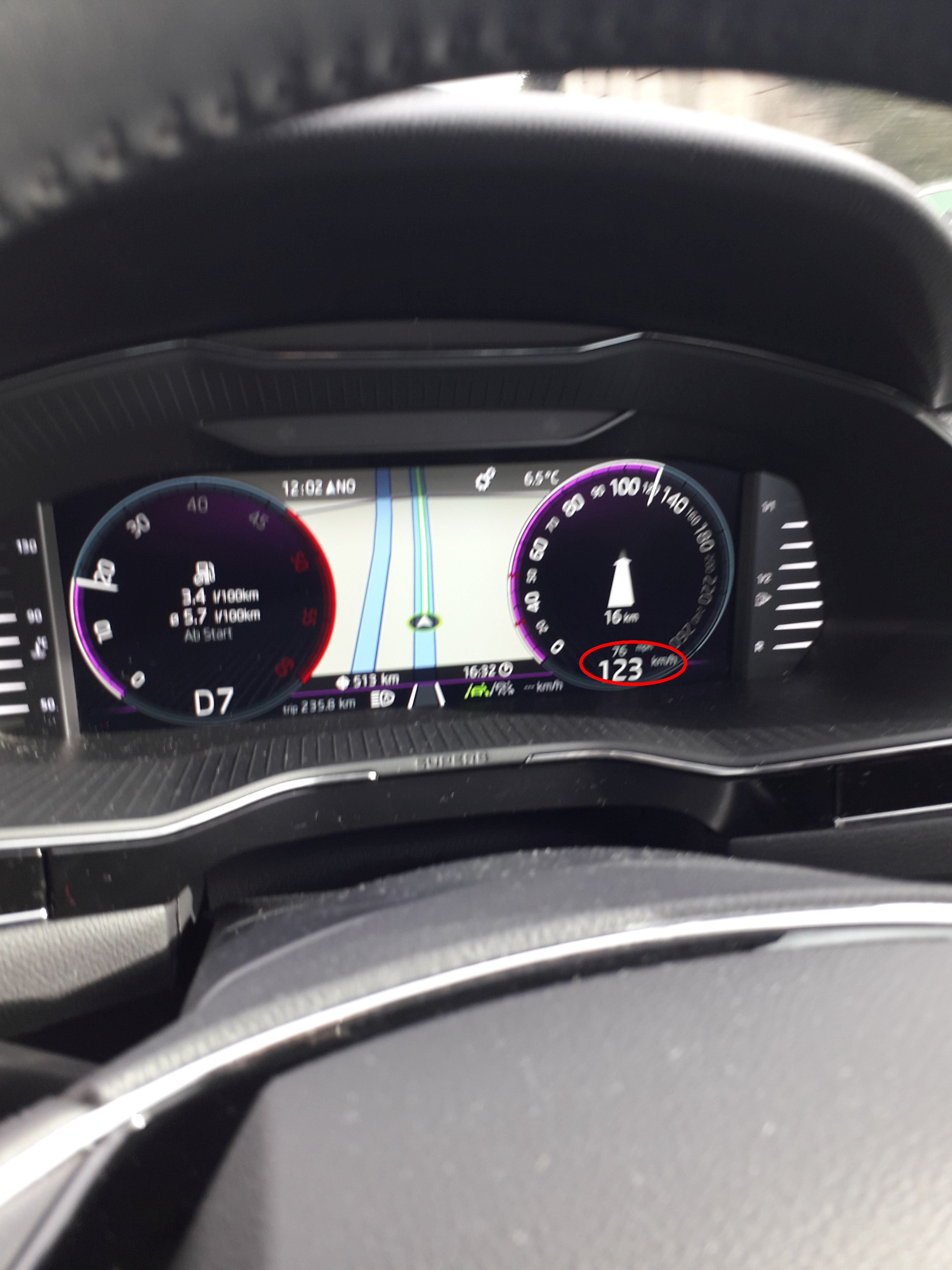
Has no one noticed this? Any coding out ideas for the small MpH line?
-
Hello, Can anyone give me a work through to check the fuel gauge on a FII? My daughter broke down in the fast lane on the M25 - I have not seen the car yet. Apparently the fuel gauge showed FULL and there was no fill up indicator when she broke down. It all went well with no crash, but when the breakdown service picked her up he went for fuel supply problem, tapped the dash panel and the needle just dropped..... After putting in some of his supply the car ran just fine. My daughter filled up but the gauge did not show this and the range is pretty minimal. So she is going by the trip range now. We did replace the BCM recently with a used one for the wretched windscreen wiper failure. I had a look at the pin outs on the J519 but could not see any for the fuel gauge. The fuel gauge sender unit from the tank links straight to the dash panel. It also looks as if the sender unit can be replaced without having to by the complete tank insert with pump.
-
We were in continental Europe and had the Km and L settings activated. So far - I could swear - I have never seen a dual display for digital Km/h AND MPH as a smaller line. There was only ever either MPH or Km/h. I noticed that the centre display said that an update was available and asked for permission to update and I just clicked o.k. Has anyone else noticed this dual digital display and can this be coded to only Km/h?
-
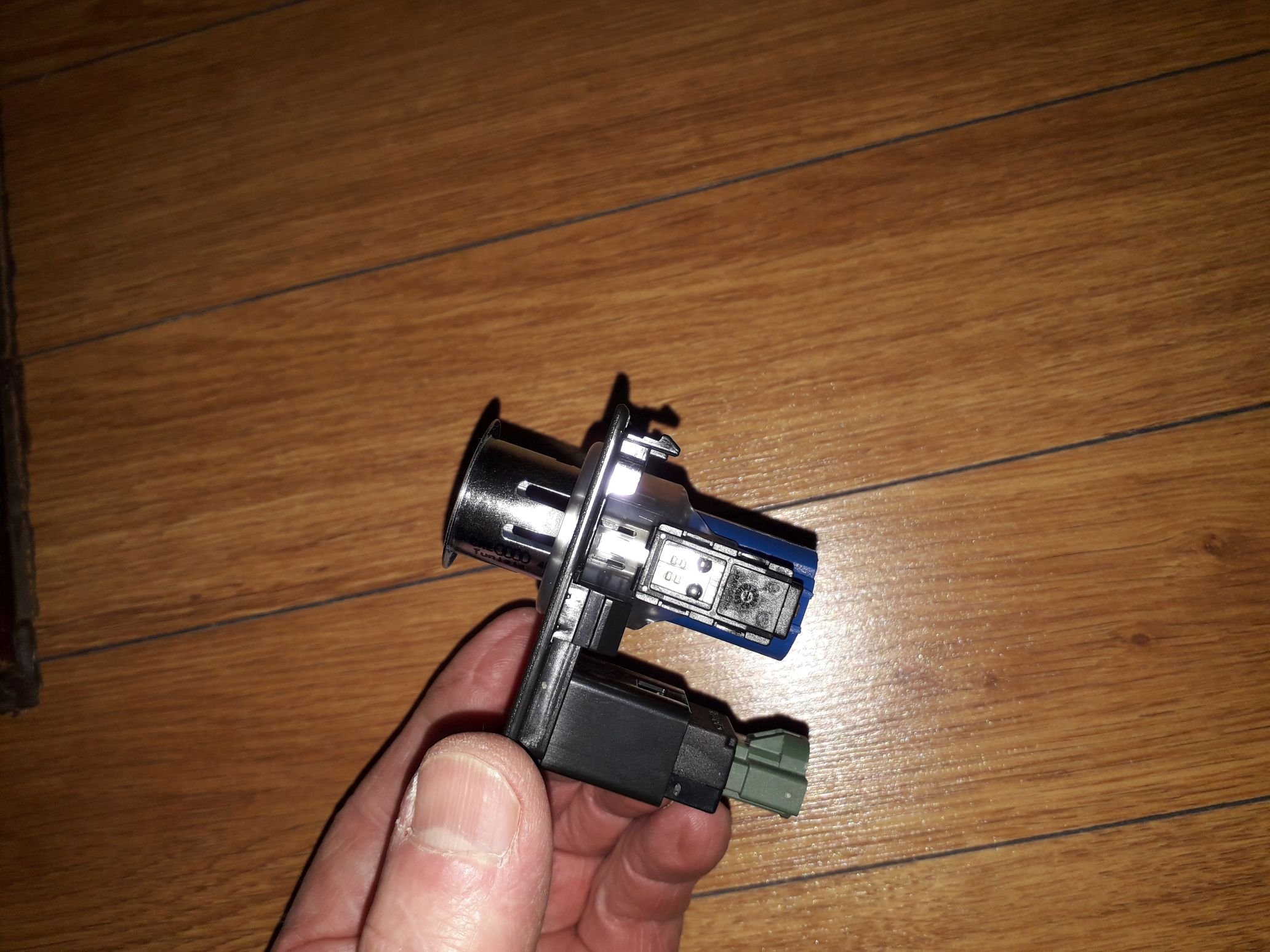
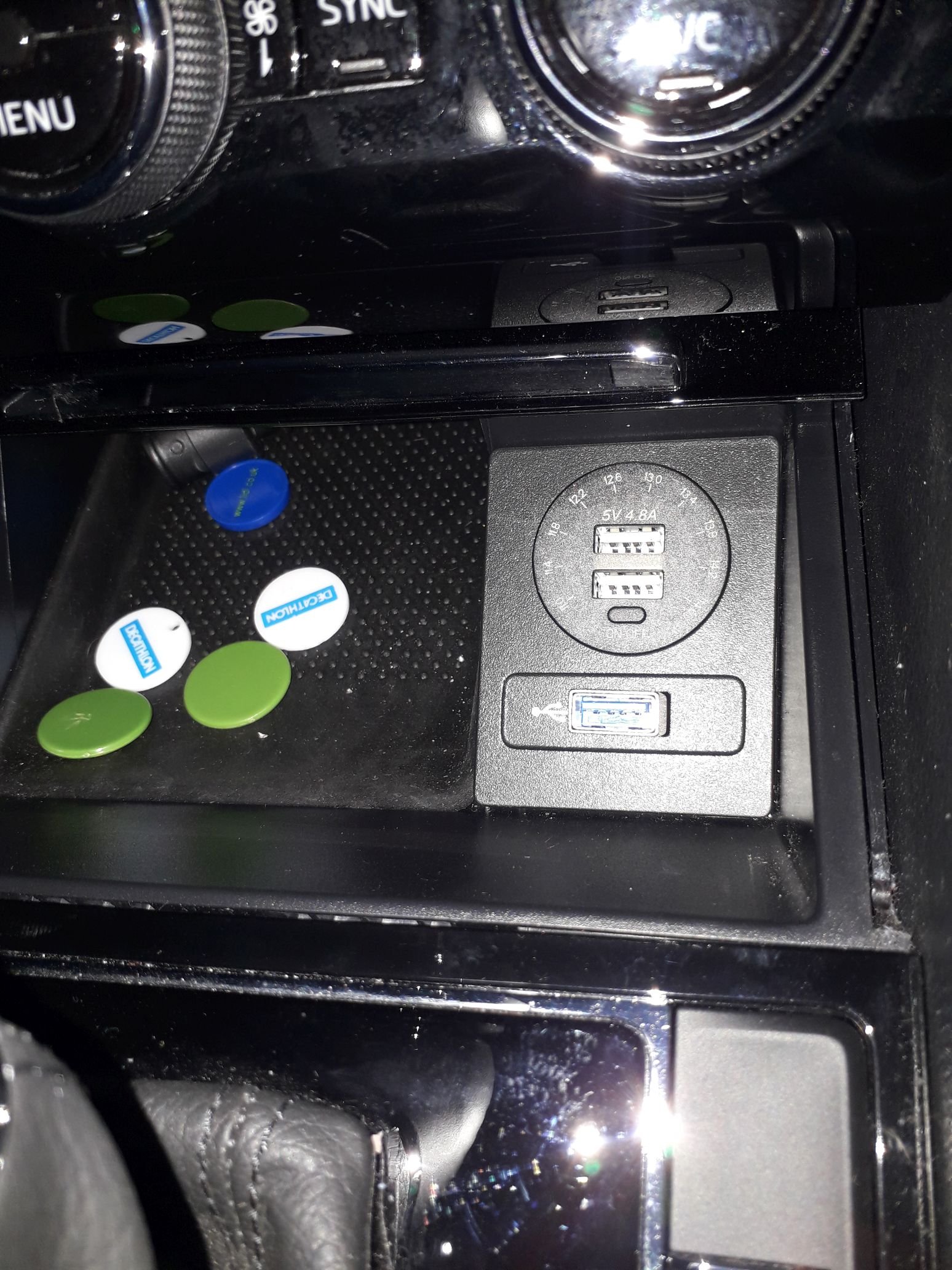
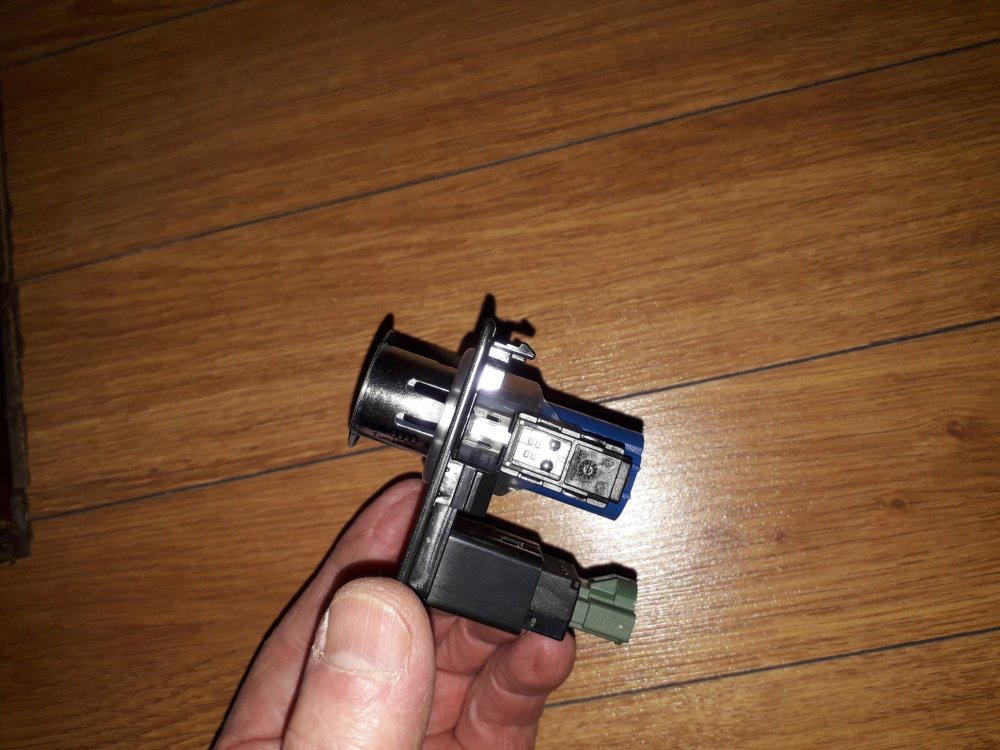
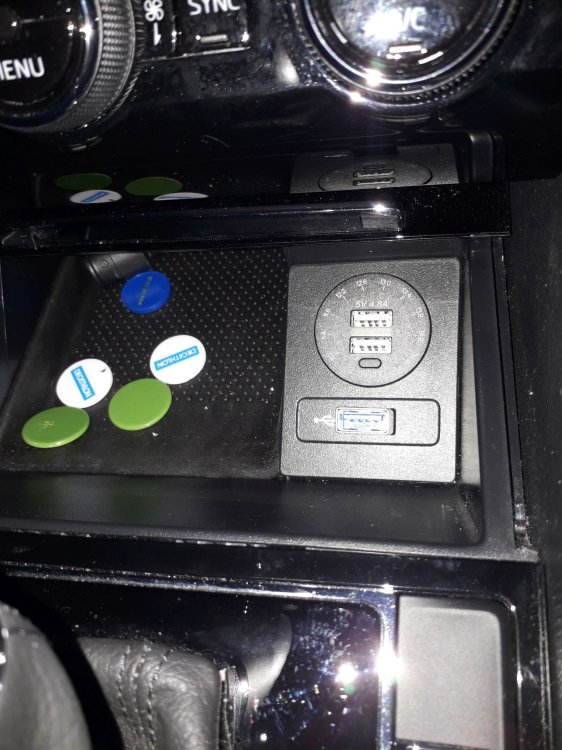
I got the USB socket from Aliexpress because I ordered other bits from there, but you can find it on Ebay too. eBay UK12V Car Cigarette Lighter Socket Dual QC3.0 USB Ports Fas...Model: QC3.0 & PD. QC3.0 output: DC 4.5V/5A, 5V/4.5A, 9V/3A,12V/2.5A. Model : Dual USB. With a switch, you can freely switch display mode or turn on/off the power;. PD output: DC 5V/3A, 9V/3A, 12V/2.5
-
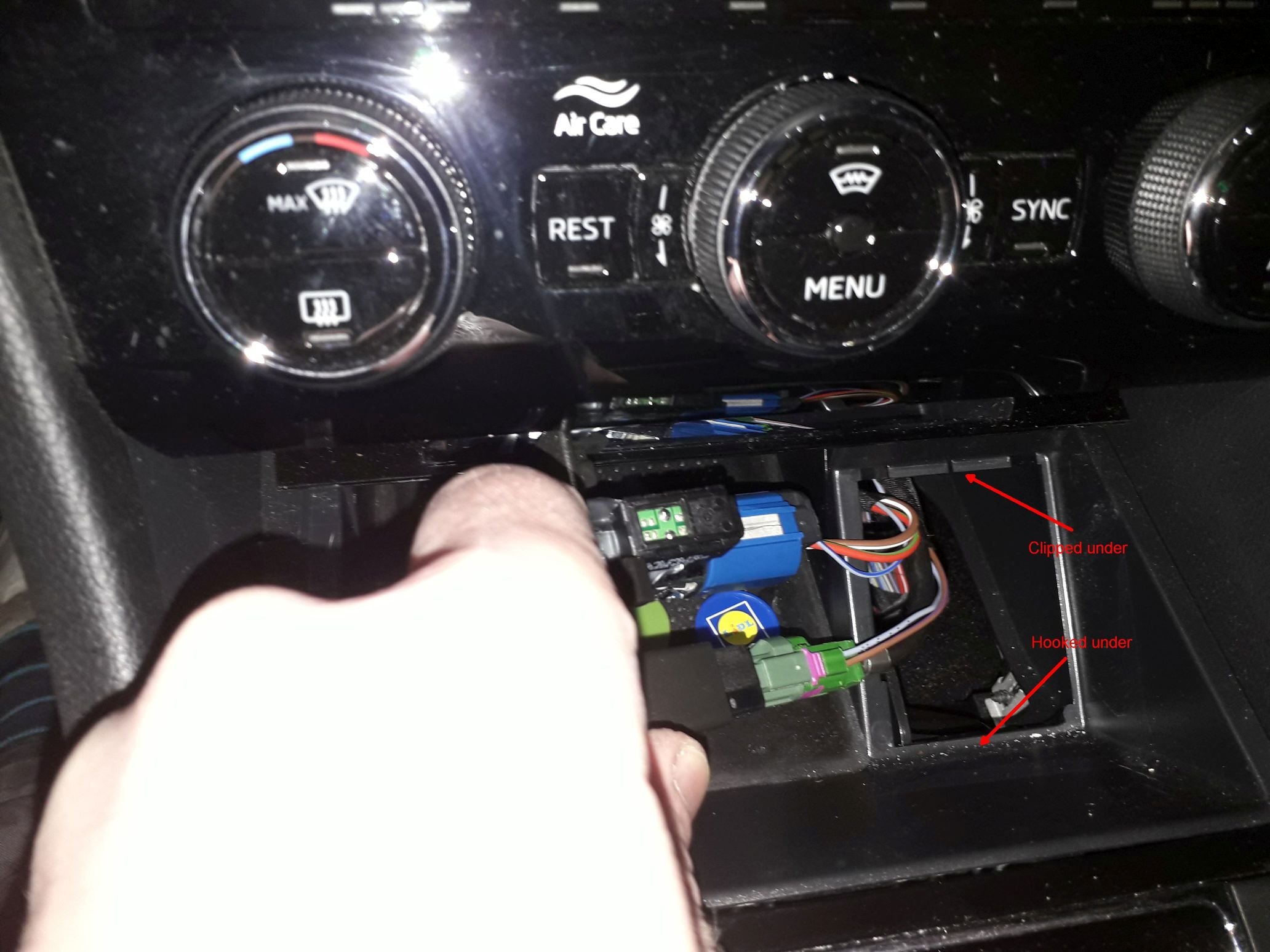
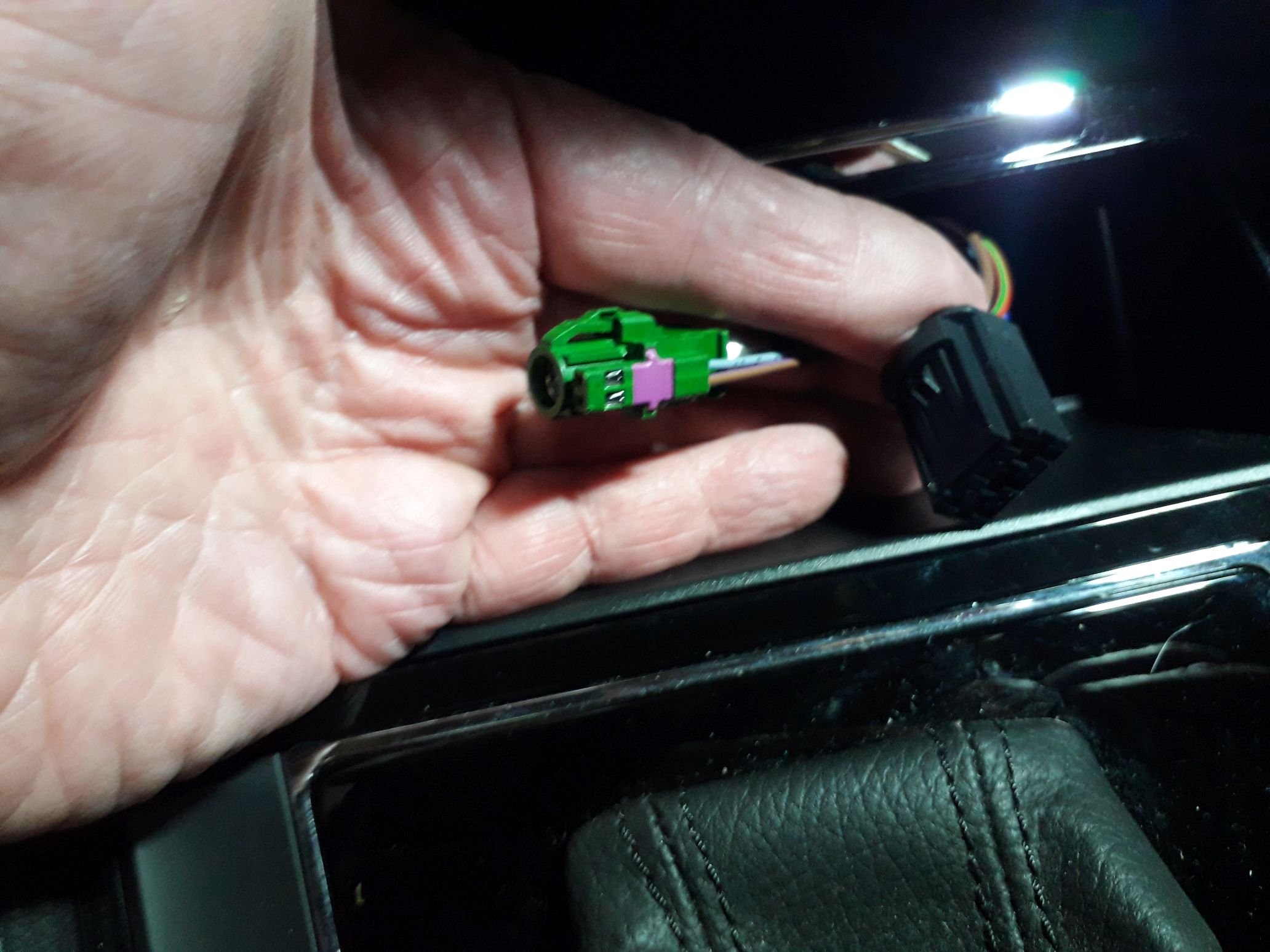
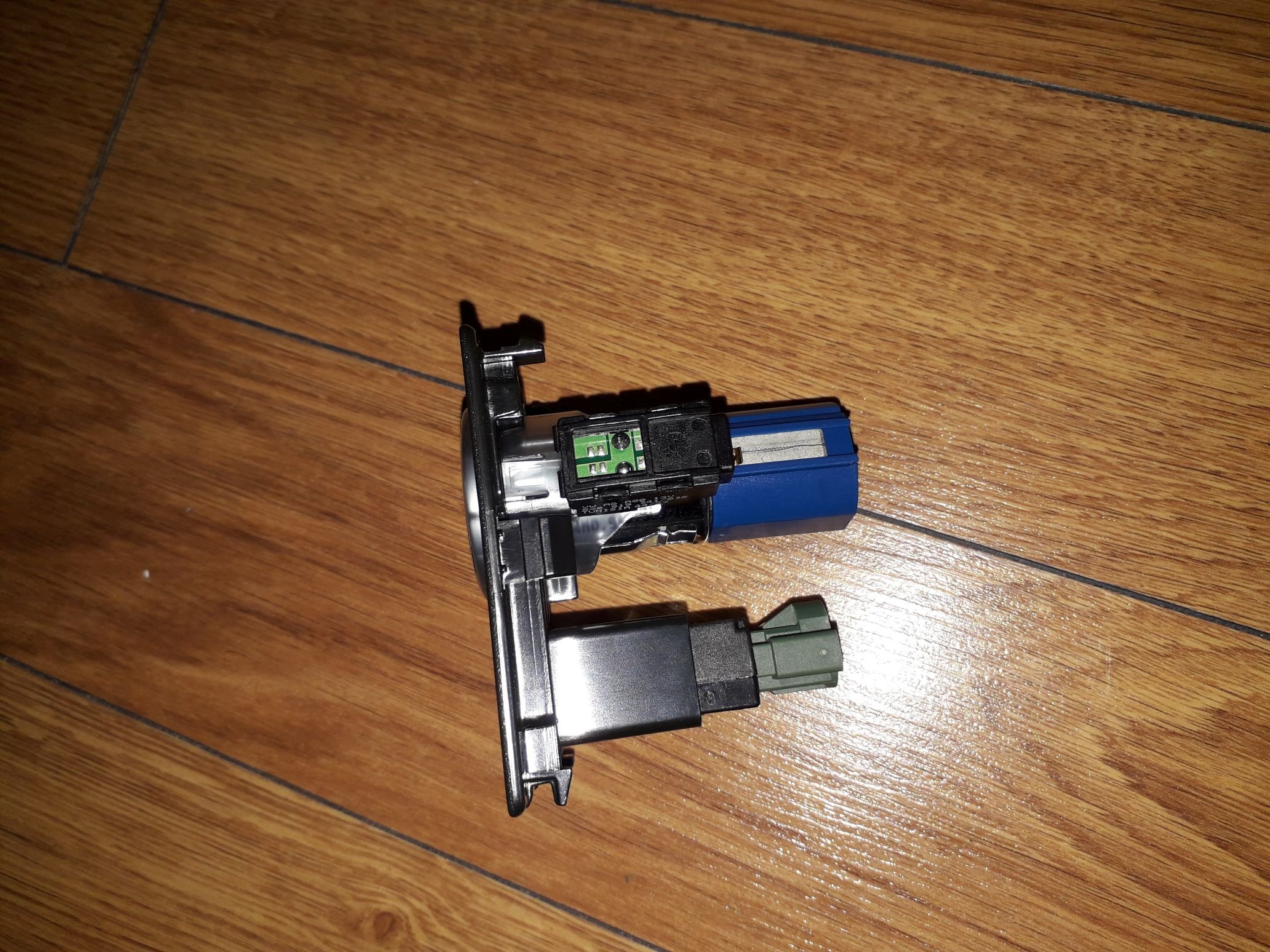
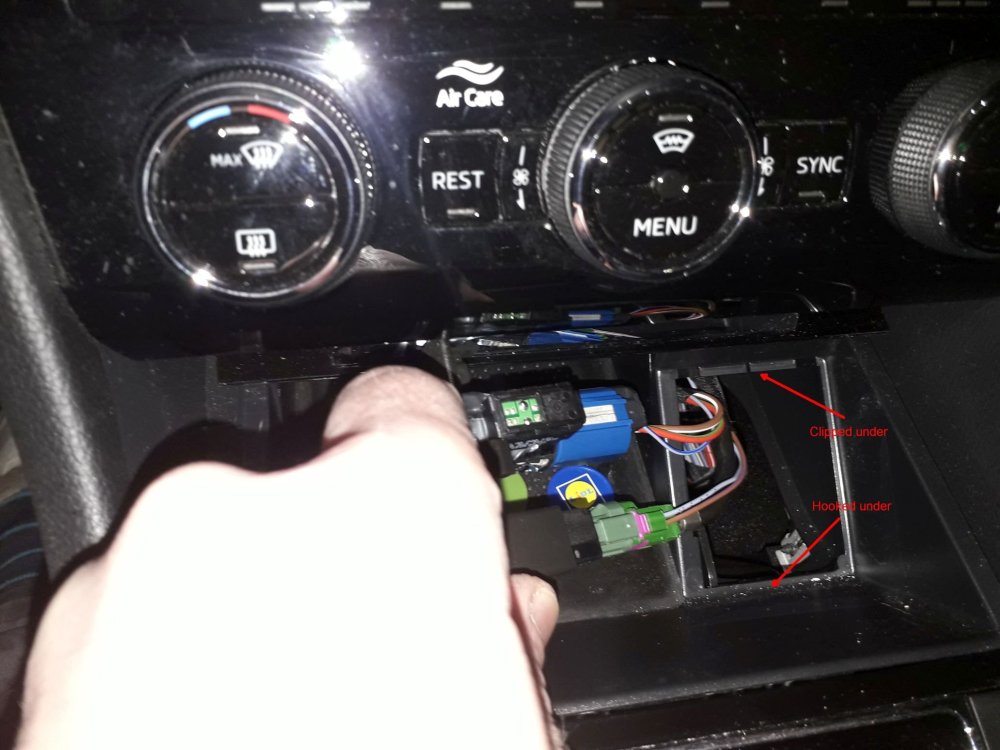
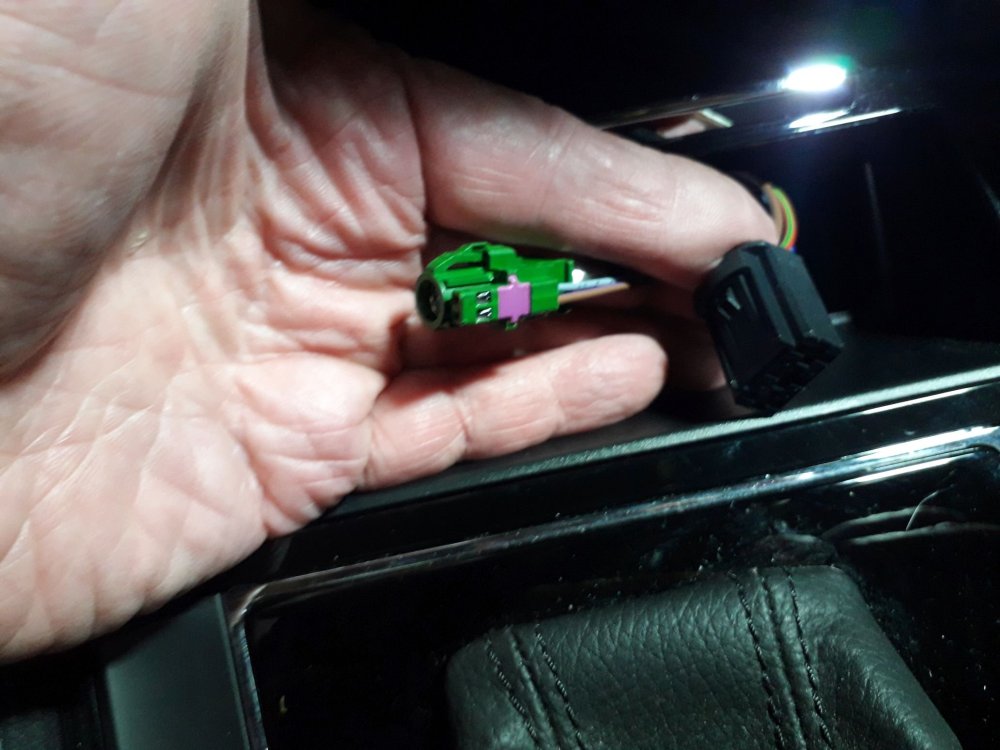
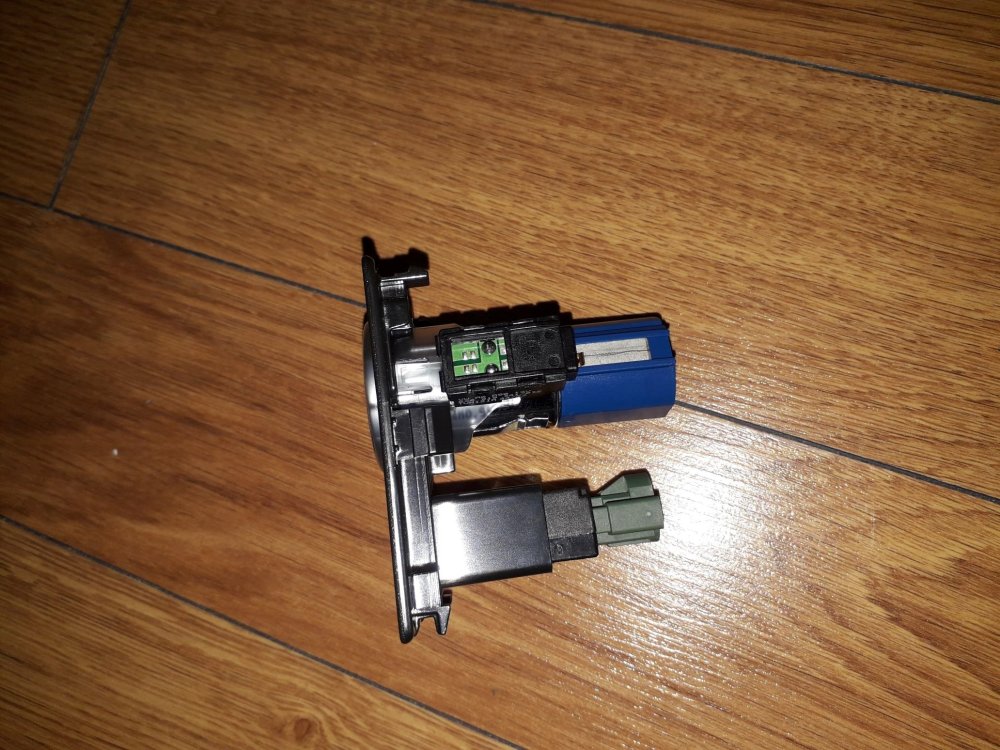
And back to my original thread title - front cigarette lighter replacement. The socket can be unclipped by lifting the front end with a trim tool. The back is hooked in. The lighter comes out quite easy once removed. Just push a couple of clips and it slides out. The whole in the plastic flap needed to be slightly filed out as it was too small to take the USB socket. I soldered the USB wires onto the 12V and earth. Access is not the greatest but works.
-
My idea was to not use an adapter but to replace the complete cigarette lighter. It worked well on our last Superb.
-
Hello, Has anyone replaced the cigarette lighter with a USB charging socket? I did this in our SII and I found that the USB-C socket is not really charging enough to keep a sat nav going.
-
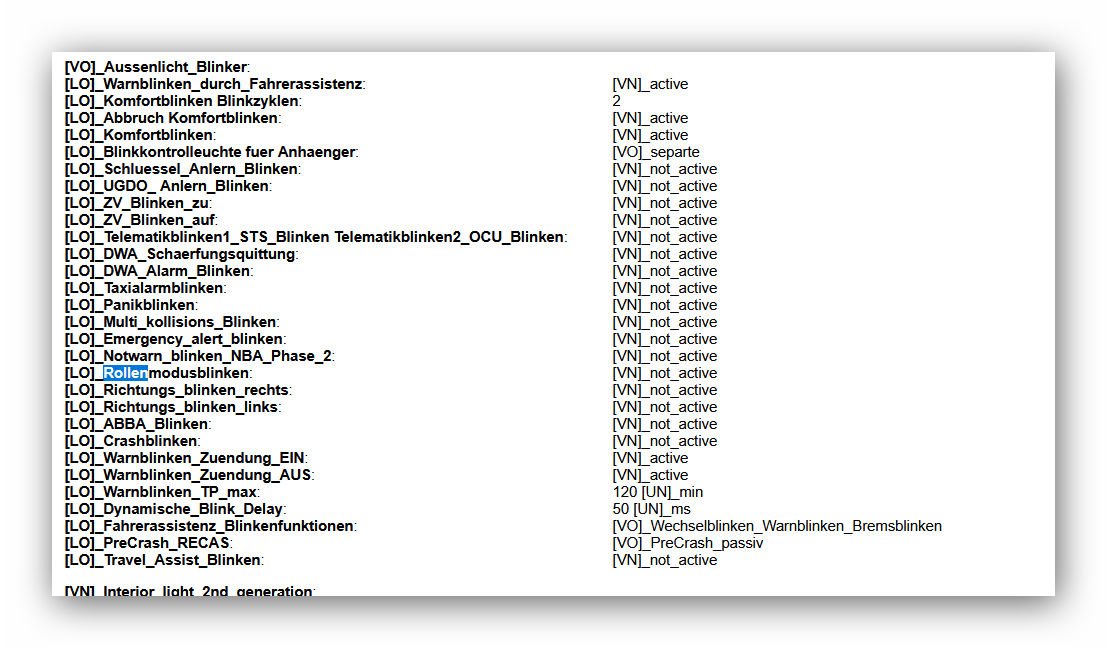
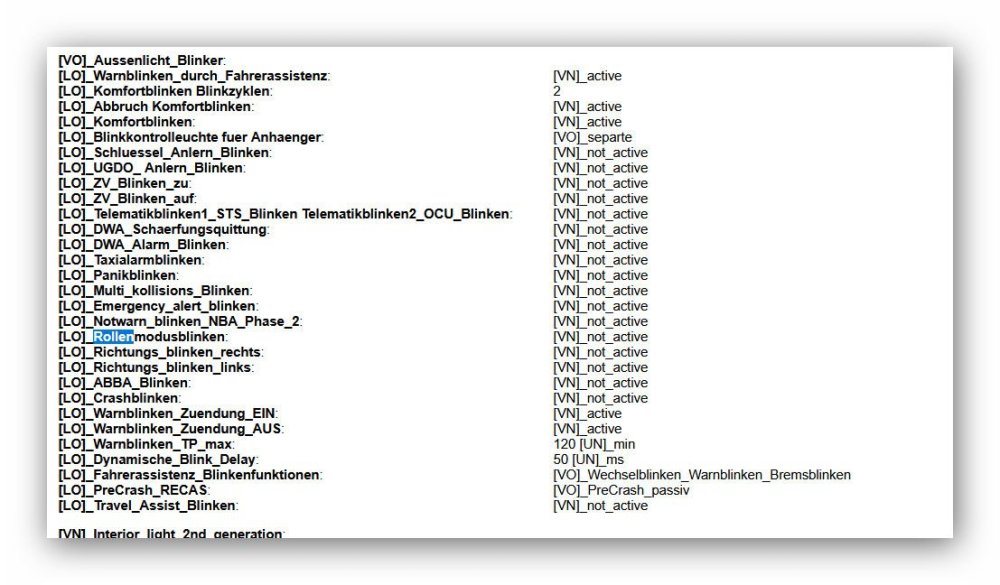
I have turned my dynamic indicators off on a 2023 SIII. It is Rollenblinken not Richtungsblinken you have to inactivate.
-
I wanted to tow my son's car and got my tow eye out of the boot. It was the wrong model. I found 1T0805615A. It was too small and I called the local dealer. I was told I should have 8K0805615A. I called the dealer I bought the car from and emailed but did not get a reply back..... I looked on Ebay and have seen 8K0805615 and 8K0805615A. Does anyone know if these are the same?
-
Our SIII 2L TDI has flicked up an oil warning light for the 2. time. The car has done 17800M and is from 3/23. It had a service by Skoda with oil and filter change about 4000 miles back. I did check the oil and it is above minimum. It took 0.5l of oil to go back to the middle. The 1. time I had an oil warning was at about 12000M. My questions are - Is this engine known for oi consumption? Did Skoda not fill it adequately? Is this a warranty issue? My previous SII with the CFGB engine did not use any oil at all. And I did all my own oil changes.
-
Try and find someone with VCDS, VCP or OBDeleven near you or, if you plan on staying with a VAG car for a while, invest in your own.