26DIPP
Members
-
Joined
-
Last visited
Everything posted by 26DIPP
-
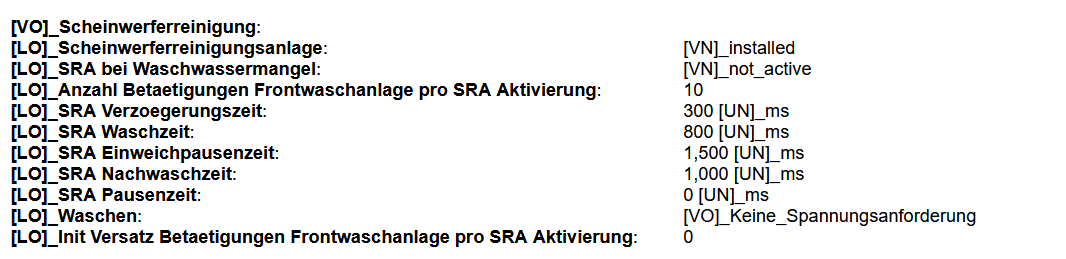
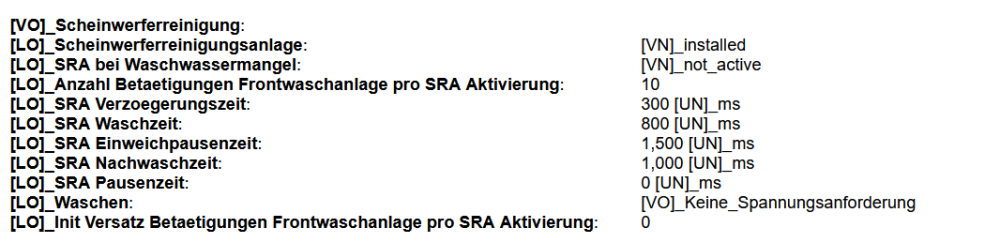
It can be changed. Change SRA Verzoegerungszeit to 500 ms in STG09.
-
Hi, can anyone tell me if there is an option to change paramters of 5WC959107A or flash back to a 5Q0 tailgate controller setting to get the tap closure from the console button? My VCP scan of the tailgate is Adressword : 6D (Deck Lid Control Unit} - J605 HDSG-Modul VAG no. : SW: 5WC959107A HW: 5WC959107A SW version : 0433 # Coding : 0D08 ASAM: UDS, EV_DeckLidCONTIAU536 001002 DATASET: V03935356FX I use VCP and ODIS.
-
There are a couple of threads in here. I retrofitted the "high" to my S2. You can get almost everything off ebay. I only had to order the lead to connect the head unit with TV and the new camera controller. Calibration was fairly easy.
-
You need a SWaP / FeC code from Škoda. They will not supply it as aftermarket item. On Briskoda someone said that he got an activation code from a friend who has access to the Škoda mothership. I do not think he would get codes for others.
-
As Langers said before you need to look at a wiring diagram and follow the power supply to unresponsive modules from the battery to the fuses / relays into the controllers. There will be one or more that do not have power or ground supply. A good auto electrician should be able to do this too.
-
None back so far in the dashboard. I can check again tonight with VCP. Before the dashboard was like a Christmas tree.
-
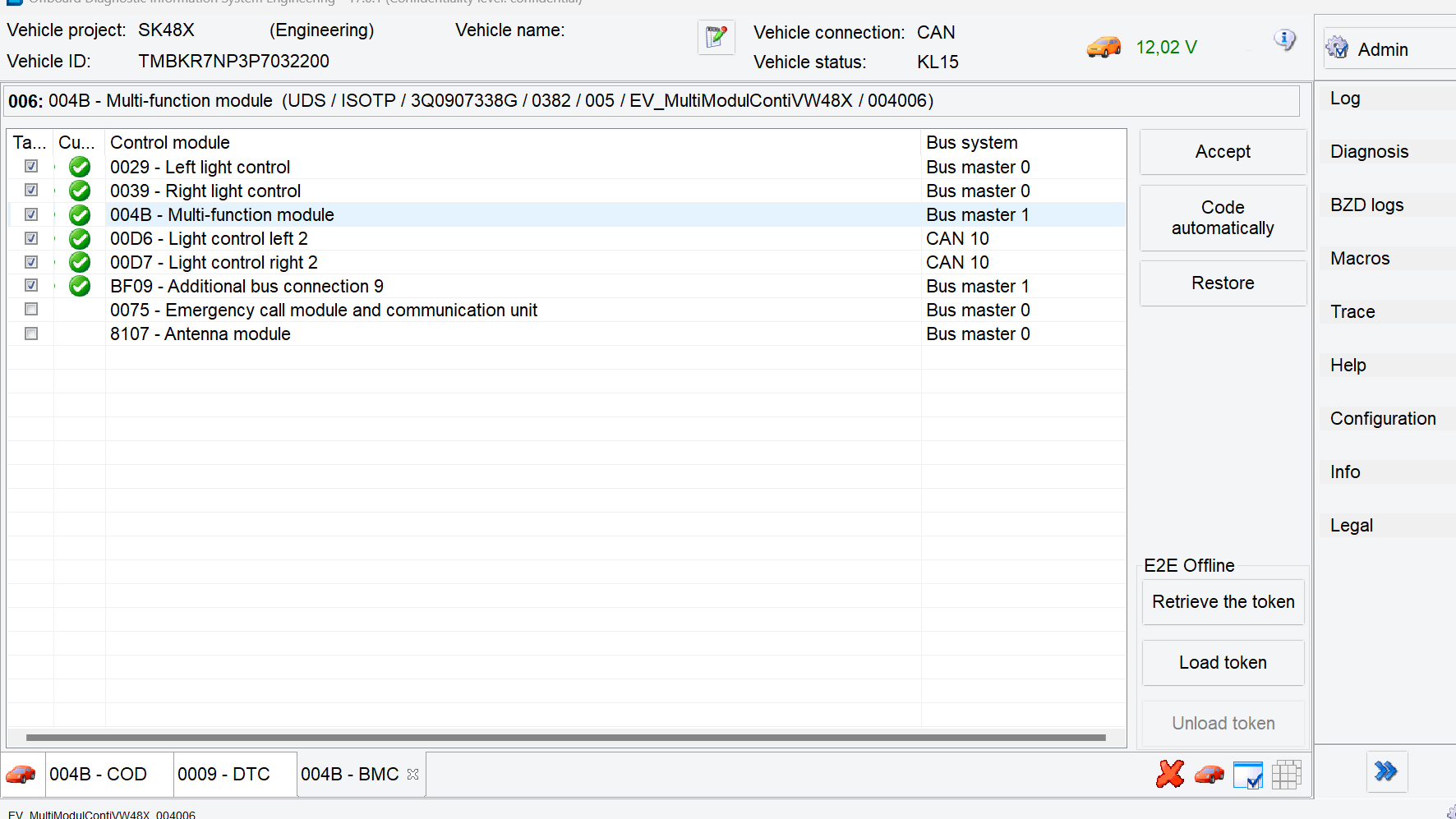
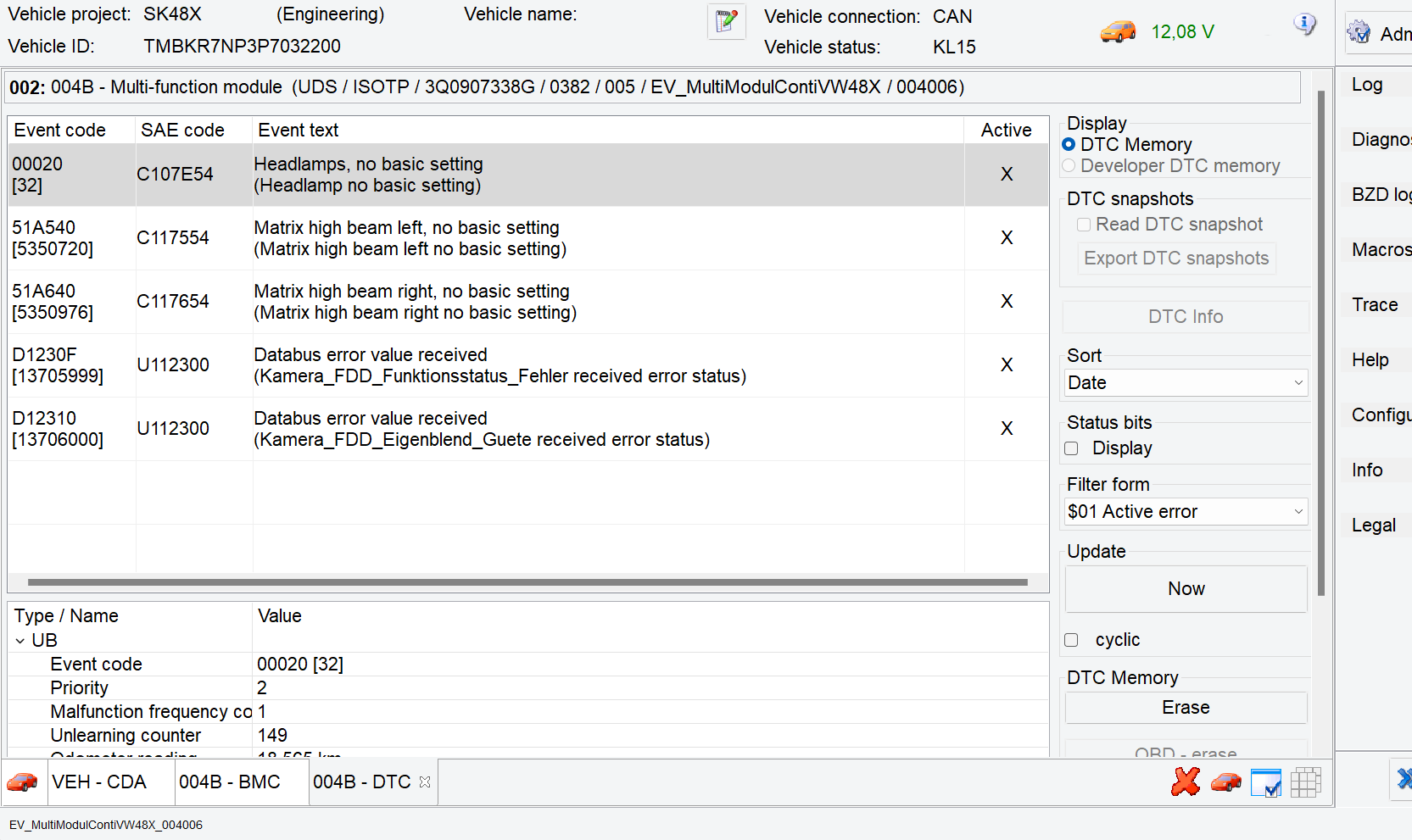
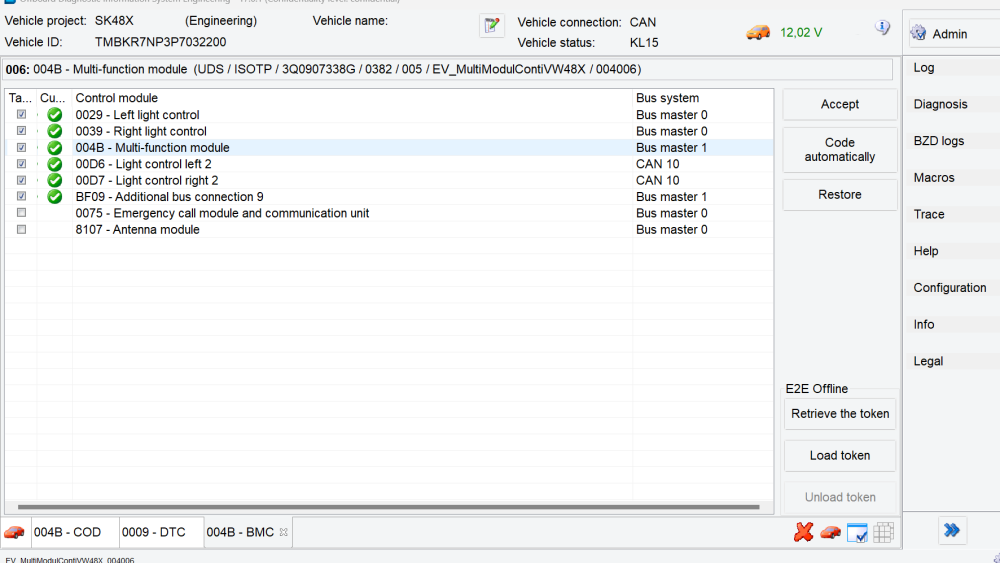
Thank you for the link. It worked. ODIS E is a great little program. I had looked at the matrix light calibration but thought that it might require some form of calibration screen. All DTCs went or were erasable now. Also STG D6 and STG D7 are now coded into the Gateway.
-
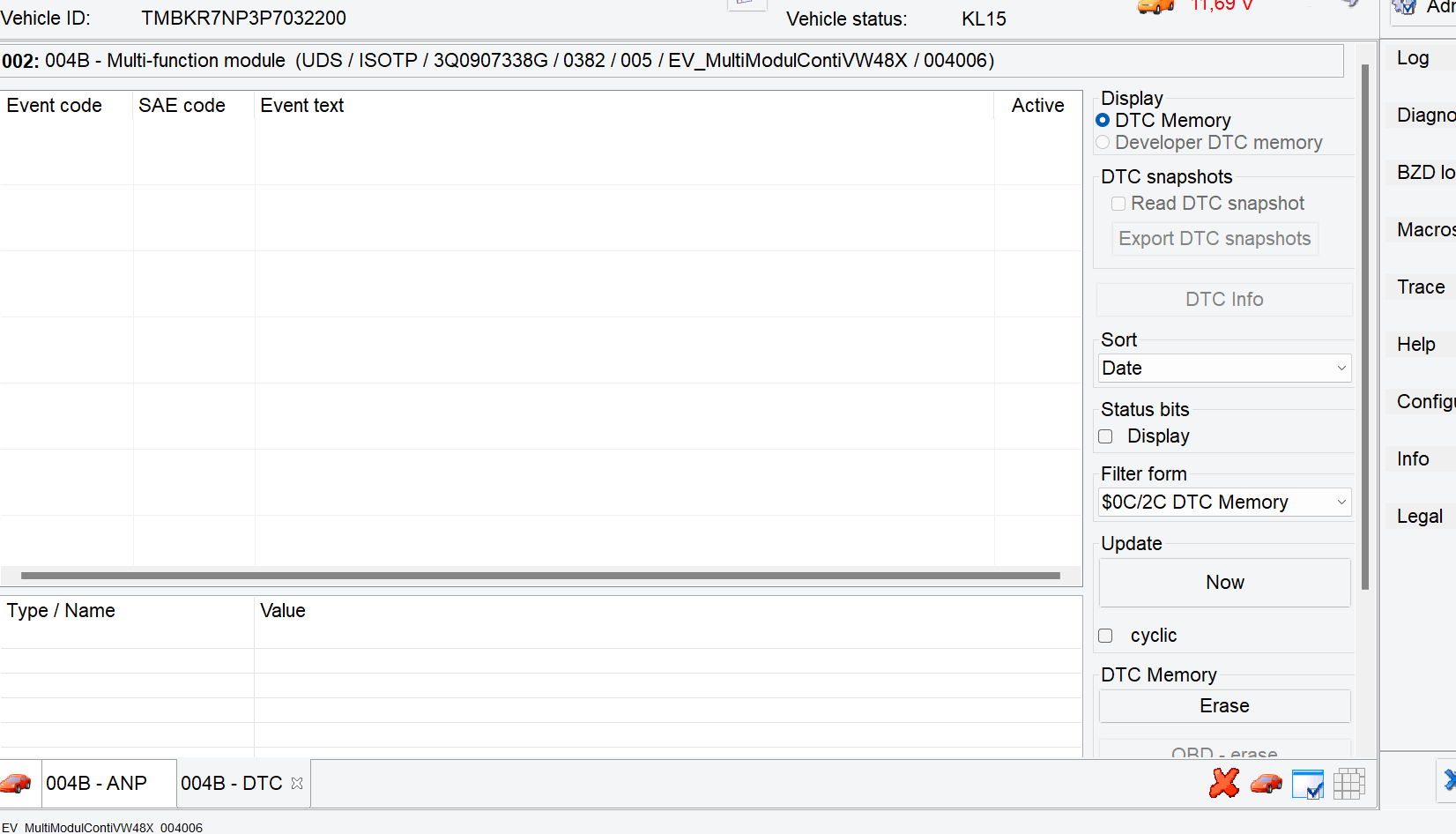
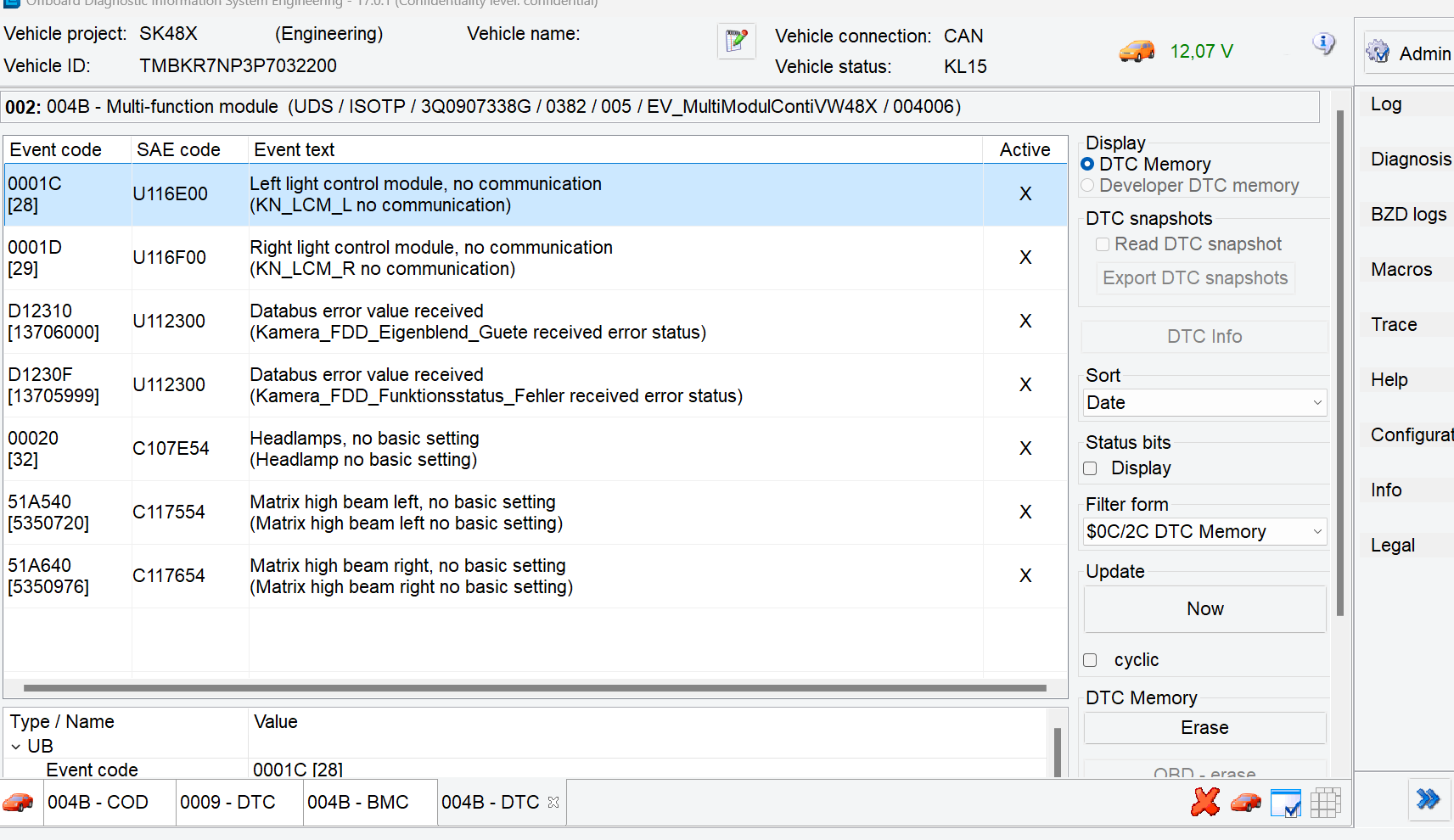
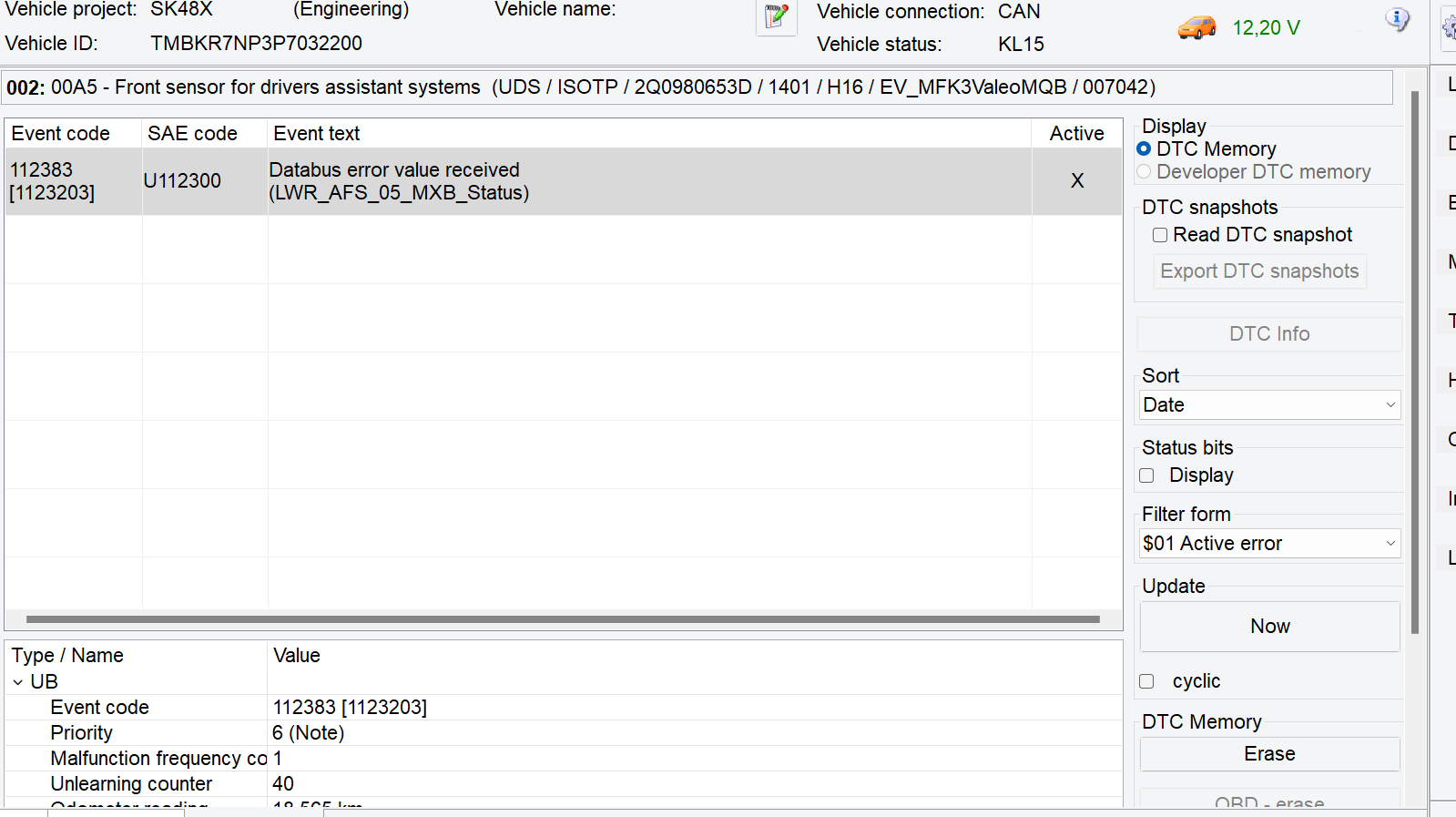
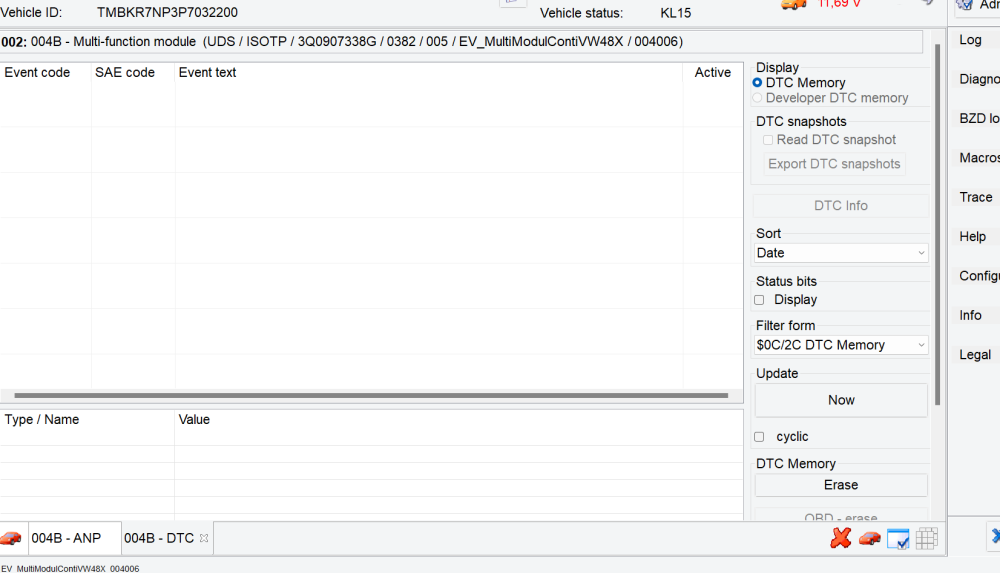
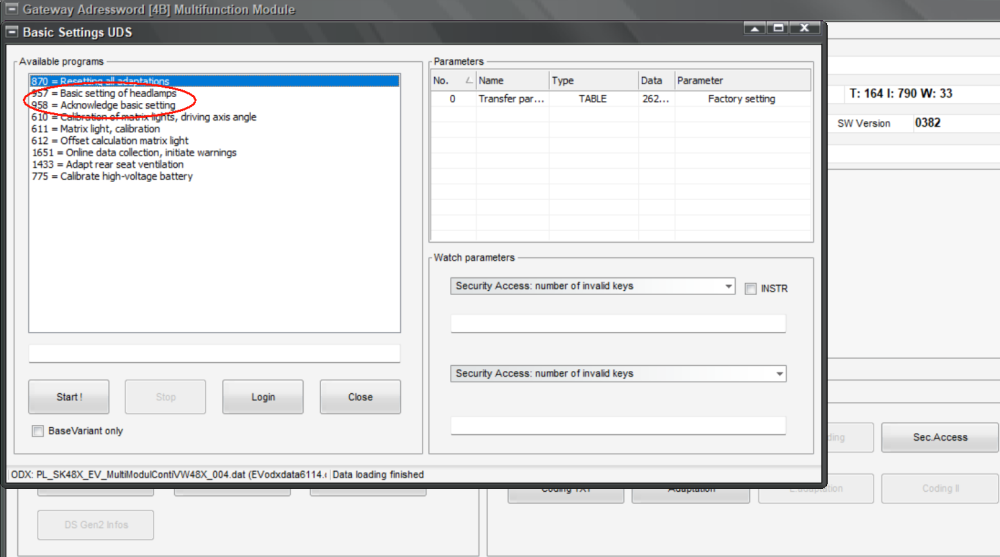
Cod_Anp_TMBKR7NP3P7032200_20241006T183826.htmlCod_Anp_TMBKR7NP3P7032200_20241006T183826.htmlHi, I just want to reactivate this thread. I did buy a VNCI and eventually managed to install ODIS e 17, which seemed a right pain, but it is running now. In ODIS you have the option to install the missing controllers. I activated these and almost immediately had some errors. These DTCs are mainly in STG 4B, but also in STG 13 and STG A5. The error is STG 13 is: 000323 (U112300) Databus error value received (FAULT_BV1_FEHLER) I did not take a screenshot of STG 13, but I will attach a VCP autoscan I could get rid of 2 errors in STG 4B by running the basic adaptation and acknowledge, but the other errors remained. Googling for the errors does not reveal much. There is one thread with similar errors on a german motor talk site, but no solution as to how to fix them. The guy installed a new STG 4B I think. Any ideas or thoughts??
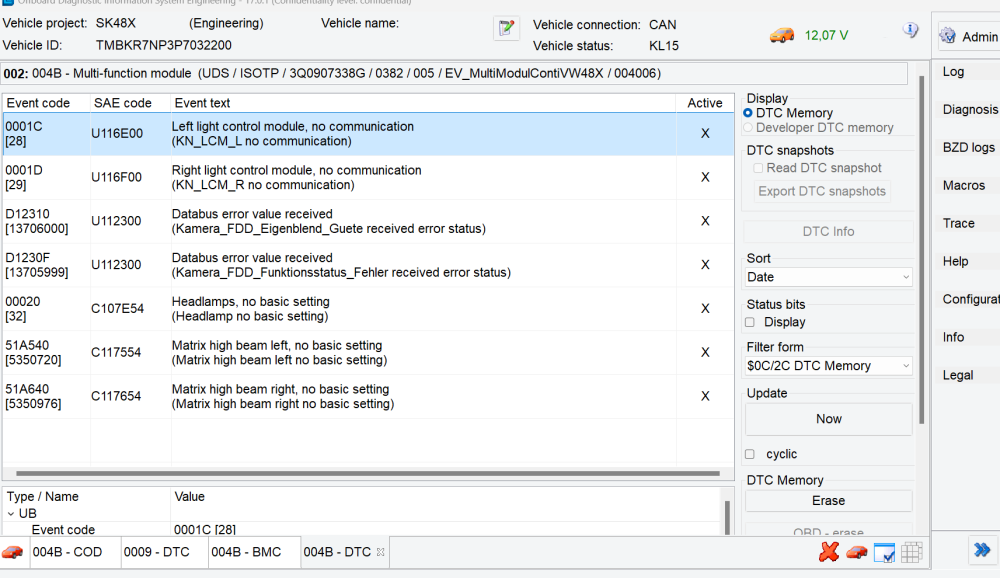
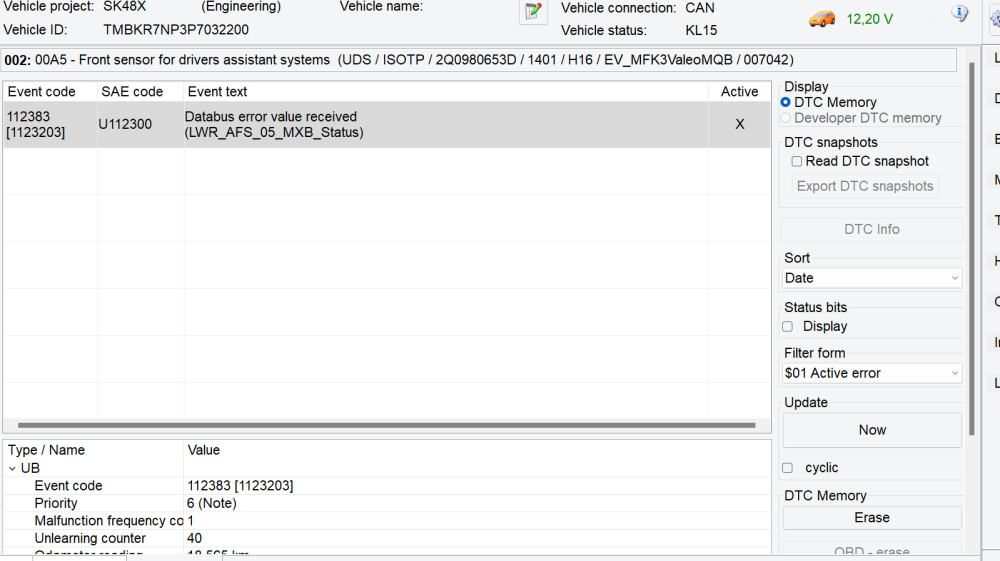
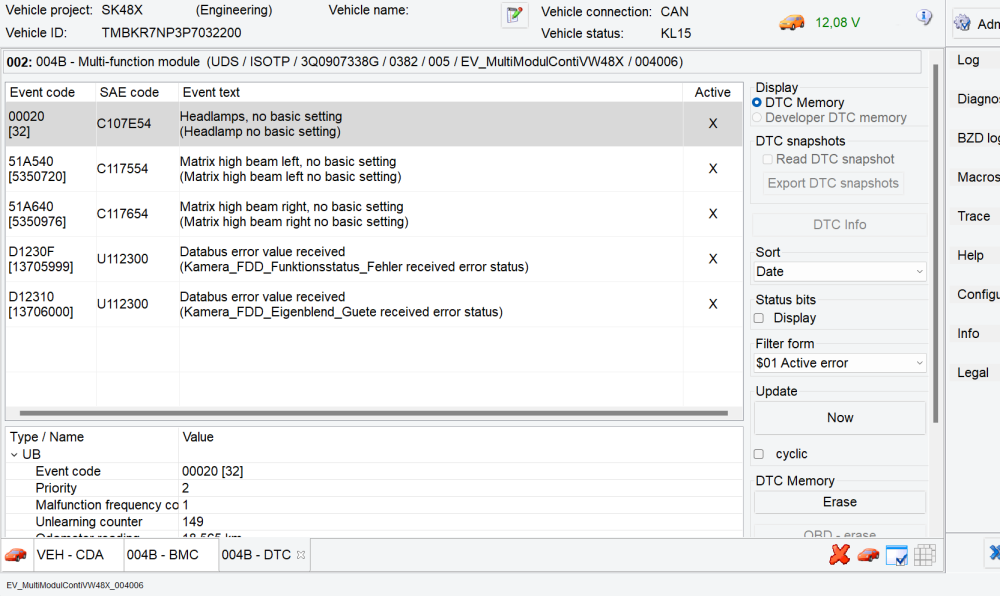
-
On the BXW 1.4L the exhaust has to come off.
-
I find these Skoda online manuals really bad. I would really prefer a nice PDF one too.
-
Only partly correct. There is more knowledge and help within the forum than with many dealers. You would be surprised how little the sales staff know about the cars on the forecourt. The tech staff aill be fine but I will not get to speak to them.
-
I had a brief look at the new S IV in the show room. Does the SIV have travel assist? There is no button for it on the steering wheel. Is the dash board configurable? Pictures on the Skoda site show it really badly designed. Are they offering some nicer wheels? Maybe like the old Trinity. Also can you have heated windscreen and HUD?
-
When was it delivered? Since July 2024 ALL new cars have to have ISA - intelligent speed assist - which DETECTS the speed "prescribed" and dials down your speed. You can overrule it but basically this is done with the A5 camera. Even if your car was delivered before July they would not have switched TSR off for a handfull of cars. Speak to the dealer.
-
I thought S IV has TSR as standard.
-
If you get active TPMS and you need winter tyres it will be another £500. I had to do that on my wife's Note. 4 extra active sensors. I am very happy with passive TPMS.
-
Audi, Volvo... rationalized the oil dip stick away and they are selling this like" You do not have to do this dirty task of checking the oil any longer. We are up market." BUT for a DIY oil change it is a right pain not to have a dip stick and use the dash oil display.
-
Hi, Has your Superb really done 430000 Km? You were probably trouble free for a month because the battery disconnection had reset some errors that might have caused errors from sooner from just being in the memory. But, as said above, do an autoscan to get the DTCs in the controllers.
-
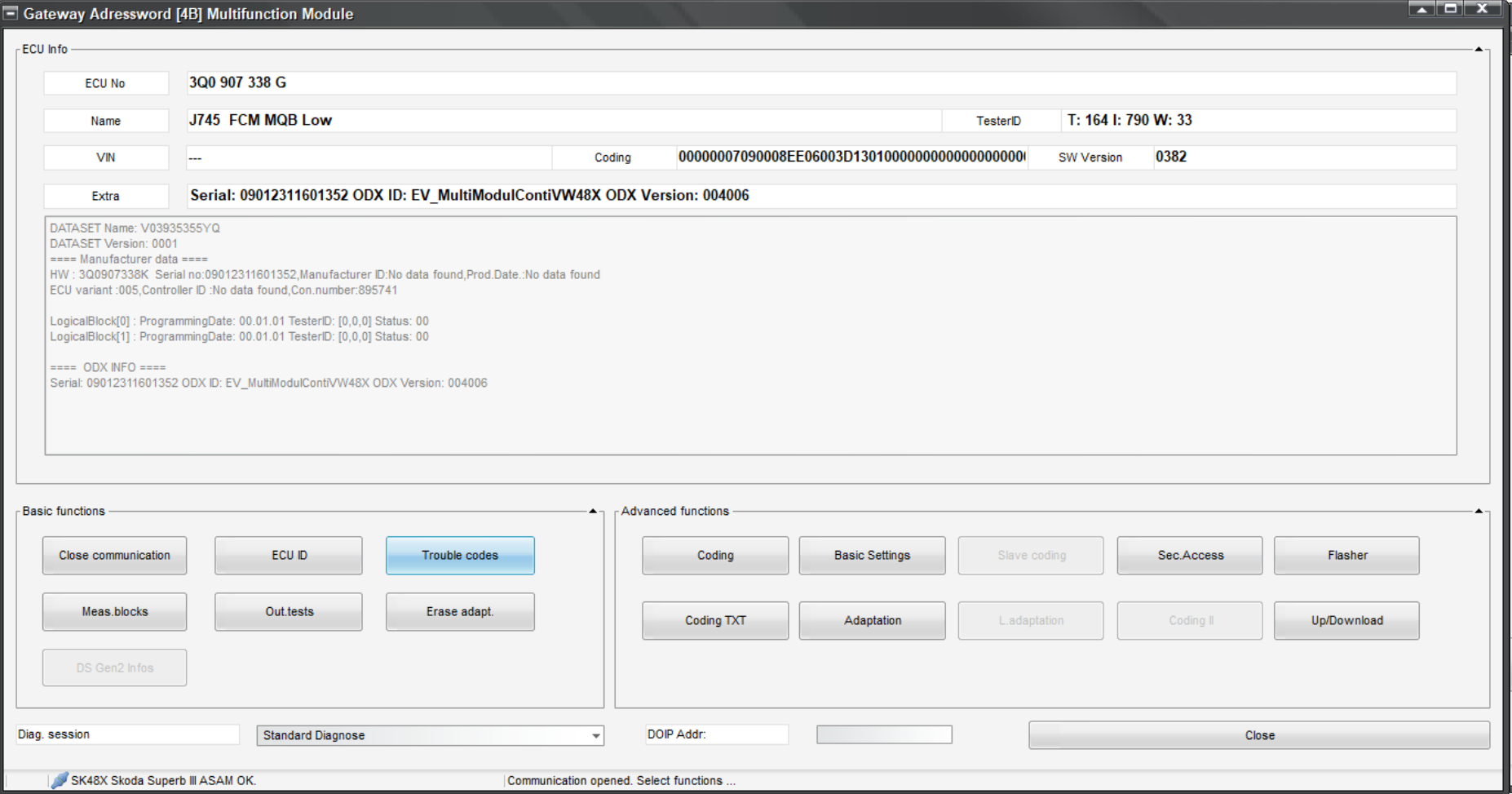
Hi, I had a look at the gateway Stg 19 last night and the green plus sign definitely has no additional function. I had another thought. I looked at https://www.glaskugelservice.de/codierung/steuergeraete-abbild#N123715 where the author published a complete controller map of all the cars controllers. My 4B is SW: 3Q0907338G HW: 3Q0907338K. In VCP I have a ZDC file named superb_fcm_3q0907338c.zdc which is the version in the linked website - HW and SW versions are "3q0907338C". The "C" version seems to have a gateway option. My question now is, would reverting back to C from G brick the controller or would it just not accept the file if it was incompatible? Re. ODIS, where is a good site to load ODIS-E from and what interfaces do you use? VAS6154 or a pass through device? superb_fcm_3q0907338c.zdc
-
Try to get one that had as option added Travel assist and Traffic sign assist. TSR almost impossible to retrofit, if you wanted to, Travel assist can be done. I have a panoramic sunroof on a 2023 Superb and had one on my 2014 SII. No leaks or exploding sunroofs ever. Not sure what the Sportline has as standard
-
Thanks for the replies. I am sure I have tried clicking and hovering over anything on the gateway screen with no success. I will try again tomorrow. I have done an Admap on VCP using the multiscan. It is stored in an old file format - adp - that I cannot open. Apparently that file format was dropped by MS in 2010. I will ad it as attachment. All the channels I can see on VCP are pretty much like the ones on the RT link. Does ODIS still have these gateway channels? 4b.adp
-
I do not have access to ODIS-e. That would take some organizing.
-
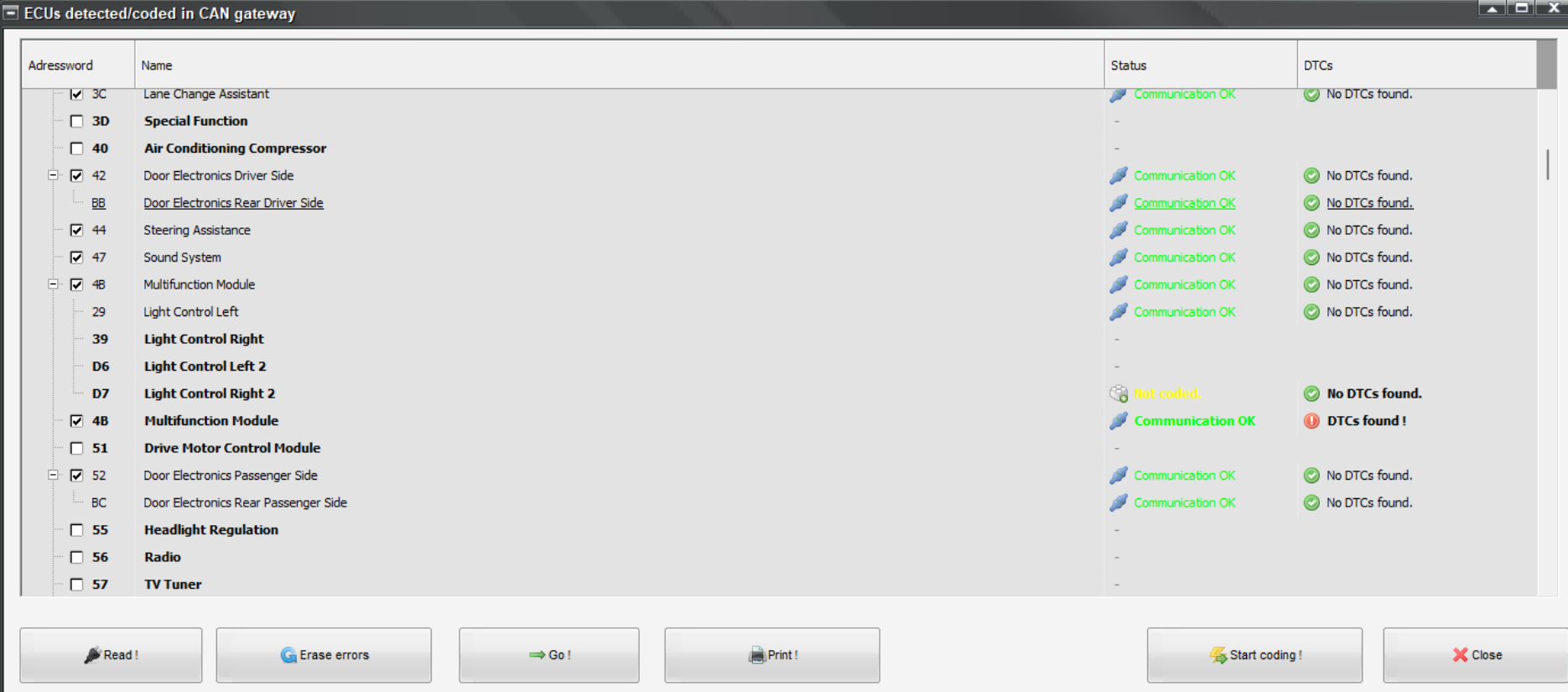
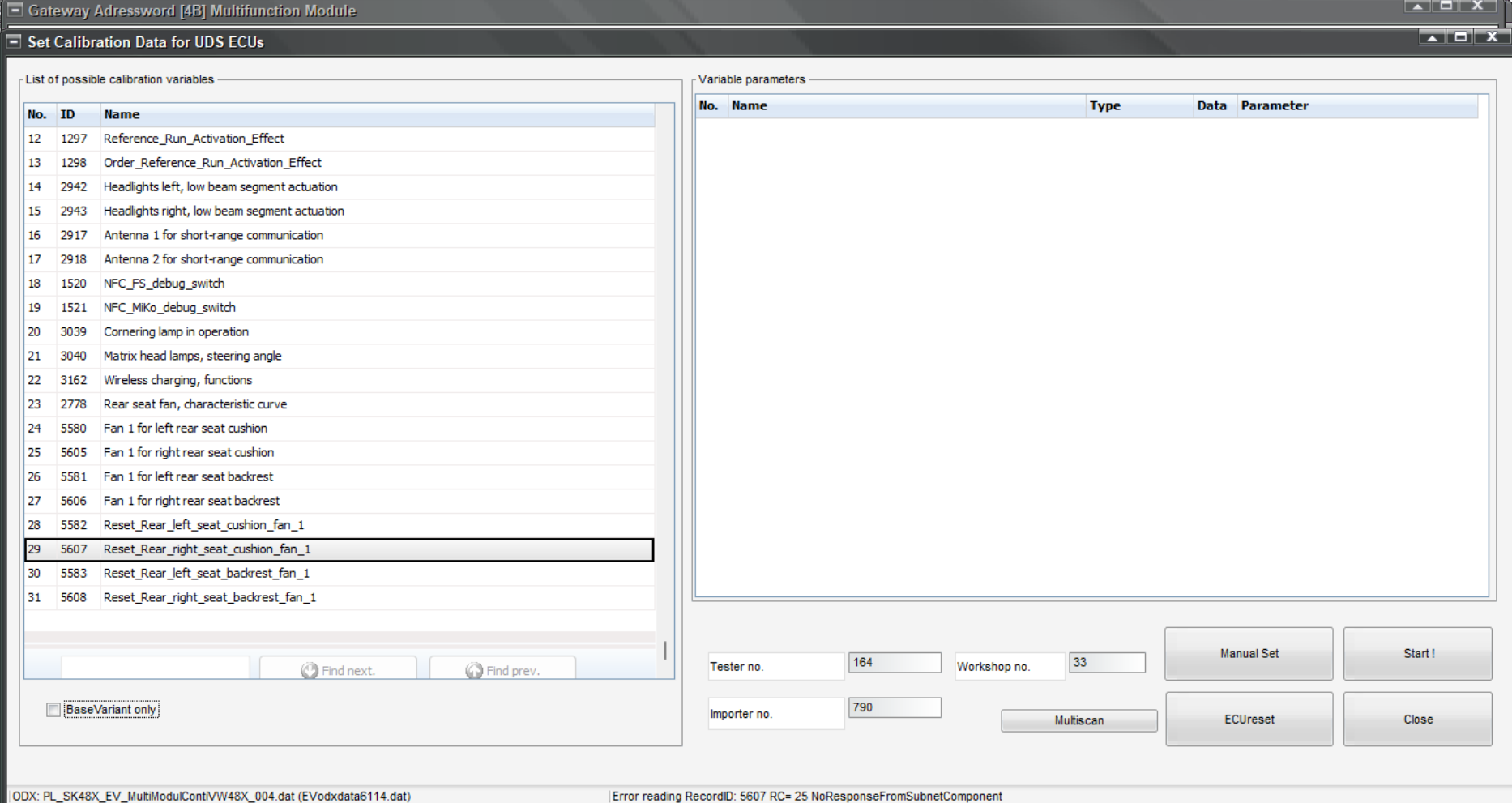
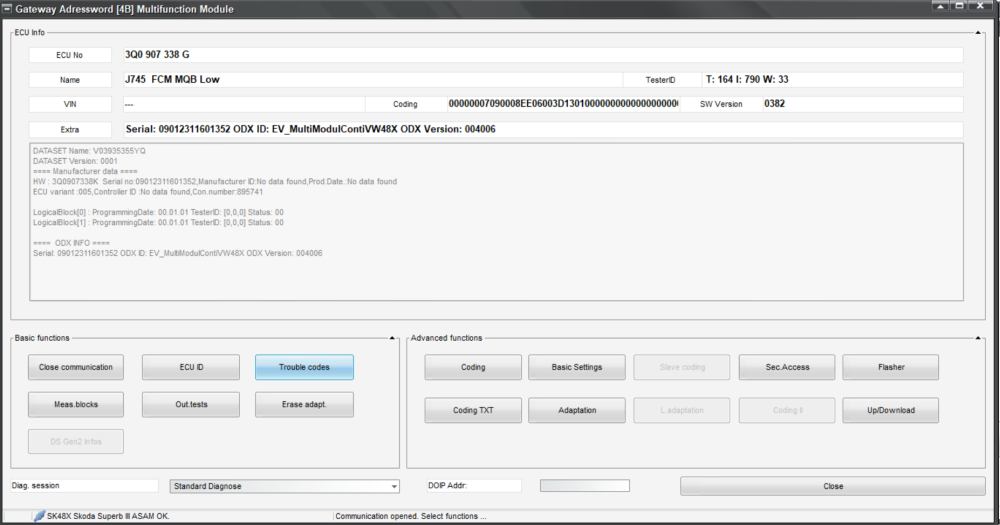
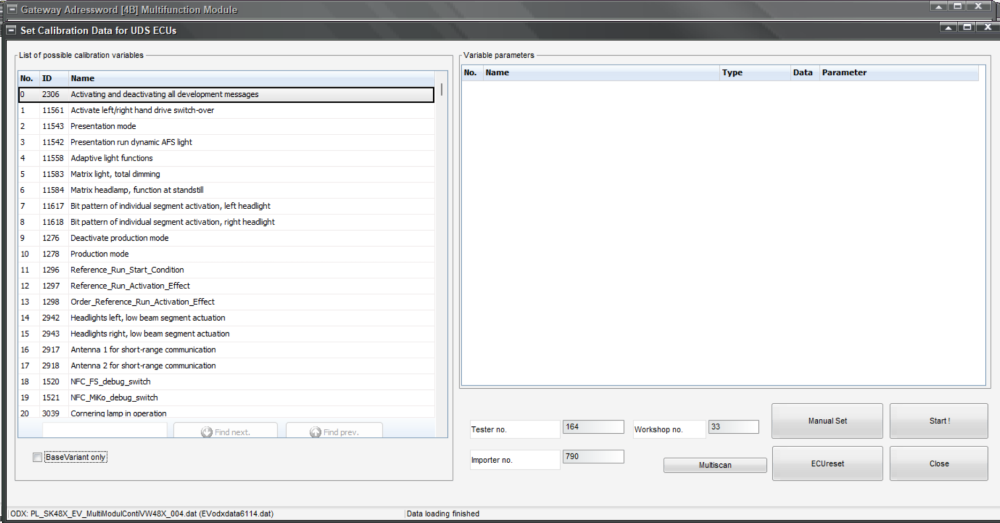
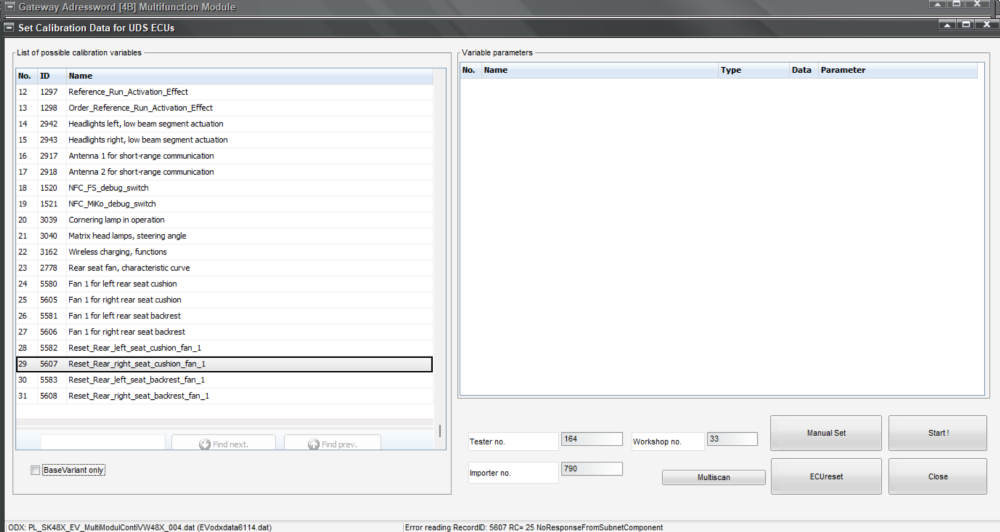
In my VCP I do not have an option - I think - to add a controller in Stg 4B. I have attached screenshots of the gateway with ALL controllers and also screenshots of the adaptation channels I can see in VCP, in total 31. In my gateway, Stg 19, I cannot set ticks to the controllers listed under Stg 4B. Does anyone with a 2023 Superb with access to ... OBD11 have the gateway listed and an option to select the 4 light controllers?
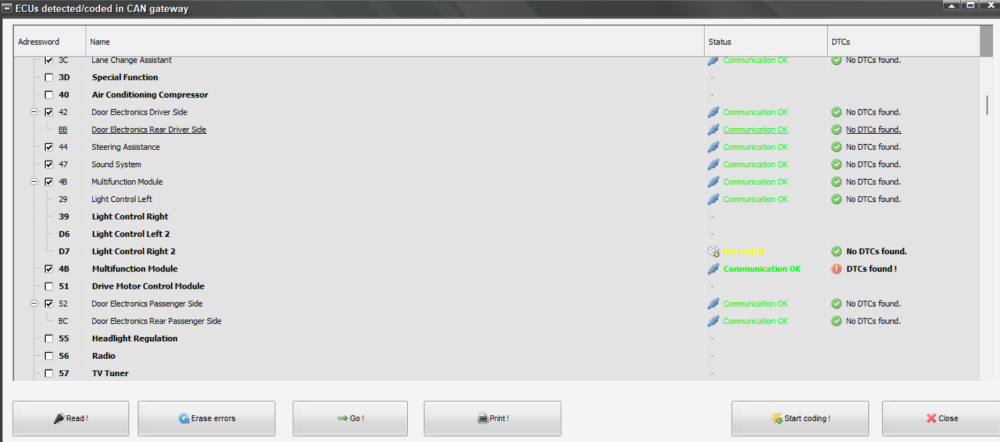
-
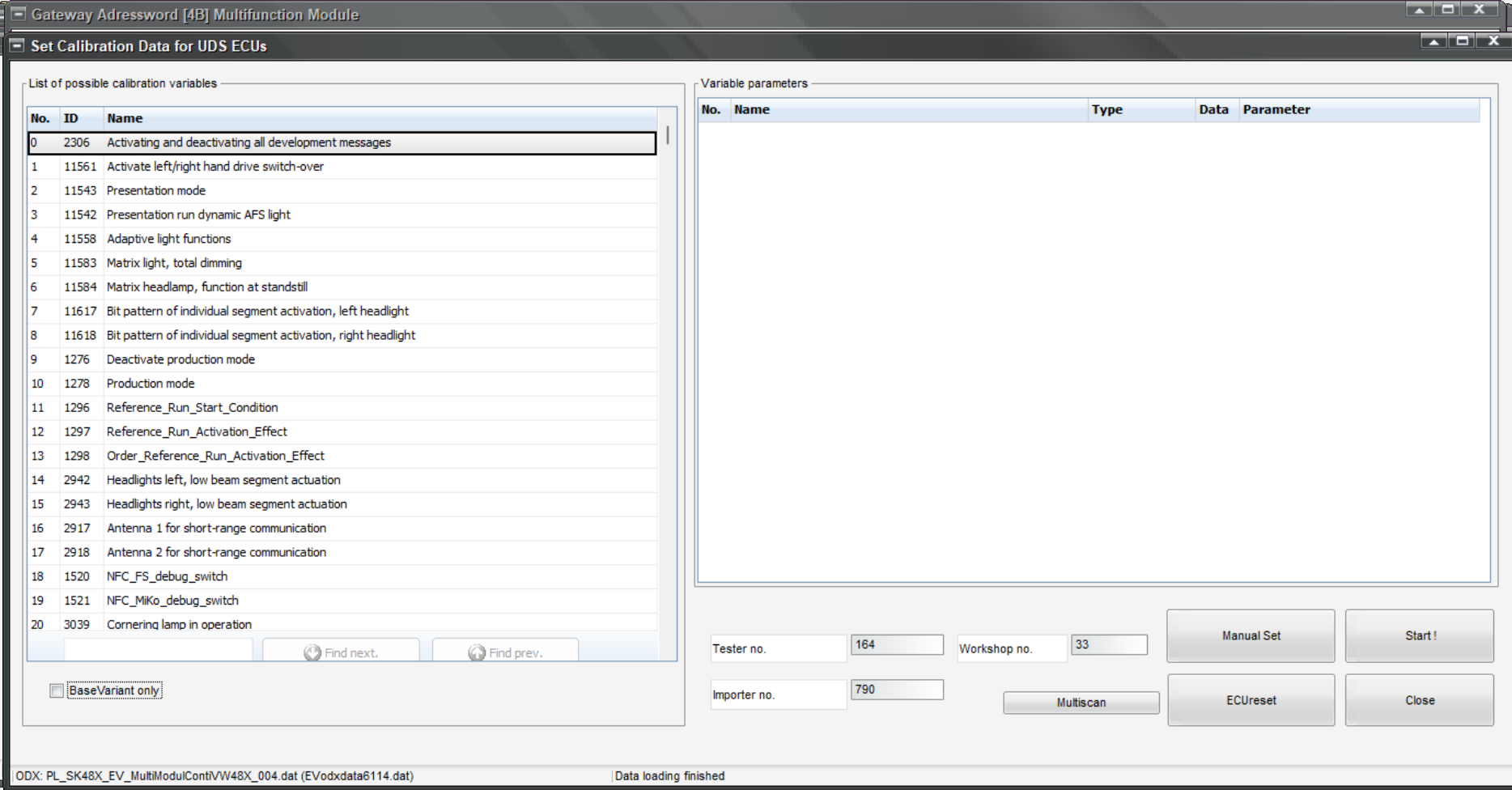
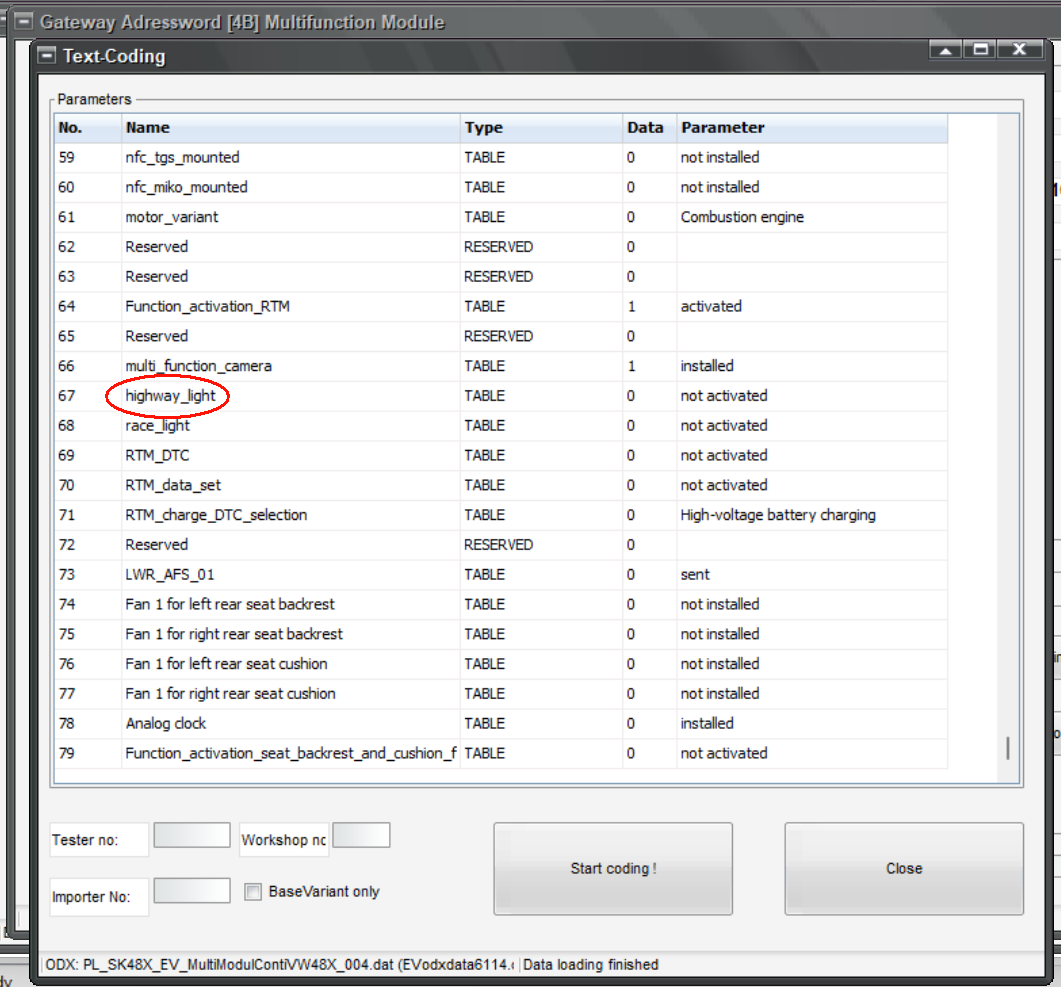
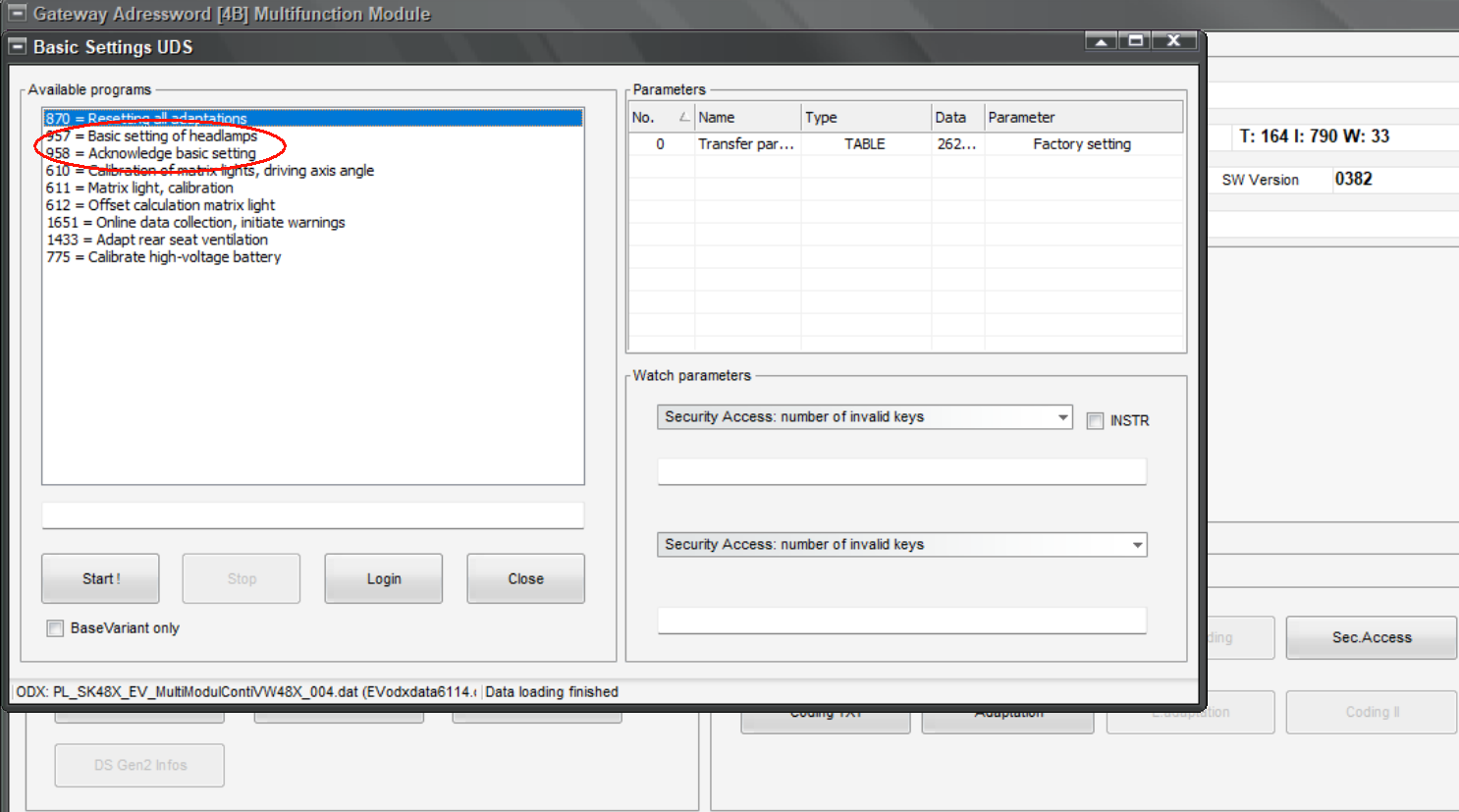
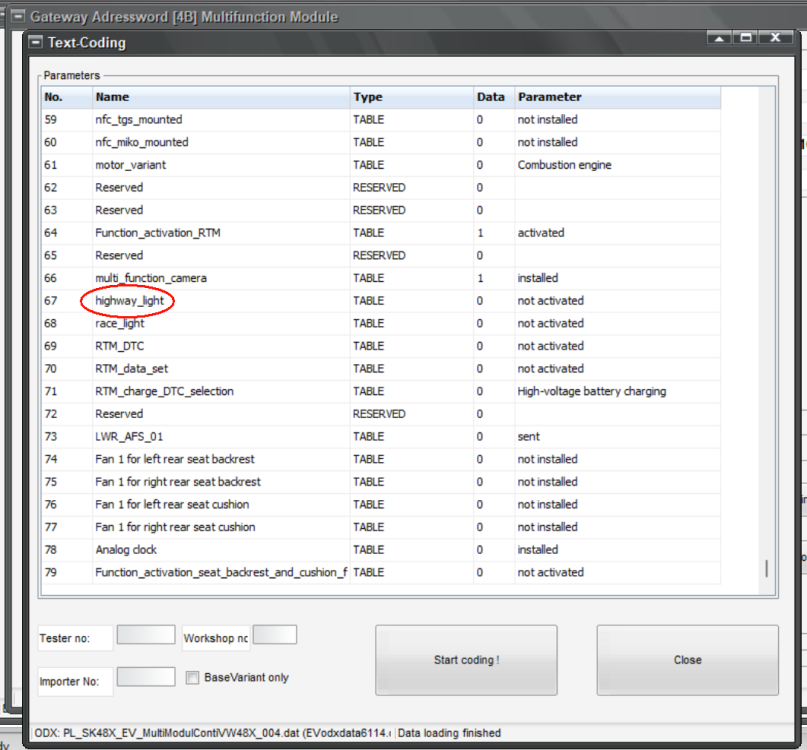
I have a Superb L&K from 2023 - MIB3. Not sure if that matters. I have a coding error in Stg 4B . Multifunction Module - which existed since I bought the car. I have not really taken too much notice of it, but tried to rectify it. I have a VCP lead and thought that I might find the solution. The problem is that in my Stg 4B I should have 2 slave controllers , some others even have 4. They should be D6 and D7 and in some scans I have seen 29 and 39 too. D6 and D7 are the main light controllers, light controller 2 left and 2 right. Mine has a 29 for left and D7 for right. 29 cannot be addressed in the autoscan. I can add manually a D6, but that does not appear in the gateway automatically as it is not coded / registered and I do not have an option of adding a D6 into the Gateway or removing 29 from it. In addition I seem to have added an error myself as when I was going through the coding text section I ticked "Highway_light" which caused some error messages in the dash. I have removed the coding of the Highway_light again and done basic settings for the LEDs. One error however will not go away - 000025 (U12EB00) Data bus front light Additional installations detected (CAN_AFS_multiple_plug_LED_Leimo_identified). Also Stg D7 appears as not coded in Stg 19 - Gateway. I have seen some threads in various forums mention that in OBD11 you can change the "gateway list" for Stg 4B. In one thread on Briskoda #langers2k explained it for a Octavia. I have 2x Stg 4B listed and VCP does not seem to have that option to change either even though 4B is also called "Gateway" in VCP. Has anyone come across this or does anyone know any workaround for this? My lights seem to function though funny enough. STG 4B and 29 error.txt
-
I managed to code the cruise control and ACC to move up or down in 1 MPH steps. This was originally from an Audi A§ 8V OK ACC / CC Step change to 1 MPH (Audi A3 8V) STG 13 Coding Byte 14, Bit 4 -> activate ("Operation_mode")
-
If you can do it yourself, a glow plug change is not a big deal. Quick and cheap.