nige8021
Members
-
Joined
-
Last visited
Everything posted by nige8021
-
-
So it was Max's fault Charles had to pit early and the reason for the speeding in the pit lane https://www.motorsport.com/f1/news/verstappen-tear-off-leclerc-brake-duct-spa/10359936/?utm_source=English Edition&utm_medium=email&utm_campaign=US_MS_20220829_WeeklyNewsletter (WJSmUS)&_kx=t0G8BJgVuwPLZEHsURXwXmx_GGeMq4JK1dMg-rzktuhInchPrpERLaU3rpnuFSV-.WA7V6T
-
OK it took 12 laps but still an outstanding drive from P14 to P1
-
What is the engine code ? ( V5 logbook engine serial number will begin with 3 or 4 letters, that is the code)
-
It seems Ferrari made yet another tactical mistake by sending Charles out on a set of new softs in Q3 that were meant to be saved for the race, meaning that Charles doesn't have a new set of softs available but Max does
-
Just a shame Lee can't be the lead presenter at all races, a true professional presenter who does research before the event to ask relevant questions and doesn't try and turn it into a comedy show like the Welsh t**t
-
Scanning doesn't use up a VIN only if you do an adaption or re-coding does it then register the VIN as being used and even if you get the 3 VIN option you can just pay to upgrade to 10 or unlimited if you should need it
-
0.8 to Charles and 1.1 to Carlos but as you say who knows what modes/levels were used ?
-
The time difference between Max and the rest in FP2 he'll be up with the leaders in a few laps
-
https://www.bbc.co.uk/sport/formula1/62684156
-
https://skoda.7zap.com/en/cz/elekt+verbind-elem/el/2004-698/9/ lists all the contacts/connectors
-
Ah OK still would of thought my previous post that it was tied to the chassis# ??
-
I would of thought a 2010 it was paired to the chassis# via the BCM and not require any 4 digit PIN ? if not you'll need to remove the radio and get the serial number engraved into it's casing and there are plenty of code retrieval sellers on eBay
-
-
The seats in my Treg are perforated and the AutoGlym care balm I use just soaks into the leather and you don't need to poke out the perforations, just a light buffing with a MF cloth
-
The workshop manual and the parts listing https://skoda.7zap.com/en/cz/fabia/fab/2003-225/8/831-831010/ only show a single bolt holding the hinge to the body
-
-
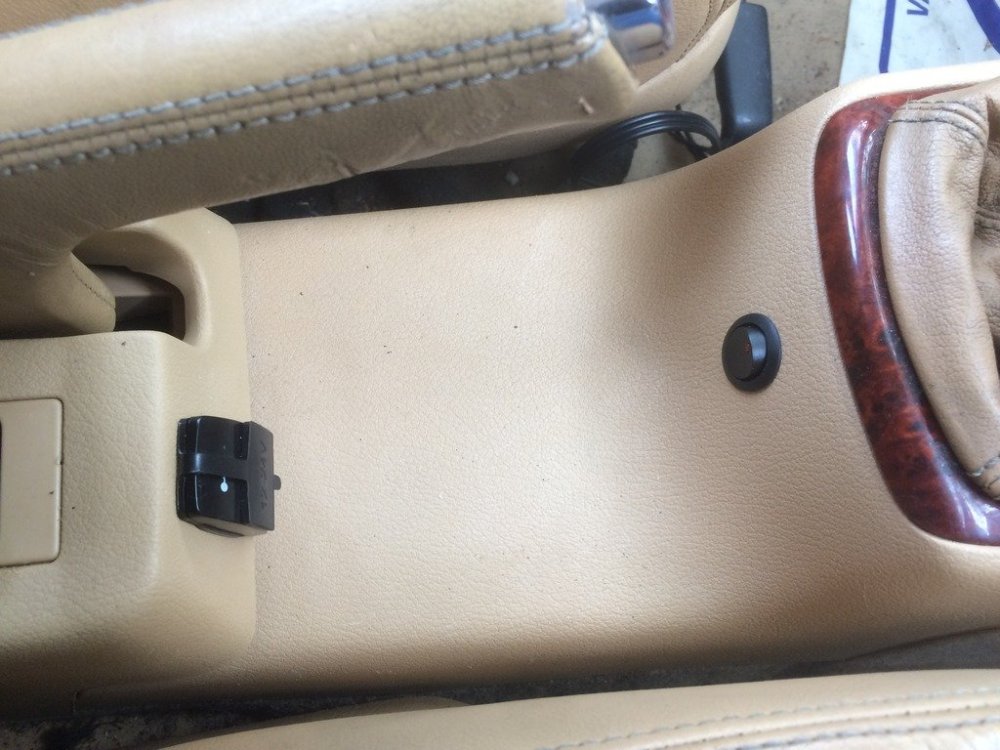
That was the colour of the interior on my MK1 L&K
-
My MK1 L&K was the baby nappy brown, the official colour was listed as Light beige
-
IFX Natural Brown/Satin Black LIG Stone Beige/Satin Black 3G4 Natural Brown WC4 Stone Beige
-
Remove the starter motor and jam a big screwdriver against the ring gear
-
For part numbers try this https://skoda.7zap.com/en/cz/fabia/fab/2006-453/
-
If the wire link from the outer handle to the inner lock assembly is incorrectly positioned it can give all sorts of problems
-
My Treg has this and it scared the sh**e out of me the first time it went off, I was in a retail parking area and nosing my way up to a junction, when a car went past at great speed and it triggered this pre-crash warning, the speedo lit up with a massive red exclamation mark and the seat belt tried to garrot me ! yanking me back into the seat
-
Not used that outlet but have used these guys https://www.lllparts.co.uk/product/1U9945097C/seat-additional-brake-light-1u9945097c