TheUltraRunner
Members
-
Joined
-
Last visited
Everything posted by TheUltraRunner
-
@SAJANthis is the area under the plastic cover which is under the wipers?
-
No, it's not. You need all the lights and everything in order to retrofit it.
-
-
Mine says 2.9 front and 2.7 back when NOT fully loaded. And 3.4 rear when full.
-
It is exactly as you described with none EV cars. Although it could be some how different with the iV.
-
Can you check the part number? Does it end with L?
-
Exactly this.
-
It's interval related. I think every forth (not 100% sure for the number) time when you wash the windshield, also headlight washers are triggered.
-
I just came back from 10 days road trip through Wales and UK. As a hire car we got a Seat Alteca FR with 1.5 TSI engine (we got a free upgrade from a Peugeot 2008). I believe it's the same engine. And I was really surprised at the fuel economy considering the size and the aerodynamics of the car. We did 1600 miles and the average was 46 mpg. I would say this is quite good for such car. And it could be even better since I'm quite dynamic driver. 😁
-
Thank you. Really poor installation instructions. 😞
-
So you didn't get the warning even when the initial fluid that came from the dealer ran out? Since it looks like you purchased an used car, who know what fluid was in. The case with my car was that I got the warning when I ran out of it the first time after I bought the car (a new one). After that I have put in a fluid from Aldi and I didn't get a warning when I ran out of it. After I switch backed to the original fluid (what the Skoda garage uses) the warning started to work again.
-
Link?
-
Issue could be in the washer fluid you are using. Some of the fluids are not conductive enough so the sensor doesn't know when the fluid is low. This was the case with my car. Try to put in a liter or two of tap water then run it all through. If you get the warning sign, then the issue is in the liquid. If not, then the sensor might be defective.
-
This looks quite helpful. Thanks. I also have vibration coming from either mirror cover or from the light module. I plan to add some sound insulation (foam and/or bitumen).
-
Doesn't help in any way here but I was told by the garage that the car will throw a warning when there is too much oil in the car. Obviously it doesn't since at this much over the max level it already should give you a warning.
-
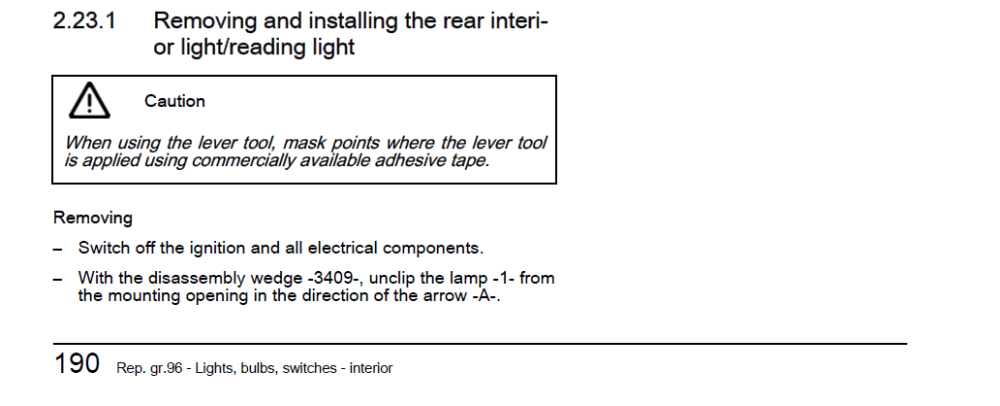
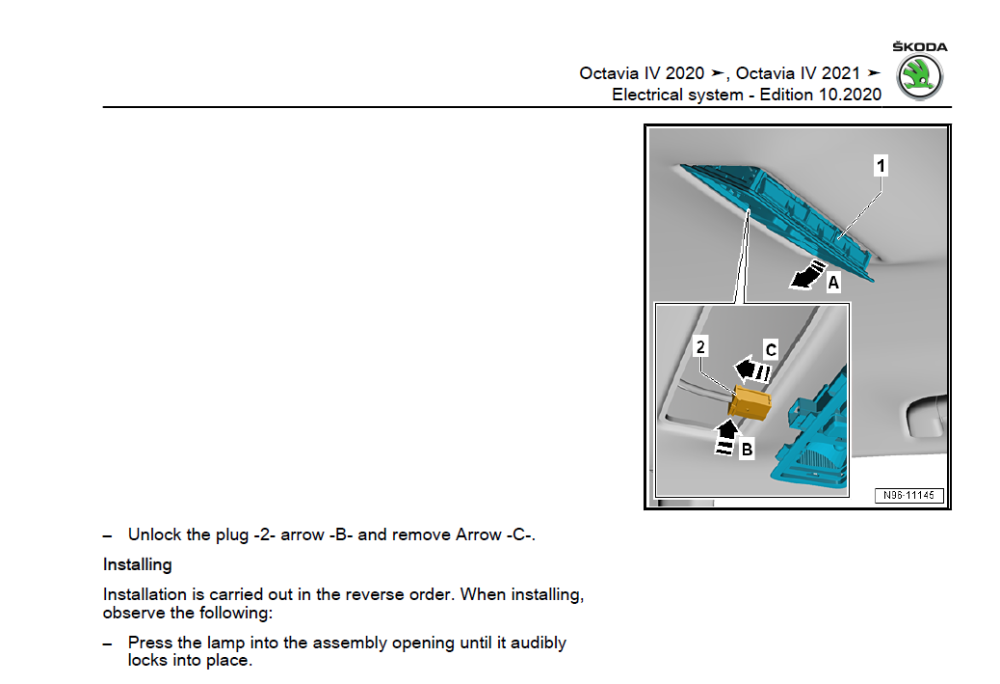
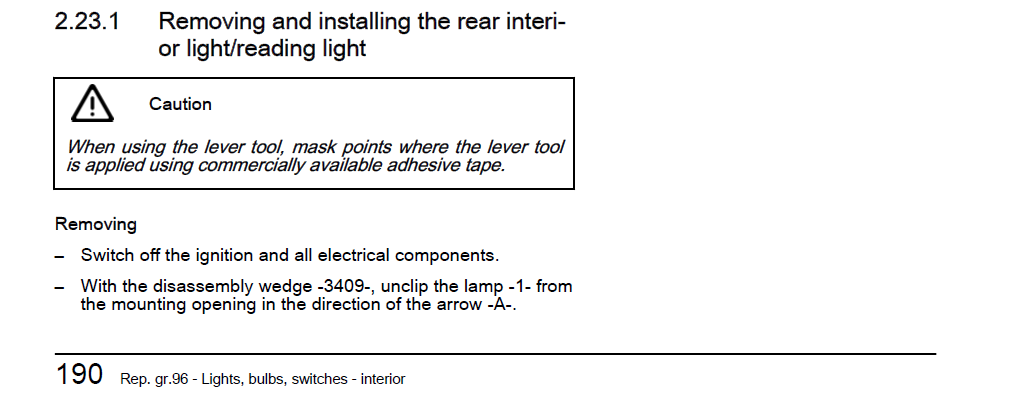
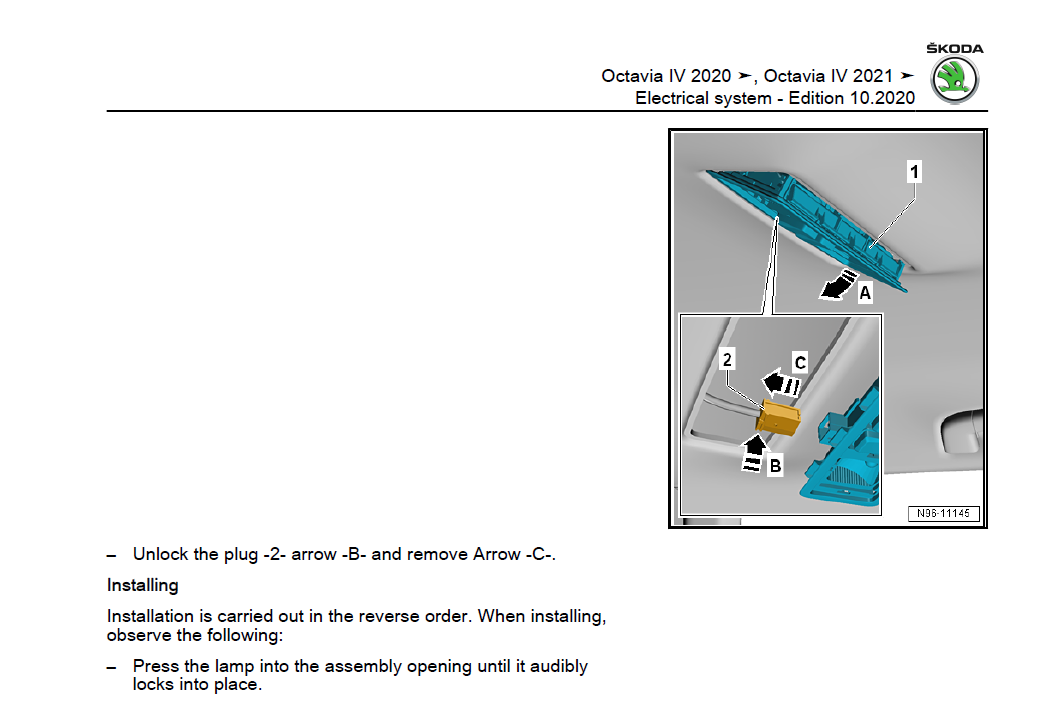
Did anyone try to dismantle the top center console on the ceiling with lights? And the one around the rear mirror? And did some insulation to it? I get this annoying rattle while accelerating somewhere in that area. I know it is because of that sound generator. But I would like to keep it on. 😁
-
Depends on who you ask. 😂 Skoda engineers would disagree with you for sure. But yes, now you need at least 3 clicks to disable it. And usually you also need to wait a bit for infotainment to fully load before you can disable it.
-
It's firmware change. With a custom map tuners can change also various other settings in car's computer which are not possible with coding. For example changing start/stop to remember last setting, left foot braking, disabling auto-**** in manual mode, etc...
-
As far as I know this is not possible with coding.
-
Big updates, which changes SW number, they don't come over the air.
-
@TheWanderer Did you notice lately anyone getting an major update over the air? I think Skoda stopped doing that since it was too many issues with the last one sometime in 2022.
-
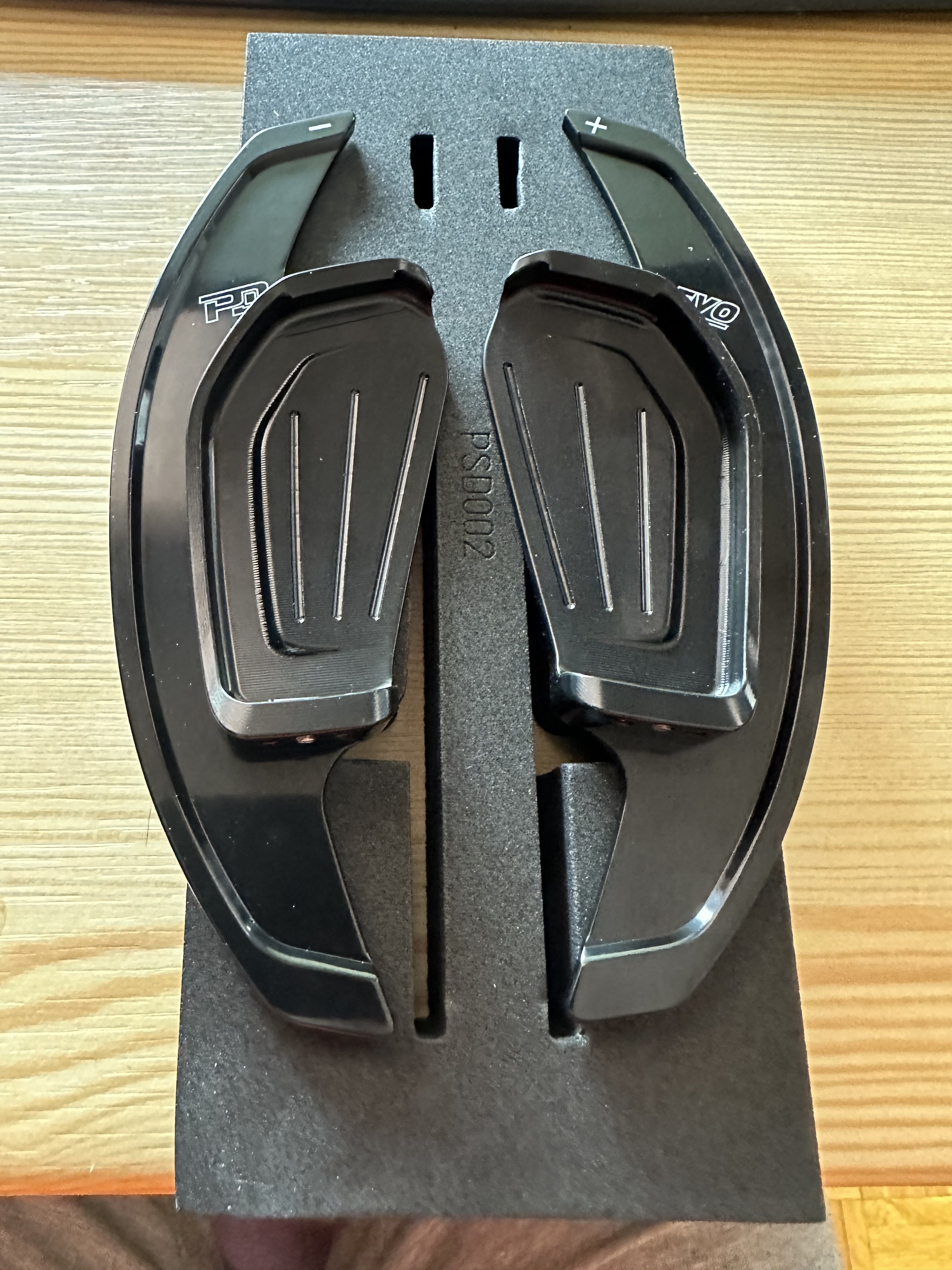
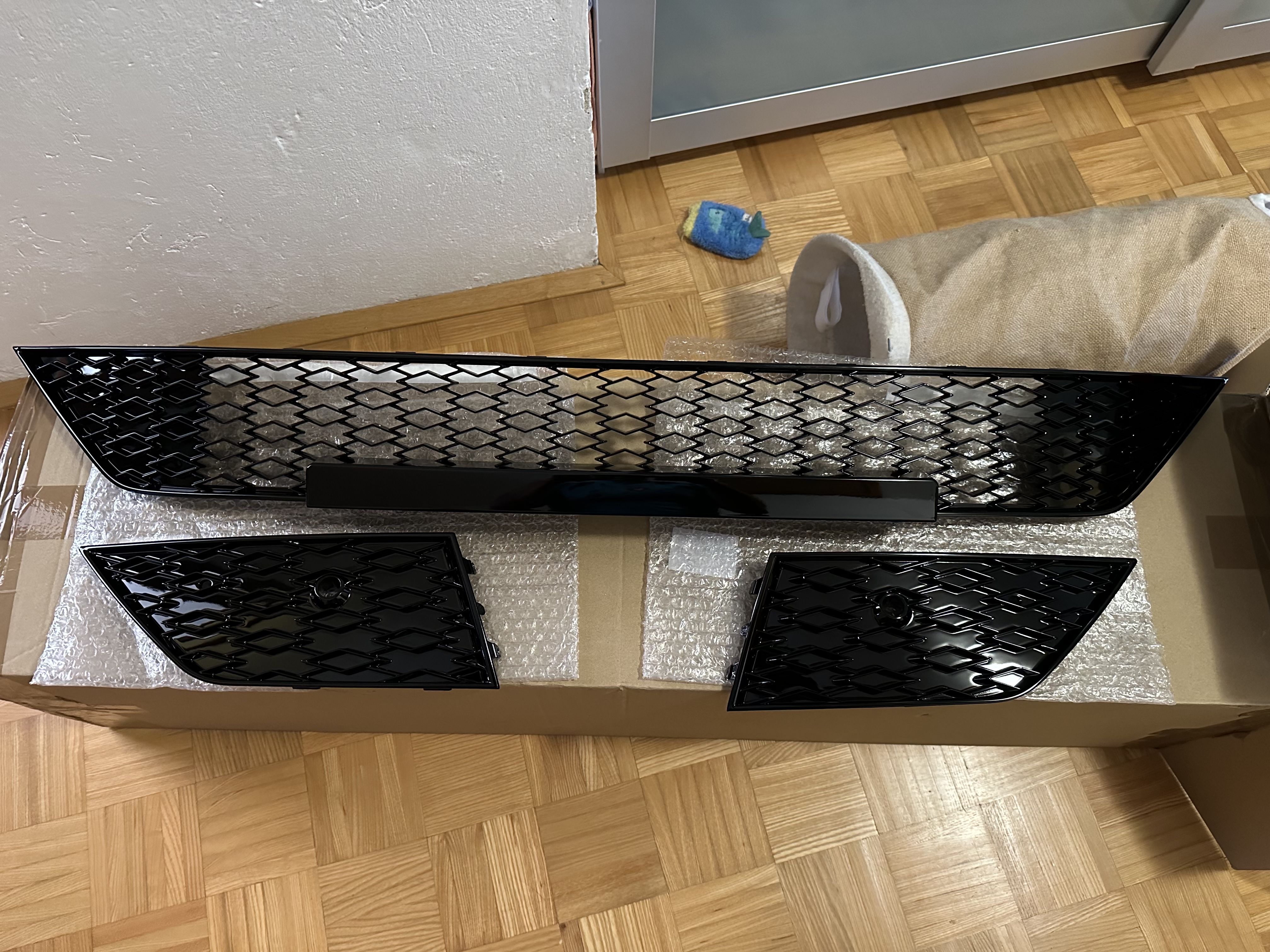
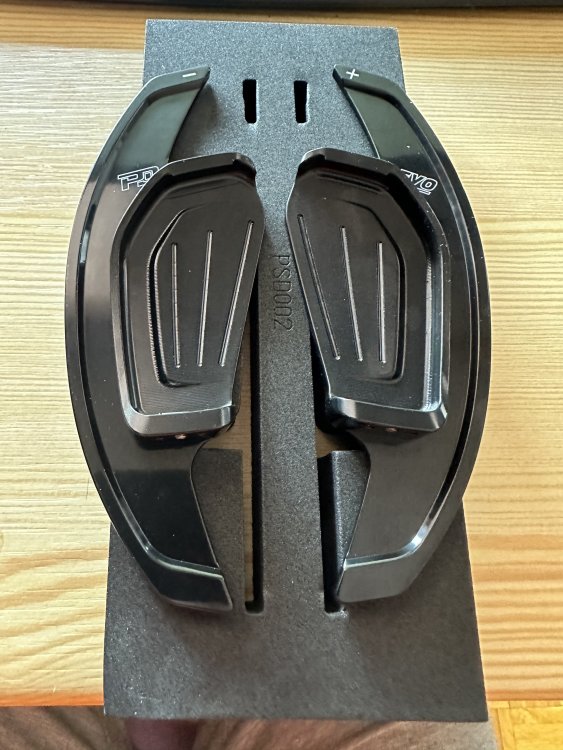
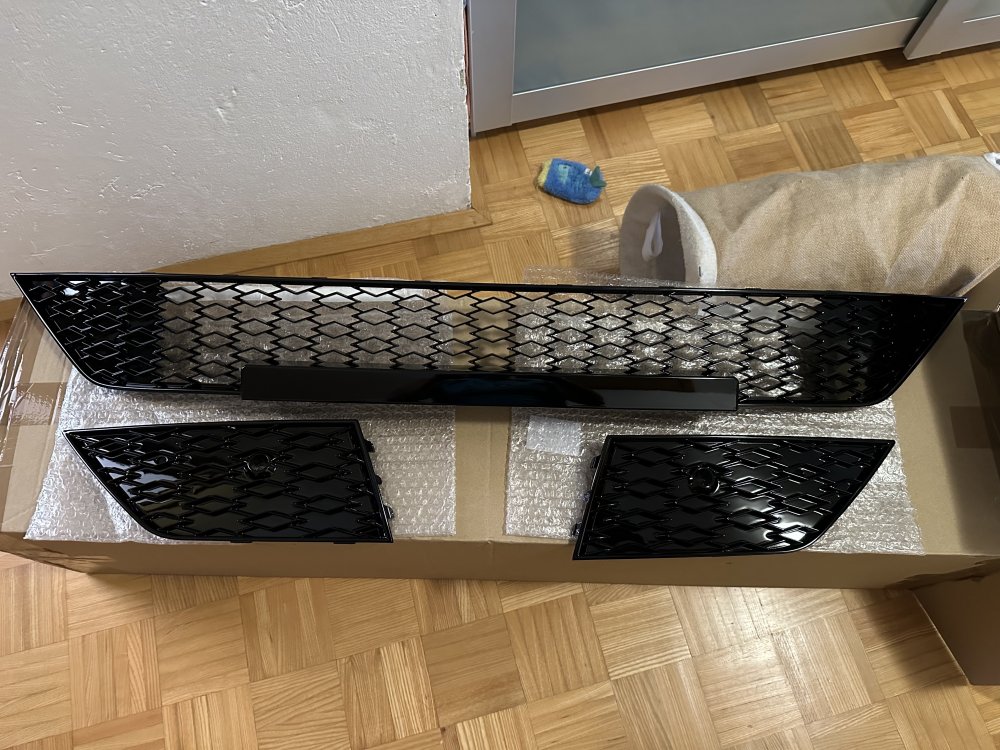
Some goodies for mine
-
What you could also try is to push something soft (like a small soft piece of foam) on different points between the plastic trim and the dash. This way you add some additional tension between these two pieces which might stop or minimize the vibration.
-
Hi all. Maybe this will give some of you guys some hope. I copied this message from German FB group from a respectable source. Translation might be a little bit off since this is FB automatic translation from German. Good evening friends of neat cars! 🙋🏻 ♂️ As promised, here's a summary of the newly published TPI for the NX update of the Infotainment (5F) on Firmware 1941. TPI Process Number: 2065556/9 Released: 06/16/2023 Valid only to vehicles carrying MIB3 (PR No. 8AR) Released for firmware stands: 1788, 1803, 1804, 1806, 1810, 1889, 1896, 1899, 1900 If I have understood it correctly, then vehicles that are being produced newly will get the 1940. from KW 25/2023 I don't know if there's a difference between 1940 and 1941 But probably it is only to distinguish whether this was already on from work or an update was made later. The following errors should be corrected: - Setting the ambient lighting impossible. - The Unexpected Happens At ACC Delay or Unintentional Acceleration - Driving profile selection cannot be changed. - AirCare cannot be activated - Wi-Fi without function - Ads in the "Car" menu are incorrect - Screen (ABT) of the 5F stays black - the ABT displays this: Component Protection Activated - RFK sometimes fails, is covered up by a pop-up, flackers or is delayed (everything sporadic) - Air conditioning menu is not displayed correctly - welcome screen cannot be disabled - sporadically the 5F starts and then again (reset - restart) - Sound settings of the 5F are not saved - Audio output via Bluetooth keeps interrupting - Duration of the title played is not represented correctly - sporadically, "clapping sounds" can be heard from the speakers, it will not play sound, over Bluetooth, the voice control is without function - Vehicle position is not displayed correctly (Navi) - navigation will not start - Preferred targets are not saved - Navigation will not be restarted automatically after the break - Navi card in 17 (VC) is not displayed correctly - creating a main user is impossible - Connect apps and software updates cannot be started These are also all the points you can call as a complaint at the 🙂 to get the update about the TPI. For all who are still under warranty, the update should be free. If you are outside the warranty, you have to ask for Kulanz and if necessary. pay for it yourself. Any questions that are not answered here, get in touch... Hoping that with the update there will be some "moving forward" I wish you all good luck at the 🙂!
-
Here