TheUltraRunner
Members
-
Joined
-
Last visited
Everything posted by TheUltraRunner
-
You need to remove the bumper if you want to fit the one with the screw and the back plate. But just so you know, the screw and the back plate will be really noticeable and in my opinion not looking good.
-
If anyone is searching for a unique color combination either for Skoda badge or the front VRS badge and doesn't mind to pay a bit more, check Benny's Emblem Design on Facebook. Top notch quality!
-
I think there is a software update for this. Is your car ever been in the workshop and got any sw updates?
-
Better late than never. Nice ride btw! 👍
-
You mean the computer has USB A and the car has USB C? 😉
-
I would go crazy having something that big in my cupholder. But that is just me. I'm glad you found something that works for you.
-
OMG. really? Need to test it on first occasion. Thanks for the info.
-
Hi, In terms of paint protection from the nature elements and easiness of cleaning the car, I would totally recommend it. But if you think to protect the car with ceramic coating against stones, the only protection against stones is PPF (paint protection film). I wrapped the front end of mine in PPF and add a ceramic coating on the rest. And the paint is doing pretty good after 2 and a half years, 51k km and 3 winters. Roads in winter here in Slovenia are like gravel roads. They use soo much sand. It's crazy.
-
That's what I thought. Thank you for confirming.
-
Sorry, I'm asking Wonderloaf. I don't have travel assist. Just interested in how does it work.
-
Even if ACC stalk is in off position? The small one under the turn signal stalk?
-
I think it was already mentioned somewhere but I can't find it now. It's some kind of sensor. I think it has to do something with the production of the car and should be removed after car is finished. If I remembered correctly. I'm not 100% sure.
-
I have sent you a private message.
-
Hey. There are multiple workshop manuals. Which one you need?
-
Ahhh sorry. I see now it's already posted above. 😞
-
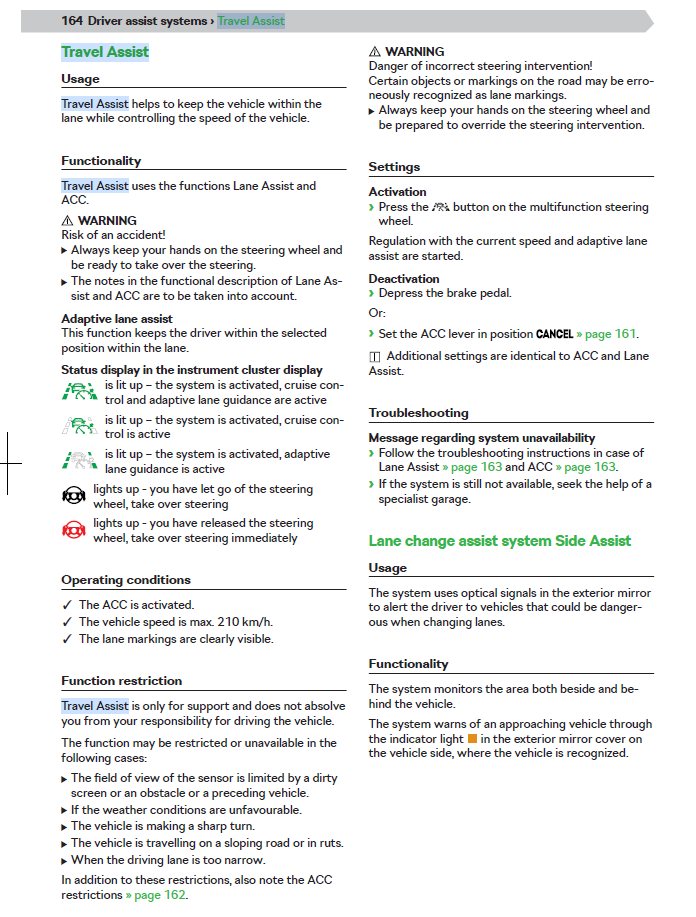
But you also have to have the ACC enabled I guess? If you don't, I guess the button itself doesn't do anything since you have to manually move the ACC stalk into position. Here is a screen shot from the manual @MrOlympic if it helps.
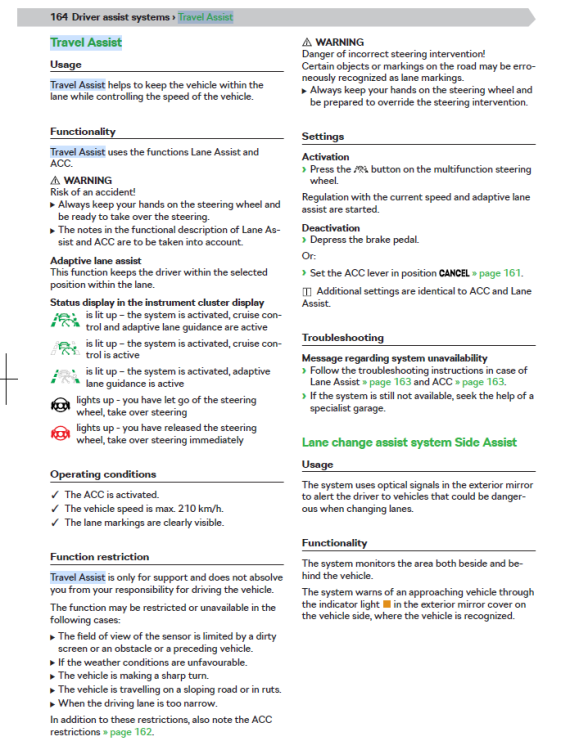
-
I also use only google maps. Never used the built-in one even though I have Columbus system.
-
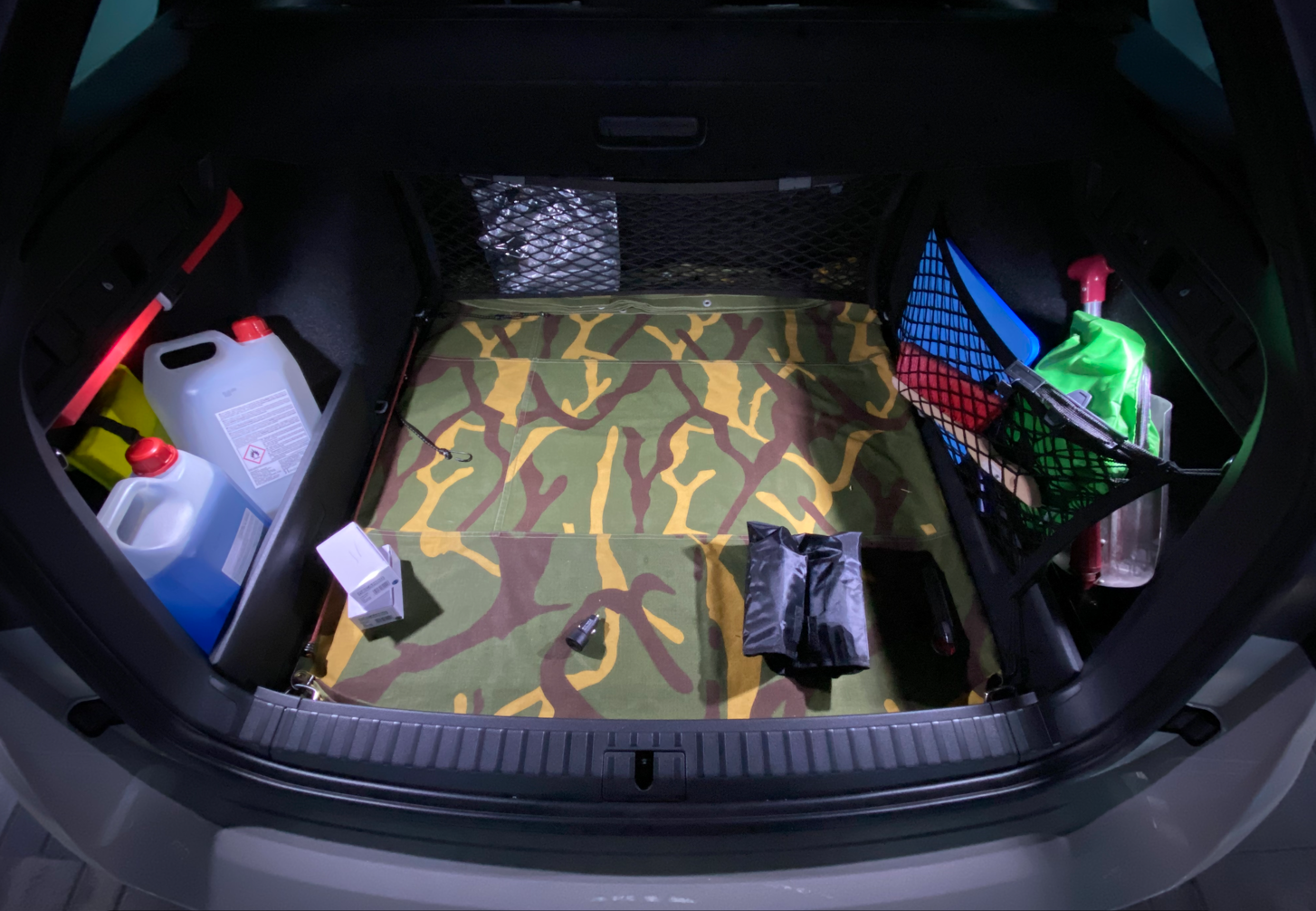
I understand. Strange Did you buy a used one? Could be previous owner nicked some stuff which should stay in the car. FA and a warning triangle are a must. About the space...I also have an actual spare tire in the boot. There is some space around the tire to stash small things. And also in the compartment above the tire there is some space to stash smaller things. You can also use the netting system.
-
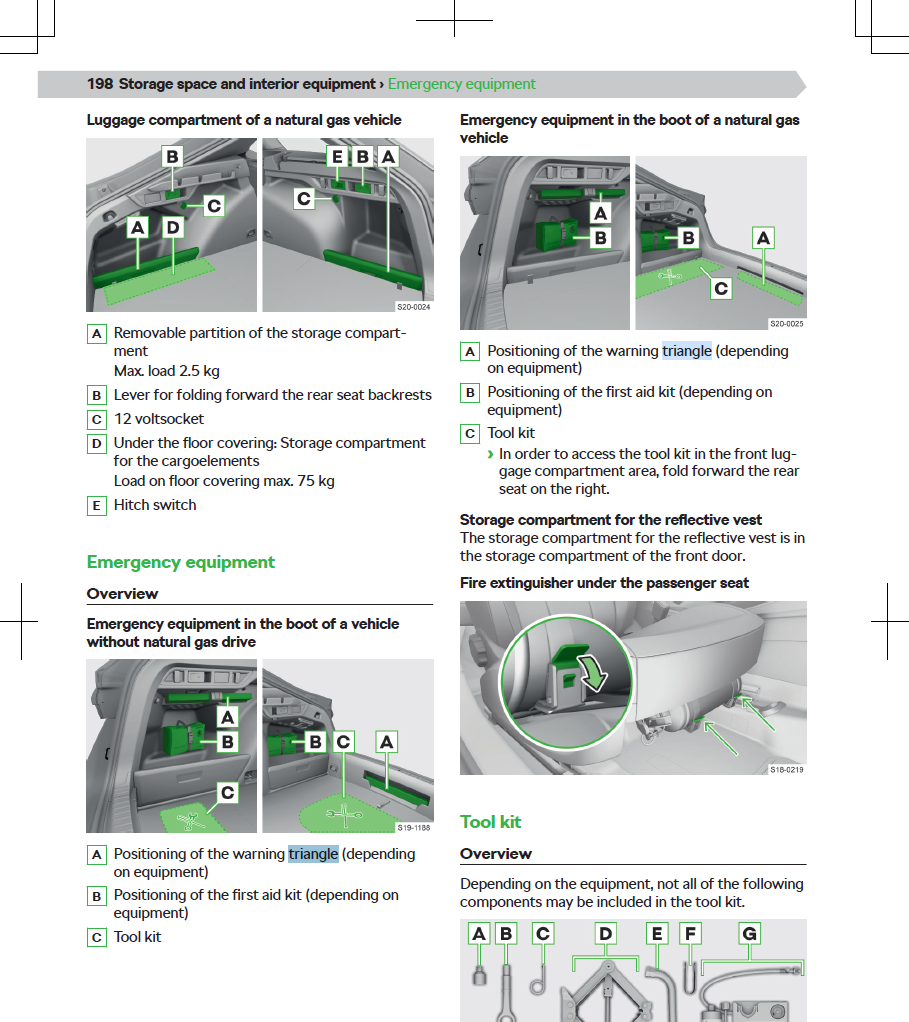
Hmmm there is a ton of space in the boot to stash stuff. On the left and right side and under the boot liner. Storage for warning triangle
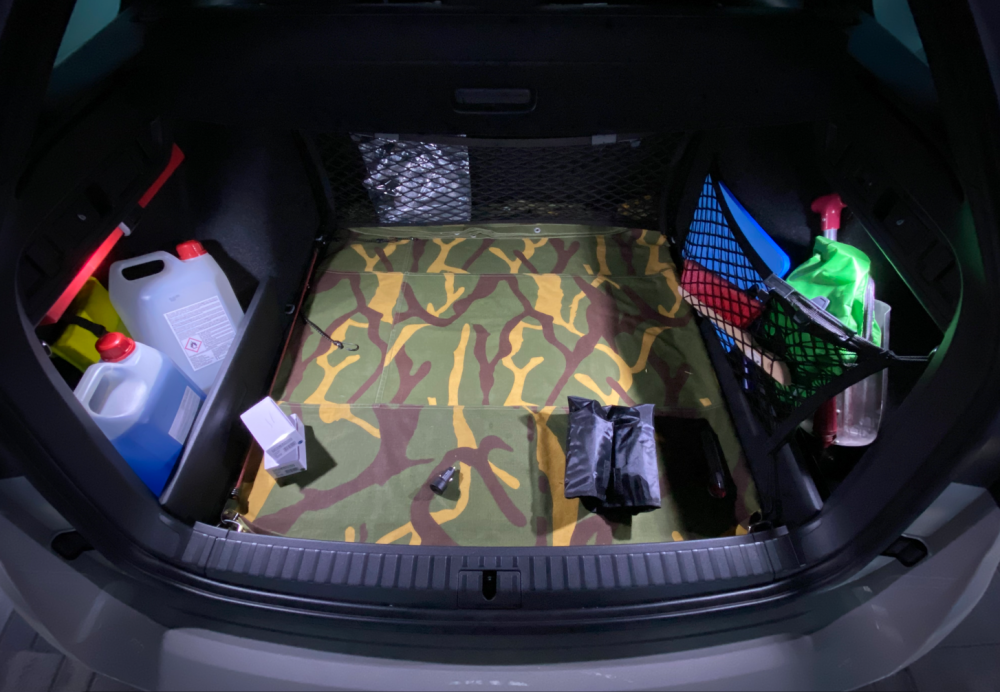
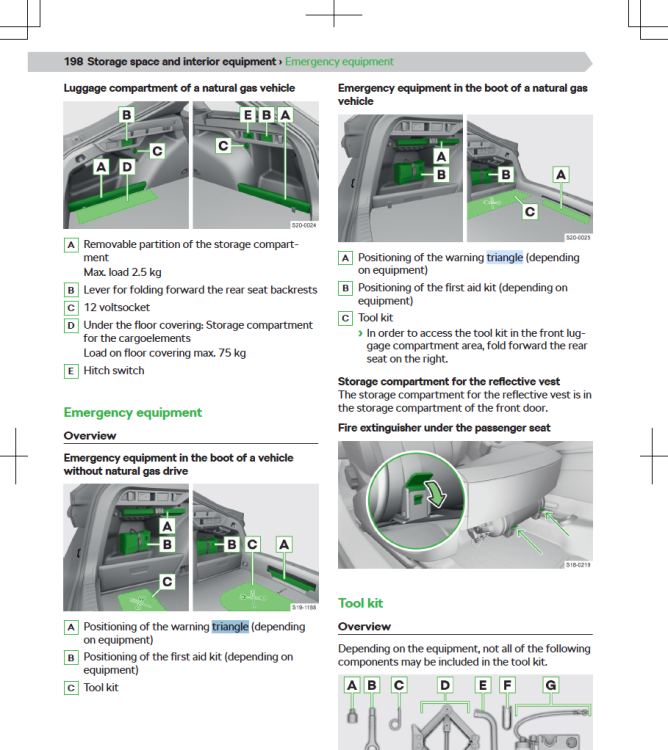
-
Just my comment on the "Driving mode on last remembered setting e.g. individual". This one is not possible.
-
I bought access for a few hours to https://erwin.skoda-auto.cz/erwin/showHome.do when I got the car. Msg me on private and I can send you the manual for interior.
-
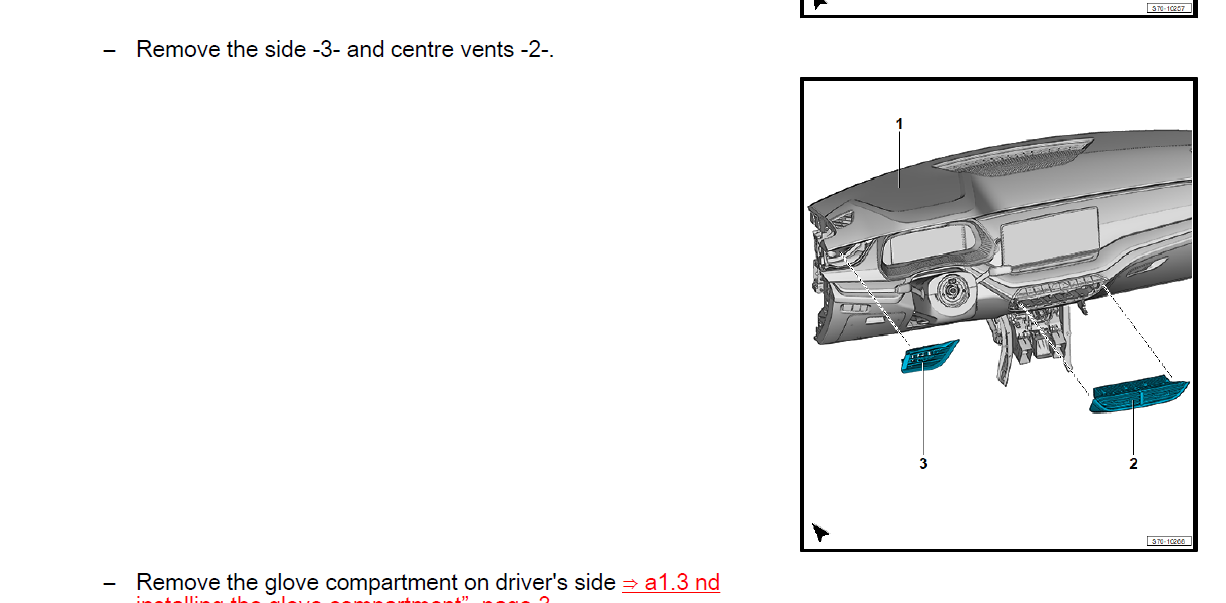
Hi, From the repair manual it doesn't look like you need to do anything special in order to remove the vents.
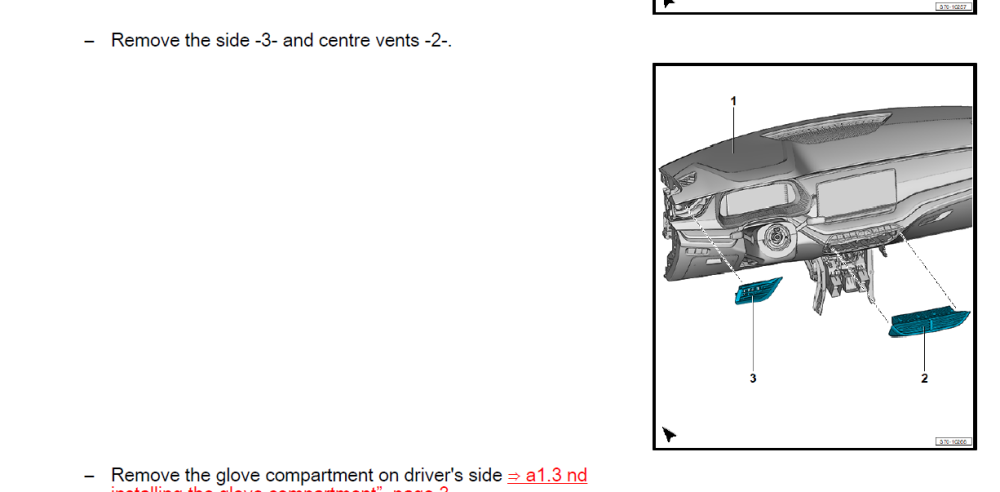
-
Which one were reset to zero? All or just the long term one? Long term data are reset every 9999 km or 99 h, which one comes first.
-
Yes you can. But this will only change gearbox mode from D to S and back. It won't change any other settings of the car. To do that you need to change driving mode through the menu in the main screen. @kederov you can also contact me on private if you want to discuss this further in Slovenian language 😉
-
In the new mk4 Octavia you can't switch from auto to manual mode with the DSG stick anymore. DSG selector stick is only used to switch between DSG modes. Park, Neutral and Drive (Sport).