Everything posted by Cairus
-
Yes
-
Work?
-
The CID in ASCII simple "MIBSTD"
-
Look AliExpress
-
Yes
-
Patch Unit and you can use every SD Card
-
Full Backup Superb 3 Facelift L&K Superb3_L&K_Full_Backup.html
-
There are microswitches inside the lock mechanism. These are a known issue within the group—specifically, the solder joints tend to break. When this happens, the trunk lighting or the Multi-Function Display (MFA) often starts acting up.
-
Sorry @Rafal78 I have a couple of health issues.
-
-
311.6 KB file on MEGA No warrenty your own risk To do Like Firmware Update
-
-
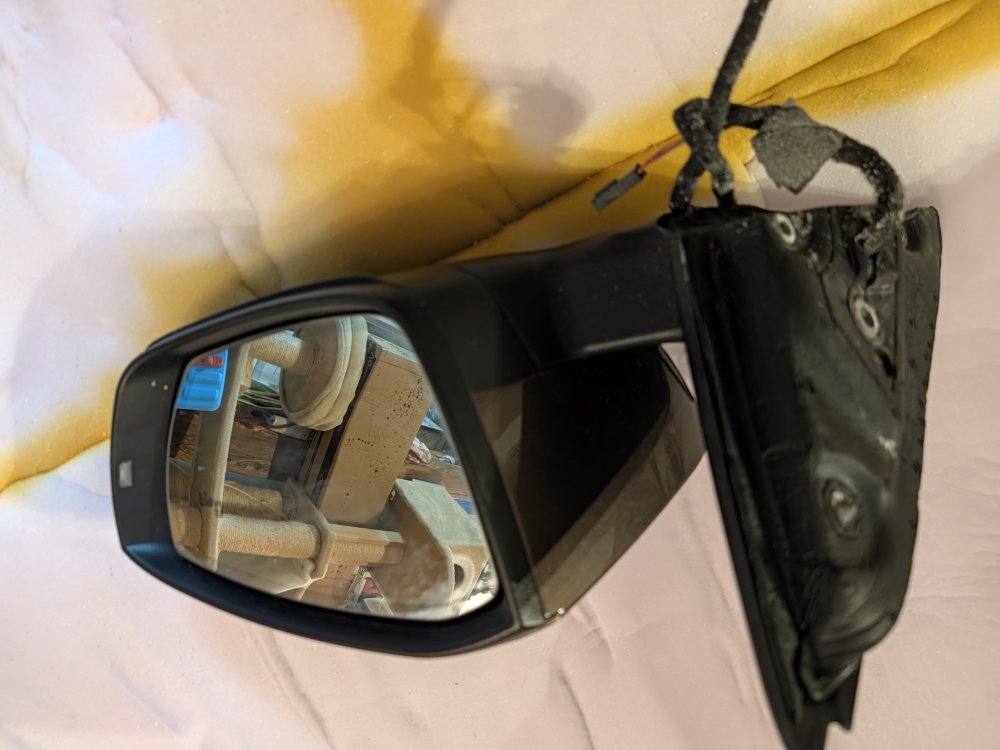
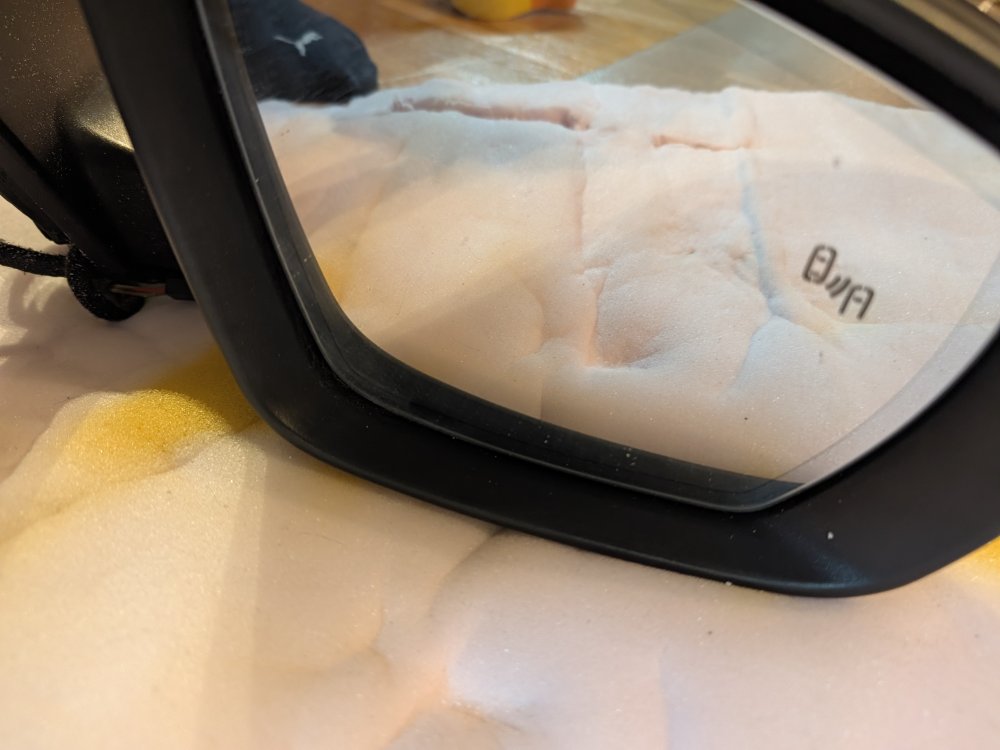
So, for the first time in my retrofit history, I'm abandoning an idea... O3 mirrors manufactured by Magna Mirror O4 mirrors manufactured by SMR The design of the folding mechanism is fundamentally different. Therefore, modifying the brackets would only be possible by cutting and welding aluminum. I'm now using OEM O3 mirrors with integrated blind spot LEDs in the glass. The right one is already here: dimming, automatic dimming, blind spot indicator with glass! Complete side mirrors for €100!!!! Including shipping 😁 I just need the glass for the left one, or maybe I'll find another bargain.
-
Why not do it properly at the control unit connector by building a Y-adapter? For me, this solution is unacceptable.
-
Patch dont Work with SD Card You have to Remove the unit and have to Open it.
-
Byte 24 Bit 05
-
Was the question meant seriously?
-
Wieso die Druck teile, weil die 2Q0 Radar Steuergeräte deutlich kleiner sind als die 5Q0. Wenn diese vorhanden sind, wieso neue Halter kaufen? Gedruckte Adapter rein und dann Steuergeräte einsetzen. Why the printed parts? Because the 2Q0 radar control units are significantly smaller than the 5Q0 ones. If you already have them, why buy new brackets? Just use the printed adapters and then insert the control units.
-
Part number of the unit?
-
But you have to Set IT activ in the Car settings. Also Coding in the Abs
-
You are Welcome
-
Byte 13 ---> HEX 01
-
Vcds can not Upload dataset
-
Byte 5 Bit 04 is wrong. Turn off Byte 13 Bit 0-3 Set to yes ---> High
-
I will check the Moduls for you, to all setting on the table and send you with the Other Things