varooom
Resident Member
-
Joined
-
Last visited
Everything posted by varooom
-
If it's same person we are thinking of, then you should take him up on the offer of coding your VIN into the new unit before it's dispatched (should then be plug and play AFAIK)
-
Could be a coding issue, or the ECU has seen something and spat out the error incorrectly. Definitely a weird thing to have a fault code for something not physically fitted. Does it actually clear in VCDS? If yes, does it come back right away or after time? Glad to see you have wiring diagrams, makes life easier.
-
To be fair, it does to my eyes look like your beams barely reach 2 or 3 car length's. Hopefully you can tick this off your list of things to sort out.
-
Yeah had a look on eBay last night and the older unlimited VIN cables still sell for a premium price of about £200, madness unless you compare it to the HEX-V2 unlimited. I have a spare one here as I now have ODIS capability (dealer or independant software) it get's used on my car as it's familiar and faster to get to what I want.
-
I think you only need to register the swap $99 if you want tech support from Ross Tech usually. The cable will just plug in and work.
-
Usually 0 is for driver and low fuel, as you input fuel or extra passengers this should be dialled to 1, 2 or 3 as needed. At least this is my own take on the levels. I wouldn't want to drive your car on a dark country road myself 😬 A friendly MOT tester would be handy to be able to assist.
-
He has VCDSloader to run software, so hacked 🤐
-
There is no point in sending a firmware that will not work/load You have MU-H-N-JP Software Train Here is the supported list, and without it they will be rejected You will have to hack this file, and if it starts to even load, it could brick unit... and we do not have the JP firmware to flash back in emergency. release = "MHIG_EU_VW_K1550" MUVersion = "0407" vendor = "HARMAN (HAD)" variant = "FMU-H-N-EU-VW*" variant2 = "FMU-H-TN-EU-VW*" variant3 = "FMU-H-ND-EU-VW*" variant4 = "FMU-H-TND-EU-VW*" region = "Europe" delMmeBackup = "true" MaxParallelDevices = "2" ExclusiveUpdate = "CINTERION,CINT-LTE,DUV101,DUV211,DVD,GPS,MIBLite_APN,TELIT,Tuner" FinalScript = "./common/tools/0/default/finalScript.sh" FinalScriptName = "Final Script" FinalScriptChecksum = "e96f9282abd730c385a912a094e92d18a2fd5e26" FinalScriptMaxTime = "20" SupportedTrains = "MHIG_EU_VW_P0050*, MHIG_EU_VW_P0066*, MHIG_EU_VW_P0070*, MHIG_EU_VW_P0344*, MHIG_EU_VW_K0344*, MHIG_EU_VW_P1054*, MHIG_EU_VW_P1532*, MHIG_EU_VW_P1534*, MHIG_EU_VW_P1538*, MHIG_EU_VW_K1540*, MHIG_EU_VW_K1550*" MetafileChecksum = "5349857f1297b40706ec2c26ab6b08fcbb9078b8" In short, you need to locate some actual hacking instructions to change firmware regions and post here, or find a forum where they specialise in this sort of thing.
-
From what I know you are spot on, the actual hardware change should be either Gateway or the OCU needs replacing on the older cars. Once you get to 1896, all updates should be OTA for all.
-
They do look normal to my eyes, and yes on a RHD the left headlight will project futher to illuminate path and signs. On top of each headlight should be a % mark, and this is the drop of the light beam, say you have 1%, then every 100cm in front of the car, you should have a 1cm drop of height from starting height of the bulb. If you are on 1%, and height is 50cm off the ground to the bulb, then in theory you should project beam to 50m. Bit hard to say exactly as I am not with your car, but that shot of the road to me makes the aim seem too low for my own taste, if the road is climbing up then it will shorten beam throw of course.
-
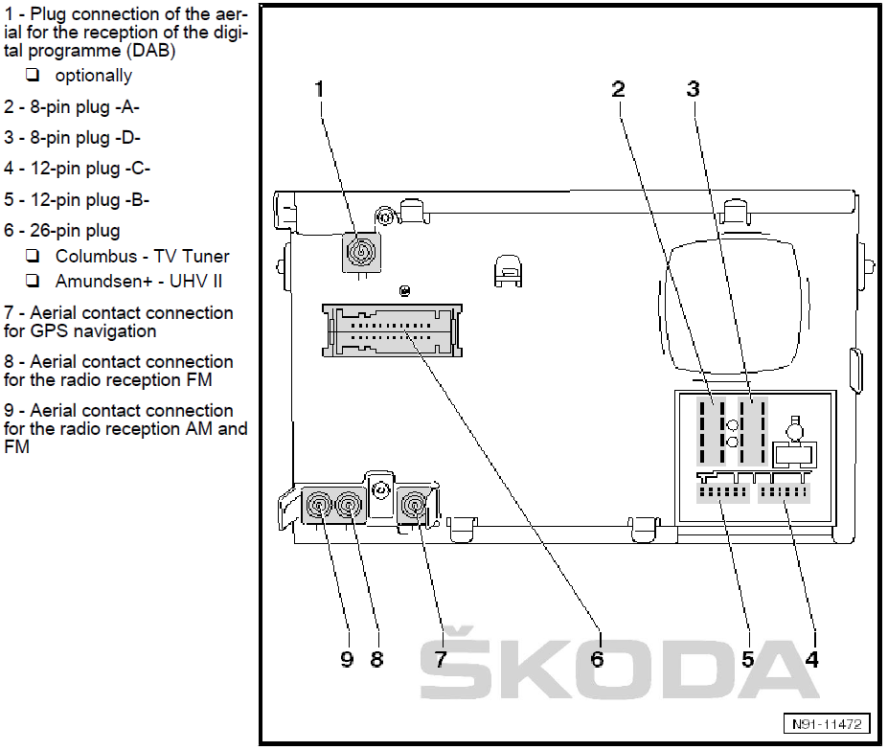
Here you go Carl, My gut said DAB, and our survey said...
-
Odds are that the car would need unlock codes that they may not be able to supply afterwards (Skoda are not the best at retrofit, and miss out on money they could earn!) Best choice is to use Google maps to download the area you are visiting for offline use, you can use it now at home location too, it will save some of your data as it will not need to download the map chunks. Welcome BTW 🤝
-
The 10th character is year B in your VIN where this equals MY11, which I used for ETKA, however the build date is important which is why the part fitted should be correct. Dealer should be able to decide exact build date, has to be after 08.11.2010 for the part to be as above. If your car doesn't have the fan relay for doubled speed (AFAIK) then car coding might be incorrect, which is why it reads the faults. It would have been there all the time, and unable to clear. If you can clear those 2 fan relay faults... Odds are you do have that relay. Just my own thoughts.
-
Check each bulb is actually fitted correct when cooled off, and daytime 😆 Some person may have chucked a bulb in and not secured it, if they are all seated correct, then you can make adjustments. Image for MY09+ or RS/Scout from MY10+ Dipped and main beam adjusment
adjustmentMY10.png.4d2d83c24f9887d17b26a1edc982dde5.png)
-
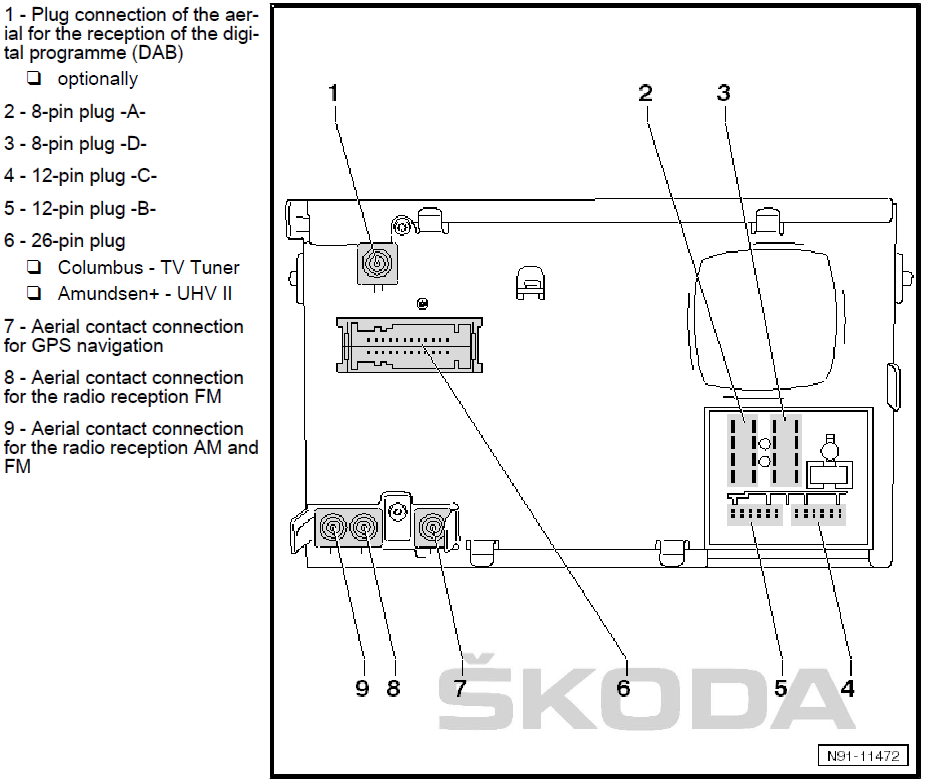
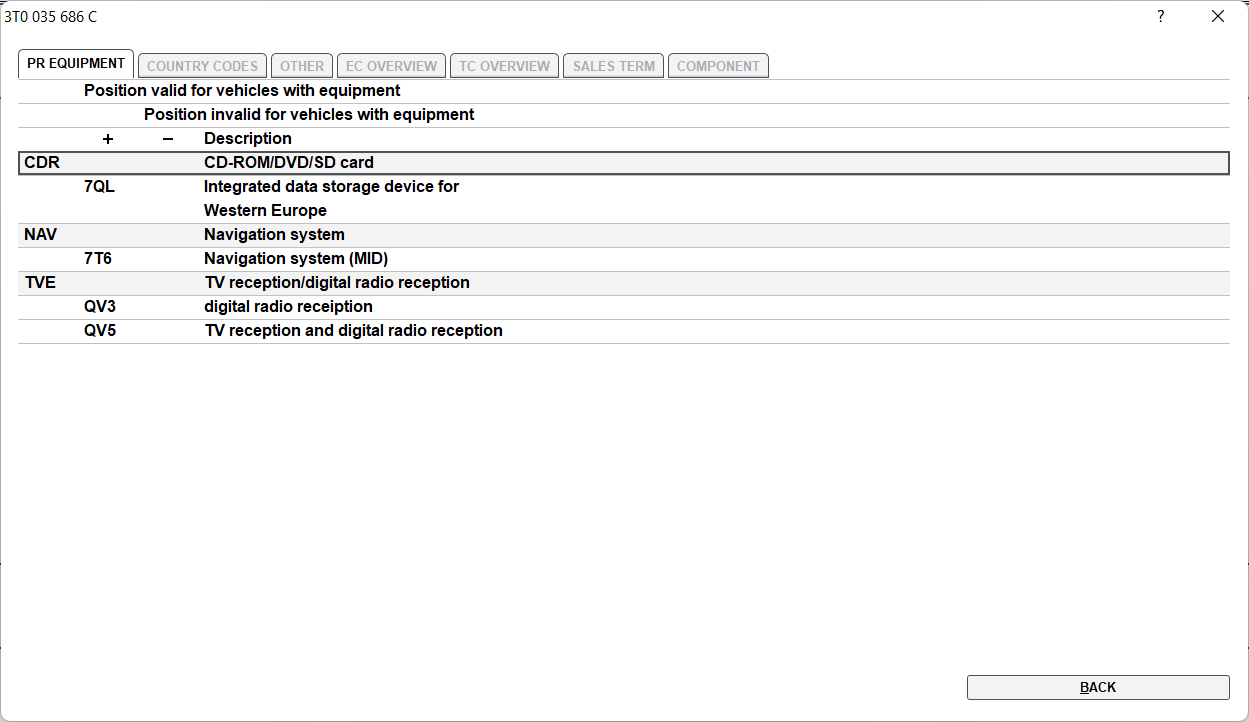
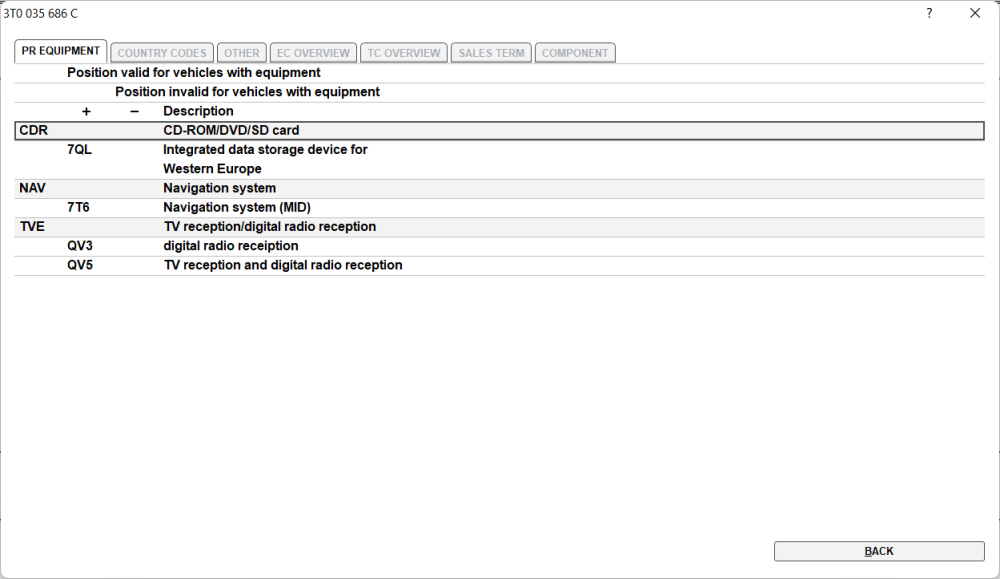
Try and look for anything that is 3T0 035 686 X where it has last 3 digits of 686 seems they are nearly always DAB with PR Code: QV3 = Digital radio reception The X doesn't matter too much for now, mainly a revision as such. See what you can locate with those parameters. Attached a printout of all the numbers, something you can sift through. SUP 2015(F) 035-003.pdf
-
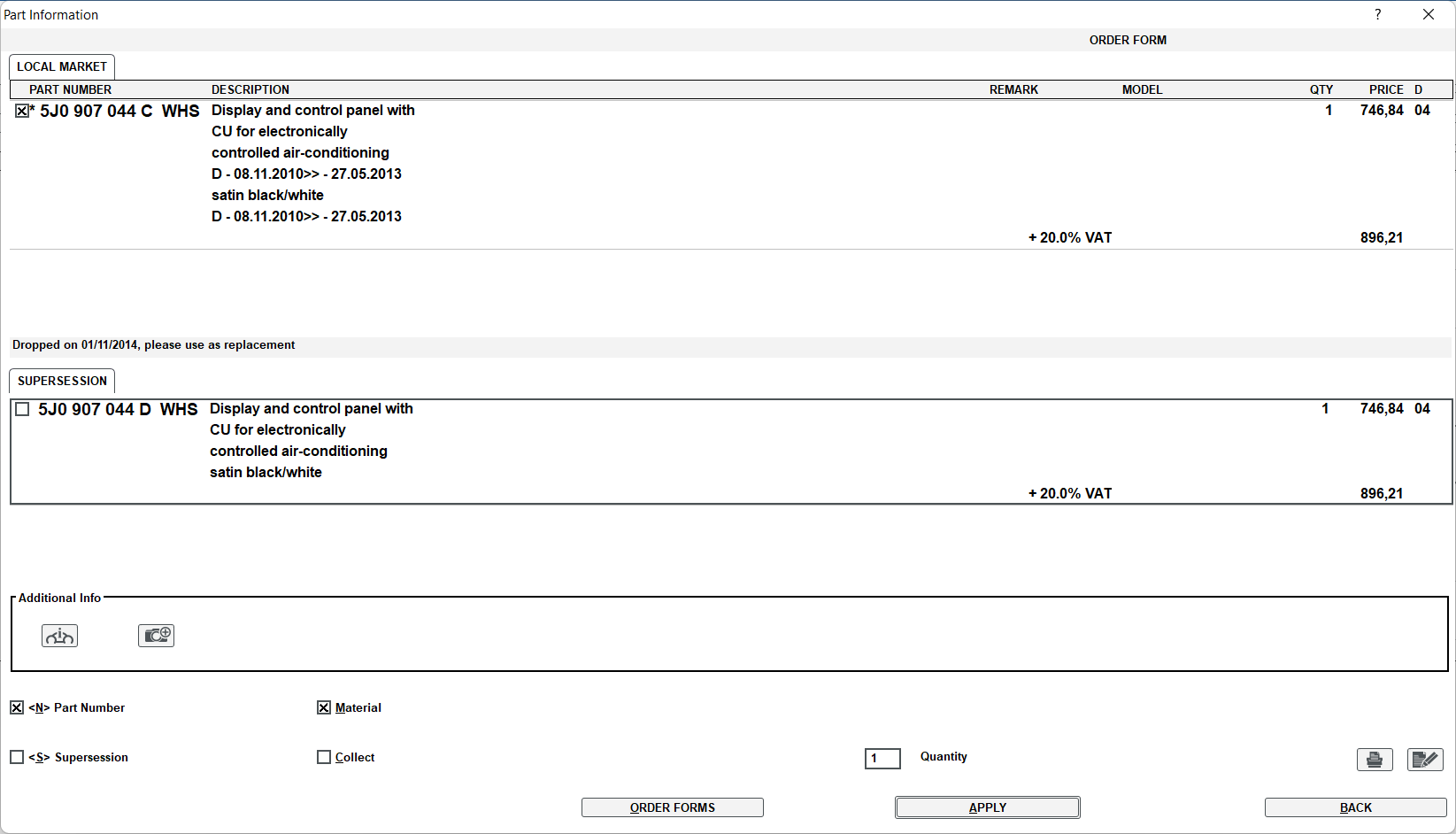
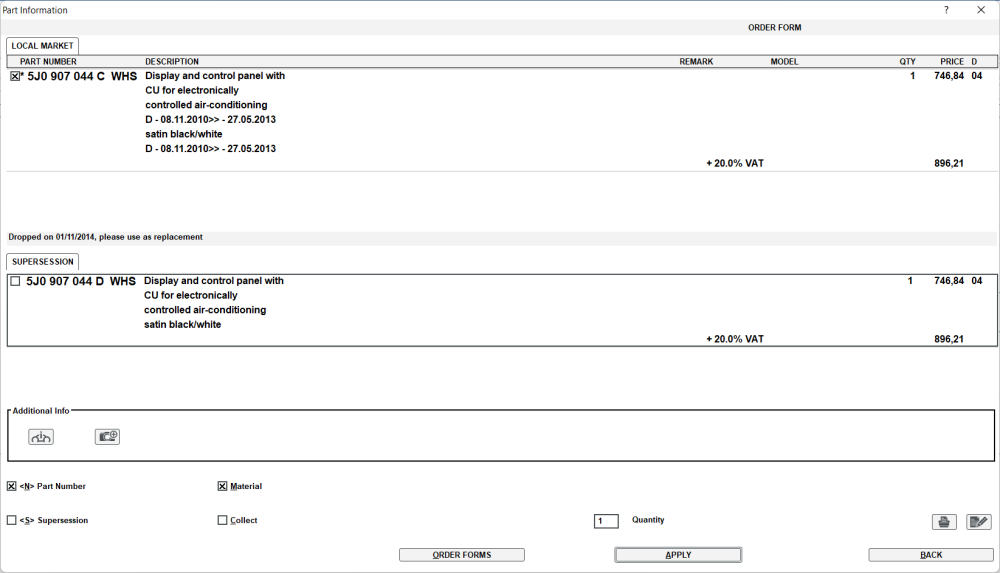
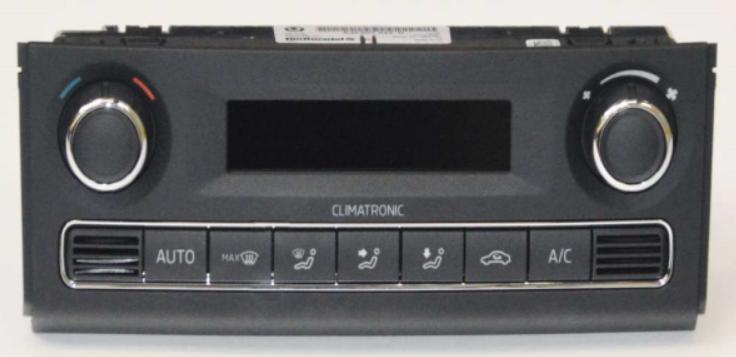
Here you go Rueben, You have it correct, the part should have been C not the B that was fitted Just note it was dropped, so now C becomes 5J0 907 044 D EDIT: Your build date will be very important, otherwise the correct part is 5J0 907 044 B!!! Sorry if the above became a red herring.
-
Google, checked several VCDS scan logs.
-
Hiya, Address 08: Auto HVAC (J255) Labels: 6Q0-907-044.lbl Part No SW: 5J0 907 044 C HW: 5J0 907 044 C Component: Climatronic H08 0103 Revision: K0000000 VCID: 2A5B592445698E1FD9-807E Ain't no coding for B or C
-
I think I must have seen same ones on eBay, someone is selling with a possible rebate if you send in your old one. Can the radio still play CD's? If yes, have you tried to see if it can play one you have burnt (in order to test the laser can read the CD's that have been recorded)
-
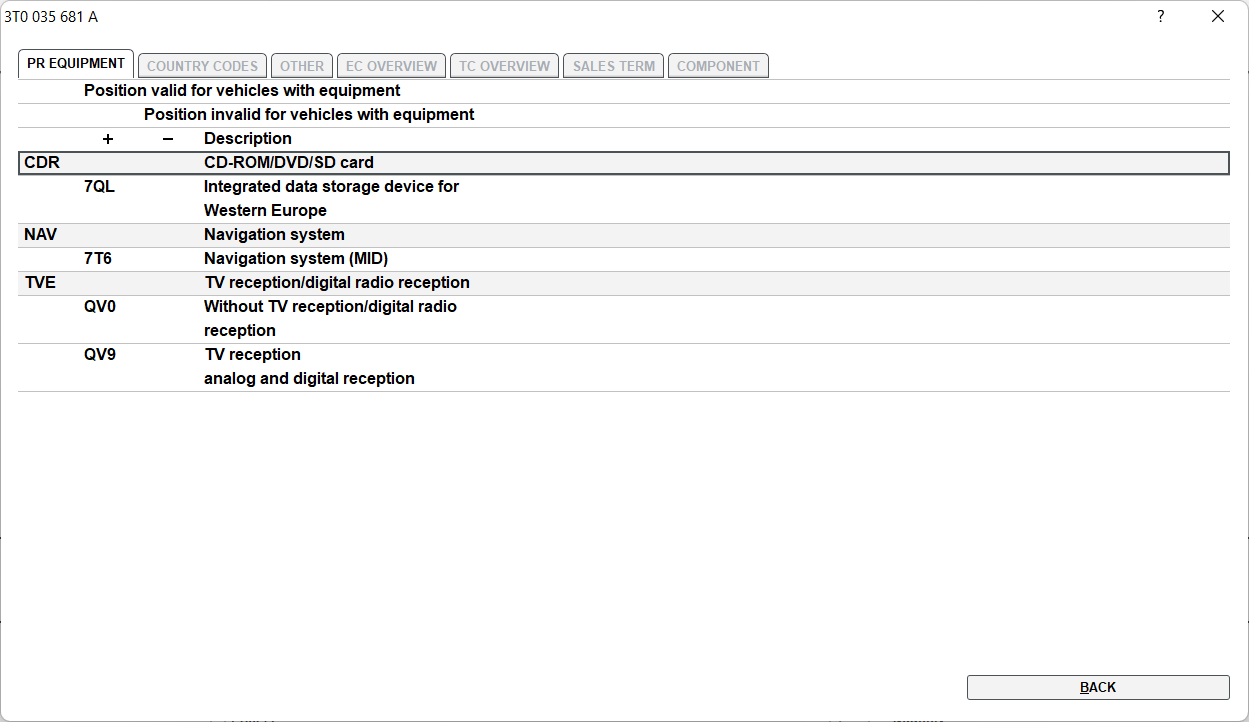
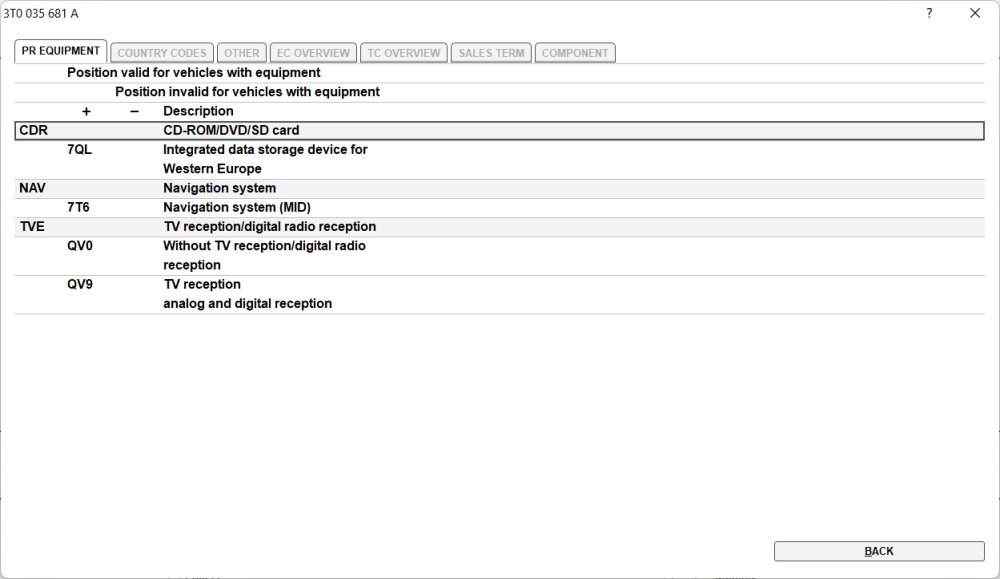
3T0 035 681 C Fitted from 27.05.2013 to 04.11.2013 3T0 035 681 A Fitted up to 04.11.2013 No DAB or Digital TV reception Ideally try to get your exact fitted part, but grab the first choice for it has DAB that (unless you listen to CD's)
-
Welcome 🤝
-
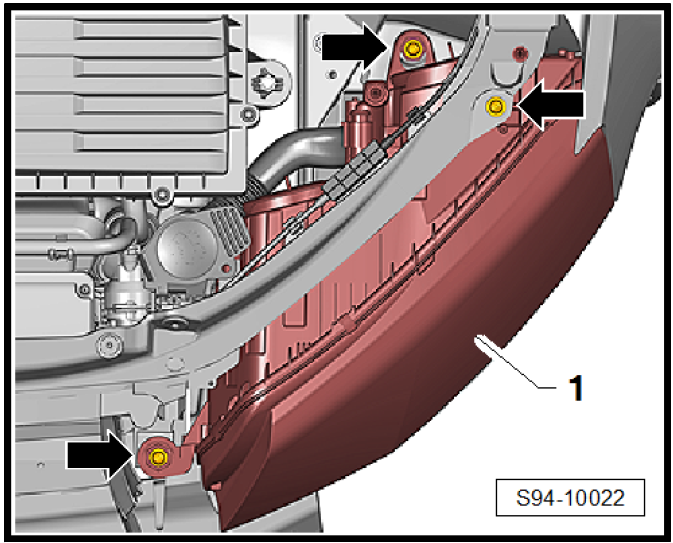
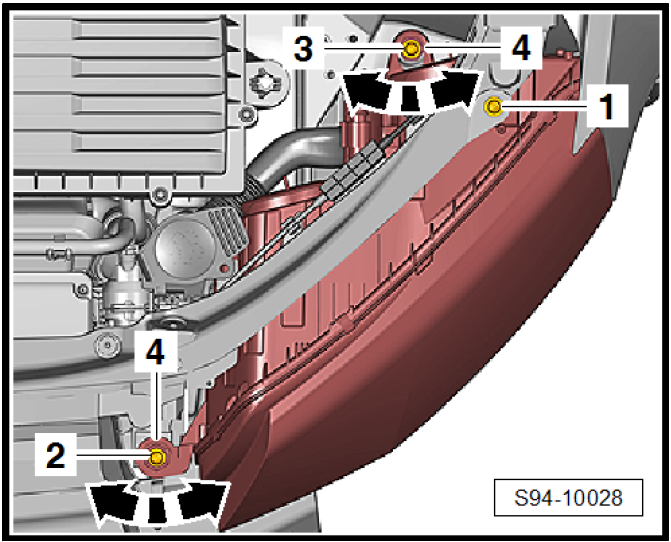
They are usually fairly straight forward, but you need to help by stating which headlights you have. You have halogen headlights? And you should be pre-facelift. 3x screws should do it, pic to follow once you confirm if correct statement. EDIT: Taking a guess you have Halogen's Fitting – Align the headlight according to the contours of the vehicle body (maintain the gap size ⇒ Body Repairs; Rep. gr. 00) and loosely tighten with screws. – Install bumper. – By turning -arrow- the setting elements -4-, the headlight is moved and thereby fitted to the surrounding body parts.

-
Someone else had this before, using an adapter from SD to USB-C... it didn't work out too well. EDIT: https://www.briskoda.net/forums/topic/506069-karoq-usb-c-music/ link found Get a USB-C memory stick and you will be ok.
-
Not using headlights/seat heater/demisters and as @StevesTruck says, different Winter/Summer fuel mix.
-
This should have you covered. Front bumper off Wheel off Arch liner off Headlight off Other things you may have to move out of the way is all for space to remove/insert washer bottle Pages from D4B802B7E7F-Electrical_system.pdf