




pab567
FREEDOMTech
-
Joined
-
Last visited
Everything posted by pab567
-
Side comment to @BDDK - you either have to add aftermarket BT module (which I do NOT recommend) or replace the infotainment system. Unfortunately, as I don;t know anyone who can hack MIB1 Bolero then my recommendation is to replace both glove box and display units with MIB2 series, e.g. Bolero glove box unit 5Q0035840x (x - A, B or C) and display unit, e.g. 5E0919605H or 5E0919605N. This will give you more features, e.g. Android Auto, Apple CarPlay (requires USB exchange as well), Performance Monitor, Voice Command, support for rear view camera. If you are interested pls contact me on PM.
-
I cam make it definitely under £750 :). Let me know your VIN.
-
Nope, 5E0035812A DOES NOT have BT module. The ones that have are other Bolero units - 5E0035819A, 5E0035820A, 5E0035840A, 5E0035842A.
-
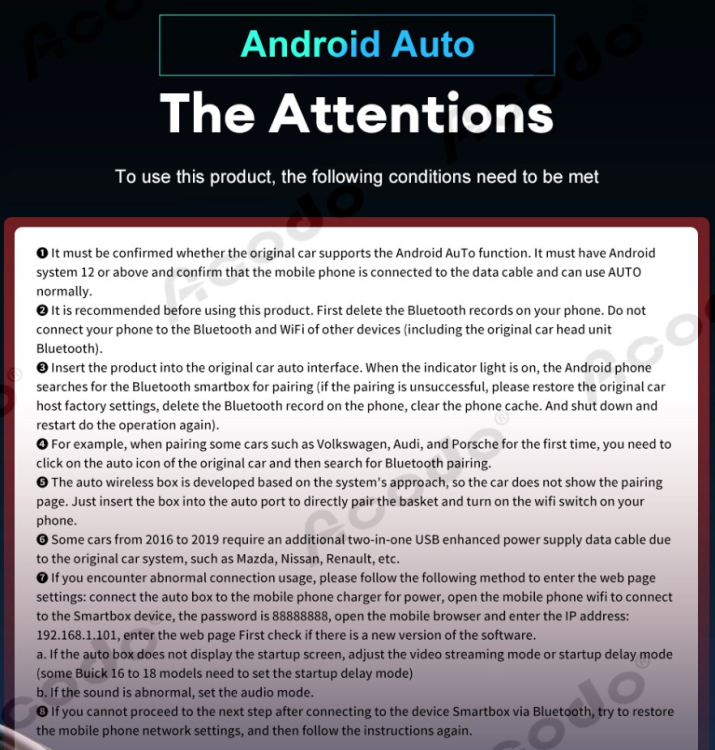
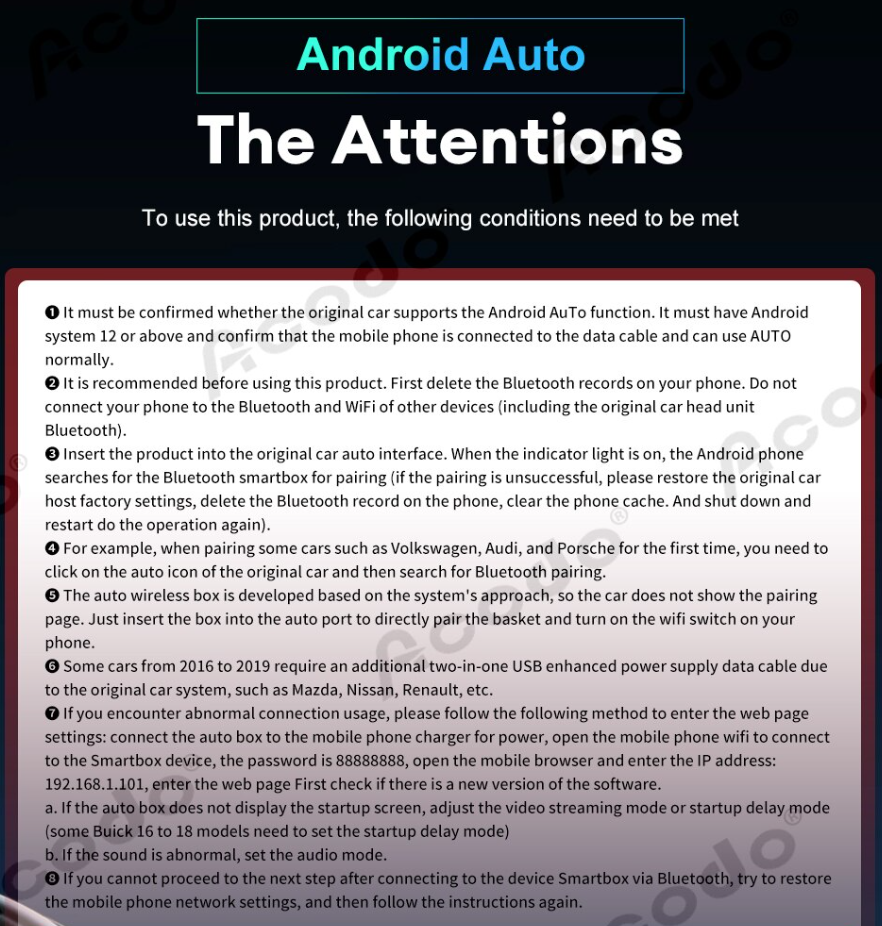
Have you followed below information included in th eoffer, especially running Android OS in version 12 or higher?
-
5E0035045D is MIB1 unit, MIB1 units do NOT support CarPlay neither Android Auto. You need to replace glove box unit with MIB2 - either Bolero, Amundsen or Columbus.
-
How can I tell you what system you have if I don't know VIN?
-
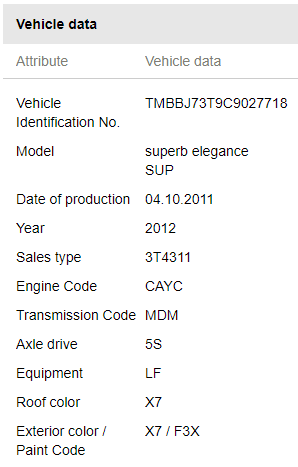
VIN?
-
Indeed, you bouth the wrong kit. Ask your Pioneer dealer for the proper one.PMsure...As requested... all the codes of this car TMBFM6NJ5HZ055263.pdfThere are no updates available for your car, the most recent maps have been published few years ago and there will never be more updates published. Check in your phone Bluettoth profies allowed for connection with your Skoda Bluetooth module.PMWhy don't you install OEM unit series MIB STD2 PQ and use Android Auto or APple CarPlay for navgation online? It also has built-in high quality Bluetooth module and perfectly matched the car...Using OEM parts you can install patched Bolero or Amundsen. You need: 1. glove box unit 2. display unit 3. extension cables You also need new USB if you want to have support for Apple CarPlay as well, not just Android Auto. EUR 450 should be enough for Bolero but not for Amundsen. If you are interested pls contact me on PM.Part number of infotainment unit?Unfortunately this is NOT a simple fix - requires soldeirng and either manual programming with not corrupted image or, if this doesn't help, EMMC replacement. In such case, you might think about retrofitting with "full" Bolero version 5Q0035842x / 565035842 or Amundsen 5Q0035874x / 565035874. Both will give you features you don't have with your old unit: - Android Auto - Apple CarPlay - Voice Coimmand - support for Reav View Camera Amundsen has alo OEM navigation built-in. If you are interested pls contact me on PM.Try to reflash it.Check if you have file metainfo2.txt in the root of SD.I beleive this is a problem of corrupted EMMC. Try to change language setting to any other - if after restart it returns to original setting then it confirms corrupted EMMC.Pls post part numbers of your old unit and the one you bought from salvage.@Hradlo - officially not possible, achievable under condition you find anywhere 03xx firmwar (I don't have it) Others check you PMs. If nothing on PM then you already have lates FW for your unit.





Important Information
Welcome to BRISKODA. Please note the following important links Terms of Use. We have a comprehensive Privacy Policy. We have placed cookies on your device to help make this website better. You can adjust your cookie settings, otherwise we'll assume you're okay to continue.