




Kenny R
FREEDOM
-
Joined
-
Last visited
Everything posted by Kenny R
-
-
-
The yellow A with a red line through it and a traffic cone , is showing that the rear manoeuvre braking is disabled as you have a trailer attached so the rear sensors are not in operation.
-
Oil temperature not that bad seen similar on my previous 1.8 tsi yeti when giving it some beans , would imagine towing a load would be similar. If the oil pressure low warning is only recently and I presume you’ve checked the oil level, then I would be questioning what oil was put in at oil change.
-
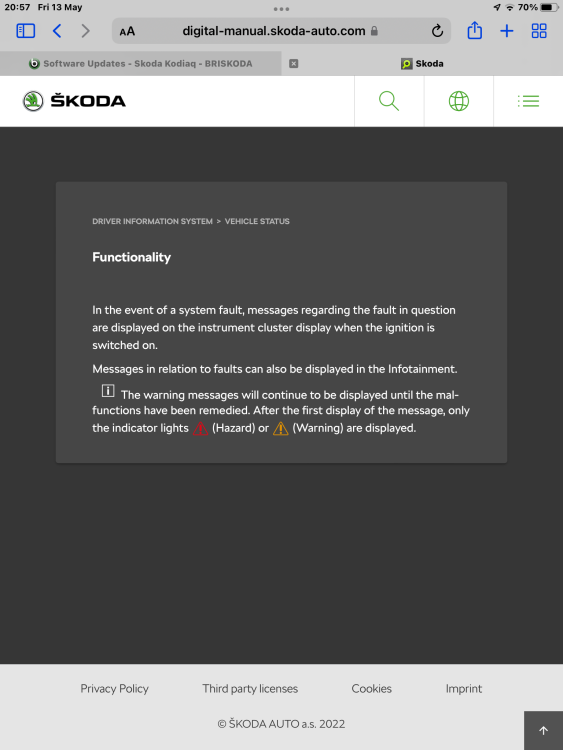
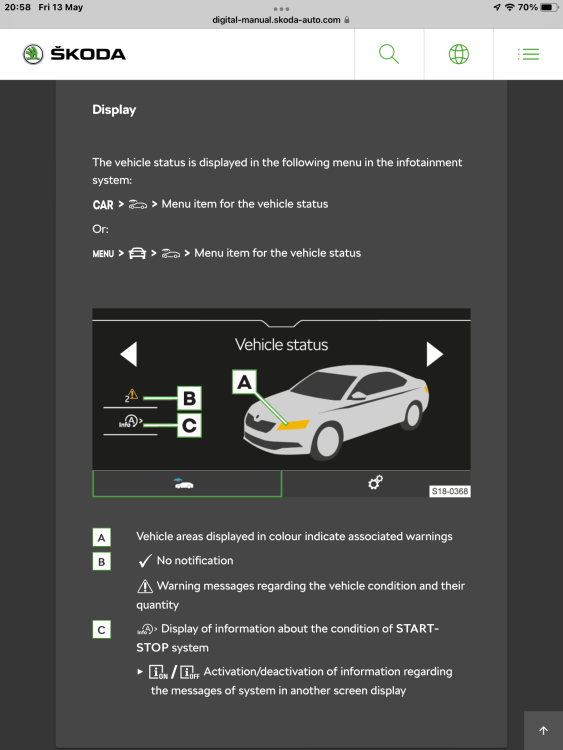
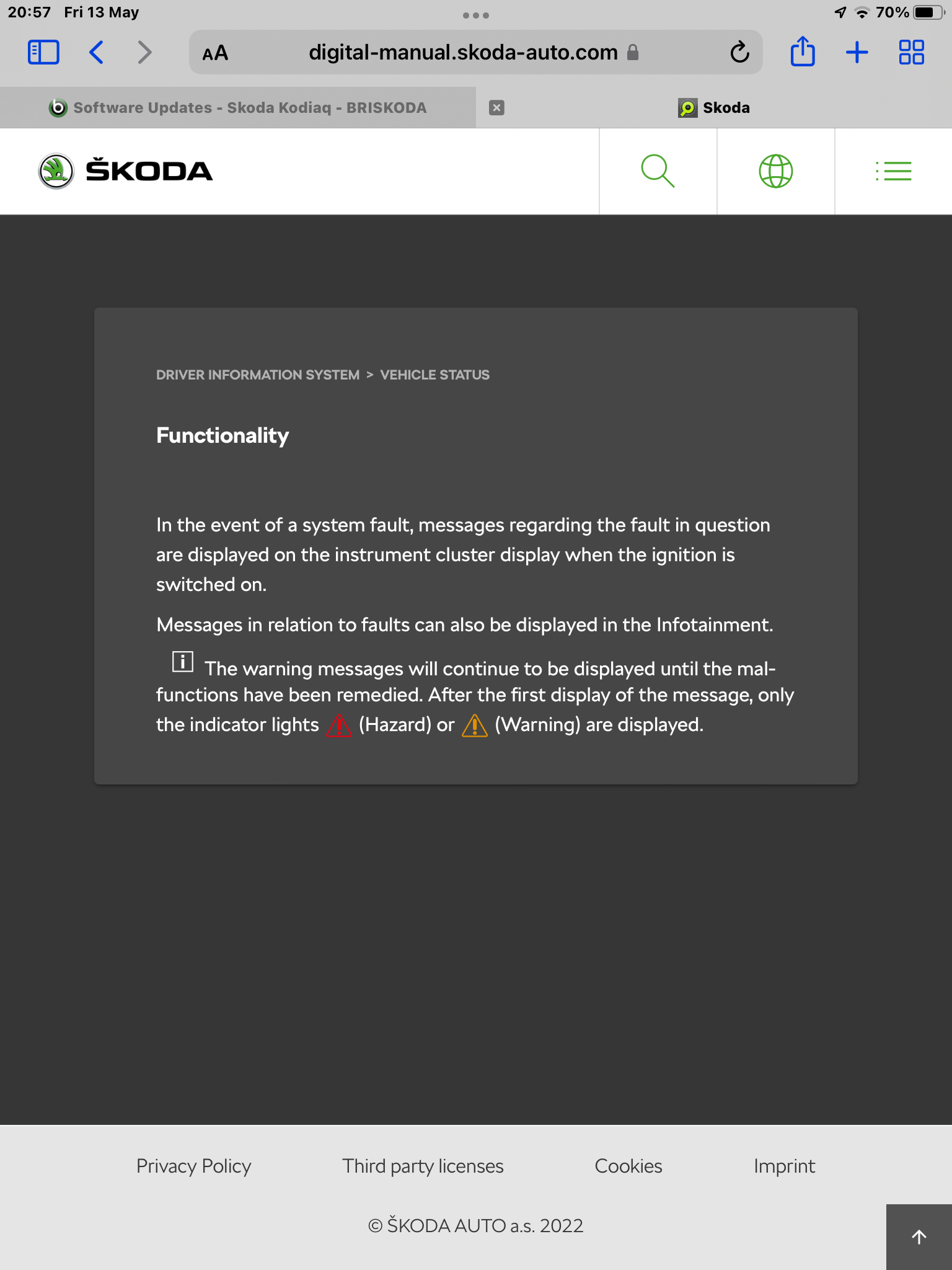
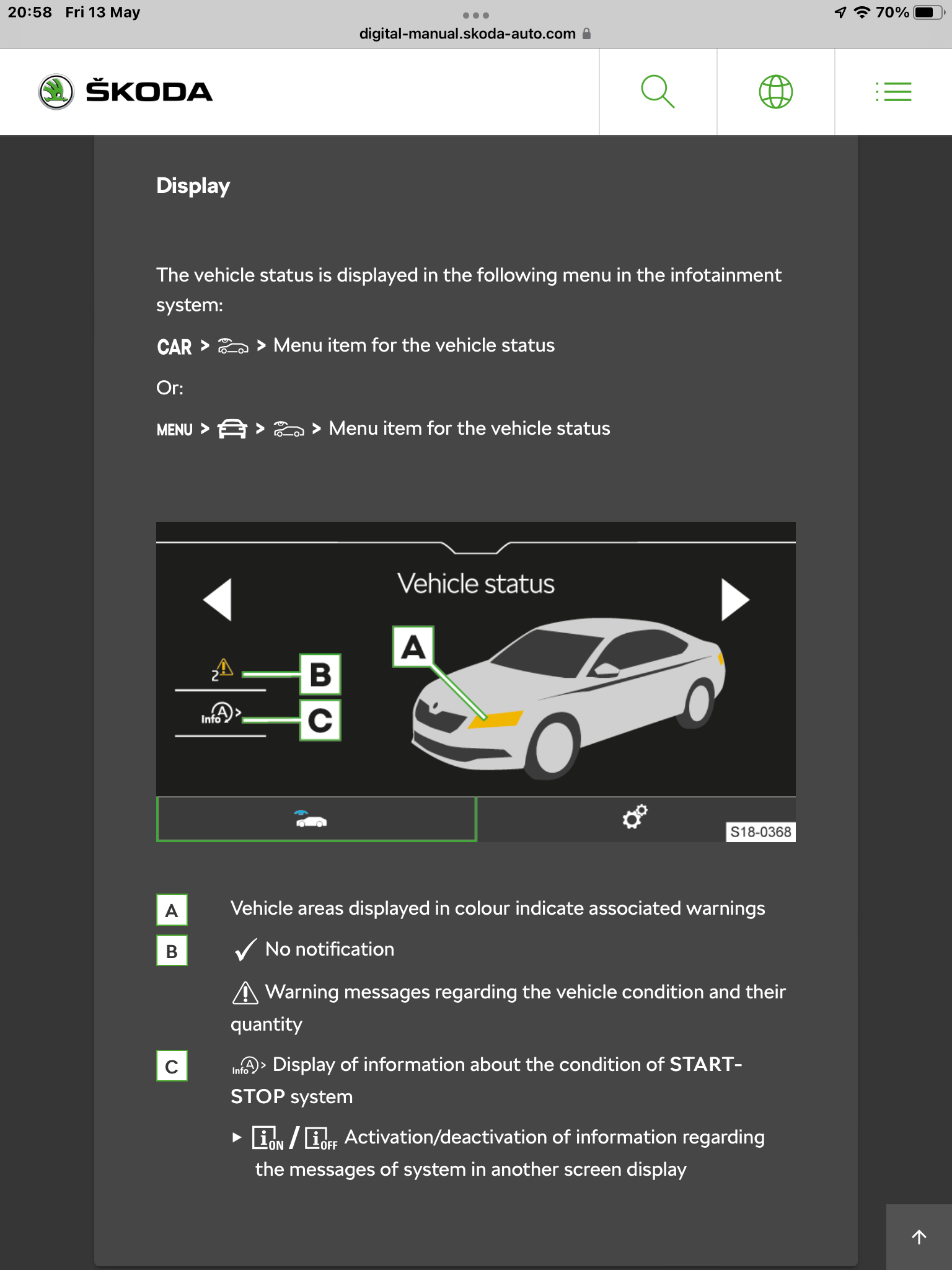
If you mean a yellow triangle with an explanation mark in the centre, it means a fault has occurred, and if you go into the vehicle status screen it should show yo the fault.
-
Not sure, that’s why I asked. I do know that with the foot brake applied and with autohold, which applies the brakes same as foot brake, that the clutches are disengaged. Lots on here and others say clutches are slipping with handbrake applied with drive engaged, and you shouldn’t do it and select N or P when handbrake applied.
-
Those that are applying the EHB when stopped with DSG cars are you also selecting N to prevent clutch wear, when not using stop/start and engine left running ?
-
The passenger door has the same orifice to store an umbrella. Previously 2 umbrellas we’re supplied, but due to cost cutting only one is now supplied. Curiously my one supplied was in the passenger door.
-
I managed to fill a box as well when cleaning out my previous Kodiaq. Thing is I couldn’t fit it all back in the new one as the underfloor storage area in the boot has changed.
-
You’d need to ask Mrs R, it’s like Mary Poppins bag. Everything to cover any eventuality when we’ve got the grandkids magically comes out of that glovebox
-
I used the £1 self adhesive felt sheets from Hobbycraft to line the lower glovebox and the small one on the drivers side. Not sure how durable it will be long term, it’s not like the stuff I keep in there is out and in often so should last and certainly stops rattles.
-
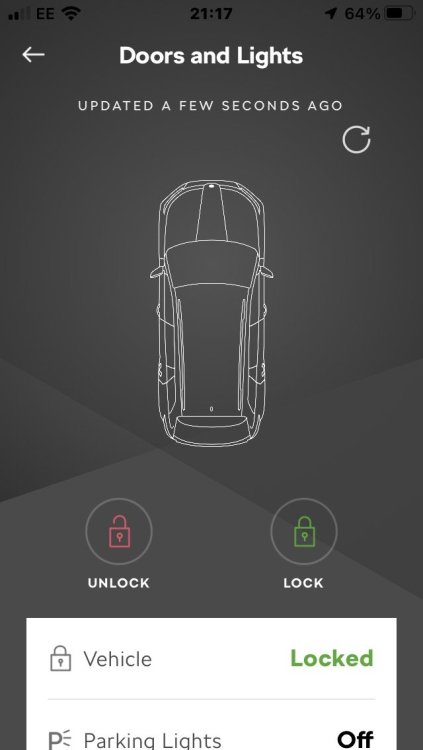
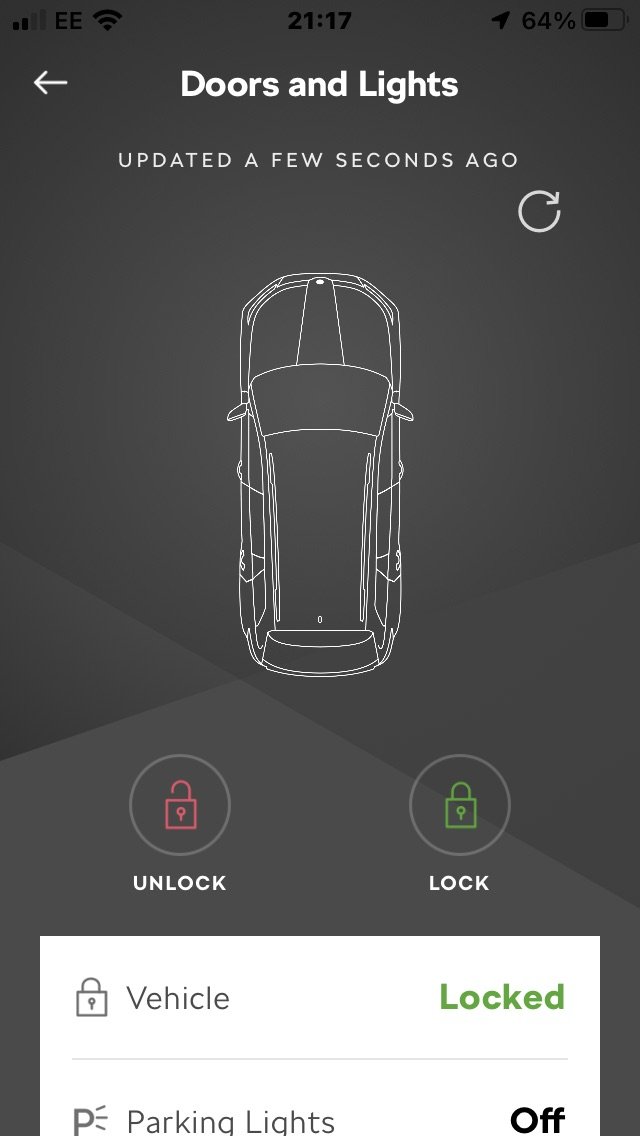
The Connect app, at least on my Kodiaq has been showing the car as unlocked on the first screen iOS for at least a month now. If you click on the first doors and lights status screen, a second screen appears with an update icon top right. One this is applied, lock status shows correctly.
-
Type thule 775 feet into Google, plenty options
-
I’ve had the same lately. Always when driving, and if you push ok it keeps coming up with the message can’t continue download when your driving which gets annoying. But no more faffing around spending ages downloading map updates to an SD card and then ages to upload as in my previous Kodiaq which is a big bonus.
-
Only the drivers door has a hidden lock under the removable cover.
-
Looking at the online brochure and configurator apparently the SE / SEL have the basic LED headlights whereas the Sportline has the full LED matrix headlights. £1995 light package option is available to add full matrix lights to SEL.
-
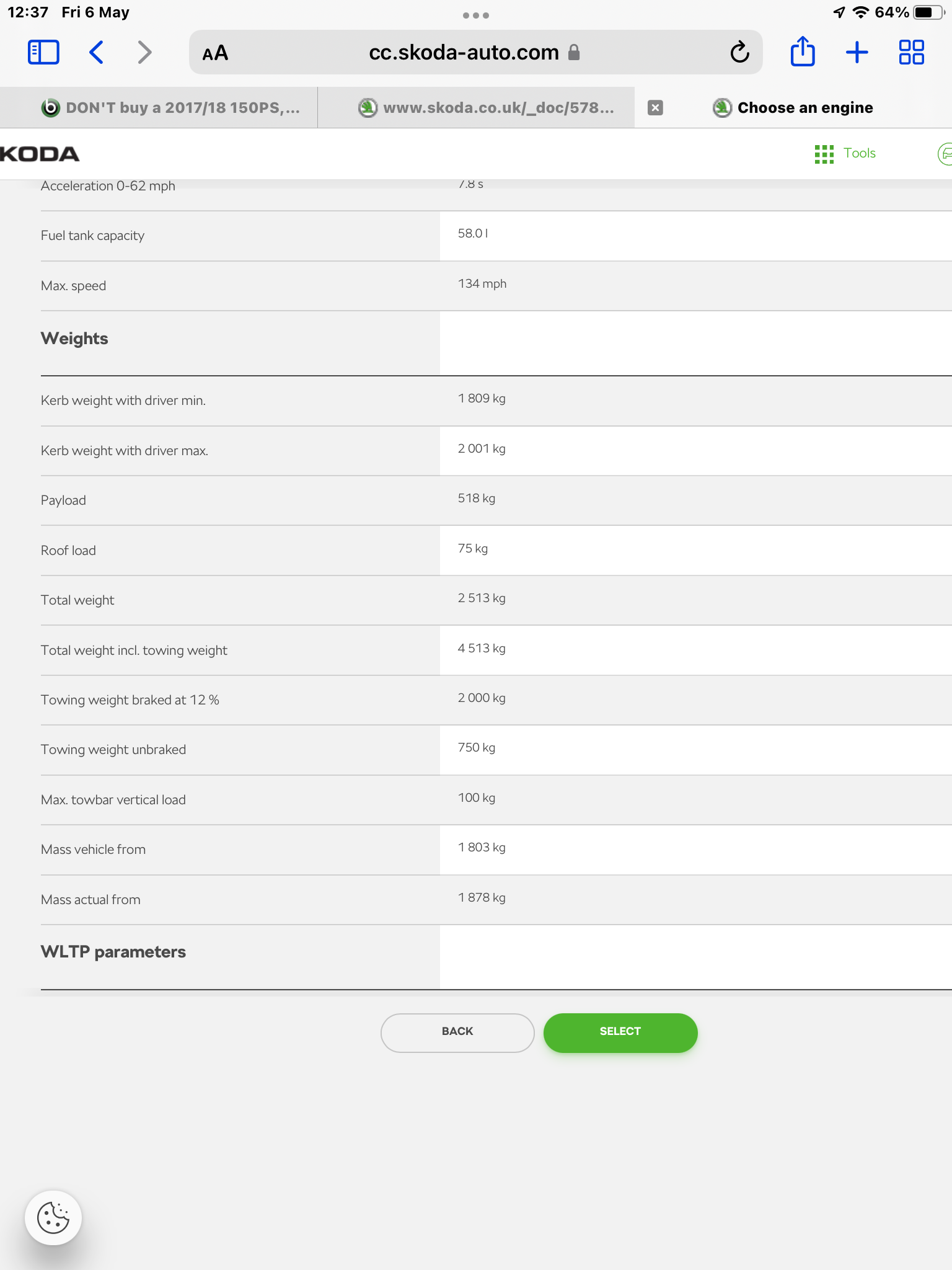
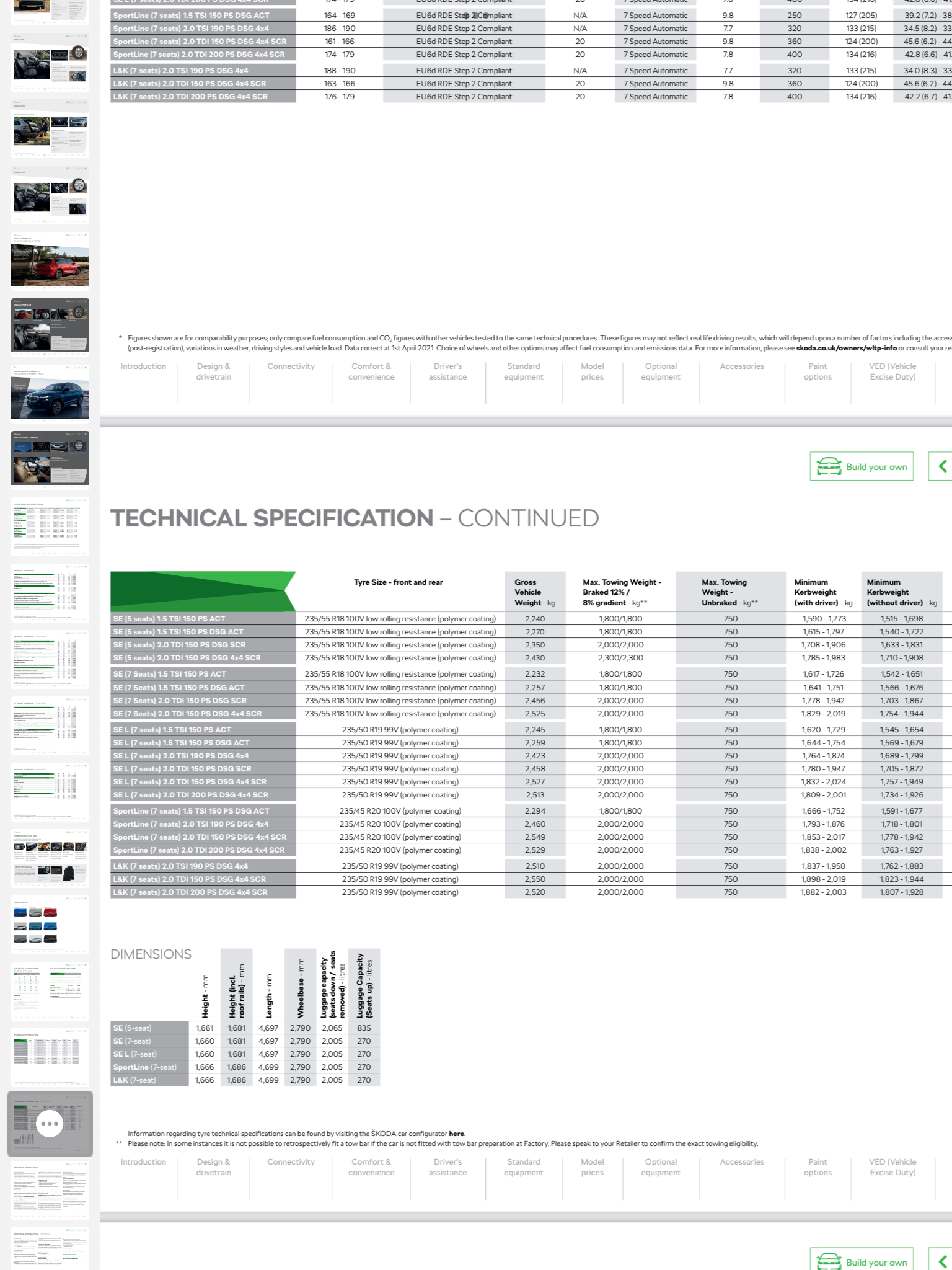
No lining in lower glovebox and drivers side small cubby. Red lights in bottom of doors now just reflectors .The Skoda configurator shows unbraked trailer towing weight for 200 hp diesel, so as my comment could be a mistake in brochure. Brochure has recently been updated and previous version showed correct towing weight also.
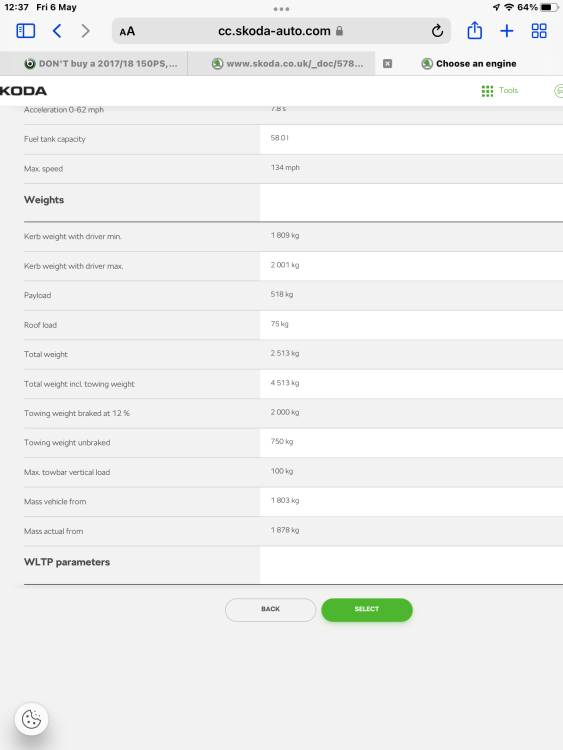
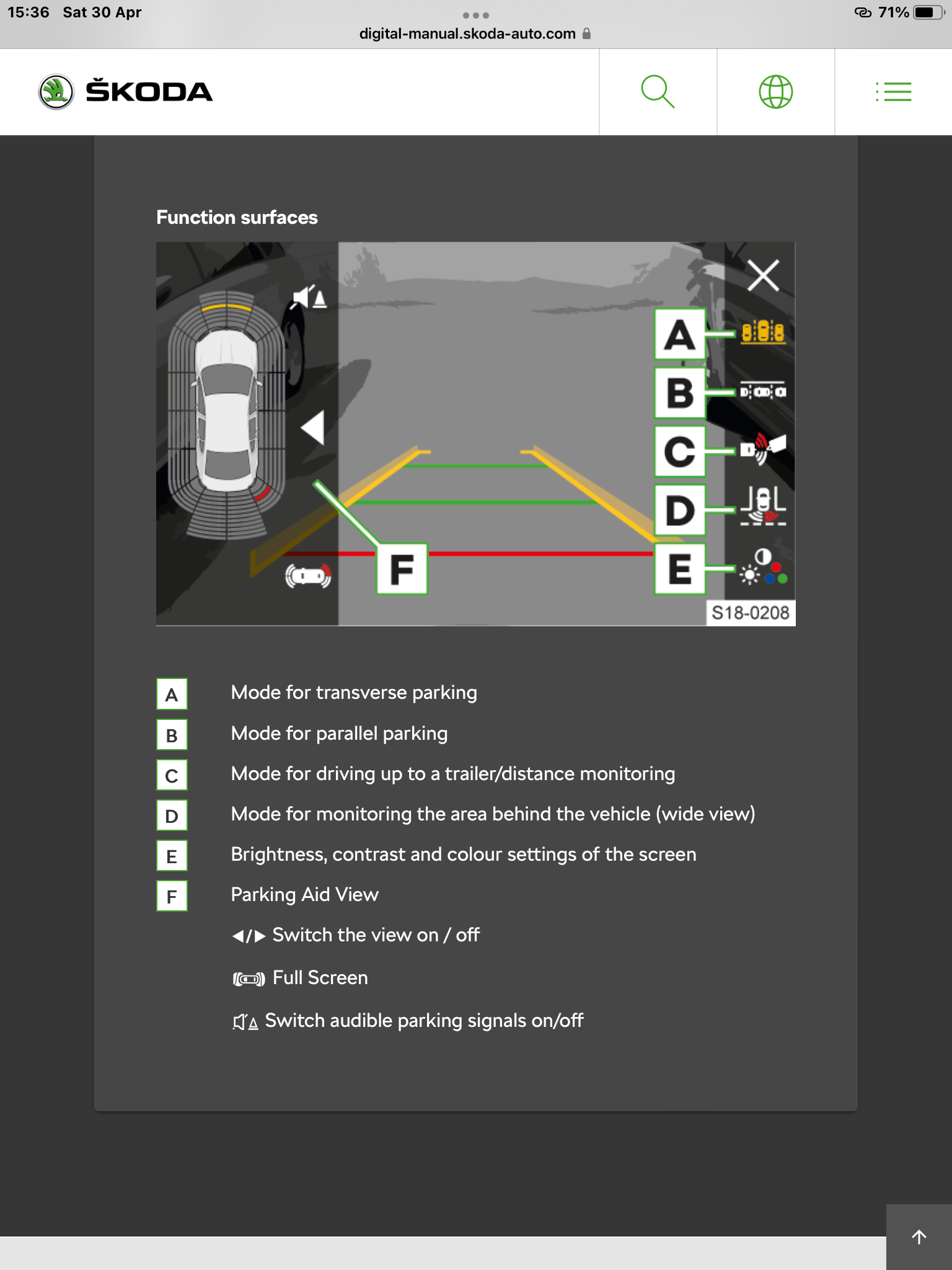
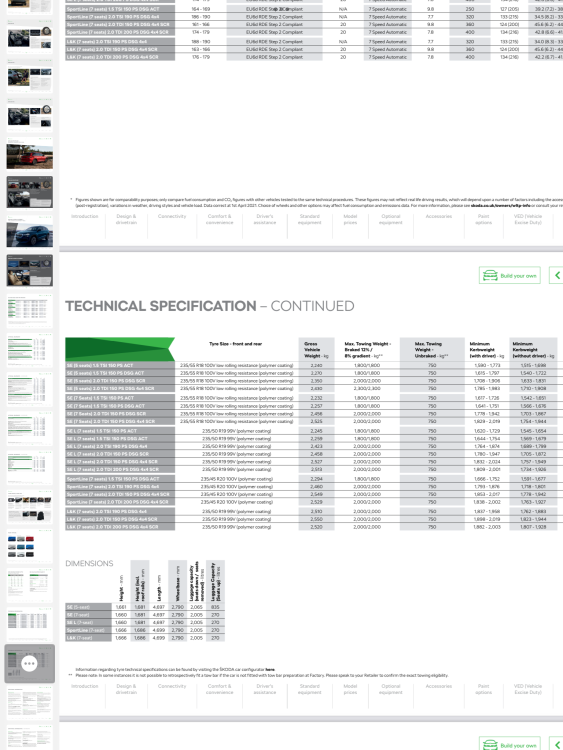 Could be a misprint, did you check the plate on the drivers door pillar.Not sure the virtual cockpit graphics have changed any. What’s different?https://manual.skoda-auto.com/004/en-com/Detail?model=Kamiq_NW4&edition=&manualLang=Why not phone Skoda assist.From the owners manual. View option C , which shows view angled down onto tow hitch.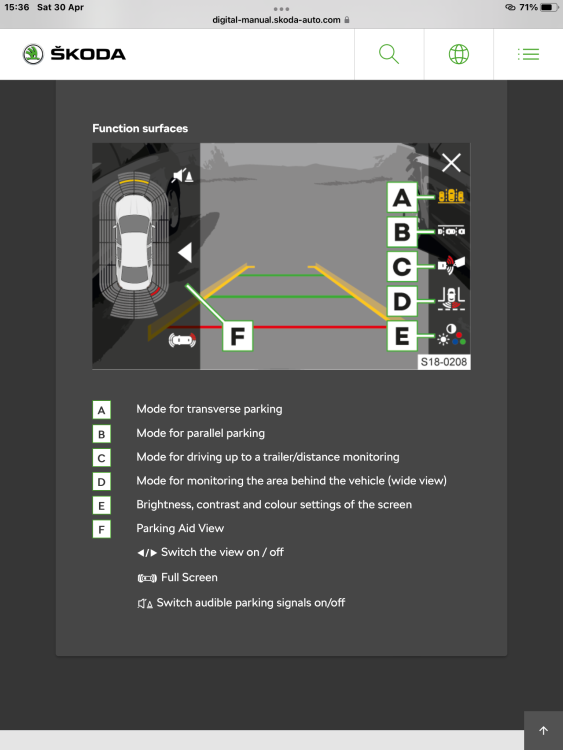



Important Information
Welcome to BRISKODA. Please note the following important links Terms of Use. We have a comprehensive Privacy Policy. We have placed cookies on your device to help make this website better. You can adjust your cookie settings, otherwise we'll assume you're okay to continue.