JR RS
FREEDOMLite
-
Joined
-
Last visited
Everything posted by JR RS
-
My bad - I do keep telling peeps that I'm a bad influence!! Lol. Virtual Cockpit and new steering wheel will b schmick! I wouldn't mind the virtual cockpit myself, but I'll need to change the steering wheel to one with a VIEW button. Considering I've already changed my steering wheel (from round to flat-bottomed) a few years ago, I'm not keen on changing my steering wheel again. Guess I'll just stick with good old fashioned analog dials.
-
in addition to the above. despite the different rear brake disc/rotor size, both AWD and FWD use the same rear brake pads. AWD requires different front brake pads to that used by the FWD. i've got DBA discs and rotors in my FWD. stopping power is same as OEM, i.e. good. best thing though is virtually no brake dust!! i could go 2-3 months without having to clean the little brake dust that does build up eventually.
-
Crikey!!! I would've died 3 times over and then again!! Good thing u persisted and didn't give up on it. Hopefully u can enjoy the upgrade now.
-
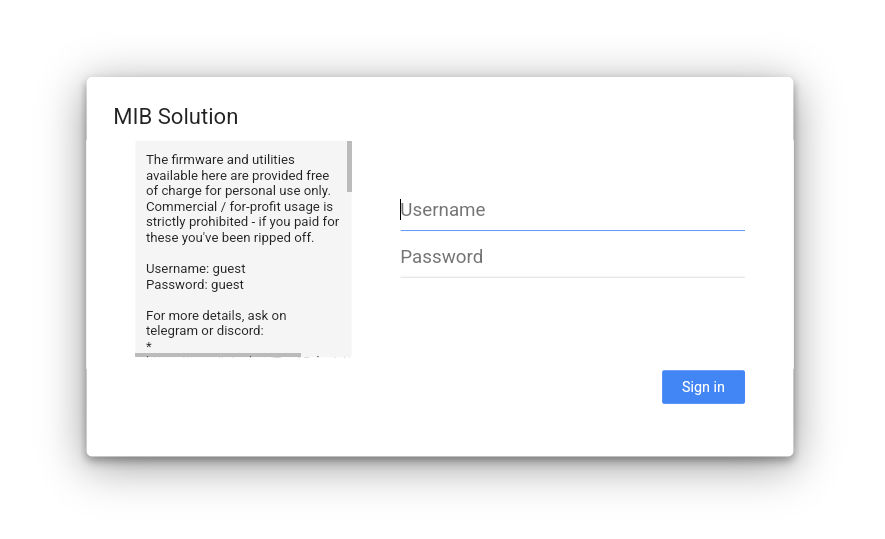
@wylee - don't use ur phone. Use a laptop/PC. Login (details r on the login page itself - screenshot below), navigate to the folder, as I provided above, download the file, unzip it, burn it to CD, insert into ur Columbus, start the Update process.
-
@wylee - hey hey. sounds like u have the mk2 Octavia with the Columbus RNS-510 system. it's strange that it is asking u to insert the navigation disc because the RNS-510 installs the maps on the built-in HDD, and runs off that, hence not requiring a CD to run. u may have to re-install the maps again. i used to have the RNS-510 maps before, as i had a MY11 mk2 Octavia RS prior to my current Superb. However i'm not sure if i still have the maps. will have a look when i'm home. otherwise, i would recommend jumping on the MIBSolution website and downloading the latest maps from there. V7 is latest one for us. Folder path is -> Maps -> RNS -> RNS510 AUS-NZ V7 CD_8035
-
-
@Dabber2024 - believe u tagged the wrong @J.R.
-
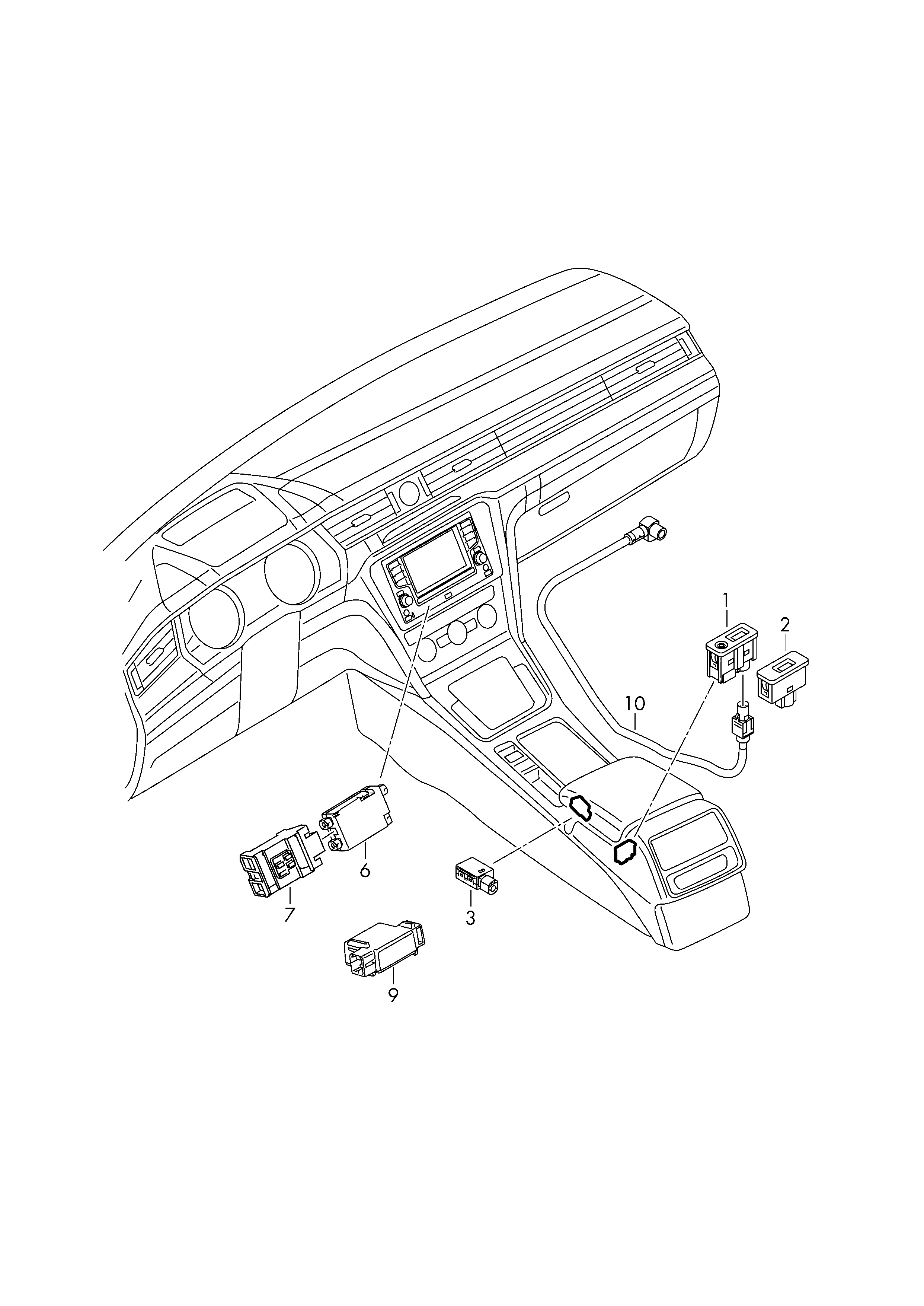
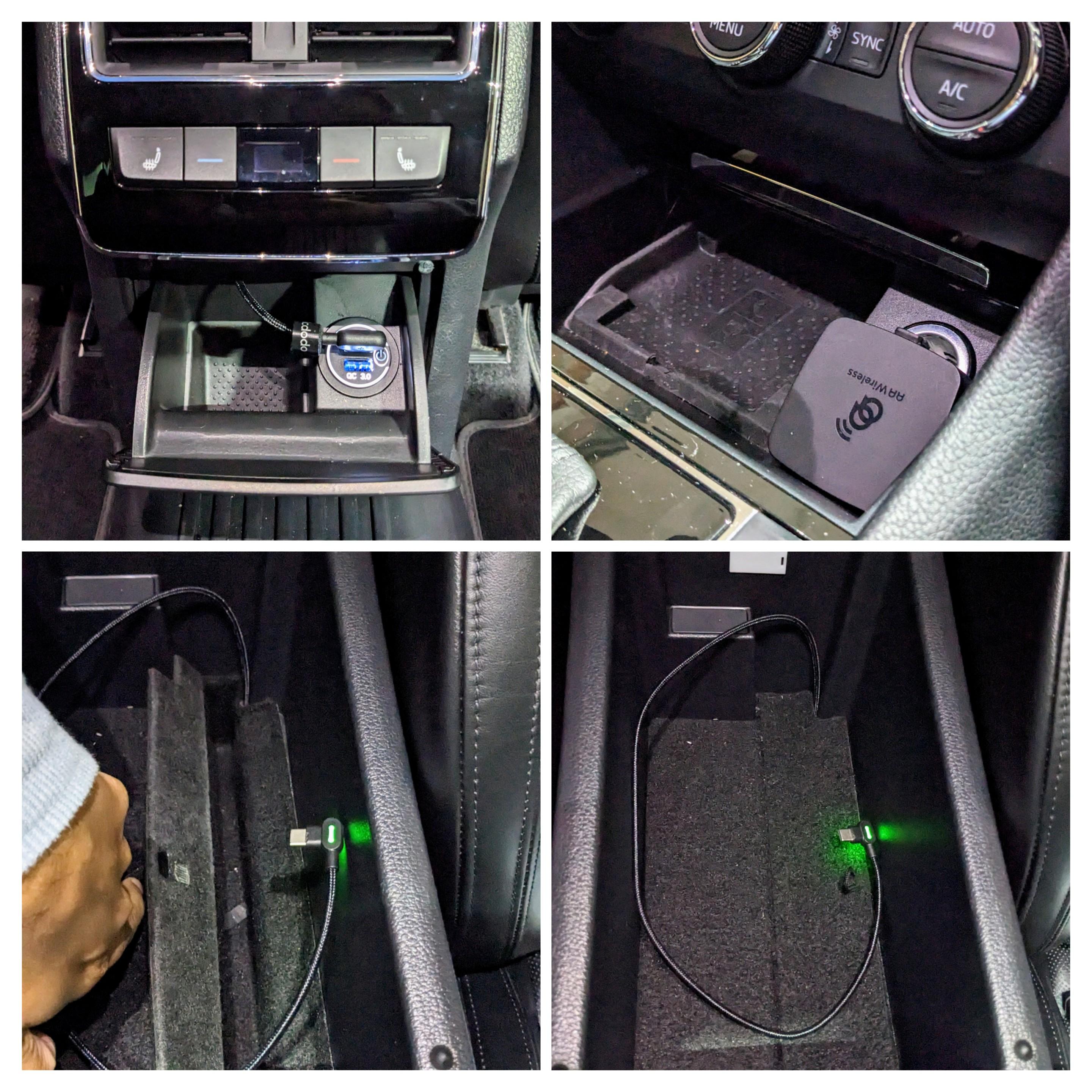
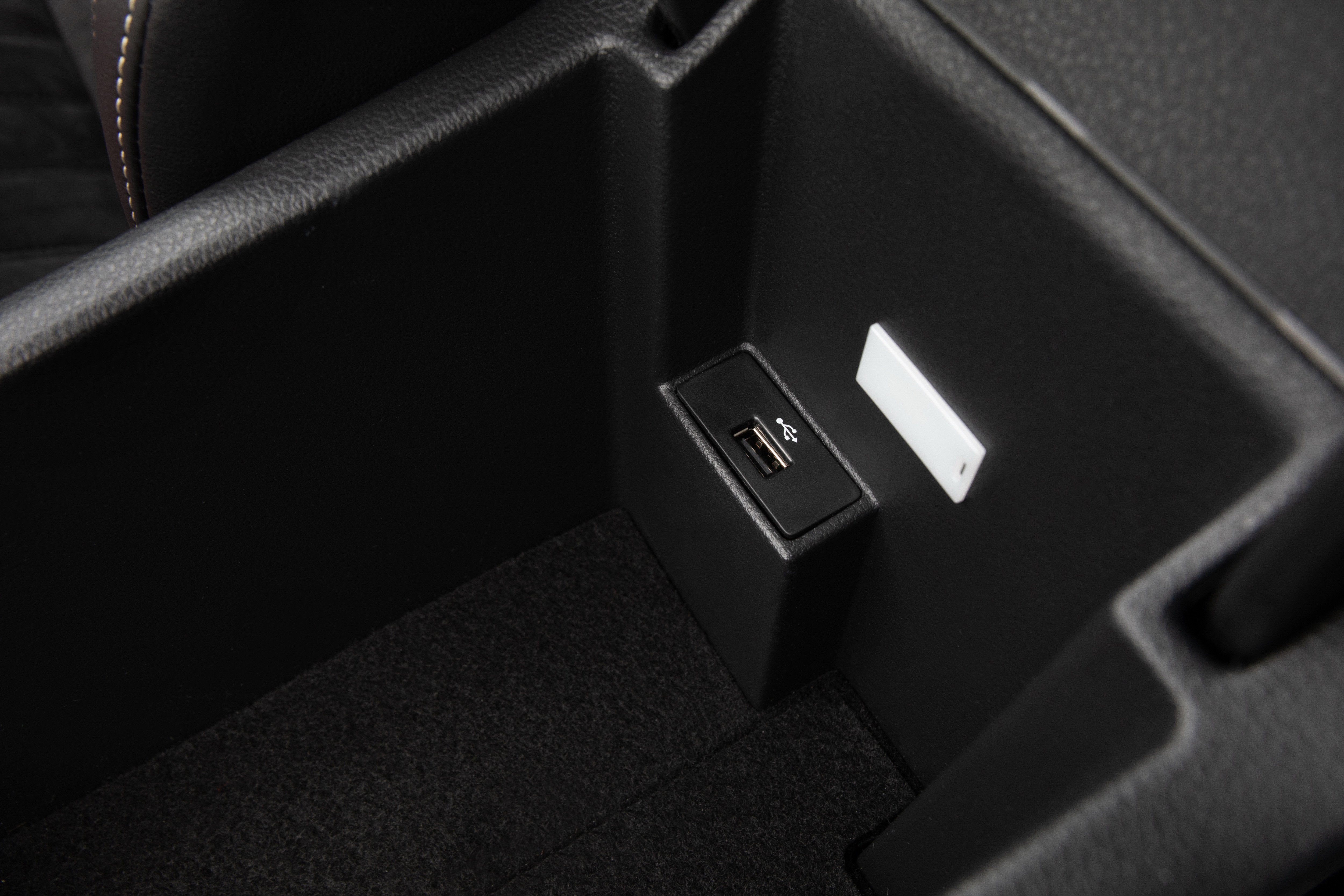
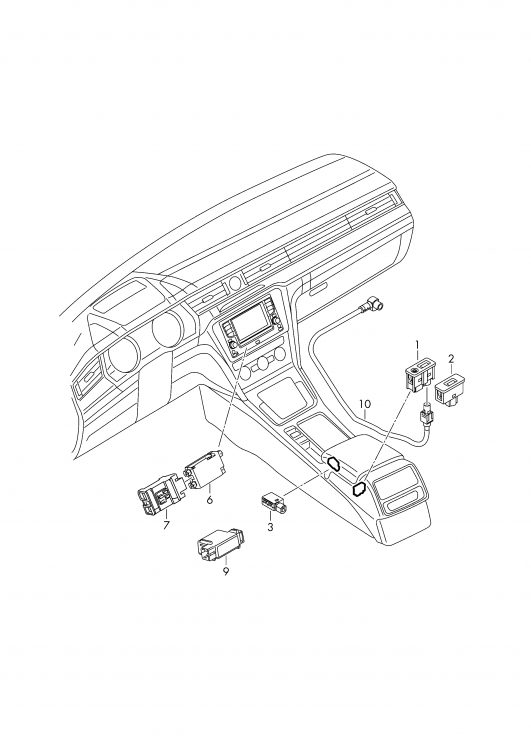
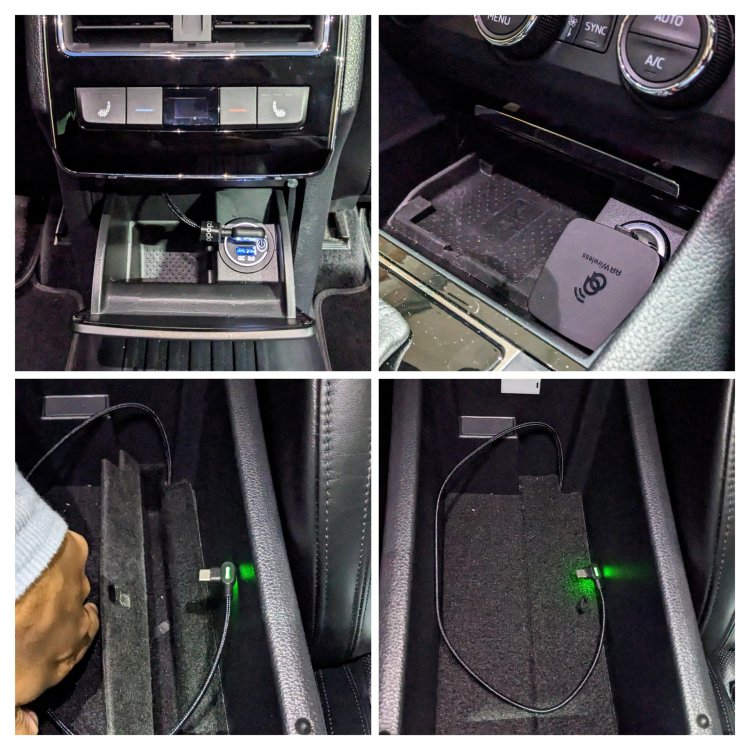
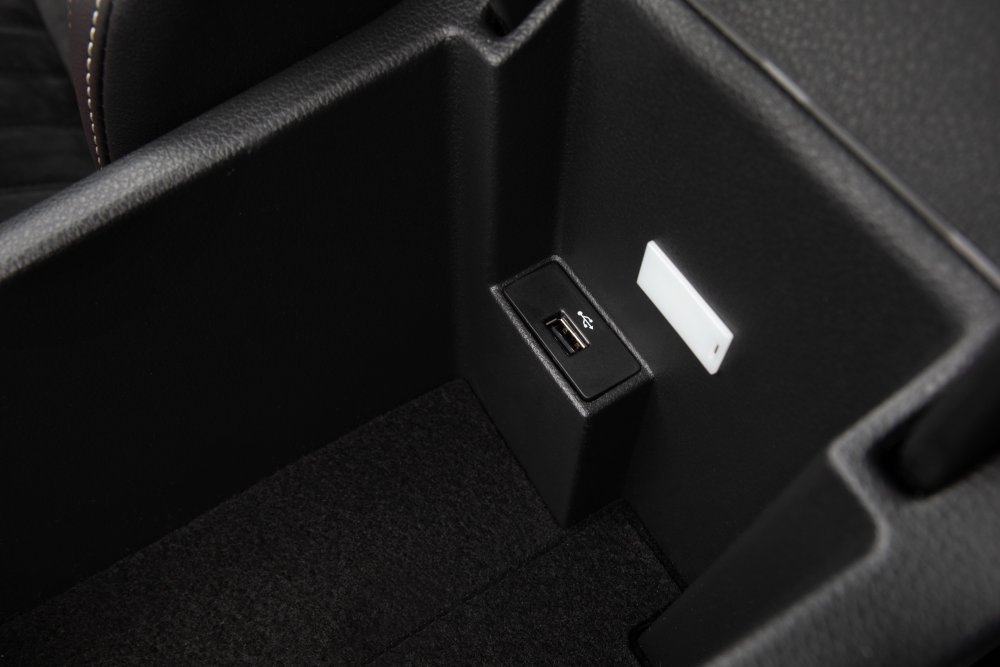
@SomeOfTheGear - it is possible to retrofit an additional USB data port in the storage under the armrest, however it's no easy task. it was available as a factory fit option in some markets, even on pre-facelift Superb. I contemplated doing, did all the research and figured all the bits and bobs needed - but i didn't end up doing it cause too much effort. Instead I went down the much easier route and got an AAWireless device (been flawless, no issues, and no lag), as well as converting my rear 12v port to a USB QC port. this way I can connect wirelessly and charge my phone if I need to. if u do want the actual additional USB port, then u will need a USB Hub, USB socket, and wiring. Part numbers:- 5G0035953C - USB HUB to 2 ports 3G0035643 - holder of the HUB 5G0035222E - MIB2 Carplay USB/AUX Port Audio Input with Socket Harness 8E0973754 - Connector for USB HUB The HUB itself is powered by a separate power supply, which u'll need to source/tap from somewhere. u'll need to remove the glovebox headunit so u can access behind it. u'll need to remove the centre console, plus centre arm storage area to fit the USB hub and additional socket. This is how it looks when fitted from factory... The wiring....... this is my setup in my Superb MY17. the AAWireless is connected to the existing USB port. Fits nicely as i can still close that lid. the 12v socket at the rear is now a dual quick charge USB ports. i've connected one wire to it and routed it in and up into the centre storage area. again, the rear compartment can b closed as the USB cable and socket are small/flat enough. the second QC port is free so the kids can charge their phone or tablet, if needed.
-
Correct - here in Oz, we continued to get the 280 engine with the facelift Superb, because of our less stricter emissions requirements. we didn't get the normal facelift Superb paired with the 272 engine. we did get 300 Scout facelift Superbs though with the 272 engine. those will likely have the weird dogbone mount.
-
That's a shame to hear @travs I've heard some facelift Superb, and the newer Arteon owners were unable to use either V1 or V2 versions. On the other hand, some facelift Superb have had no issues either. Weird. No one yet has figured out why VWAG changed that bit.
-
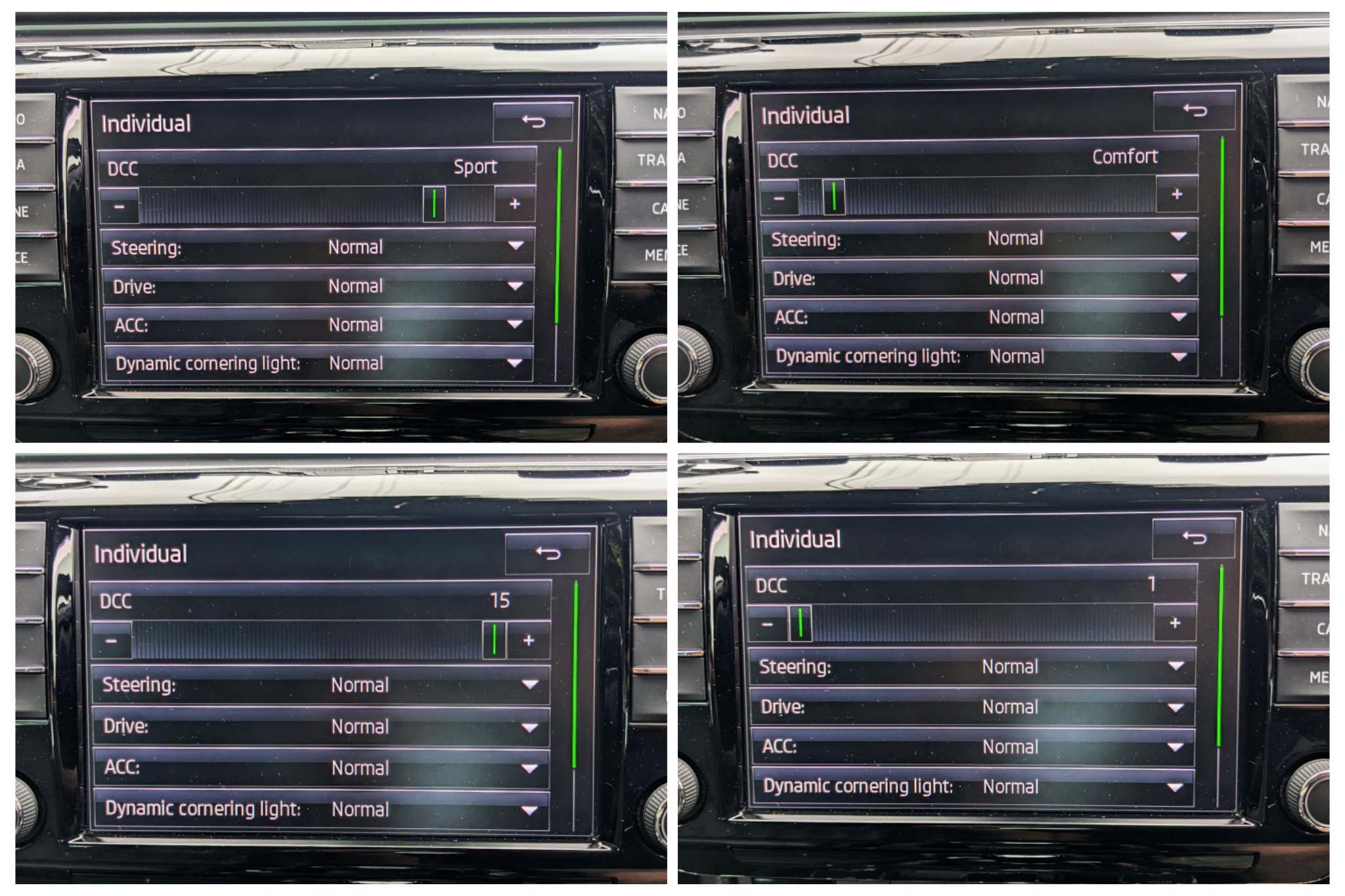
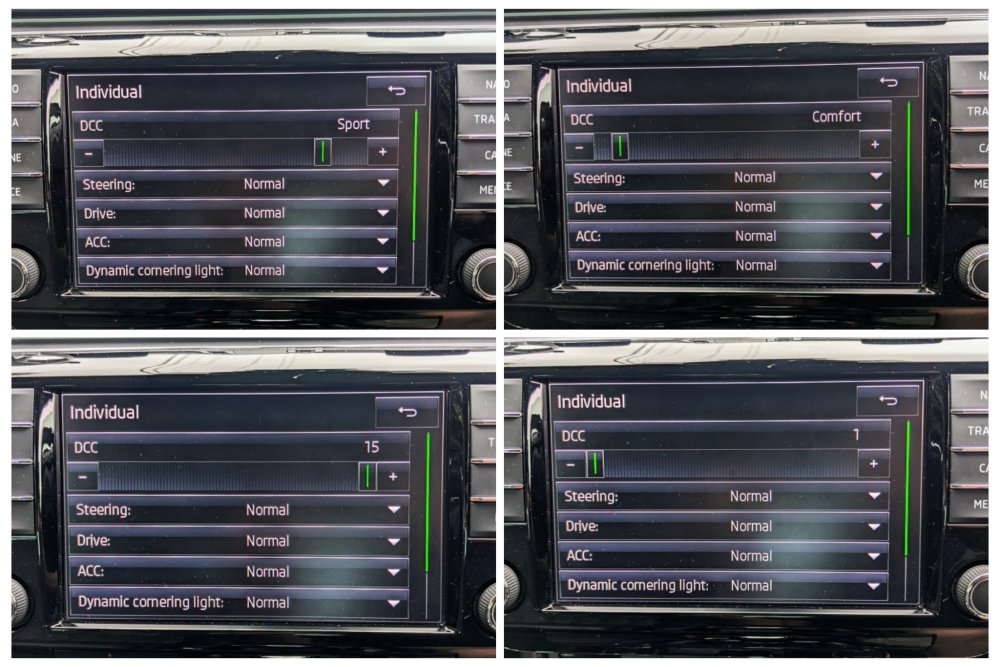
No, it doesn't require the MIB to change. Mine was an MIB2 Columbus with a 8" screen when I had the DCC Slider Mod done.
-
It applies to all Bilstein Damptronics range, apart from the Porsche versions, which I have not seen or read about in the past. As for the new Gen2 DCC - it's a completely different setup, using 2x valves, unlike just the 1 valve with the current DCC. Gen2 will require different wiring circuits, different modules altogether, different gateway, and have flow on effects to lighting, steering and ACC. Not a retrofit for the mk3 Superb.
-
Neither ODIS or VCP r novice tools, nor cheap to own - so I leave it to the experts who know wat they're doing. Stuff with OBDEleven or VCDS I'm more than comfortable, and have done plenty over the past decade.
-
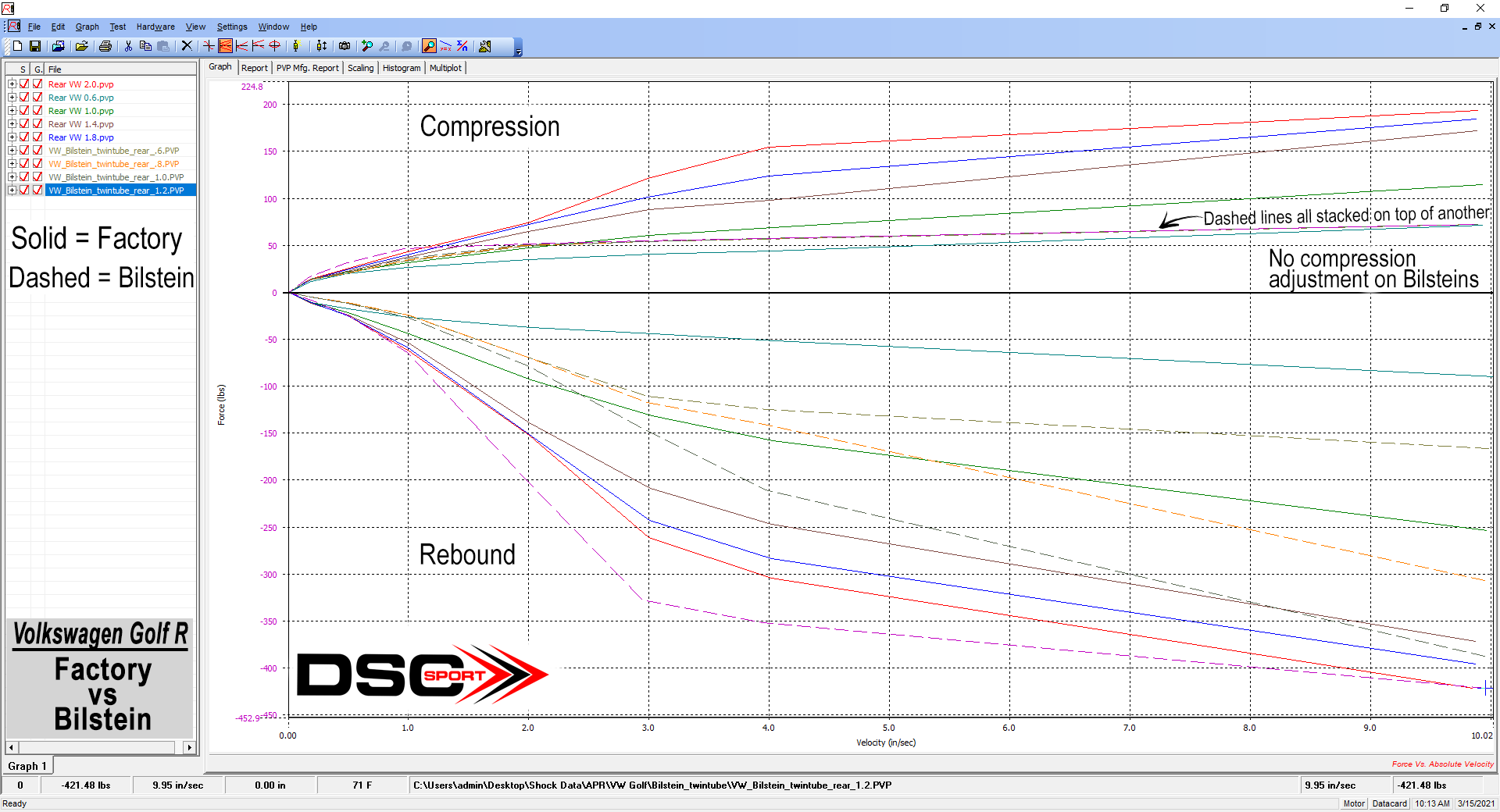
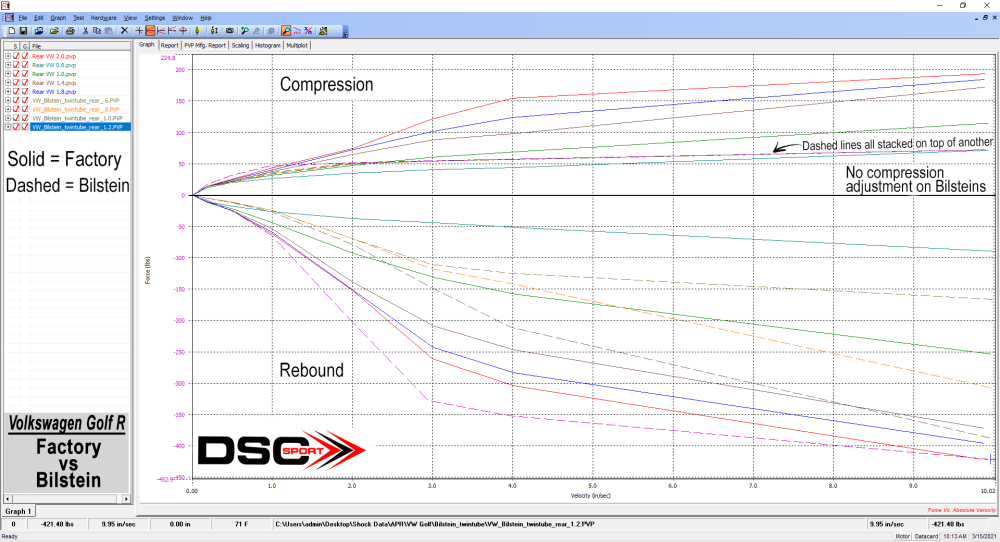
According to testing done by DSC Sport, the Bilstein Damptronics can only control rebound well. It doesn't do compression well. The factory DCC shocks can do both, and even exceptionally well with the DCC Slider Mod as it uses a much better algorithm to handle rebounds and compression. Below is the finding from DSC Sport:- "We had some pretty interesting findings today when shock dynoing the Bilstein Damptronic B16's for a MK7 Golf R (part number 49-255874). We found the Bilsteins only are able to control the rebound, while the factory shocks are able to control both compression and rebound with their valving. This means the Bilstein Damptronics are a less capable setup when looking at compression adjustment, but still happen to have slightly greater rebound range. Basically the only benefits to the Damptronics are adjustable spring perches to change ride height and stiffer springs. But are not beneficial when looking at the "active" functionalities of the shock. This is due to the valve used in this specific shock, however in other Bilstein kits we have tested, like the Porsche Kit, the valve is different and was able to control both rebound and compression."
-
No can do with VCDS or OBDEleven. U need ODIS or VCP U can however do the DCC Recalibration with VCDS or OBDEleven.
-
@spen686 - in that first link, DCC - the person couldn't get it to work!! DCC Slider, in simple explanation, requires:- - Gateway module (#19) to b flashed - DCC module (#14) to b flashed - Code changes - DCC recalibration performed.
-
+1 to wat @DoDaniel said - it lights up when ur NOT in Normal driving profile.
-
There's a reason why I spent extra and got the helmholtz version - no drone at all, even under hard acceleration when overtaking or flooring up a hill.
-
Manufacturer's don't make user manuals according to the car build - that would b inefficient, and cost too much time and effort. ideally, the dealer who sold the car gives u a printout of the spec/build sheet. if that is not an option, a Skoda erWIN subscription to download the specifics of ur car, based on the VIN number.
-
That's not true as it varies between different sizes such as 17, 18, 19, 20 etc etc. Here in Oz, 245/40/19 tyres r much more cheaper than 235/40/19 tyres. That's because the 245/40/19 tyres r a lot more common and more widely used by other manufacturers, compared to 235/40/19. Hence why many of us have switched to 245/40/19 tyres. Thicker sidewall and wider footprint is a win win. 235/40/19 is the standard size for mk3 Superb with factory 19s.
-
That's because of the GPF on the 272 engines. They also miss out on valved exhaust flaps.
-
It would b to do with the different lengths of pipes for the different cars. Even though they're all MQB, they have slight differences.
-
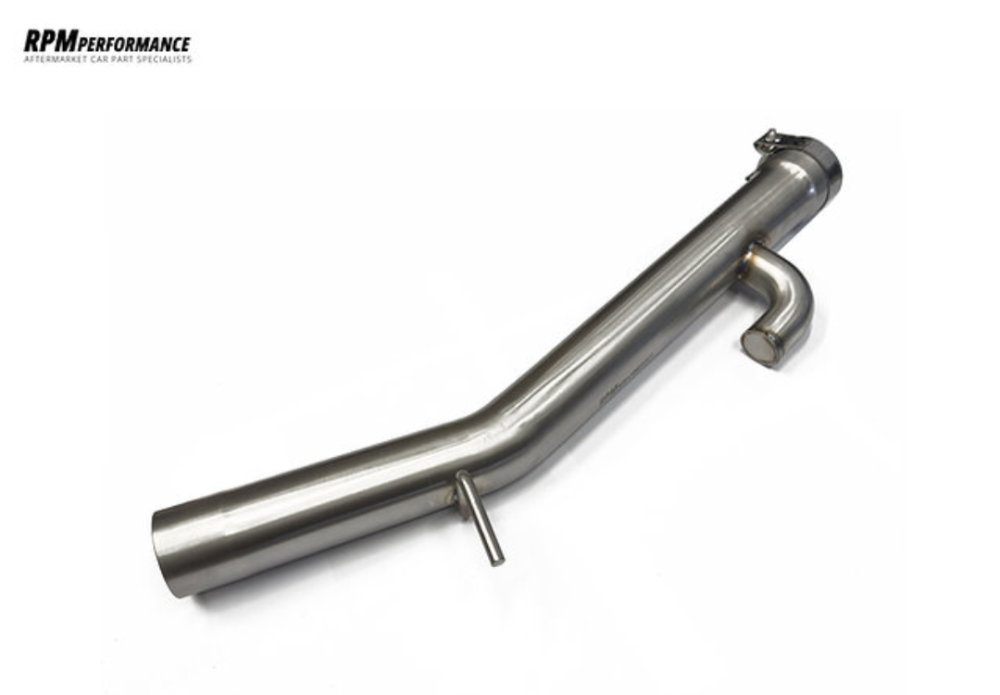
@travs - u should check out RPM's anti-drone version.
-
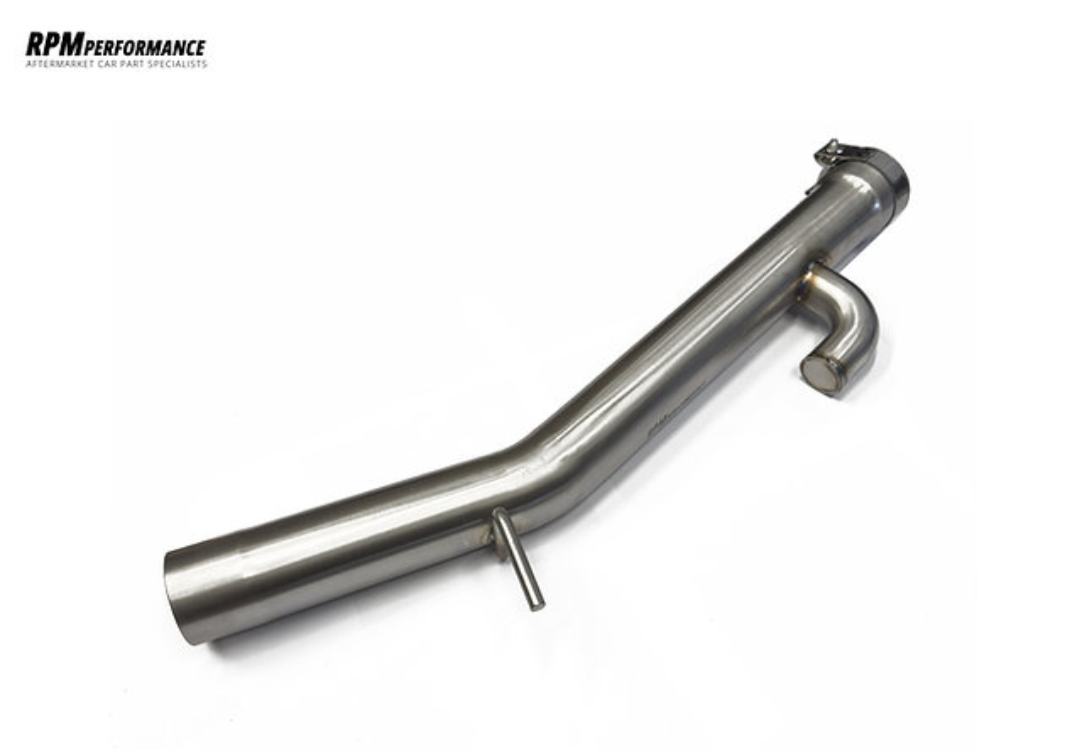
No it won't fit the 272/280 as it has an AWD setup. It uses a completely different center resonator box and the exhaust pipes routes differently. I know of a few 280 owners here in Oz who have bought & fitted the RPM Performance Resonator delete pipe that was made for the AWD Cupra/Formentor. Mine is a mk3 220 FWD, hence why I used the version made for the mk3 Octavia vRS, which is also a FWD setup.
-
@passatman62 - u r better off replacing the entire foglight unit on ur pre-facelift Superb. they r easily removed with just two screws holding them in. u can get brand new replacements from Kopacek. as above, the facelift frontend is very different to the pre-facelift. whilst a few people have converted their front ends, with companies that specialise in such conversions, it is a big big job. u'll also end up having to change BCM and Gateway modules, plus other bits n pieces. not worth the hassle.