JR RS
FREEDOMLite
-
Joined
-
Last visited
Everything posted by JR RS
-
The Start-Stop not working due to cold weather is pure BS!! I live in Canberra, and it gets below zero here plenty of times, and Start-Stop is not affected. Sydney weather is nowhere near cold enough to affect that. The only time mine has been affected was when my battery started to run low. When u do change the battery, yes, u must perform a battery adaptation using a tool such as VCDS or OBDEleven. Otherwise the Skoda Service centre may do it for u. The other behaviors ur car is showing is strange indeed, and usually things start to play up when the battery is on its way out. When was ur battery changed? What is it's current State Of Charge? Should b close to 80% for a healthy battery. If it's not the battery, then something else more sinister is occurring. Again, u'll need VCDS or OBDEleven to run a full scan to see if any error codes r present.
-
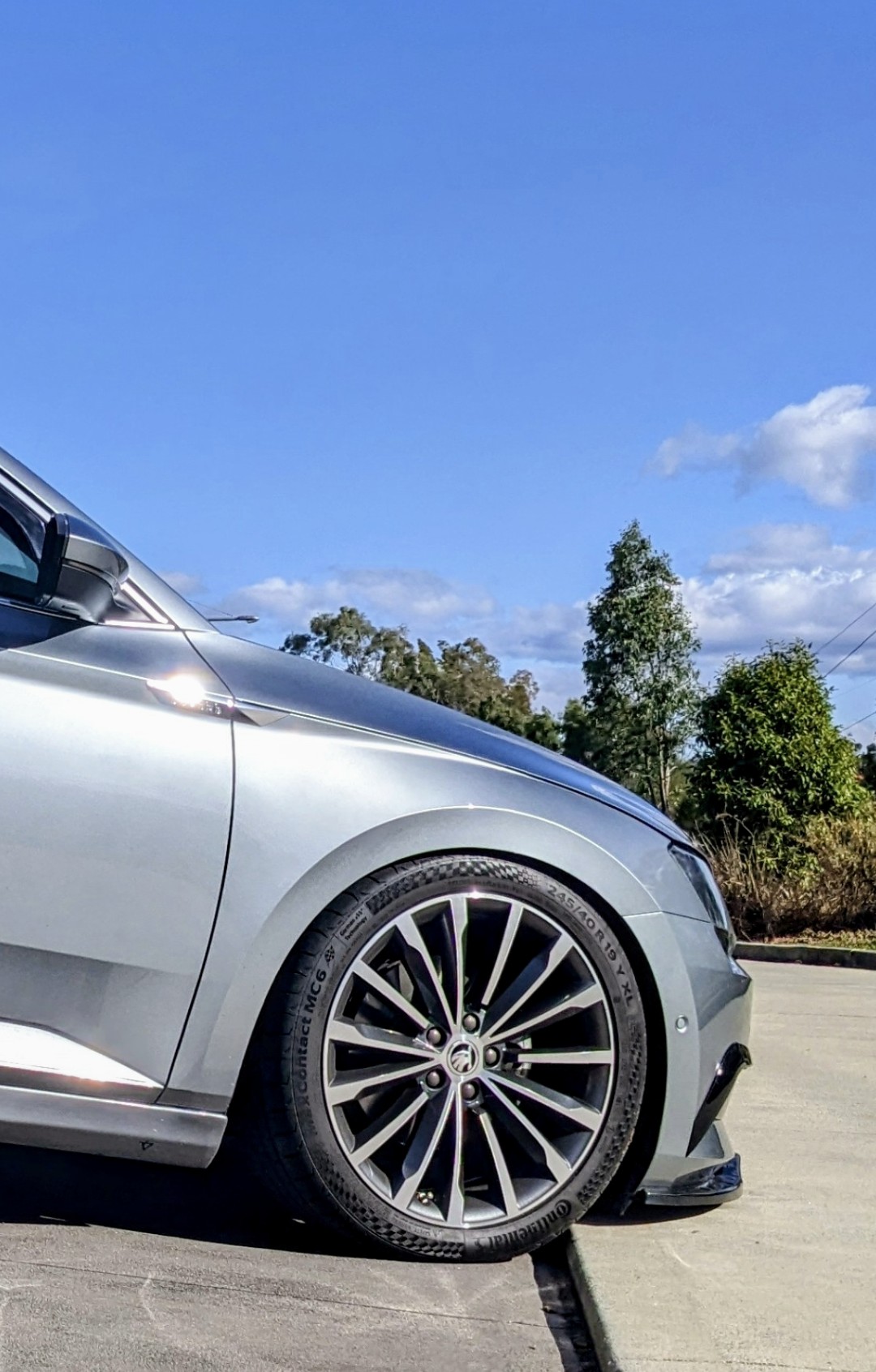
For starters, ur setup isn't good!! U shouldn't b running different sized tyre profiles between from and rear. Why have u done that? U r running odd tyre sizes, front and back. Also 225 wide tyres is not recommended on the 8" wide rims, which the Superb uses. Standard tyre size on the 19" rims r 235/40/19. Many have upsized to 245/40/19 tyres, including myself. It's more comfortable, cheaper, easier to find, and reads closer to the true GPS speed.
-
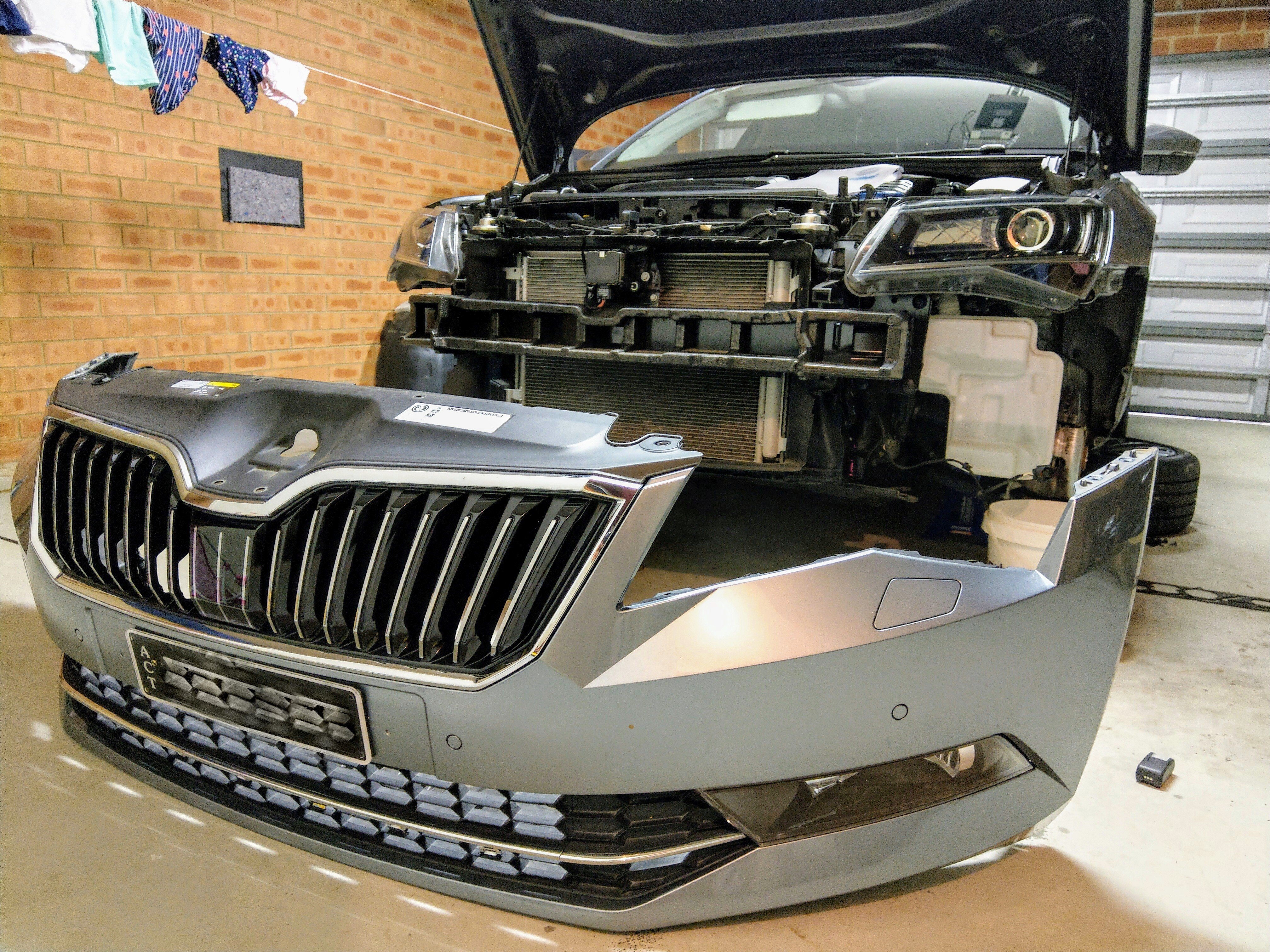
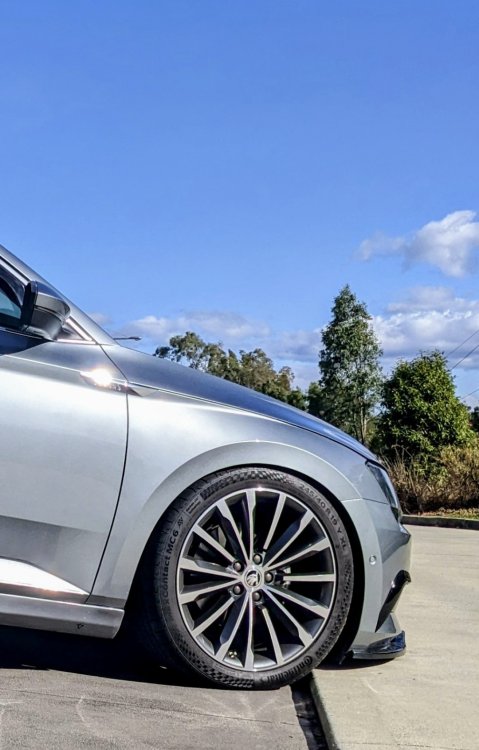
Turns out it was more times than i realized!! I've removed it so many times cause I'm a nutcase, but reasons were... - to retrofit Smart Light Assist headlights - to fit Rieger front splitter - to remove lower grille centre chrome bit to plasti-dip it black - to change the upper grille surround from chrome to black - to open up the blocked air flow duct behind the grille ...so yeah, plenty of practice
-
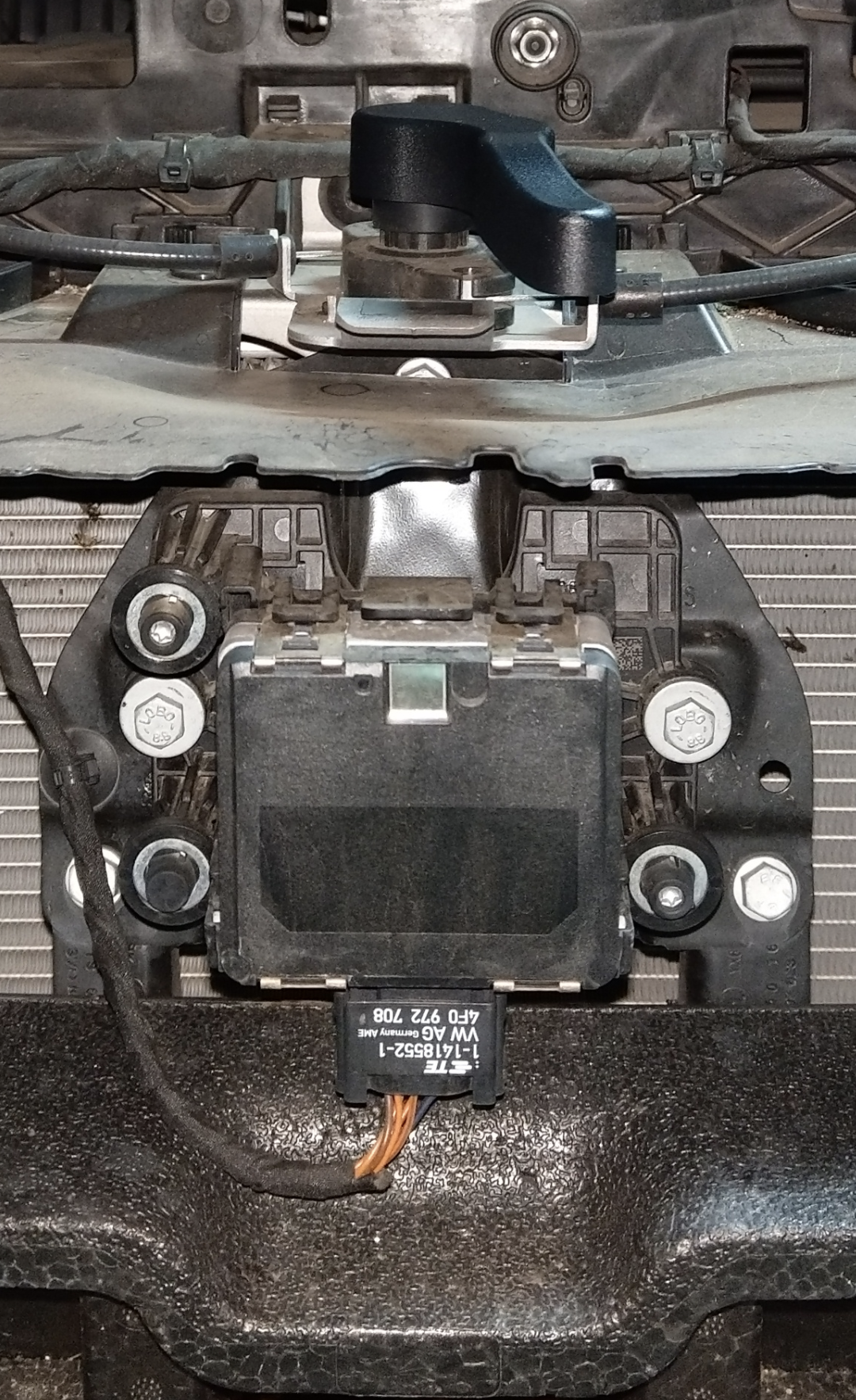
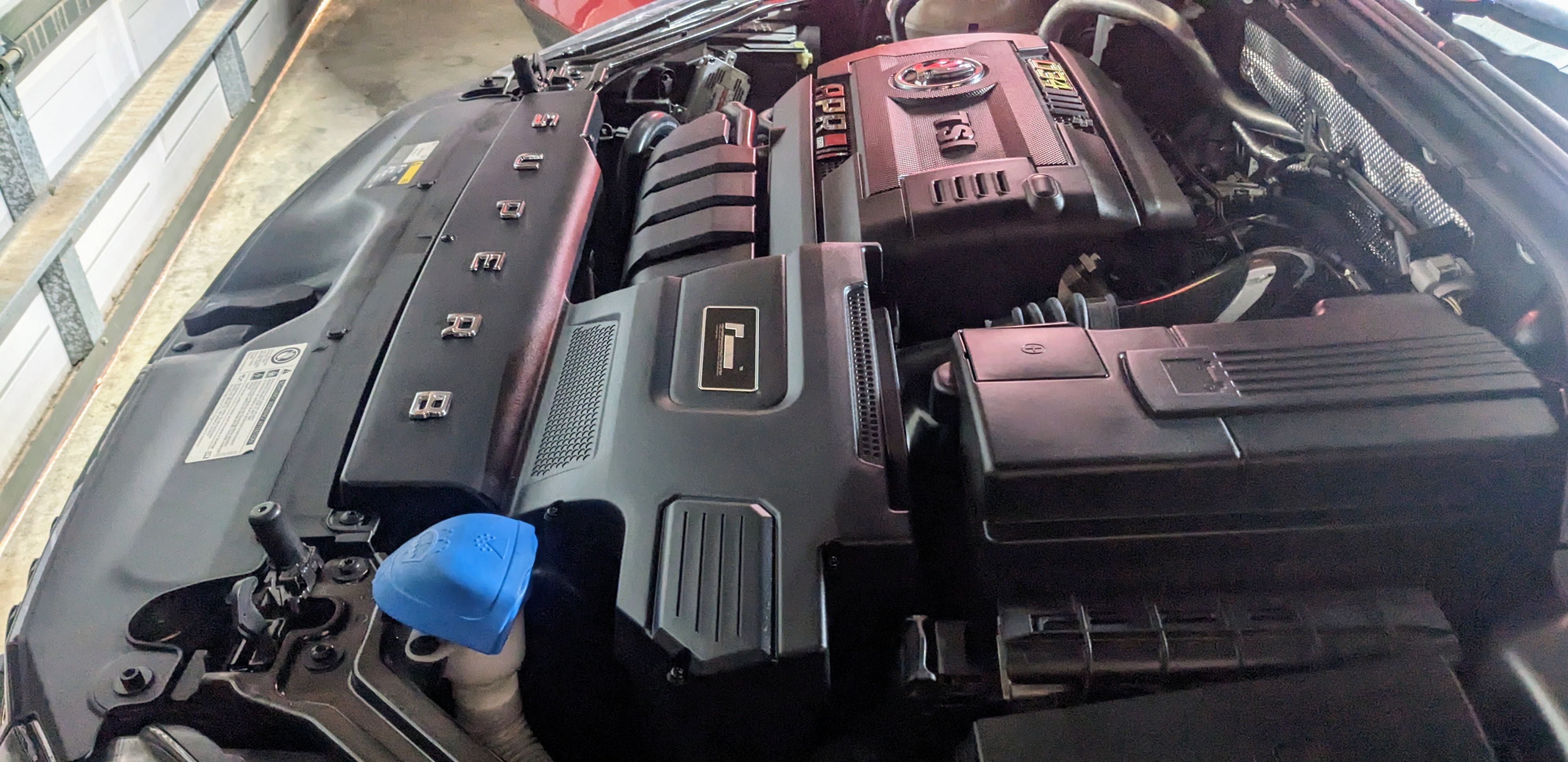
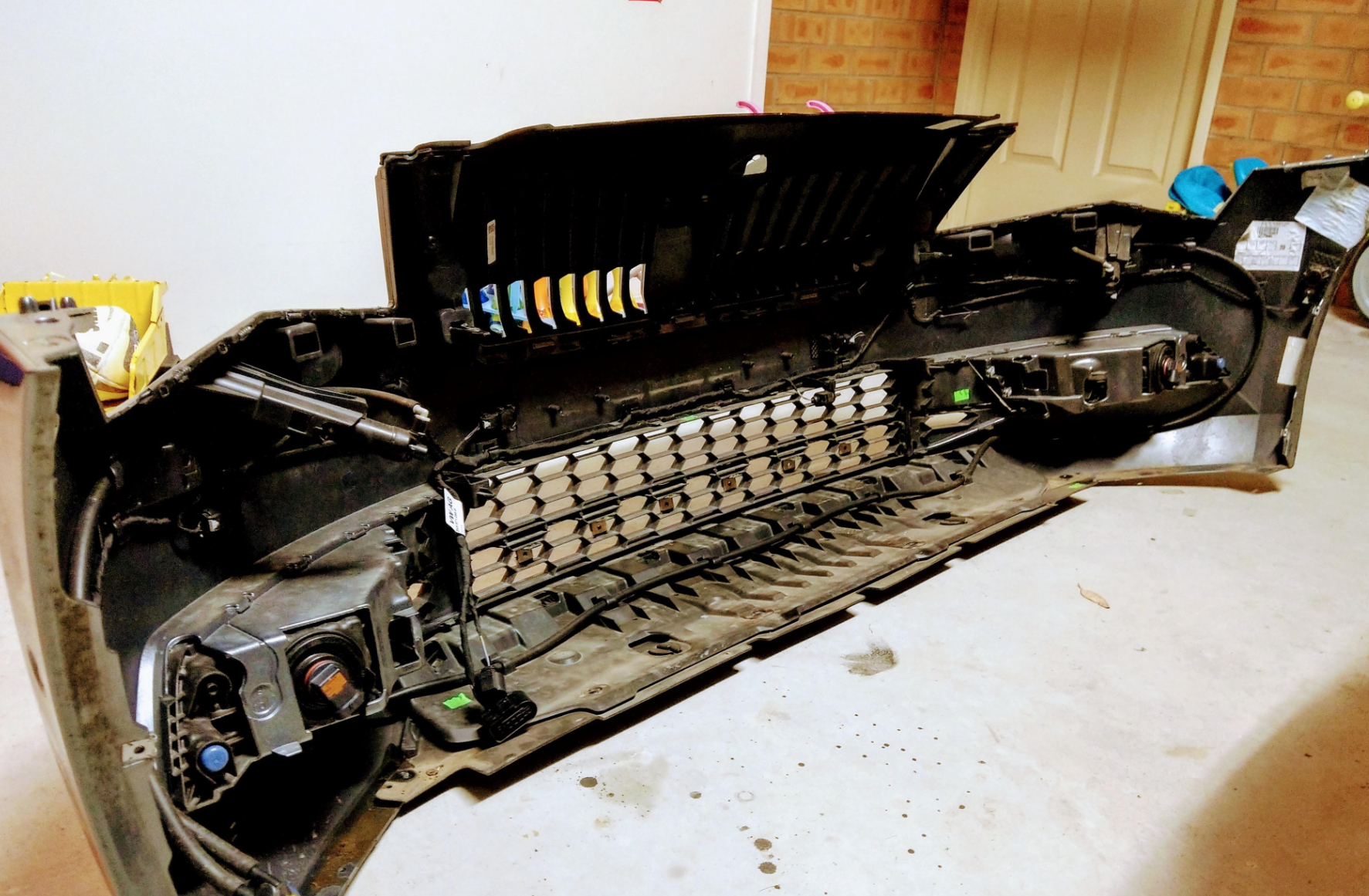
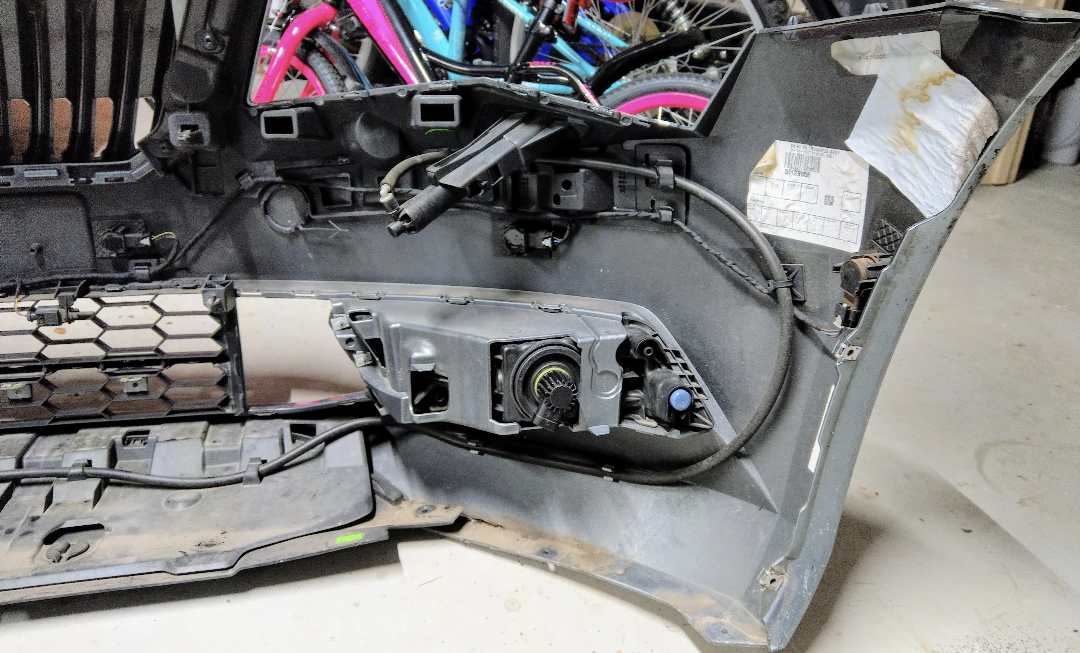
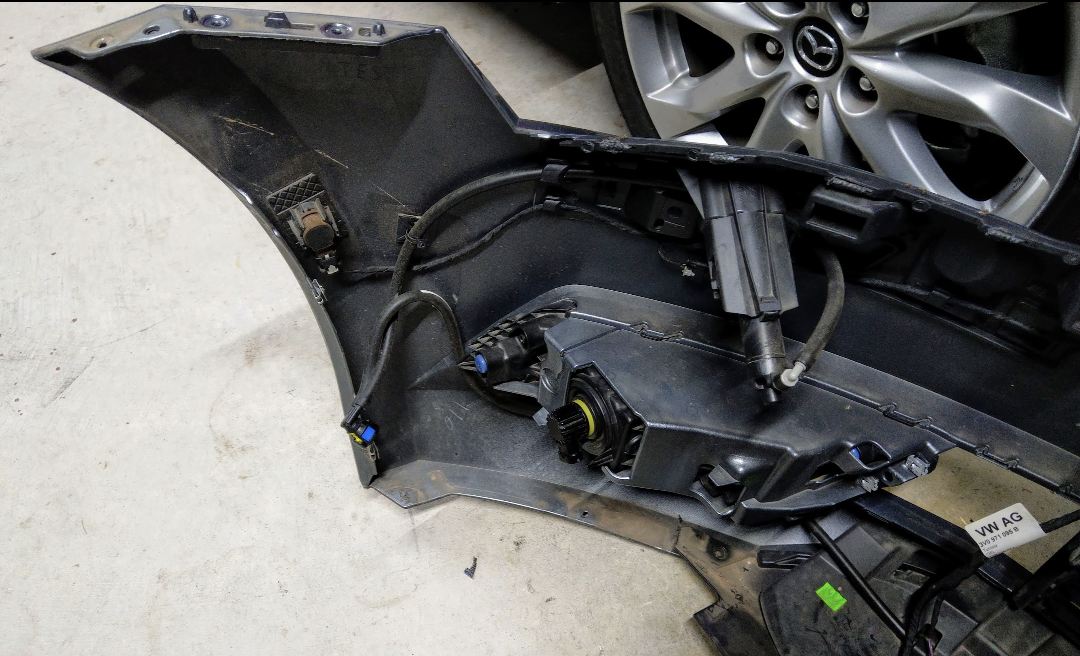
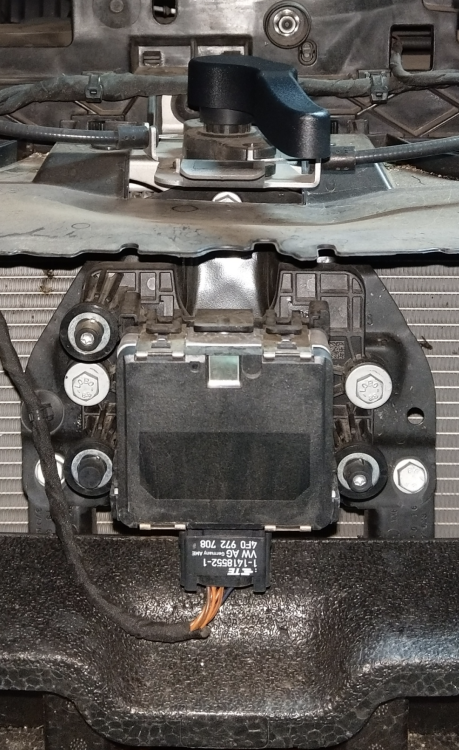
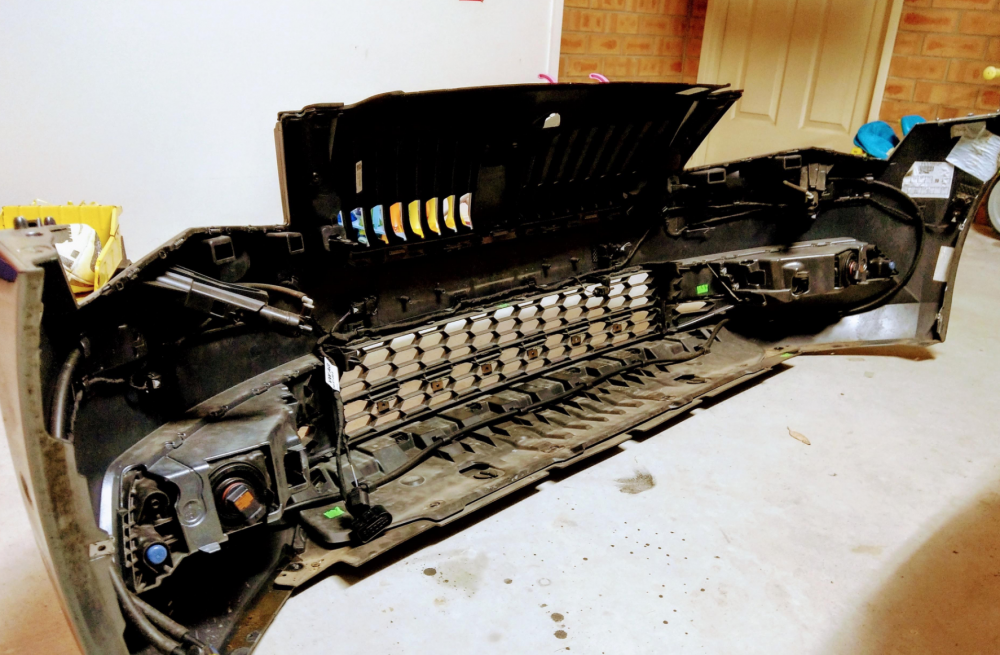
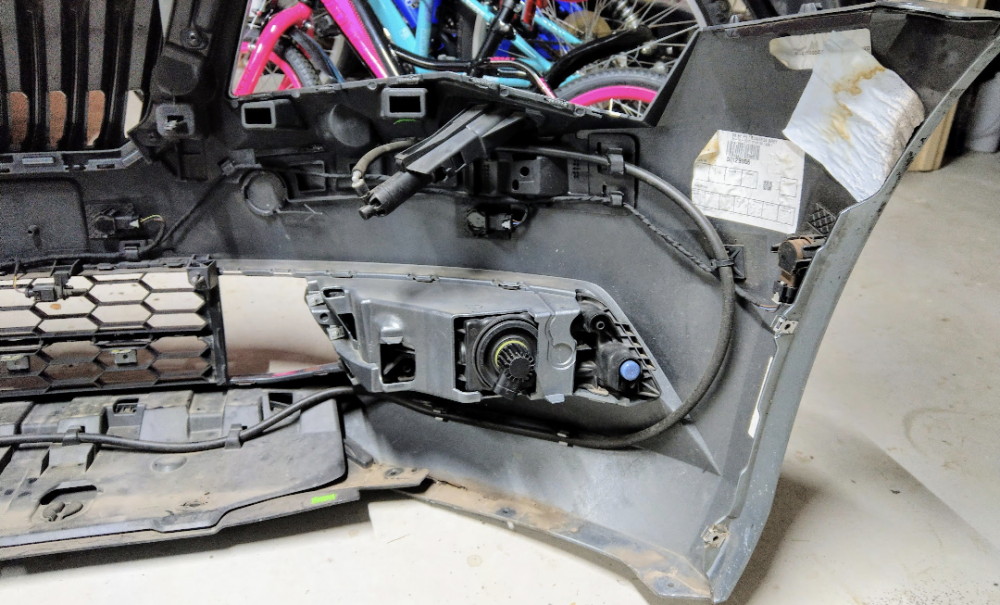
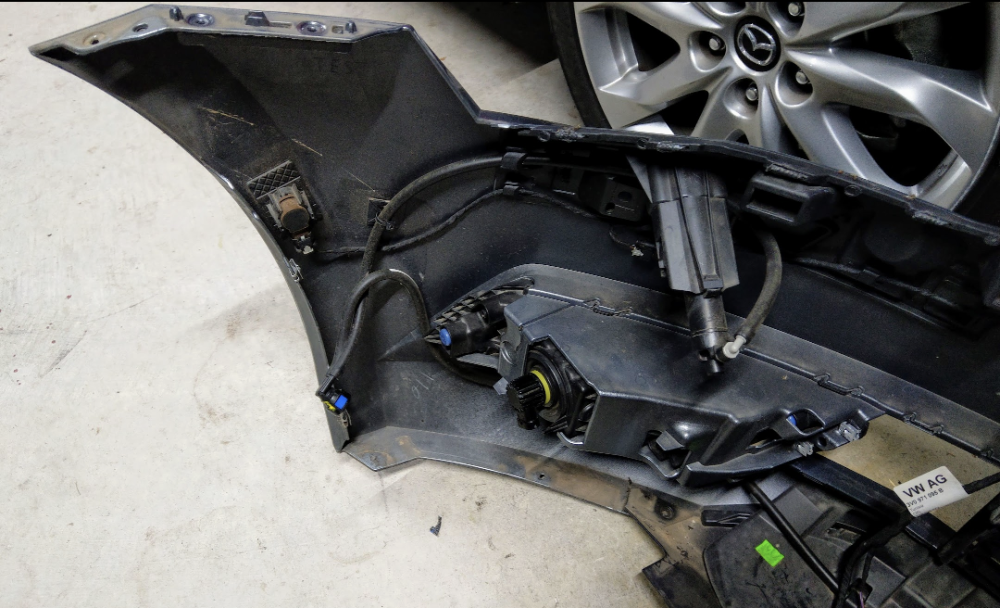
Tools r minimal - u just need a torx screw, and it's the same size for the wheel arch liner, bumper and under tray screws. The headlights use torx screws as well, but r slightly bigger. U won't break anything if done properly. I've removed my bumper about 3-4 times now, and haven't snapped or broken anything. The tricky part is making sure not to hit or bump the ACC radar sensor whilst removing or putting the bumper back. It looks like this...... Good luck
-
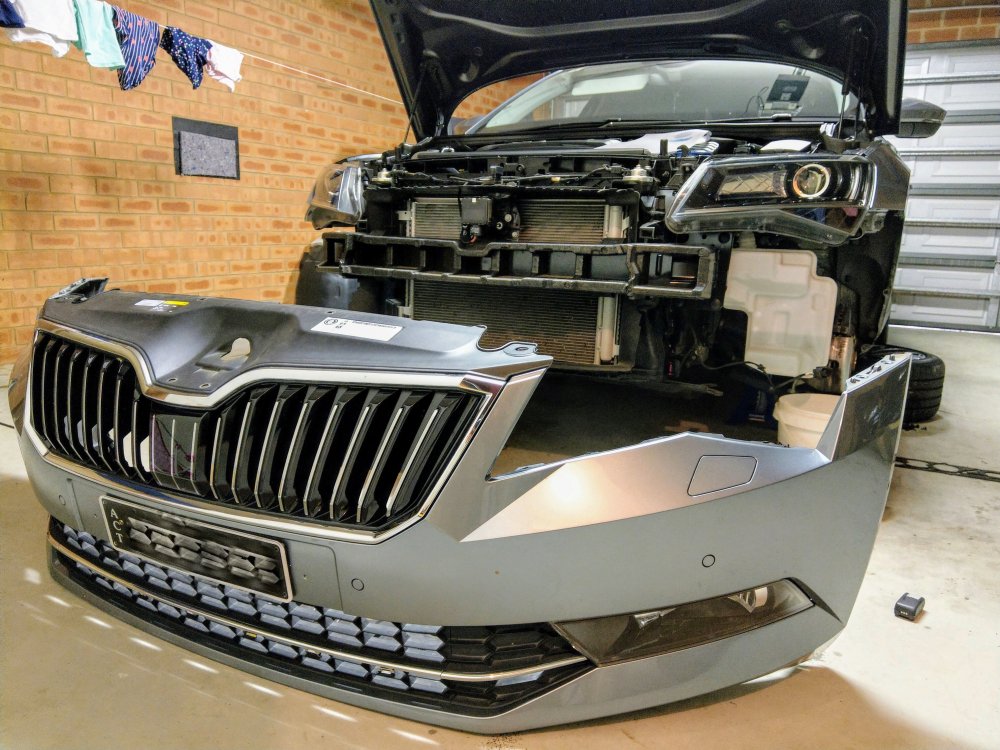
Would b happy to answer, but as u say, mine is the pre-facelift Superb. Nonetheless, I'd imagine most of it would b the similar. The key difference with the bumper being the foglights and the surrounding grille. I've attached the how-to guide. It might help. Unfortunately the bumper off requires front jacked up and front wheels off. Removing Front Bumper.pdf
-
tis crap only for new, or recent new owners of OBDEleven. for those who bought it a few years ago, like me, it was lifetime license, and continues to b lifetime
-
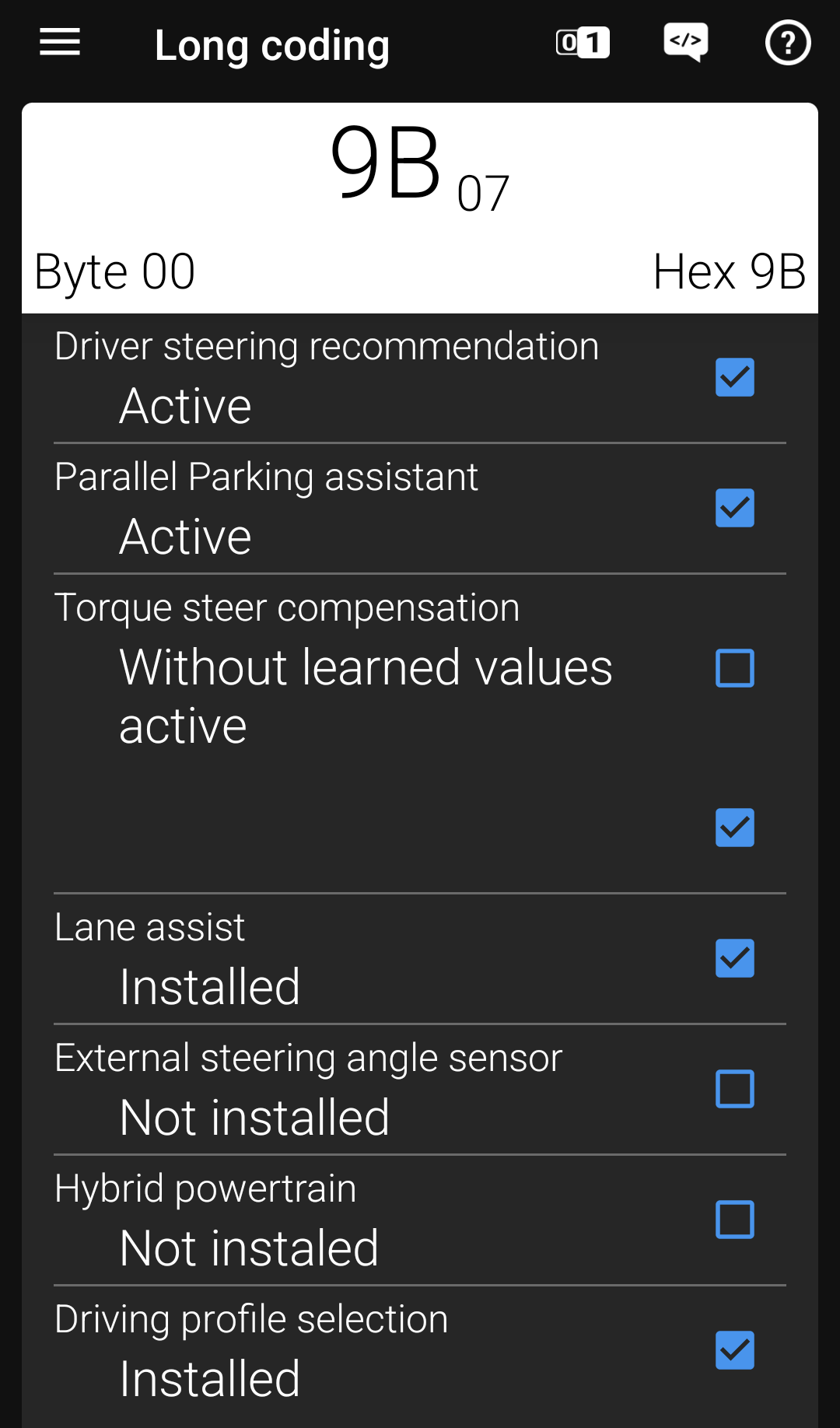
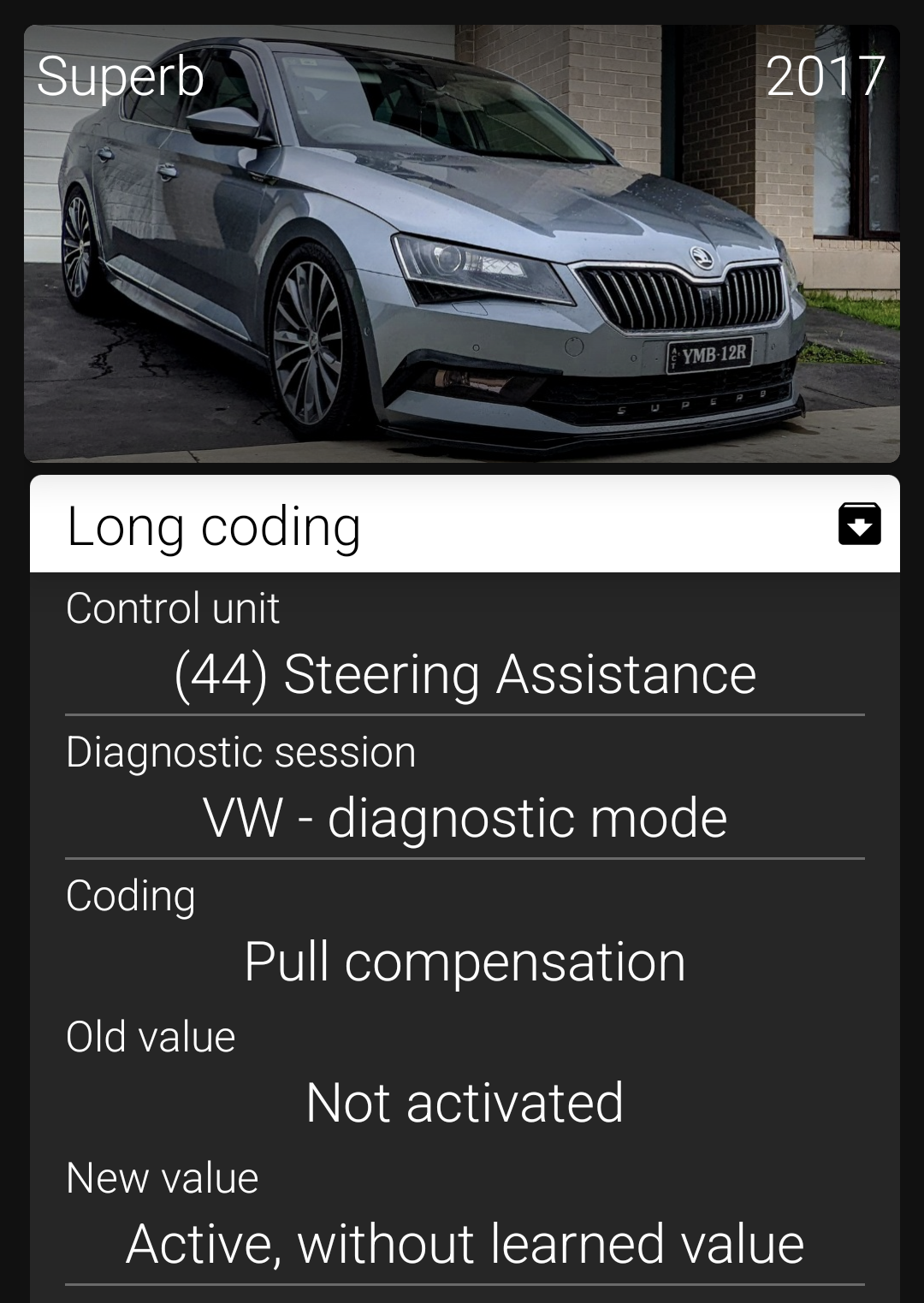
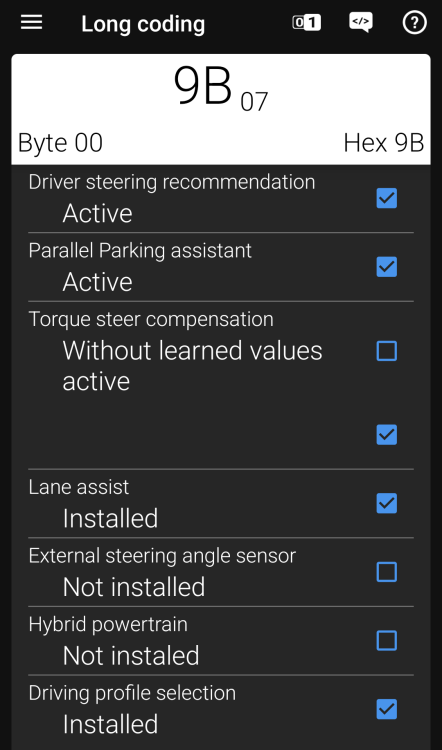
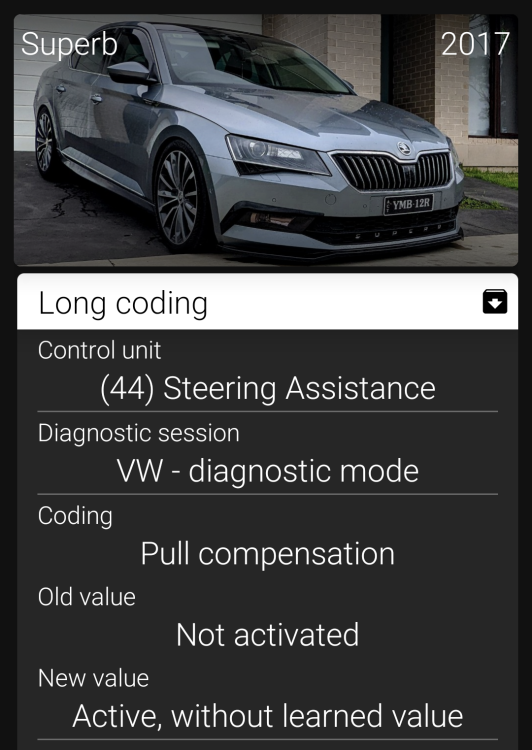
For those experiencing Torque Steer, especially those running a tune, then i would highly recommend doing this coding, using either VCDS or OBDEleven. "The Torque Steer Compensation (TSC) is only being activated for Front-Wheel-Drive (FWD) Models which have a high powered Engine. This Function prevents the Car from leaning into one Direction while Accelerating in Combination with powerful Engines and unequal Lenghts Drive Shafts." I was experiencing even more torque steer after I had the ECU and DSG tune done to my car. I was getting torque steer even at speeds above 80 km/h when doing overtaking manoeuvres. the pulling is not nice. after making this change, the car doesn't feel squirmsih at all now under hard acceleration, or overtaking moves. i'm feeling more confident to push the 220kw/530Nm of power through the front wheels no more pulling!! no adverse effects or complaints from the car. would recommend it to anyone with a FWD and a tune. steps:- 1. go to 44-Steering Assist module 2. enter Security access code 19249 3. go to Long coding 4. Byte 00, select Torque steer compensation and select "active: without learned values" 5. Save (Do It), and ur done.
-
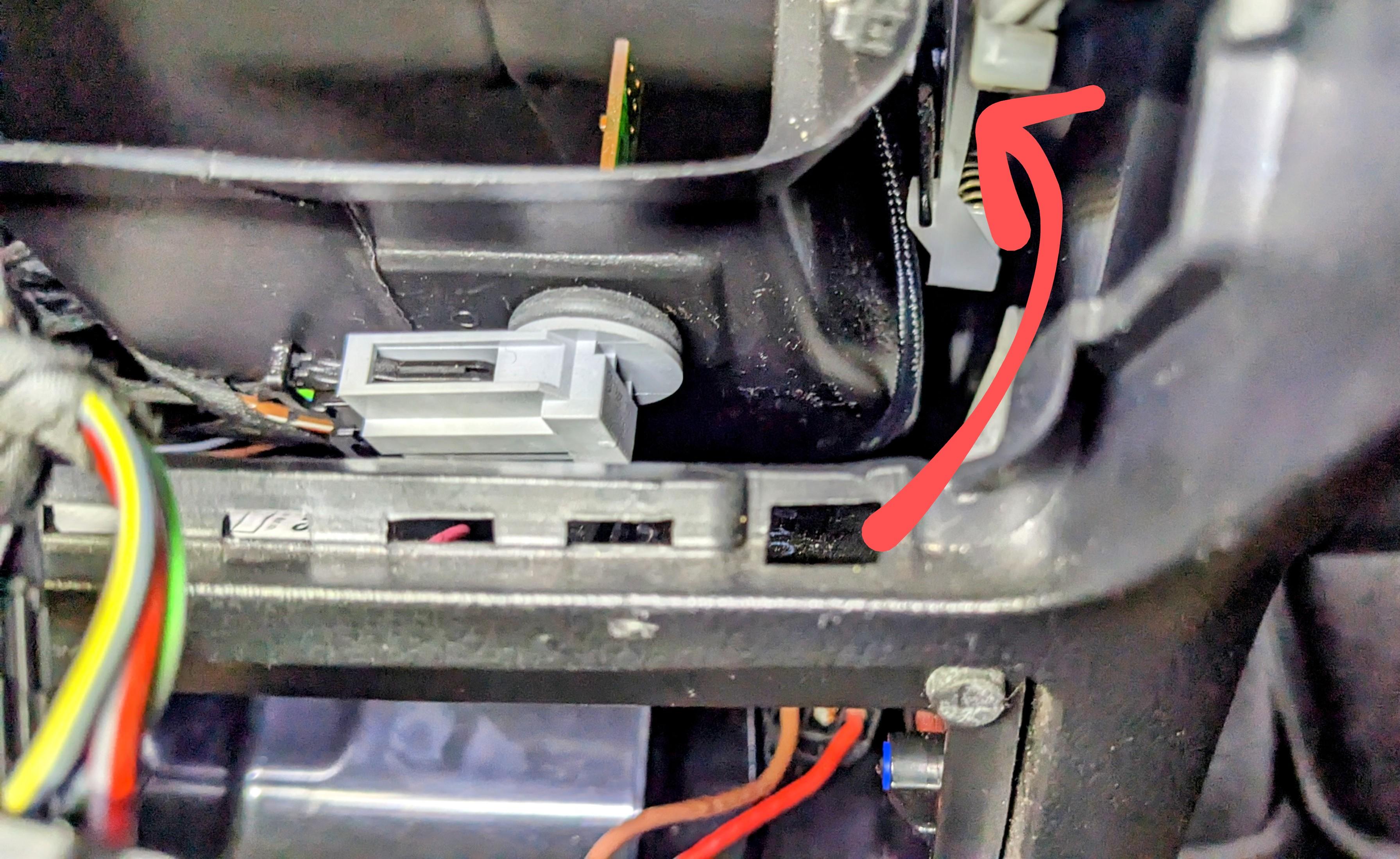
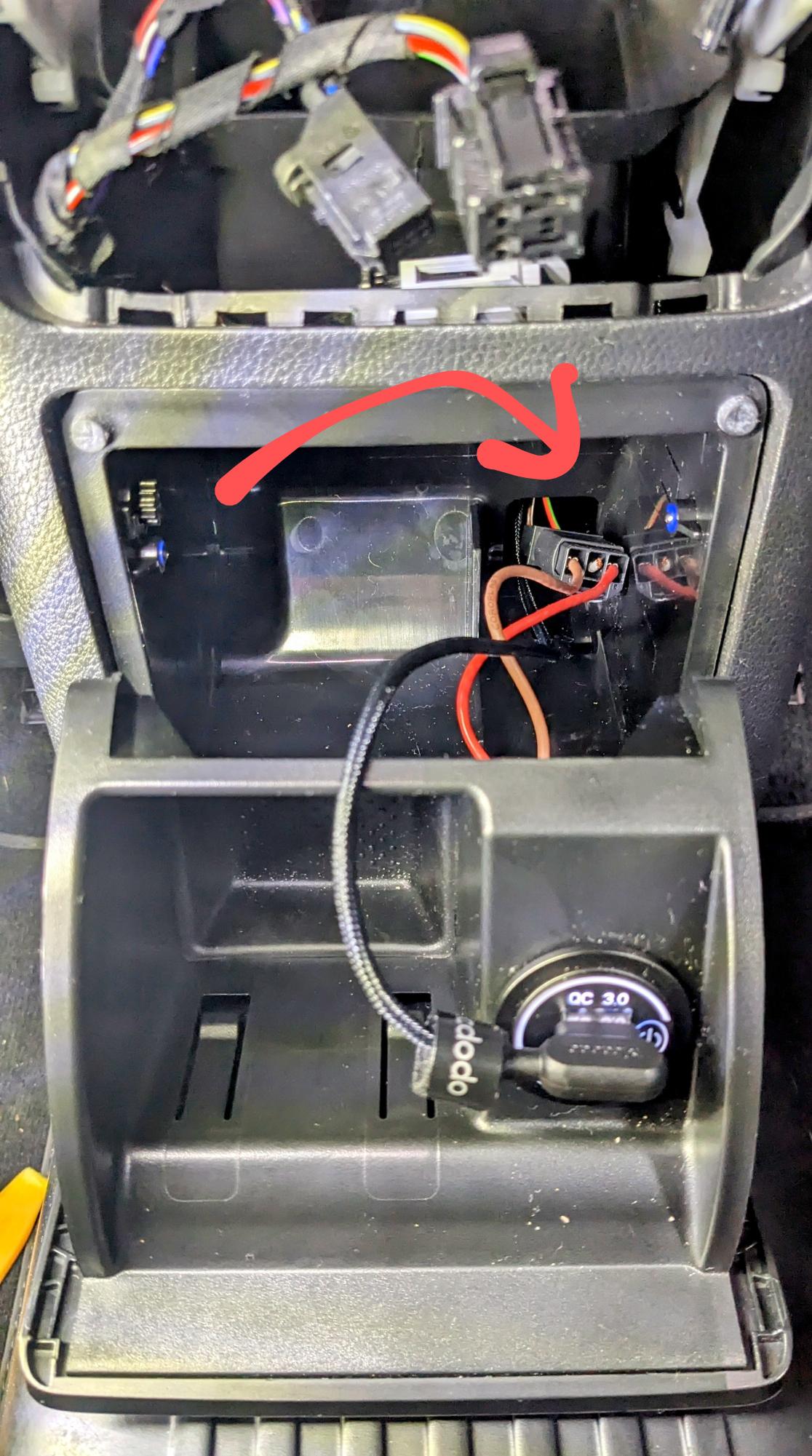
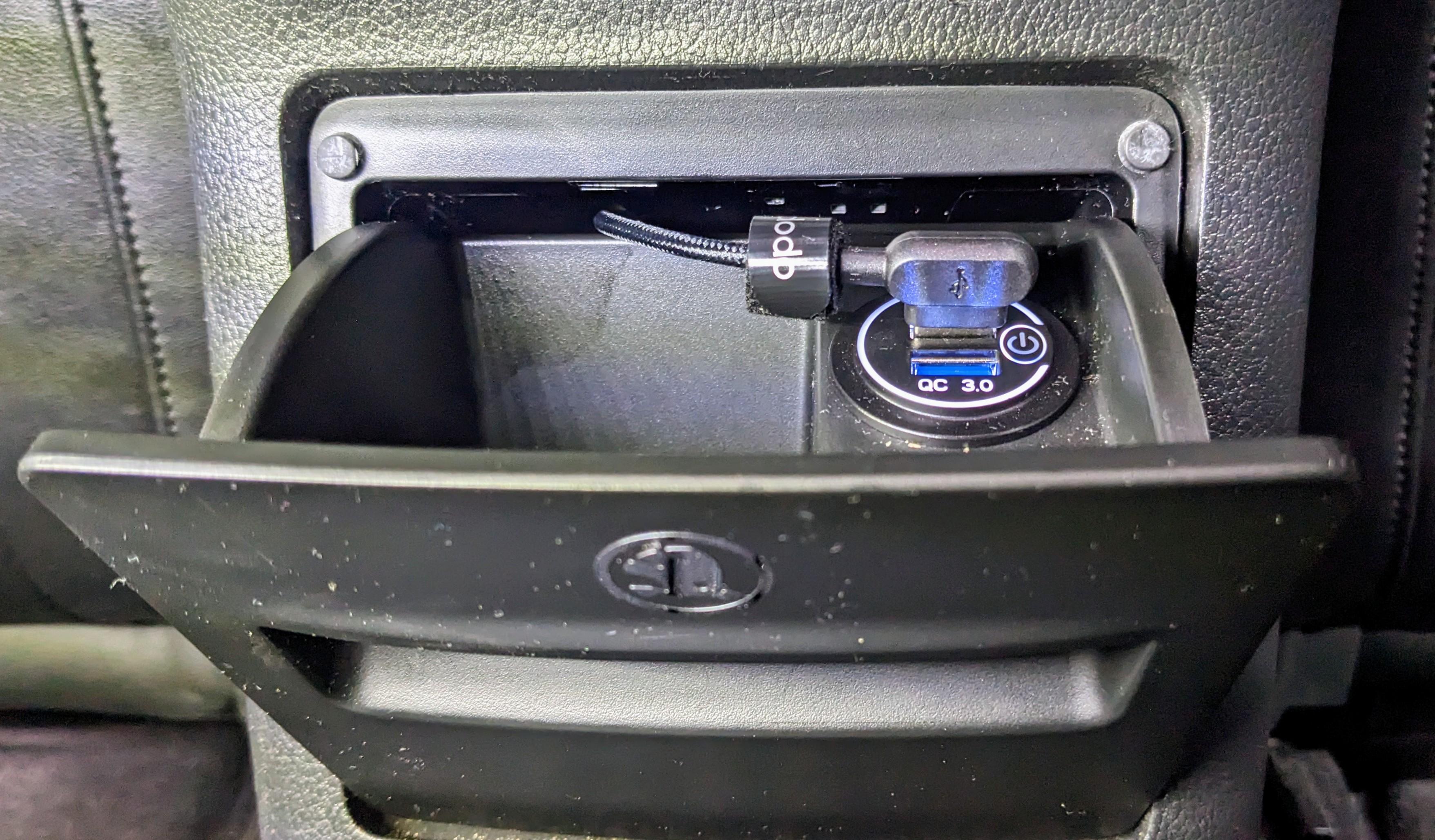
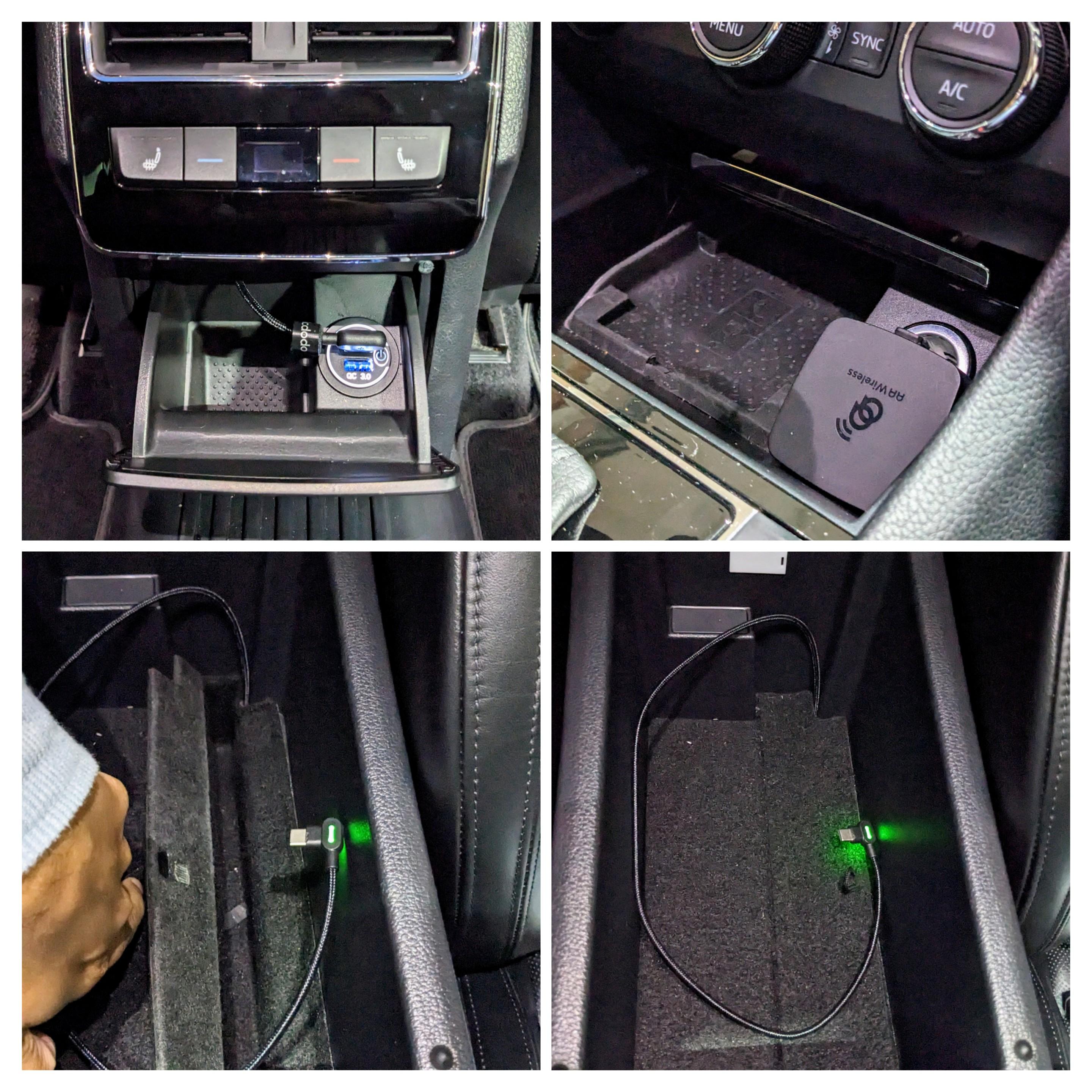
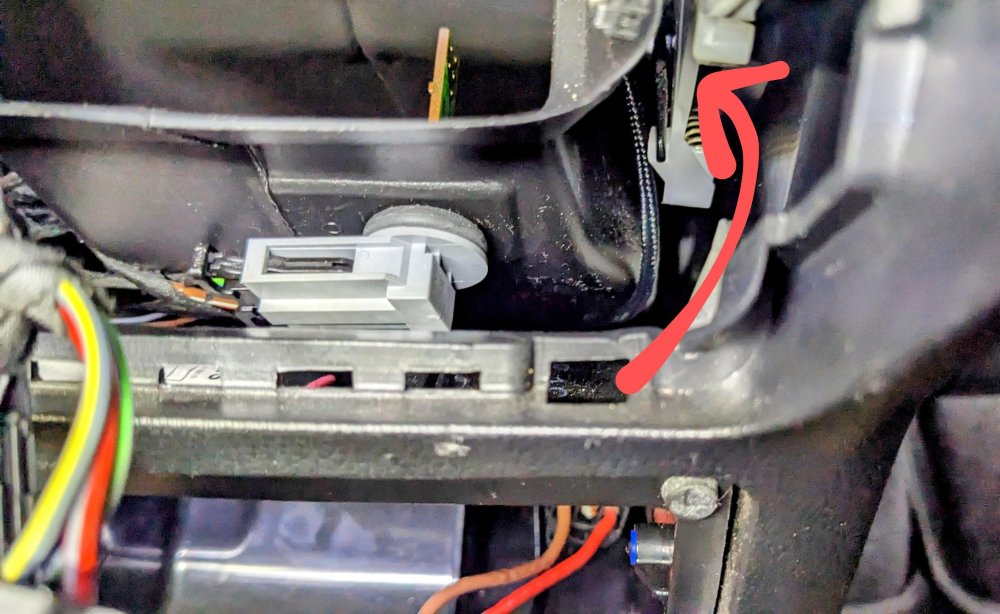
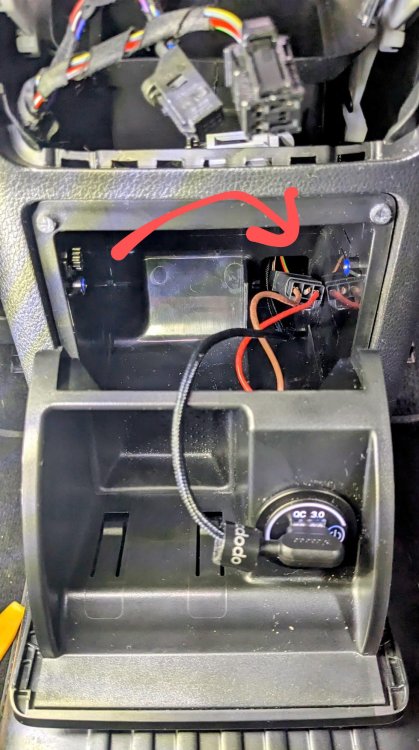
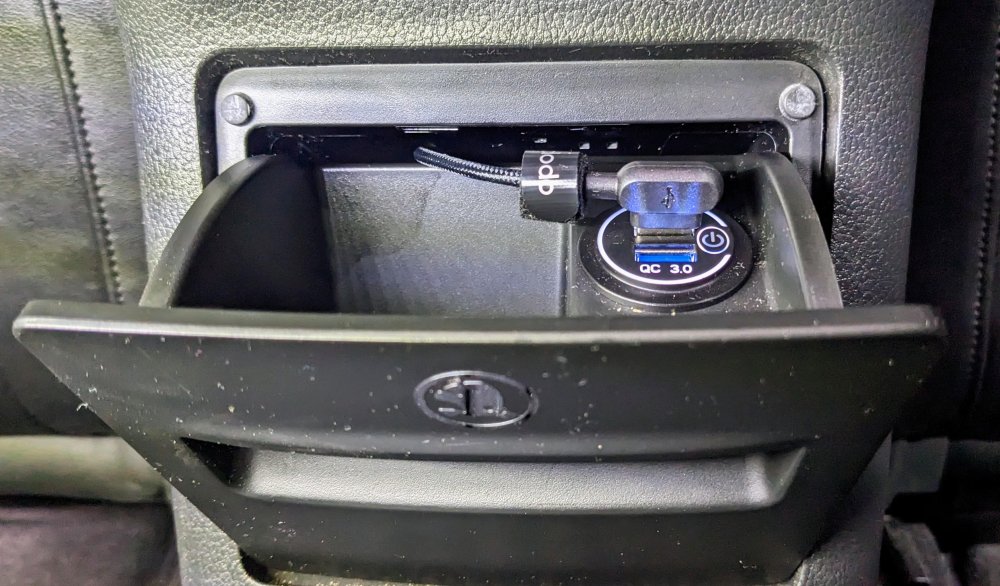
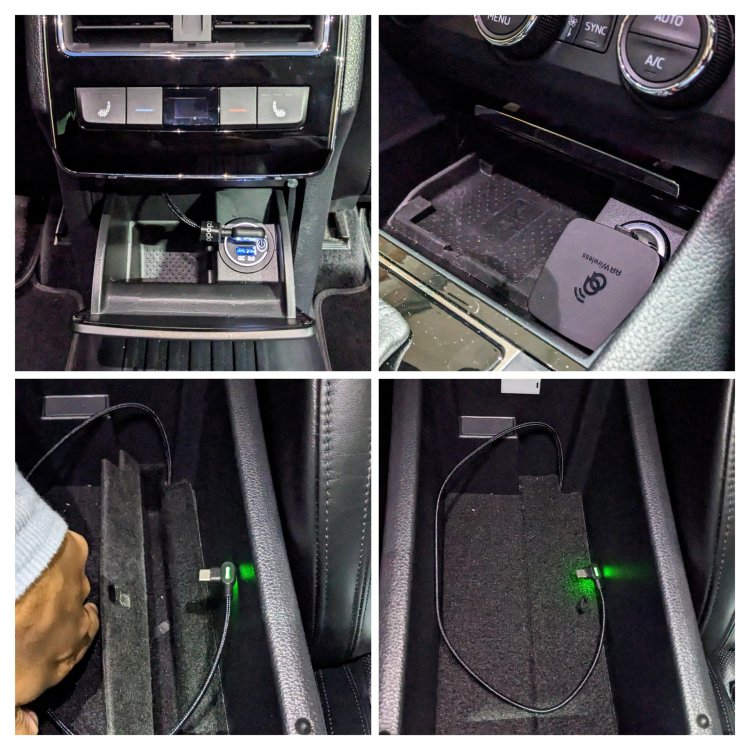
hey @ivorhooper if u look at the 2nd pic below, u can see that there is a hole at the back where the existing 12v wiring goes through. u need to route the USB through here, then up and around to the other side, where the armrest hole is. i took the USB cable behind the vent tunnel, to get from the left side to the right side. u need to remove the actual rear storage compartment. it has two hinges at the bottom. The right side unclips. then u slide the other hinge out from the left side, and pull out the entire thing. u'll then easily access the back bit.
-
u can't order the new mk4 Superb - books r not open, let alone has it been even revealed/released!! if anything u will b getting the current facelift mk3 Superb, albeit MY24. delivery times of 4-8 months is normal across the globe.
-
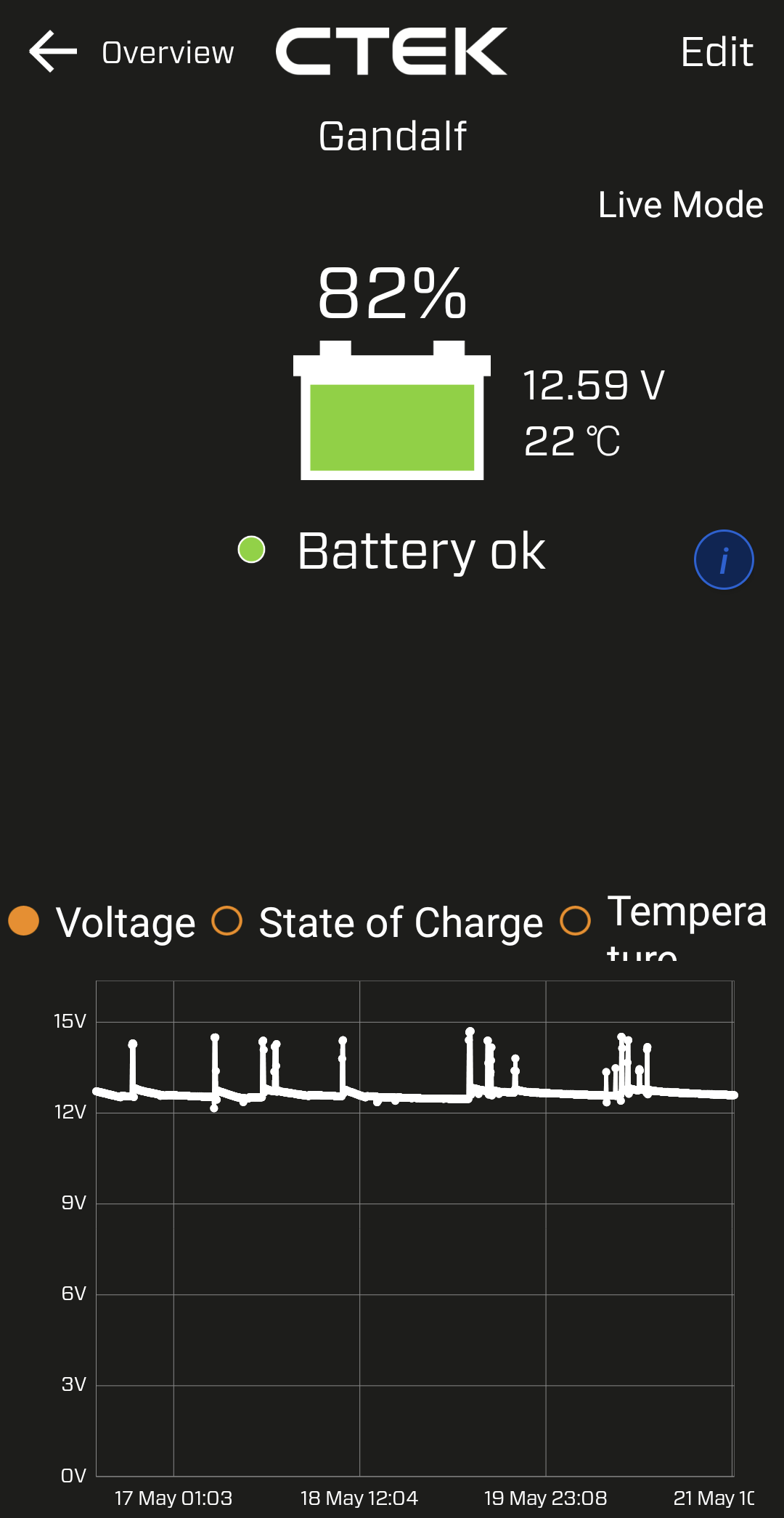
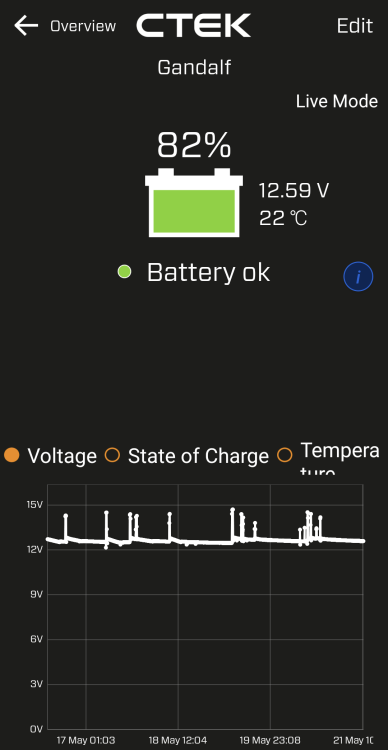
That looks correct. The battery state of charge usually hovers around the 80% mark if it's healthy. This is my almost 3 yrs old battery, showing state of charge, voltage (engine off) and battery temp.
-
I'll take some close up pics later today of how I routed the cable from the rear storage. There is no need for a hole.
-
By default, if the power consumption is too high, then Start Stop will not kick in. They've lowered the Start Stop trigger point, hence it will always think the power consumption is high, and never allow the start stop to kick in. More importantly - did they perform the battery adaptation after changing it?
-
i had my left rear wheel bearing replaced last year. all is well now. i've had the car since new, MY17, done 75k kms now.
-
True, but if u want ur car to b fixed when there r known manufacturer issues, then they expect u to take it to the stealers for servicing. If u don't take it to the stealers for regular servicing, then it's up to u as the owner to keep on top of the recalls and/or service campaigns, and have it addressed. Independents unfortunately won't perform service campaigns, nor address manufacturer recalls.
-
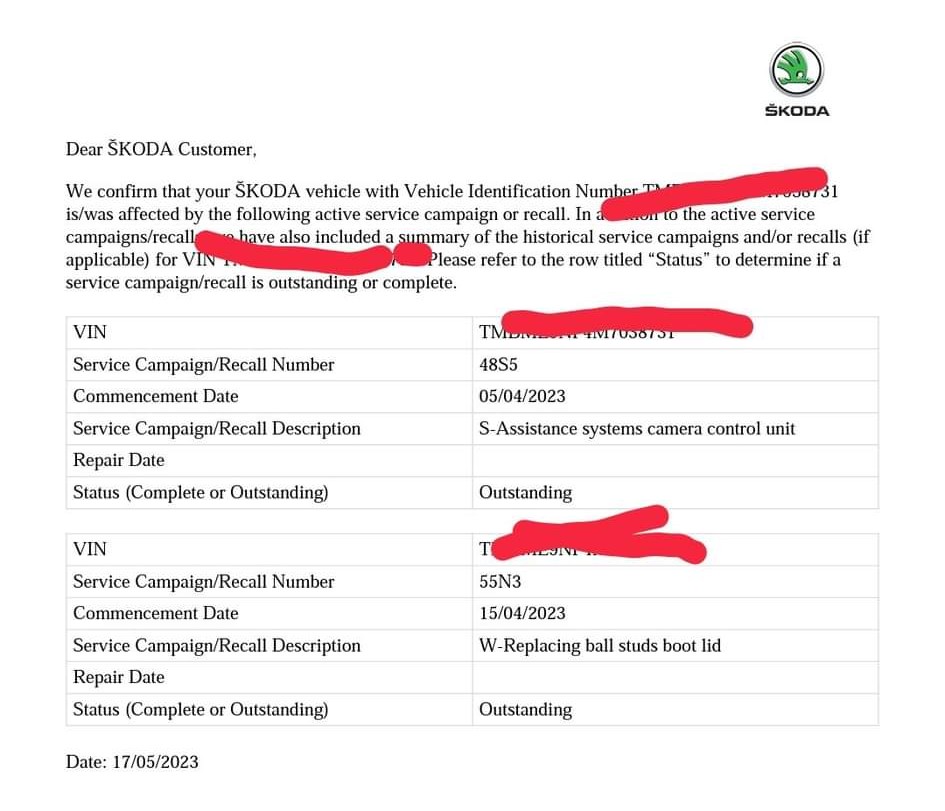
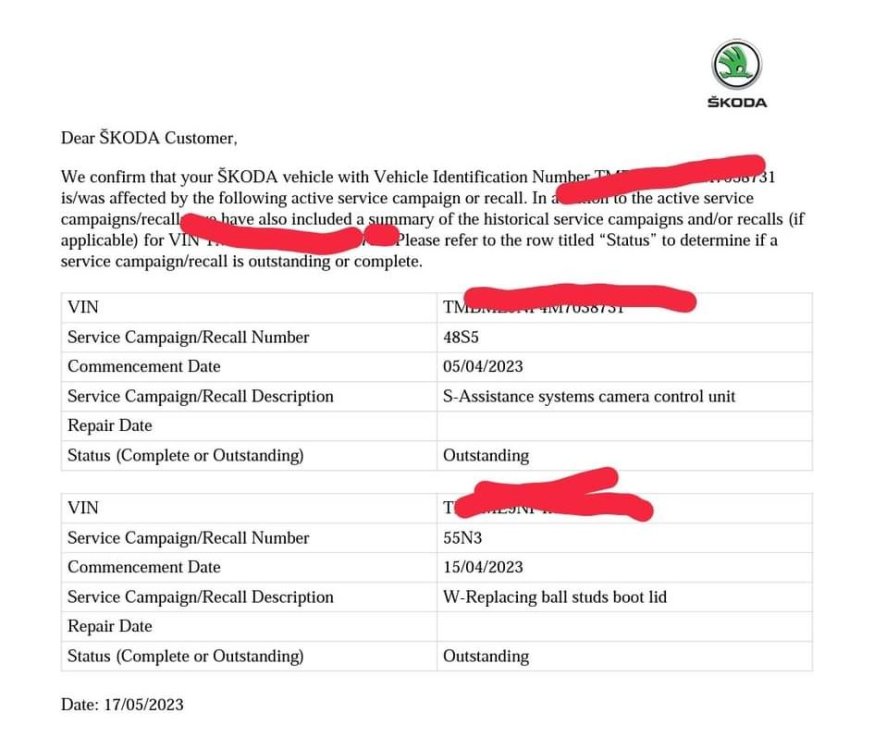
as i said initially - this is not my car. hence no letter for me. it doesn't affect the pre-facelift Superb either, so it won't even be on my radar. a fellow facebook forum member posted this, which i shared. also - this is not a recall where the manufacturer is required to contact u. it is a service campaign which means that the issue can b rectified when the car is brought in for its next service.
-
-
The facelift Superbs here in Oz r getting the boot strut ball mounts replaced. Skoda Service Campaign 55N3. p.s. this is not my car.
-
I've never removed the condenser, let alone the crash bar. But I have removed the front bumper many times. Basically u need put the front on jack stands, remove both front wheels, remove wheel arch liners, disconnect wiring harness and washer pipe - then slide bumper out. I've attached my how-to guide. Warning - be mindful to NOT hit / disturb / move the ACC radar when removing or putting the bumper back on!! If u do, u'll misalignment the sensor, and u'll need to perform a full ACC recalibration which is expensive and time consuming, requiring specialist equipment. Removing Front Bumper.pdf
-
Drilling - no. There is already a hole big enough for one finger to fit through. Lift up the carpet felt and u'll c it in the corner. Dismantling - yes. Need to remove the rear air vents so u can access behind the rear storage compartment. U then need a hook wire thingy to put through the hole from the armrest storage compartment, downwards, which u'll c come out behind the rear storage compartment, and pull through the USB cable.
-
I don't understand how the headlight washers r going to complicate it as it is attached to the front bumper. Removing the front bumper brings with it the piping and headlight washers. U will have to remove the crash bar to remove the AC condenser though.
-
Nice work @almar any pics? i did a similar thing, but i just snaked the wire through the pre-made factory hole inside the armrest storage console. i can keep the rear console cubby closed, so its out of sight and out of the way too.
-
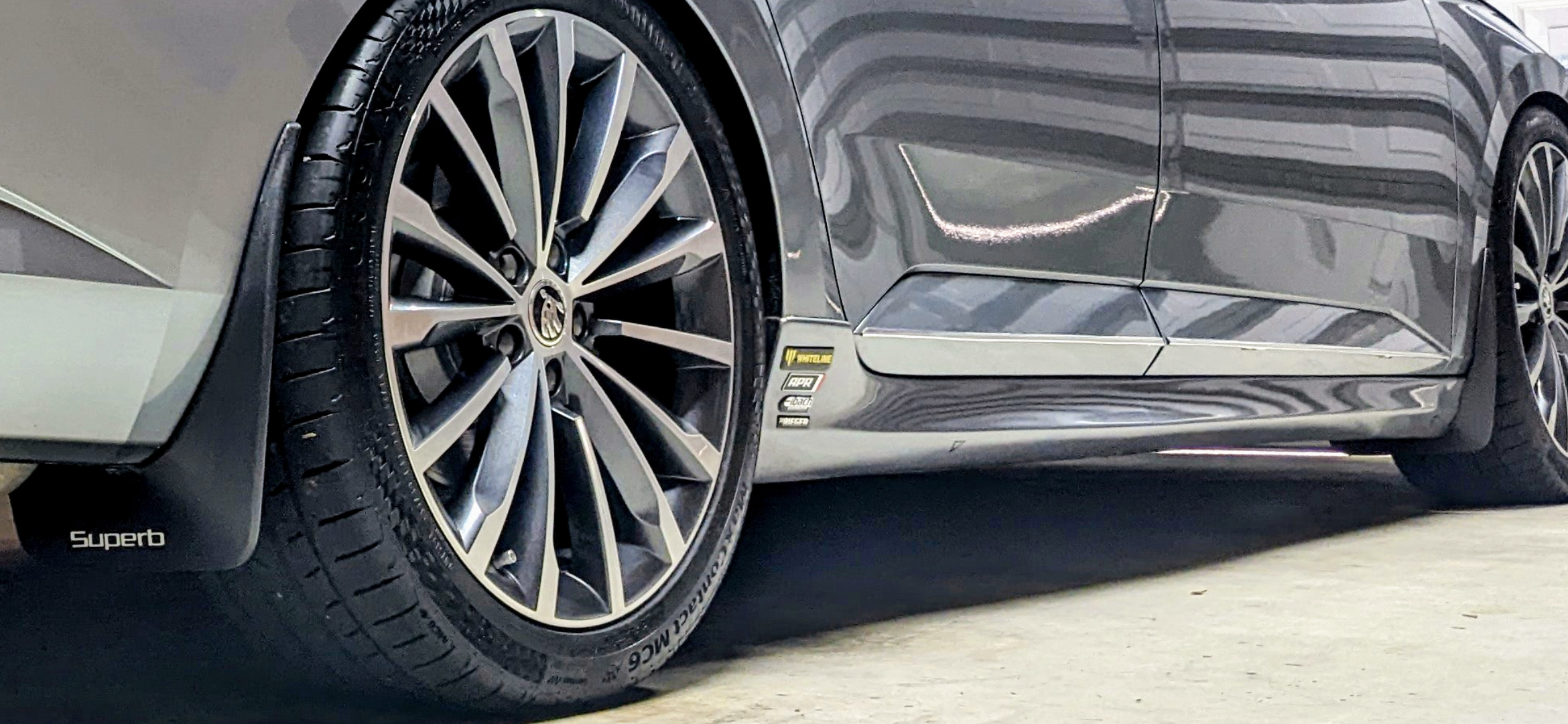
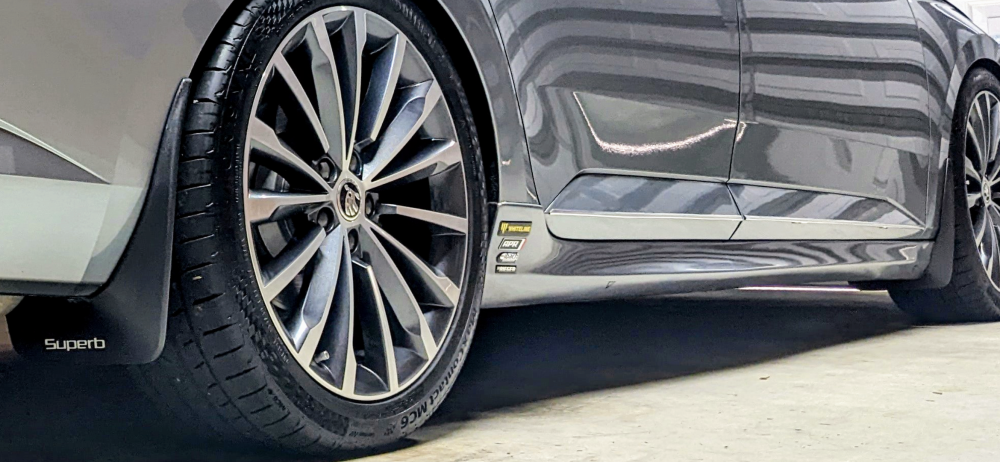
Yeah, I don't like that either. I had modified my front mud flaps successfully for the Rieger side skirts, but I couldn't do the rear mud flaps properly after I put rear bumper valance. So I had to remove my mud flaps altogether. Tis a shame as the sides of my car gets a lot of crap thrown up on the sides now. This was before, when I had the mud flaps.
-
Excellent reinforcements u've done there. I've heard various stories about the poor instructions and fixtures that come with various Maxton products. The Rieger products r great in that regard, hence why I went with Rieger side skirts and front splitter.
-
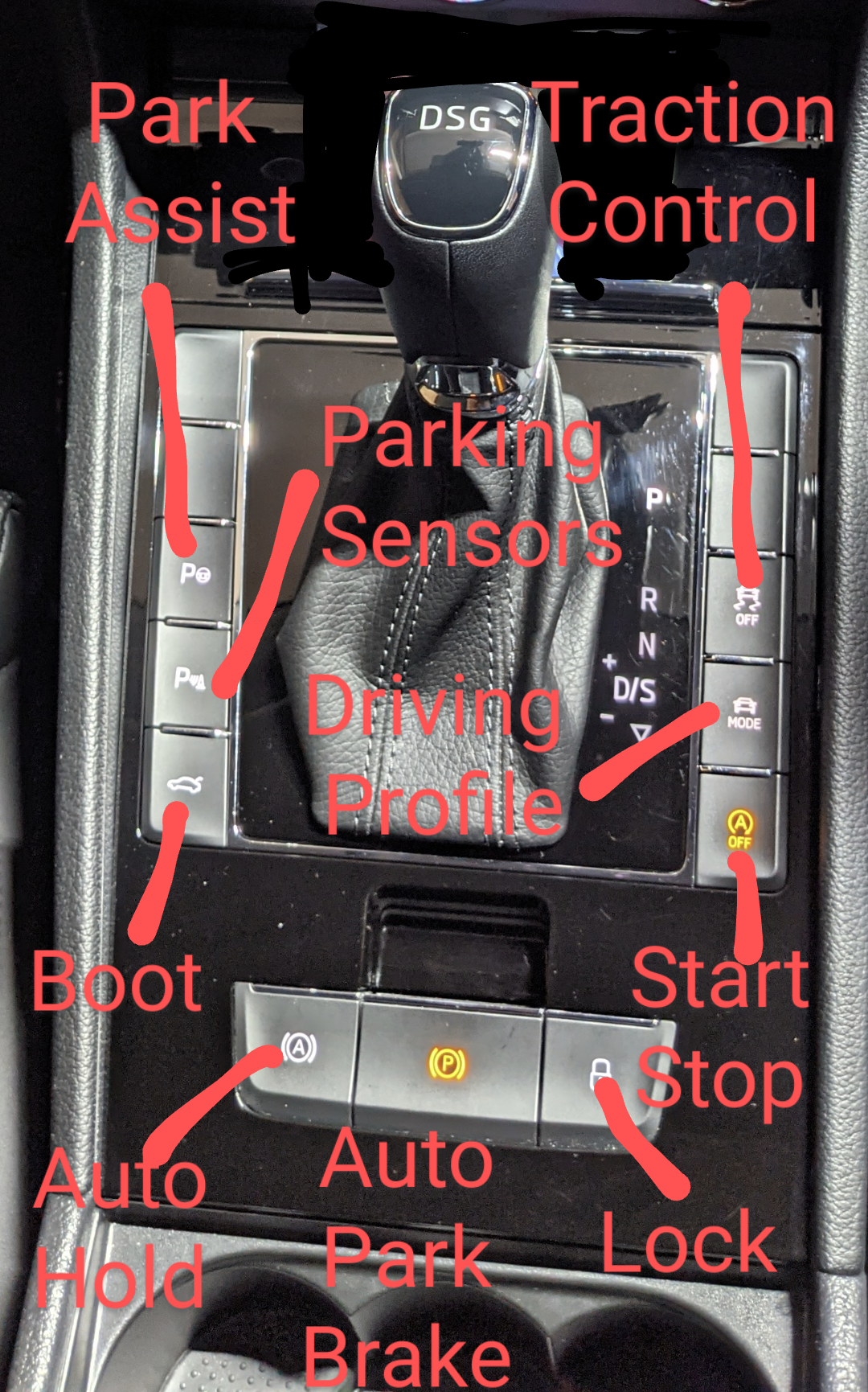
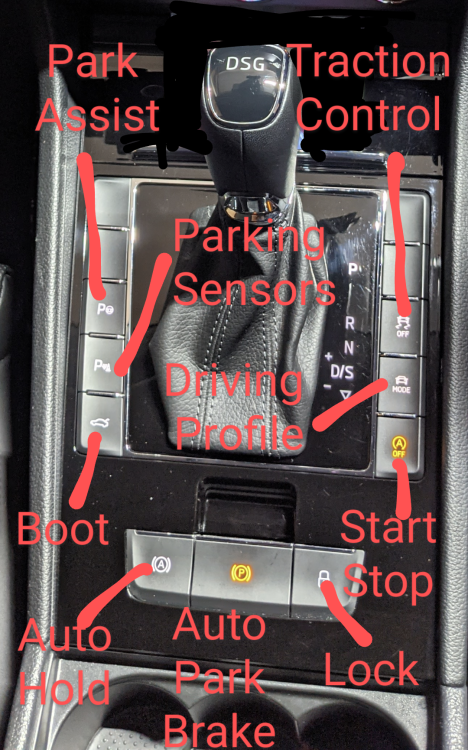
Make sure Auto Hold is enabled. Button is on the centre console.
-
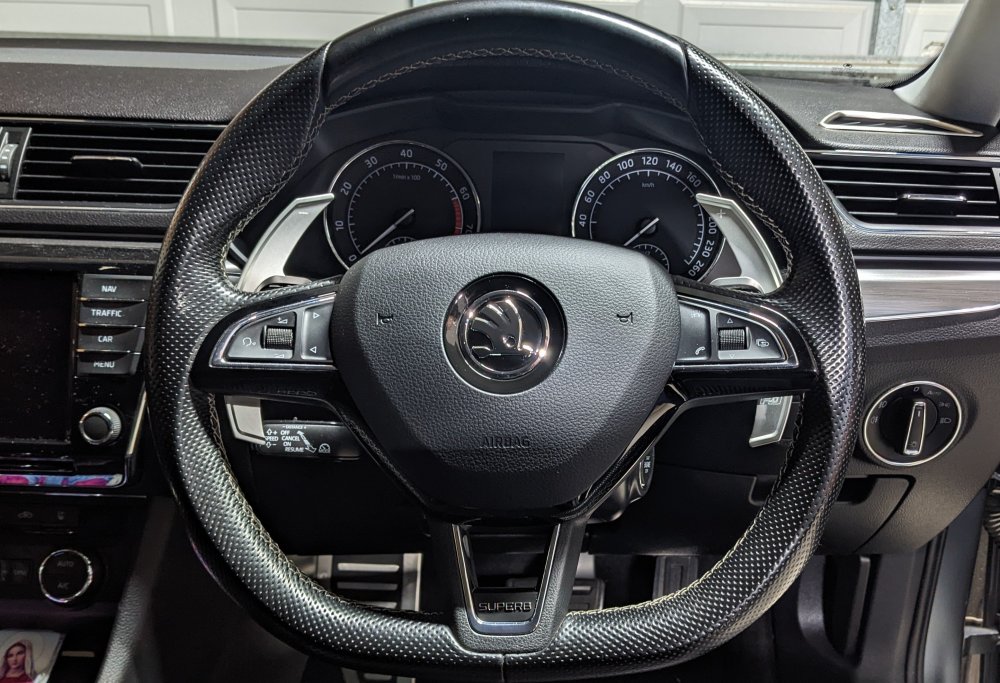
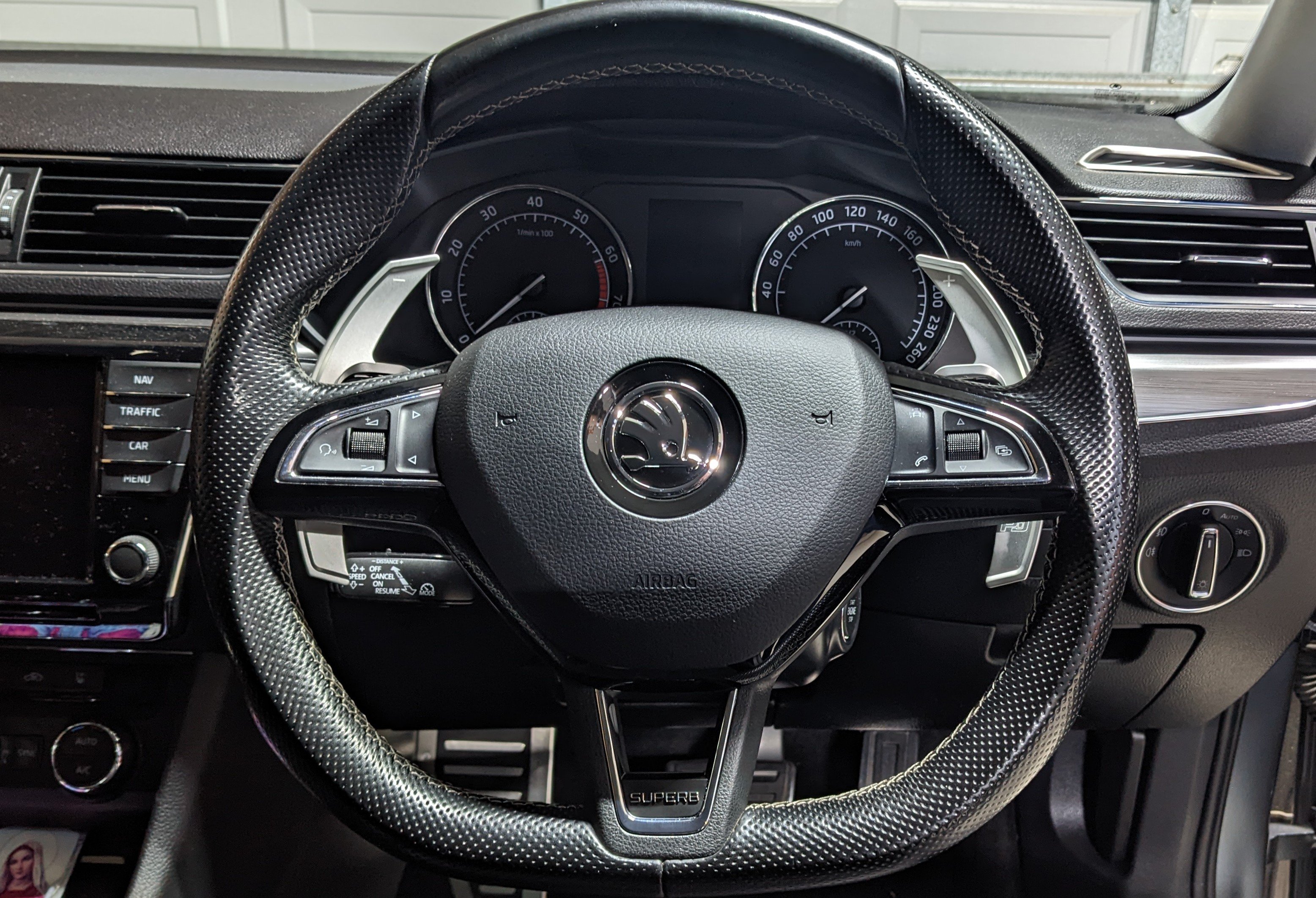
Nice work. I did that recently too - but not the Alcantara version. I didn't disconnect the battery when I did mine. Much better look n feel, and the Leyo Paddle Shifters finish it off nicely.