CFB
Resident Member
-
Joined
-
Last visited
Everything posted by CFB
-
Apologies for the delayed response. I mean key in your pocket and just walking up to the car and it unlocks without touching the door handle, about a metre away from the car. The locking happens around 5 metres away as you walk off. You should also hear a blip. If you walk away and you hear a double blip, it’s because one of the doors, tailgate or bonnet is open. I can’t remember where in the menus I found it but I think it’s in the lock/ unlock settings.
-
Same here. I presume you mean the proximity lock unlock Also the boot wouldn’t open with the button on the tailgate but would on the keyfob. I have just had the major software update done an it all seems to be working as it should. Fingers crossed it stays that way.
-
You’re right about the AEB when manoeuvring. Several times it has activated with such a bang, I thought that I had actually hit something solid, which I hadn’t. Scared the hell out of me! Got out to look for the expected damage and was surprised to find none. During normal driving I have had no issues with it. I’m now of an age where I don’t have to rush anywhere so just chill and enjoy the ride. I use ACC set to the standard settings, all the time with lane assist turned off and often use travel assist on long motorway journeys. I guess it all comes down to learning the systems limitations, accepting the shortcomings and learning how to manage them.
-
Mine went in a couple of weeks ago. All sorts of electronic gremlins appear to have been sorted, including the VC map view. Not sure it’s related, but the infotainment seems to not like both our phones. 1 Android and 1 Apple! I think I’m going to have to delete both and start again from scratch. If that doesn’t work, the dealer is having it back to sort it.
-
Winter tyres are the way to go! So much more grip in snow and very good in general with wet weather and heavy rain
-
AFAIK the only way to get this function is the package with adaptive cruise. I have it on my 2.0 SEL. If fully enabled, it will also reduce speed when negotiating tighter bends in the road. One thing to bear in mind is that it can sometimes react to speed limits for roadworks where the lower limit has gone. For me, that’s the only down side, but easily overcome by pressing the set button at your current speed. I wouldn’t be without it
-
Recently had it changed so I know it’s not that
-
I don’t believe you need the headlight washer system and associated parts. My LED headlight Kodiaq didn’t have washers, but my Yeti with HIDs did. My Kodiaq 2 has LED headlights and also doesn’t have washers fitted.
-
The 2.0 diesel is very economical isn’t it. On most journeys I see high 50’s and on a couple of occasions I’ve got 68! That’s not using ACC at all. I find that using it always gives less than 50mpg. I suspect it has something to do with the ACC using the brakes to maintain speed on the downhills.
-
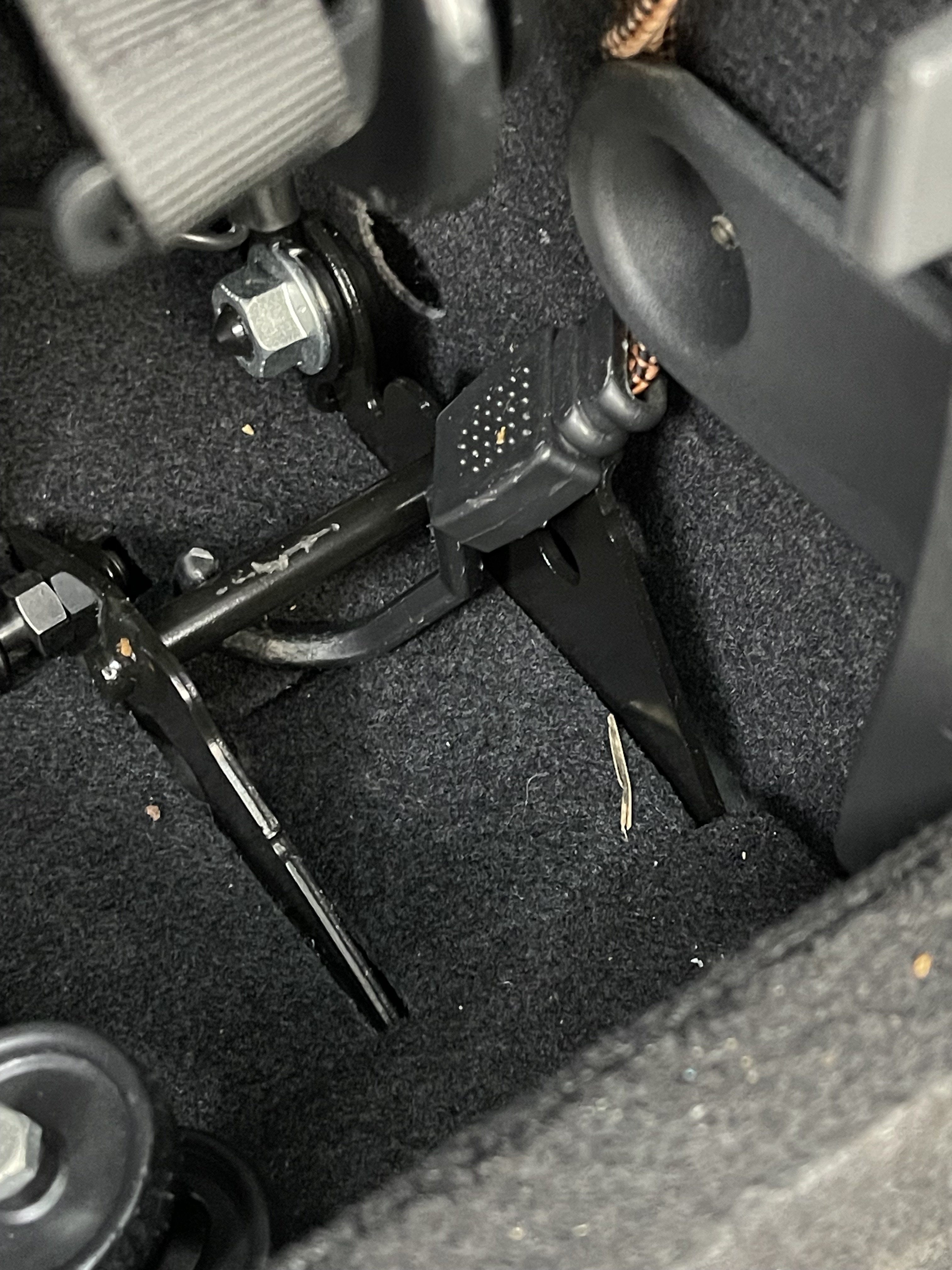
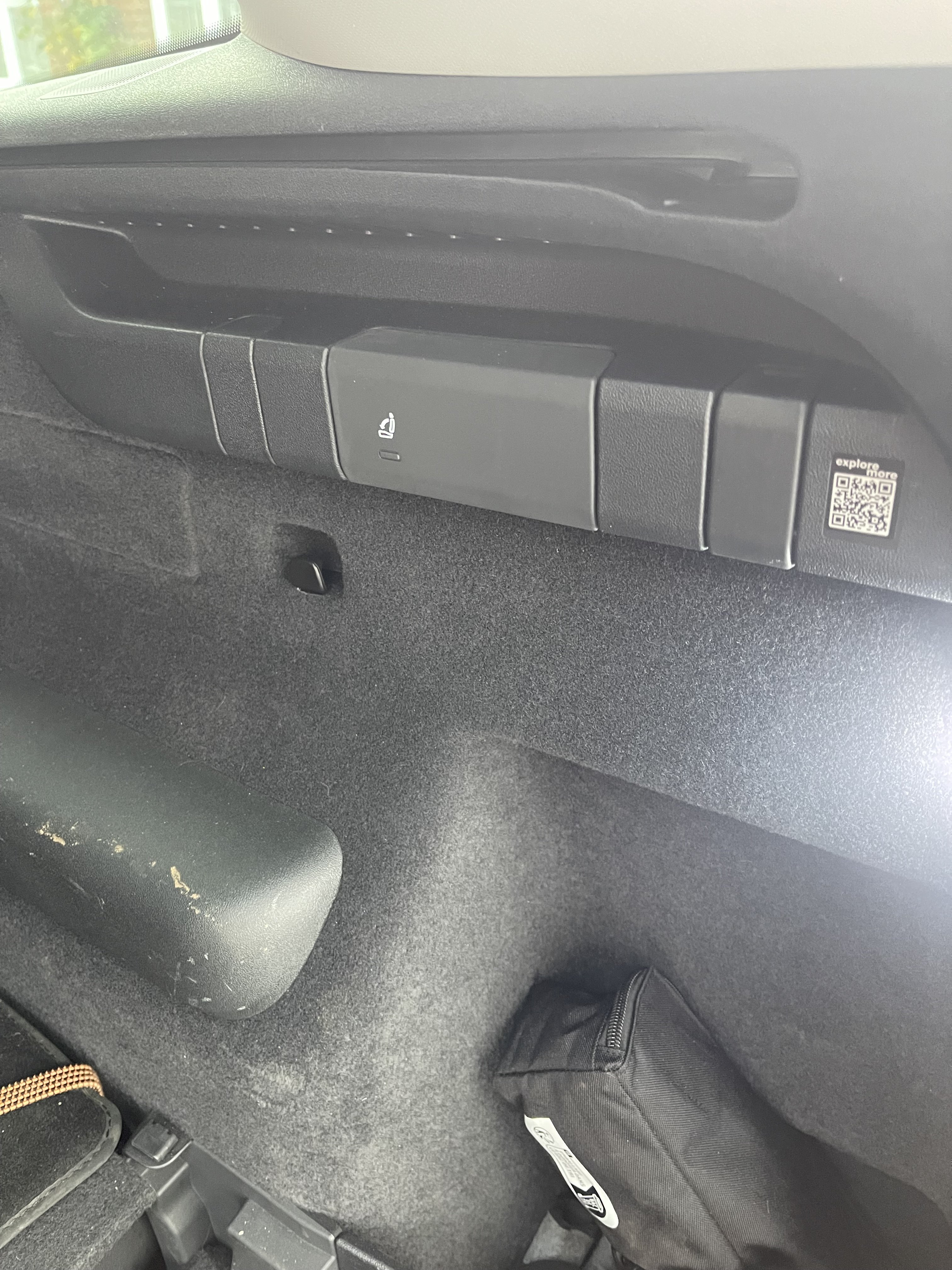
Apologies my friend, but the weather has been shocking round here for the last few days. Pics as promised. i use a loop of frame under the 2nd Roy of seats for the bottom hook and the net hook for the top. There is another solution I’ve just thought about. Could you swap the large hook into the other position with the cover over it?
-
I would, but it was registered new with a personal reg on it so won’t help much. It was delivered in December last year, if that’s any help.
-
-
I don’t believe there are any setting options for coasting, I think the car just does it.
-
I had a 2020 Mk1 Kodiaq 1.5tsi and it coasted from delivery. I now have a 2024 Mk2 2.0tdi and that does the same. Yes it is annoying that we have to turn off lane assist and speed warning every time. As for the road sign recognition, the most dangerous aspect of it is it can pick up road signs in side roads when in adaptive cruise control. Round here we have two locations, both on national speed limit roads, where the road bends reasonably tightly to the left. There is a junction at both, in the middle of the bend. Both junctions have a 30 sign going into the side roads. The car sees them and applies the brakes quite sharply. Most disconcerting when you’ve got a car close behind.
-
I’m currently experiencing odd gremlins in the electrics Sometimes the boot won’t open on the key, sometimes using the button on the boot. The door unlock button has a paddy every now and then. I have the car set to proximity unlock and unlock, sometimes it works, sometimes not. Using the door handle is the same, I have to press the keyfob. The wi-fi is the same, sporadically has a hissy fit and computer says no. I’m hoping the software update will sort it when it eventually arrives. Anyone else get anything similar?
-
I believe Halfords do. Let them get the scraped knuckles
-
There some companies that offer proper DPF cleaning, maybe Google to find one in your area. I’ve got nothing else I’m afraid, apart from replacing it.
-
It may be as simple as they didn’t plug the connector back in. Fingers crossed
-
Sorry, but I’ve no idea. However, I had a call from my dealer this morning cancelling my booking for tomorrow. Apparently there have been issues with this update globally so they are pulling the plug, with no idea when the updates will recommence. I was told that it had caused some cars to not start after the update and some other issues.
-
Yup. It’s to update all the modules in the car, including the infotainment. Mine is the same, two days. It’s booked in for this Thursday.
-
As above, I agree the routing of the power cable is the problem. does the cam not come with a USB port of any kind for the power?
-
Maybe post in the Mk1 forum to see if you can find an answer there?
-
I think it may be only yours. I’ve is all in-line with the bottom of the screen
-
On a Mk11? Surely it would be covered by warranty
-
There’s now a major update available on the Mk11 which covers all the control models in the car and the infotainment as well. Mine is booked in for two days shortly. Your experience makes it likely that it will sort the map view issue too. Fingers crossed.