



Skip to content

urgently pls help

Featured Replies

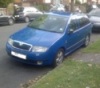
PLEASE HELP. I have a skoda fabia mpi estate aqw engine code car and two month now I am trying to fix the emission problem after failed on Mot. The CO 1.697, 0.950 lambda

What I have changed so far: thermostat, coolant, genuine: coil unit, plugs rear lambda map sensor, manifold gasket, air hose with new clips, cleaned throttle valve. cat test with vcds ok, front lambda a bit slow but ok, cylinders pressure checked ok,

No fault code. Previous fault codes 17564, 17549, and

16588 - Injector: Cylinder 4 (N33)

P0204 - 35-10 - Circuit Malfunction - Intermittent

16587 - Injector: Cylinder 3 (N32)

P0203 - 35-10 - Circuit Malfunction - Intermittent.

At the moment. Last emission control the CO was 1.300. on fast idle after I changed the above parts. The electrician told is not overfueling the engine.

Wednesday,13,February,2013,20:51:55:37412

VCDS Version: Release 11.11.0 (x64)

Data version: 20111111

Address 01: Engine (047 906 033 H)

20:51:52 Group 046

1408 /min RPM

408.0°C Temperature

0.84 (no units)

Cat B1 OK

Coolant temperature sender checked working fine was increasing 1.5 C and the thermostat was opened on 88 C

Address 01: Engine (047 906 033 H)

08:34:13 Group 004

768 /min RPM

13.33 V Voltage

84.0°C Temperature

45.0°C Temperature

Thanks.

The probable causes for these codes are:

  • wiring
  • injector

I'd be inclined to carefully check the wiring before condeming the injectors.

SN

Create an account or sign in to comment

Recently Browsing 0

  • No registered users viewing this page.

Important Information

Welcome to BRISKODA. Please note the following important links Terms of Use. We have a comprehensive Privacy Policy. We have placed cookies on your device to help make this website better. You can adjust your cookie settings, otherwise we'll assume you're okay to continue.

Account

Navigation

Configure browser push notifications

Chrome (Android)
  1. Tap the lock icon next to the address bar.
  2. Tap Permissions → Notifications.
  3. Adjust your preference.
Chrome (Desktop)
  1. Click the padlock icon in the address bar.
  2. Select Site settings.
  3. Find Notifications and adjust your preference.
