



Skip to content

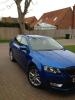
It's here.. 1.4 Race Blue Elegance Hatch
Featured Replies

Not far of.. 430.000 NOK = 48.239 GBP[/center]

And the sad part it that it is real good value for this car... Taxes alone are almost 16.000 GBP

Is that the final OTR price, including a full set of winter tyres?

If so I need to talk to my sales rep again, I ended up close to 440.000 with your configuration.

Arild

Sent from my ASUS Transformer Pad TF700T using Tapatalk 2

  • Replies 259
  • Views 32.1k
  • Created
  • Last Reply

Top Posters In This Topic

Most Popular Posts

  • A few photos quickly taken on the iPhone

  • Well after not posting for a few months i thought its about time to give a six month of the 1st briskodian Octy 3. I'm loving the race blue it suits the modern lines of the octy 3 well and I now see

  • Because on other forums people only ask for help, they don't share like this community does. Proud that I discovered this forum and proud to be part of it.

Is that the final OTR price, including a full set of winter tyres?

If so I need to talk to my sales rep again, I ended up close to 440.000 with your configuration.

Arild

Sent from my ASUS Transformer Pad TF700T using Tapatalk 2

Final configuration price was 434.000 plus winter tires, but sins I was an old customer I got the tires as a "loyalty" bonus(13.000kr), and as I have had some problems with their service department with my current car, and that I was thinking of switching to Mazda 6, he cut of 4.000 kr more, so the total price is 430.000kr

Edited by Kabe111

I have read a local journalist review regarding the new Skoda Octavia. And what caught me the attention was that he connected the Iphone via USB but he was unable to play music from the Iphone. Did anyone encountered such issues? Can you play the music from your USB devices?

  • Author

I havent tried it as I have my music collection on the SD card in the glovebox. You can stream music from your iPhone using blue tooth or charge your iPhone via the USB and connect it via the aux cable. There are also some combined USB and aux cables to connect to the iPhone on eBay.

I havent tried it as I have my music collection on the SD card in the glovebox. You can stream music from your iPhone using blue tooth or charge your iPhone via the USB and connect it via the aux cable. There are also some combined USB and aux cables to connect to the iPhone on eBay.

Sorry I meant he could not play anything from the iphone via cable. Via bluetooth everything was ok. Can you confirm this is the only way to play music from phones and the usb should be for charging only?

Sorry I meant he could not play anything from the iphone via cable. Via bluetooth everything was ok. Can you confirm this is the only way to play music from phones and the usb should be for charging only?

The USB must be capable of taking in audio because (in a demo car) I plugged in both a USB stick and a 320GB 3.5" harddrive, and it could play music and recognise playlists on both. I did play music from my Galaxy Nexus (android 4.2.2), but I can't remember whether that was over bluetooth or USB cable.

The USB must be capable of taking in audio because (in a demo car) I plugged in both a USB stick and a 320GB 3.5" harddrive, and it could play music and recognise playlists on both. I did play music from my Galaxy Nexus (android 4.2.2), but I can't remember whether that was over bluetooth or USB cable.

Ok so you are sure on a usb stick/hdd the music can be played without issues. The telephone is the issue for the moment. I saw another thread and it seems Iphone for sure will not be controled from the car but maybe if you play it from iphone it will work. Maybe Stokey can confirm because he has the car and the phone :p

I have read a local journalist review regarding the new Skoda Octavia. And what caught me the attention was that he connected the Iphone via USB but he was unable to play music from the Iphone. Did anyone encountered such issues? Can you play the music from your USB devices?

You can play music from a USB flash drive, but won't be able to use an iPhone that way without the optional mdi interface.

If you connect an iPhone to a pc by USB you can't see the audio files directly.

You can play music from a USB flash drive, but won't be able to use an iPhone that way without the optional mdi interface.

If you connect an iPhone to a pc by USB you can't see the audio files directly.

Thank you, so it's the iphone only with this issue. Many thanks

Thank you, so it's the iphone only with this issue. Many thanks

Yep - you can get old iPods (I've no idea about phones) to come up as a USB hard drive device, but even then the layout of the tracks on the file system is deliberately mangled by Apple to make it difficult for people to make sense of it (it's not very hard, but you need the right software).

If it helps on my Rapid the MDI interface (USB + Aux-In, doesn't have the VAG proprietary MDI connector) does an excellent job of controlling the iPod and the 3.5mm audio Aux-In is then used to relay the Audio.

Blame Apple for this, there's no reason why they couldn't have sent the line-out data via the USB protocol other than to be deliberately belligerent.

If it helps on my Rapid the MDI interface (USB + Aux-In, doesn't have the VAG proprietary MDI connector) does an excellent job of controlling the iPod and the 3.5mm audio Aux-In is then used to relay the Audio.

Oh it helps... I have an old ipod somewhere in my home (1st gen). So I can use it the clasical Aux-In way because also my car will not have the midi VAG because I did not know to order it.

  • Author

Ok so you are sure on a usb stick/hdd the music can be played without issues. The telephone is the issue for the moment. I saw another thread and it seems Iphone for sure will not be controled from the car but maybe if you play it from iphone it will work. Maybe Stokey can confirm because he has the car and the phone :p

Ok so you are sure on a usb stick/hdd the music can be played without issues. The telephone is the issue for the moment. I saw another thread and it seems Iphone for sure will not be controled from the car but maybe if you play it from iphone it will work. Maybe Stokey can confirm because he has the car and the phone :p

Hi Harkonnen

I've just been for a play with the iPhone and the car; from the telephone side there is no issue other than you can't read incoming texts. The car downloads your contact list which you can access from the head unit. Using the steering wheel controls and the maxi dot display you can scroll down your list of recent calls and dial any of them.

Regarding music using the standard USB connection you can charge the iPhone and via the aux in cable you can play your music but not control it. Perhaps one of the Rapid boys such as Thecko can tell you if you can control your iPhone music if you purchase one of the combined USB and aux in cables available online, as I know the subject has been discussed on the Rapid forum.

I personally stream music via the Bluetooth on the very rare occasion I don't use the SD card

Hope that helps

The USB+Aux-In works fine on the Rapid but that's because the Rapid only supports this mechanism for MDI, the VAG proprietary connector isn't available (AFAIK).

Basically, plug USB + Aux In under the centre console, select Media on the head unit and then choose MDI. Works fine - can browse the music available on the iPod, choose shuffle mode, etc etc.

The head unit in mine is the Swing model. If you've a USB + Aux In next to each other somewhere in/near the console then I suspect that's your MDI interface as it's listed for the Mk3 Octy as standard equipment even on the S spec.

Blame Apple for this, there's no reason why they couldn't have sent the line-out data via the USB protocol other than to be deliberately belligerent.

Au contraire - it's not an Apple problem, my iPhone 4 connects to the stereo in my 997 just fine using USB connection, and it is fully controllable through the car's PCM touch screen.

Au contraire - it's not an Apple problem, my iPhone 4 connects to the stereo in my 997 just fine using USB connection, and it is fully controllable through the car's PCM touch screen.

Interesting, I've never seen any iPod appliances that work in that way.

I stand duly humbly corrected. :-)

Sent from my Nexus 7 using Tapatalk HD

Interesting, I've never seen any iPod appliances that work in that way.

I stand duly humbly corrected. :-)

Sent from my Nexus 7 using Tapatalk HD

If I get a moment I'll take a snap of the display and post it. All part of the VW Group so I wouldn't be surprised if there is some commonality there - except the Octavia 3 is the latest tech of course.

Hope that helps

Hi Stokey,

Your info is very much appreciated. I learned a lot from your topic, of course with the others help too. I will try the Rapid advice by Thecko but when the car arrives. Also can someone confirm what is the max number of the cd's in the changer unit? The rumors say 6....

I personally stream music via the Bluetooth on the very rare occasion I don't use the SD card

Can you control playback using the car when doing that Stokey? Technically you should at least be able to stop/play if the car support AVRCP1.0 and if it does 1.4 then you should be able to list/select tracks etc etc.

I can't get that to work on mine but then I don't know if that's my rubbish Blackberry at fault, or that the bluetooth/stereo in my car simply doesn't support the right version of the protocol :(

Interesting, I've never seen any iPod appliances that work in that way.

I stand duly humbly corrected. :-)

Much embarrassment here but I'm afraid it's my turn to apologise I must have had brain fade. The optional (of course it's Porsche and everything is optional)!! extra known as "USB Audio Interface" has a USB connection but the iPhone / iPod plugs into a separate connection, not the USB this is a round multi-pin connection not the rectangular Mitsumi one that Skoda fit. Sorry for the bum steer on my part so yes, it is Apple devices that doesn't communicate through USB!

I think you have to spec the Mitusumi Apple connector to get the traditional MDI connectivity for iPod/iPhones; not sure then if you are then unable as a consequence unable to use USB sticks and HDD's

  • Author

I think you have to spec the Mitusumi Apple connector to get the traditional MDI connectivity for iPod/iPhones; not sure then if you are then unable as a consequence unable to use USB sticks and HDD's

Yes if you specify the Mitusumi connector you lose the USB and aux input .

Yes if you specify the Mitusumi connector you lose the USB and aux input .

You still have the memory stick socket on the unit in the glove-box

  • Author

You still have the memory stick socket on the unit in the glove-box

You have a SD reader in the glovebox but cannot use USB sticks or HDDs

Much embarrassment here but I'm afraid it's my turn to apologise I must have had brain fade. The optional (of course it's Porsche and everything is optional)!! extra known as "USB Audio Interface" has a USB connection but the iPhone / iPod plugs into a separate connection, not the USB this is a round multi-pin connection not the rectangular Mitsumi one that Skoda fit. Sorry for the bum steer on my part so yes, it is Apple devices that doesn't communicate through USB!

That sounds more like the proprietary interface I'm familiar with. You'll probably find that multipin connector is simply breaking out the USB data lines and lineout pins from the apple connector on the other end.

Sent from my Nexus 7 using Tapatalk HD

So let me see if I got it right: you have the sd card and you can play music from it, but in the USB you cannot play music from a usb stick or a HDD portable drive unit. What is the CD changer capacity (no of discs) then?

Create an account or sign in to comment

Recently Browsing 0

  • No registered users viewing this page.

Important Information

Welcome to BRISKODA. Please note the following important links Terms of Use. We have a comprehensive Privacy Policy. We have placed cookies on your device to help make this website better. You can adjust your cookie settings, otherwise we'll assume you're okay to continue.

Account

Navigation

Configure browser push notifications

Chrome (Android)
  1. Tap the lock icon next to the address bar.
  2. Tap Permissions → Notifications.
  3. Adjust your preference.
Chrome (Desktop)
  1. Click the padlock icon in the address bar.
  2. Select Site settings.
  3. Find Notifications and adjust your preference.
