langers2k
Resident Member
-
Joined
-
Last visited
Everything posted by langers2k
-
Nope - you'll need to change where it gets power from
-
Possibly... That stuff is all controlled by the CAN gateway dataset and installed FeC's. I expect a 2016 might be too old for the current research though: https://github.com/jilleb/MQB-FPA
-
Using point A is fine on all cars 👍 The only reason it's mentioned in regard to stop/start is to make sure the battery monitoring system is aware of any added energy during jump starting.
-
If I remember correctly, the Octavia should take 205/55 r16 or 225/45 r17. That'll give a theoretical 1.2mm ride height increase. I would be amazed if anyone would notice that... You'll see a bigger difference going from old to new tyres! The suspension doesn't change depending on wheel size so it'll look completely stock and normal.
-
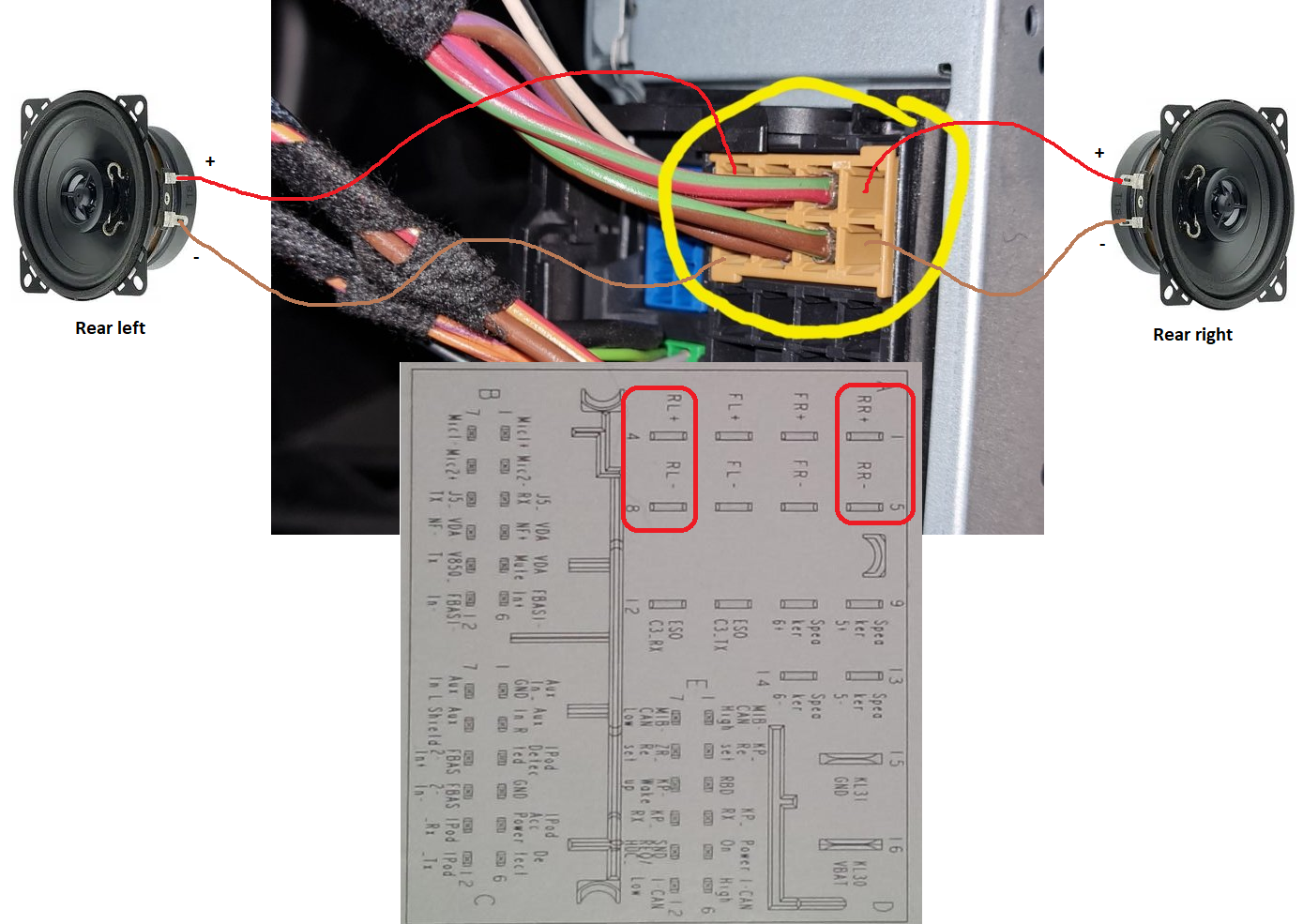
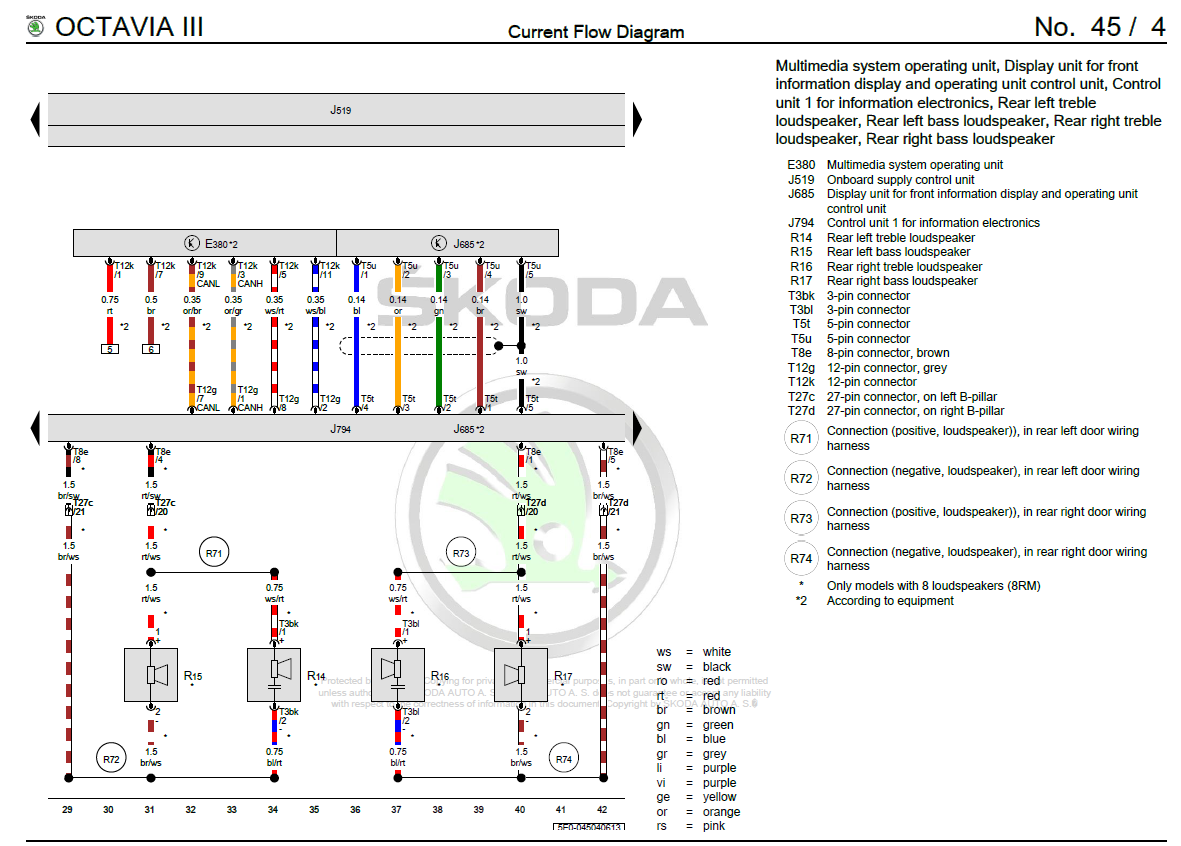
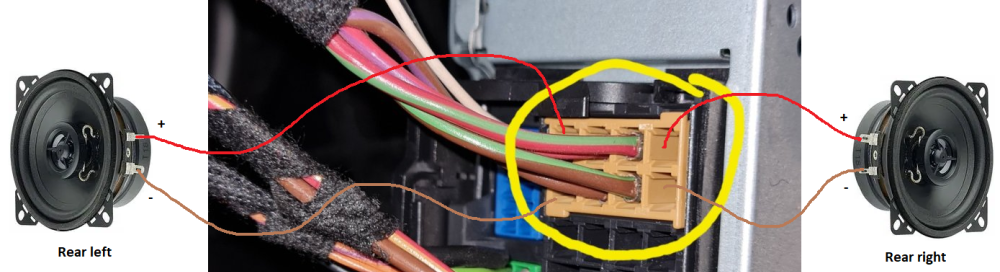
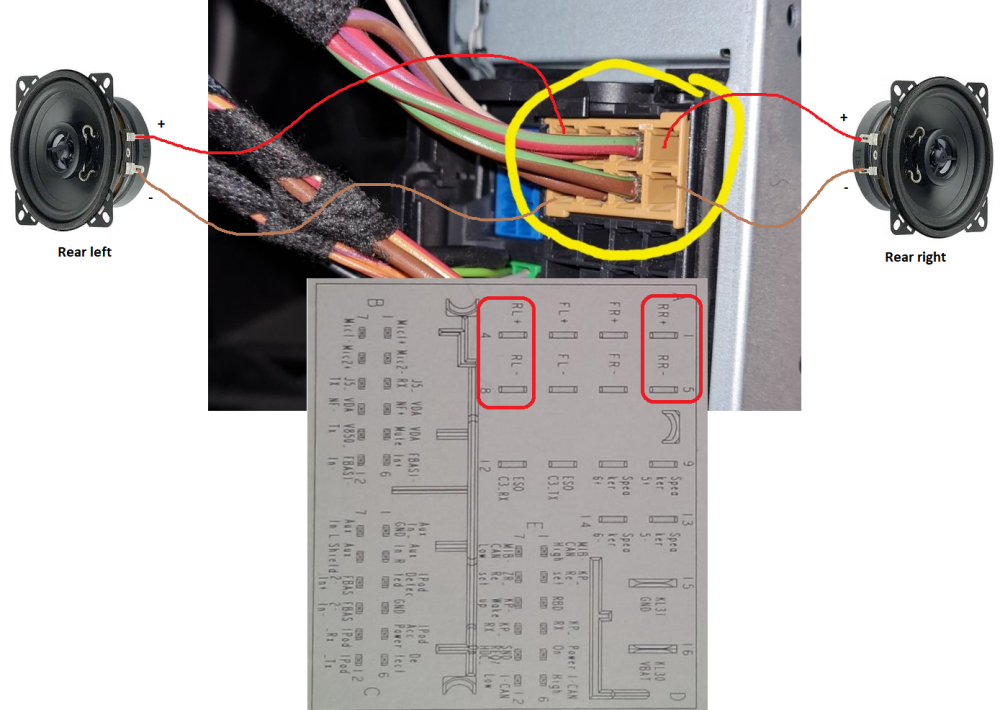
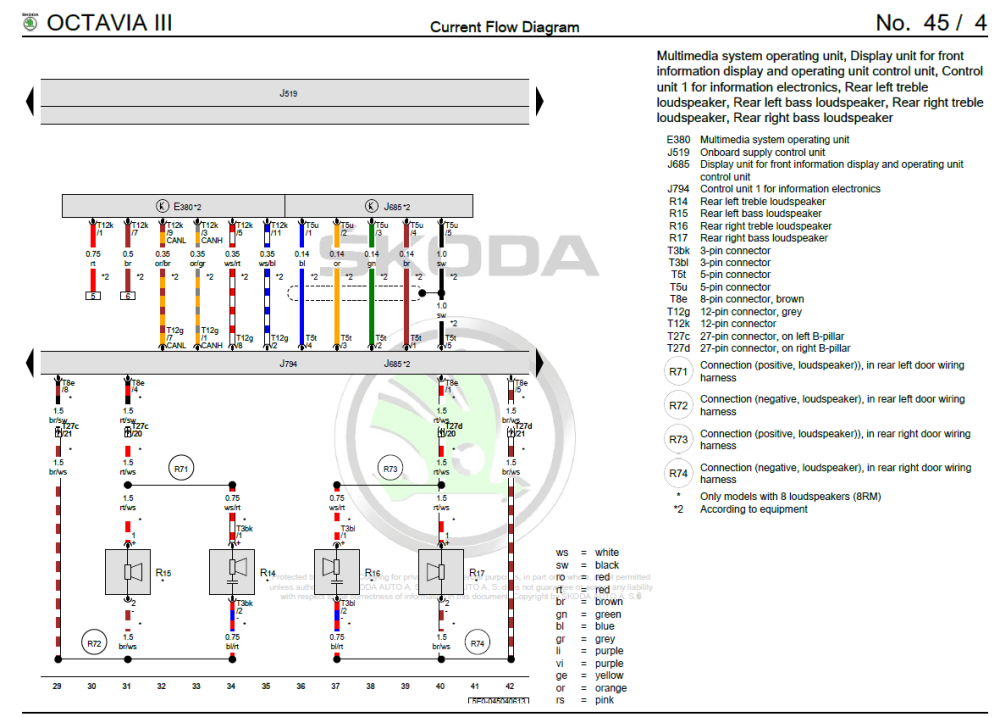
I understand what you have done. It is wrong. The speakers should not be connected to the car ground. Speakers always need two wires back to the amplifier or radio that's powering them. You can see on the factory wiring diagram both speaker wires go back to J794 which is the headunit. Please wire the speakers as I have shown, check the +/- terminals on the speakers match:
-
There isn't much to understand
-
Both ends of the speaker need to be connected to the headunit! Do not connect the speakers to the cars ground...
-
That sounds like the auto-locksmith hasn't done a proper job and messed something up
-
Very unlikely that it'll have a tracker on a UK spec Fabia
-
At a guess, the OP has fitted the wrong part. There are low functionality and high functionally LED tail lights for the MK4. I think they have fitted a low version when they should have used a high... To start, I'd suggest comparing the part numbers for the old and new lights...
-
-
The latest scans with that engine code I've seen are from 2020 so it may no longer being made, there might be some remanufactured/refurbished ones available. I don't believe there are any 1.6 TDI in the current range, feel free to check the Skoda website. Even if something is available for new cars, it doesn't mean it'll be orderable, Skoda/VAG may want to keep parts solely for their production lines. As for other 'compatible' engines, I'd suggest you talk to a dealer or good independent to see what your options are
-
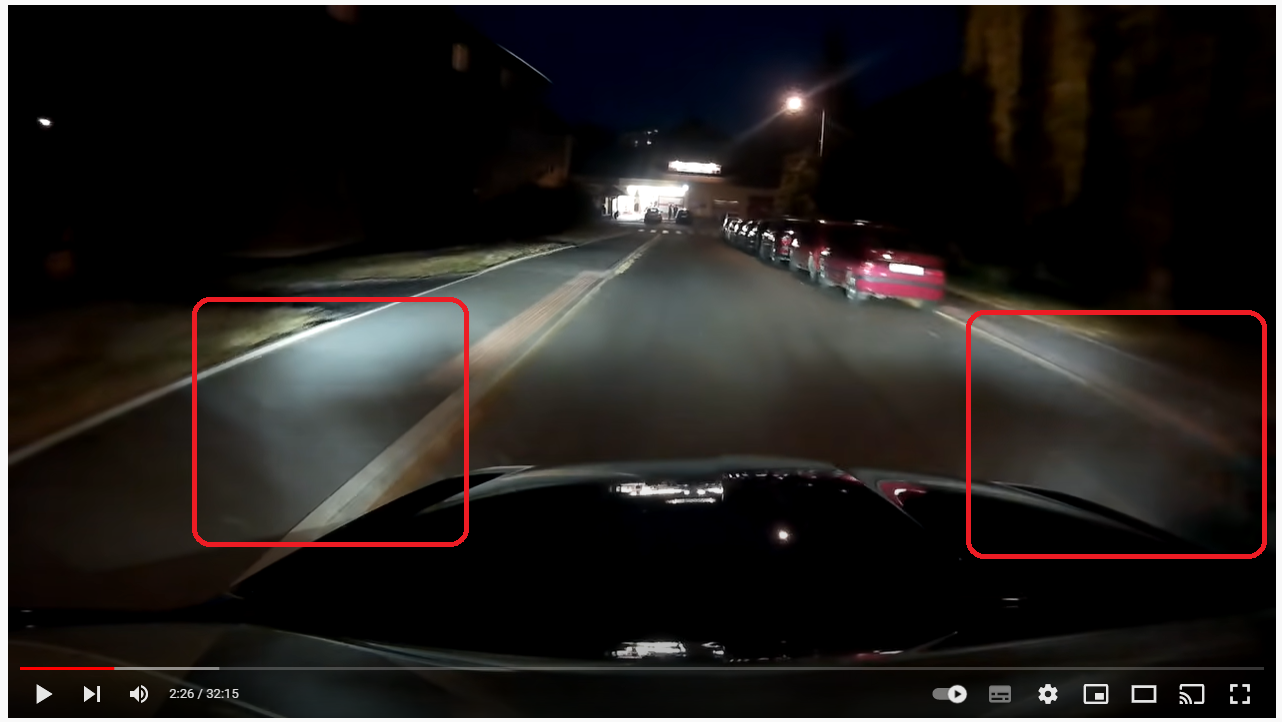
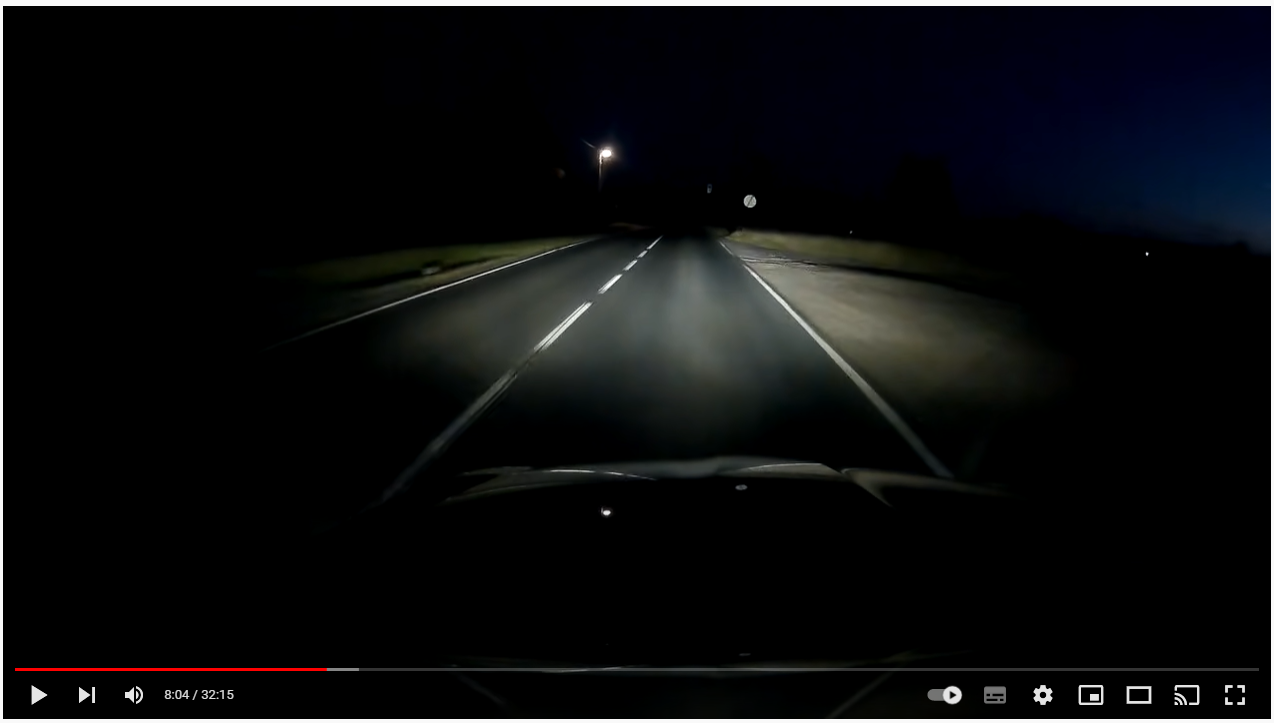
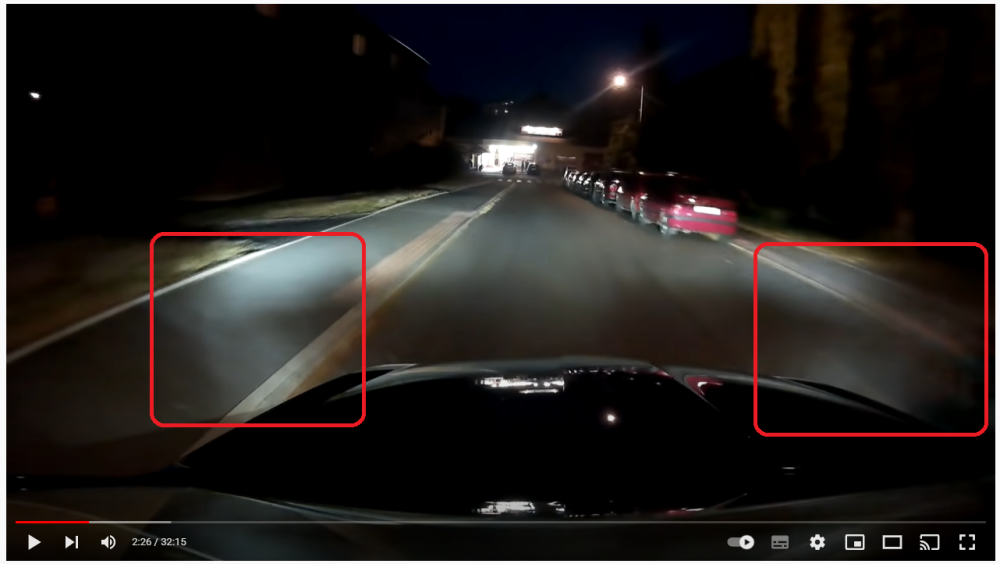
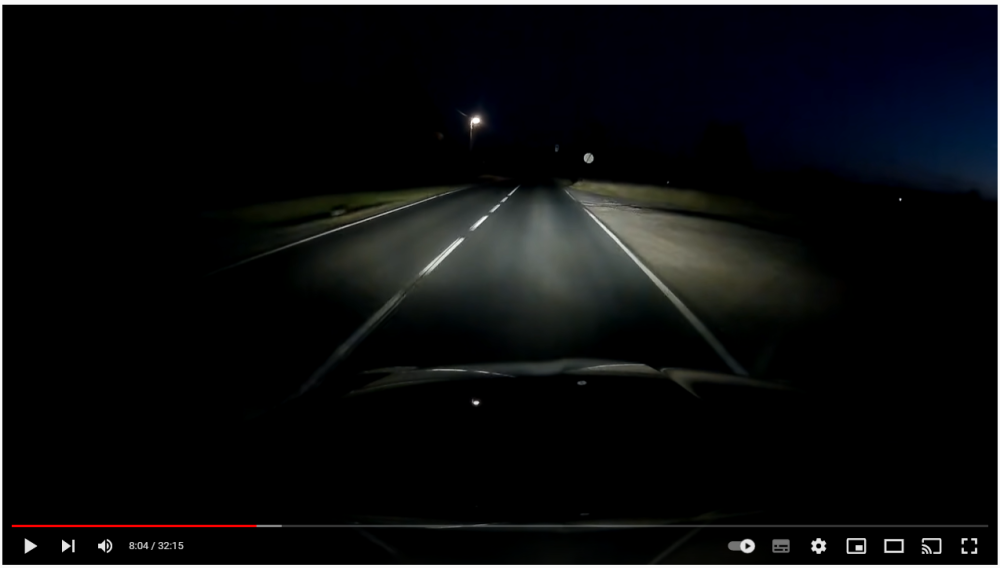
This video gives a drivers view too: Pretty sure they don't have cornering fogs enabled as nothing changes when they put the indicator on. It's this light in these area's that's created by the dynamic cornering LEDs: At higher speeds they turn off: As I say, pretty underwhelming when compared to the 'bending xenons' which moved the projector left/right for the cornering effect
-
It wouldn't surprise me if they don't work when stationary. Pretty sure all UK spec FL vRS's have LED headlights with dynamic cornering lights as standard You can see the LED in action during this clip:
-
The dynamic cornering light effect is quite subtle from the drivers seat and only happens at low speeds. It's nothing like the 'bending xenons' of old which is more obvious and works at higher speeds. Cornering fog lights have a much more pronounced effect although they aren't standard on a vRS, they can be coded with VCDS or similar.
-
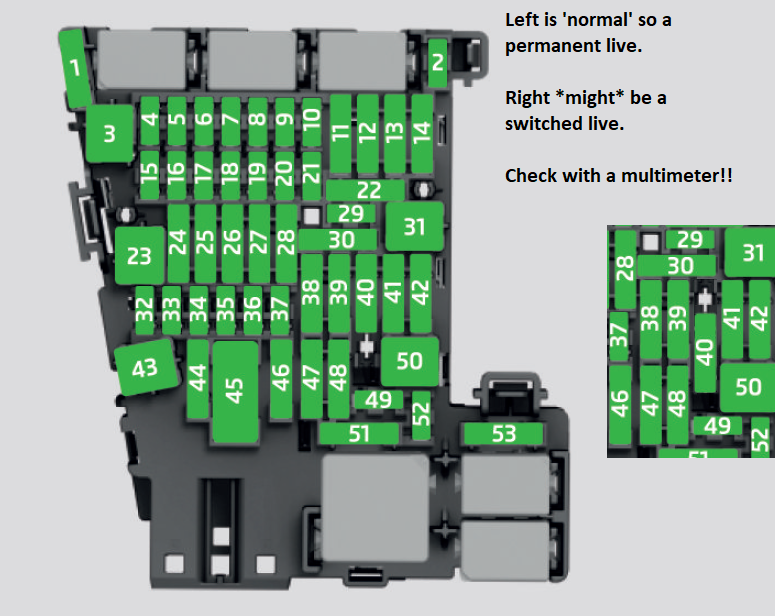
I think that SC40 might be a slightly special fuse as there are two positions for it... Youtube clip for a MK7 Golf which is similar electronically:
-
I've just checked the wiring diagrams for pre-FL and FL cars, both 12v sockets are powered directly from the car battery via fuse SA1 then SC40. It's impossible for the car to turn the sockets off when the battery gets low I can only guess that PetrolDave's coolbox had some internal smarts to stop it flattening the battery...?
-
Pretty sure the tensioners are a lifetime part with no service requirement. As far as I know, the MK3 doesn't typically have any tensioner issues. I'm certainly not planning to touch the one on my vRS... There were issues with the MK2 engines where the tensioner had a design flaw and could skip a tooth which was fixed by a newer tensioner revision so maybe the dealer is using that as an excuse
-
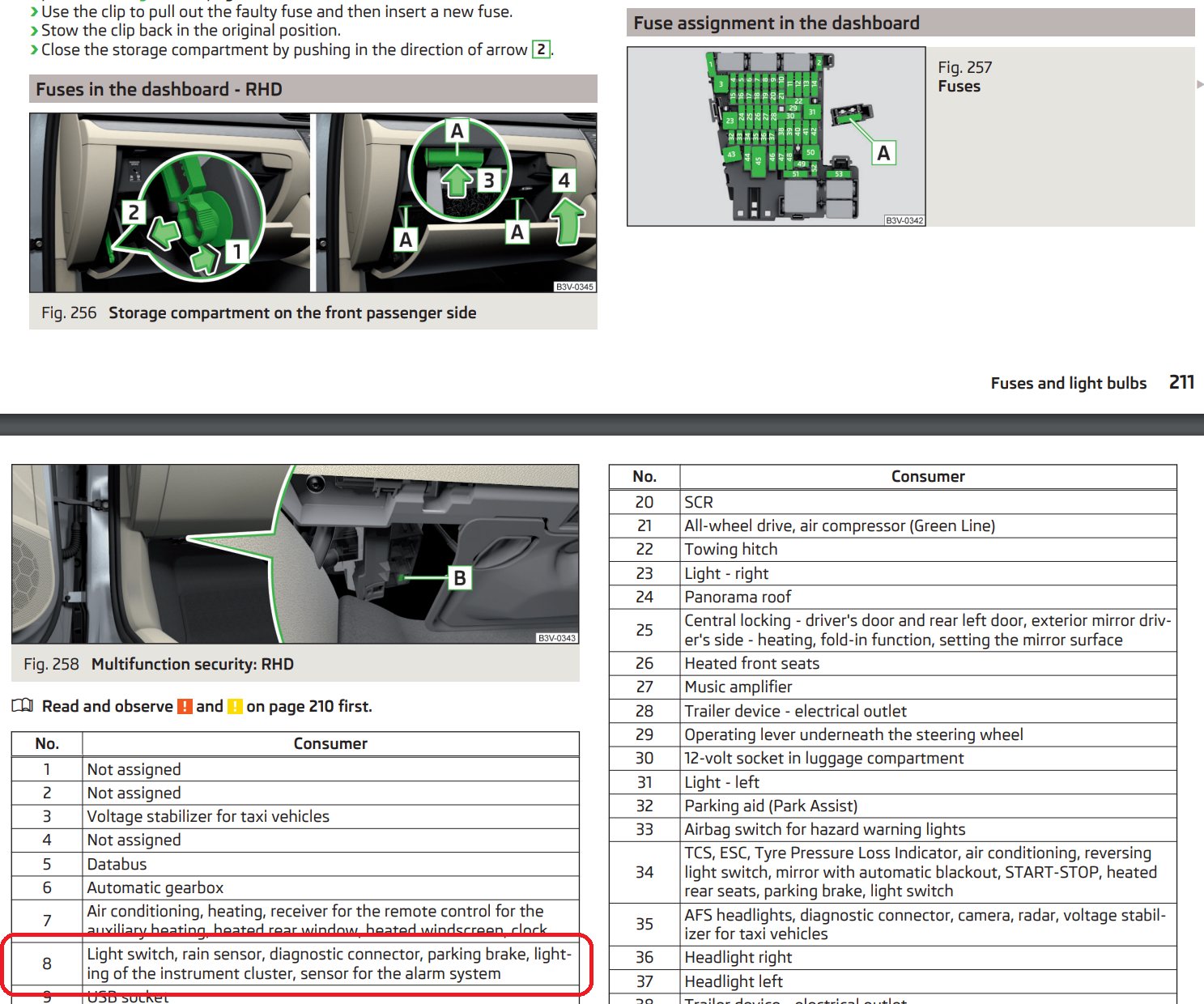
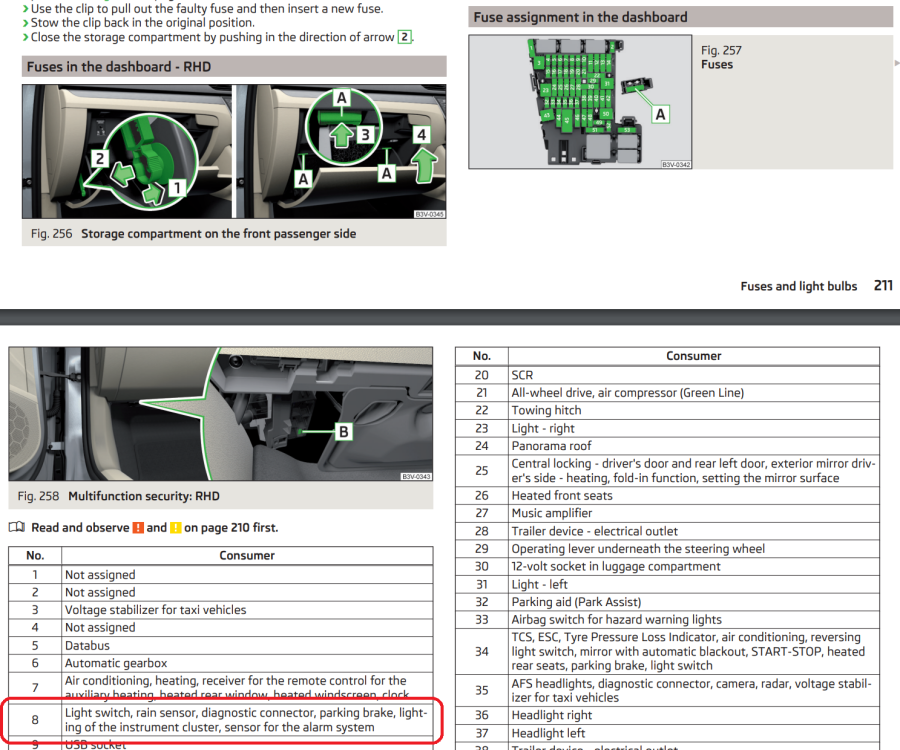
I just had a look at a Superb owners manual from 2016: Fuse 8 would be my first suspect as all the systems listed match the systems you're having issues with
-
That definitely sounds like a fuse or power issue... I wonder if a fuse has been put in the wrong slot. A wiring diagram would help confirm where the obd port gets power from.
-
Do you have electric front seats? If not, you probably won't have memory motors in the wing mirrors so it can't remember mirror positions...
-
I'd probably find a decent local VAG independent and see if they can do it for you
-
Assuming it's connected into the fusebox directly, I'd be checked for disturbed fuses on the off-chance something has come out or loose.
-
Any chance the dashcam has flattened the battery?
-
Pretty sure OBDeleven can't activate TSR on a 2021 car... TSR used to be just coding/adaptions so OBDeleven or VCDS could add it - I've done this on a few cars including my own using VCDS. When VAG/Skoda changed to a newer style of camera, TSR became a some kind of dataset/SWaP/FeC issue. TSR won't work even if the car is 'correctly' coded unless you can also resolve the dataset/SWaP/FeC issues. Where are you based? It might be worth getting a local member to do an autoscan to at least find out what camera you currently have...