langers2k
Resident Member
-
Joined
-
Last visited
Everything posted by langers2k
-
On a 2018 vRS, the long coding will be all zero's for the BCM... If you want to activate cornering fogs, it'll be done via the adaption channels
-
I think a 2009 S4 would fit under "19-CAN Gateway using CAN" on the page I linked. However, your Yeti won't have a battery management subsystem under the CAN gateway so those instructions won't apply. I would imagine Carista can show subsystems but I've never used it to provide any detailed instructions. Looking online: 9485831 - Air Blower B10BE 07 [008] - Mechanical Failure I'd suggest removing the air blower to check for debris and it's condition. At a guess, it's seized and needs replacing...
-
You'll need washer jets for the MOT. I think you can just cut the holes but you might need to transfer the brackets from your old bumper to hold the jets. Just as an example from a MK2 Octavia:
-
This is the page Ross-tech have for battery coding: http://wiki.ross-tech.com/wiki/index.php/Battery_Replacement For a Yeti, they would use the "61-Battery Regulation using CAN" version but this is only present on a Yeti with stop/start. If you have a scan tool, check if module 61 exists Example scan from a 2014 Yeti with no battery monitoring: https://forums.ross-tech.com/index.php?threads/20509/ Example scan from a 2017 Yeti with battery monitoring via module 61: https://forums.ross-tech.com/index.php?threads/7267/
-
If the car doesn't have stop/start, then no coding is needed or indeed possible when replacing the battery
-
At a guess, dinamo1990 has replaced the electronic control module but not the motor. That's based on various eBay items where: - 1T0 959 701 T motors are attached to 5K0 959 793 modules - 1T0 959 701 AA motors are attached to 5K0 959 793 A modules From the picture, you can see Dinamo1990's motor is attached to a 5K0 959 793 A module
-
The projector bowl is slightly different between halogen and xenon based headlights. Due to the extra light produced by the xenon and the slightly different characteristics, the design is tweaked to make the best use of the extra light. I think it typically creates a slightly wider beam iirc There is potential for drop-in HID kits to cause glare to oncoming drivers, especially with dirty headlights, during acceleration, on bumpy roads or with a loaded backend (and you've not adjusted the headlights down...).
-
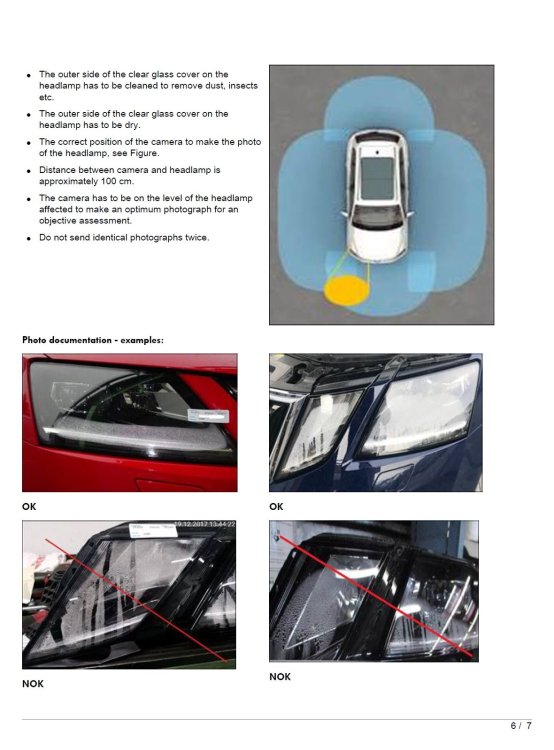
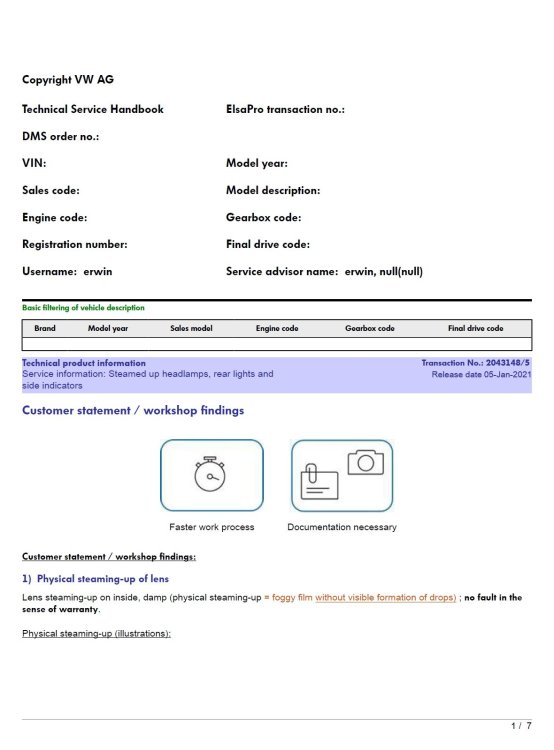
You can download it and all other TPI's against your VIN directly from Skoda for a small fee: https://erwin.skoda-auto.cz/erwin/showHome.do Attached a copy that I have but it may get removed:

-
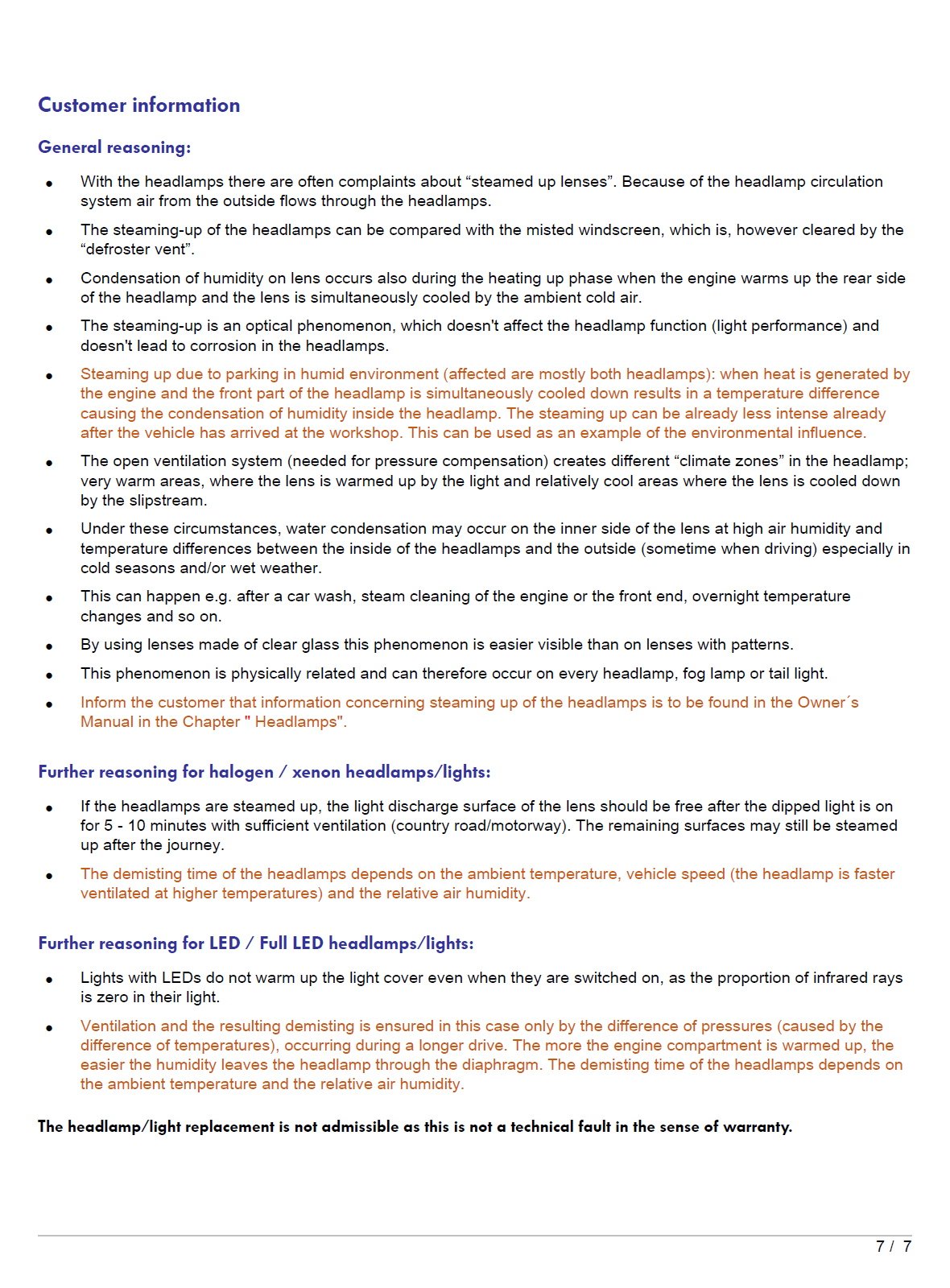
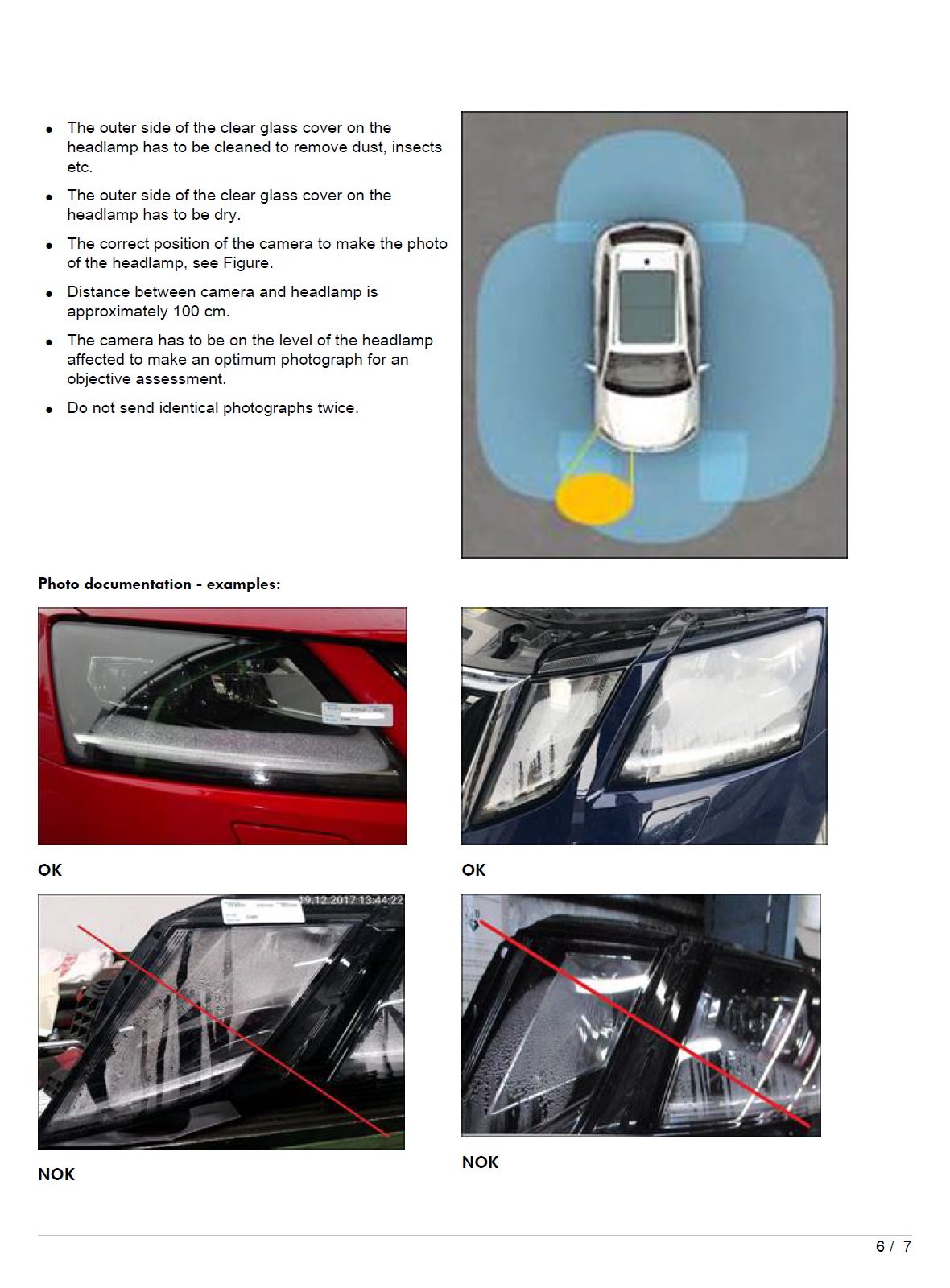
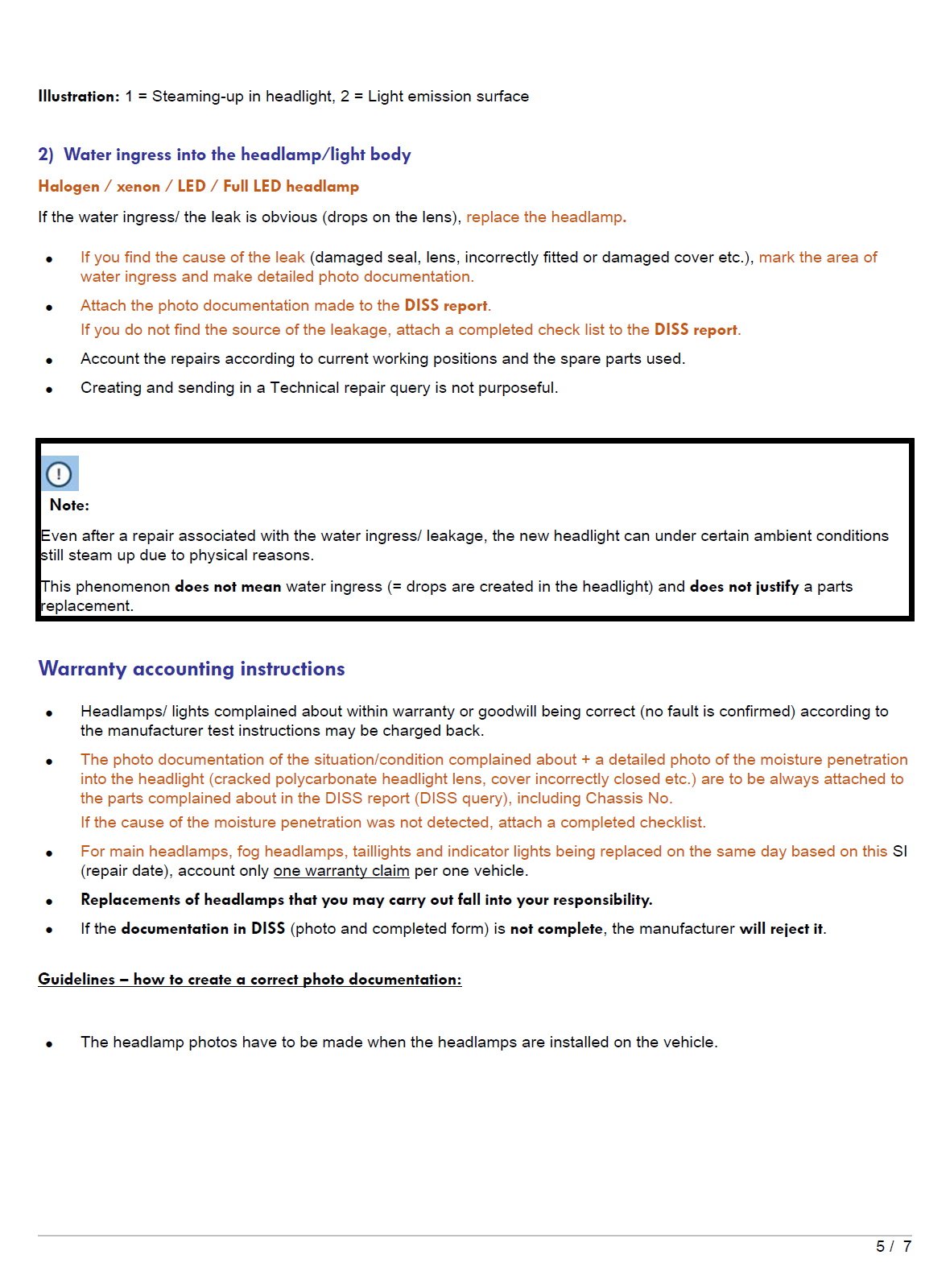
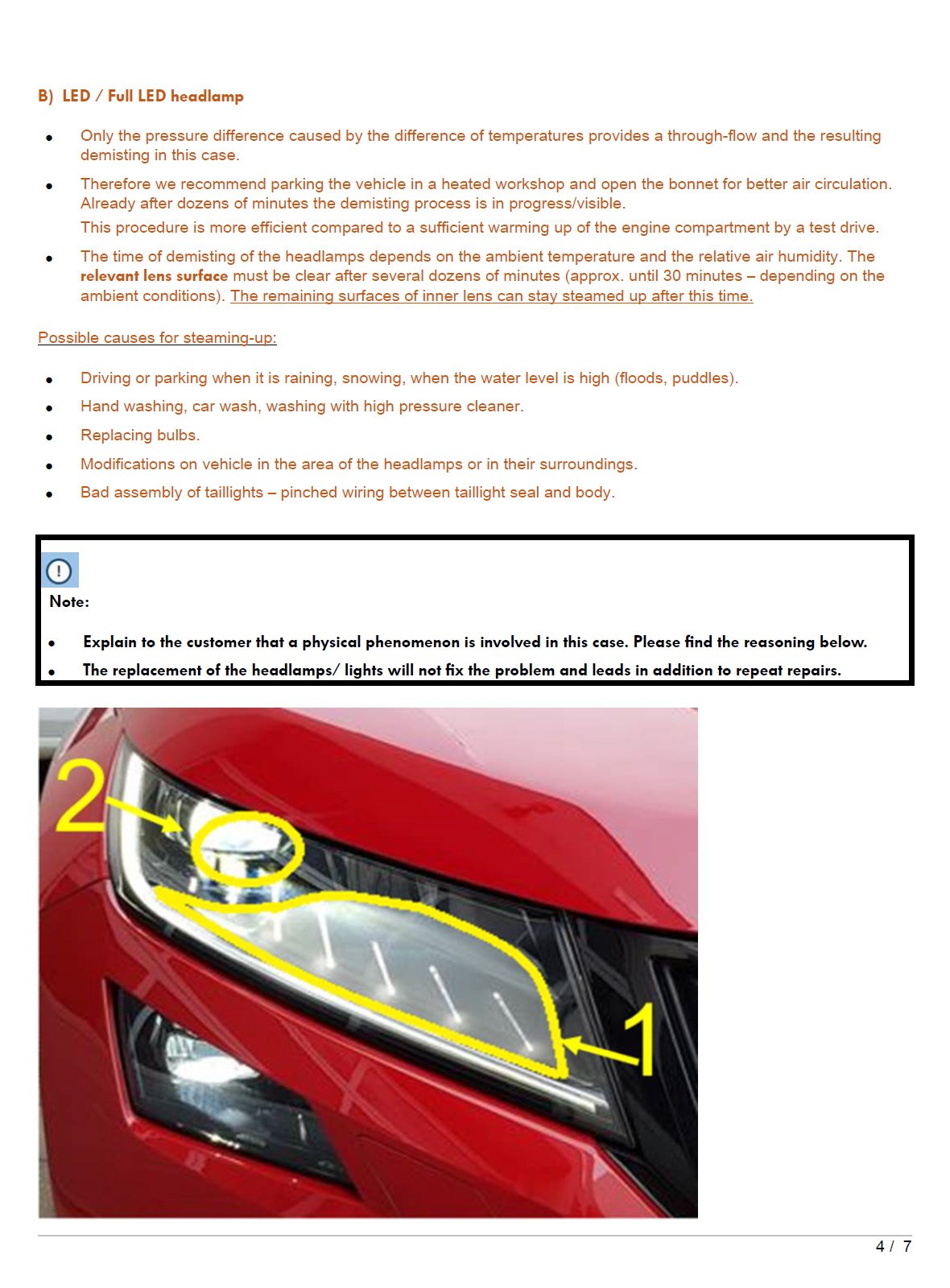
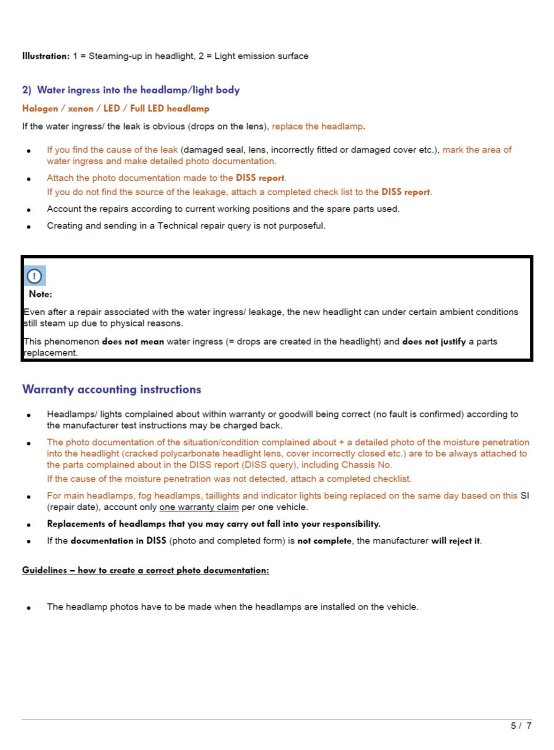
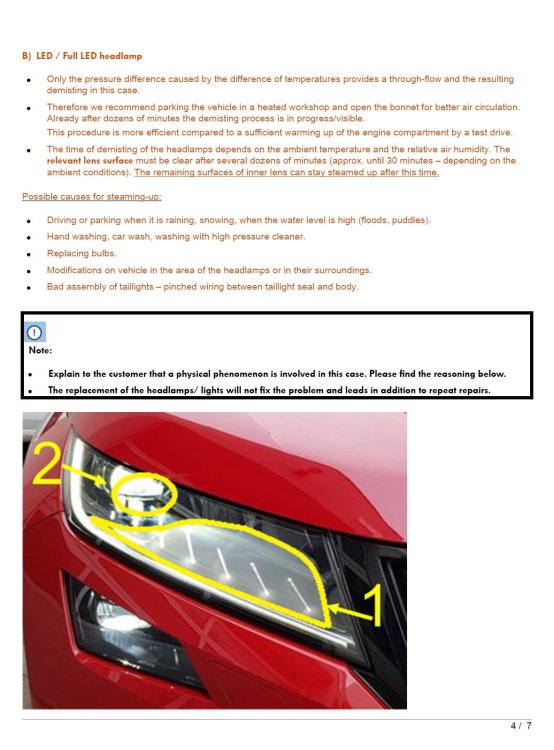
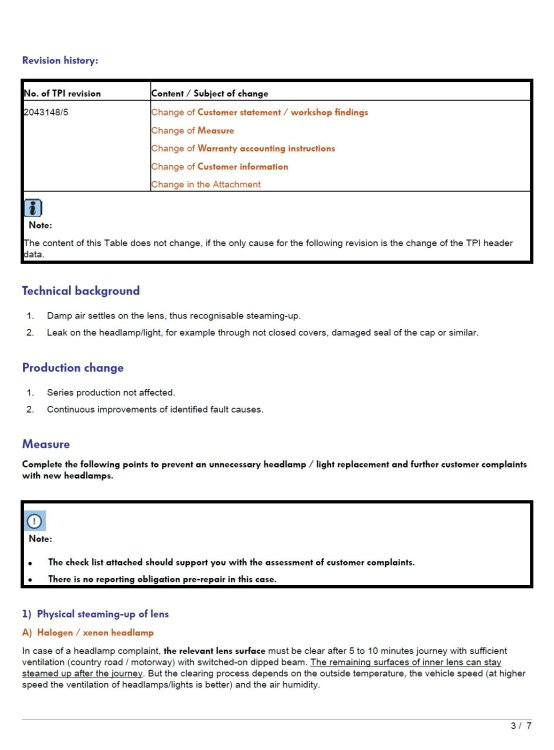
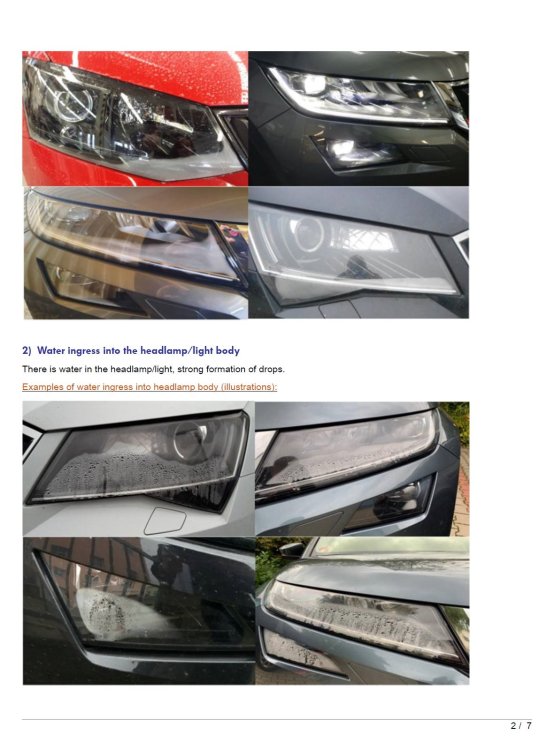
I certainly agree that misting is normal and should clear out naturally. However, there shouldn't be enough moisture to cause droplets... Based on the image from tdavison, the dealer should follow the TPI and perform a physical inspection to determine the cause of the water ingress. Few snippets from the TPI: The problem is if a dealer replaces the headlamps but Skoda disagree there is a problem, the dealer won't get any money to cover the work/parts: So it's easier for the dealer to say it's 'normal' even when there is a likely issue
-
If those droplets are in the inside, then I'd consider it excessive. There is a Skoda tpi regarding this, bit more info and pics in this thread:
-
At a guess, it'll start 3T2 for the RHD version Not sure where will be best to buy them though I'm afraid. Maybe a breaker on eBay selling a similar car?
-
That video seems to tally in to the rosstech comment, that channel is to adjust the fuel reserve level. Rather than calibrate the sensor through the full range.
-
For a 2012 Superb, you'll need a genuine VCDS micro-CAN, HEX-USB+CAN, HEX-V2 or HEX-NET interface. The cheapest currently available would be a 3-VIN HEX-V2 at ~£225. That being said, it'll help with diagnostics and fault reading but despite J.R.'s comment, I don't think it can 'calibrate' the fuel gauge... Having looked a scan for a similar vehicle, there is an adaption channel named 'Display correction of fuel gauge' but that doesn't seem to do what you'd need: https://forums.ross-tech.com/index.php?threads/28648/#post-242725 VAG seemingly haven't implemented that functionality as the fuel senders should all be close enough as not to need it. A quick google suggests that: - 50 ohms is full - 160 ohms is half full - 350 ohms is empty/reserve No idea if that's correct for a Superb but it's the only obvious info I could find
-
I've attached a Nov 2017 brochure with a Jan 2018 pricelist: octavia.pdf Based on that, I'd guess at: ex-VAT inc-VAT [K1K1] Velvet red metallic £604.17 £725.00 [RA3] CANTON sound system £420.83 £505.00 [KA2] Rear-view parking camera £316.67 £380.00 [PJC] Temporary space saver spare wheel £87.50 £105.00 [7X2] Front and rear parking sensors £295.83 £355.00 [WUB] Black design package plus £612.50 £735.00 However, if your car was a 245 'edition' the standard spec included parking sensors and black design package plus along with heated seats, folding wing mirrors etc...
-
I think all 245's had the VAQ fitted as standard? Still, a dealer should be able to pull up the original build spec, I believe PR-1Y2 is the VAQ diff If not, try using OBDeleven or VCDS, if you can access module 32 - Differential Locks, then it certainly has a VAQ fitted
-
That's an aftermarket item but if the AC cutouts and colour matches your existing trim, then excellent There are a few versions here: https://www.cars-equipment.com/en/shop/plastic-trims-52/ edit: There is also what looks like a bolero size to double din adapter: https://www.cars-equipment.com/en/shop/plastic-trims-52/plastic-trim-for-2din-radio-skoda-2/
-
Might be worth adding a picture of your old surround along with the full part number including colour code (stamped on the rear). Should be relatively easy to figure out from that.
-
It's still a gearbox remap so should effect your warranty much like any other gearbox remap. The only difference is you effectively flash it yourself using their tool rather than having someone else do it... No idea if it's any better/worse than other companies...
-
Should be able to. At a guess it'll be: - 4 new sensors + paint - replacement parking sensor module - a front buzzer - extra button to turn the sensors on/off - wiring to connect it all up - coding the car
-
It's very unlikely the wires will be present, you'll need to add them
-
Nice, that should sort it for the mot! I'm out in Swaffham so if you want to take a closer look at the coding etc in the New Year, we can sort something out. Just drop me a PM 👍
-
Based on that, it does feel like the car coding has been messed with for some reason but the wiring is fine. Depending where you are in Suffolk, if you fancy a trip to Norfolk I can take at the cars coding and lighting configuration for you. If you want to fix this with wires, don't connect both sides together, instead, run a wire each way to swap them over. A better plan might be changing the two pins at the BCM, T52aa/6 and T52ac/47, not sure if there is enough slack to make that super easy or not.
-
Should be possible assuming your ECU can drive the relays for it
-
Not given that amount of info... Based on your other posts, you probably have a MIB2 Amundsen...? In which case, try this:
-
Completely depends how good the dealer or independent is and what the problem is! First thing to check is how the tail/fog lamps are connected. At least on my old 2012 hatch it had a P21/4W bulb with the 4W filament disconnected, it would always use the 21W filament but dim it using PWM for tail light use. You can easily check by: - counting the wires to the tail lamp, 5 wires suggests your car does the same, 6 wires suggests a separate tail light feed - looking at the working side, does it use the same filament for both tail and fog This will hopefully help narrow it down between wiring and coding Coding gets a bit more interesting, quick bit of background, the BCM (body control module) is responsible for the external lighting on this age of Octavia. As the same module can be fitted to various VAG cars, the lighting configuration is adjustable to support the different lighting options used, it's mostly controlled by byte 18 in the BCM coding. The problem with the Octavia is that none of the byte 18 values match it's lighting so it's normally set to 00 which a 'custom' configuration applied using dealers tools such as ODIS. This means that most independents won't have the tools or knowledge to correct issues in the light config. A dealer 'should' be able to reset the config using ODIS but again, training can be patchy so you'd need to find a dealer with at least some clue.