JR RS
FREEDOMLite
-
Joined
-
Last visited
Everything posted by JR RS
-
Well here in Oz, I remember distinctly that the Manoeuvre Assist was introduced from MY18. Not long ago, I was reverse parking, very slowly, got distracted by adjusting the door side distance, that I hit the retaining wall, at a very very slow speed. Minor scratches that I touched up with factory paint. No Manoeuvre Assist stopped me. There is no Manoeuvre Assist menu anywhere in my Infotainment. Likewise, I've scanned with OBDEleven, and I certainly don't have the expected Manoeuvre Assist adaptations or associated coding.
-
U need the matching side skirts now....
-
They were made available from MY18 onwards. I missed out with my MY17.
-
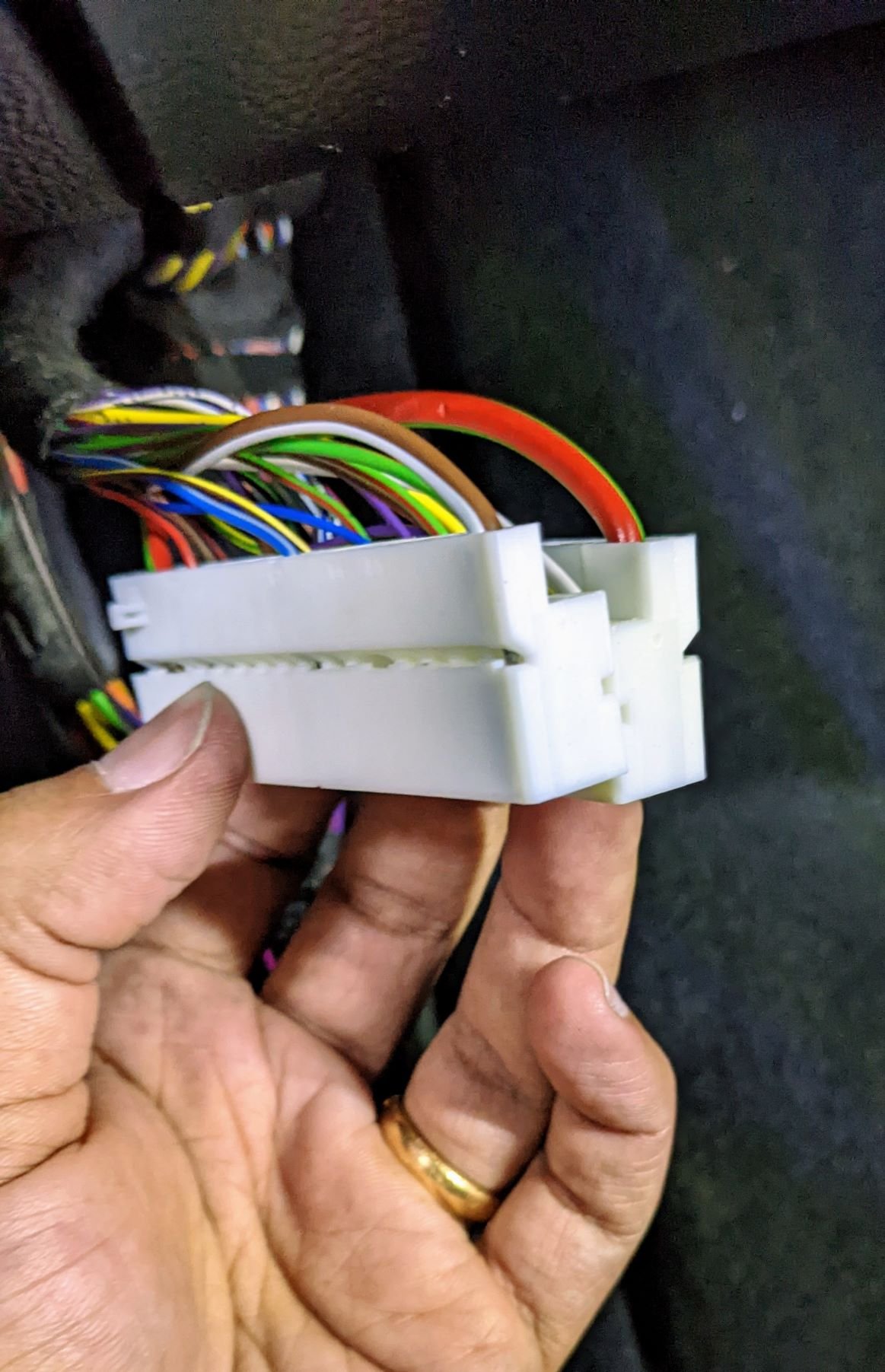
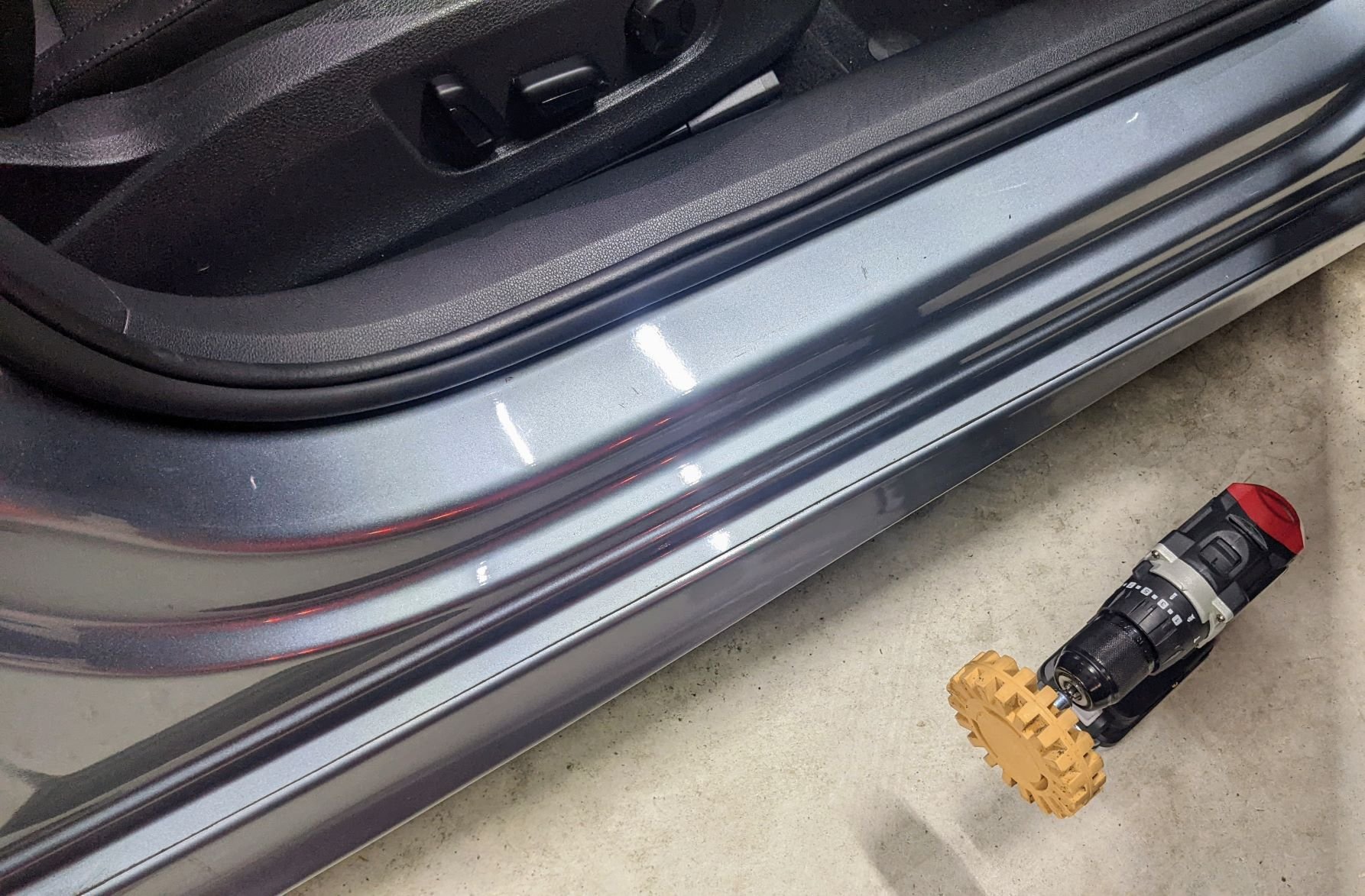
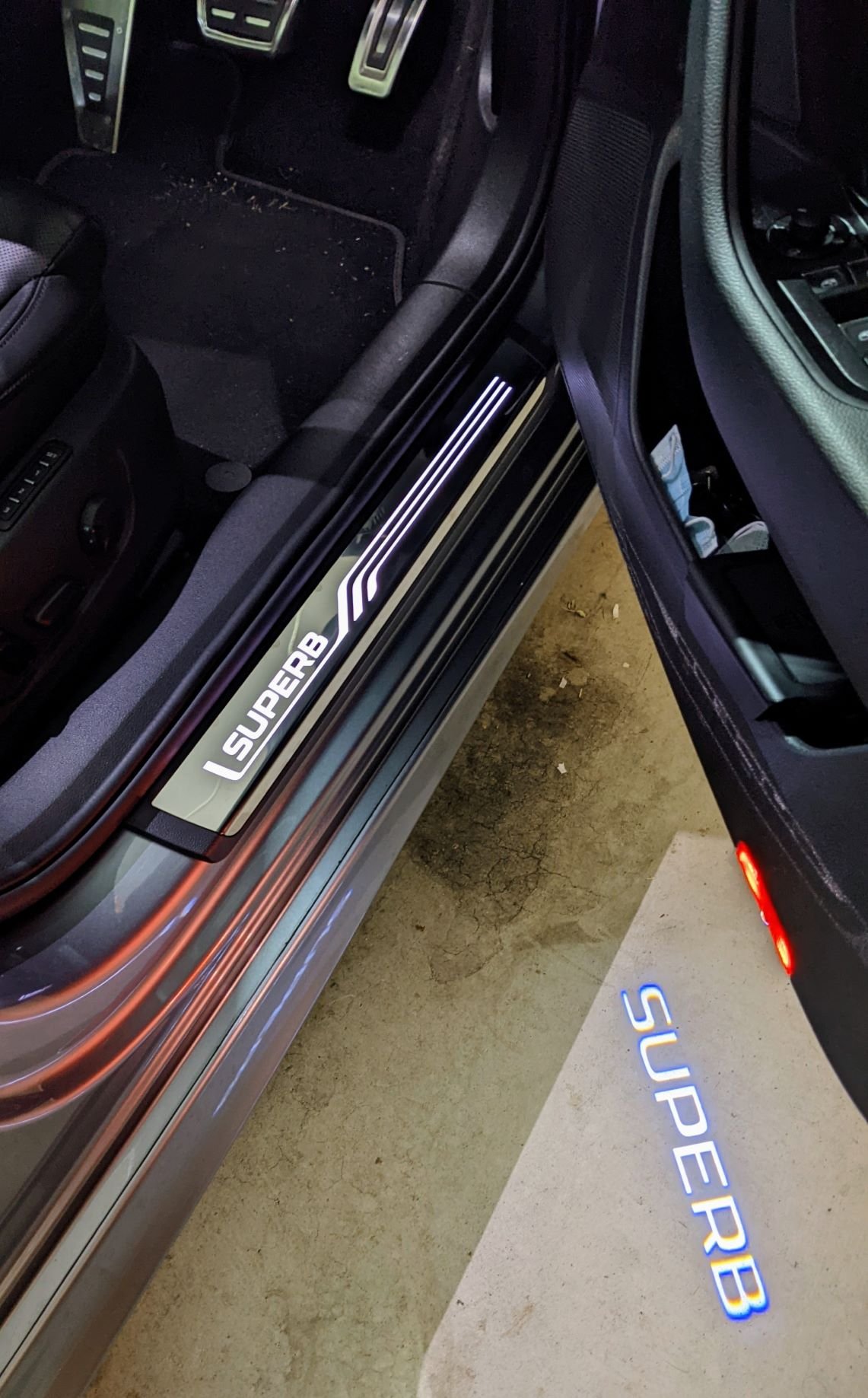
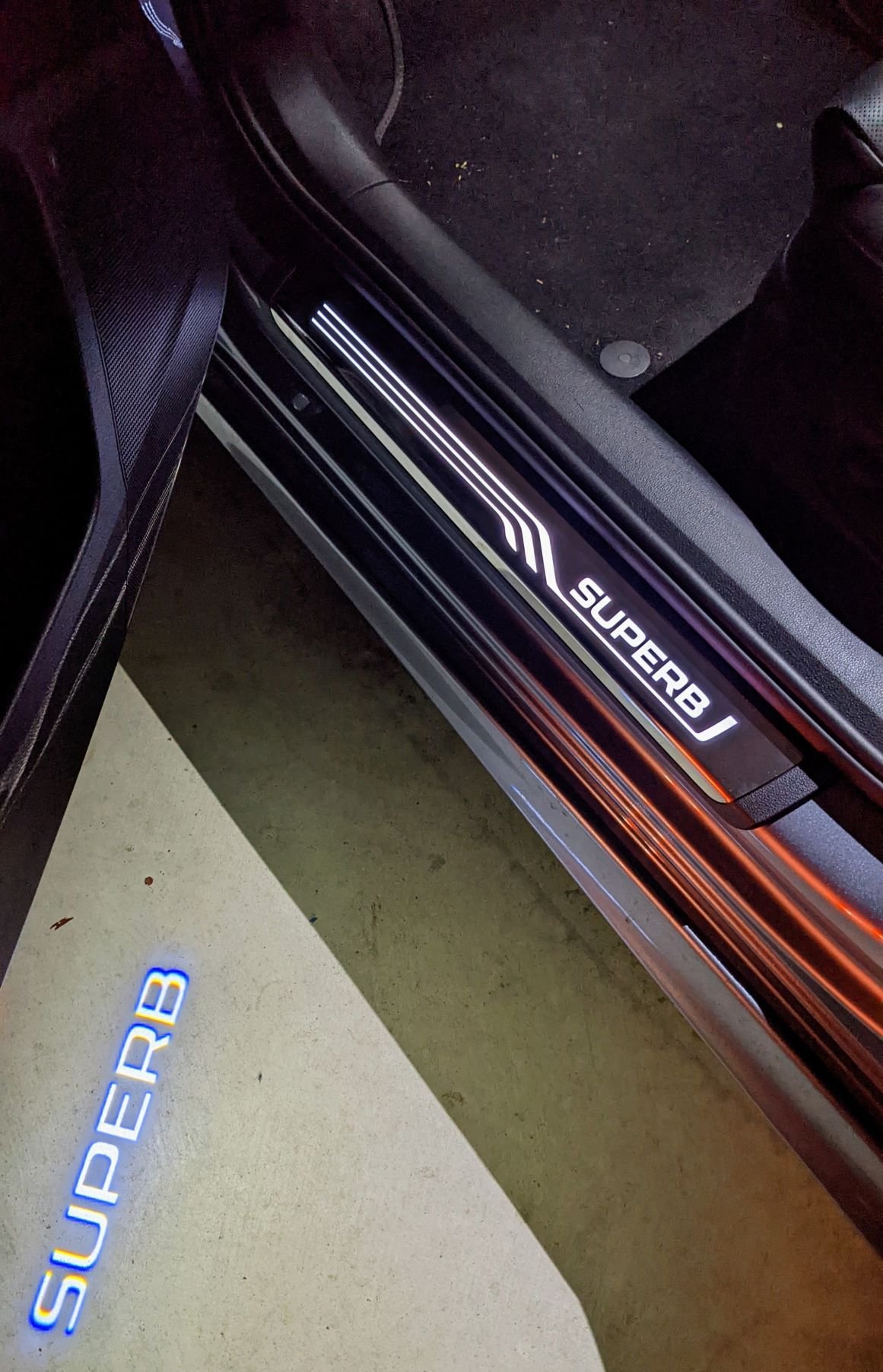
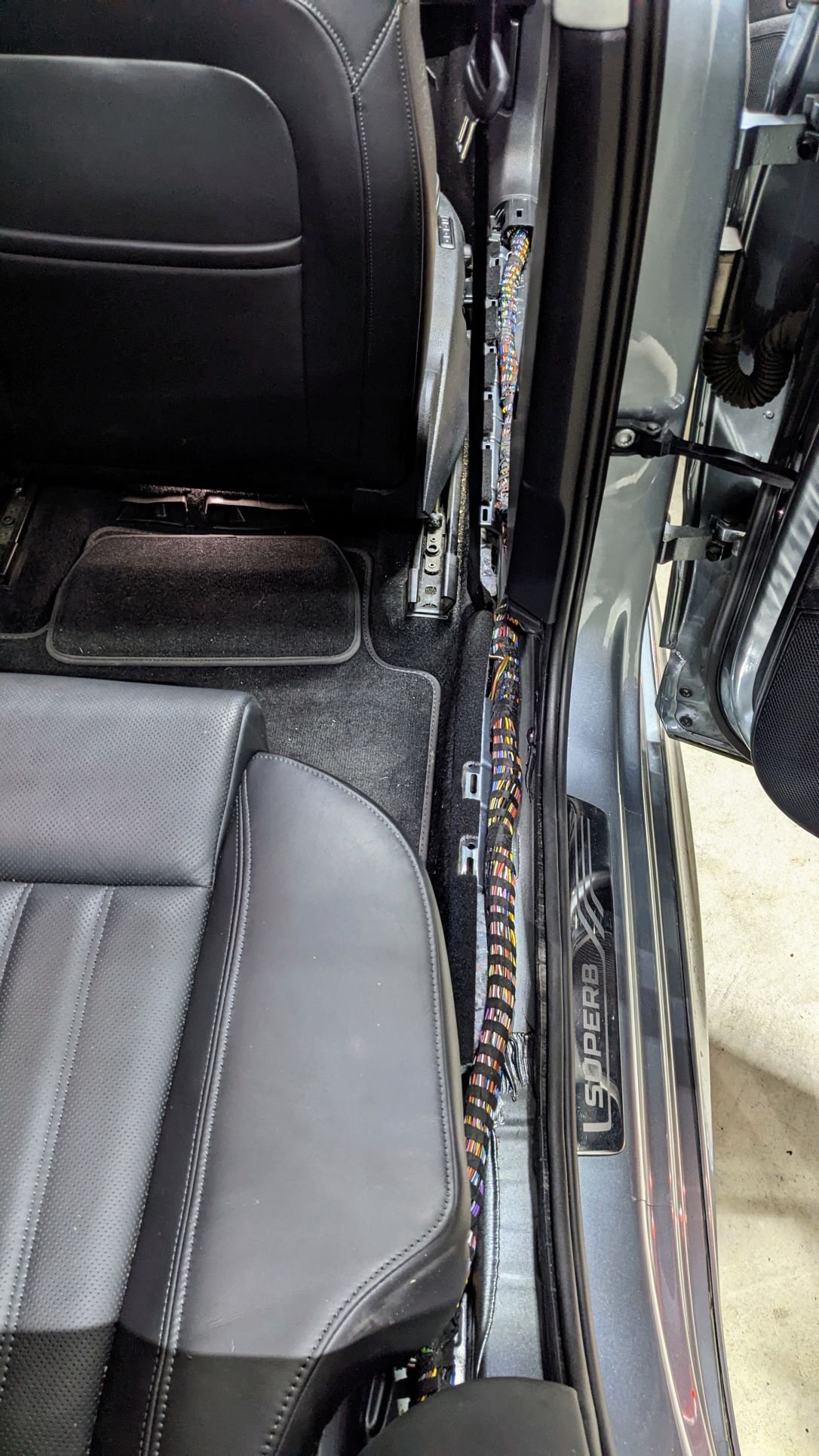
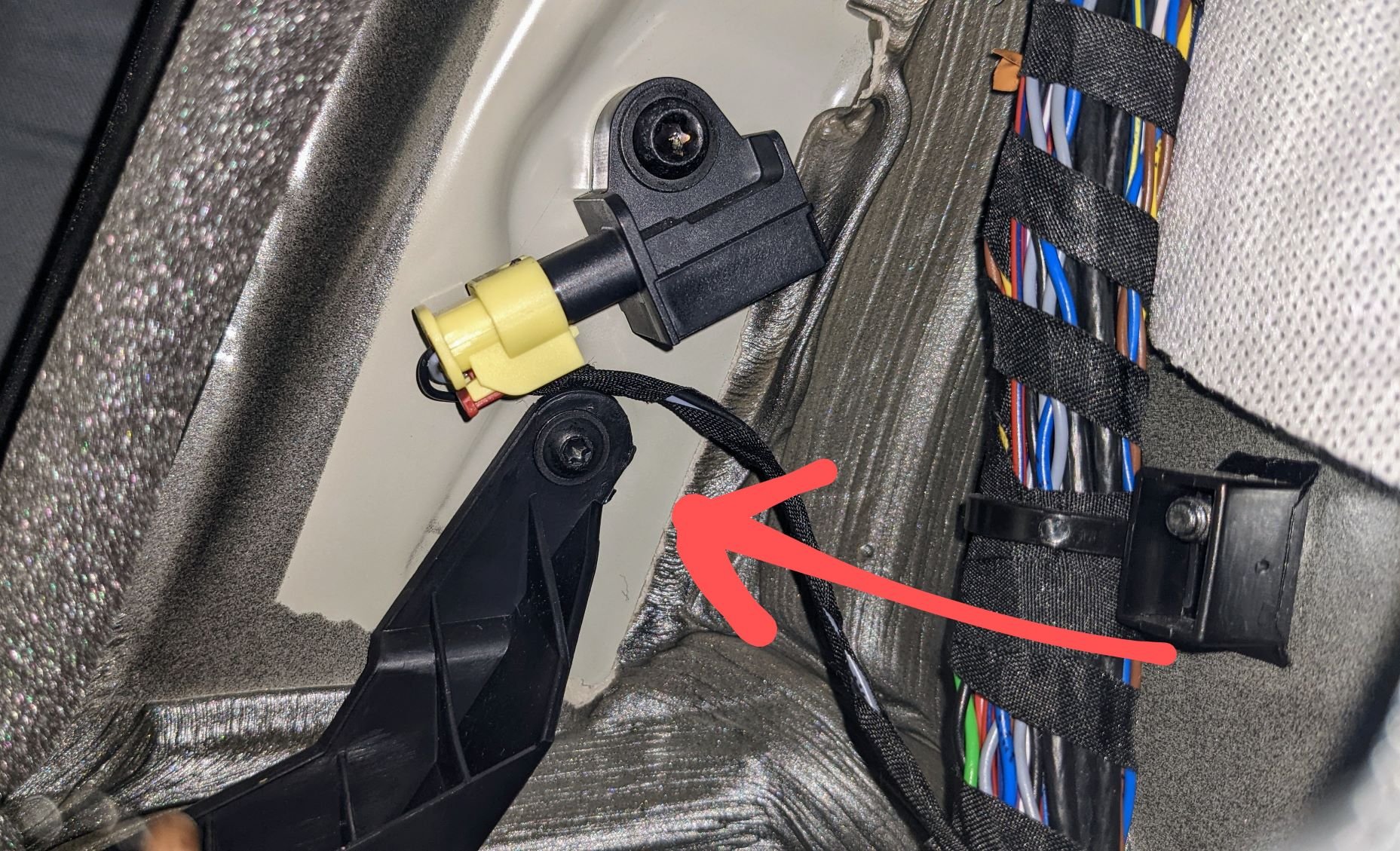
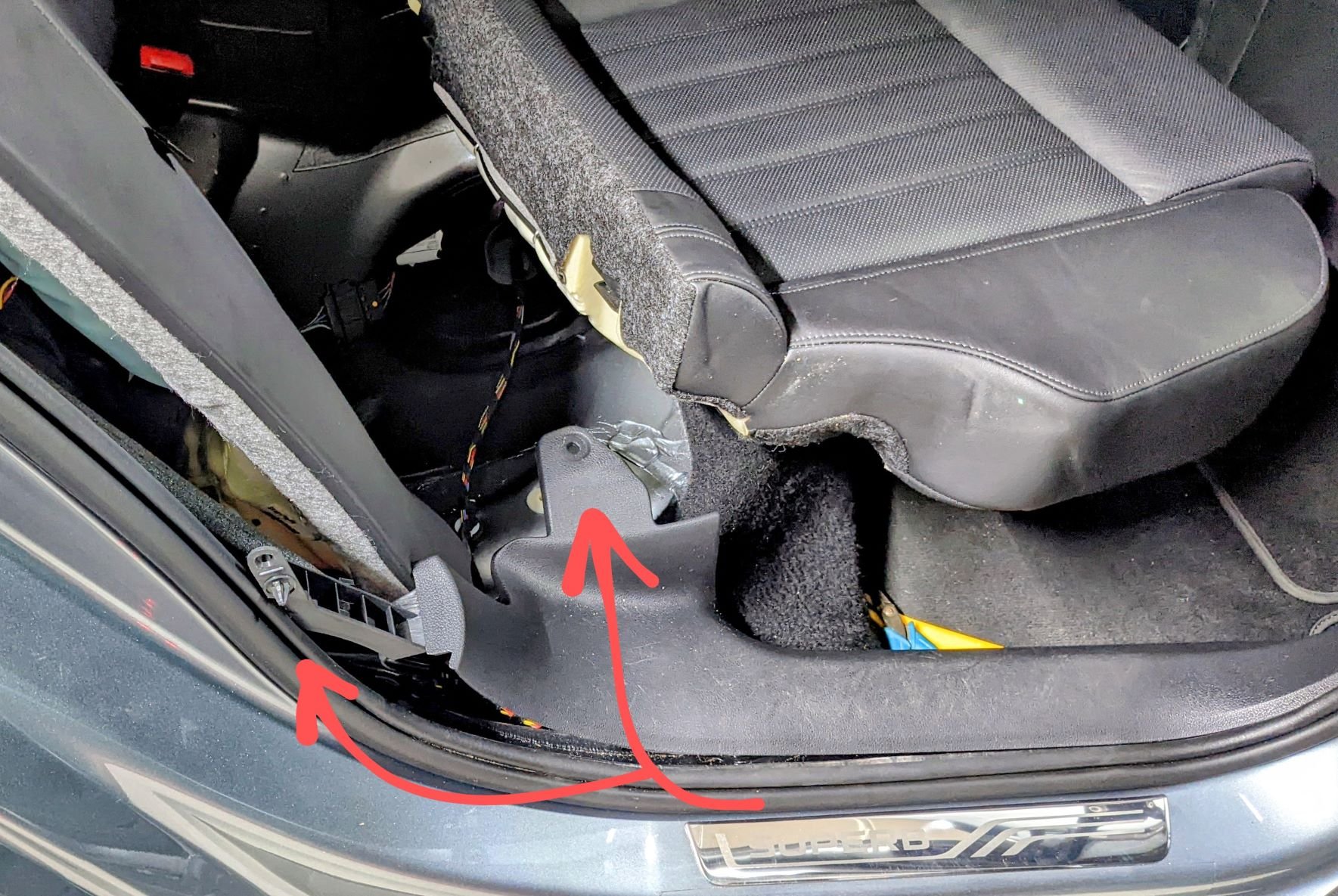
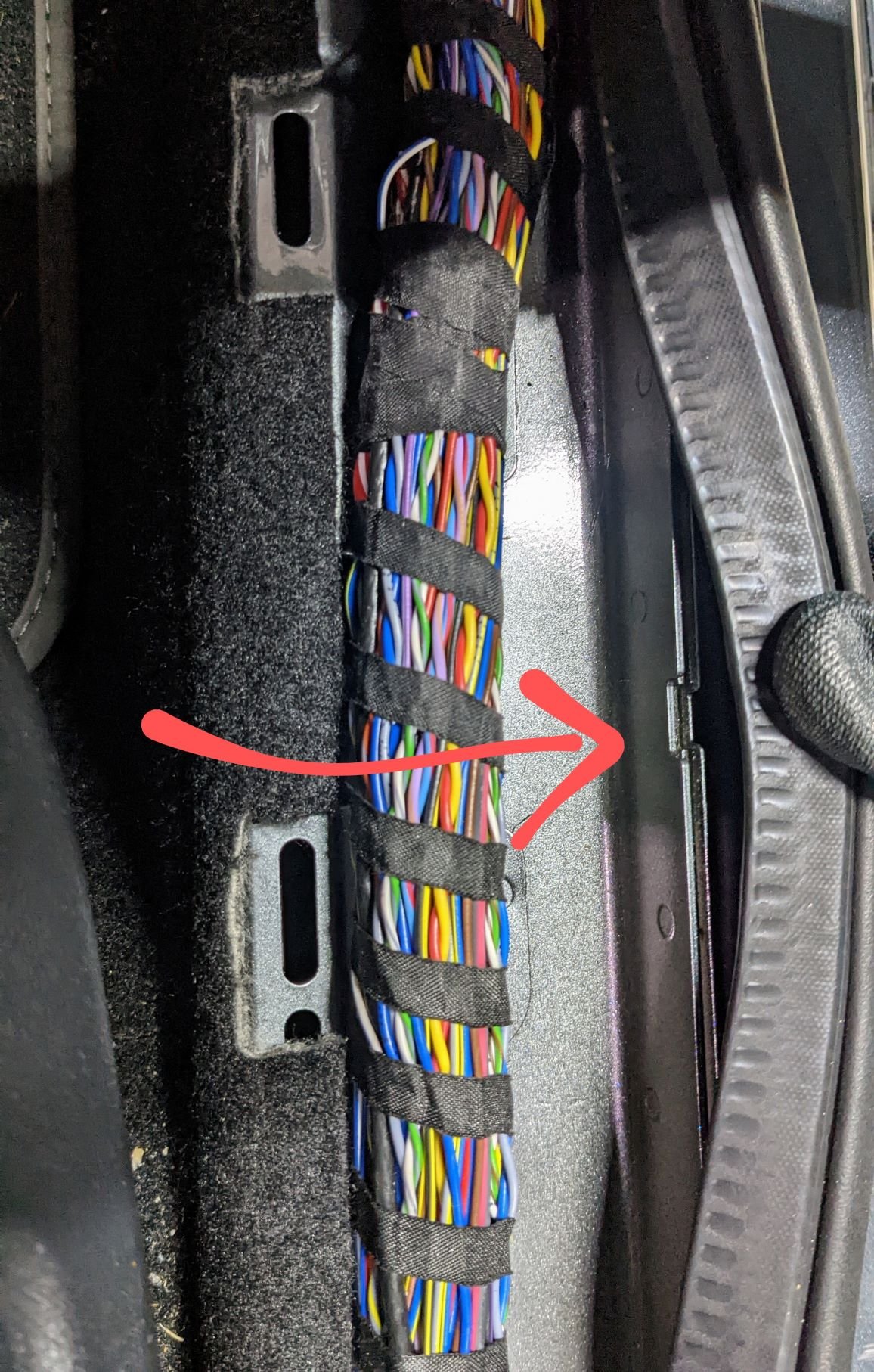
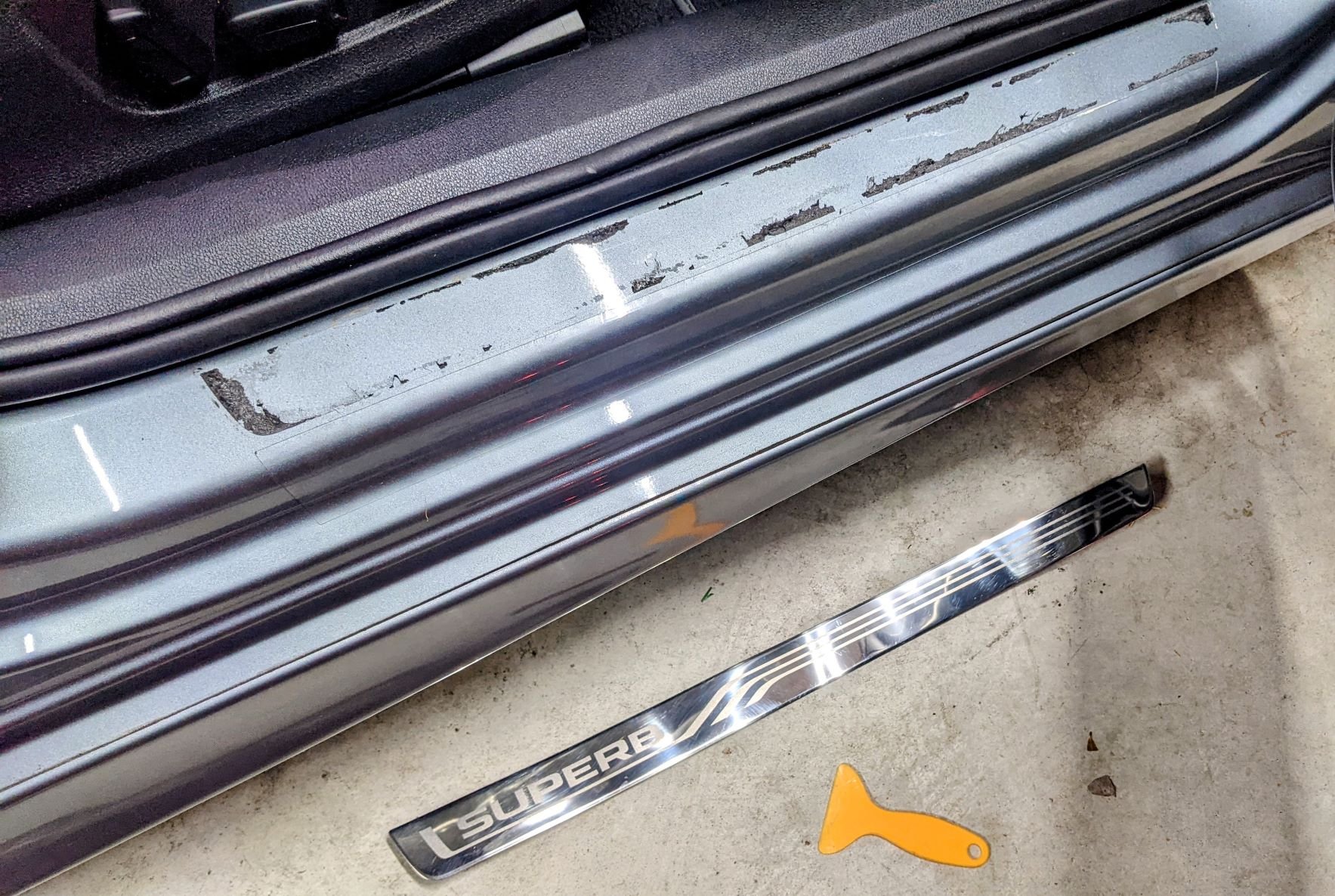
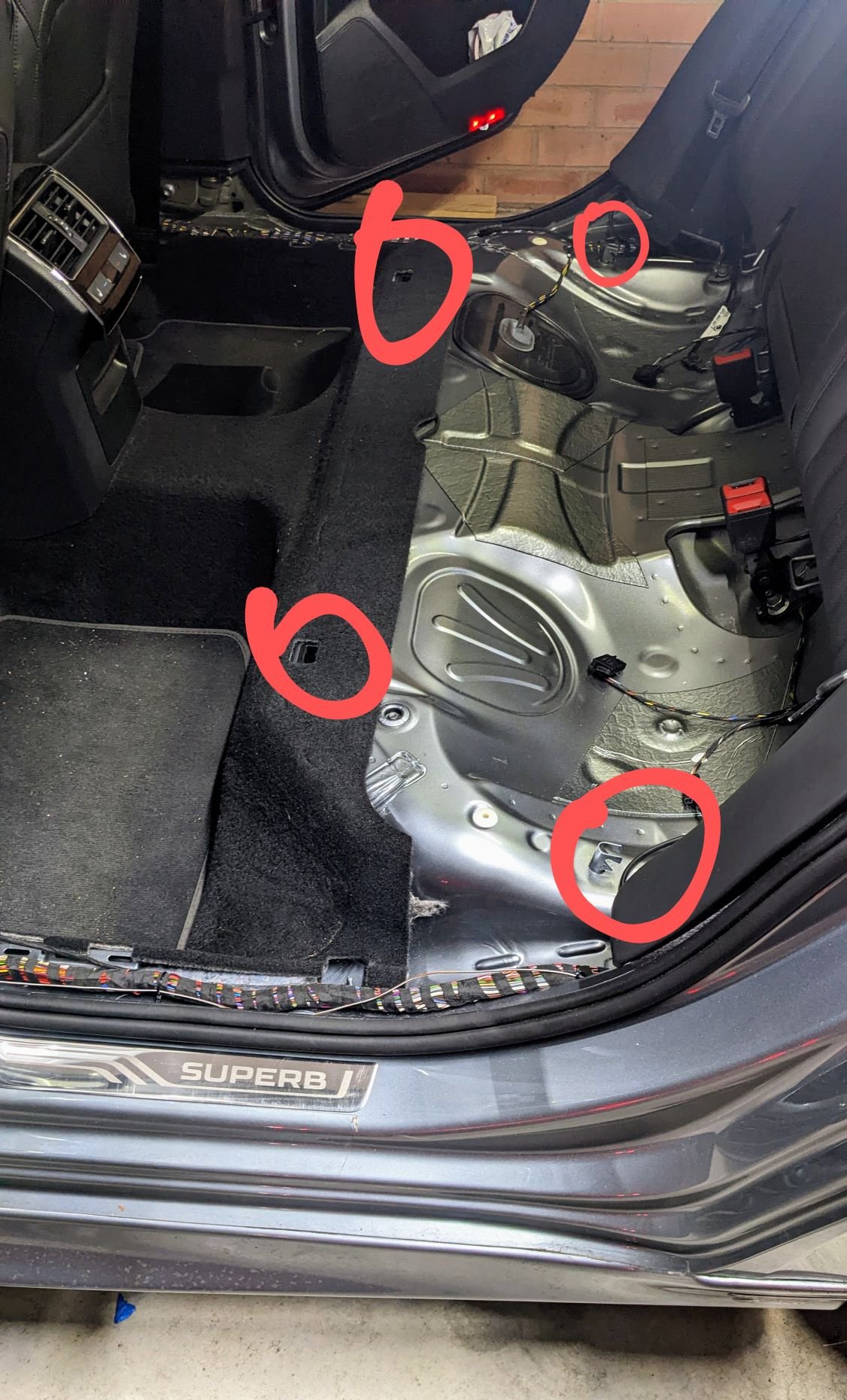
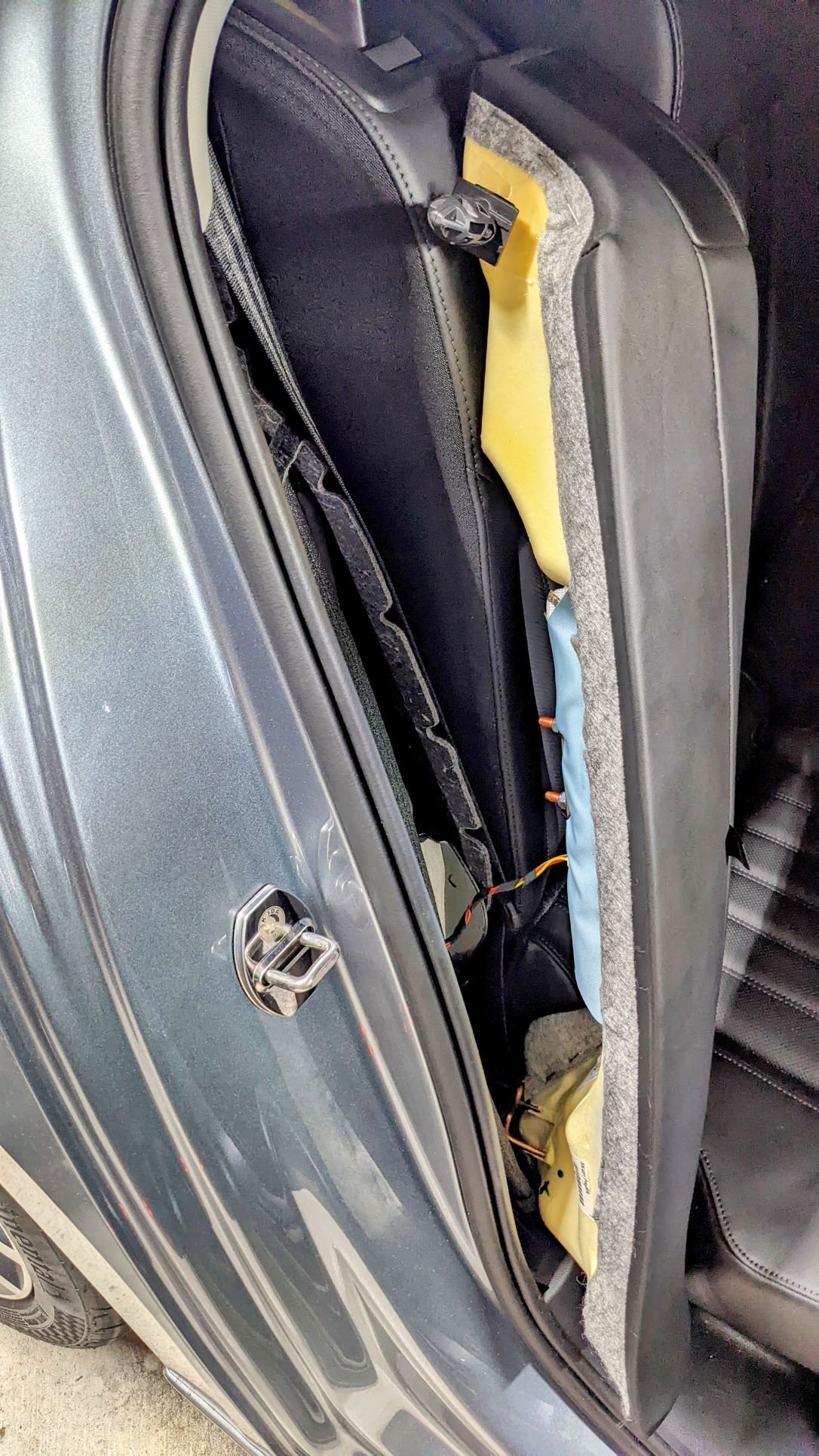
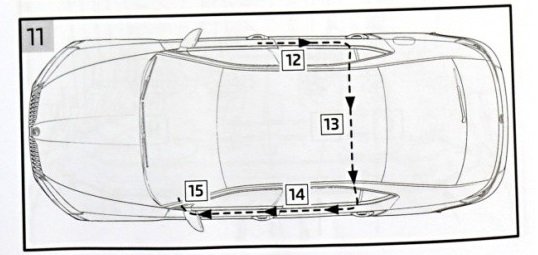
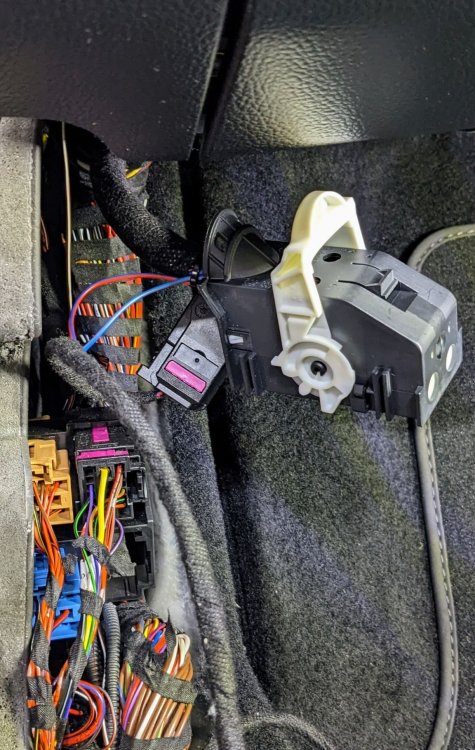
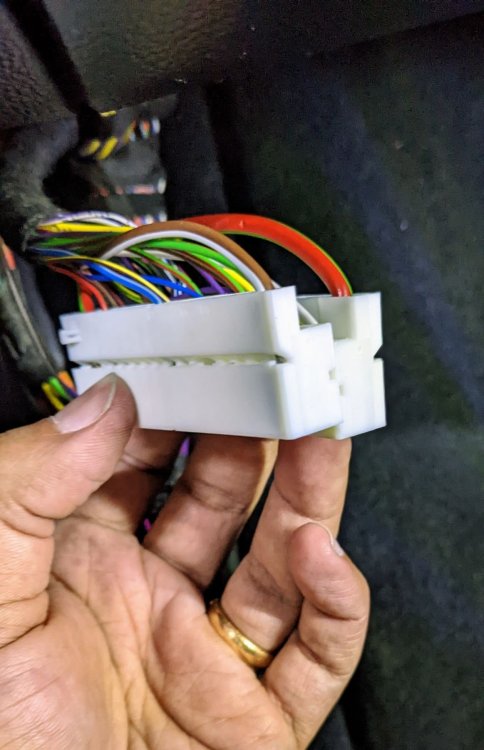
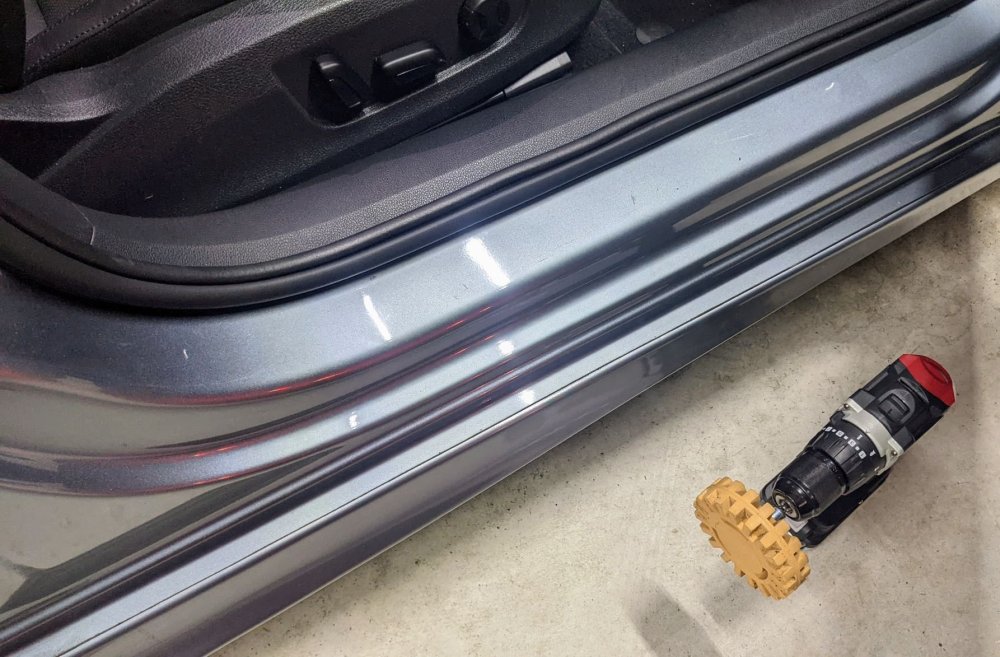
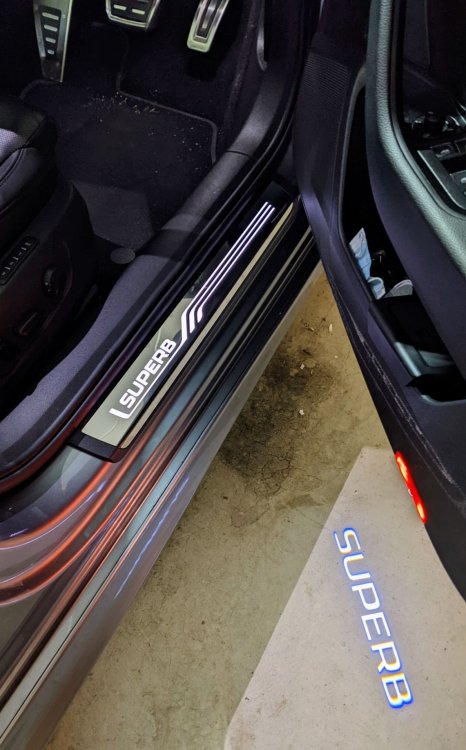
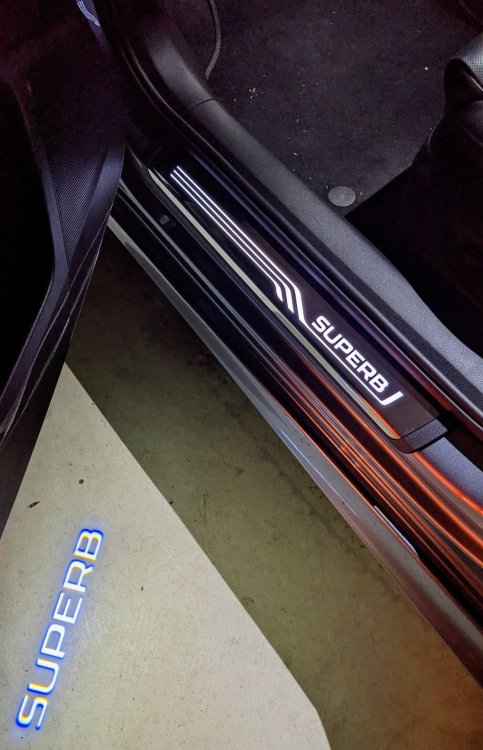
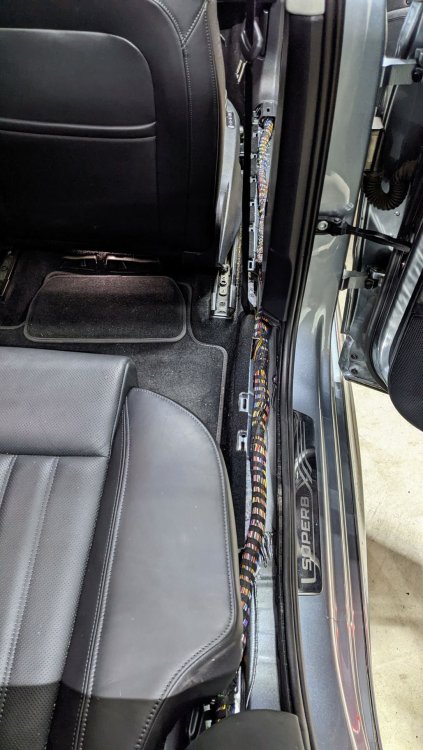
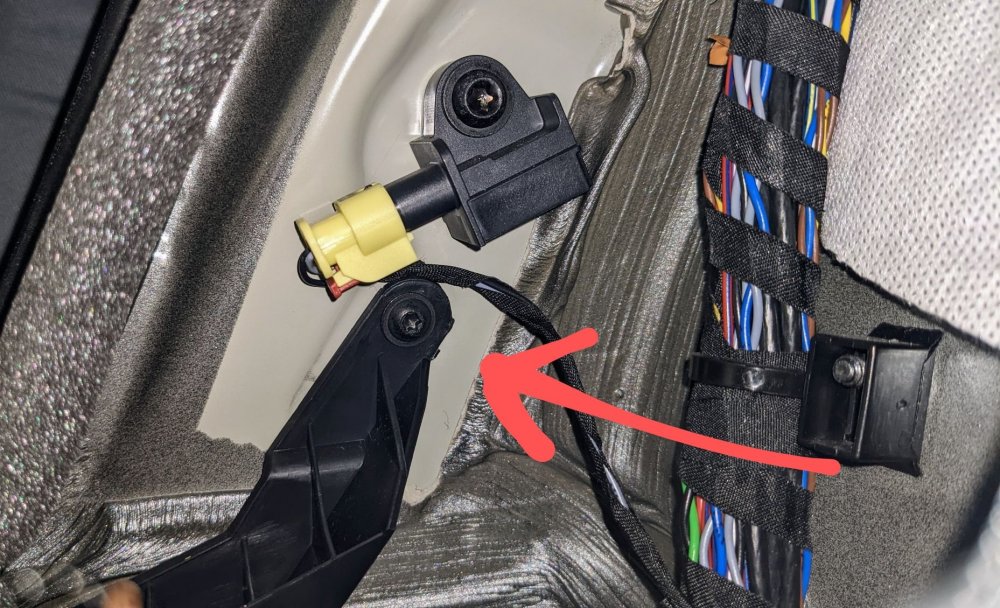
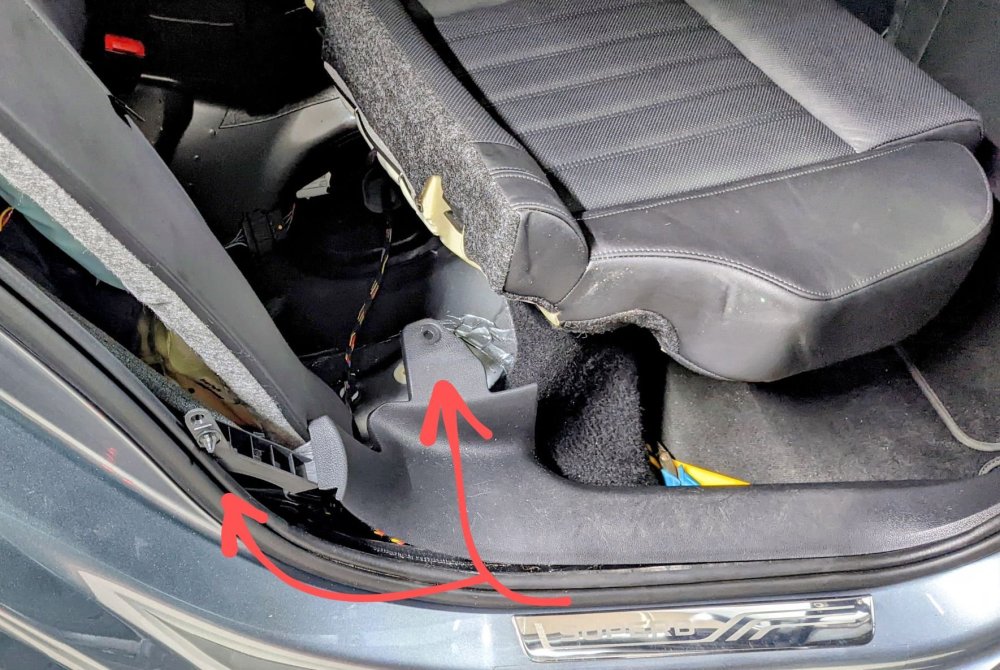
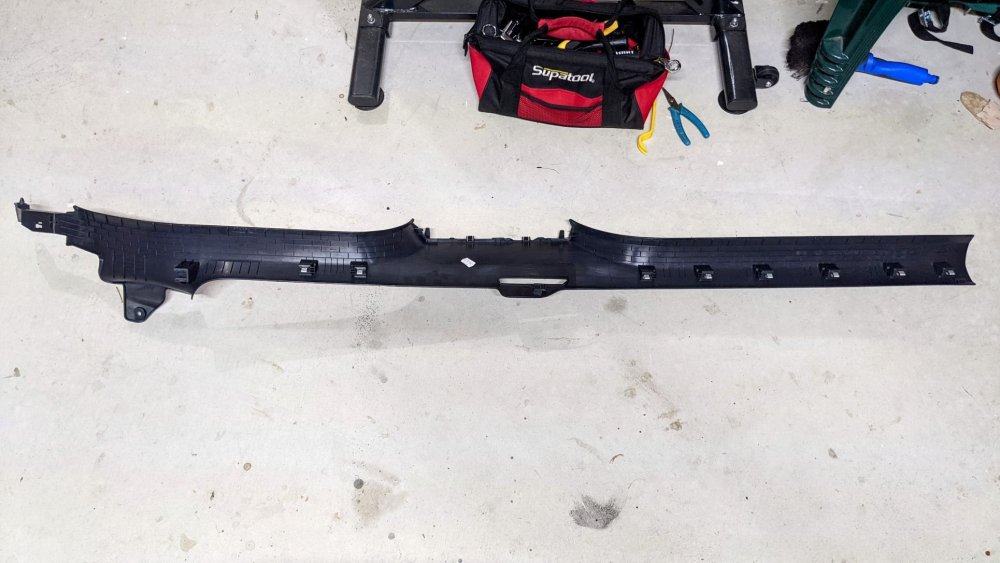
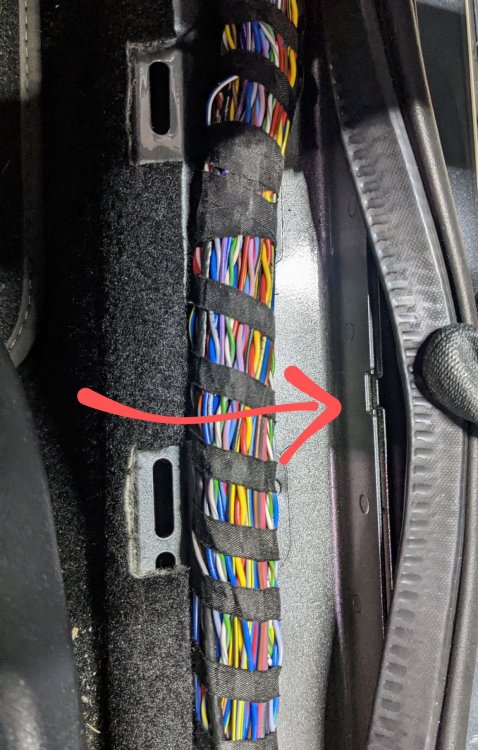
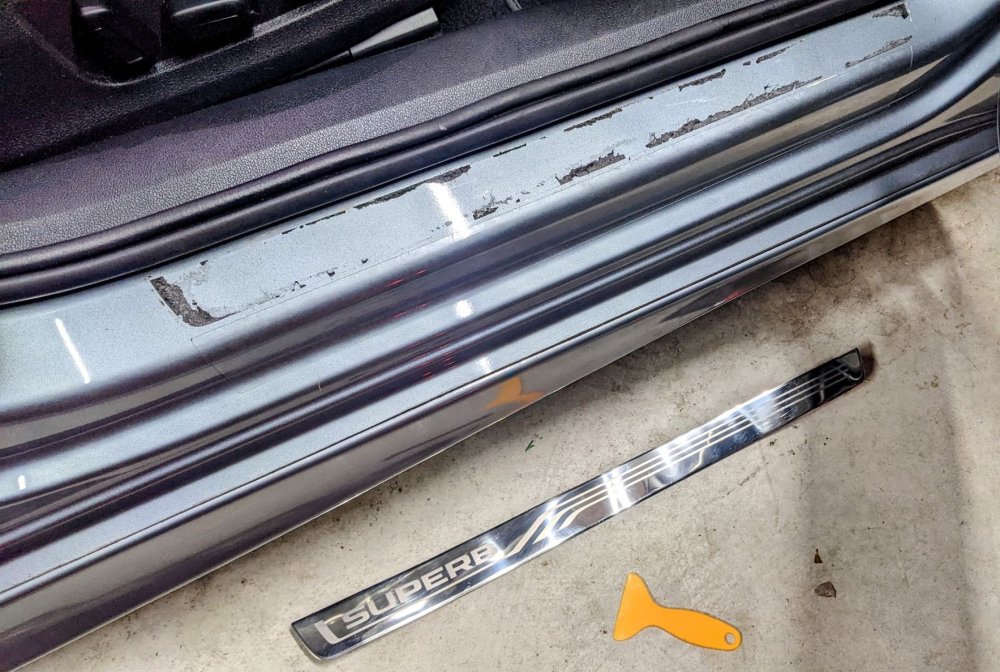
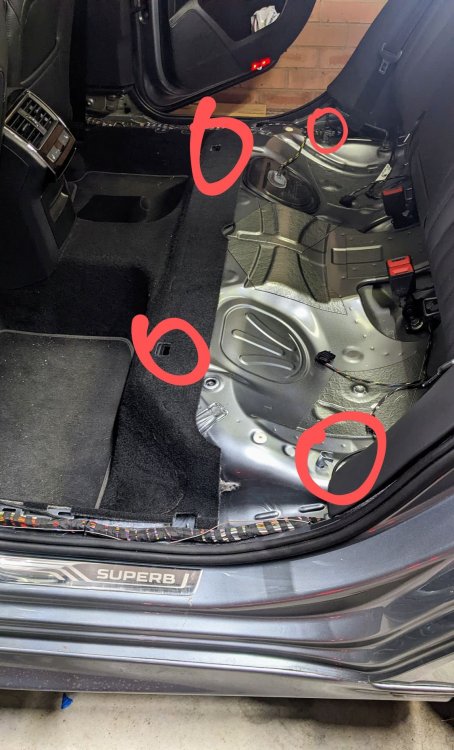
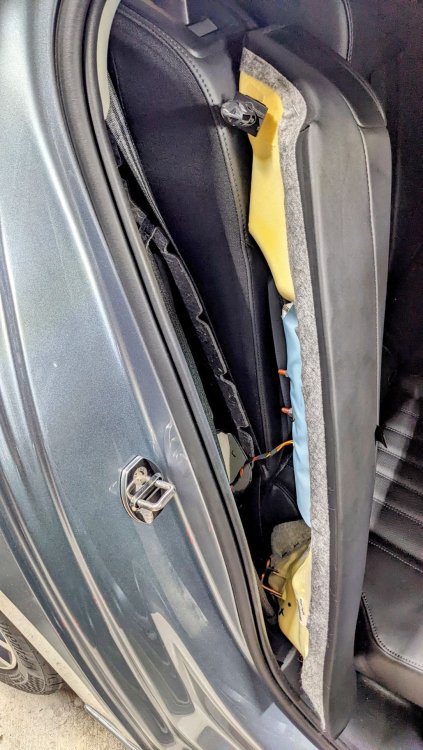
Latest retrofit completed successfully - illuminated door sills They're the geniune Skoda ones. Its a lot of hassle for "illuminated door sills", but i like how it looks. adds a nice touch. I'm very happy with it. Wiring was basically plug'n'play. no extra coding required. i didn't disconnect the battery so i didn't have to deal with any xmas lights on the dash, or recalibrate anything. Removing the C-connector from the BCM module is tricky as the access is tight. but once out, removing the two pins and plugging in the other 2 wires was quick n easy. having a wire trim removal tool is a must, otherwise don't bother. The routing of the door sill wiring was the hard bit. wiring is required to go from the driver's side door sill, to the back, across the back seat, then back up to the passenger door sill, then finally end up in the BCM module under the A-pillar. to do that, u need to:- - remove rear seat bench - remove rear seat side bolster - remove driver's side door sill trim panel - remove passenger side door sill trim panel - remove passenger side lower trim panel, below glovebox. - remove dashboard side panel, below the A-pillar, beside the glovebox the finished product....... Rear seat bench anchor points; rear seaat side bolsters (beware of the airbag). fixture points at the back of the door sill trim panel. one is behind the side bolster. the other is under the seat. fixture of door sill trim behind the side bolster. watch out for that yellow black connector as that is one of the crash sensors. underside of door sill trim panel, showing anchor points. door sill trim panel removed. BCM C-connector removed; With wiring in place and shroud put back. Old door sill removed. All cleaned up. Took less than 5 mins to do thanks to the Caramel Wheel. Factory cut-out under the door rubber seal, for the illuminated door sill wiring to thread through.
-
My passenger seat does not have memory function either....
-
Tis a shame that the Autohold was causing issues for u in the "Normal" setting. More importantly - its good u figured out the adaptation change required to address it. mine has been good/perfect with the Normal setting - haven't had the need to change it due to it misbehaving.
-
sounds like a faulty seat memory driver module. the earlier ones r known to misbehave. mine was replaced under warranty about 3 yrs ago. Address 36: Seat Mem. Drvr (J810) Labels:* None Part No SW: 5Q0 959 760 C HW: 5Q0 959 760 C Component: Sitzmemory H09 0024 Serial number: Y0006RLE37446 Coding: 0014000000000500018280808080000000008181000000D400 Shop #: WSC 40189 002 1048576 ASAM Dataset: EV_SeatMemorDriveSide 002022 ROD: EV_SeatMemorDriveSide.rod VCID: 3D273B8C9DFCF793584-8068 No fault code found.
-
if u remove the rear boot logo, on a pre-facelift, u'll b left with an indent/recess, and two holes, where the boot pins slot into. so don't do it.
-
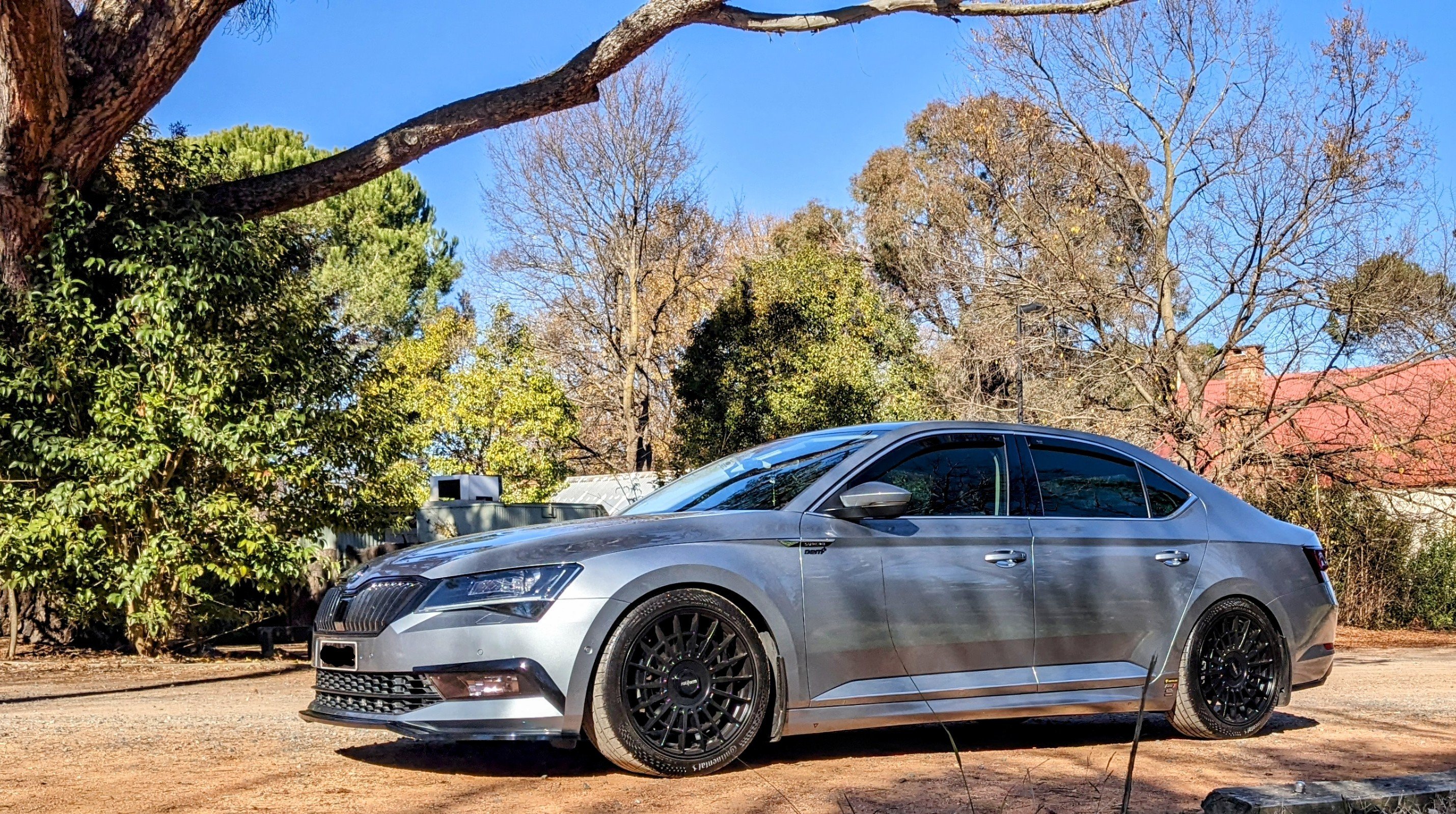
Nice looking wheels @skylineguv
-
@AJAMESR- did u have to remove the B-pillar lower trim in order to remove the door sill trim? It seems the middle part is wedged under the B-pillar trim.
-
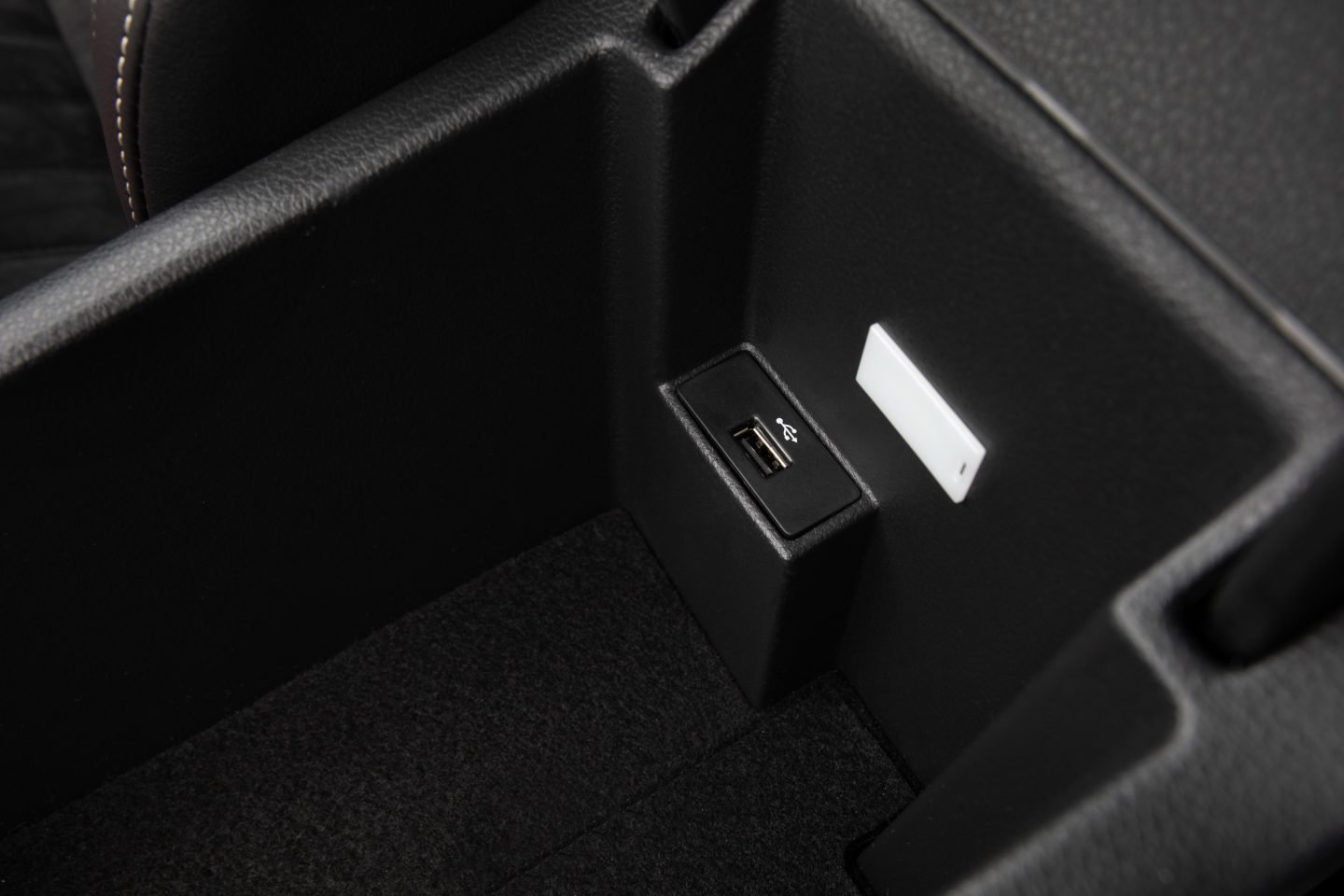
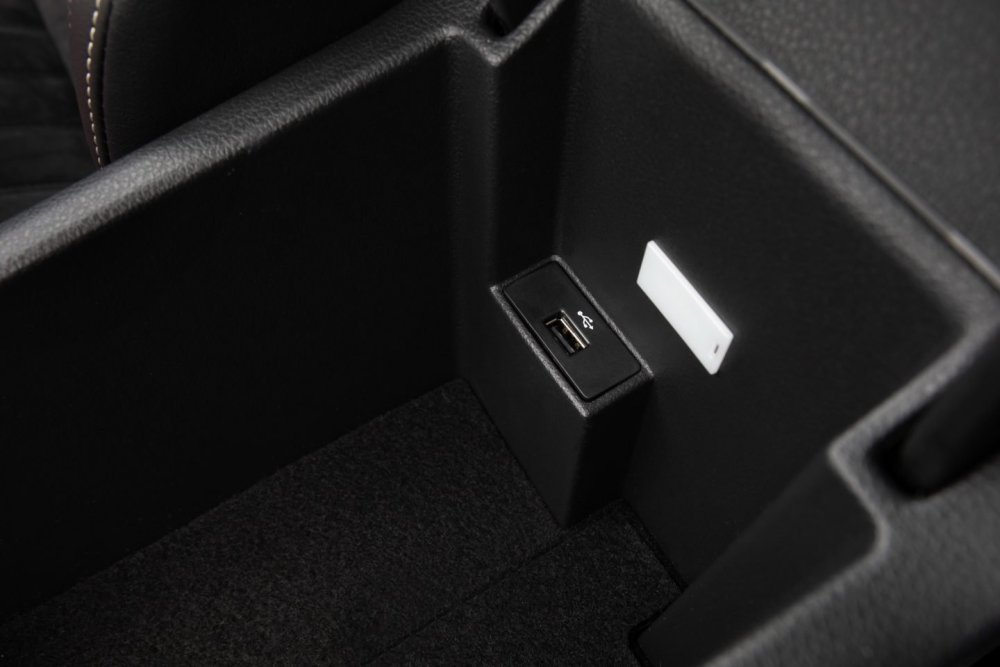
it was an option in certain markets, on the pre-facelift Superb. hence u would have the usual USB port under the climate control, and an additional one inside the centre arm console storage.
-
@ItalianJob- unfortunately a majority of Superbs do not have the additional USB port in the armrest console I converted the rear 12V socket to dual USB ports so I can keep my Pixel 5 on wired charge when driving for 2+ hrs, with the Wireless Android Auto running.
-
Superb 2018 has MIB2.5, which does not have wireless CarPlay or Android Auto capability. U'll need a wireless dongle, like AAWireless. I've got one of these myself. I forgot wat the CarPlay equivalent is called. Only the MIB3 units on the facelift Superb has the wireless capability.
-
@RT_SGP - oh wow, that's awesome that there is someone supplying it as a kit!! there's hope then indeed, to do such a retrofit if u do go down this path, please do let us know - we'd b very interested to see how it progresses
-
Squeeze the two loops together, like ur using a scissors. While it's squeezed, pull the D3S bulb out, slowly.
-
Hours n hours of research, but mainly thanks to a vwgolf user XaGiCo who wrote up a brilliant write up guide.
-
Brilliant news @RT_SGP!!! Glad it's all working now. wow, 360 area view is an epic retrofit. let us know if u go ahead with it - I'd b interested.
-
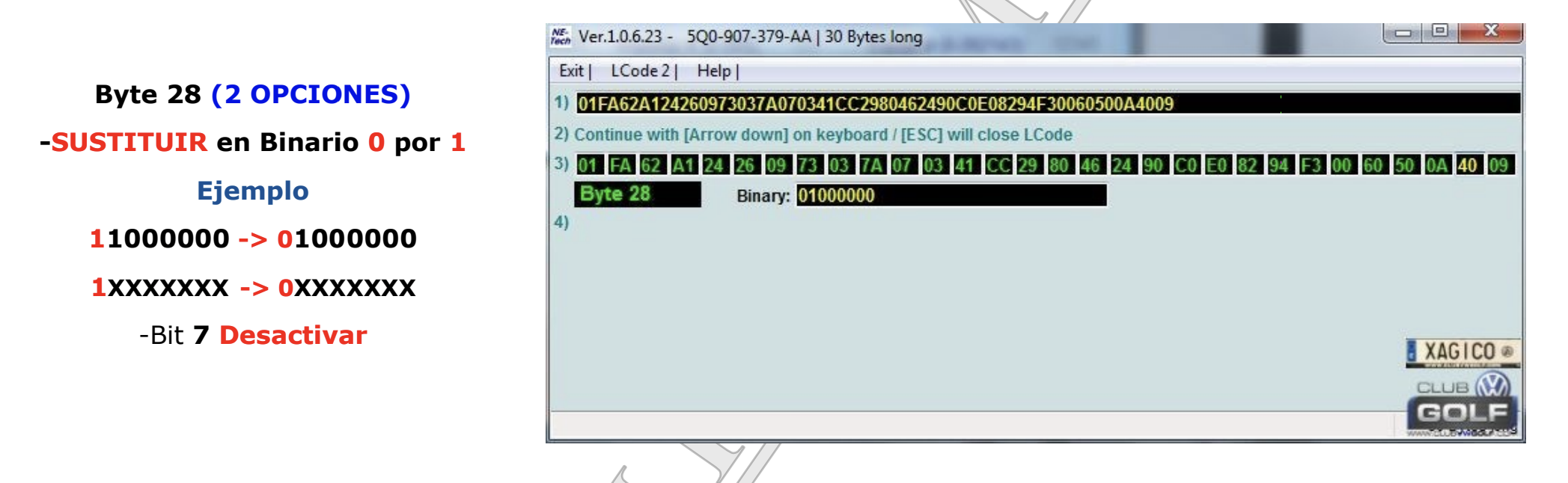
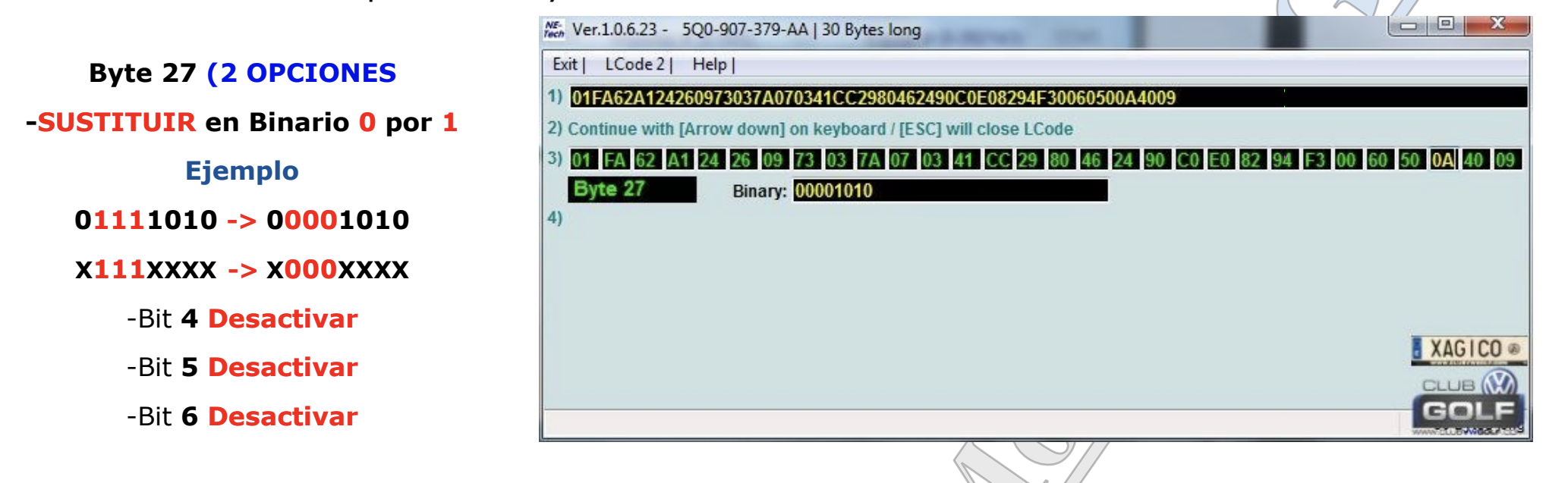
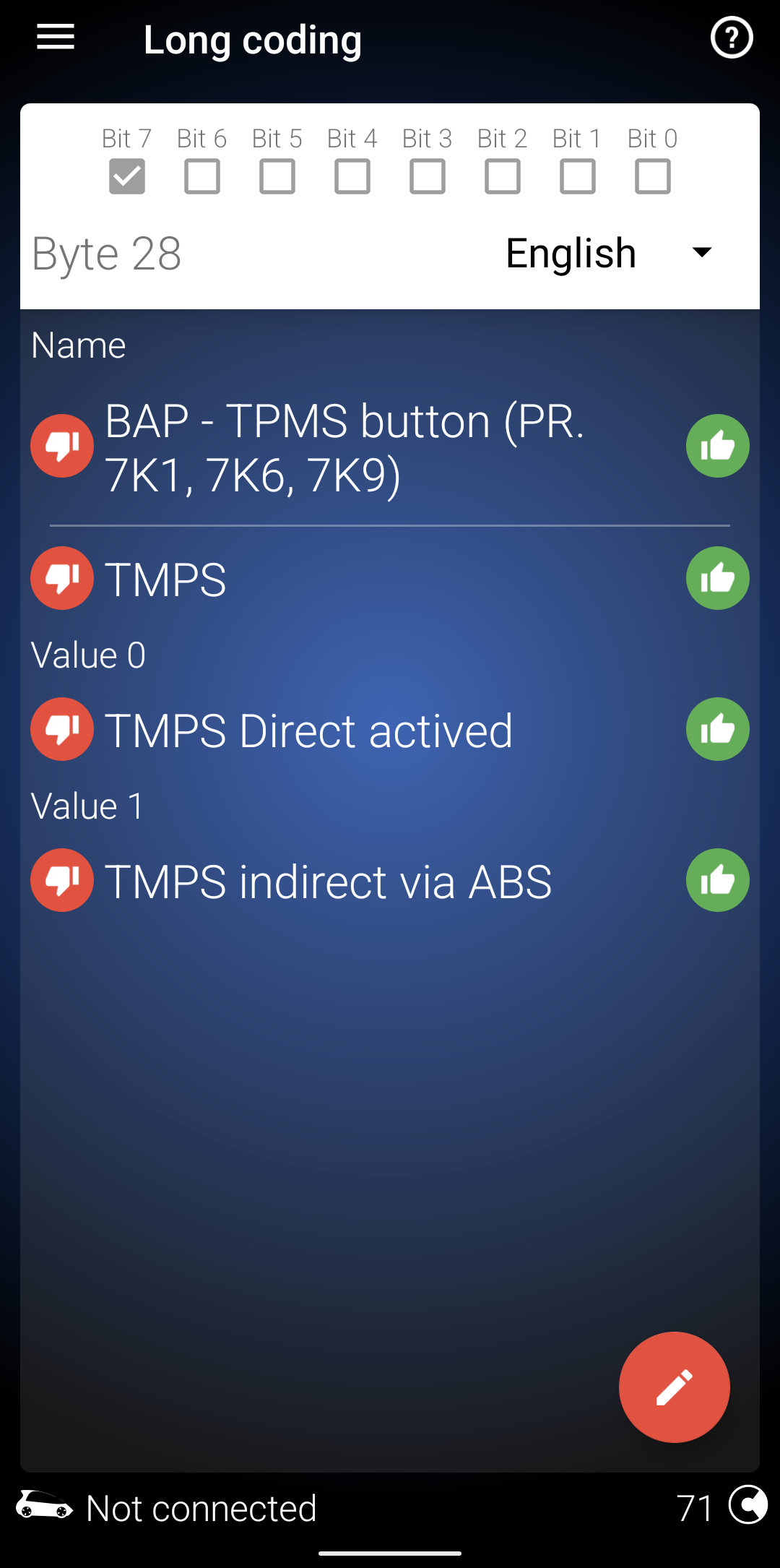
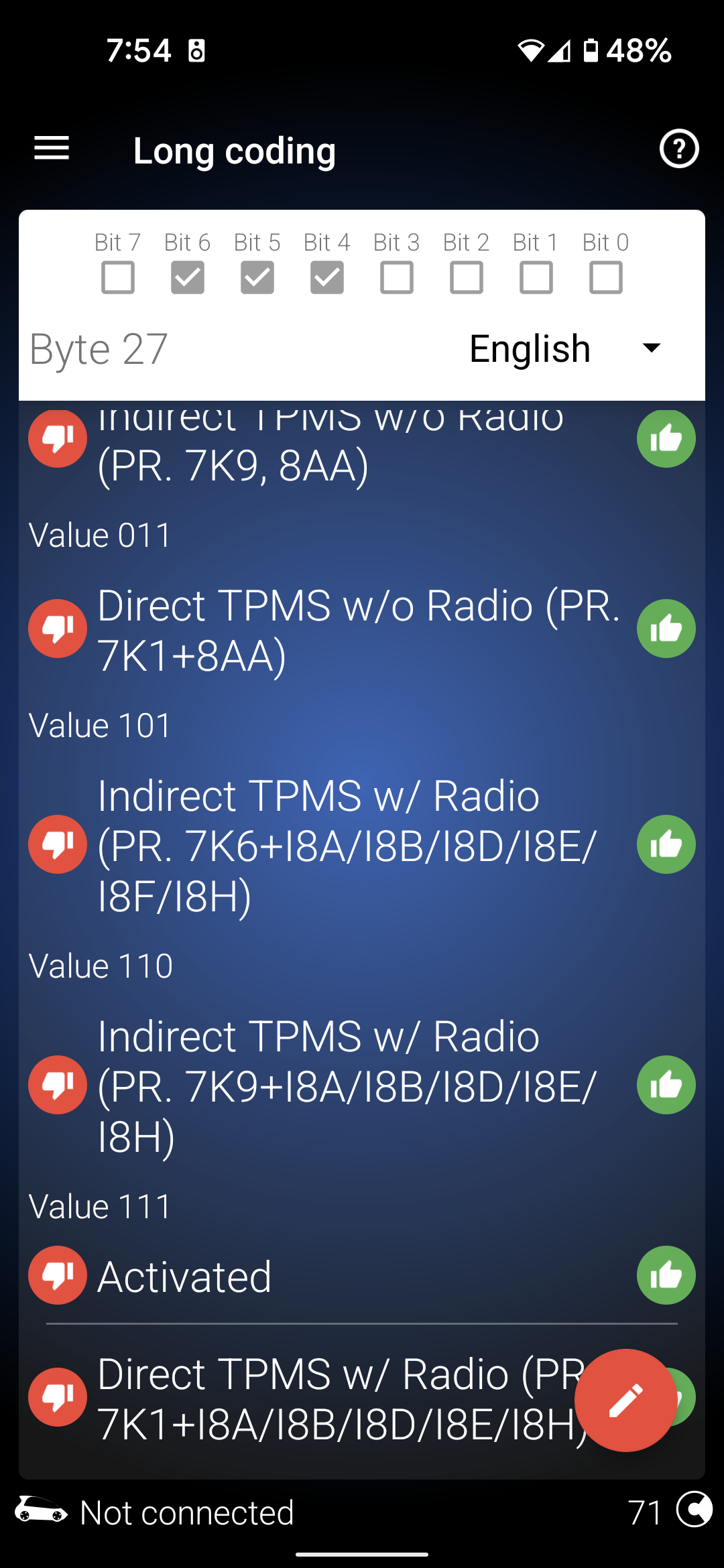
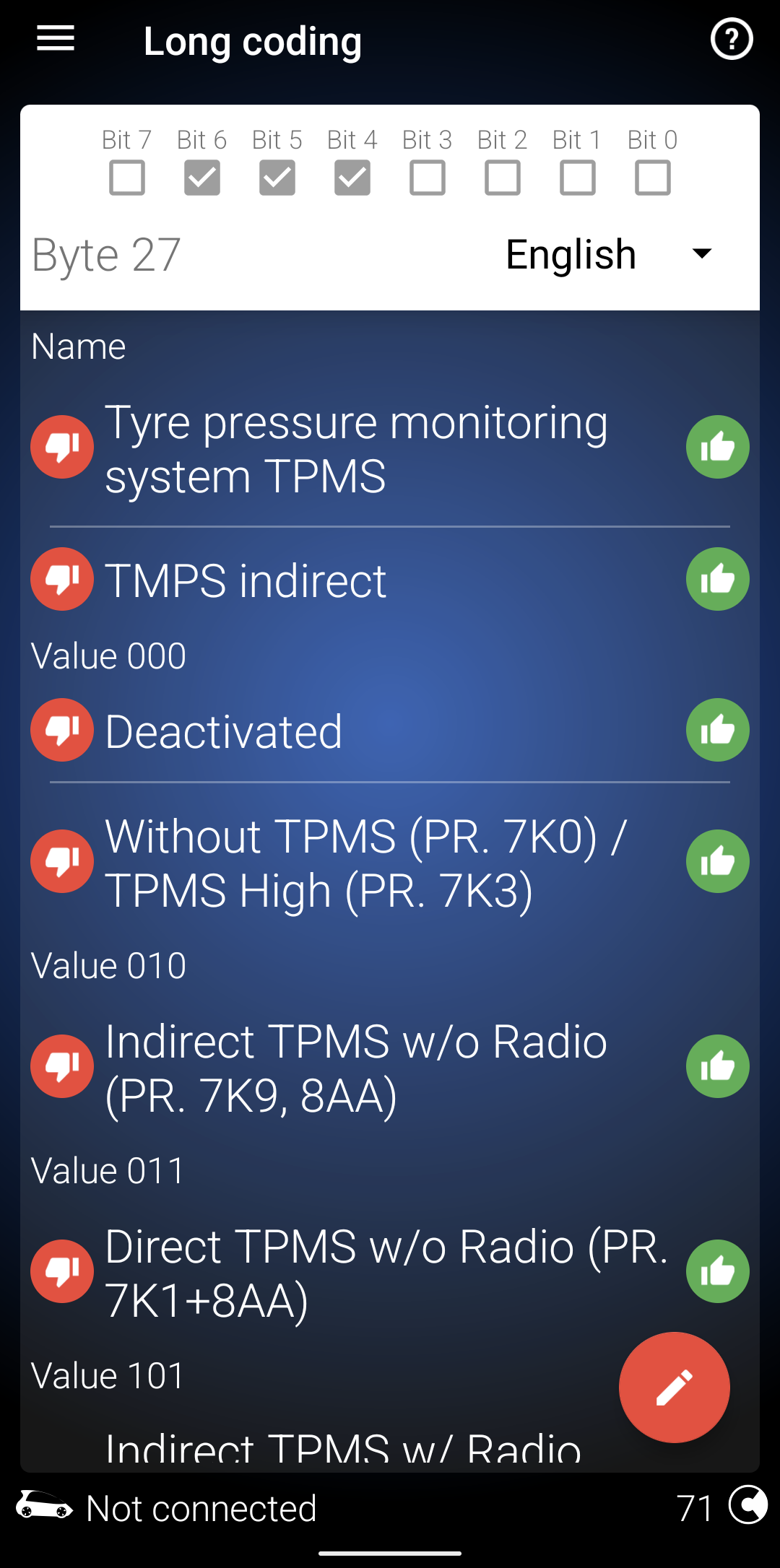
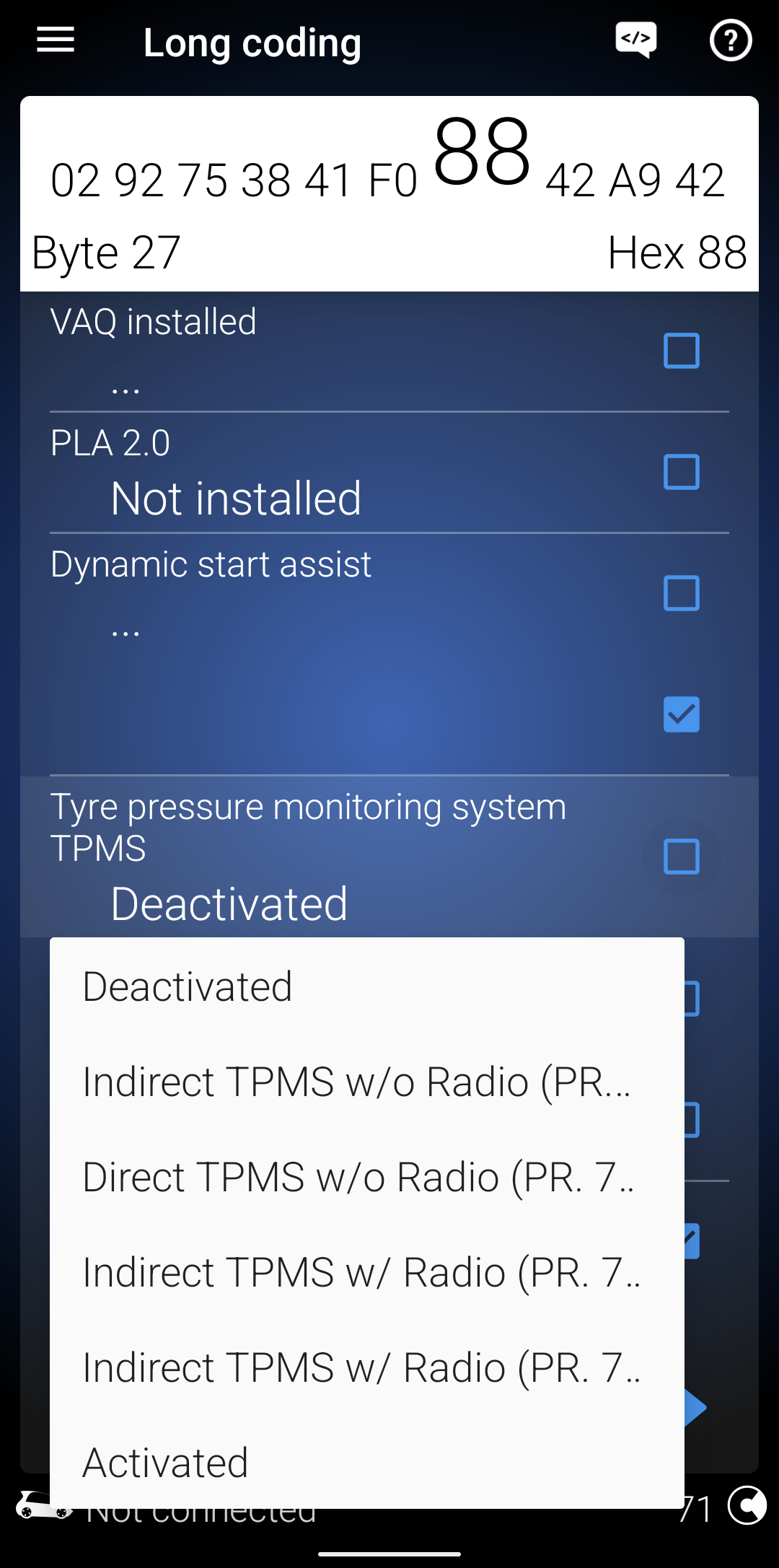
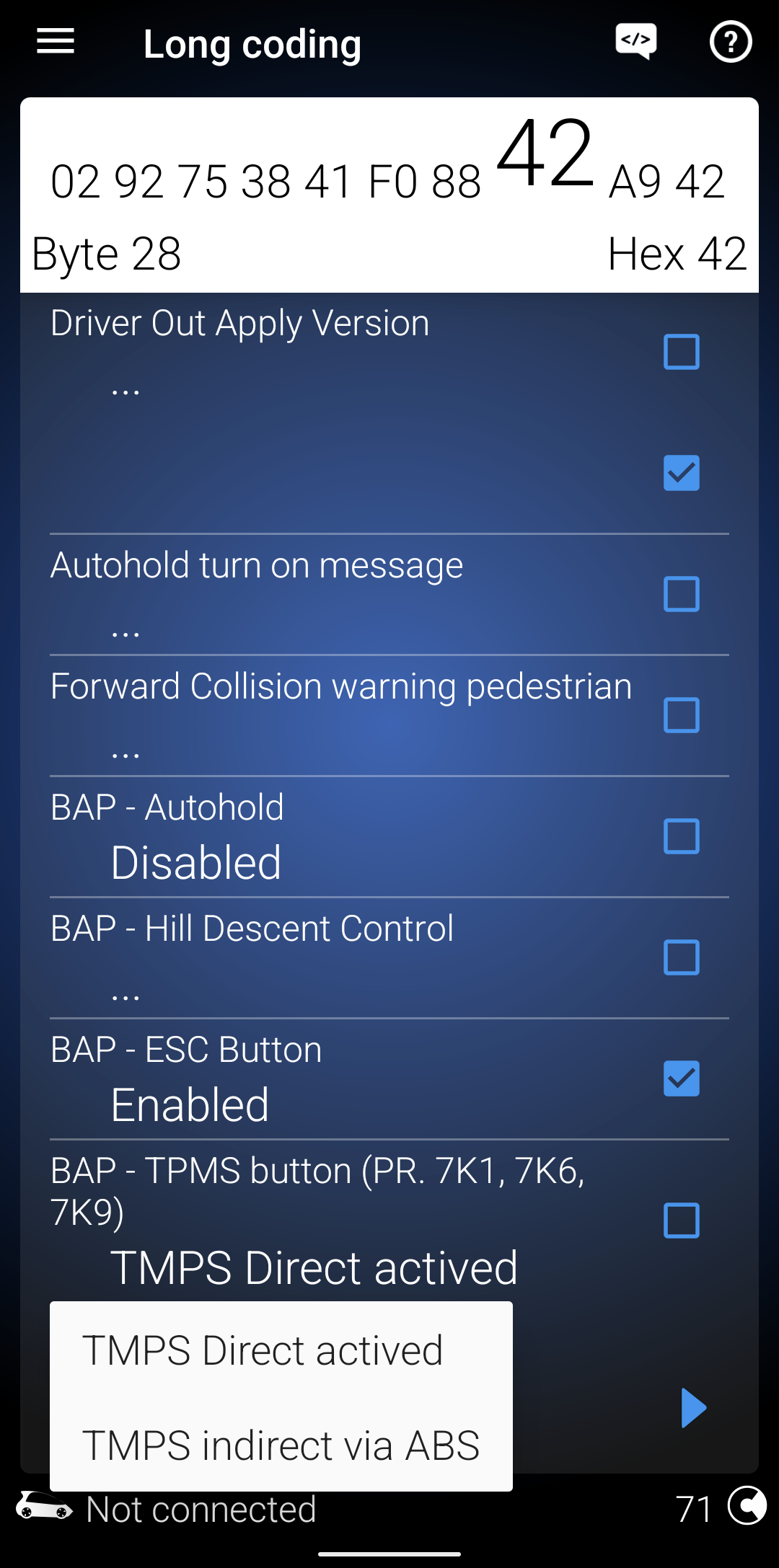
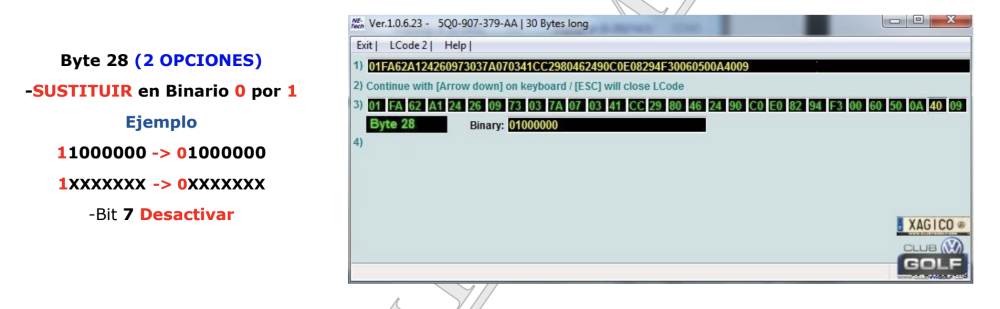
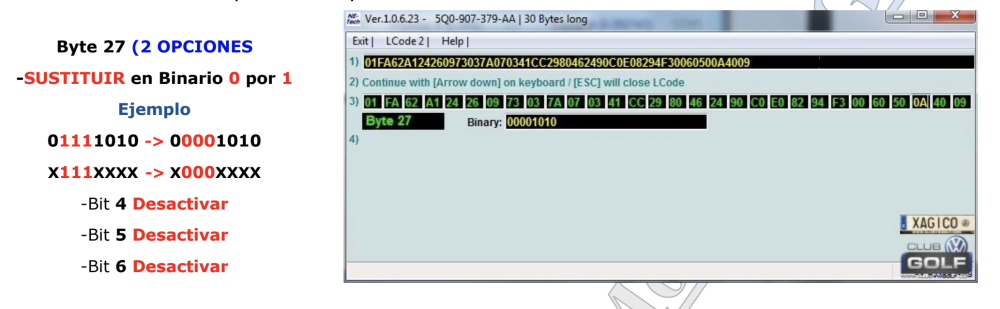
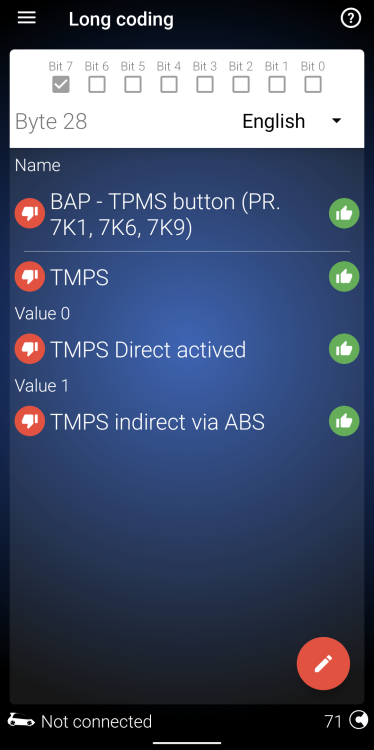
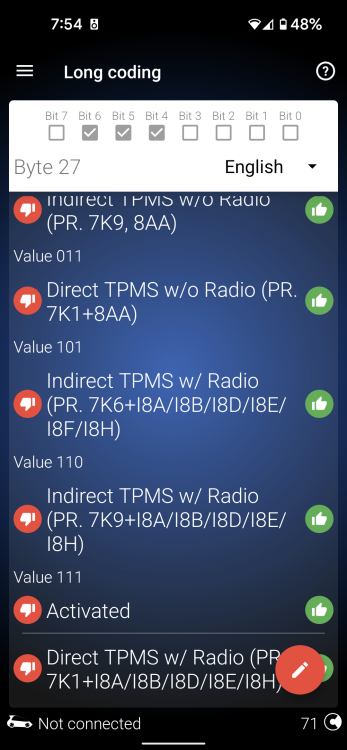
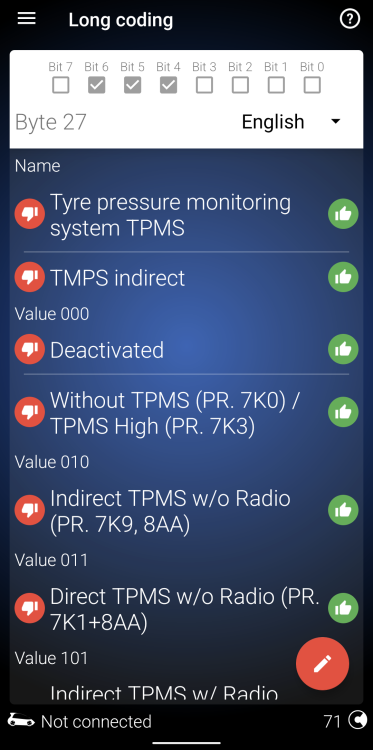
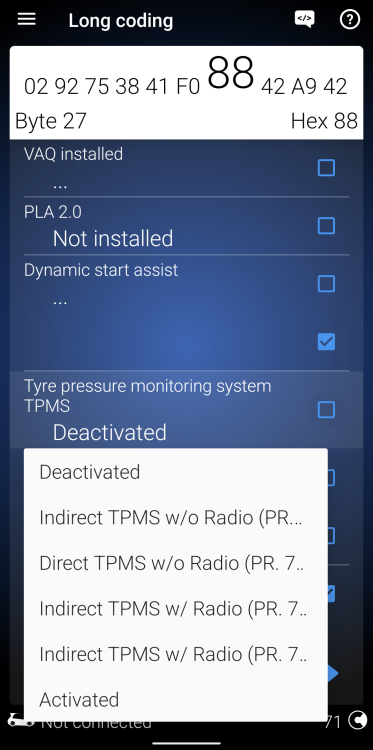
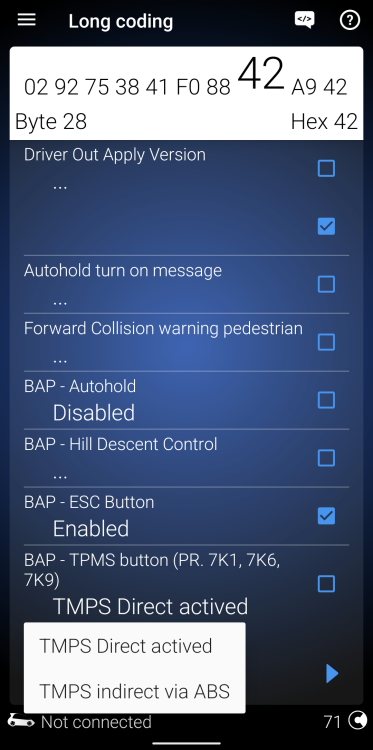
At the time of my retrofit, I had VCDS, and uses that to make the changes. I unticked the bits indicated above. See screenshots below of the source I used. I haven't made such changes via OBDEleven, but it is how it looks now. When looking at the OBDEleven - don't forget the Bits r displayed in reverse. Starts with Bit 7 and end with Bit 0. Just make sure only deactivate the correct bits. Don't worry about the other bits, nor make changes to them.
-
Good to hear u got it going...to an extent. Not sure why ur getting those messages, or not able to make those changes with OBDEleven. This is my Byte 27... This is my Byte 28...
-
U say DCC makes no noticeable difference, yet u notice Comfort is too wafty, Sport too harsh, hence u keep it in Normal.......
-
totally "normal" unfortunately. i found removing the back headlight cover and driving around for 15-20 mins, seemed to clear up the lens. otherwise it would sometimes take days for it to clear up.
-
+1 for the Kopacek units. i've got them in my boot and door (front & rear) puddle lights. good fit & quality, and hassle free.
-
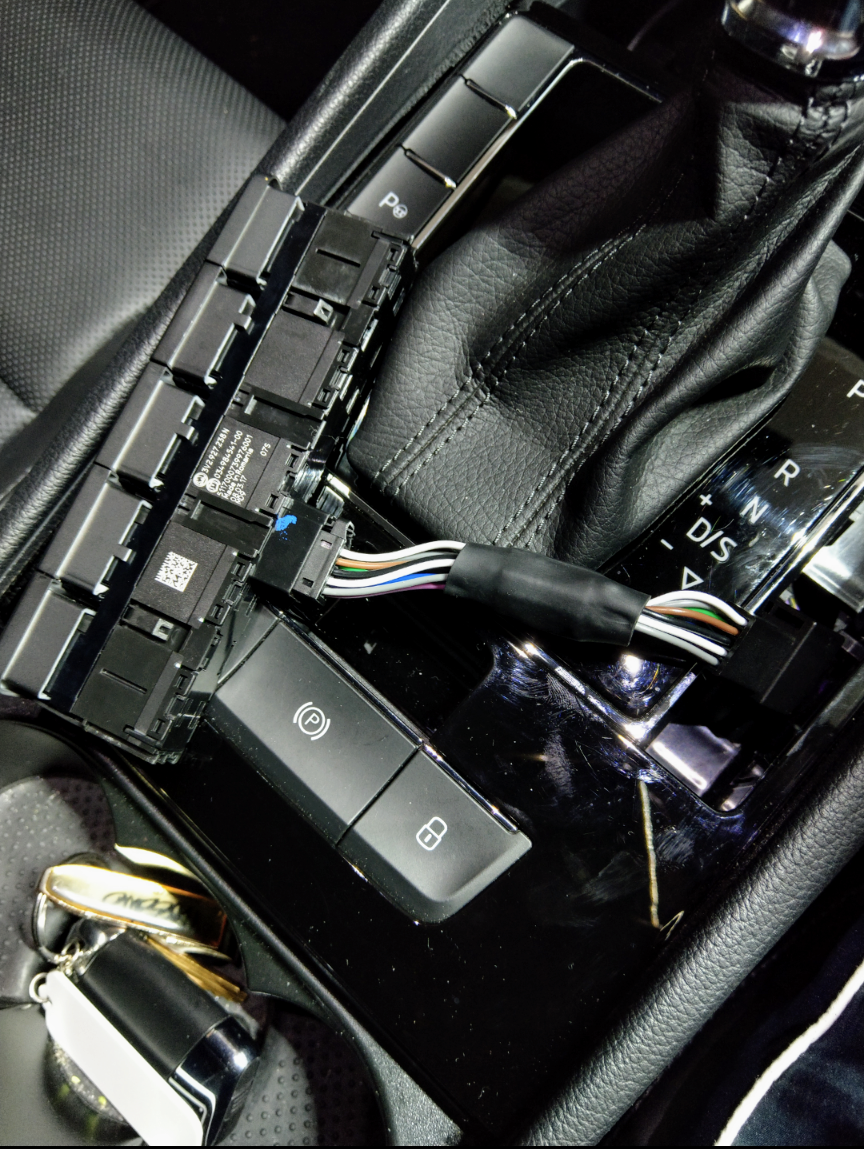
+1 wat @john999boy said. also, if u r sitting inside - why r u taking ur keys out to unlock the car?!?!? there is a lock/unlock button on the centre console, below the gear shift - just press that to lock or unlock.
-
-
So it would seem. Confirms my thoughts. non-Sportline with DCC (162 or 206) is same height as Sportline 206 with DCC. Both have the same spec rims 19x8" and 235/40/19 tyres. Thanks for measuring.