Everything posted by JR RS
-
as @GWCTas indicated - once a upon a time, we used to be able to view the digital service records on the MySkoda app. the "upgrade" made it an utterly useless app now. i just get my service records printed & handed to me, the all fashioned way, after each service. peace of mind.
-
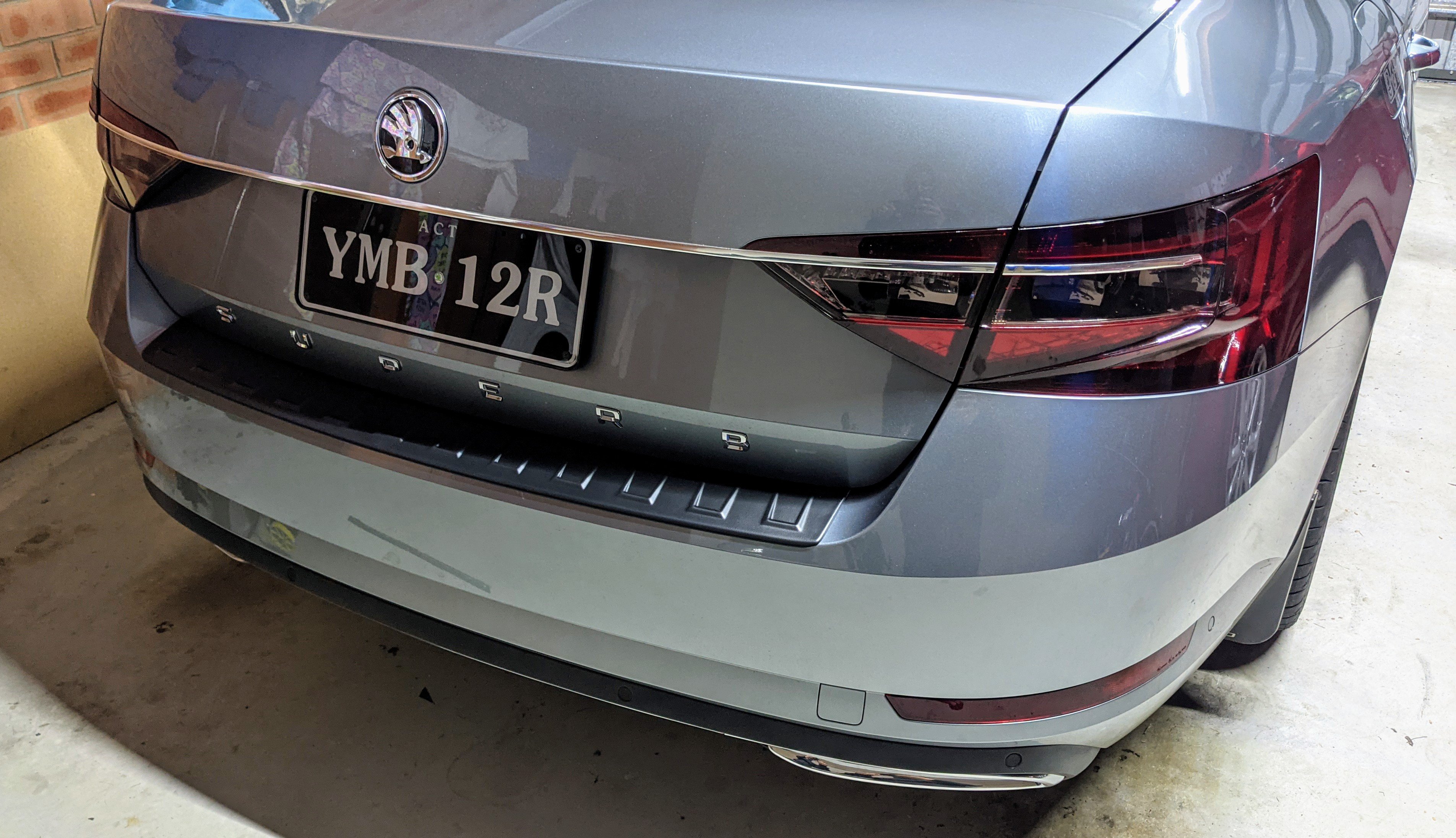
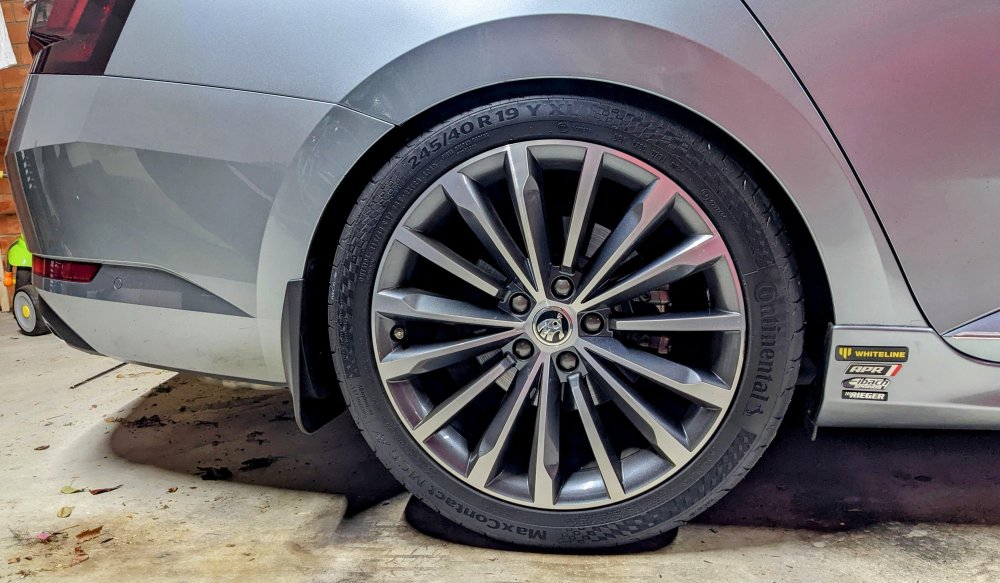
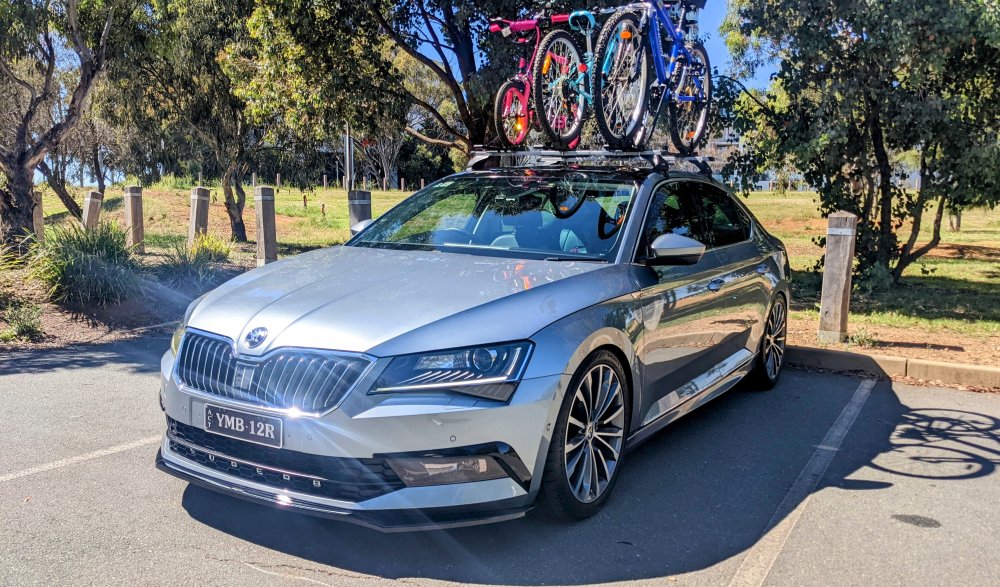
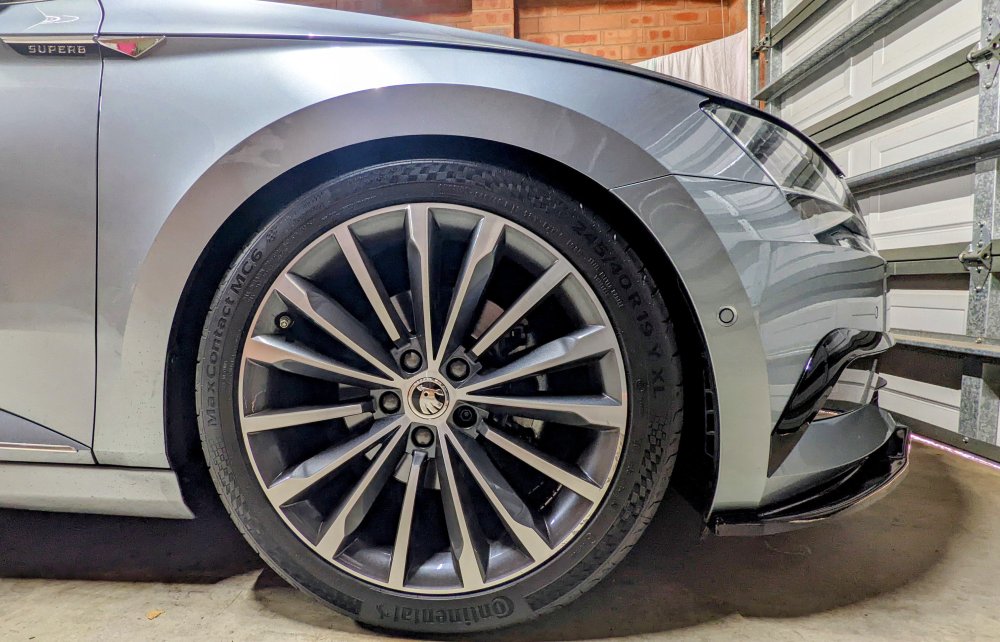
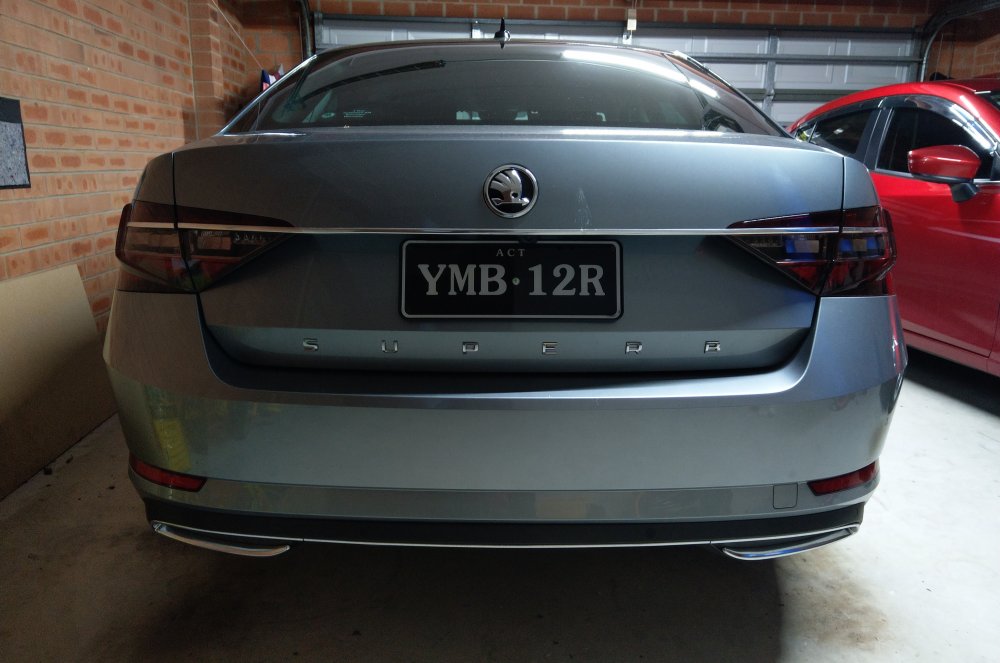
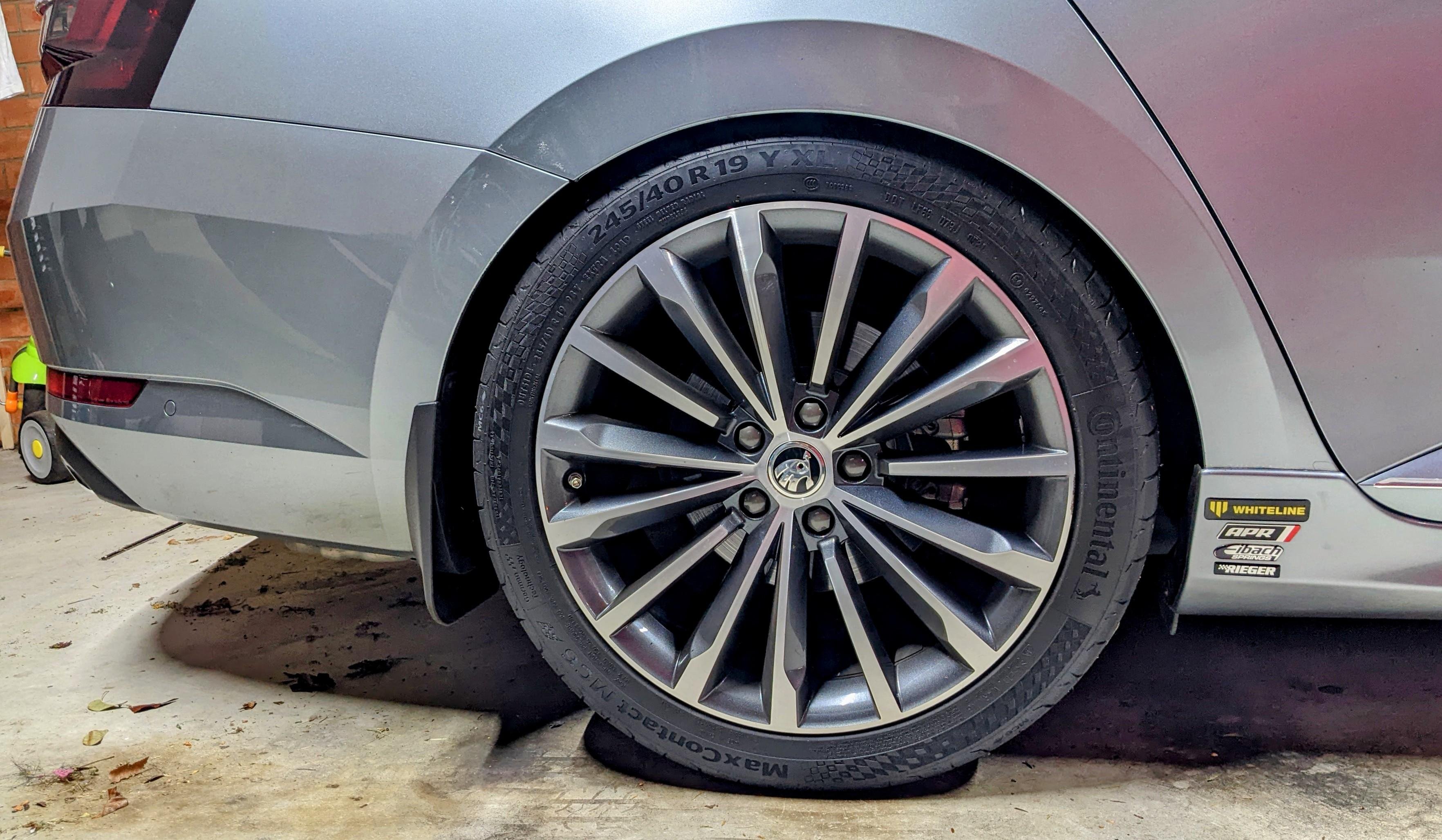
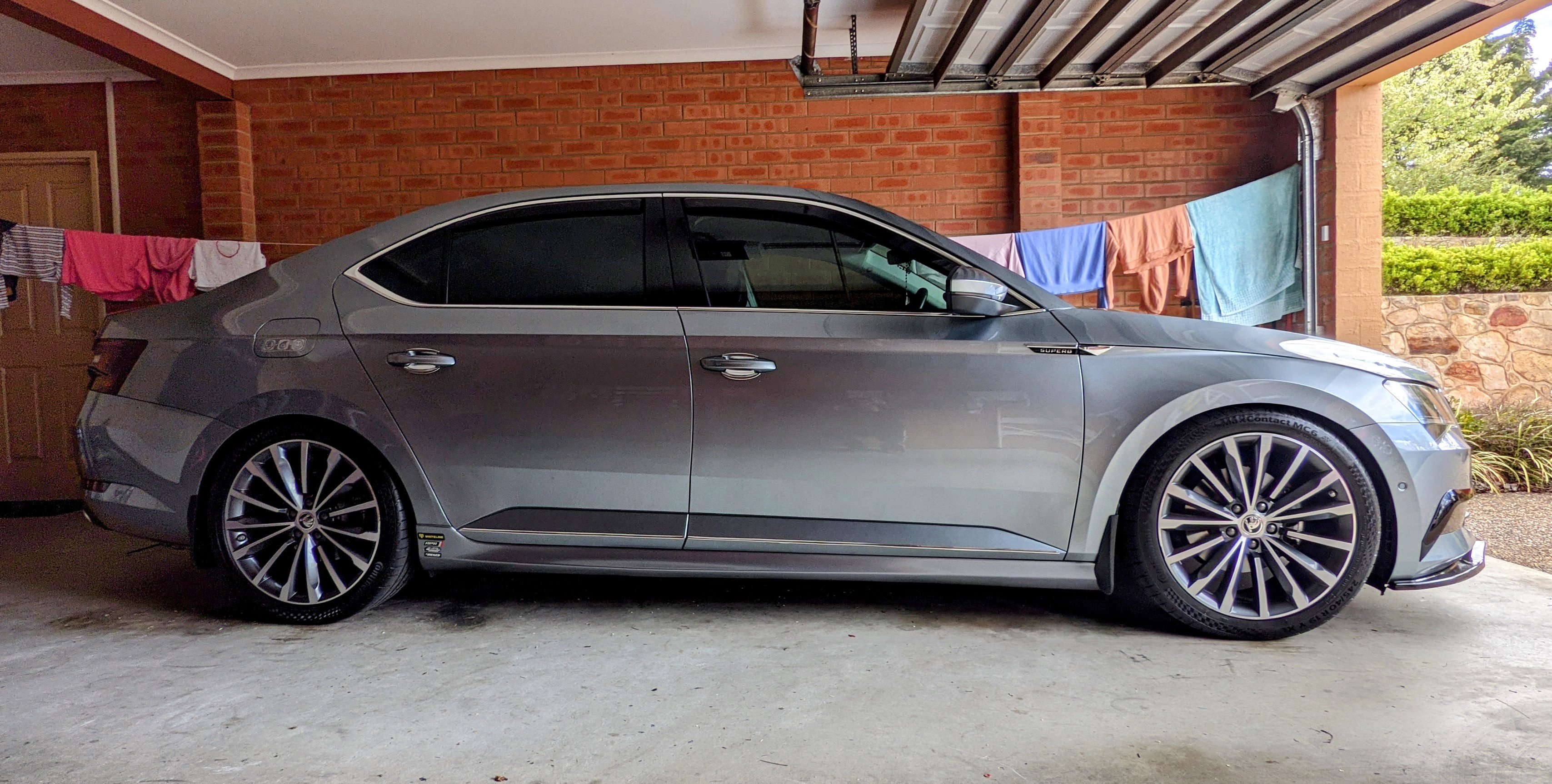
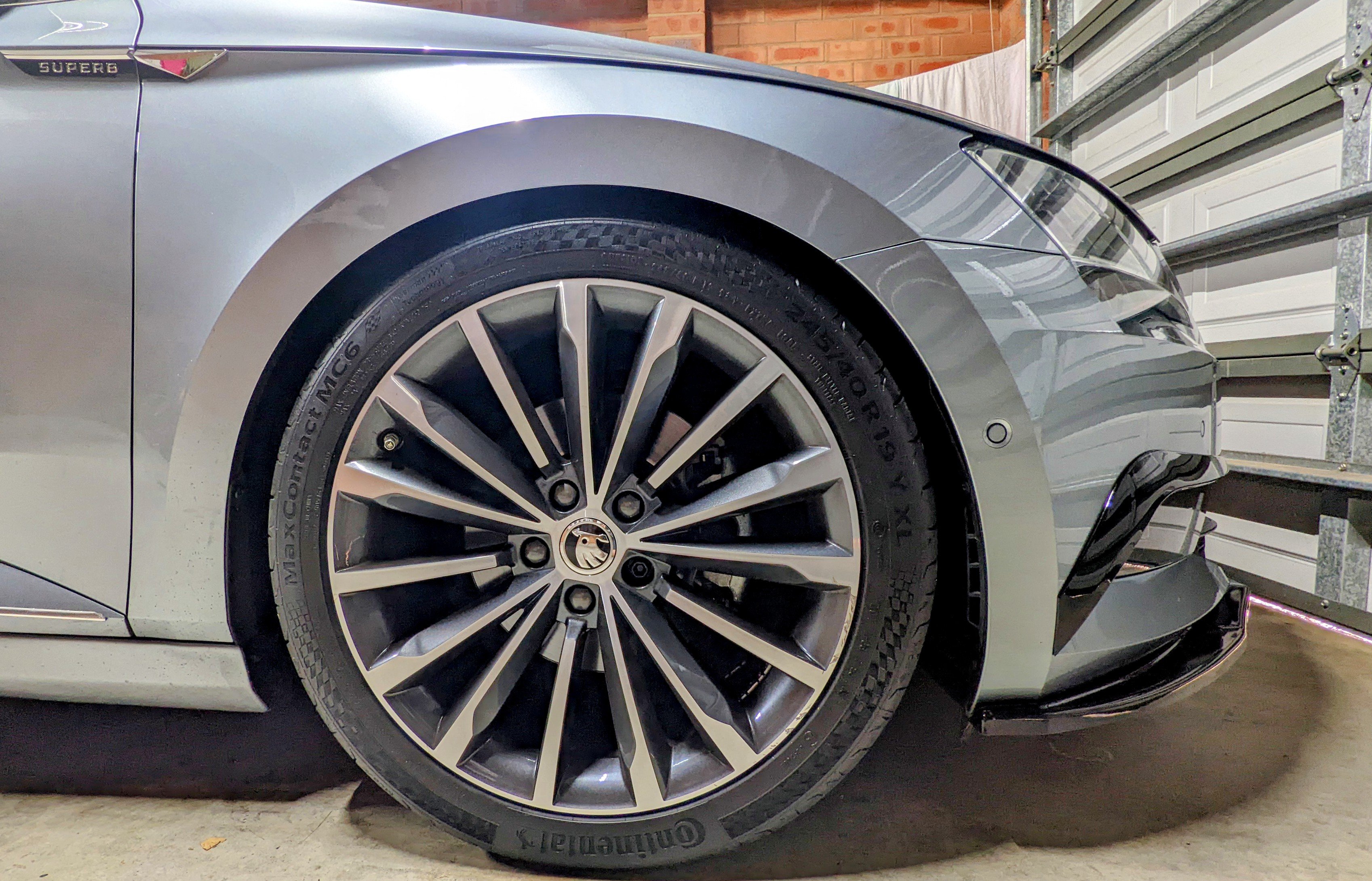
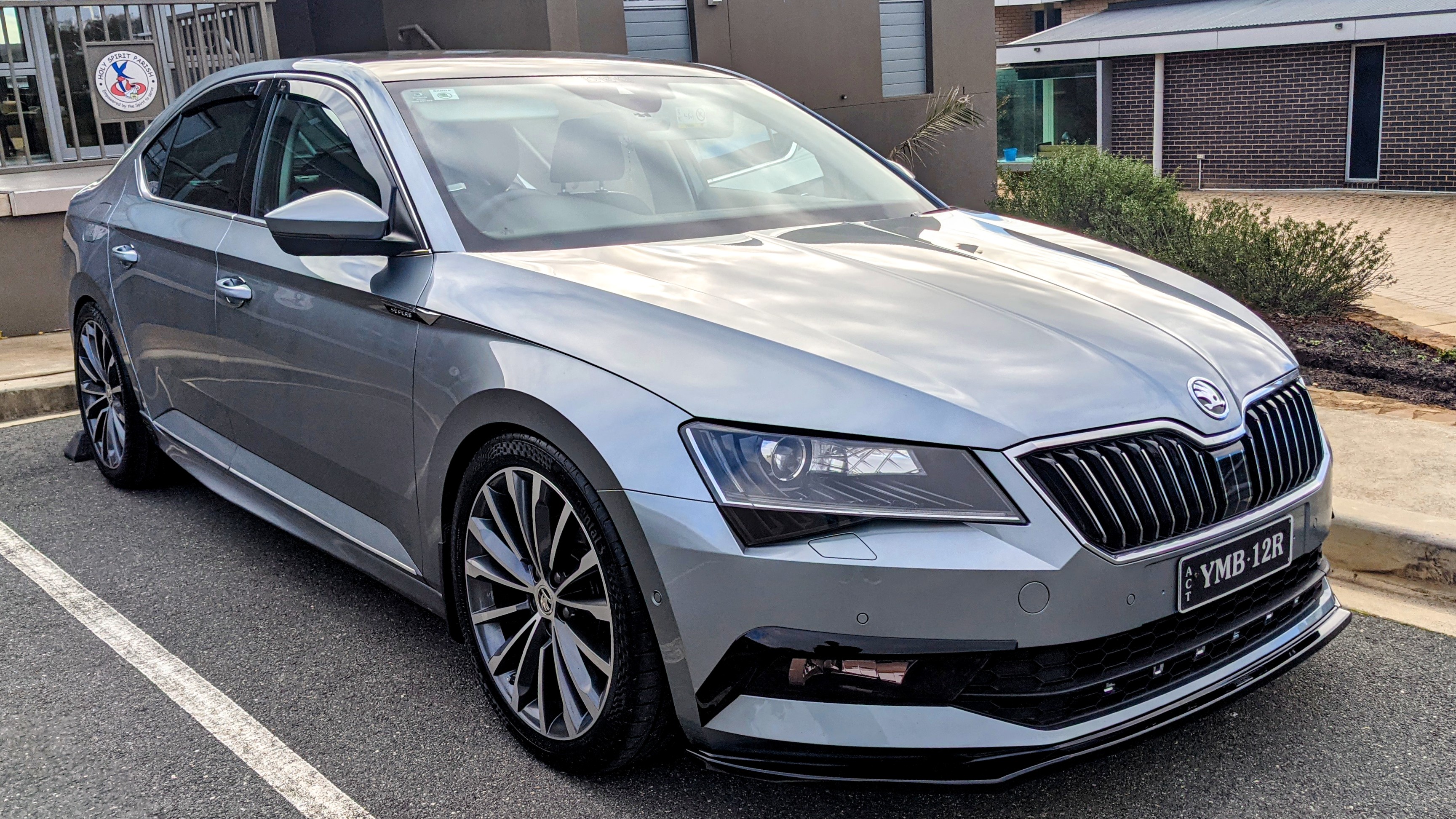
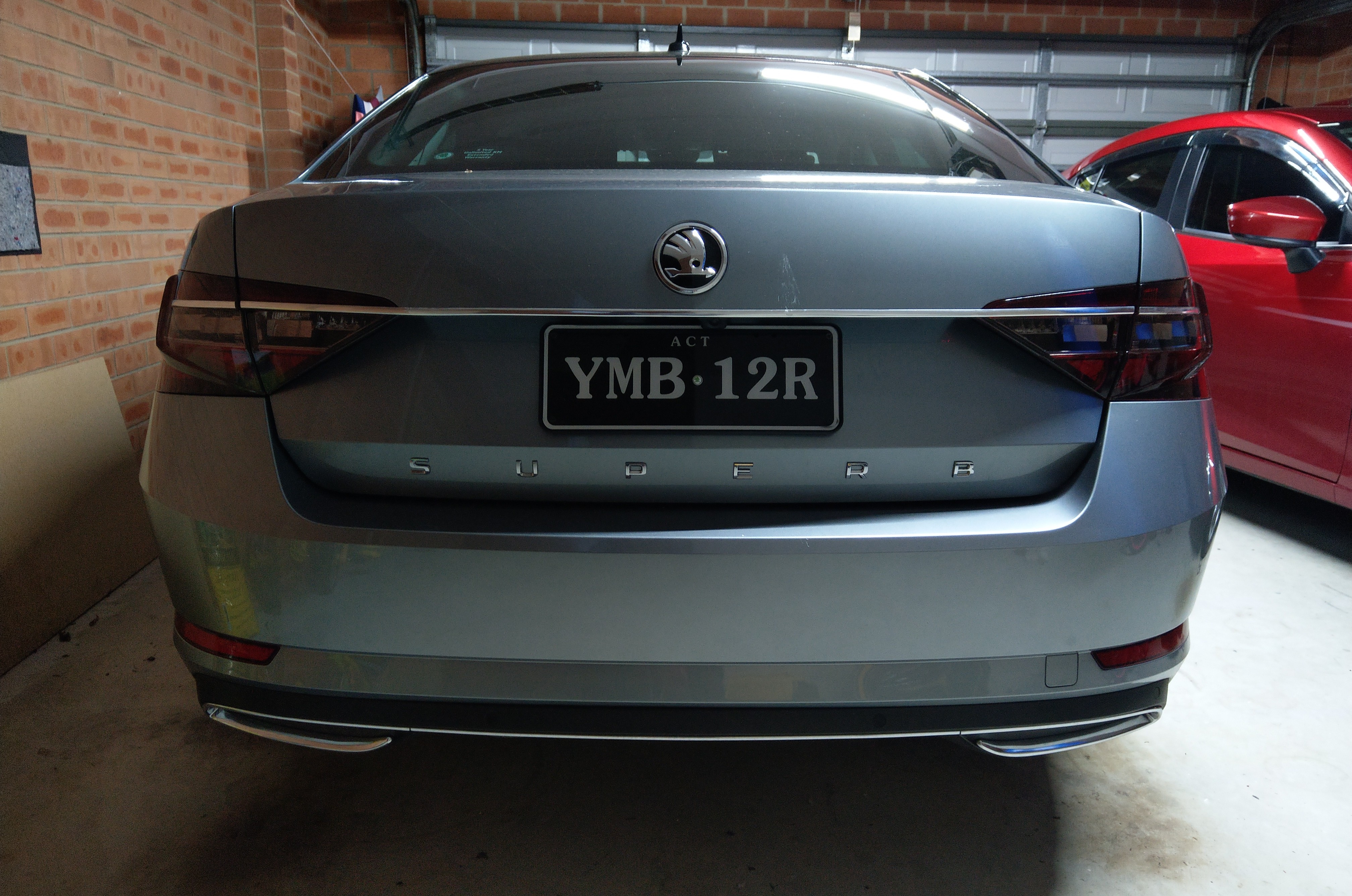
Thanks. Rear shot below. Rims r the factory 19" Trinity/Phoneix. 19 x 8" ET44 to b exact. Tyres r 245/40/19. they originally came with 235/40/19. spacers (hubcentric):- 15mm front / 10mm rear as for the DCC-recalibration......it basically calibrates the DCC shocks to the car's the new drop height. lowering springs r shorter than factory springs, which means on full extension, the shocks don't extend like it did before. the re-calibration enable the shocks to control the rebound & compression better, hence less bouncy bouncy and wallowing. The calibration is done with all four wheels off the ground, so the DCC module stores the fully extended value of the sensors (2 up front, and 1 at the rear). Once the car is back on the ground, the DCC module stores a "center" value. DCC will only allow you to run the re-calibration with the suspension fully extended. The level sensors (all 3 of them) need to b in the proper range, i.e when the suspension is extended.
-
mine has DCC, yes.
-
the difference is in the spring load/weights. E10-85-042-02-22 (1100kg / 1220kg) - Superb 3V3 Hatchback 2.0 TSi 2.0 TDi (<----- this is the one i have in mine) E10-85-041-04-22 (1070kg / 1220kg) - Superb 3V3 Hatchback 1.6 TDi 2.0 TDi 1.8 TSi 2.0 TSi
-
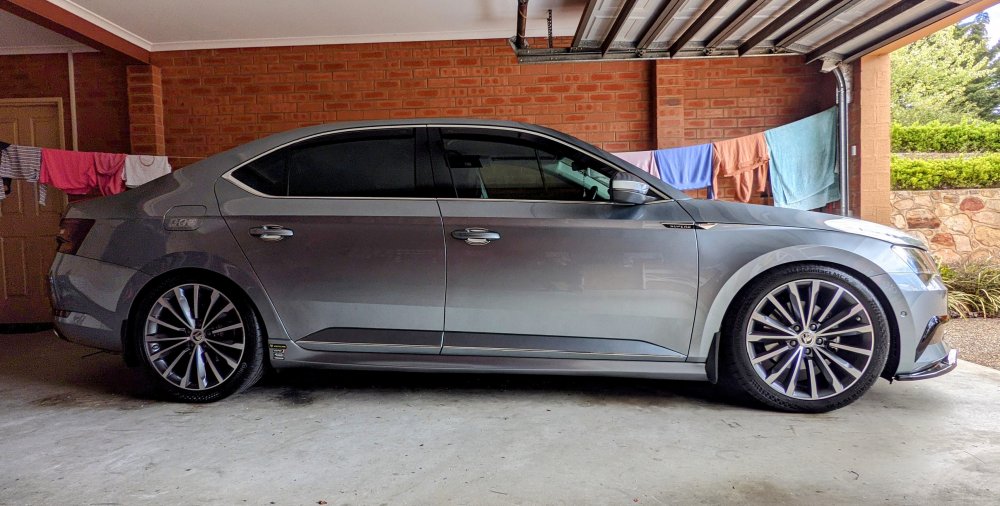
@Dahmich- I've lowered mine with Eibach Pro-kit springs. Because mine has DCC, the springs lower the car about 25mm. Works perfectly fine with the DCC shocks. I also recalibrated the DCC shocks after the car was lowered. Anything more that 35mm, then u need to change to aftermarket shocks. Very happy with my setup.
-
+1 for not using the Apps in OBDEleven. U have no control of wat changes it actually makes, and it doesn't really clean itself up properly if u choose to revert a change. I only ever do Adaptations or Long Coding. This way, u know each and every single step.
-
good luck getting ur hands on one of these!! and for now, its only available in the US market. i've got the AAWireless device in mine - been 6 months plus. works brilliantly too.
-
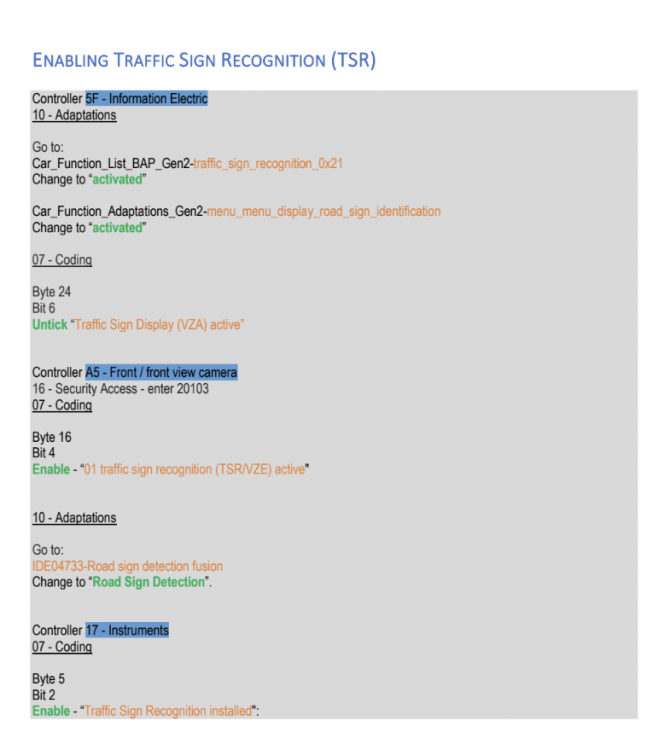
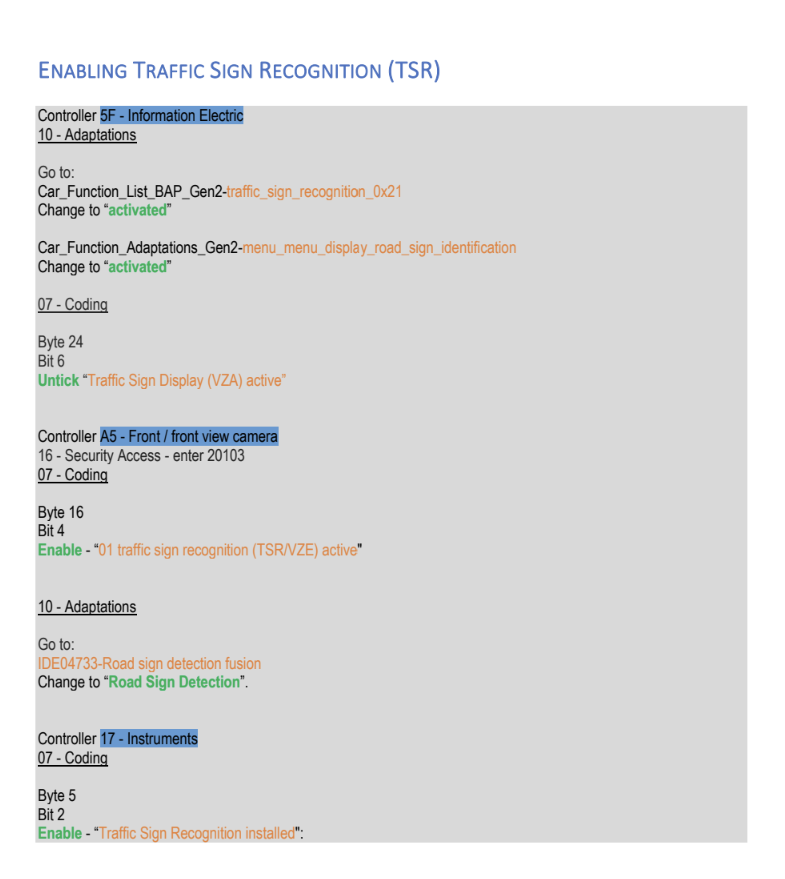
@auditek - this is the coding i used....
-
I used to have VCDS. I now have OBDEleven. I can do the same things on the OBDEleven device as I could with VCDS. VCDS is more cumbersome to use, i.e. laptop and cable. OBDEleven is a lot more convenient because wireless. It is a lot more cheaper too. Personally I prefer the VCDS interface more - feels more "robust" in comparison.
-
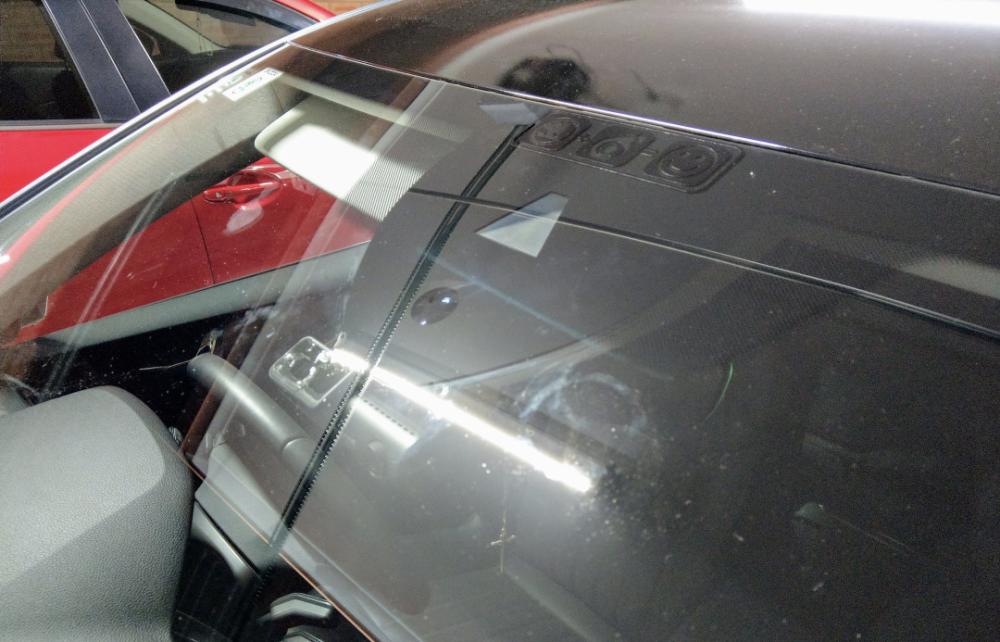
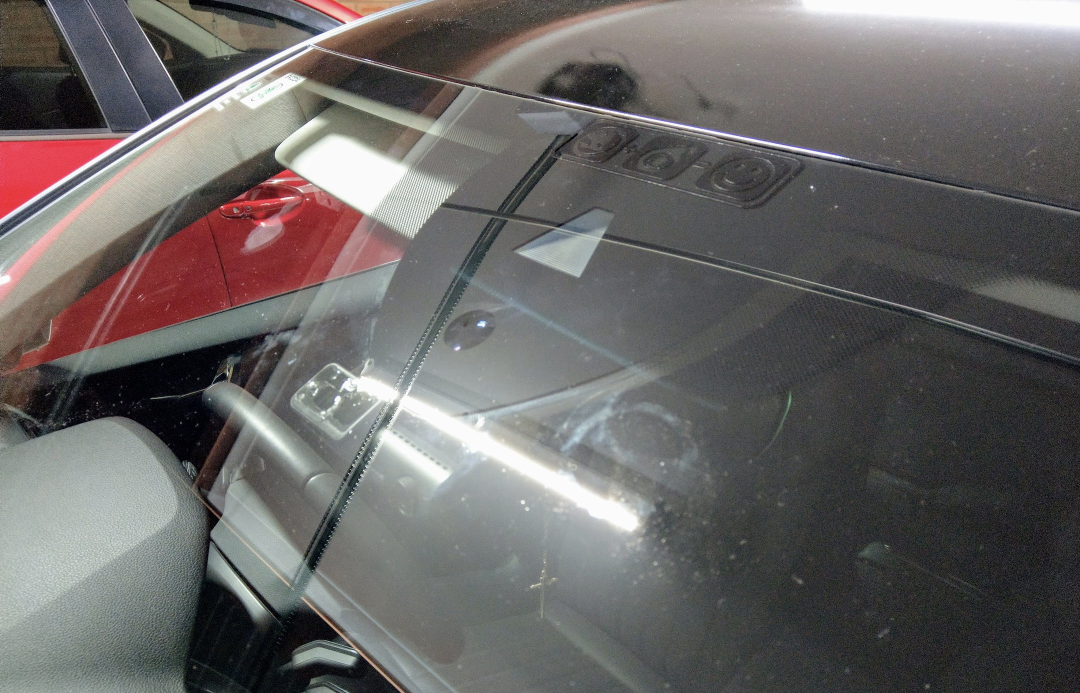
Affirmative. U can also tell by looking at the camera type at the top of the windscreen. Should look like this....
-
No, not quite. Mine has DCC - hence it is already 15mm lower than the standard setup, from factory. I don't know wat the difference is between a non-Sportline with DCC and a Sportline with DCC. ...or a Sportline without DCC. Mine is lowered a further 20mm by the Eibach Pro-kit springs. The same springs will lower a Superb with Standard suspension by 35mm. These were my measurements, measuring from the centre of the wheel arch to the floor:- Before lowering:- - 690mm (front & rear) After lowering:- - 670mm (front & rear)
-
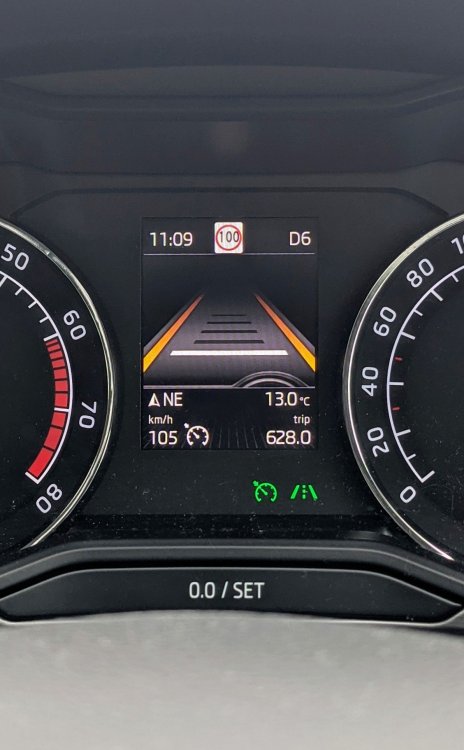
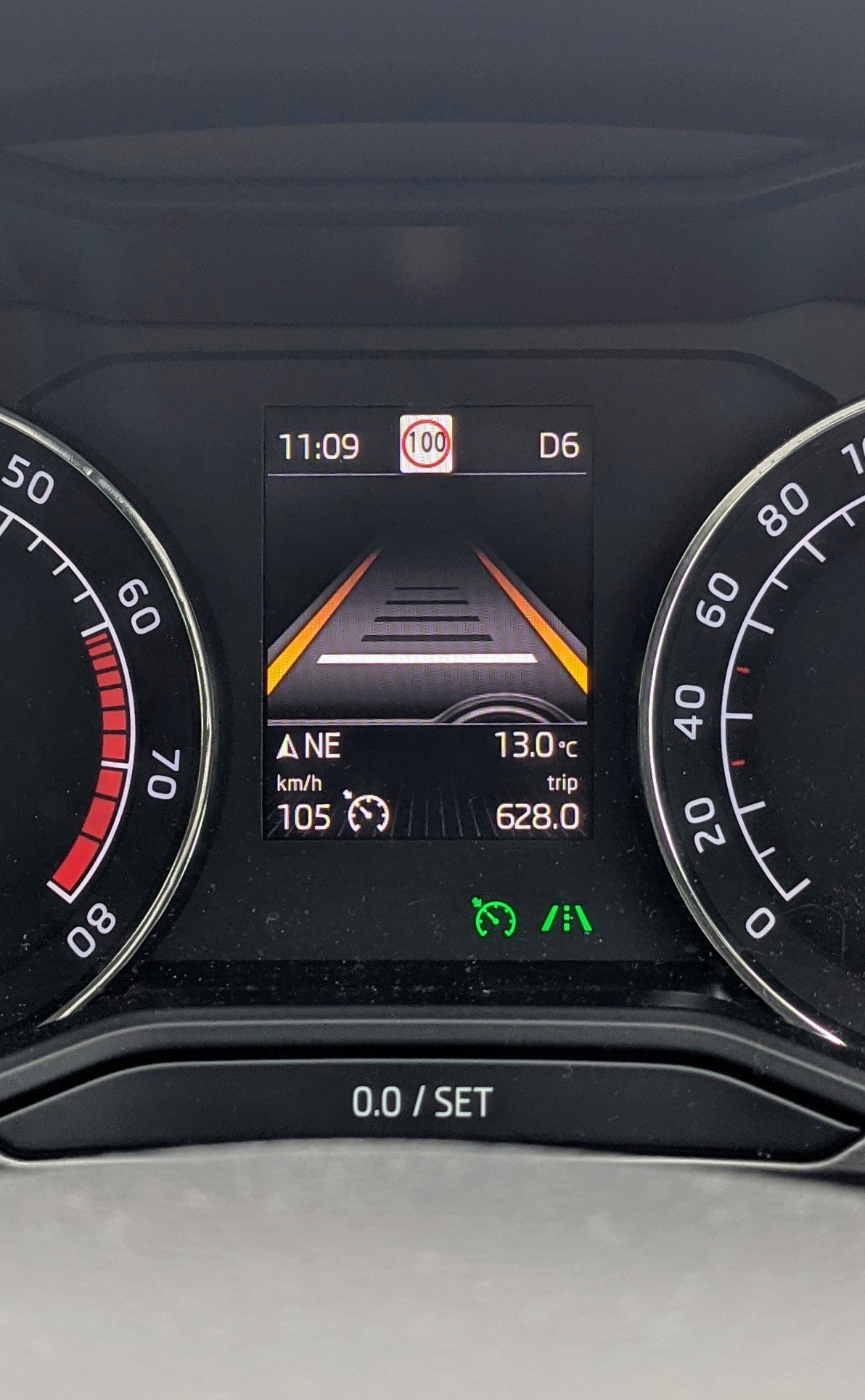
That is Traffic Sign Recognition (TSR). If u didn't specifically order it from factory, u won't have it. If u have the right A5 camera (windscreen) then u can enable TSR, like many of us have, using either VCDS or OBDEleven. .... assuming u don't have an MY20 or later. They seem to have issues due to SFD protection.
-
Assuming u have the stock 19" Vega or Trinity rims..... My experience.... - no issues with 15mm hubcentric and factory 235/40/19. - no issues with above setup when lowered 20mm. - scrubbing issues on rear only, on full compression, with 245/40/19 tyres. - no issues with 10mm hubcentric on the rear with 245/40/19 tyres. I know of a few who run 20mm spacers with no issues, if it is not lowered. Others have put a negative camber to avoid scrubbing issues.
-
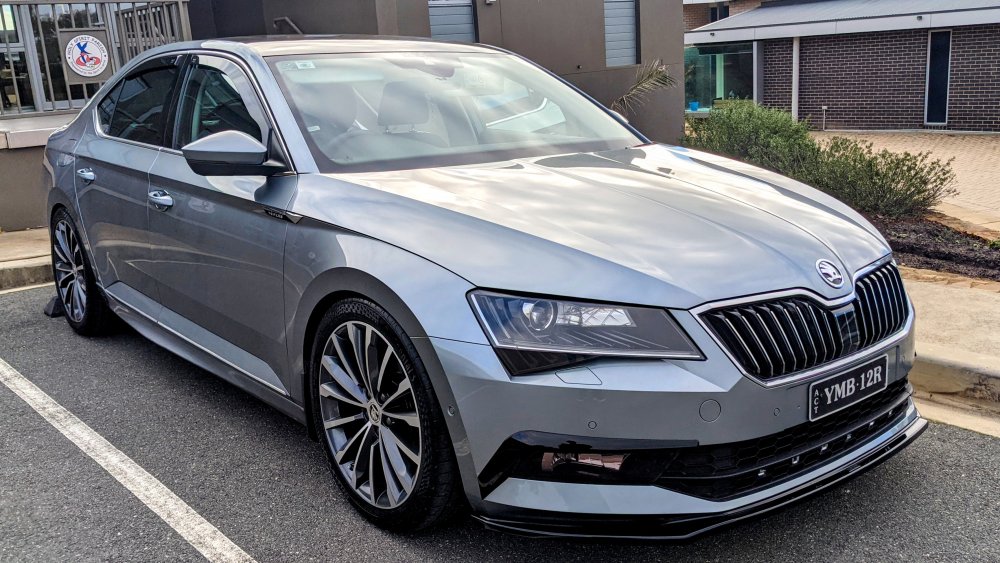
@mr93- thanks. I've gone with OEM look with everything I've done/added to the car. I bought a chrome door strip roll from AliExpress (link below), cut them to size, and stuck them on. Very easy. Yes, they're L-shaped, so the mould nicely over the edge. I even used them on my lower door mould/sill - just like it is in on L&K models if optioned from factory. Sportline models get it in black. I even used the same thing for a strip across the front bumper, again, like OEM, but I removed it when I got the front splitter. They've been on for almost 2 years now. They're still holding strong, through rain, high pressure washes, heat etc. etc. AU $4.33 30%OFF | 10m Car Chrome Moulding Trim Door Seal Strip Sticker For Skoda Octavia A5 A7 Kodiaq Superb 2 Rapid Fabia 1 Porsche 911 Cayenne M https://a.aliexpress.com/_mMm8W92
.thumb.jpg.d267b20c91702f7f1a8ebfa2df516f70.jpg)
.thumb.jpg.3efa525d644199ce0ad068838bf4a596.jpg)
-
Unfortunately the cutting out before u've come to a stop is "normal" behavior 😕 It's dangerous and mostly frustrating at roundabout scenarios. Urs is worse considering it's struggling to restart. U have 3 options:- 1. Turn off start-stop each time u start the car, by pressing the button on the centre console. 2. Permanently disable the start-stop function by changing the voltage settings using VCDS/OBDEleven. 3. Fit a start-stop memory module, as indicated by @MartiniB above. This will remember the last state u leave ur start-stop in, so u don't have to press the button each time u start the car. It all means u have the option to activate start-stop when ur in heavy traffic, or stopped for a few minutes at traffic lights. I've done this myself - highly recommended.
-
@mr93- here u go, one we prepared earlier....2 yrs earlier.
-
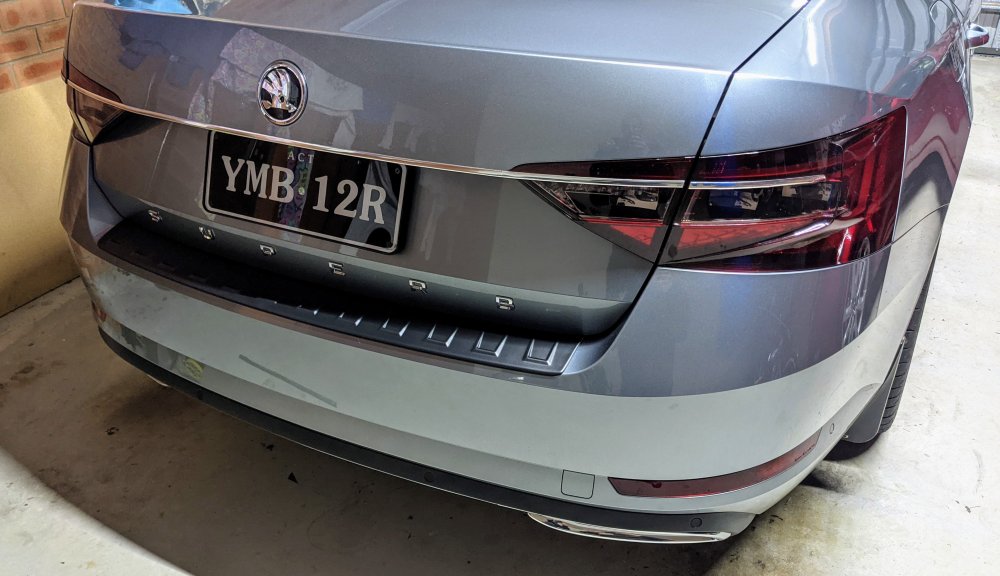
Sorry, not wat u want to hear. Again, if u search this forum about retrofitting the facelift taillights, u'll c plenty about the bar itself, including part numbers. No, the bar cannot b done by itself without doing the RVC and boot button. Also the outer pre-facelift taillights r not compatible with the bar trim. I too don't have deep pockets either. So I improvised and made my own chrome trim, that covers the boot, and taillights. My taillights r also vinyl wrapped with a light smoke tint. Stoked with the finish. Confuses the **** out people.
.thumb.jpg.d59d26ddc9a1f32ae64831a83f6b09bf.jpg)
-
Wow.....is the front mudflap wireless or something?!?! For the price it must come with built-in washer jets to clean the wheels as it rotates!!!
-
Initial MIB3 units only did wireless CarPlay, and not wireless Android Auto. Not sure if a software patch/firmware will rectify that?
-
Wat!?!? My Vehicle Specific Information was an 8-page report of every single build component, specific to my car. Hundreds of lines of PR Codes, literally!!
-
It's MY20 btw, not 2019. It can b done, both front and back, if u've got deep pockets and re-do wiring harnesses. With regards to the rear - do a search in this forum, u'll find a discussion I started about retrofitting facelift tail lights. p.s. I didn't end up doing it. Doing the rear involves:- - new facelift tail light clusters (both inner and outer) - new facelift RVC - new facelift boot button - new chrome/black bar trim - modified wiring harness - VCDS coding - VCP/ODIS parameterization?? Doing the front involves:- - new facelift headlights - new facelift foglights - new facelift bumper - new facelift grille - modified wiring harness - VCDS coding - VCP/ODIS parameterization
-
Skoda erWin will give u every PR code specific to ur car, based on ur VIN. Meanwhile, PR Codes on the 220:- - 1KU Disc brakes in rear - 1ZA Disc brakes in front
-
always always always 98ron. 95ron if ur out of fuel and there is no other option. put in 5L or so, so u can get to a servo with 98 ron. 91ron - never. i'd rather call roadside service to bring me some fuel or get my car towed on the back of a truck.
-
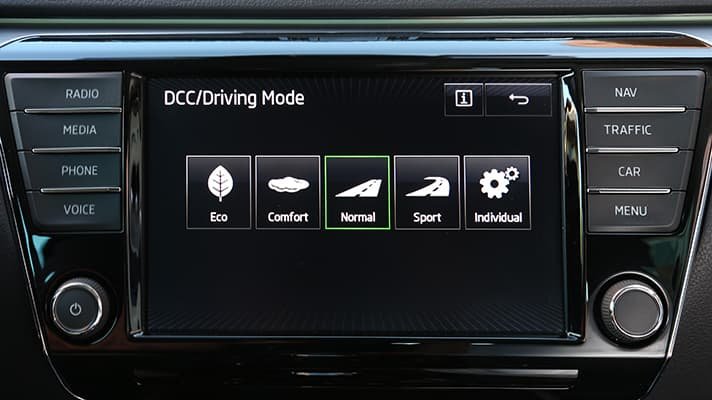
@BPL - looks like u don't have DCC. DCC is not standard across the Superb range. It's standard on the L&K models, and its available as an option in other markets, and some trims (possibly). more on DCC here - https://www.youtube.com/watch?v=mpV-YChUivY When u press the Driving mode button (centre console), it will also show there if u have DCC or not. "DCC/Driving Mode"
-
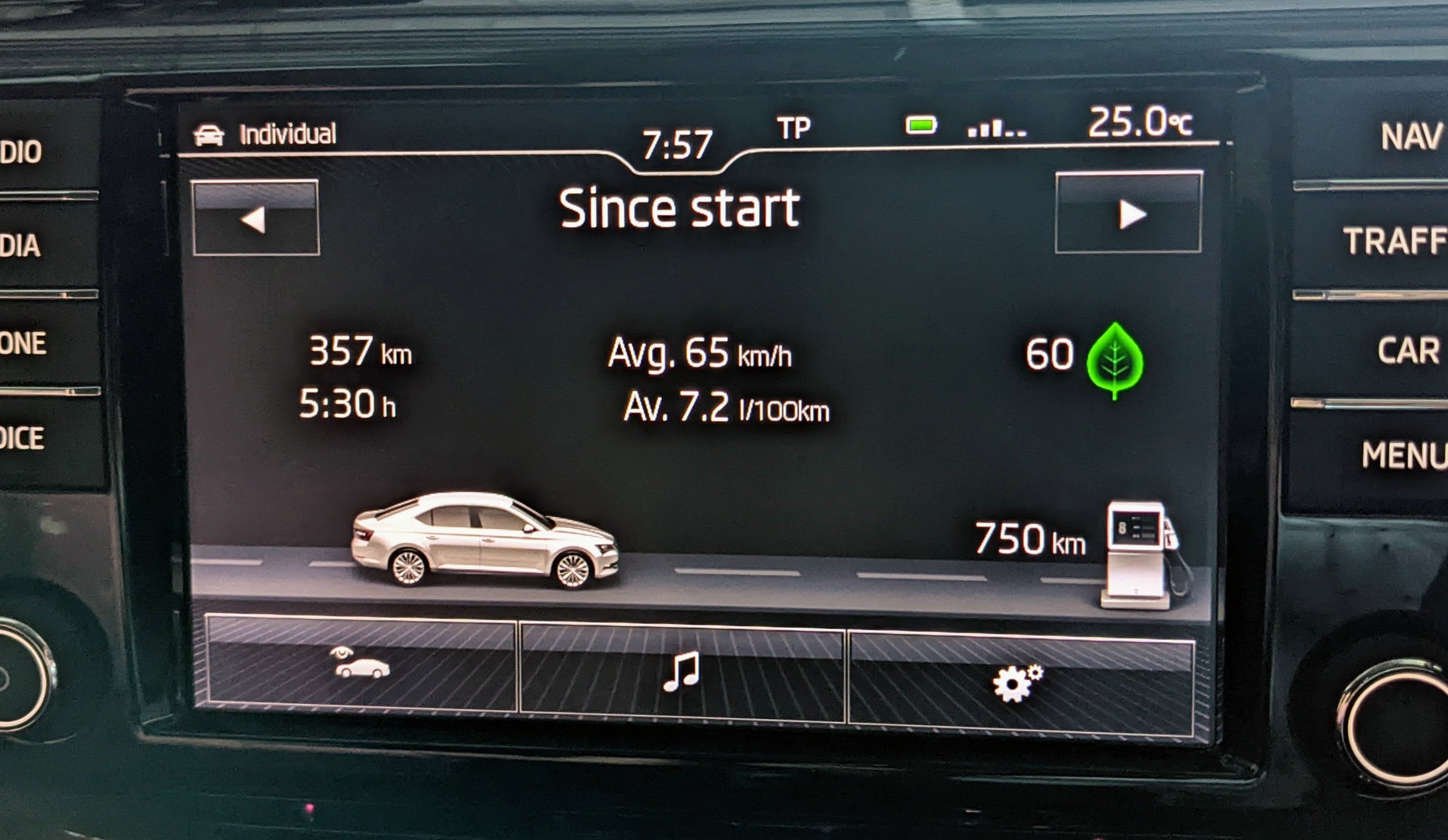
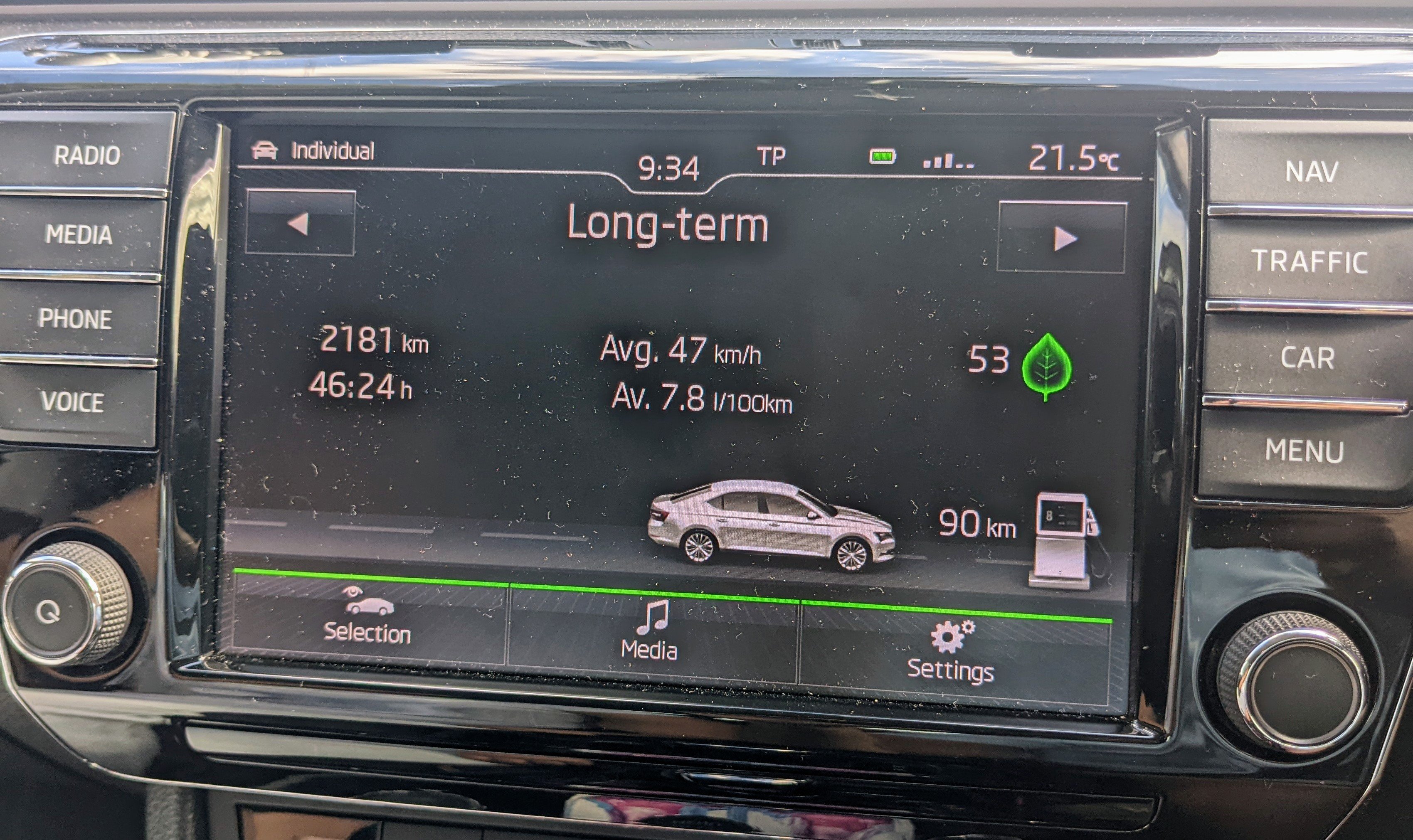
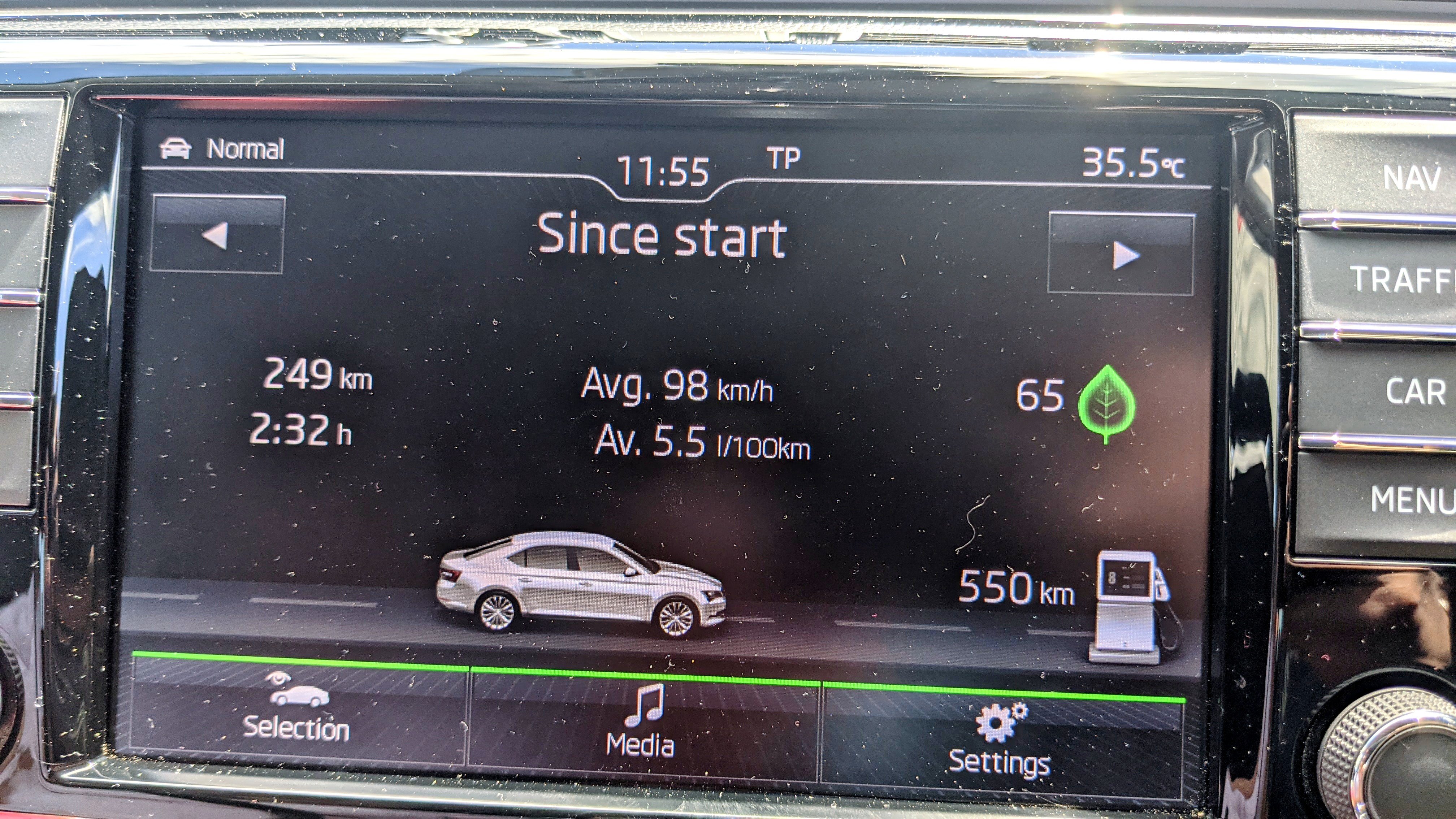
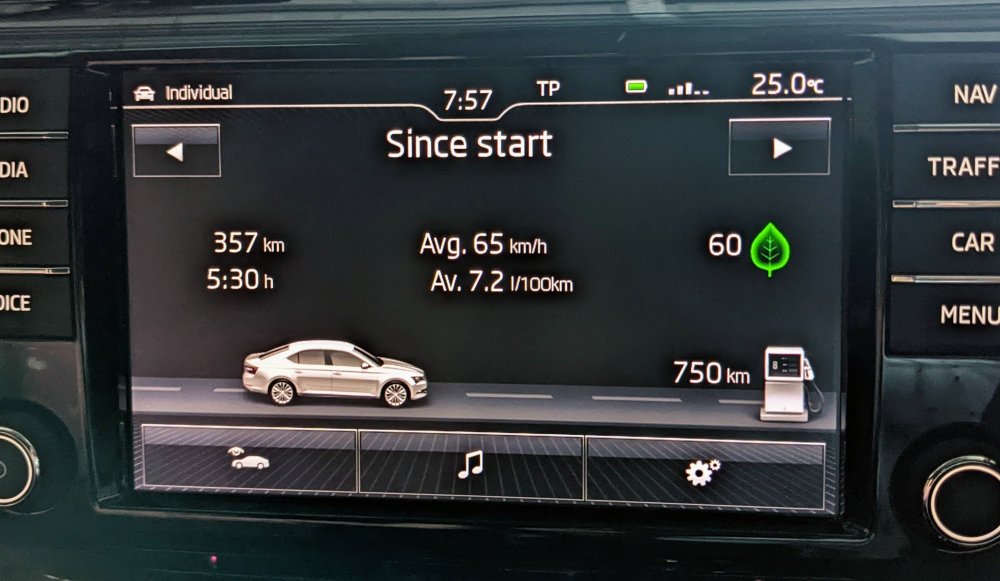
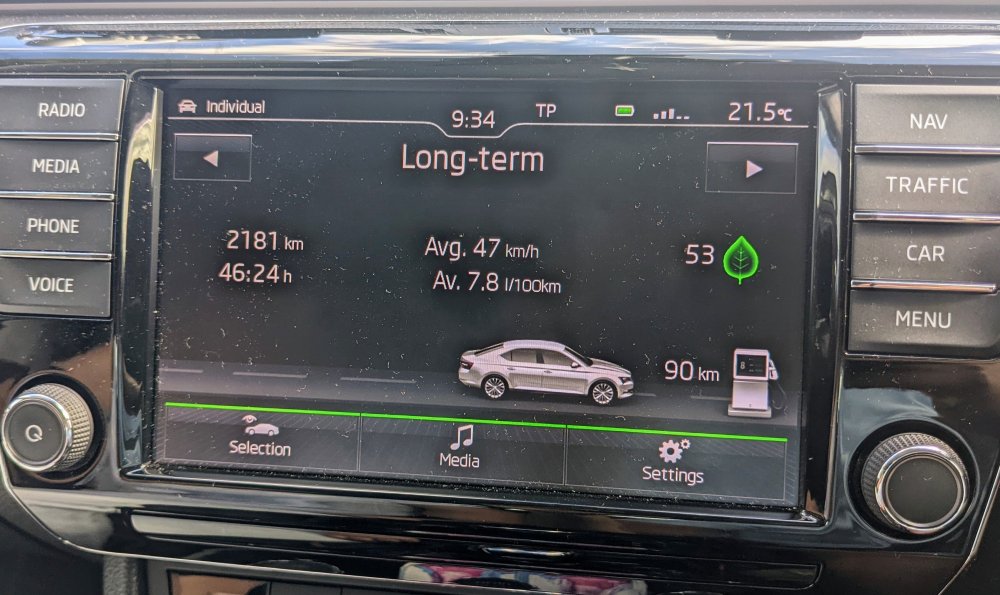
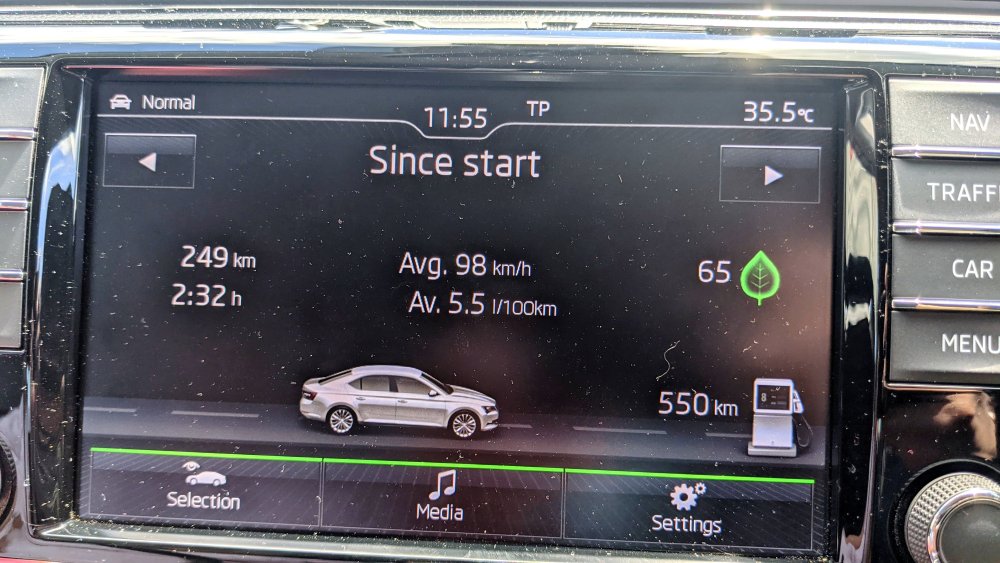
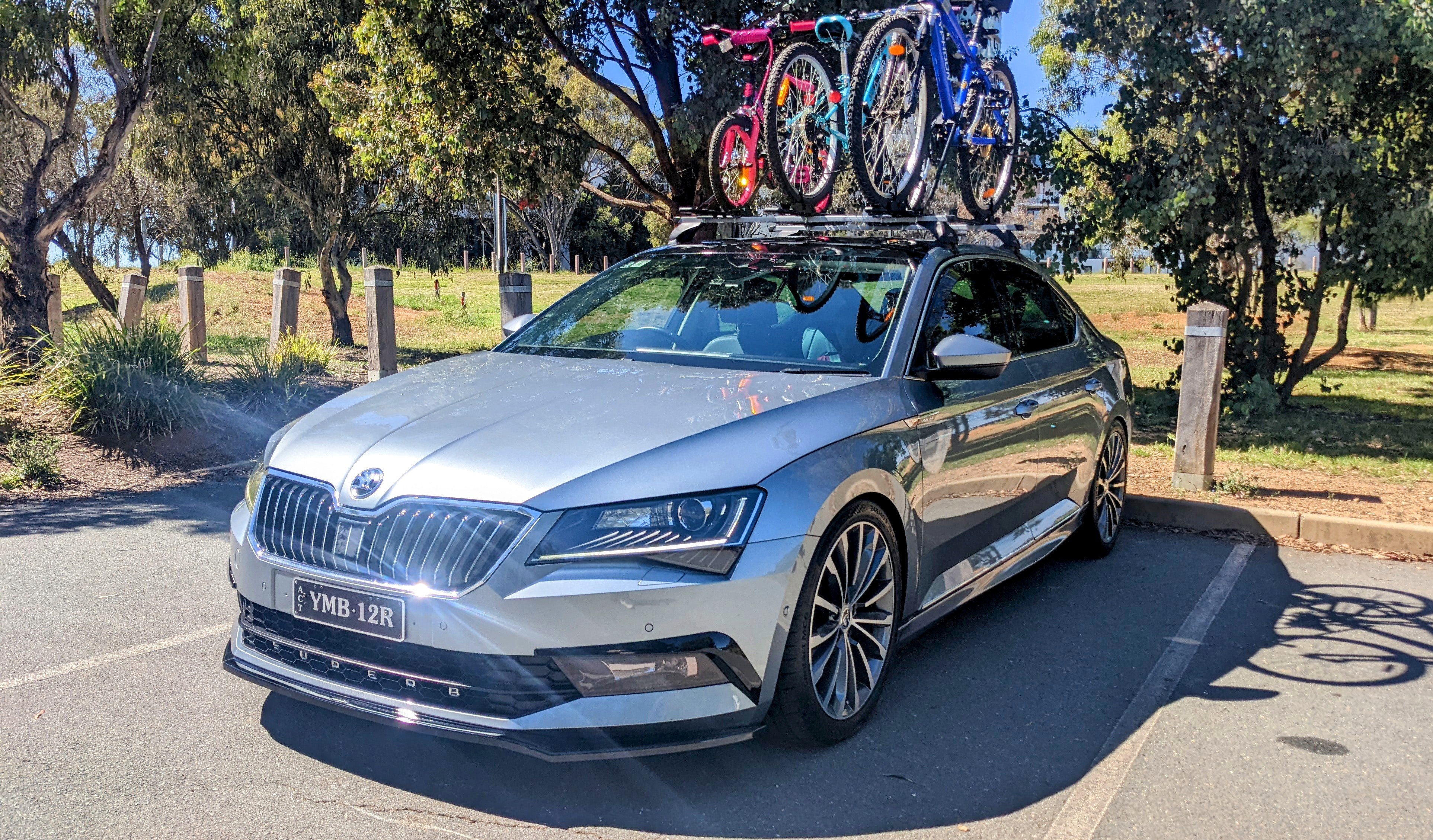
I've got a 162 TSi (220) and these r my figures. Car has a Stg 1 APR ECU tune, and larger 245/40/19 tyres. I always use 98 RON. According to my Fuelio app, I'm doing 8.49L/100. I'm pretty happy with the economy, consistently getting 700 - 900 kms a tank. Also considering how hard I drive it, considering the bigger tyres, and considering the size of the Superb. 👍🏽 Long Term at 7.8L/100:- Freeway driving with ACC set at 110 km/h:- Windy, twisty, up/down hill roads plus freeway driving, with AC set to Auto (22 deg):-



.jpg.9ce35517f243b86139483d16d3ac46b9.jpg)
.jpg.6f88bfbc71c8fd80bd10a080401c7f9f.jpg)
.jpg.21971e46c8530e50e44146c08414c201.jpg)