Urrell
Resident Member
-
Joined
-
Last visited
Everything posted by Urrell
-
Why would you not try the paddles after all that fitting, is that not the reason you fitted it?
-
Probably cheapest if you don't know someone with VCDS or similar is to buy a Carista OBD2 adapter that comes with a months included full use. Then it is a case of following instructions on here to find out how to do it in about 5 minutes. https://www.amazon.co.uk/Carista-Bluetooth-Adapter-Scanner-Technology/dp/B00YVHGTBM
-
-
Why no mention of the AdBlue alarms?
-
I had that light on, it proved to be no3 glow plug. I suspect Skoda will say they are consumables. I replaced all 4 with Bosch OEM glow plugs for just under £10 each.
-
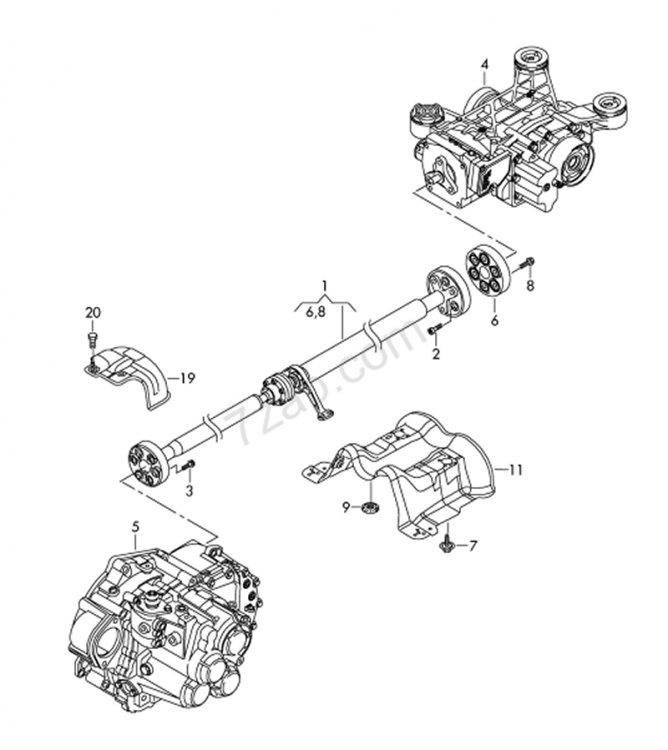
Could it be part number 6 here?
-
Yes cam belt at 5 years and water pump does not run on cam belt on the 1.2 petrol models.
-
You did not take a morning pre startup voltage with the solar charger connected did you?
-
I take it the wheel bearings, discs and pads have been fitted because of the noise and have proved to not be the cause?
-
Was that measured in the morning after standing overnight?
-
That's not correct for a normal regen, the only way to tell a regen is in progress is oil temperature will be raised by a few degrees, tickover raised by about 200 rpm and sounding gruff, a hot burning smell from the exhaust and cooling fans running when engine switched off, but there is no light on dashboard that a regen is in progress.
-
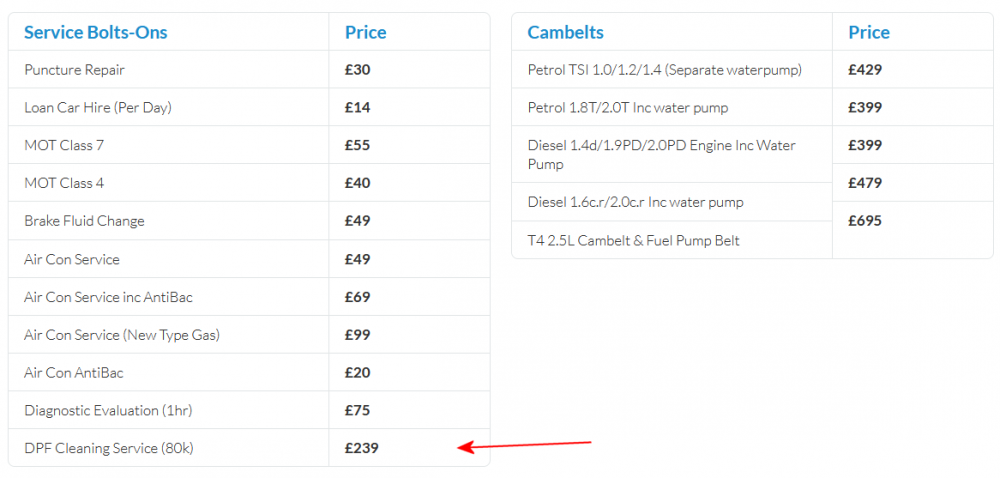
This from the local VAG independent I use
-
I would imagine that with oil ash residue at 55.93g (80%) it's getting pretty close or even past needing a proper removed from car DPF washout that's recommended at 80,000 miles or the DPF replaced. How many miles has the car done?
-
Now you can download a new map from the Skoda Update Portal onto the original Skoda SD Card.. New maps went on there recently, the first update for over a year when there should be 2 a year. Free update for post October 2014 https://updateportal.skoda-auto.com/en-GB/Updates
-
I would remove and clean the pump and replace the oil and filter, perhaps it's the filter that is blocked.
-
Look on the Yeti Owners Club.co.uk. Flintstone has described a repair with cable ties that several have had success with.
-
1st brake fluid change at 3 years then every 2 years after that.
-
It depends on what servicing has been done in the past, it should have had a cam belt with water pump last year. If a 4x4 the Haldex will need a service including removing the pump to clean the filter screen.
-
I had Autoglass bring a Pilkington screen, he asked me if I wanted an OEM one but it would take a few days so I had the Pilkington one fitted. That was about 4 years ago and I am very happy with it.
-
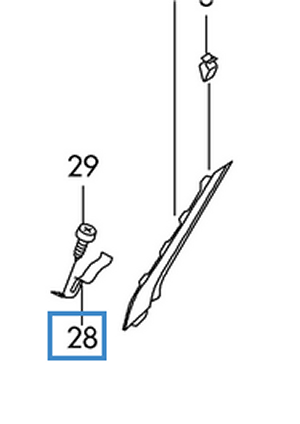
Skoda parts book show the ticket holder screwed to the A post
-
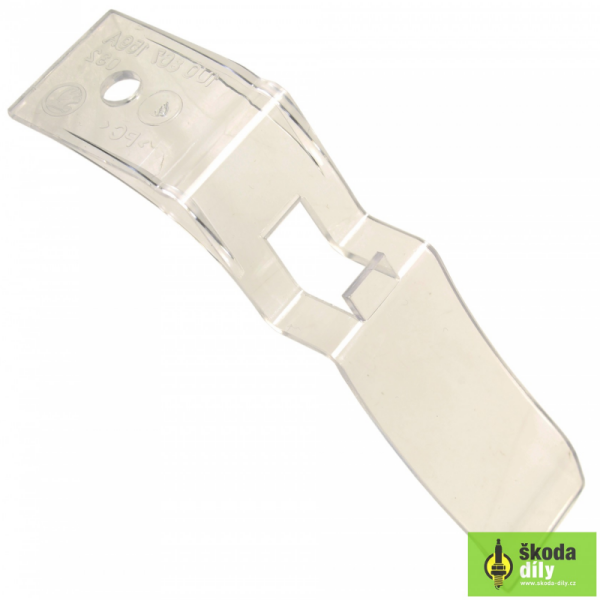
As far as I am aware it's not attached to the windscreen but screwed to the A post.
-
Pointless to have a sensor linked to the car alarm? Edit: Dunno what happened there, the post I was replying to was from Northernskoda123
-
Mine was changed on the drive by Autoglass , the auto lights and wipers etc still work like they should. The bit that the mirror and sensors are mounted on the glass is already bonded to the glass at the factory so sensors just have to clip and screw to it.
-
Try it and take paint off the bonnet on drivers side when changing wiper blades.
-
Did you not have a bonnet open warning on the Maxidot?