Breezy_Pete
Sponsor
-
Joined
-
Last visited
Everything posted by Breezy_Pete
-
What car is it that your friend has? That link seems to show the type with bolt-on carriers rather than the integrated ones? Ignore that about the carriers, the last couple of photos show I was just looking at it wrong.
-
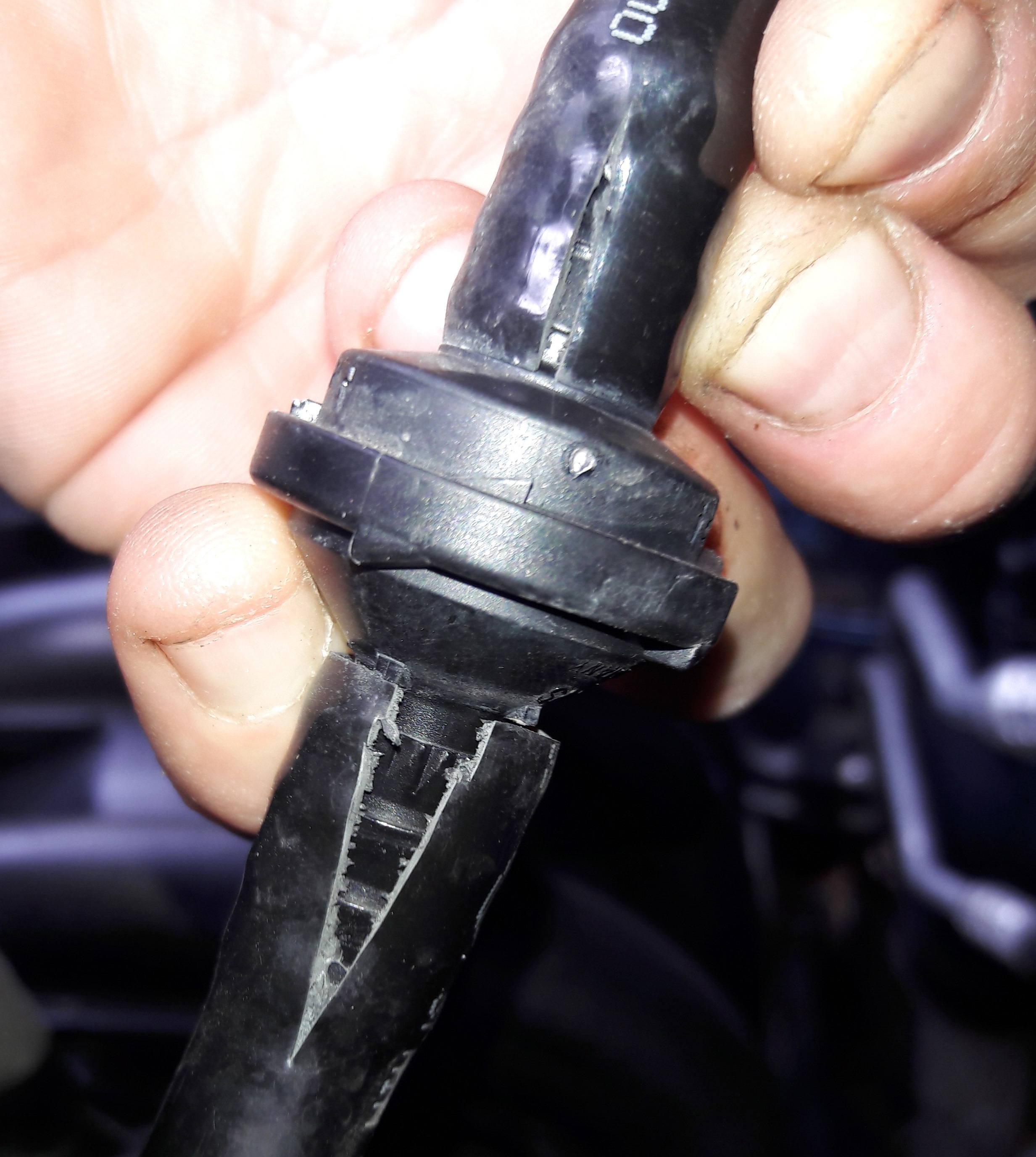
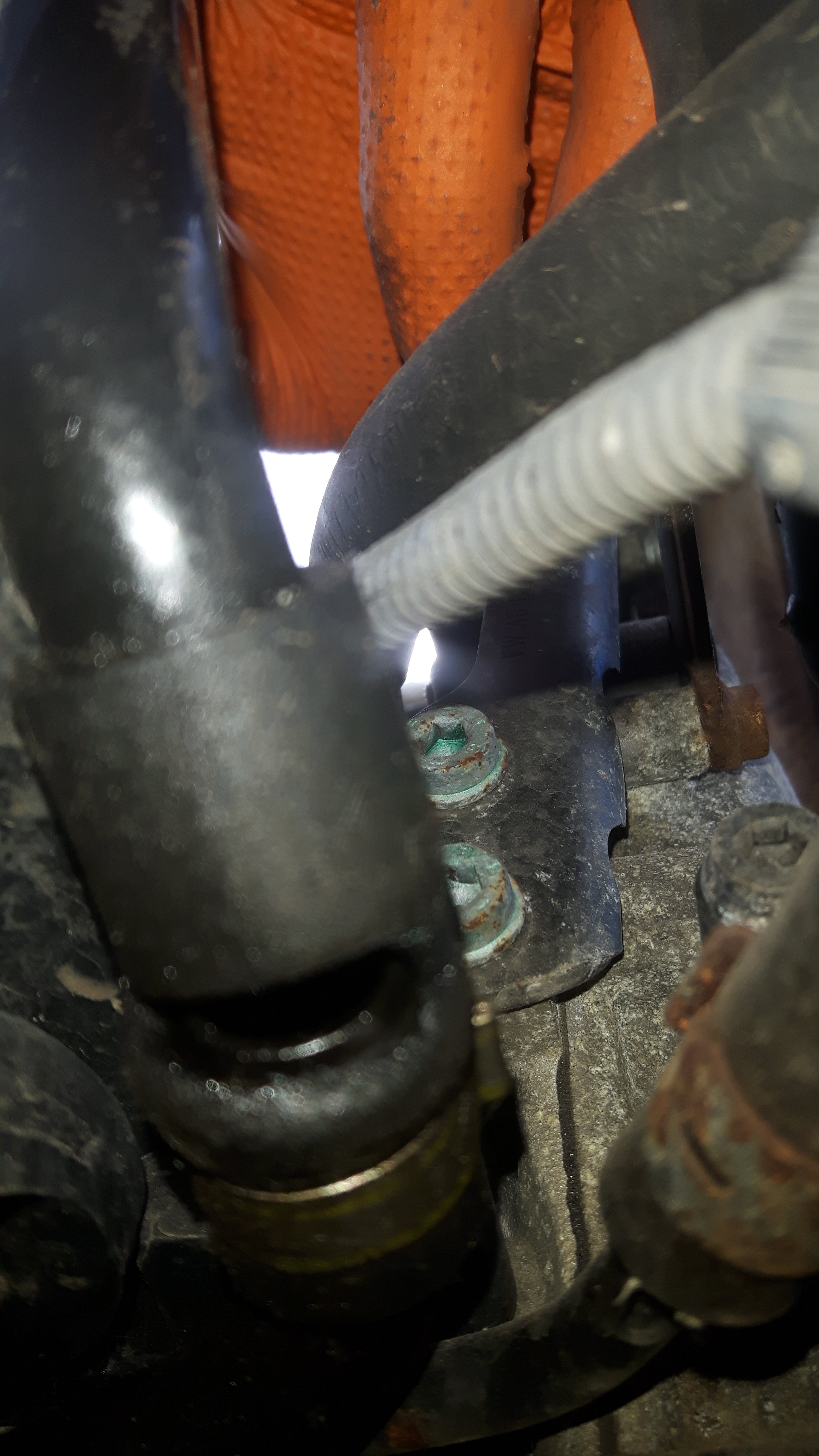
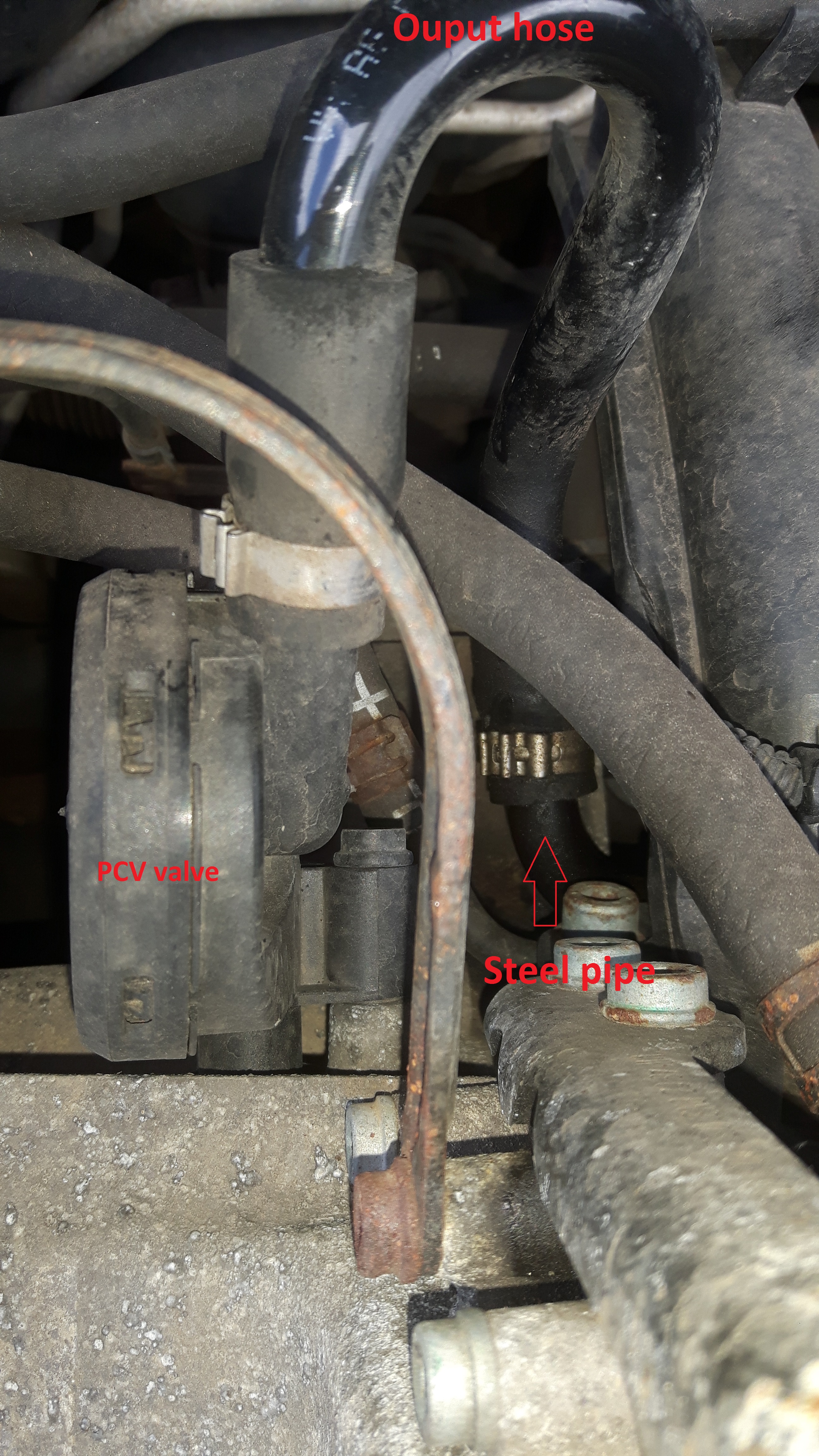
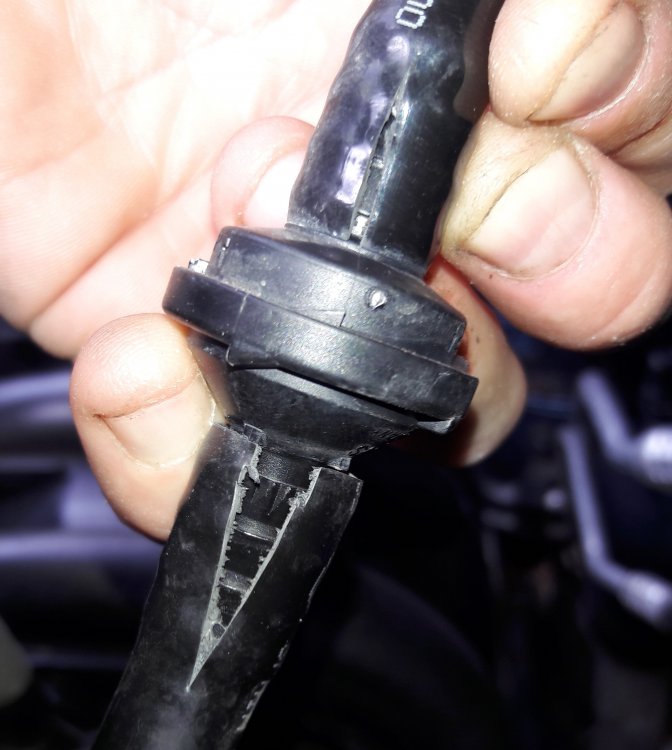
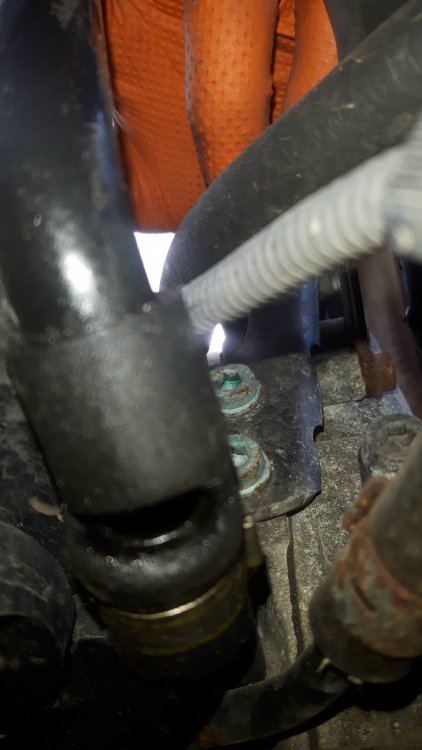
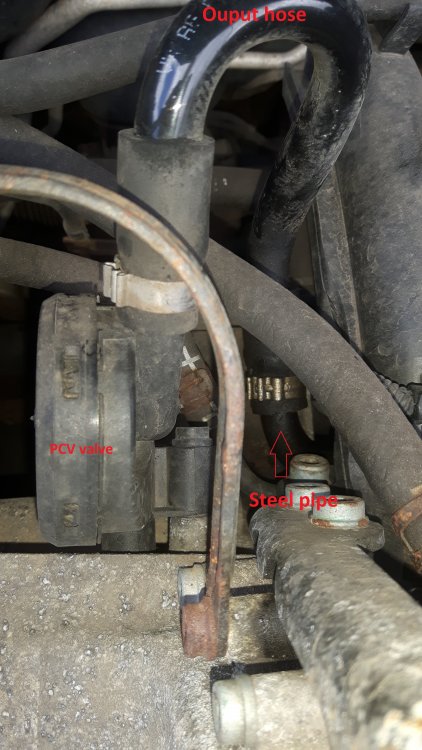
Exhaust leak would probably have been the flexi section of the front part, beyond both oxygen sensors, so unlikely to be relevant. Dead batteries can cause fault codes fairly randomly, clear the codes and see what returns. Check that your battery light illuminates at ignition on, and goes out after engine start. Photo of a very badly deteriorated brake servo hose, check especially the underside/unsighted sides with fingertips or phone camera: Photos of a very leaky PCV output hose (from above to orientate you, then below showing the hole in the rubber plastic-to-steel pipe joining section): Both faults probably rather common, especially the servo hose one.
-
50mpg is not going to happen as a fill-to-fill calculated average, be happy if you get over 40. The claimed economy of the 3-cylinder engines is well above reality. For the lean error code, and maybe the oxygen sensor one, you need to carefully inspect pipework at the back of the engine head for leaks. The brake servo vacuum hose and the output hose of the PCV valve are hot favourites. Photos tomorrow if no-one beats me to it. Idle wandering is very likely being caused by this. Cam sensor code may be the sensor itself, a neighbour with the same engine, same fault code in a Polo has just this week got rid of the fault light with a sensor replacement. I won't be certain it's really fixed for a week or three of fault free running though. Window motors on the later mk1s can be pretty flaky, lots of threads on here about them. You'll be lucky if it's a cheap easy fix.
-
This is a front handle, but shows in great detail how it's all meant to go. I think the bendy/flap bit at the front (see at 3:59) was getting in the wrong place on ours, which somehow stopped the whole lot from sitting right. SKODA FABIA Exterior Door Handle (MK1 99-07) - YouTube Hopefully the rears are sufficiently similar.
-
There might be a part number moulded into it somewhere? 1K8955435, by the looks of this: see workshop manual - Yeti(YET) [EUROPA 2016 year] (7zap.com)
-
Nothing found, sorry.
-
I had this a little while ago, with a front door handle on our Fabia. I can't remember exactly what the issue was, but it was something not going back in quite correctly. I'll search my phone just in case I took any photos, as they usually remind me of details, but not sure I took any. Vague recollection of it being something bendy that was the wrong side of something else, doubt that helps much though!
-
No, it has a different part number for a start, but if you look at the photos you'll see it's also got the wrong 'handedness' compared to a 6y1959801. The installation orientation is different on mk1 Fabia compared to all other applications of these parts. You need exactly the same part number as your existing one. The part numbering is very confusing, and ebay sellers often over-generalise about which part numbers fit which models. This seller at least doesn't do so; tells you which model it's from and tells you to check for part number match: 2005 SKODA FABIA 1.2 12V Ambiente 5DR (VRM: NM05RZB) DRIVERS FRONT WINDOW MOTOR PLEASE MATCH THE PART NUMBER BEFORE BUYING: 6Y2959802 Don't be tempted by units where the part number starts 6Q... or ones with a suffix F on the end of the base 9-digits, they have different connectors, and wiring. Can't seem to font size match this back to normal, sorry.
-
Just DIY it with a fire extinguisher, innit.
-
I expect some at least of what's shown here will be relevant: VW TDI and Audi TDI bad camshaft removal and replacement procedure DIY - YouTube Should give you an idea of the scope of the job.
-
If there is a no.4, logic suggests it will be nearest to the tailpipe/ rear of car. Access to sensor and connector may be from below only?
-
Out of date, dude: Selling F gas or equipment - GOV.UK (www.gov.uk)
-
I wouldn't be confident of anything that wasn't from a Roomster. That SK2 suffix I mentioned earlier would be a different suffix in any other model. You might be OK, but there must be a reason for the different suffixes or they wouldn't exist.
-
^ Logical, yes.
-
That's a fairly common pattern I think. There's something causing one or both modules to shut down instead of 'staying awake'. Some people have fixed such faults by replacing a capacitor and sometimes also a relay within the driver's side motor module, think there may be threads on a few forums relating to that. I've tried and so far failed to repair any, sadly. Replacing the module is fairly easy I think, door card off, couple of electrical connections to unplug, 3 screws to undo to free the module from the door. Again @Bertie90 is the man with model-specific recent experience. Not sure what youtube has to offer.
-
I would think that the overall rarity of anyone attempting DIY refills - plus the fact that most people going for regassing tend to have very little refrigerant left to extract - would mean the dangers of receiving tainted refrigerant would be negligible.
-
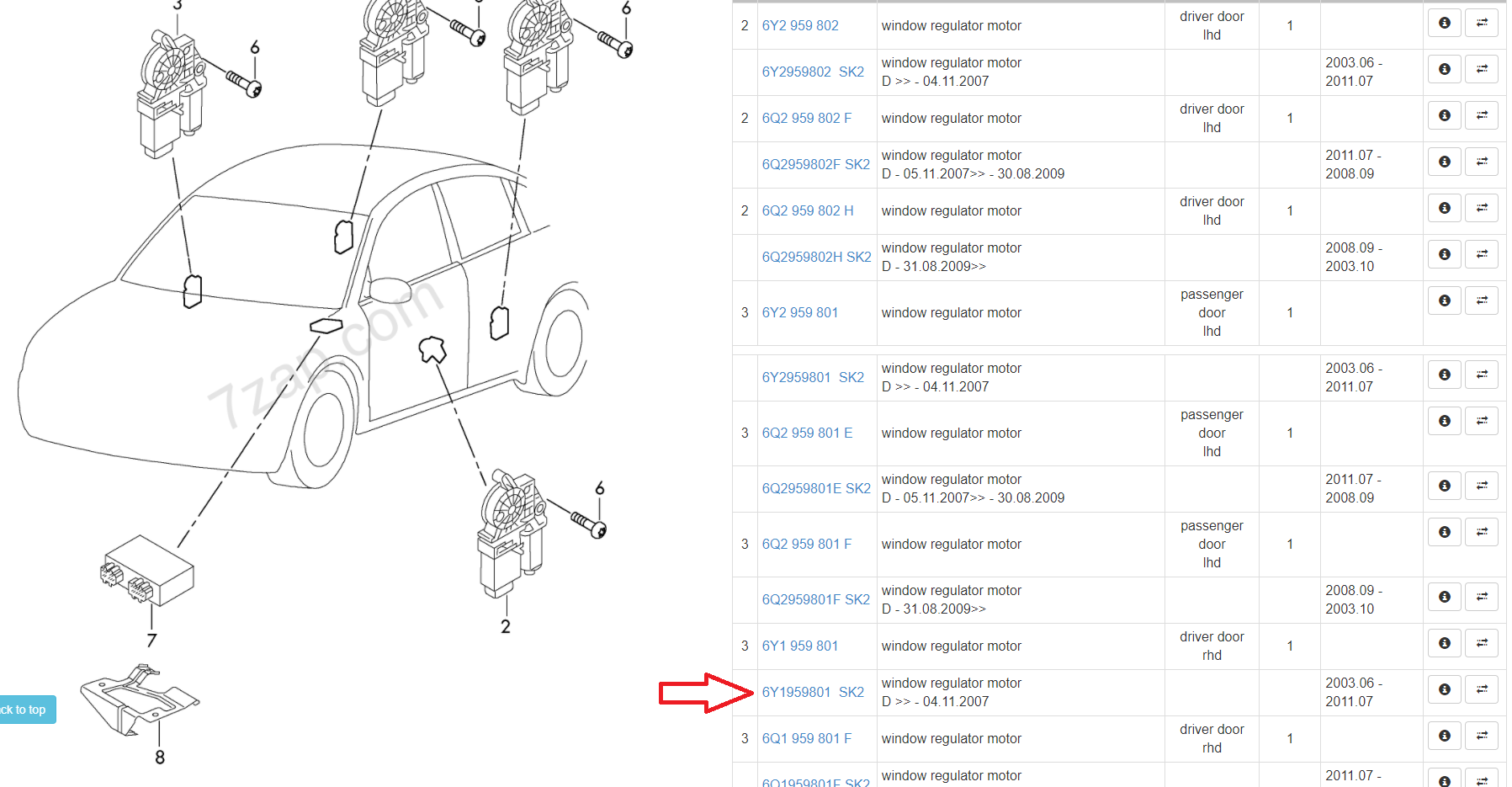
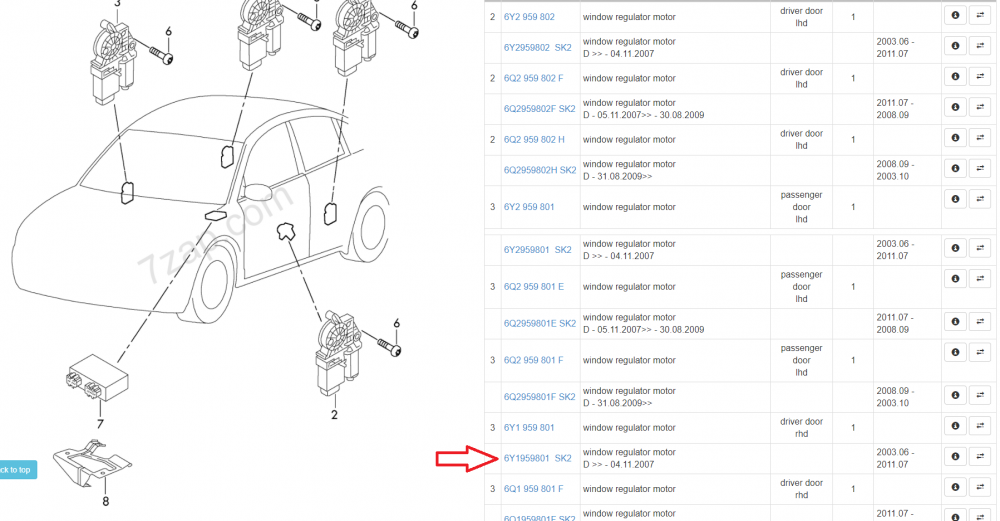
Hi Lambo1, whereabouts are you based? Loom problems are very common, especially in the section that flexes every time the door is opened, I guess that's where the repair was done? A new door loom bought and fitted shouldn't cost £400 though, that sounds very pricey indeed. It could be moisture related, and corroded connections between loom and motor module, but inspection and cleaning are the only way to test that really. Could also be water ingress into the connector(s) at the a-pillar, as it's only the rubber bellows/boot that waterproofs that area, and they can be misfitted easily if removed for inspection/rework. Check fuse number 11, if you haven't already. However: the window motor modules in your car are from an era where they have a poor reliability record, in my experience. The same types are used in very early mk2 Fabia, late mk1 Fabia and VW Transporter and Polo 9n3 models, all of which suffer similar problems. The units in drivers and passenger front doors communicate with one another down a single-wire 'LIN bus' data connection, which doesn't connect in to the car's overall diagnostic system, so errors/faults in either module are 'invisible' to the car at large. I'd be very surprised indeed if the fault is with the body control module, as it has very little to do with the window motor operations. The driver's side module is the master and the passenger side is a slave unit, problems most often seem to be fixed by replacing the master unit (unless loom/fuse causes are to blame, obviously). They tend to be correspondingly more expensive secondhand, and with fewer available. I expect yours to have part number 6Y1959801. There's a suffix 'SK2' in the parts catalogue, but its not clear what this means, and they don't print it on the part number label on the product, only on the box it comes out of; so secondhand purchases can be a bit 'hope for the best' unless the seller is crystal clear about which vehicle the part was removed from. @Bertie90 has recent experience of this stuff, in a similar age Roomster, so he may be able to offer some tips that haven't occurred to me.
-
Top work Langers, as usual. Extreme complexity!, wouldn't like to own an old one.
-
If anyone actually cares what's in STP EZ chill, allegedly if you buy some at Halfords in store they will allow you to see the MSDS if you ask. I imagine they'd be less reluctant to offer this if the customer in question was using a trade discount card, if such things still exist.
-
Huh? STP EZ Chill says R134a (even though it isn't), that's not the current AC gas. Which product do you mean in the first bit of your sentence?
-
If you're sure it's not cracked then it must be another fault, possibly a wheel speed sensor. Scan for fault codes.
-
View these links on a computer so that you see all the info, phones often discard useful columns. Front codes relevant are G07 and L30, see correspondences here: suspension; shock absorber (spring cyl.); anti-rol... - Superb(SUP) [EUROPA 2012 year] (7zap.com) I'm not seeing any such helpful PR codes relating to the rear suspension on that sticker, need ones beginning with 1J and 0Y judging from this page: suspension; shock absorber (spring cyl.) - Superb(SUP) [EUROPA 2012 year] (7zap.com) Could get the missing codes via a paid hour on erWin, or from a helpful dealership with VIN.
-
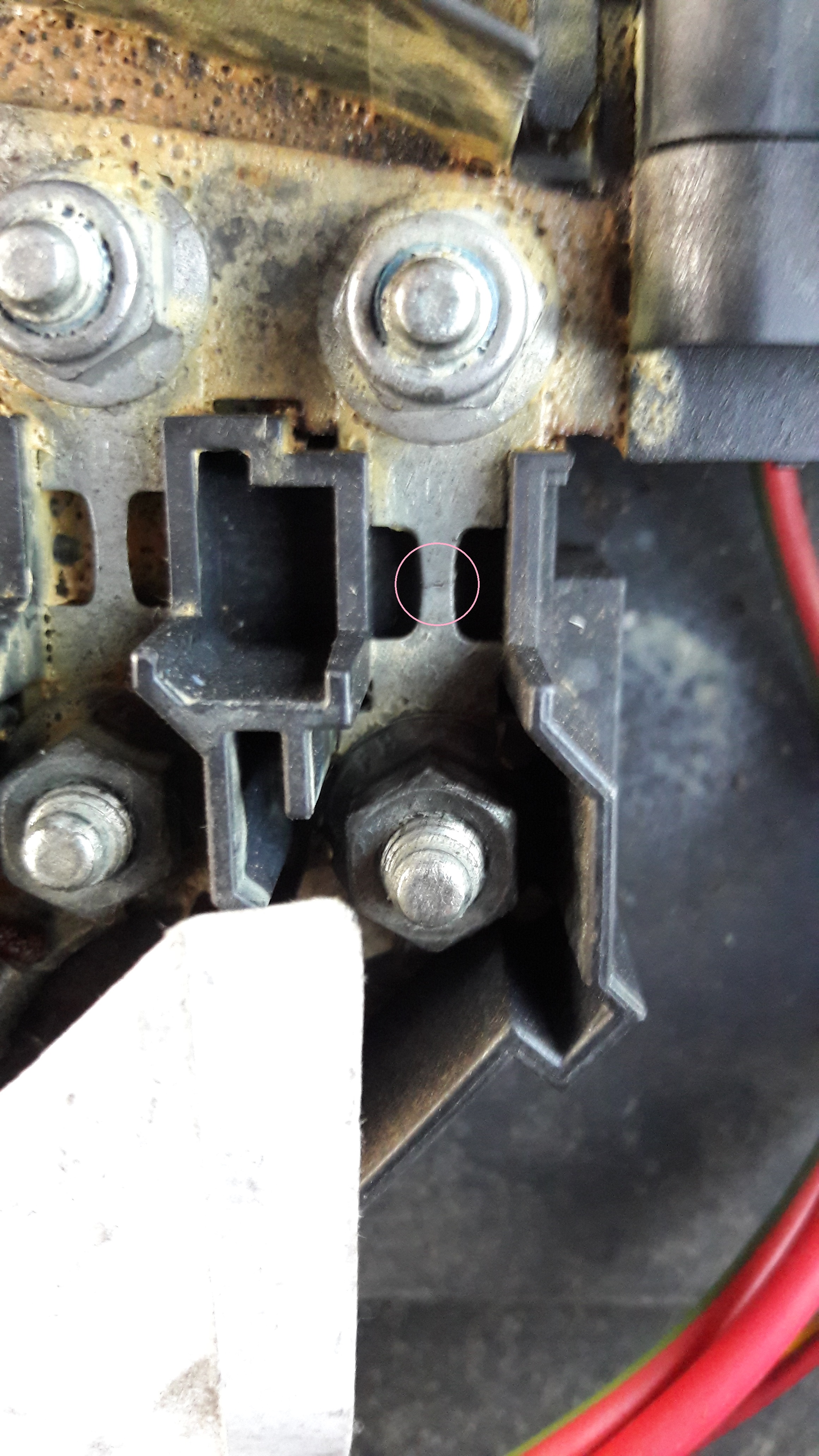
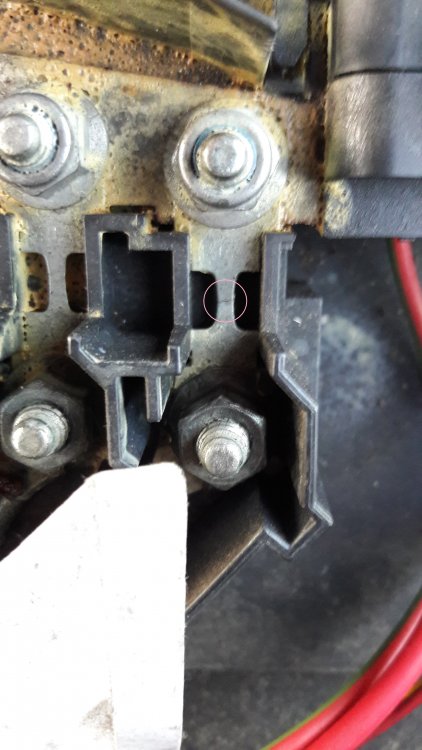
Here's a photo of a cracked one on my partners car:
-
No, they are fuses. Strip fuses. Good news about the battery light but please check or photograph strip fuse no.6
-
The oil circuit never changes though, according to my reading of the SSP info. Can you highlight the bit that says it does, if I'm missing something, please?