varaderoguy
Resident Member
-
Joined
-
Last visited
Everything posted by varaderoguy
-
Oh, if you have gone from a Columbus to an Amunsden then the sound won't be as good. The amplifier is not as good. On your new setup, make sure that the eq is set to flat and let Virtual Sub and Skoda Surround do its work. What firmware are you running?
-
-
Seen this problem with the Amunsden system on F/L cars. Make sure you are on 0478 firmware version which fixes a lot of audio problems. 0475 and below sounds dull and thin audio. Then go and long-code and enable Skoda Surround. My Scout sounds amazing with this combo. Our VRS with Amunsden and a Canton system in comparison is rubbish.
-
I seem to remember discussing about enabling Developer mode on the MIB system. Turns out that it isn't strictly necessary (I thought you had to have Developer mode enabled on the MIB system to get the upgrade options, but it looks like that isn't necessary). Developer is also called Green Screen and can be enabled via an app function on ODB11 or enabled on VCDS. Its not needed....ignore that part of the instructions.
-
No - this is Skoda Connect Lite - an app designed for non-connected cars. Throttle Position is a bit of a gimmick. It doesn't really tell you anything. I suspect that if you looked at the data live it would give you data. I think it is meant to average you how much you use the Loud pedel, whether you are a foot flat to the floor merchant or a feather throttle stroker.
-
Okay. We had a 2018 Octavia TDI VRS which we took to European Skoda Tour 2019. Bombing along at 100mph/160kph was fantastic on the Autobahns from Hook van Holland to Pilsen and the oil temperature even in the height of Summer didn't go above 110C. 8hrs of continuous motorway driving all was good. Even when it got to 43C one day at Pilsen in Czechia, the car didn't sweat too much. Mpg went down (more fueling needed) and traveling through the centre of Prague (an experience) with the outside temperature at 38C didn't phase the car. I think the throttle response got a little fluffy when we were in traffic otherwise all was good.
-
You are right...they aren't monitored but the CANBUS network still runs through the car at all levels electrically so the dim glow is still the monitoring voltage and current being sent by the car ECU. There is a whole thread here: https://electronics.stackexchange.com/questions/392812/auto-led-dimly-lit-when-off Basically not a big deal. LED electronics are much more sensitive and the electrical current use so much lower.
-
They fade correctly but suffer from ghosting when turned off which I think is the CANBUS network monitoring current.
-
A couple of things come to mind. 1) Its really cold out there - cold is a battery killer. 2) DO NOT HANDLE THE BATTERIES WITH YOUR HANDS - this will cause a short and may kill the batteries 3) Look at the electrical connector at the side and also at the bottom. If the connector is not fully touching the battery, it won't work. Gentle bending of metal to get a better electrical contact. 4) If the battery wasn't inserted properly, the cover wouldn't fit.
-
The other KESSY KILLER - is if you keep your keyfobs all together. If you do that; the keyfobs tend to interfere with each other wasting battery power. I tend to keep KESSY keys in a Faraday pouch seperately. Problems went away (with draining batteries).
-
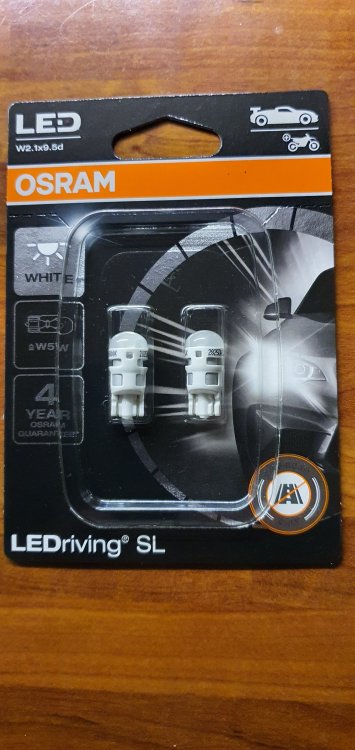
Absolutely..Gave the Kopchec parts a miss. Went for some OSRAM buibs at 8.99UKP from ebay for a pack of two. The interior lighting is now awesome. FYI - you need three packs of the above if you do thw whole car (6 bulbs)
-
Okay - first point. The battery and the keyfob. Try getting a new CR2025. Ebay have tons of them. I use Panasonic batteries. Also batteries do die and expectedly don't work from new. Battery shiny side up....The process is shown here. You might find the battery has not slotted into place properly when you replaced it. Batteries do die and they don't alway report as low battery on the car (speak to folk who have KESSY installed on their car).
-
Fantastic. All power to Pamela at WES Dunfirmline in that case. I suspect that I was charged a higher charge at Edinburgh because 1) Car is under 3 years old (and Skoda UK don't subsidise newer cars and 2) they didn't know how much time and effort it would take. Ill speak with Pamela this week and ask if the work in cleaning the filter also allowed for repriming of the Haldex Pump plus new seals.
-
Sounds like either a slightly slipping belt or an overly tight belt putting stress on a pulley.
-
The TSI Engines get up to temp really quickly. Its not like a TDI engine that takes forever. However, if you think you have a cooling issue, keep an eye on the header tank. Have you had to recently fill up the tank? Is it loosing coolant? You might also have an airlock in the header tank (unlikely).
-
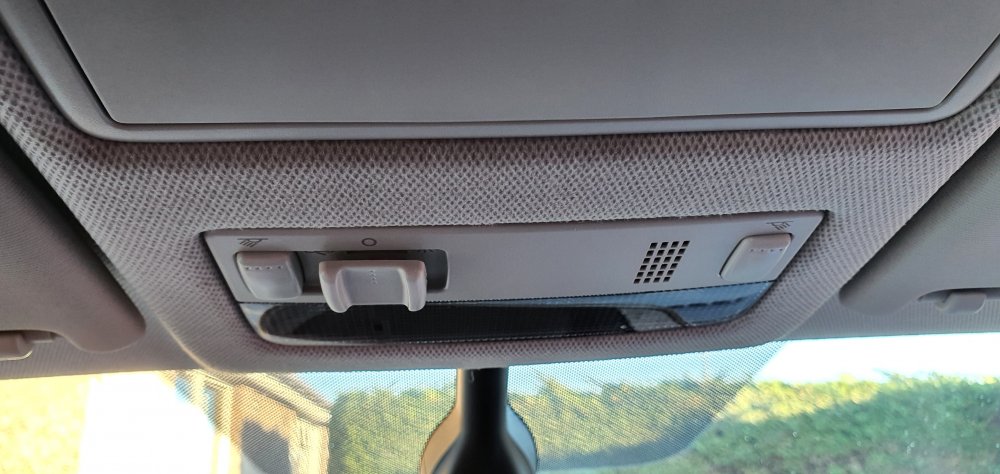
Dear all, Ive accidentally broken a light switch fitting on our Fabia whilst trying to replace a interior bulb. Tried to pull down the wrong part of the fitting, managed to break the internals of the switch. Could I ask two things? 1) What is the part number for the light switch console? 2) How do you get it out to replace it? Many thanks
-
Whilst they are there - get them also to put on the latest maps - 2020/21 (from Skoda) or the latest 2021 maps are on the forum.
-
Okay - I'm always suspect of dealers doing the upgrades; at least you know now how to check to see that they have done the actual work. If you are still stuck, I can send you an SD Card and we can do this over the Phone or Zoom.
-
oooohhh - YUK - 0471 - Super old. Yes, speak to @pab567 - give him those screenshots above and he'll send you a link to get the firmware for you. It an easy job to do - download and decompress the firmware files onto a standard SD card, go to the same menus for updating the firmware and let the car do its magic. You might want to find an expert closer to you when Lockdown expires to do the upgrade if that would help (the process is not completely full-proof): @langers2k is in Cambridgeshire and I'm in the Scottish Borders. However, if you have Zoom or Miccysoft Teams, then I'm sure we can talk you through the process on a video call.
-
Almost there. You definitely have an Amunsden system and you need to press Software Update/Versions to get the required info
-
The folder structure may be slightly different for a Columbus system. Apologies, my instructions are more Amunsden orientated. For the Columbus system, you copy those folders to your SD card.
-
Okay, then selecting All Doors unlock should do that. Suspect that something has got out of sync here with the central locking. You can try factory resetting the car to see if that helps. Failing that, its dealer time.
-
Its meant to....look scary and hopefully stop speeding numpties. It looks mean and means business. Live with it.
-
Okay. Waze has always been a monumental power drainer of an app. Wireless charging cannot keep up with the charging requirements. So, you get an ever warming battery and high power use, the CPU's on the phone start to throttle back due to excess heat caused by the high CPU usage of the Waze app and eventually you get either a flat battery phone or the Wireless Apple Carplay will just die as it cannot work due to excess system contraints. Not the phone's fault. Suggest you use a different navigation app.
-
Your car needs to be the specific SEL 1.5 ACT First edition for that functionality. If your ordered it specifically with that function then go back to your dealer and discuss with their sales team.