



Skip to content

Fabia 1.2 CEL light and code PO171 'System to Lean'
Featured Replies

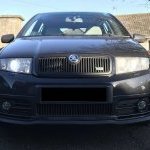
My 2006 Fabia 1.2 has developed an intermittent check engine light, and i have plugged a diagnostics reader in which reads code PO171 System to lean bank 1. The CEL light seems to come on an off at random intervals, and when it is not on there is a 'pending' code showing on my diagnostics reader.

I have not long owned the car and i know the downstream lambda sensor was replaced when i bought it, wondering if the upstream one needs changing also. The car seems to drive ok regardless of whether the light is on or not. 

Does anyone have any ideas on what the issue could be?

I think its the 'AZQ' engine 3 cylinder 1.2 64hp, done 96,000 miles.

  • Sponsor

BME code engine in 2006, I reckon.

Check the brake servo vacuum pipe, especially the joins between hard plastic pipe and other bits.

  • Author

Yeah your probably right i just went off what it said on wikipedia. 

Will check that line tomorrow, any reason why that causes this error code?

If its any link the brake pedal seems to have a really long travel but could just be a characteristic of the car :)

  • 2 weeks later...
  • Author

update:

nothing apparently wrong with the brake vacuum line

used a bottle of redex in the fuel tank and reset the light using OBD reader. so far it hasnt come back on so maybe it was an issue with dirty injectors/blocked fuel lines

Create an account or sign in to comment

Recently Browsing 0

  • No registered users viewing this page.

Important Information

Welcome to BRISKODA. Please note the following important links Terms of Use. We have a comprehensive Privacy Policy. We have placed cookies on your device to help make this website better. You can adjust your cookie settings, otherwise we'll assume you're okay to continue.

Account

Navigation

Configure browser push notifications

Chrome (Android)
  1. Tap the lock icon next to the address bar.
  2. Tap Permissions → Notifications.
  3. Adjust your preference.
Chrome (Desktop)
  1. Click the padlock icon in the address bar.
  2. Select Site settings.
  3. Find Notifications and adjust your preference.
