langers2k
Resident Member
-
Joined
-
Last visited
Everything posted by langers2k
-
V12 from this thread: https://www.briskoda.net/forums/topic/480367-amundsen-mib2-map-updates/ Seems VAG have deleted them from their servers which isn't too surprising.
-
As mentioned above, it's the older maps I'm hoping to find I tend to update to the latest version as soon as you announce them
-
Anyone got a link for the older MIB2 std (Amundsen) maps? Or can upload/send me a copy? Hoping it's just one DB that'll need moving over...
-
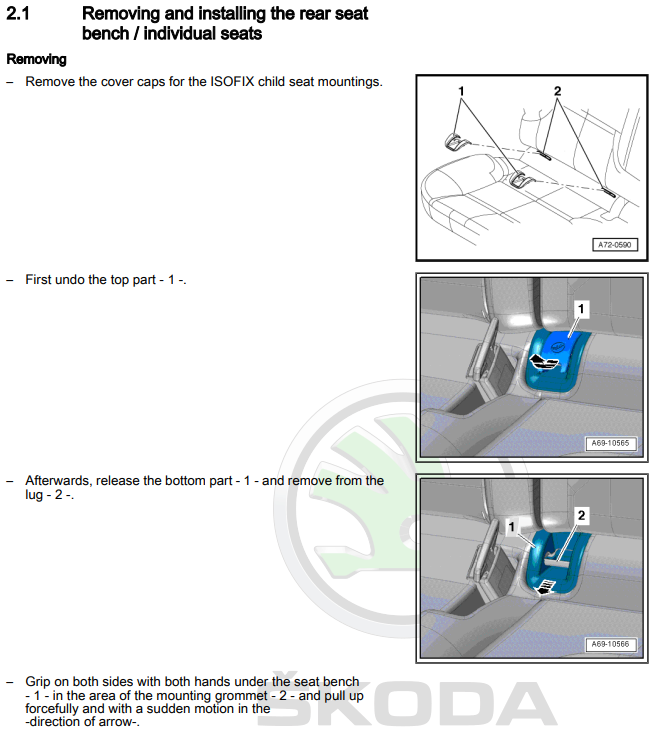
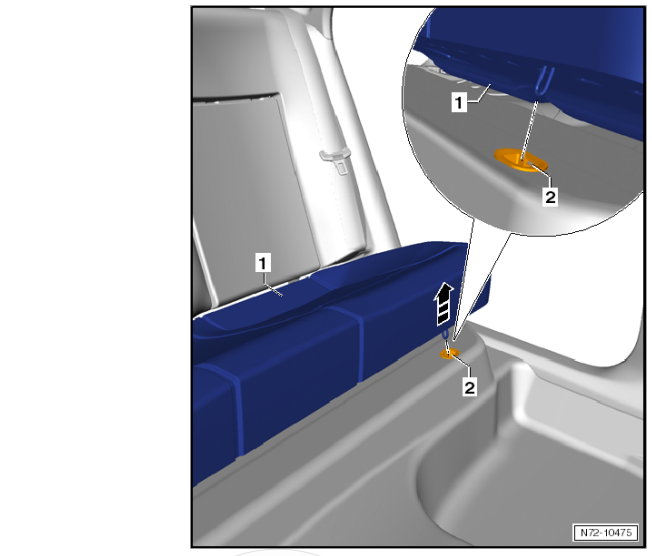
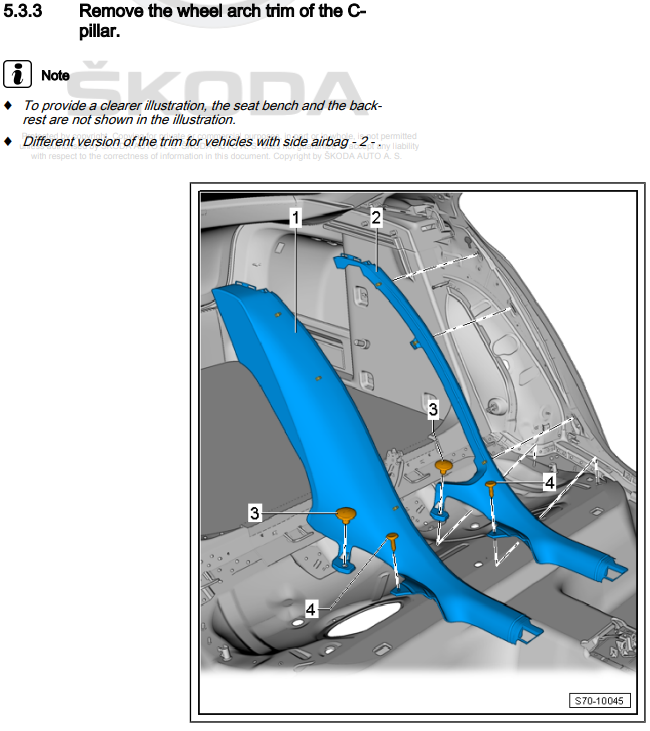
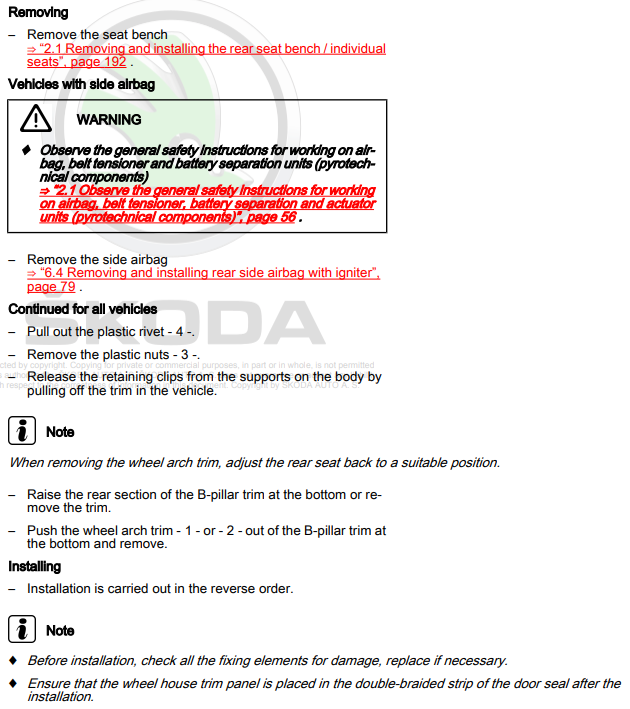
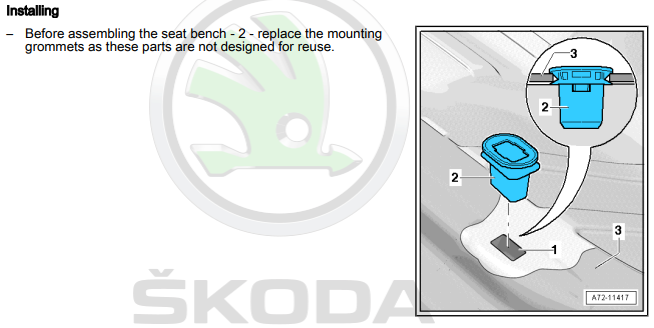
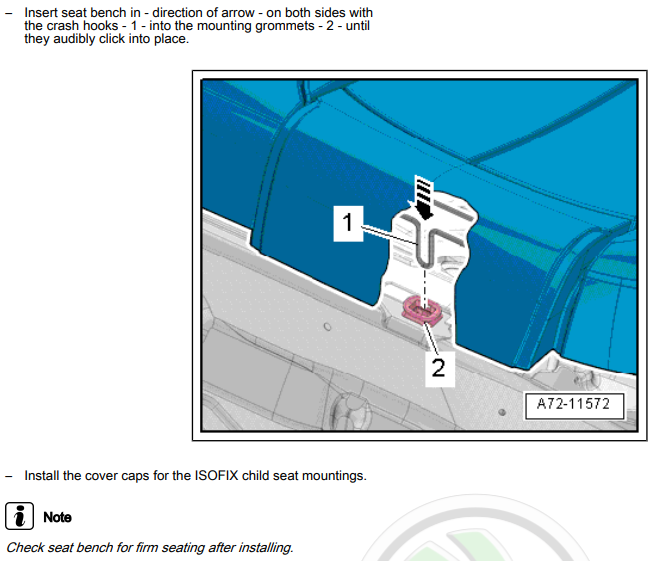
It should be easy enough to remove it, find the part number and replace it Snippets from the workshop manual are below, it mentions replacing the rear seat clips but I don't think I did when I removed this panel to run a rear view camera cable.
-
That clip still has two similar bars angled bars as per the blue lines in your original picture: Did you get OE or aftermarket glass fitted - as they spec may differ slightly.
-
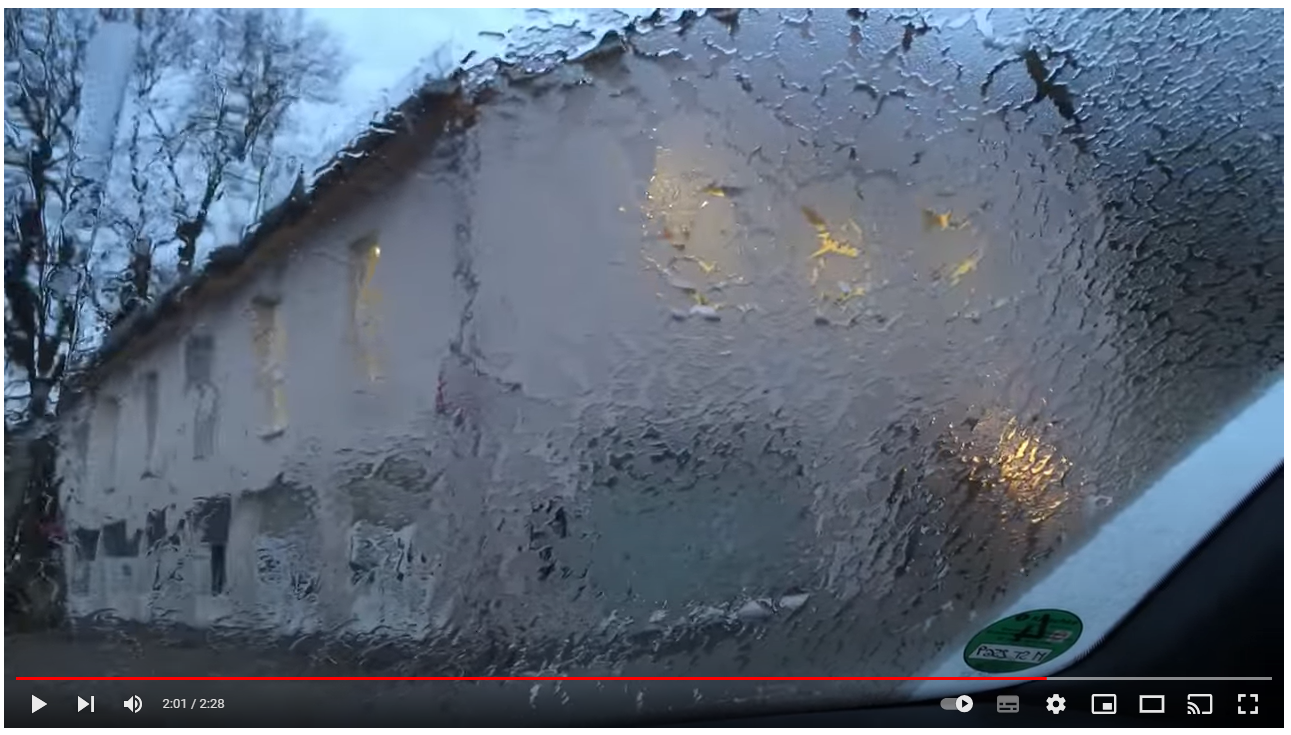
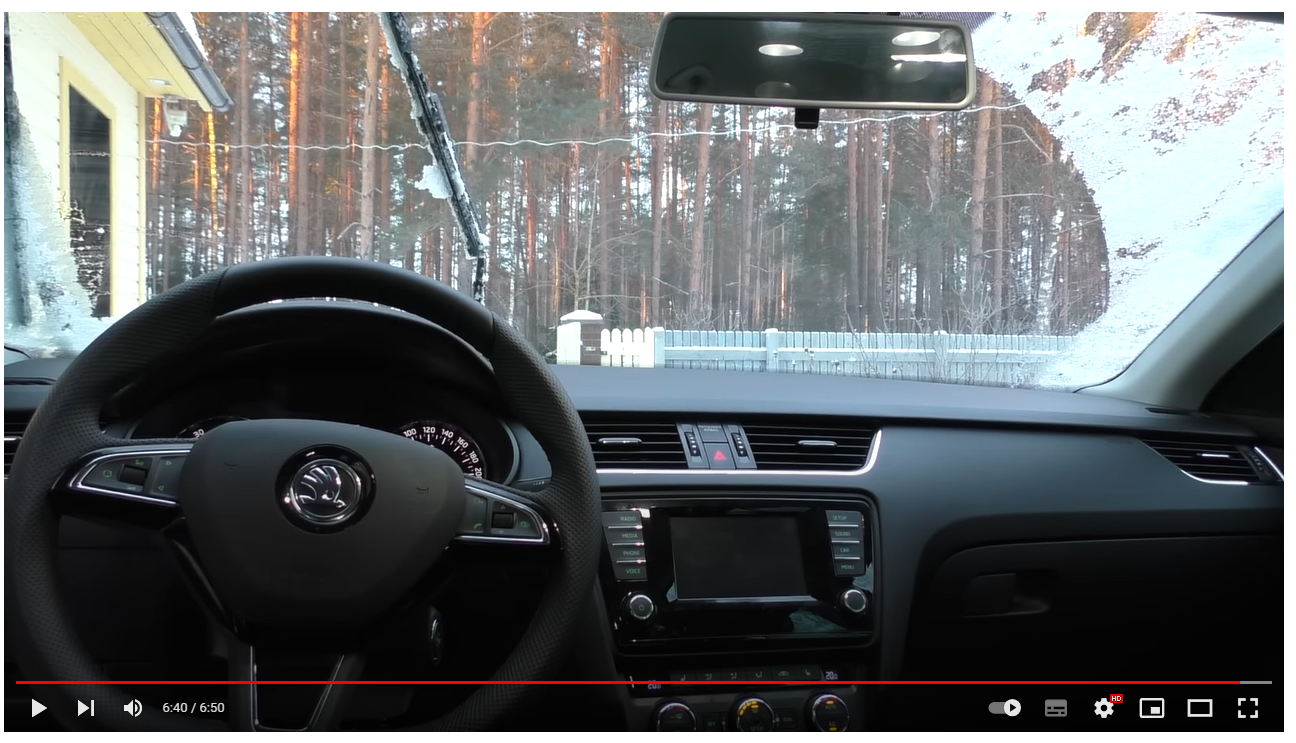
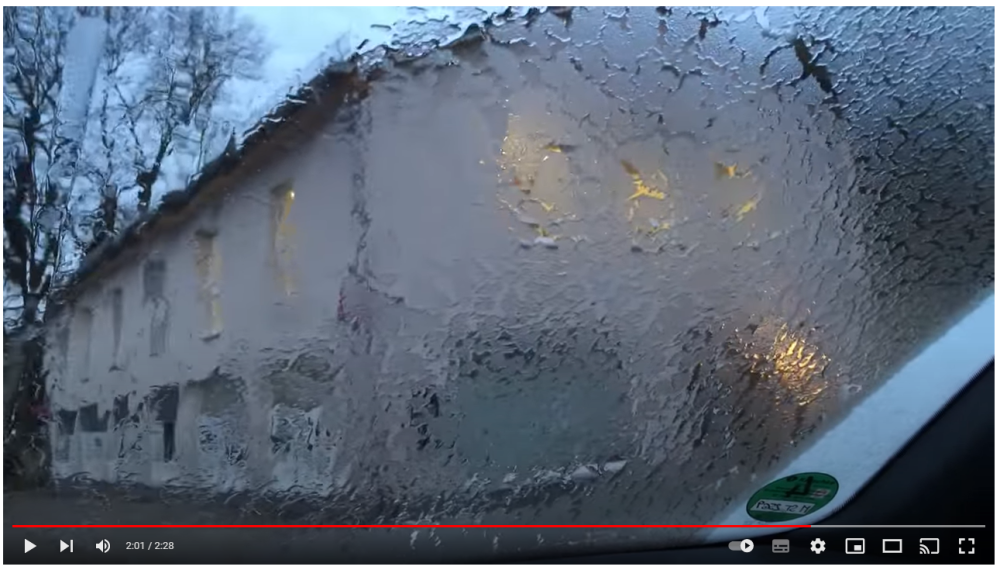
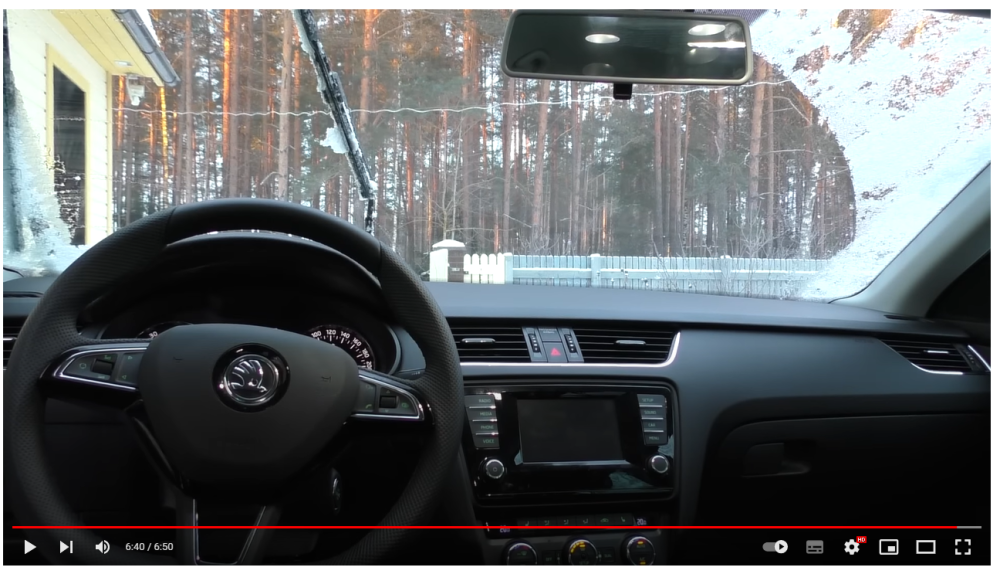
I'm with @SC03OTT - pretty sure it's completely normal that the wipers will hit ice at the edges. Random example: The left wiper is on ice and you can see the right wiper also hits it, taken from this video:
-
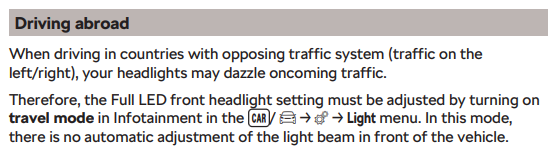
I'll find out on Thurs Manual doesn't mention it automatically switching but I'm sure I've heard folk mention it does.
-
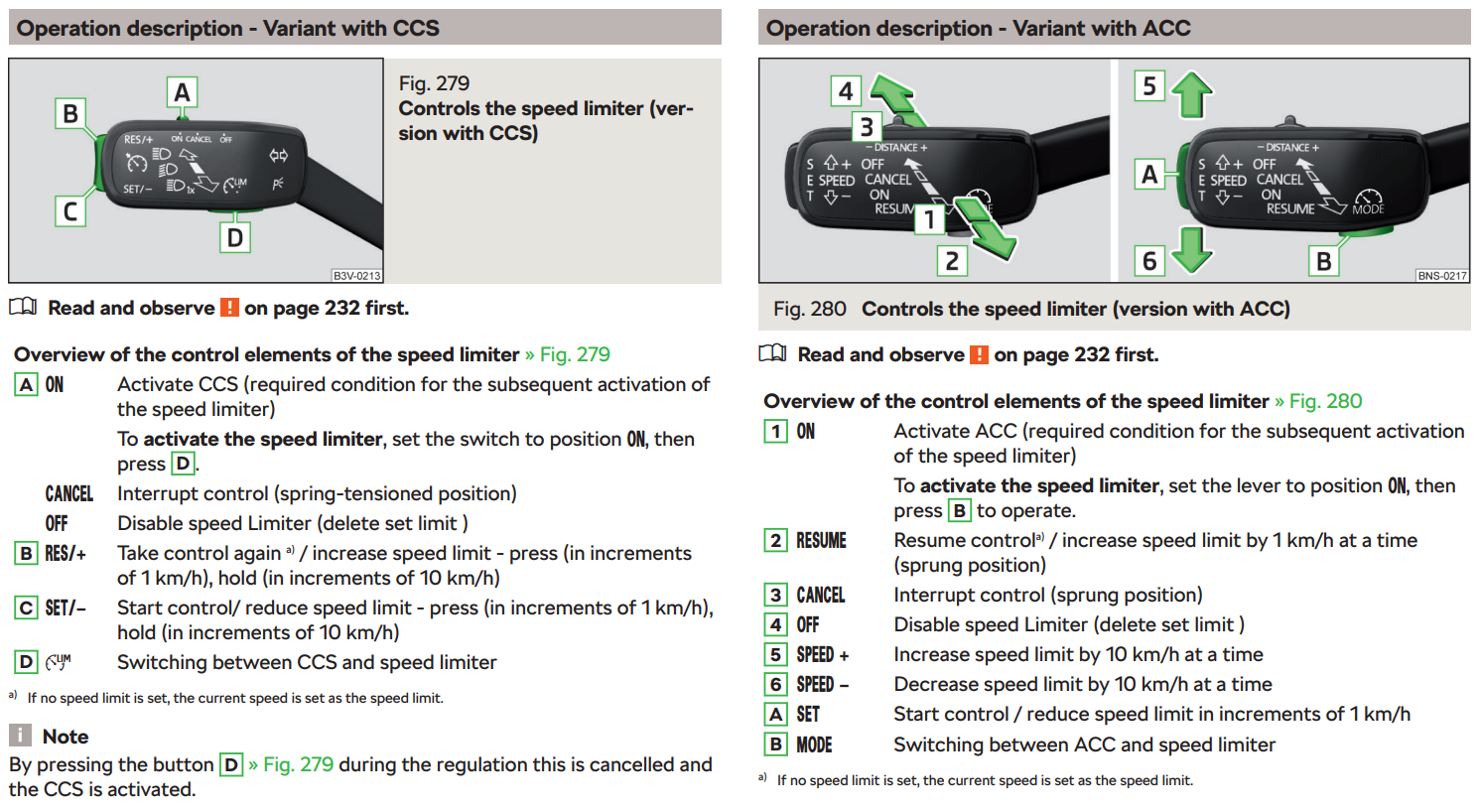
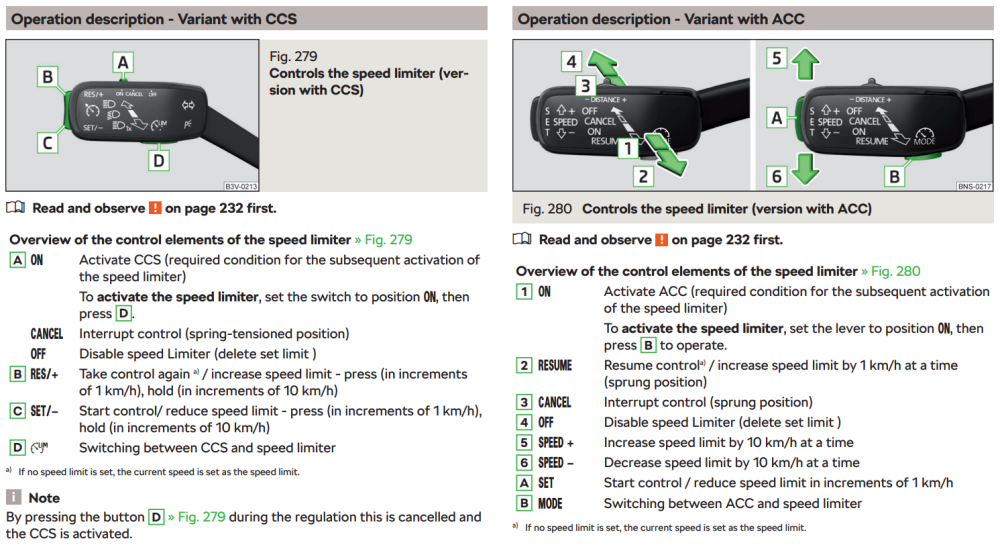
Take a look at the left hand stalk, if it has a limiter fitted then it should have the appropriate icon:
-
Which is pretty much what I expected to happen
-
Well yes, that's how the world works, old things become obsolete Few examples: - There is a plan to turn off FM completely and move to DAB - originally 2020 but now pushed to 2030. - There are loads of old non-digital TVs and SD-freeview boxes that are now obsolete. - Windows 11 only supports CPUs from around 2017 so when Windows 10 stops support in around 2025, loads of computers will be effectively obsolete if you want to use Windows with security patches. - Car parts will exist whilst there is a market, once that market is no longer profitable the parts are no longer made. - Even the switch from leaded to unleaded fuel or introducing E10 is effectively obsoleting old engines. It's just part of life I'm afraid. As far as I can see, VAG have three realistic options: - Do nothing. - If they still have a contract with Trafficmaster, move to TMC over DAB on supported headunits (map and maybe firmware update). - If they have a contract in place with INRIX for other regions, move to TMC over FM via INRIX (map update). Unfortunately, I think that's the most likely order of likelihood too. I'd also be very surprised if anything older than the MIB2 received any 'fix'
-
Probably not... If it was designed to connect to the suspension or comfort bus, that's how it would be wired from factory. Stick to the wiring diagram for the best chance of success Link to their other thread which may help others if there is an alternative answer: https://forums.ross-tech.com/index.php?threads/37627/
-
Whilst I agree, it's not a good analogy for this situation: - If you have a SmartTV that can stream YouTube or iPlayer or Spotify etc and one of those services shuts down, there is nothing the SmartTV manufacturer can do to reinstate that service. - In this case, Trafficmaster have decided to end TMC over FM so you can't really hold VAG accountable. If a contract between VAG/Trafficmaster has been broken, then they may be able to sue and offer a small amount of compensation to owners but without details, it's just conjecture at this point. However, I certainly agree with PetrolDave that they should have better messaging around it and not be performing diagnostics - ideally refunding anyone who has paid for this issue to be 'diagnosed'... IIRC, it's not the first time something similar has hit VAG as some cars supported Google Earth before that got pulled
-
Depends on market as I assume you don't have a UK car? As for retrofitting, I believe it needs a FeC/SWaP code to function. You'd need to ask a local retrofit expert for more details I expect.
-
You might want to take a look at my previous post: You'll probably need to both add the appropriate INRIX location table in to the correct NDS file and also change the xml files
-
It'll depend how you drive and what roads you're on.... In comparison to Gaz, my '18 plate vRS 245 (hatch, manual box) has averaged 37.5 MPG over the last 32k miles, best tank was 43.6 and the worst was 33. How many miles a year are you doing and how long are your journeys normally? TDi's can take a while get to get warm which can really effect the economy.
-
Correct, the original brackets are part of the moulding. However, if they snap then you can chop the broken bracket off and use a repair kit. For the eBay headlight you posted, the screw holds would be on the other side looking at the repair kit:
-
Repair brackets exist although I'm not sure which you'd need. Just for example, there are various options here: https://www.skoda-parts.com/catalog/superb-3/spare-parts/body/front-body/headlight/gas-discharge-headlight-300.html https://www.skoda-parts.com/catalog/superb-3/spare-parts/body/front-body/headlight/led-headlight-872.html
-
Likely these which are different to the pre-FL: - https://www.cars-equipment.com/en/shop/tail-lights-3/oem-5e9945231-bulb-holder-skoda-octavia/ - https://www.cars-equipment.com/en/shop/tail-lights-3/oem-5e9945232-bulb-holder-skoda-octavia/ You'll also need 8 screws to attach them, part number N10549603. I use VCDS for coding but plenty use OBDeleven, I think changes are only needed when converting from halogen to LED so you might be OK. For example: https://www.drive2.ru/l/638653803968617256/
-
Official workshop manual source is https://erwin.skoda-auto.cz/erwin/showHome.do My 245 TSi averages 37.5 MPG so I'd expect more from a TDI. Think my best from a tank is 43.5 MPG... As Cookie mentions, it'll depend on where you're driving. It won't be great round town or shorter journeys as it'll only start getting decent economy once it's all warmed up which takes a while. You can also check the obvious things like tyre pressures and sticking calipers. Be careful when converting MPG as the UK and US gallons are different sizes 37 MPG (UK) is 7.6 L/100 whereas 37 MPG (US) is 6.2 L/100.
-
Hex-v2 or hex-net should be fine for a 2018 Octavia. Repair manuals can be found on Erwin for a small fee. An hour's access should be long enough to get everything you'd want 👍
-
The calibration is optional, I only did it to remove the "no calibration" error code Hopefully the aftermarket one works out, I'm sure a few people have had issues once they've been fitted for a while.
-
Your profiles states you have a 2018 car - genuine highline cameras are pretty easy to find, just for example: https://www.aliexpress.com/item/1005003578483619.html I actually grabbed a Tiguan version as it had a washer jet to keep the camera clean - I checked with the seller and they were happy to install the Octavia dataset/parameter file on it for me Few details on the installation: And the calibration:
-
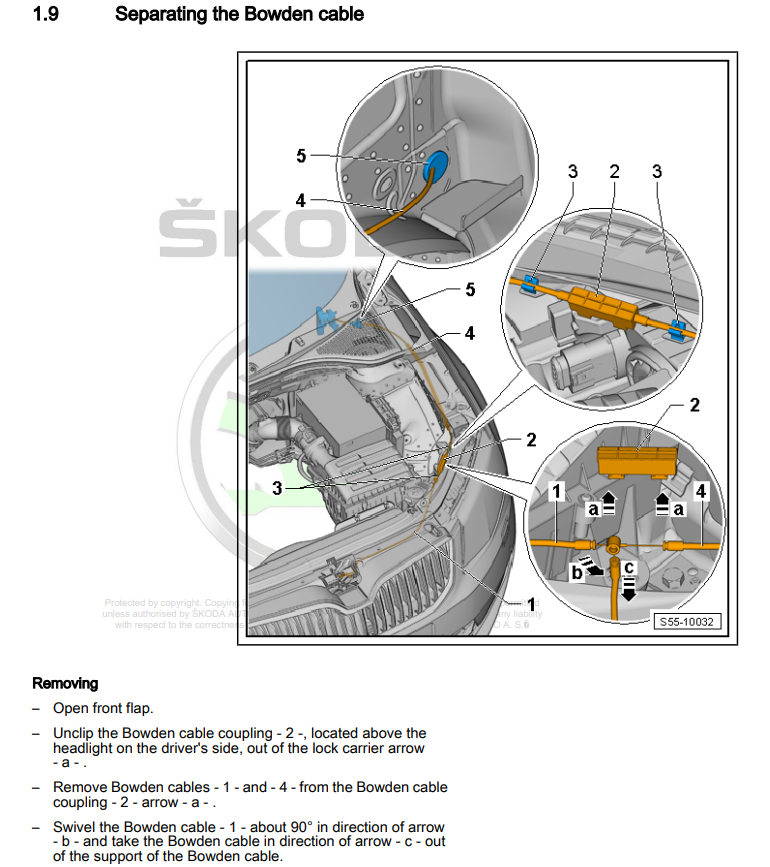
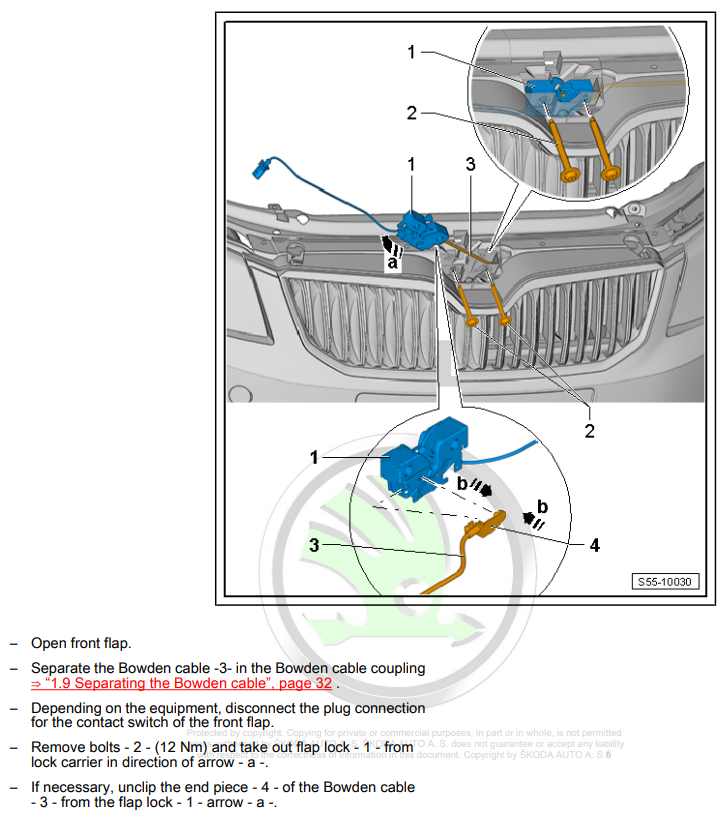
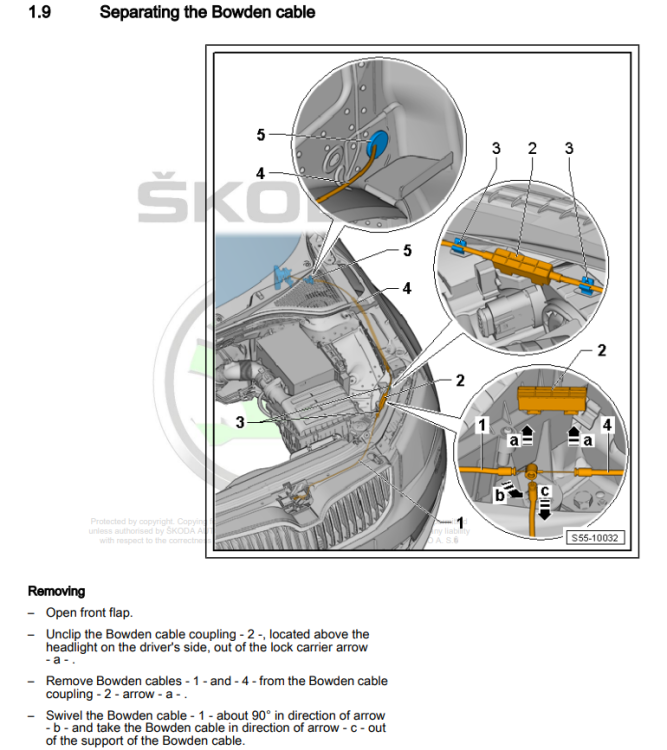
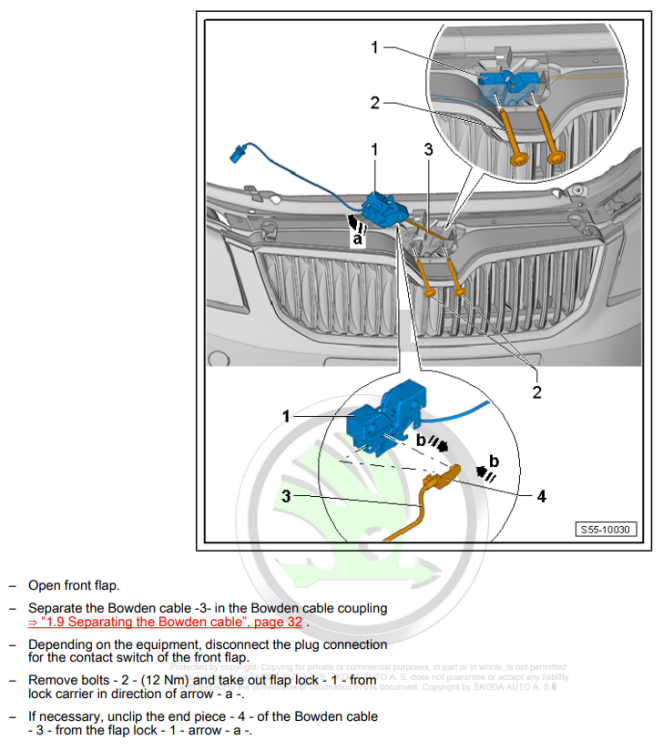
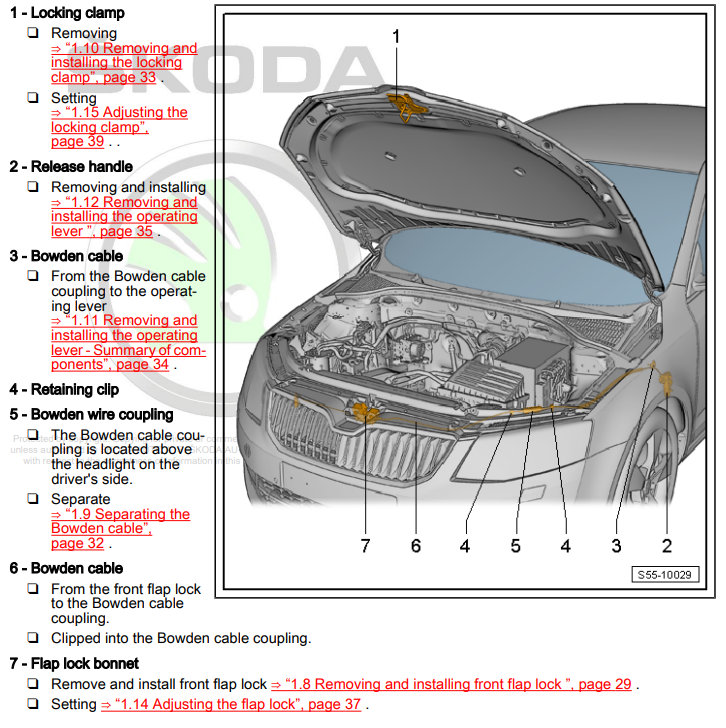
Have you tried adding power to the centre console 12v socket yet? I know the car is locked but I'd hope a 75mm gap would be enough to get one stuck on a stick in place... Bowden cable routing: Lock removal: Full system:
-
Might be worth posting your autoscan as it may give some pointers. Otherwise, I'd probably try checking the measuring blocks relating to the CC switch position etc
-
It's definitely effecting RNS, MIB1, MIB2 and MIB2.5 headunits. I've not noticed any reports about MIB3 being effected but I think that uses online traffic as part of the Skoda Connect subscription rather then TMC over FM...