



Kenny R
FREEDOM
-
Joined
-
Last visited
Everything posted by Kenny R
-
Have you set the winter tyres speed warning perhaps.
-
Plenty dealer shops on eBay and Amazon also available from your local dealer. https://www.google.co.uk/search?q=skoda+plastic+wheel+nut+covers&client=safari&hl=en-gb&ei=U8haY_-8LYuZgQaK1InwDQ&start=10&sa=N&ved=2ahUKEwi_sv_Z_4D7AhWLTMAKHQpqAt4Q8NMDegQIBxAO&biw=1121&bih=1438&dpr=2
-
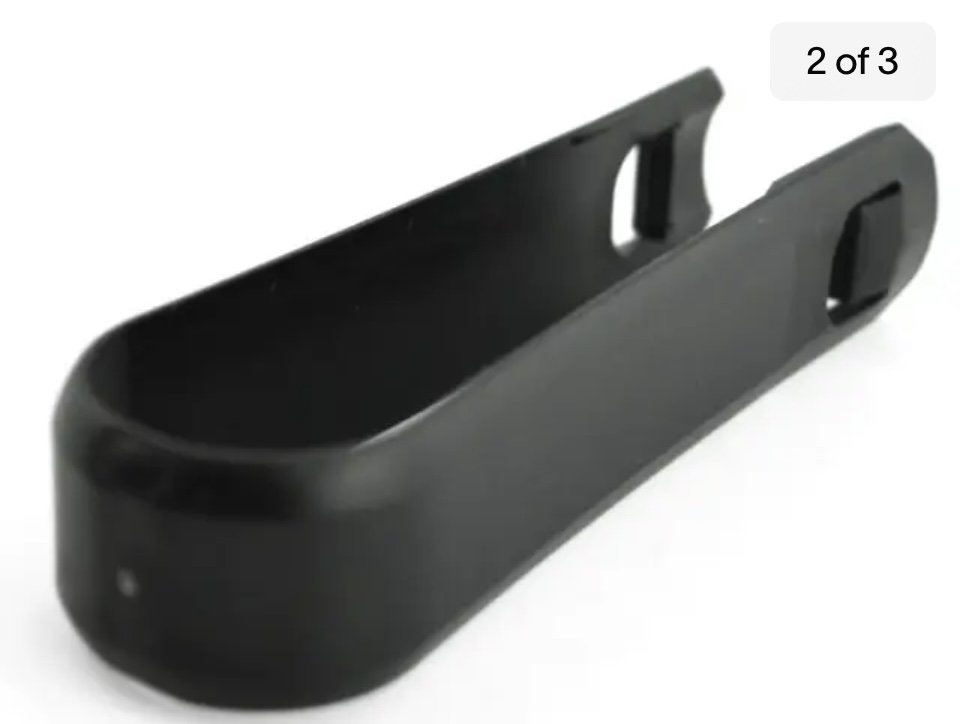
That’s not for removing the plastic wheel nut covers, it is for removing plastic wheel trims on lesser models, and sometimes to remove trim to access towing eye fitting.
-
Seems to be new e-TEC mild hybrid options though.
-
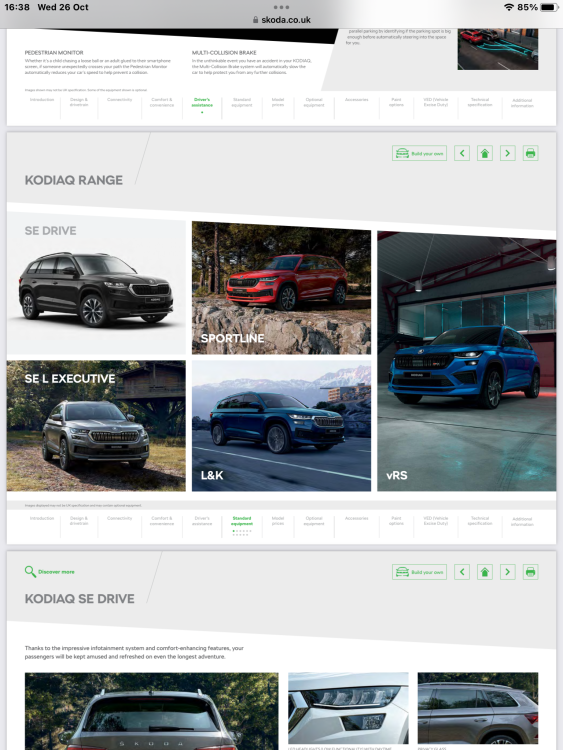
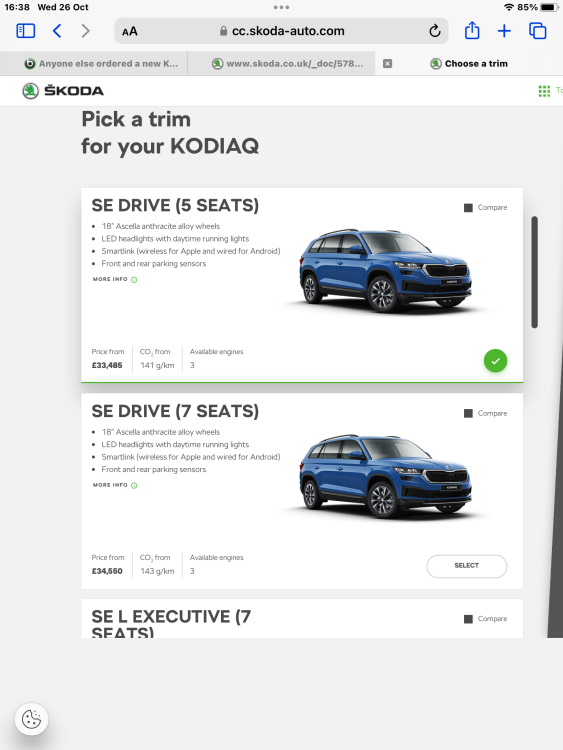
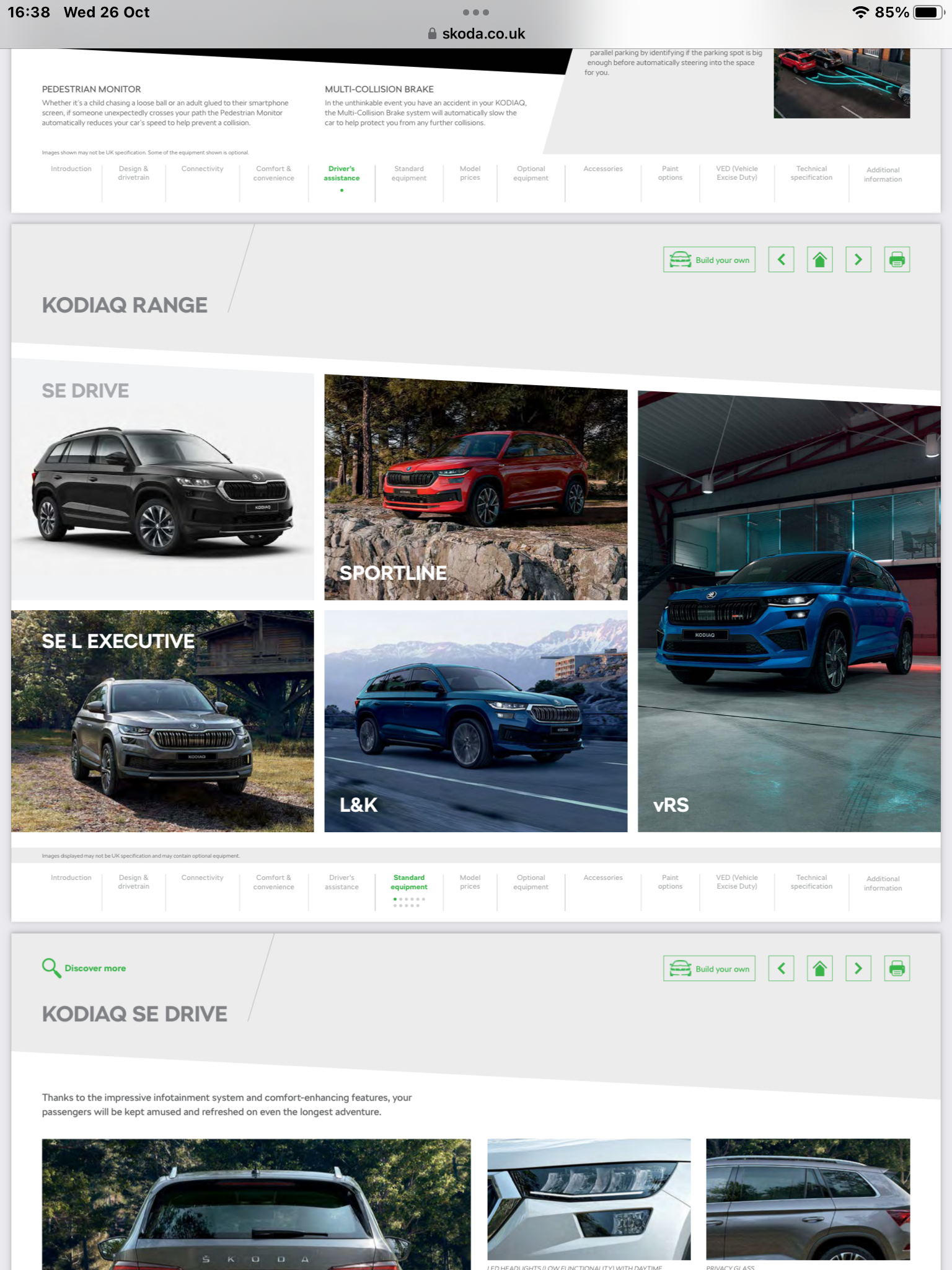
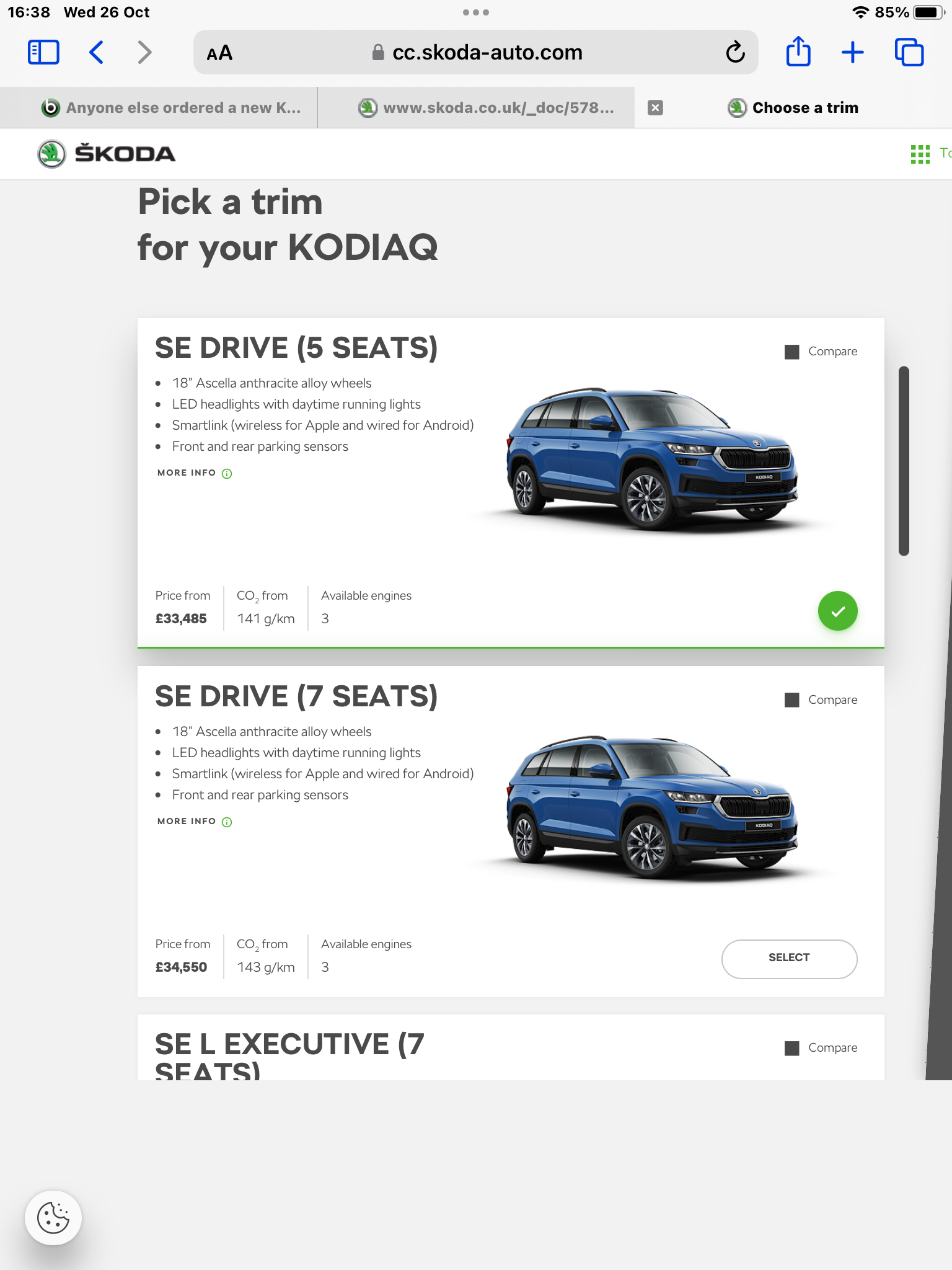
SE Drive featured in current brochure and on configurator…
-
Strange how the consensus is still to put the new tyres on the rear. https://www.google.co.uk/search?q=new+tyres+in+front+or+rear&client=safari&hl=en-gb&ei=yuRXY6r2EofQgAaF7JSQAQ&oq=new+tyres+in+front+or+rear&gs_lcp=ChNtb2JpbGUtZ3dzLXdpei1zZXJwEAMyBQgAEIAEMgUIABCGAzIFCAAQhgMyBQgAEIYDMggIIRDDBBCgAToKCAAQRxDWBBCwAzoHCAAQgAQQDToFCAAQogQ6CgghEMMEEAoQoAFKBAhBGABQ6B5Y-jlg40ZoAXAAeACAAesBiAGbBpIBBTMuMi4xmAEAoAEByAEIwAEB&sclient=mobile-gws-wiz-serp
-
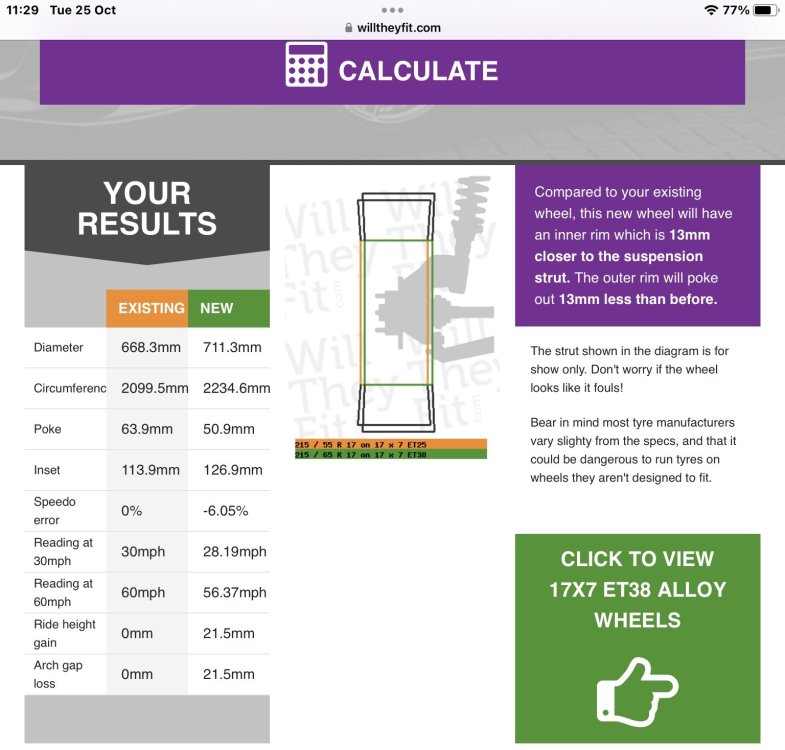
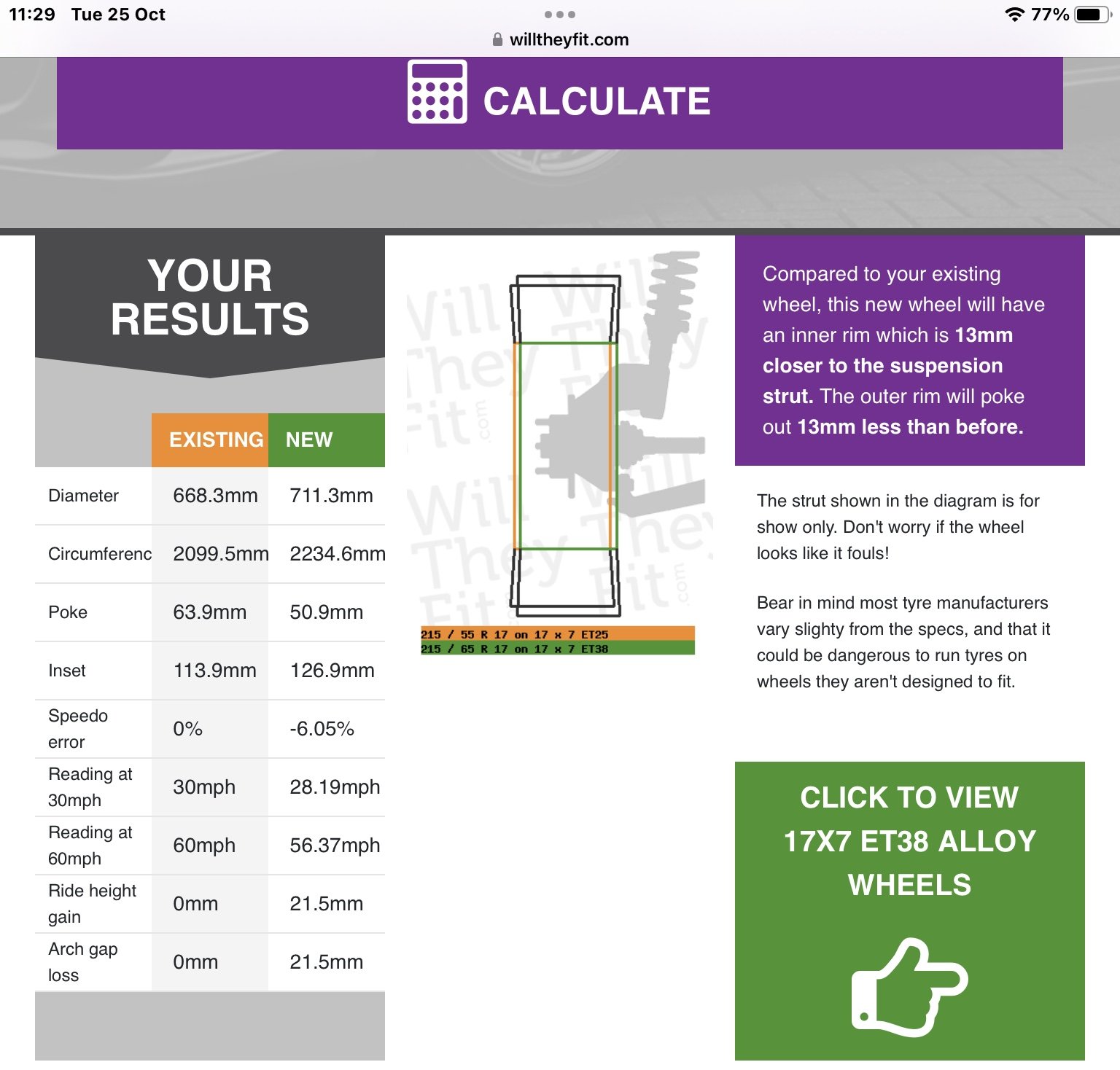
215/65 r17 tyres are 43mm larger in diameter than the recommended 215/55 r17 tyres suitable for the Karoq, and will cause speedometer error.
-
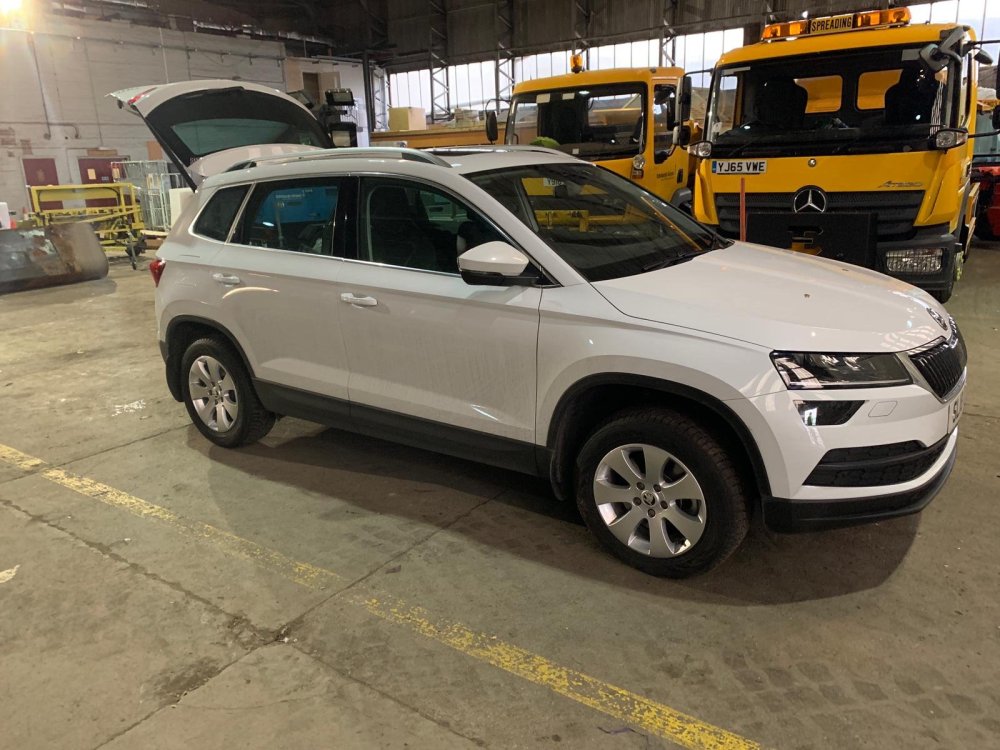
My sons old Karoq on its 16” winter wheels
-
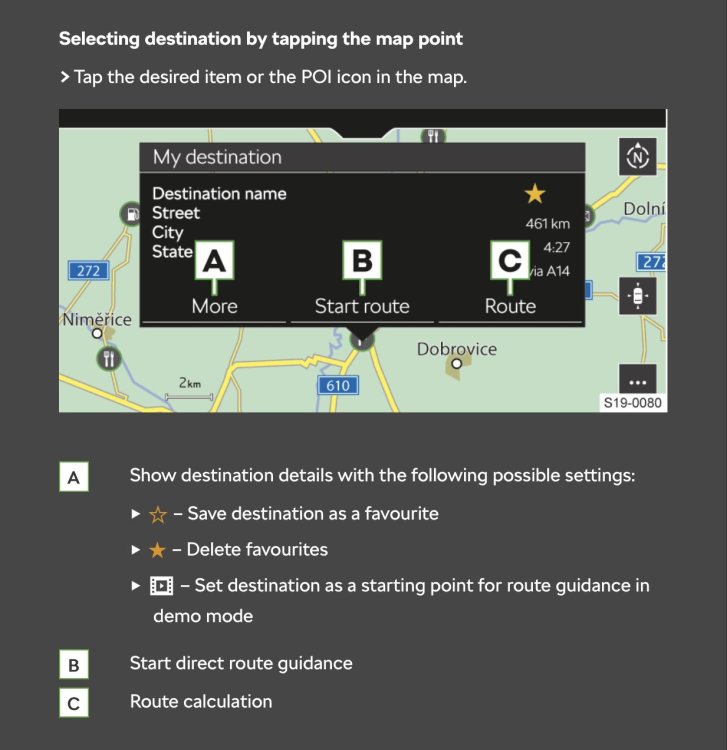
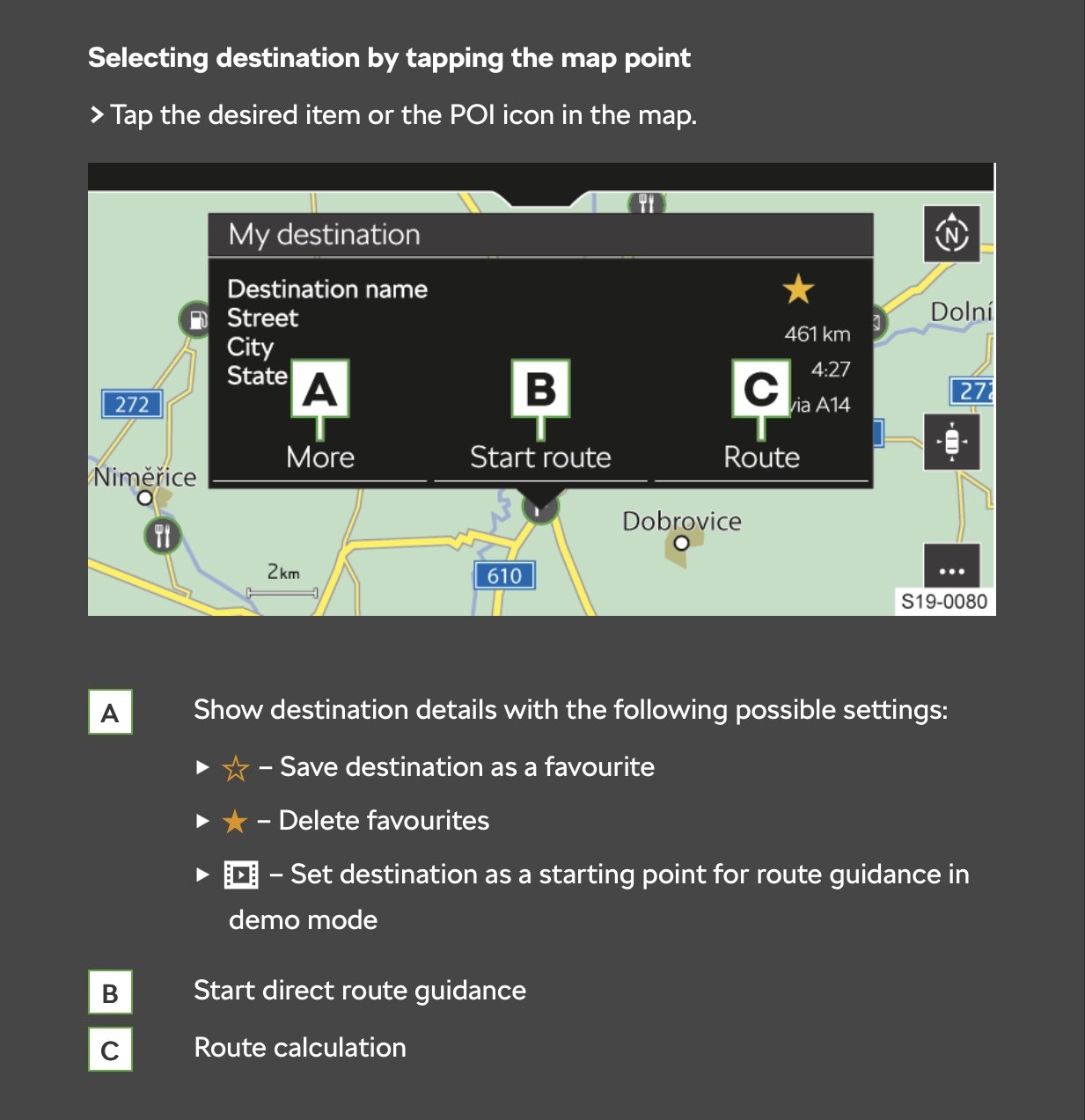
https://digital-manual.skoda-auto.com/w/en_GB/welcomeHaven’t tried it but looks like if you press on screen where you are box pops up select option A and save as favourites.
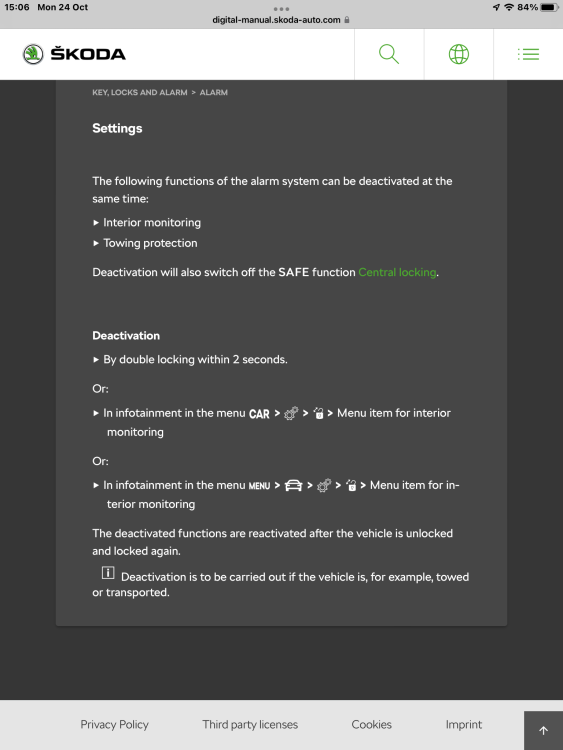
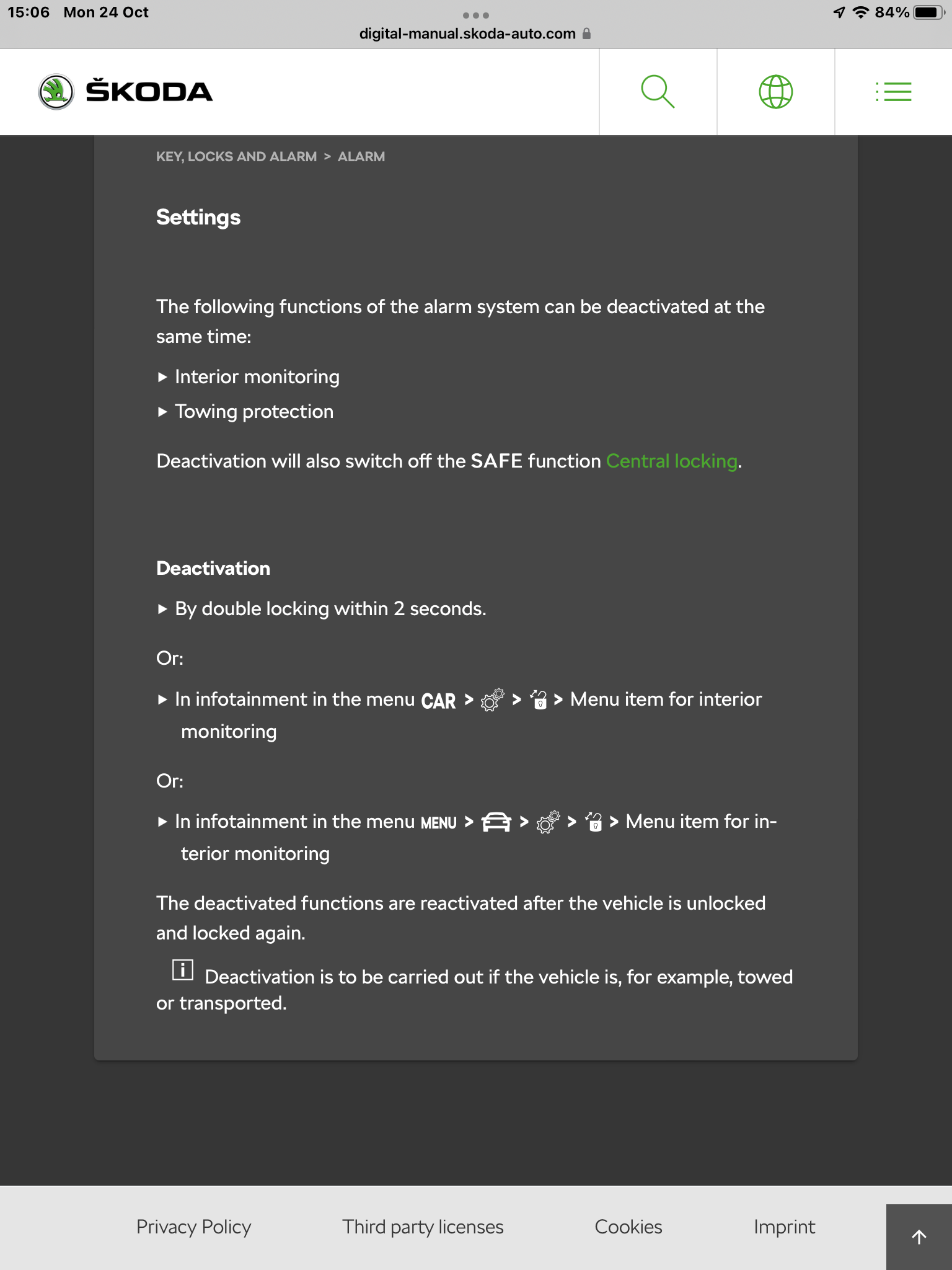
 From the owners manual… You can disable interior monitoring by pressing the lock button on the remote twice in quick succession or can be disabled in the infotainment screen.
 Welcome, pop over to the Kodiaq section and ask away.Easy enough to change battery with no apparent faults, but new battery really does need to be coded to car using VCDS or similar after fitting.Confused as 1.5 tsi oil filter is lower front of engine not at the back. Engine covers don’t require removing.Most of the time they are stored end up, so all you see is the dome end, which is hard to spot against the black polystyrene.
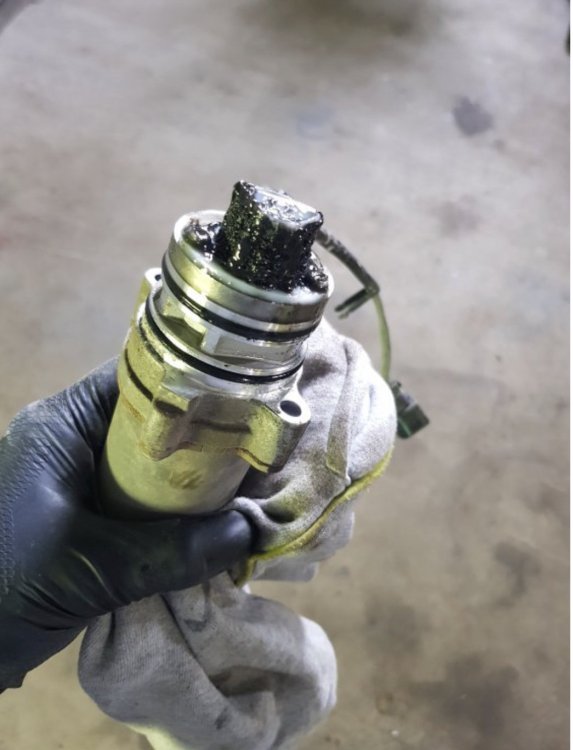
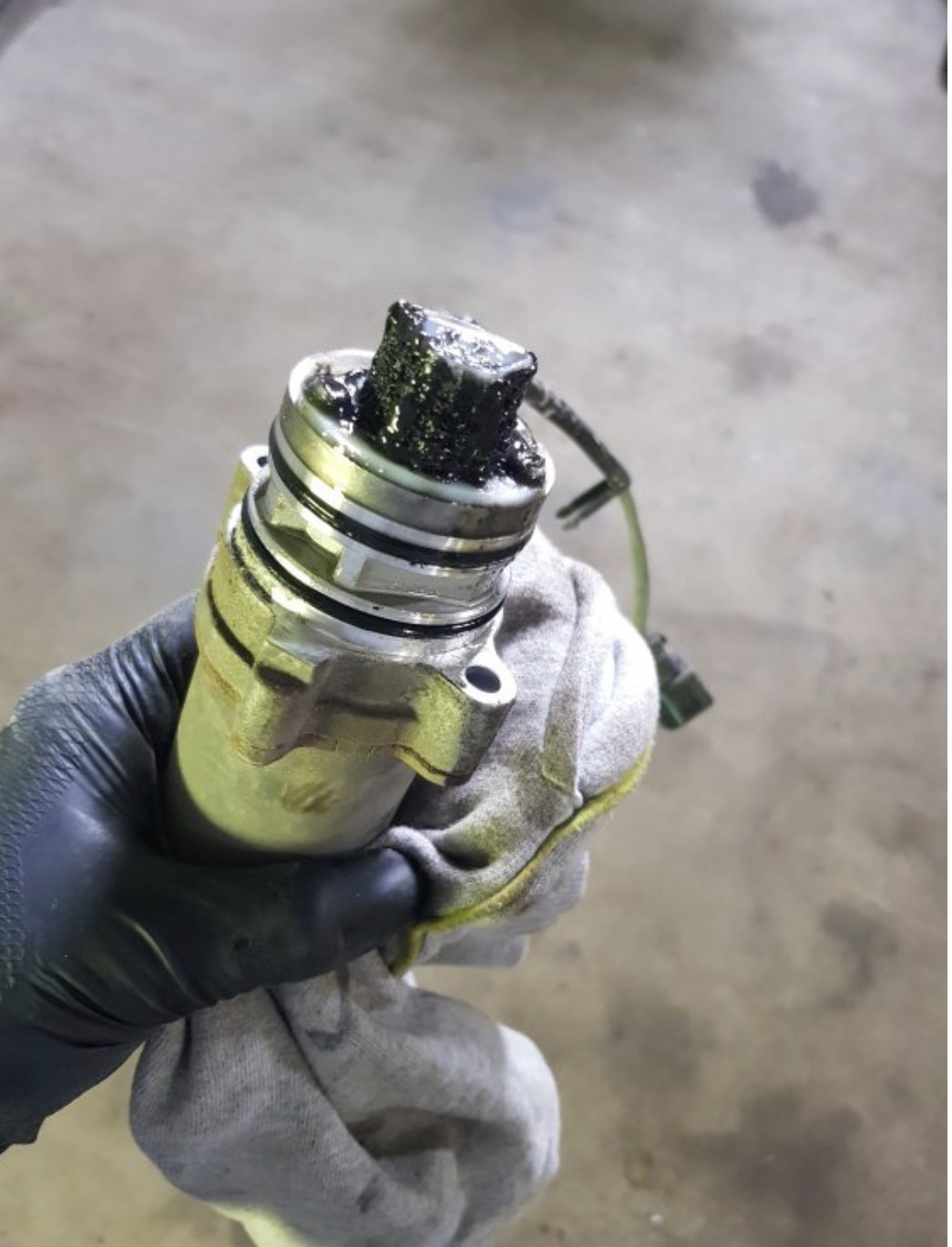
 I believe the Bolero does not have sat nav whereas the Amundsen does.Best check your owners manual. As above there could be a switch on the drivers b pillar, there could be an option in the vehicle screen to disable, or as per most other models pressing the remote lock button twice turns off the interior monitoring, but note it also turns off the deadlock.Because after 3 years your Haldex pump filter will look like this regardless of mileage. The dealer will only change the Haldex oil, when in reality the pump needs removed and the mesh filter cleaned. Ask if they will do the job properly or find a local indi who will remove pump clean filter and change Haldex oil probably cheaper than dealer will charge for only changing oil.
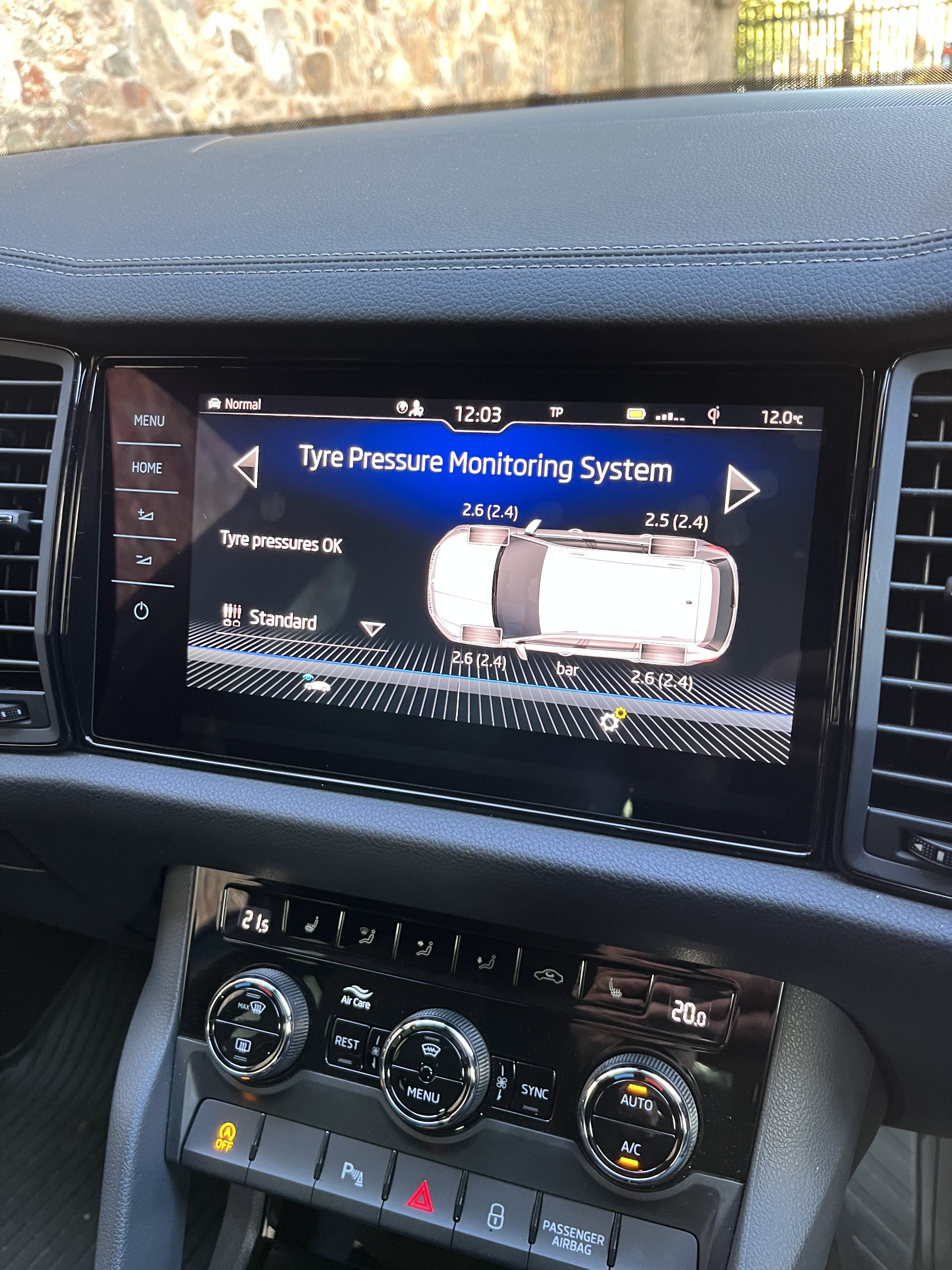
 Shows that EHB is applied.It’s easy to get in the habit of turning off start/ stop by pressing the button when starting the car, and if you do want it to work if held up at temporary traffic etc it’s just a matter of pushing the button as required.That’s the thing, you normally get a warning and if you don’t make any change in input to steering, accelerator, brakes then the car will apply the brakes. Are those that are saying car slammed the brakes on ignoring these warnings, or are their cars actually braking for no reason.If it is a 2.0 tsi see here..Ah, you must have the direct TPMS , like mine, with the sensor in the tyre valves and shows each individual tyre pressure on the screen.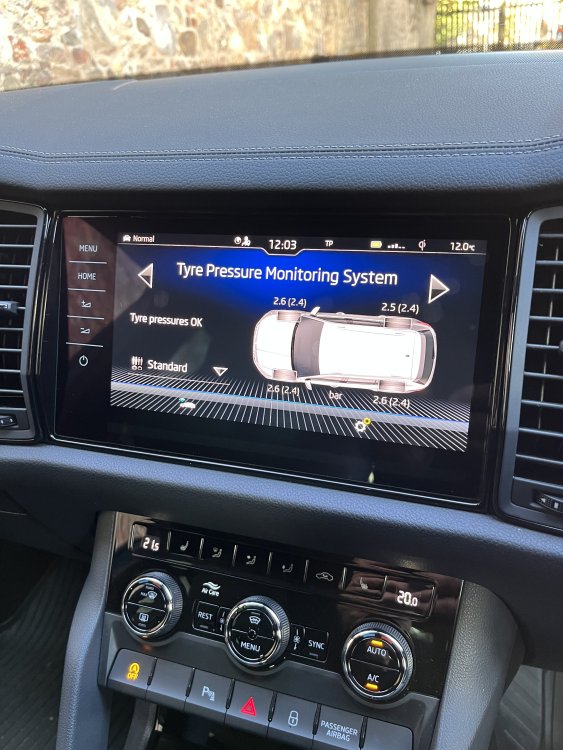


Important Information
Welcome to BRISKODA. Please note the following important links Terms of Use. We have a comprehensive Privacy Policy. We have placed cookies on your device to help make this website better. You can adjust your cookie settings, otherwise we'll assume you're okay to continue.