26DIPP
Members
-
Joined
-
Last visited
Everything posted by 26DIPP
-
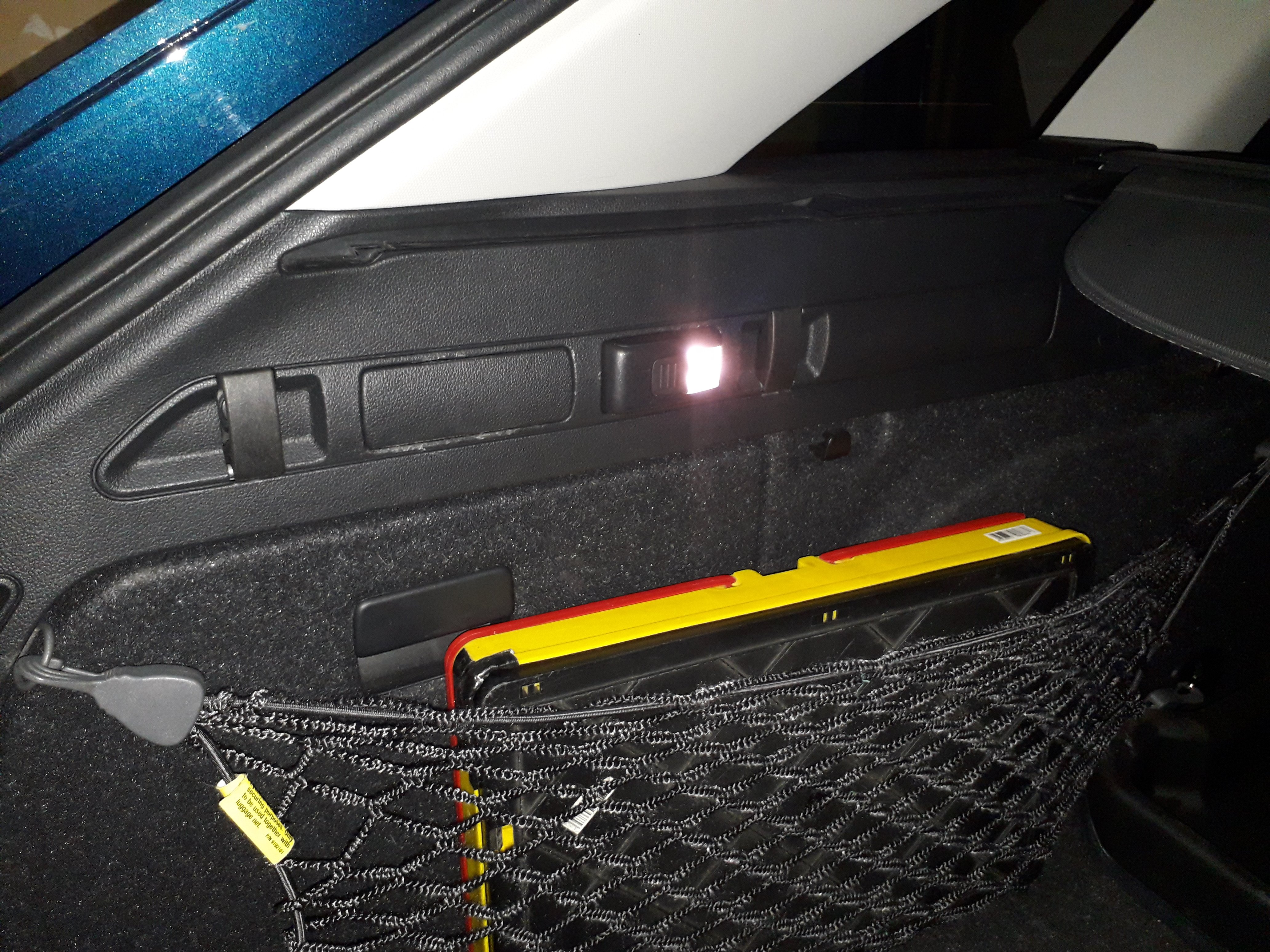
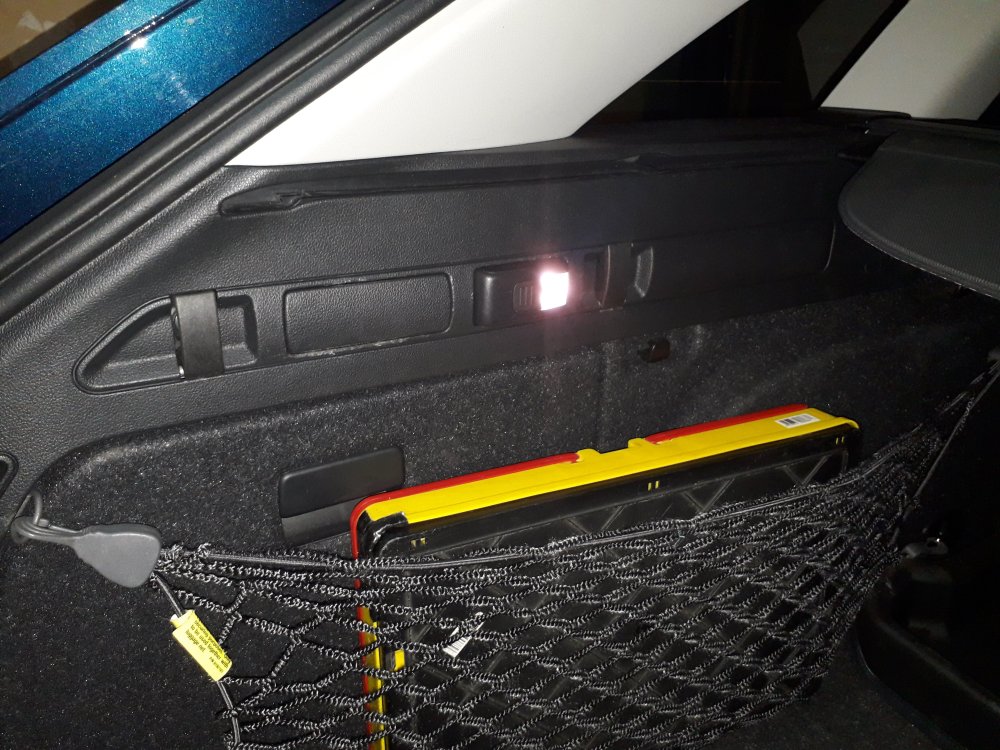
I have also retrofitted the boot light but I have not written that one up here. The wiring was a right pain.
-
I do not have the PN, but I am sure I have seen a write up somewhere here on the retrofit of a RVC in a SIII.
-
FL 2023, RHD, left side of road here. I have coded my HBA to be on as set when the car was switched off, so on most of the time even when driving on UK motorways. I never get flashed at by oncoming traffic on the right. The car is set to RHD in the menu. In STG 4B there is a setting for "motorway light" which has always been set to active. Another setting "Highway light" cannot be set. If you do you just get errors. When we went into France I set the light to right hand traffic, driving on right. On motorways even when there is no discernible barrier in the middle and I can see the lights of oncoming traffic I frequently get flashed by the traffic on the left of me and turn the auto HBA off. I have not really tried to drive in France with the car set to left hand traffic thinking that the settings have to be correct. Next time I might try keeping the lights set to left hand traffic. Unfortunately I cannot change this when driving. The car has to stationary to do the change.
-
Hi, If you can do a read out of DTCs or a full autoscan.
-
Does anyone here have an actually downloaded PDF manual for the SIII? Could they please upload it her please.
-
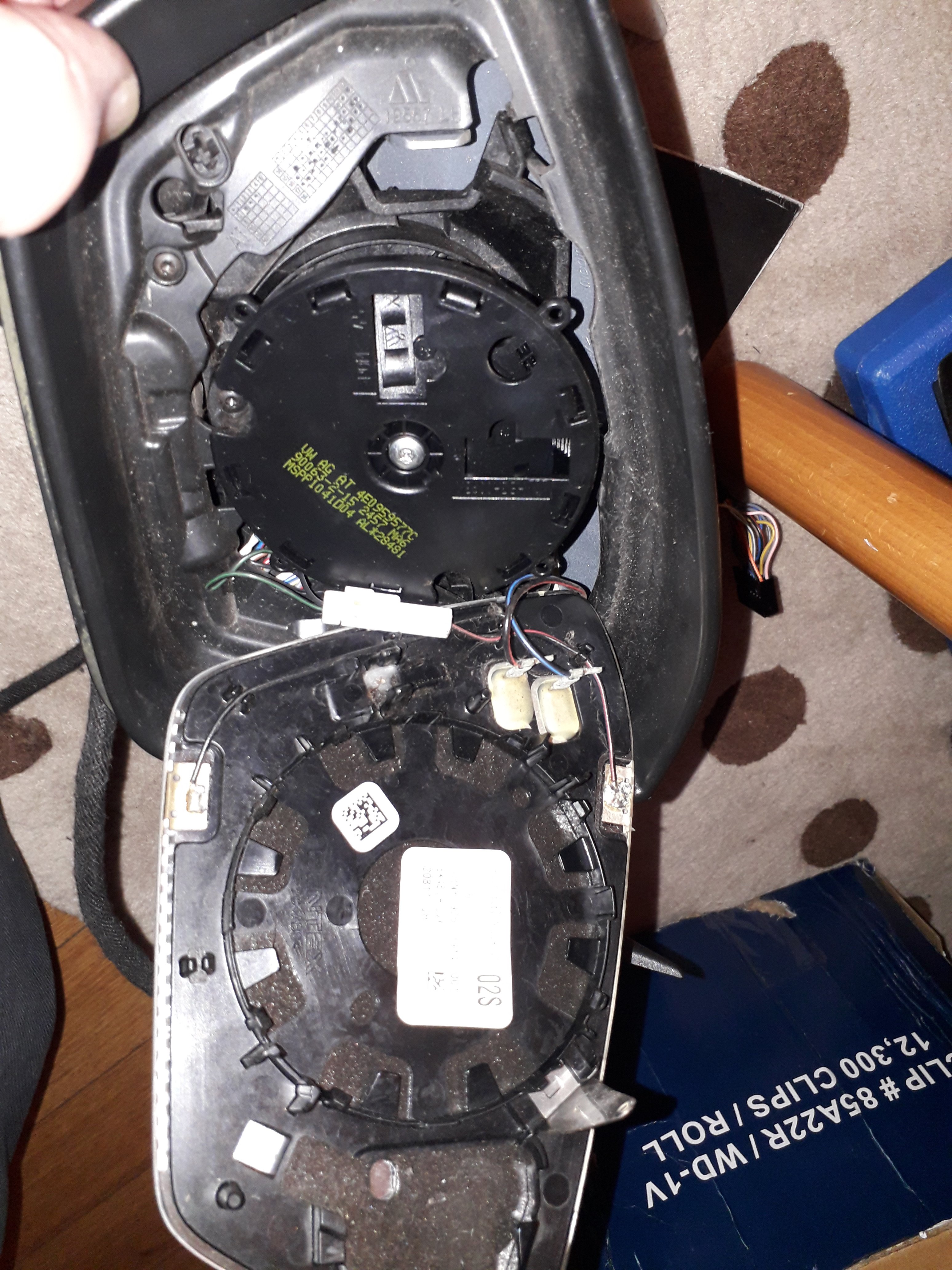
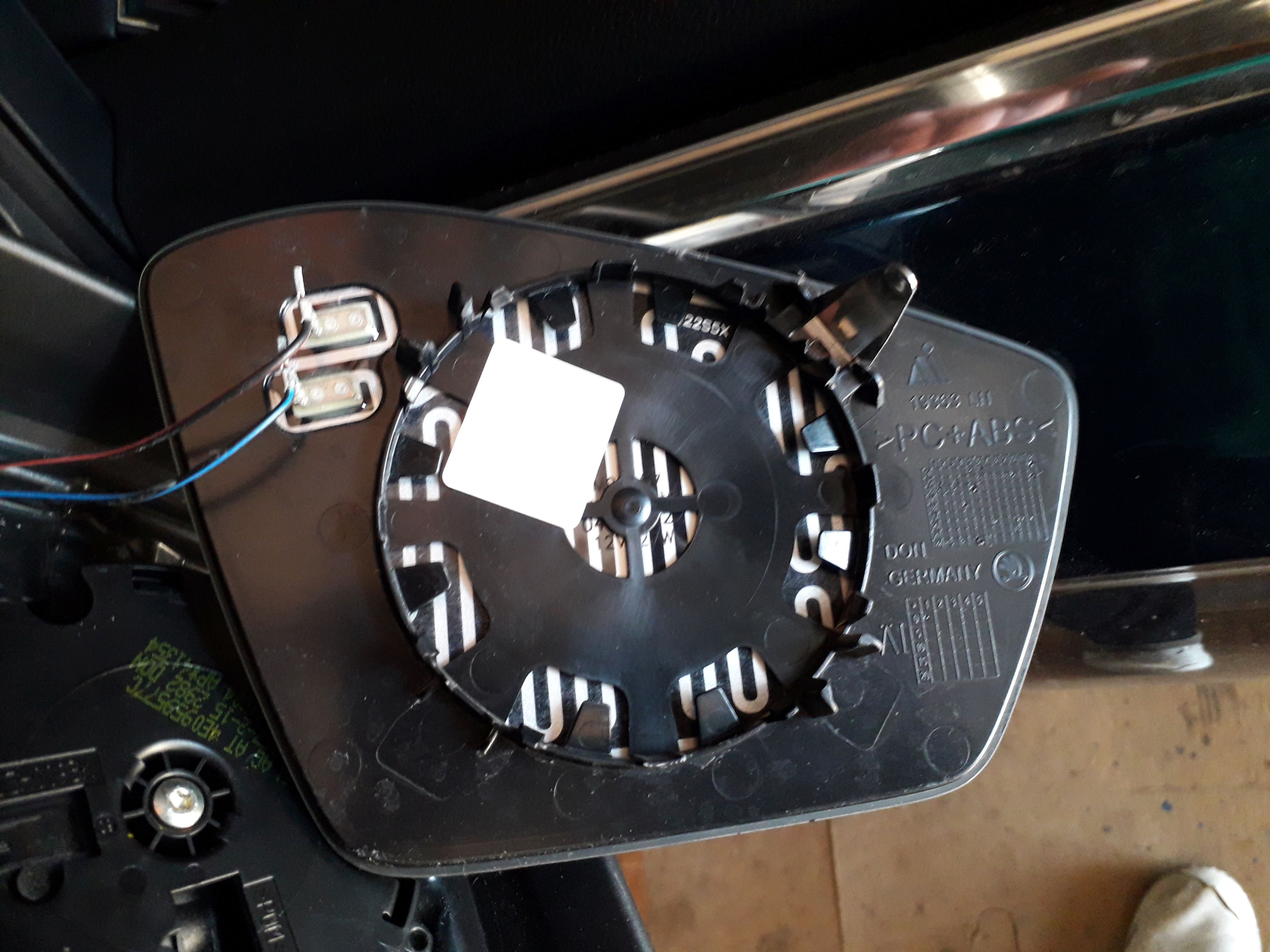
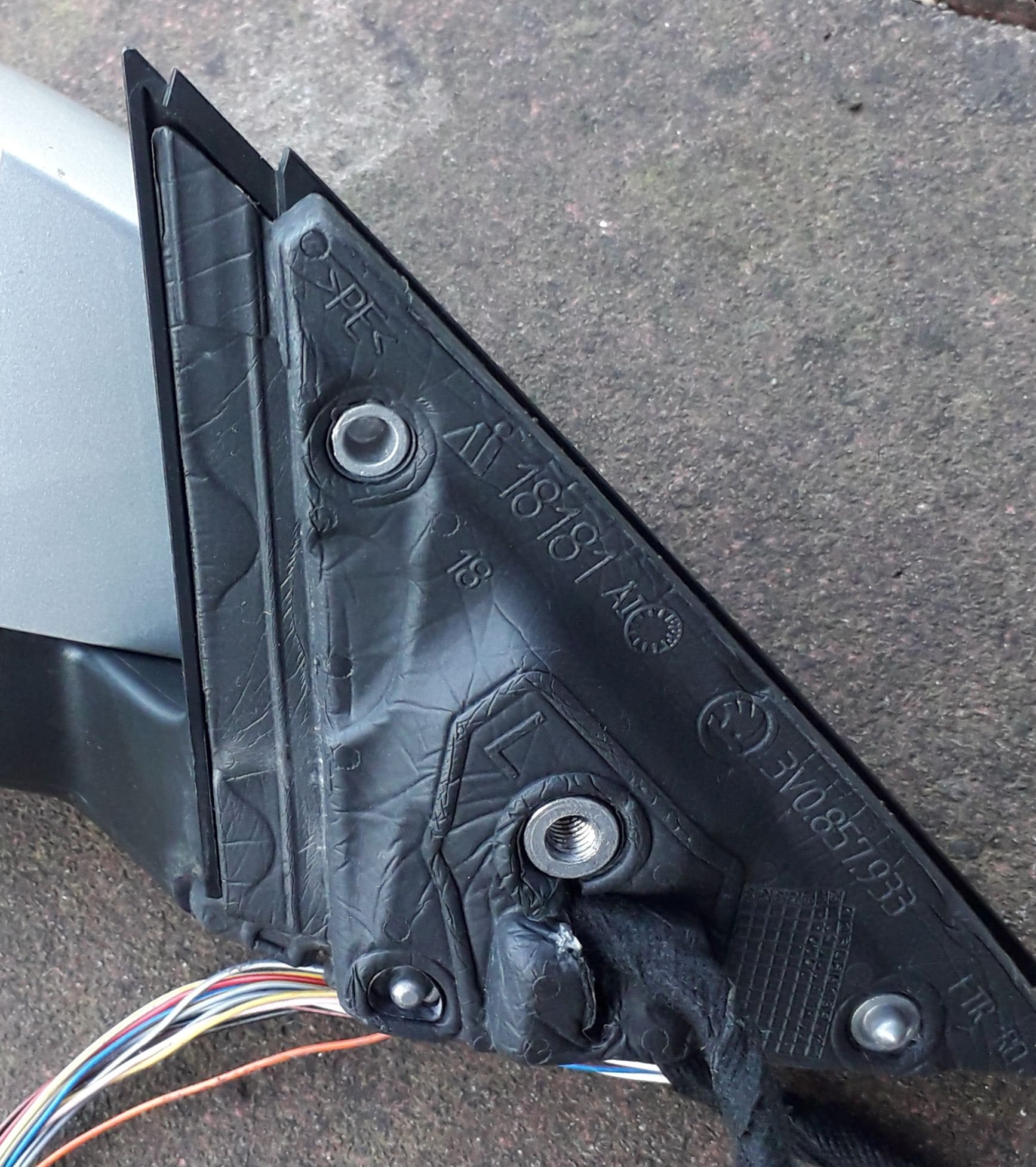
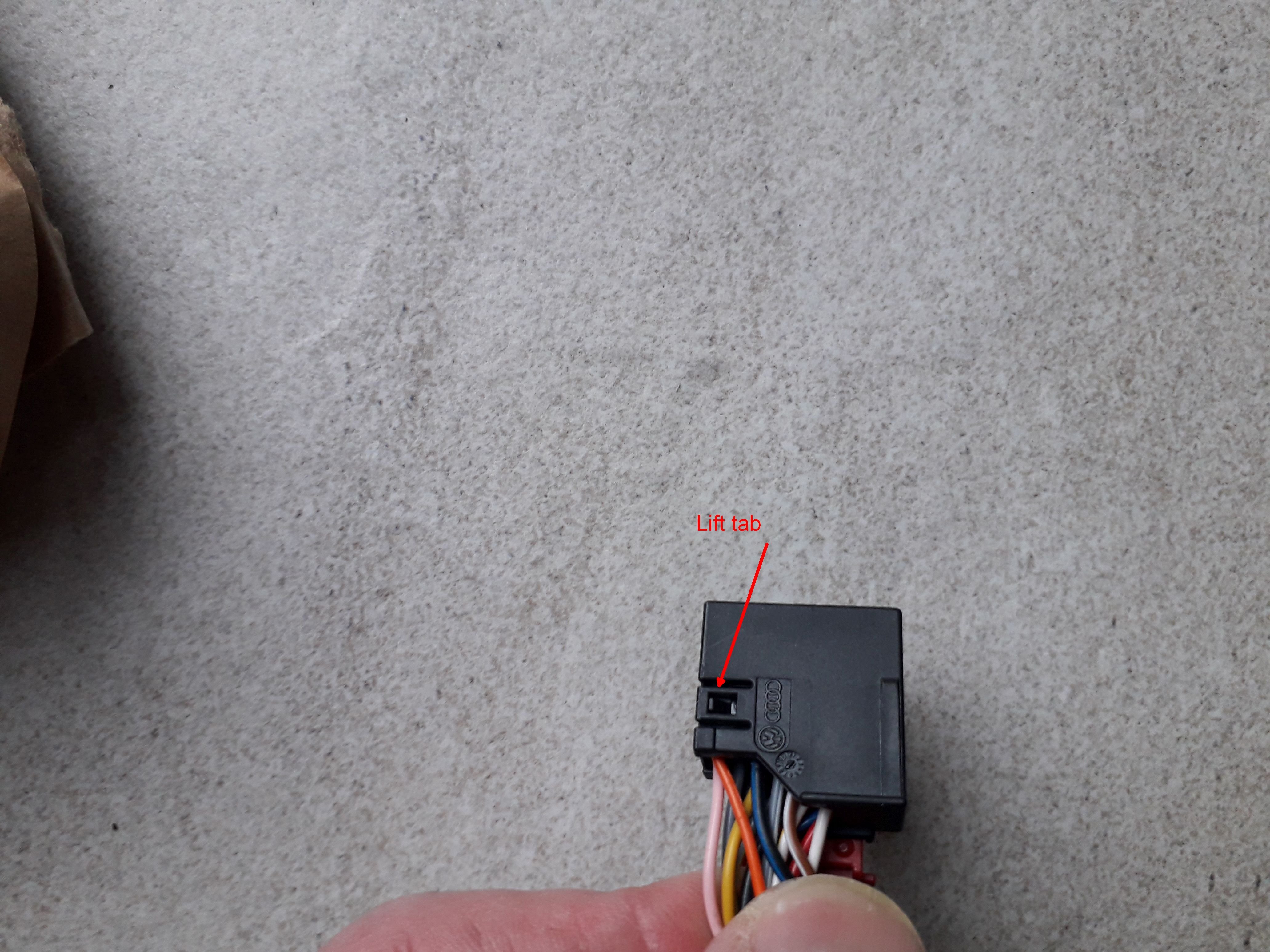
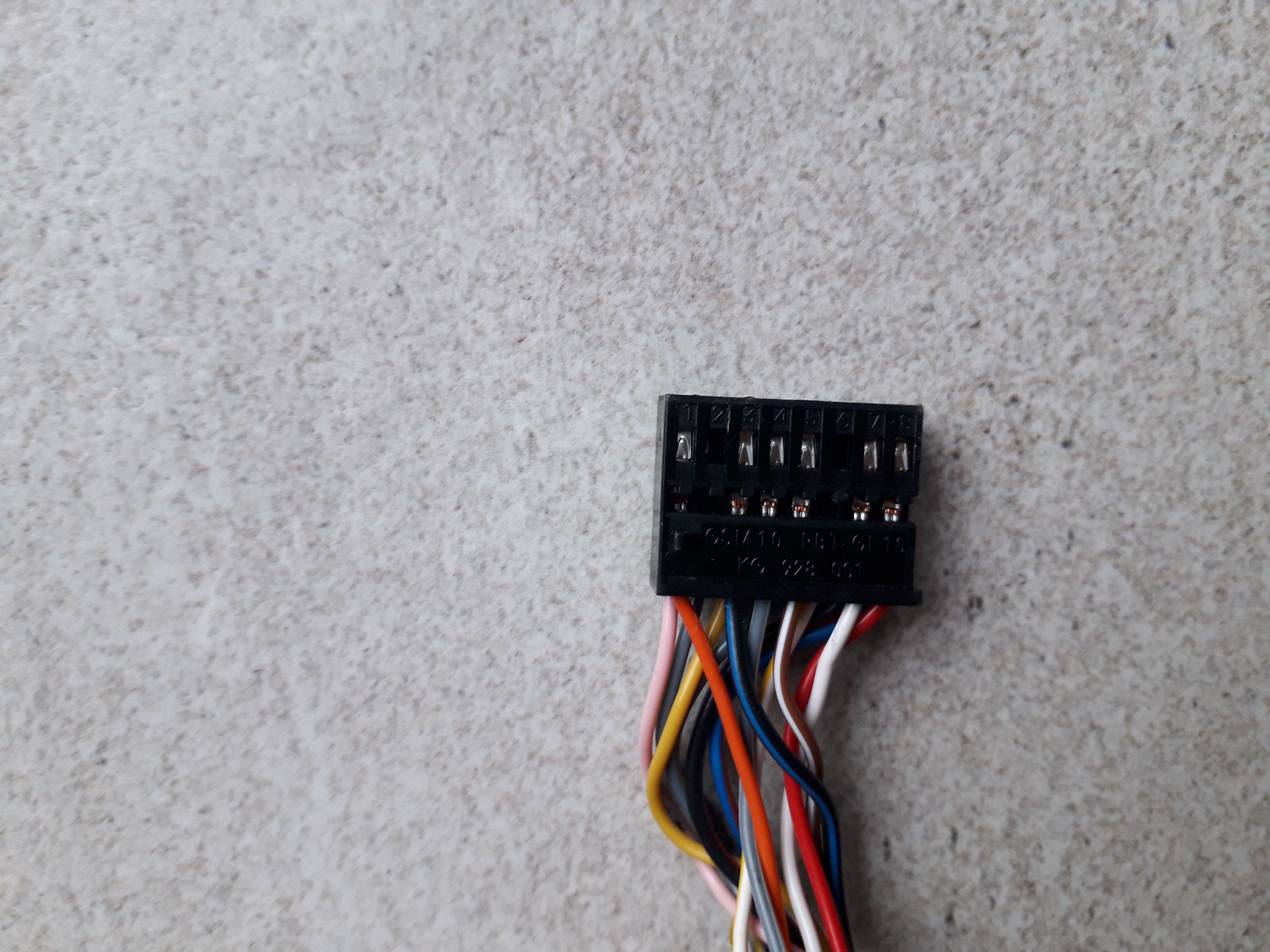
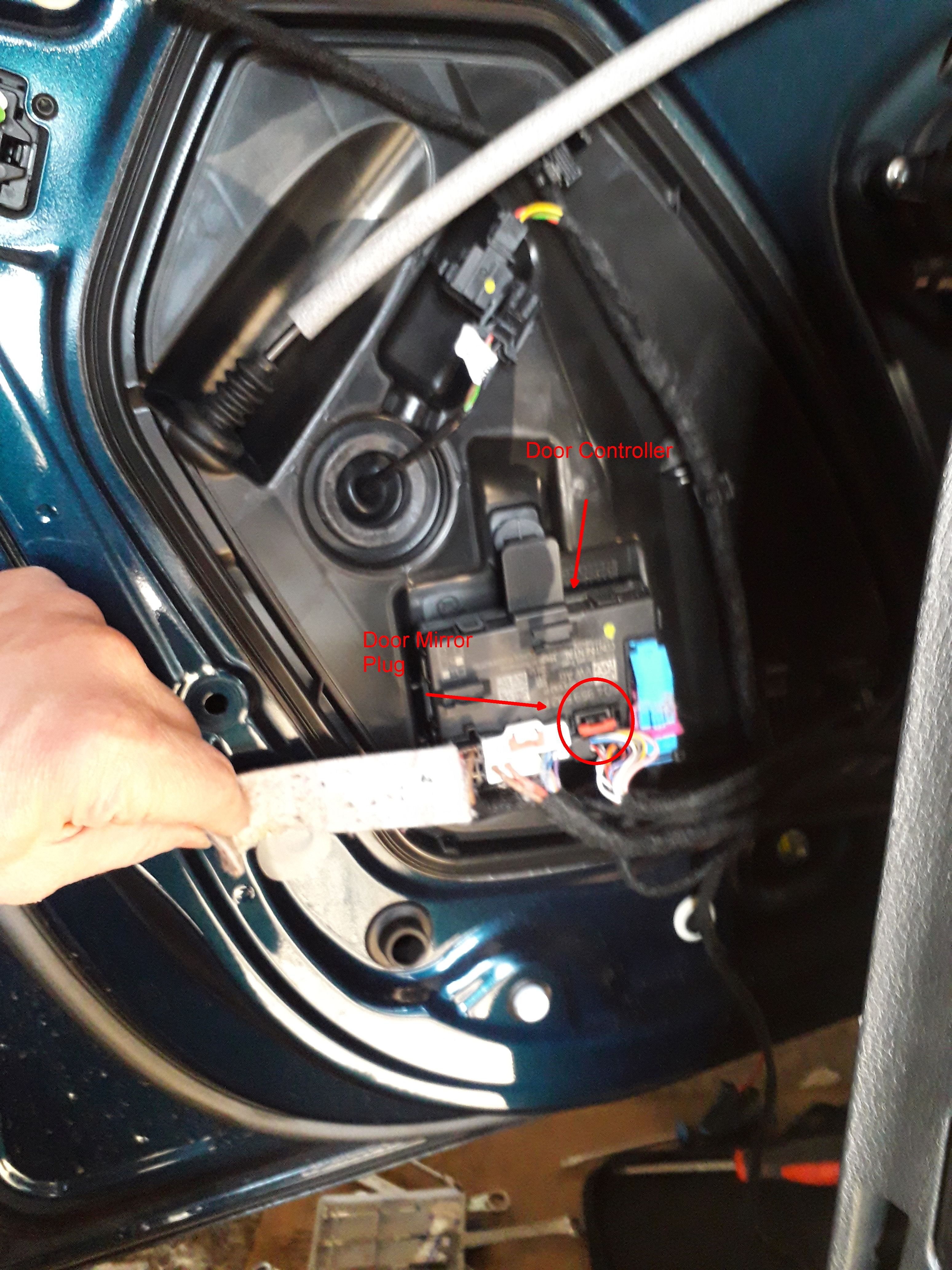
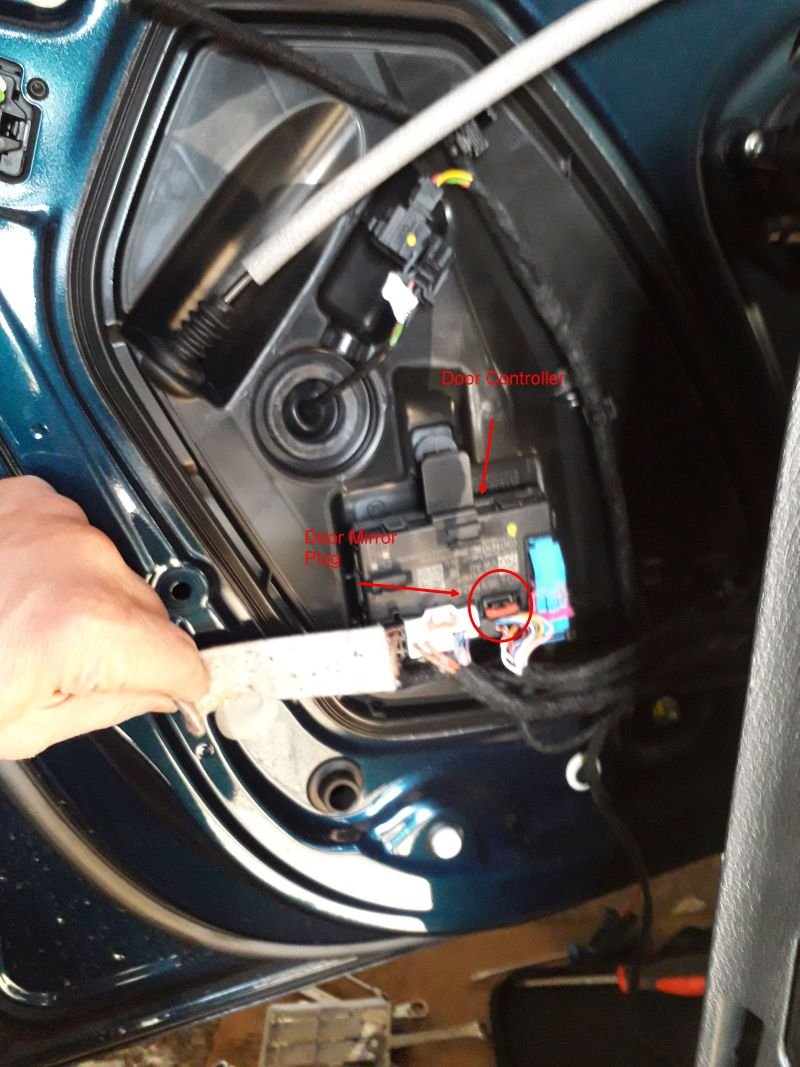
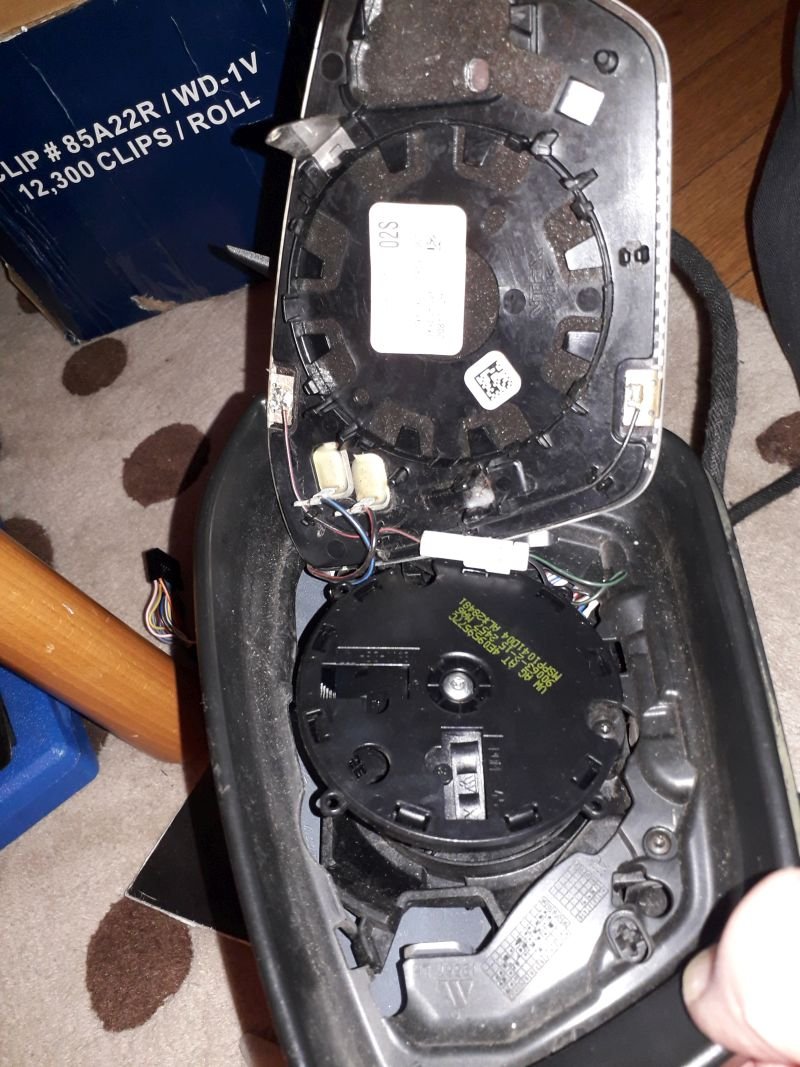
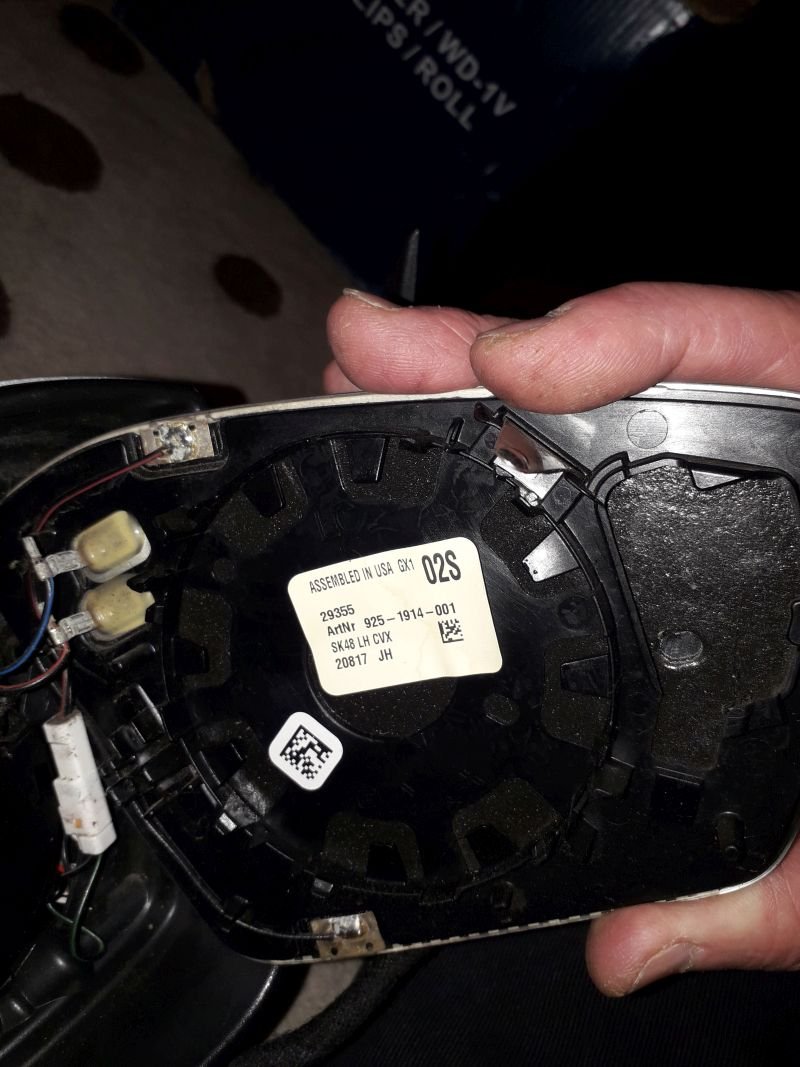
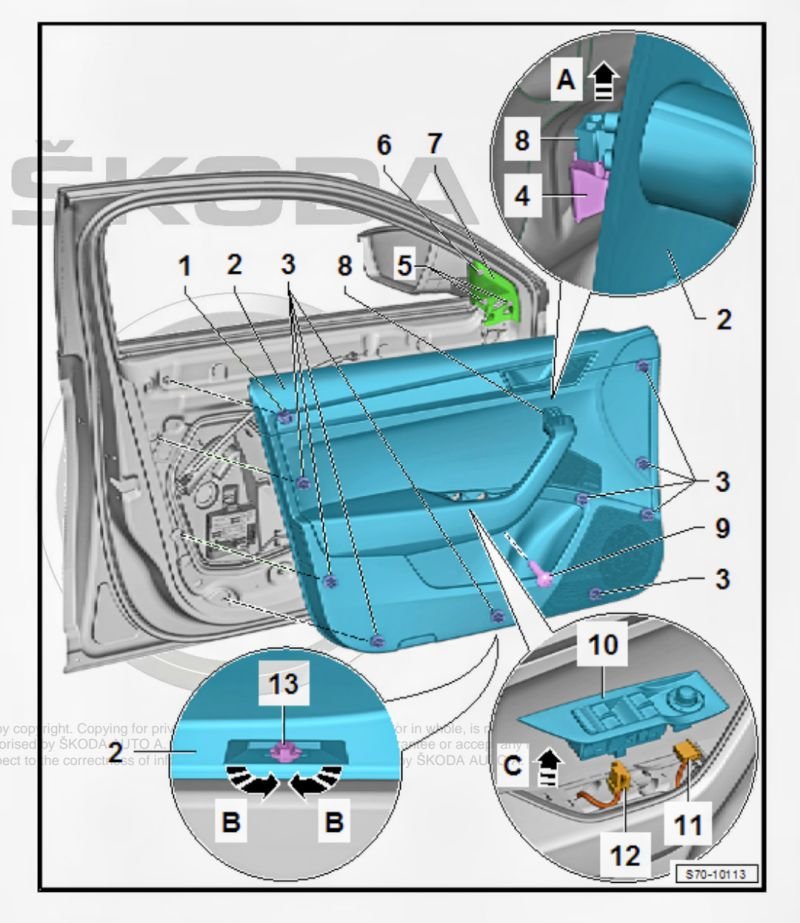
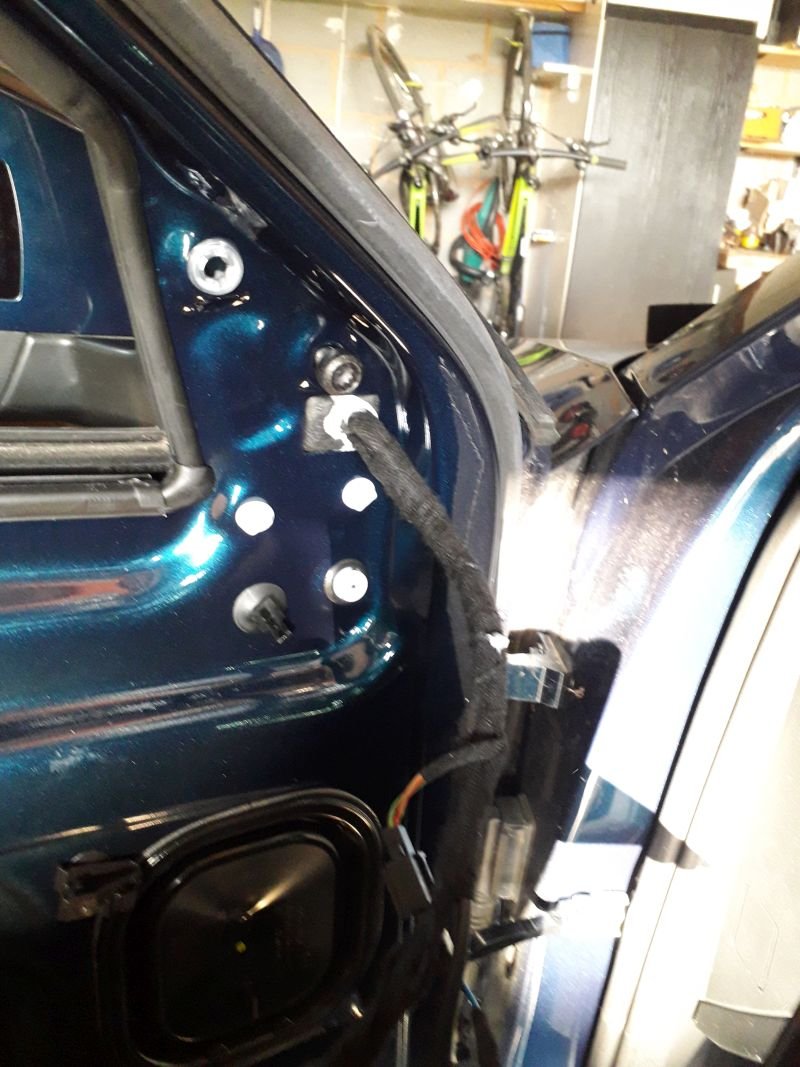
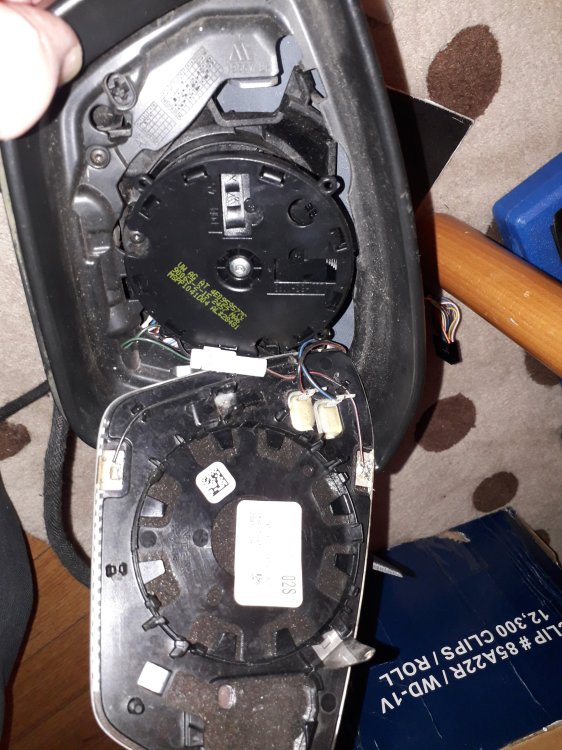
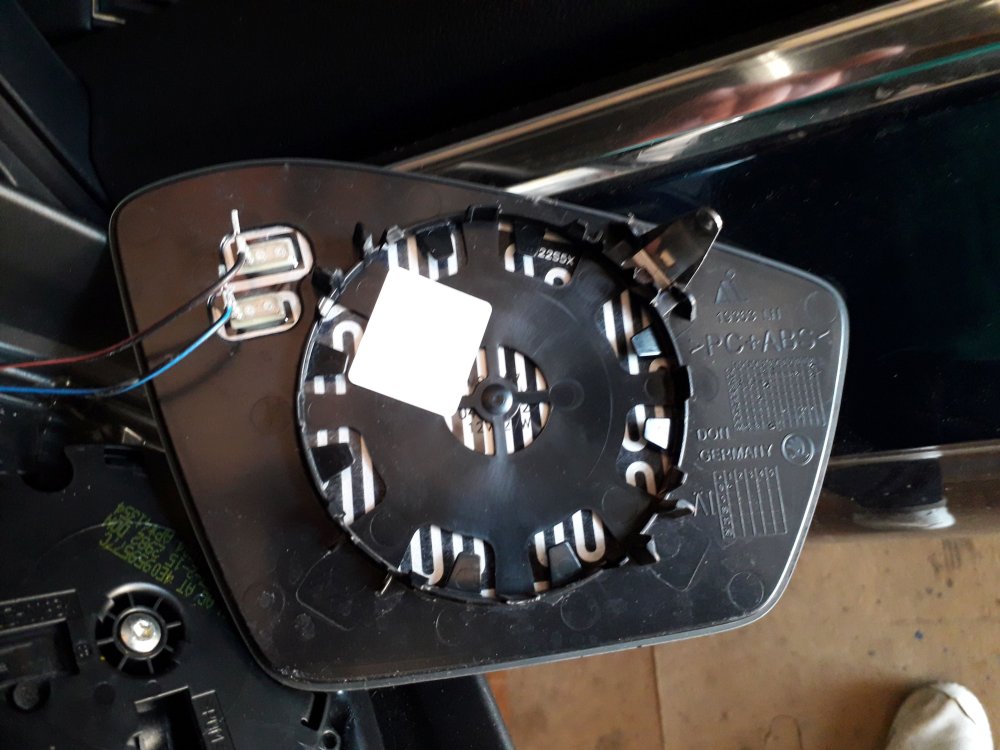
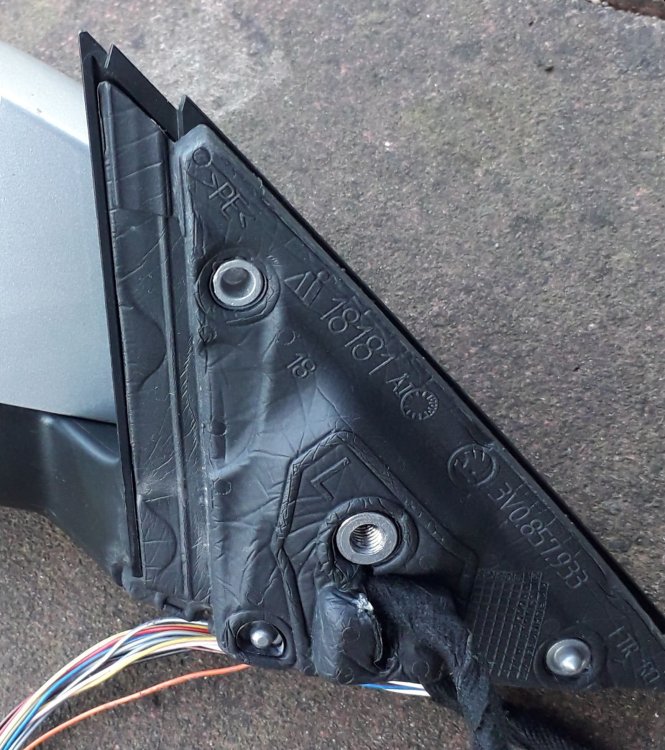
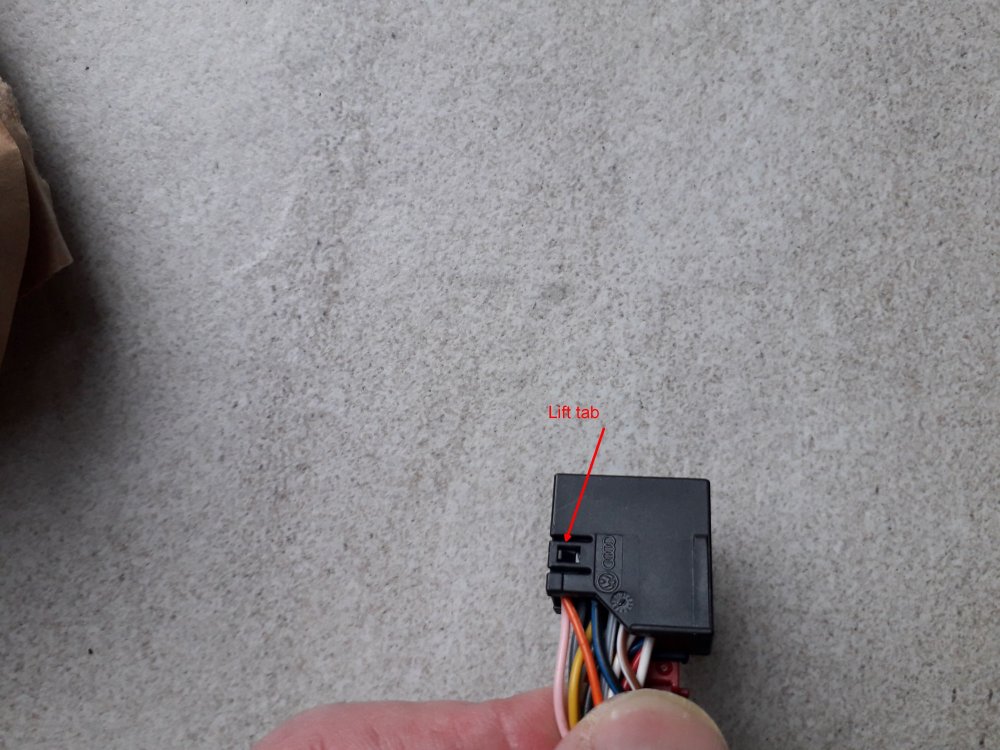
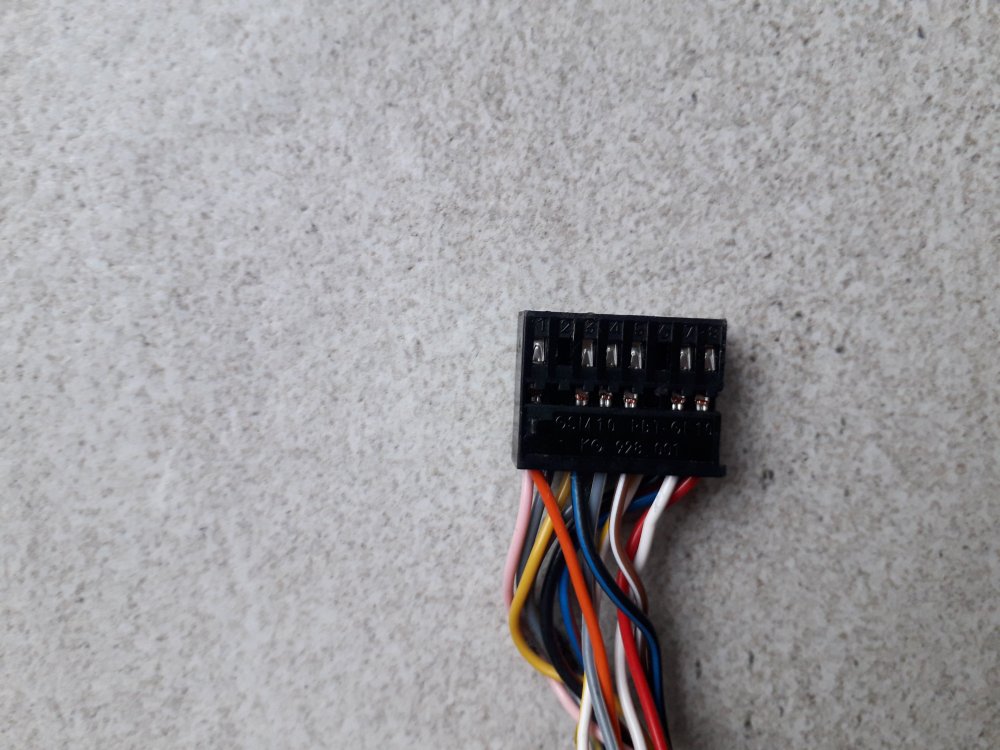
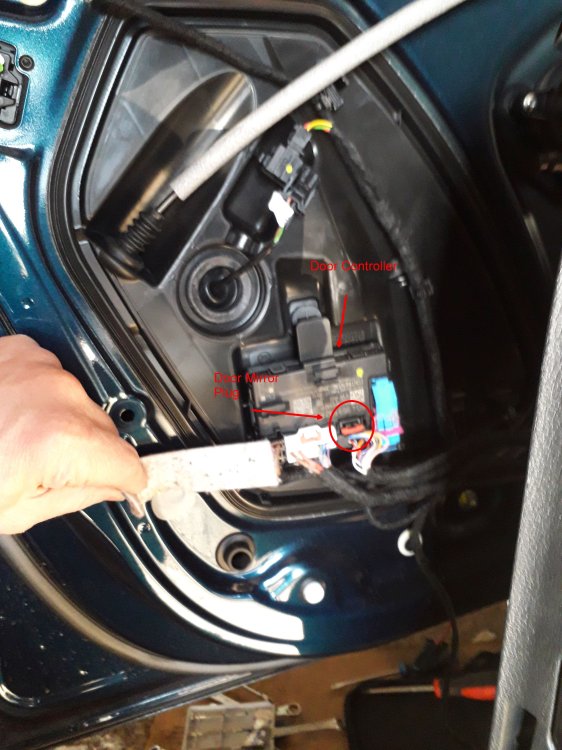
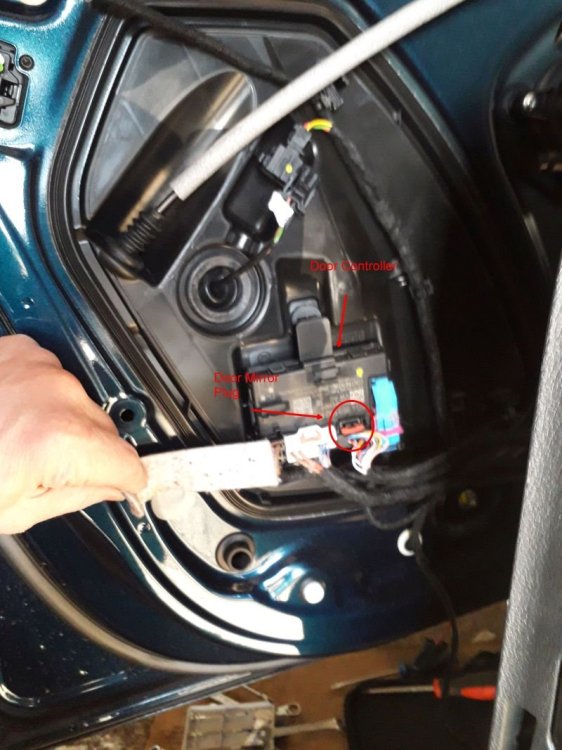
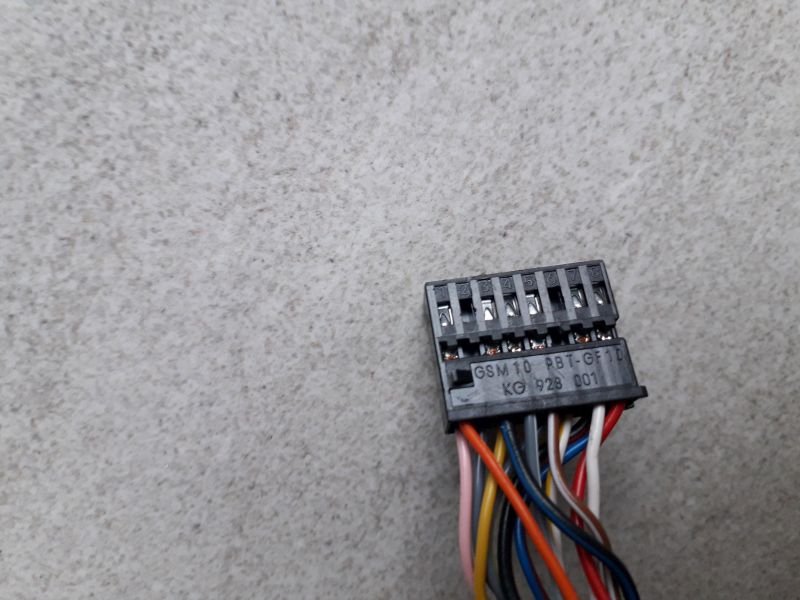
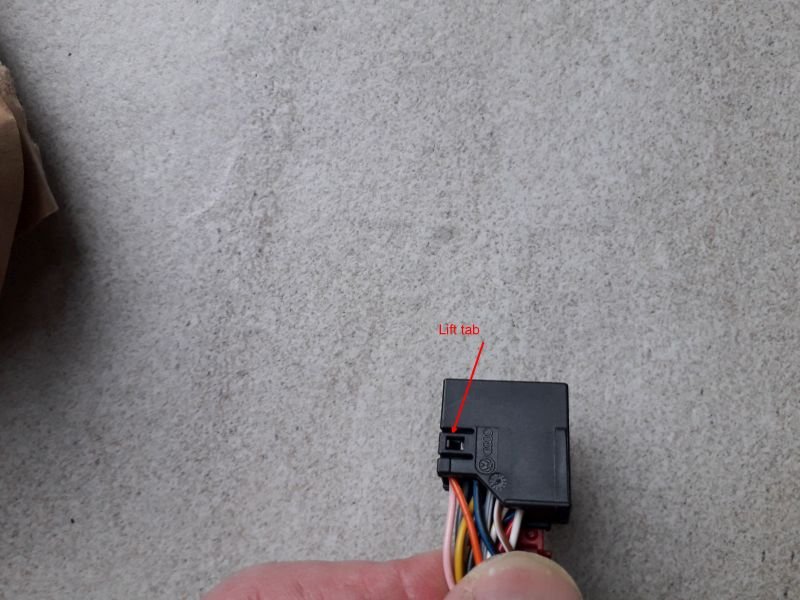
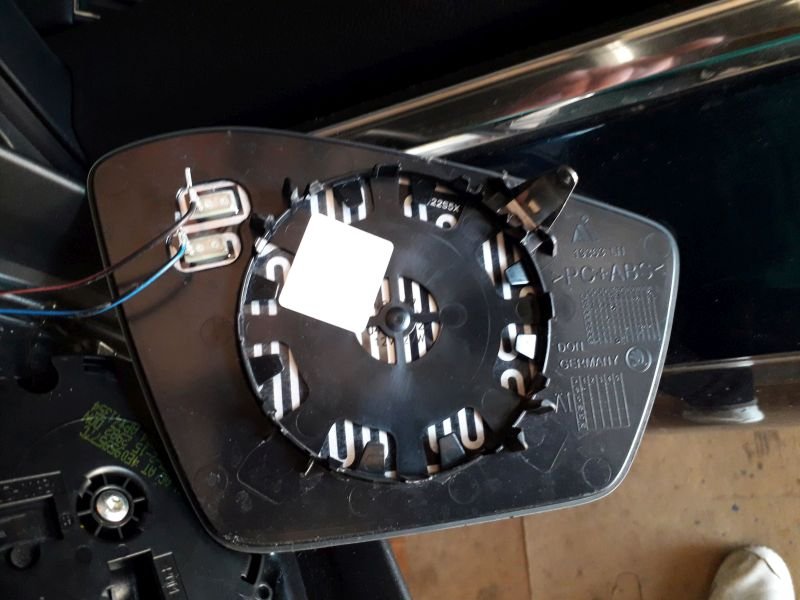
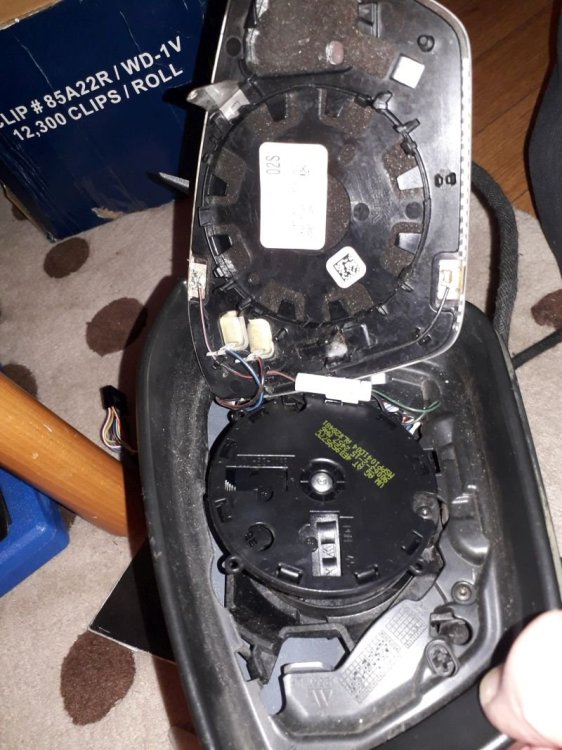
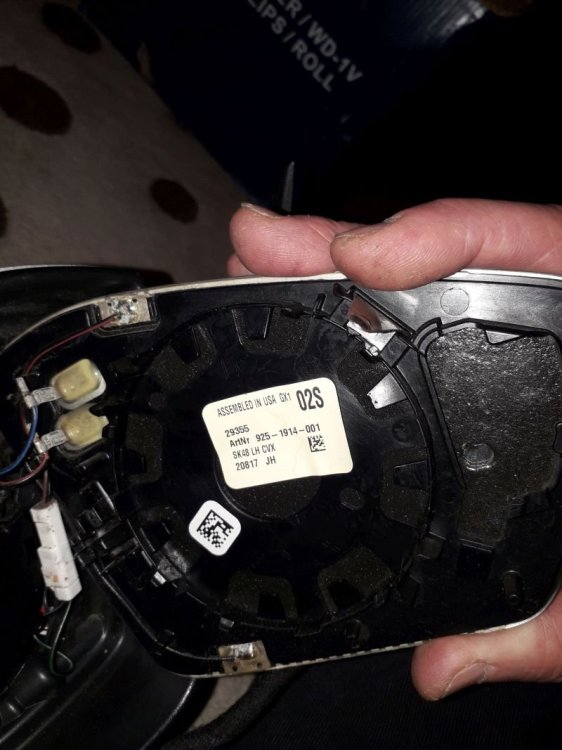
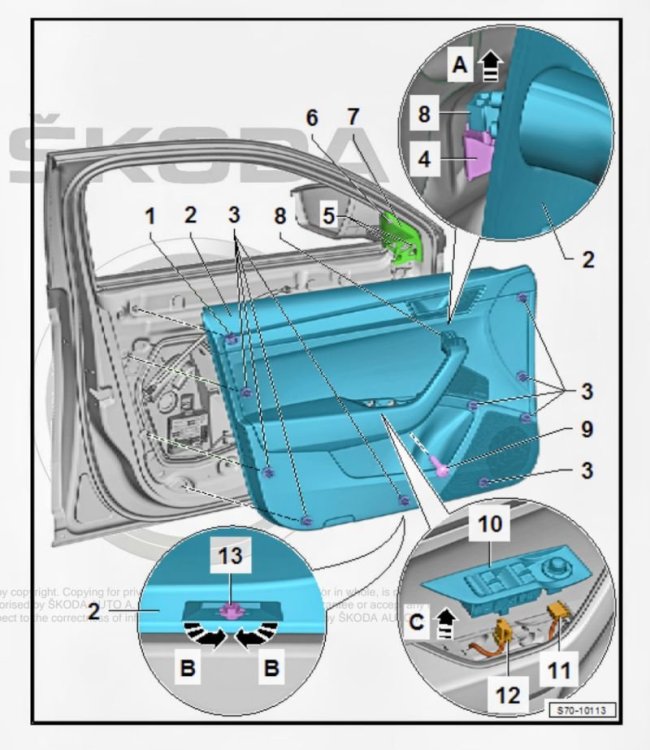
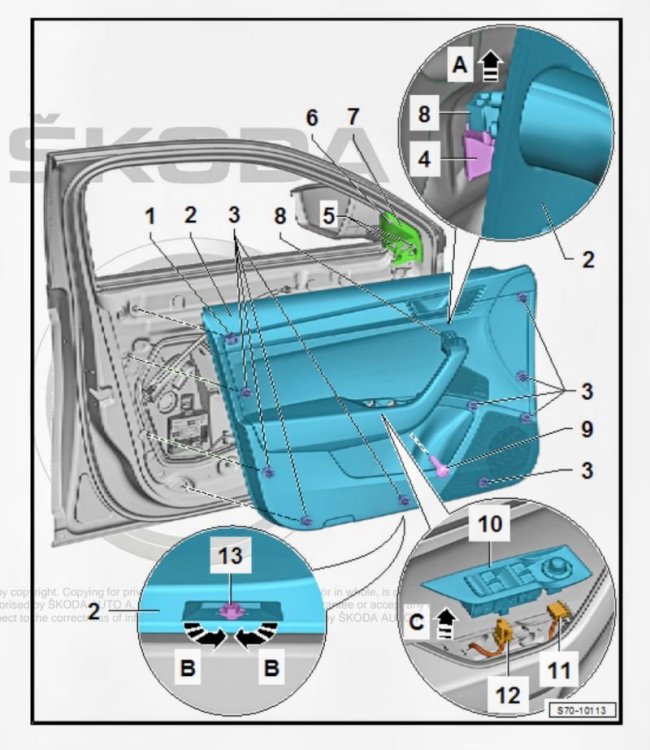
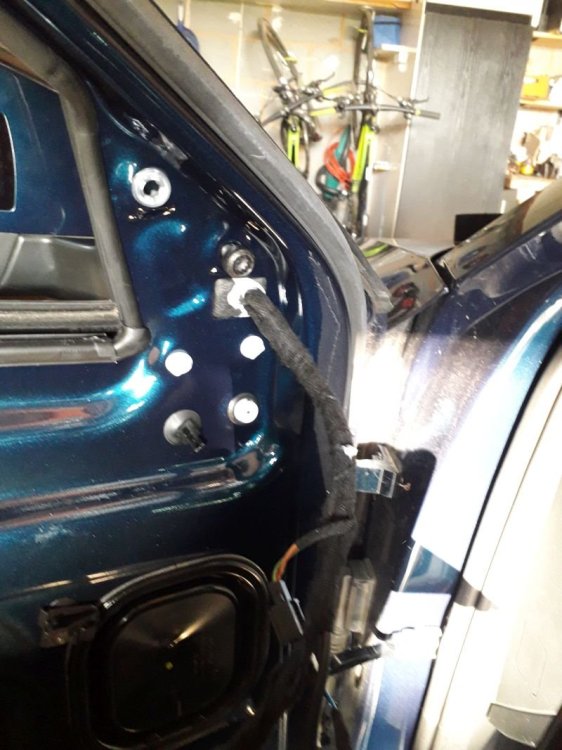
I bought a 2023 SIII last year and soon found that over my previous SII some parts had been scaled down by Skoda. One bit I did not pick up before was the passenger wing mirror WITHOUT the autodimming function I only found out when driving at night once. According to my dealer both mirrors included autodimming - a little dim on their side. I tried to buy a OEM retrofit mirror - none on offer from Skoda. I then found an instruction by Skoda.cz which is ONLY for LHD, i.e. continental European cars. My local Skoda dealer did not find an equivalent. Automatisch abblendbaren Außenspiegel nachrüsten.PDF So I decided to buy a preFL autodimming passenger mirror from a 2017 car without the lane assist (SWA) function. PreFL cars have a SWA icon in the mirror glass, mine has a yellow warning light in the plastic casing. I was not sure if it might fit into my mirror at all as Skoda seem to be selling different passenger mirror glasses at very different prices according to the kit fitted to the mirror. Also I was a little weary of cracking my mirror glass as the replacement prices for a new one are eye watering. I tested the autodimming before taking anything apart by putting 12V onto pins 2 and 6 - it worked. I could practice to remove a mirror glass on the one I bought. It comes out with a little bit of force when moved into the lowest position and levering with a wide plastic spatula from the top. It will also not just drop out as there are still wires attached on the inside for the heating. The replacement mirror (preFL) with autodimming has 2 more wires attached on the inside and an extra little bracket on the back of the mirror glass to secure this bracket. The fitting is exactly the same as on the non-autodimming FL one. After disconnecting the heating wires on the replacement mirror I took the mirror motor and the frame out. This is done by removing 5 little Torx screws, 3 going the the motor casing and 2 extra in the frame connecting it to the painted mirror outer casing. The black frame needs to be unclipped from the back casing which allows more access to the wiring. The back casing slides off the mirror easily now. I removed the cloth tape from the preFL wiring to be able to get the autodimming wires out of the loom. The autodimming wires are pinned into the 16 pin connector on pins 2 and 6. In my FL 2023 connector pin 2 and 6 are ........ yes you guessed it - empty. The wires are Black / Green and Black / Grey. To get the the wires through the mirror bracket that attaches it to the door you have to remove the black polystyrene which is only pushed in. It comes off easily. There is a little bit of grey sealant between the cloth tape and the polystyrene. To unpin 2 and 6 you have to take the plug apart. Now it was crunch time for my car. To fit the new old mirror I removed the glass first on mine to check for compatibility. Exactly the same. Now I removed the door trim - one large Torx below the armrest and a 10mm Hex at the bottom which needs to be turned 90°. The pull the trim off the clips. They all survived. Now detach some of the electrical connectors and the door opener. There is also the drainage for the umbrella compartment. I could not get the door trim off completely. 2 connectors were so inaccessible that I gave up, but the door trim DOES NOT HAVE TO BE REMOVED! In retrospect these connectors were from the window controller and this can be lifted out of the door handle. Once you can get into the door go straight to the door controller at the bottom left. Remove the adhesive protective cloth cover from the connectors and ONLY disconnect the door mirror plug. I pinned the new wires into the door mirror plug and connected it to the autodimming mirror to check if it working together with the driver side and internal mirrors. It did!! All the wiring is in the door right up to the controller. Now unclip the door mirror loom only from the clips in the door. Then remove the trim for the speaker covering the spline XZN screw holding the mirror. I did not remove the mirror completely as I did not cut the loom in the door out. It is very securely taped together. I wrapped this new 2-wire loom in cloth tape and taped it alongside the existing loom going into the mirror. I did the next steps with my son as one person was holding the mirror and one was working on the mirror. On my mirror the steps were the same as on the donor mirror. Loosen the polystyrene on the bracket side. I cut one tiny cable tie which got on the way. Remove the 5 small Torx scres holding the mirror motor and the black frame. Unclip the frame. Remove the back cover. Now you have access to the wiring channel in the mirror. This channel is quite full as I have SWA, 360° cameras, courtesy light and all the mirror motors as standard. I fed a small wire wire back down to be able to pull the white autodimming connector up into the back of the mirror casing. Then refit the back cover, screw in the frame and mirror motor, push the polystyrene back and take care to reseal the loom. Screw the XZN screw in to hold the mirror, refit the speaker trim and make sure to reconnect everything in the door card. Fit your new auto dimming mirror glass. The new old autodimming glass does not have a VAG PN. It only showed a number string: 19363 LH, 925-1914-001, SK48 LH CVX, 20817 JH. I think this is a Gendan number. Skoda seems to be selling lots of different mirror glasses at very different and interesting prices. Looking at the PR numbers I thought that some of these functions surely have to have different mirror glasses, but I think you are buying the loom too because only the loom determines the various functionalities. Looking at the parts I cannot quite understand why Skoda skimped on the AUTODIMMING. It cannot really cost a lot more over the parts used. I hope the new Superb IV will get a passenger autodimming mirror option.
-
-
Dynamic indicators is "Rollenblinken" in Stg 09. You are coding your side lights - SL.
-
#emird have you done a full autoscan? Can you attach it here please. As said above, in this controller everything is done with adaptations.
-
Do not change any of the "0" coding in STG 09 even if you manage to get access.
-
Hi, I do not have any experience with OBDeleven, but if it is a matter of basic settings it should be able to do this. In my car the D6 controller was missing in 4B. VCP could not code 4B. I needed ODIS for this.
-
Just twist the plastic blade. Hold the inner end with the left and twist the outer end down with the right hand. That way it stops juddering
-
O.K., I got the glass out intact. I used 2 wide plastic trim removers. Another one to get out still..
-
The "upgraded" Columbus in the MIB3 FL Superbs is a very bad development compared to older ones. Not simply clever.
-
I have removed a mirror on a V70 quite a while ago. That came off quite easy by moving it inwards and downwards and then only pulling with fingers. The Superb description is downwards only and then lever out with a wide plastic tool. The plastic tool bends but the glass is not budging. Where did you lever on your 1 for 2 series?
-
Hello, Can anyone tell me how I can remove the mirror glass from the SIII wing mirror WITHOUT cracking it. I had a look on ERWIN and it is described as - move the mirror down and leaver from top. I tried this and it felt as if I was applying quite a bit of force.
-
Peel the carpet back under the dash and you should see the other end. Try to push it up. Or it might have slipped into the bodywork. Then you have to feed a new one down. What garage did you go to?
-
Did you take the trim of the A-pillar off? The drain pipe that runs behind there is the one that shrinks and has probably come off the connection.
-
If you have ODIS or VCDS you can do Adaptation maps. I do not know a way in VCP. I put a couple of guides for VCDS. VCDS records in CSV, ODIS in HTML. In ODIS on the start page you go into 046 - special vehicle functions and after opening it tick coding and/or adaptations. This will record a HTML file with the cars settings.
-
@ReSeTe where did you find all the FeC/SWaP codes in the controllers?
-
When it rains the water gets into the channels around sunroof and it leaks. You want to find the spot before the next rain. To check if your channels are still draining you need to use some water.
-
Hi, Could anyone, who has activated TSR via the Skoda online store, publish an autoscan of their A5 camera or the hardware and software numbers. I am asking because I have a SIII from 2023 and picked up the Skoda connect page that offered TSR FOD to Octavias but not at all to Superbs of a similar MY. The dealer is saying I have the "wrong" A5 camera but apparently TSR could have been ordered on the SIII as a factory option. This is a VCP scan of my A5: Adressword : A5 (Front Sensors Driver Assistance System} - R242 MQB MFK 3.0 VAG no. : SW: 2Q0980653D HW: 2Q0980653 SW version : 1401 # Coding : 00020918216AC020889F08000030008021438000000000000000000000000000 ASAM: UDS, EV_MFK3ValeoMQB 007042 DATASET: V03935374FB
-
Opening the sunroof does not cause any more damage. You have to open it to check the drains. Water runs in around the edges.
-
Open the sun roof and check for the drain holes. There are 4. 2 at the front and 2 at the back. You can run clean water down the side that is not leaking and you will see it run out just behind the front wheel well. On the leaking side take the A-pillar trim off - it just pulls off - and have a look for the pipe running down there. Also the drain pipes shrink over time and yours might have slipped out because of this. You can the cassette out. This is a big job. One person - cannot remember where I saw this - used boot sealant to fix it. The cassette leak is between the plastic and metal joint.
-