Breezy_Pete
Sponsor
-
Joined
-
Last visited
Everything posted by Breezy_Pete
-
Yeah, that battery sounds like it's very end of life, unless you have a significant current drain.
-
@makymak I'm very happy to look up the correct module part number for your car if you wish. Just need VIN.
-
And believing the dealer when they say they couldn't see any stored codes is perhaps a little over-trusting.
-
OK but if you can provoke it by driving behaviour, you can potentially read the code while it's lit?
-
Welcome to the forum Phil. I'm afraid I can't advise you on purchasing a Superb or cars in general, but I think there are lots of happy owners on here who may be more use. Hope you get some more input.. Pete
-
Anyhow, to the problem. Find a local VCDS user who may be willing to scan the car for you to see why the EPC light is being lit? A generic OBD reader may have failed to pick up the stored info.
-
Actually I suspect the software guys have done exactly what they've been asked to do. But I guess that doesn't really contradict what you've just said.
-
Only if the programmers wrote the software in the radio and engine ECU in such a way that it allows this to happen.
-
The CAN bus just sends the messages. The controllers are what tells you about the message contents. It's like you're trying to blame the phone line for someone telling you bad news.
-
CAN is just a communication network, CAN Bus Explained - A Simple Intro [2023] – CSS Electronics You guys seem to be trying shoot the messenger. How the data conveyed by the bus is used seems to be the problem you think there is.
-
You may also be better off just looking at comparative figures on spritmonitor.de where there tends to be large datasets of crowd-sourced brim-to-brim records.
-
This is a handy catalogue and vendor of genuine bits at decent prices. Catalogue is not 100% up to date, but better than many of the online ones you may find. Car Parts Catalog - LLLParts
-
Message me with the VIN of the car please @kareems, and I can check which part number it should have.
-
See if you can locate these items on your car: Car Parts Catalog - LLLParts
-
Yeti appears to have a quite different fuse panel.
-
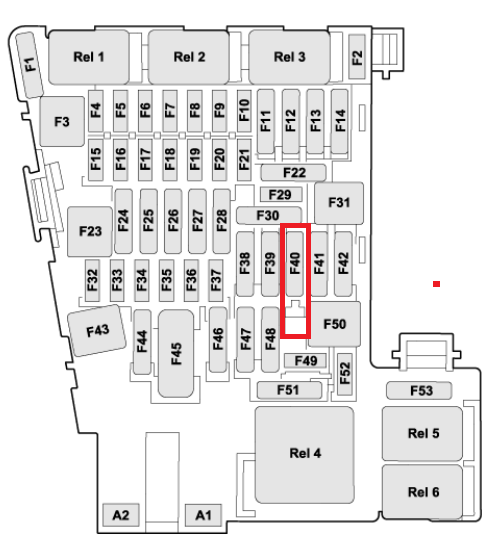
I suspect the situation is the same as described here, with your car having the wires/fuse sockets in the necessary positions 'halfway down' Fuse 40: https://www.briskoda.net/forums/topic/520005-👋-how-to-cut-power-to-the-cigarette-lighter-when-the-car-turns-off/?do=findComment&comment=5815406
-
Check cabin fuse 3 (5 Amp), especially if the car doesn't have A/C.
-
Cheap and easy fix, fortunately. Your red/green wire may possibly go to a different position (No. 4, I think) than in the video, but hopefully you'll see the same crack problem at its location. Halfords have a selection kit that includes the correct 40 Amp one: https://www.halfords.com/motoring/tools/fuses-electricals-and-fixings/fuses/halfords-assorted-oto-strip-fuses-30>60-amp-fuse133-705310.html
-
Fit a relay in series with the feed wire to it, with relay coil powered by an ignition switched 12V.
-
Ta, so check engine bay fuse no. 14 (10 Amp), which supplies the coil of that relay amongst other things. Then cabin fuse no.49 (25 amp) which is power that the relay switches to the fuel pump. If both of those are OK it may be that the engine ECU isn't grounding the other side of the relay coil 'cos it's unhappy with something.
-
I'll pop back to the circuits for a look-see. Engine code would be handy.
-
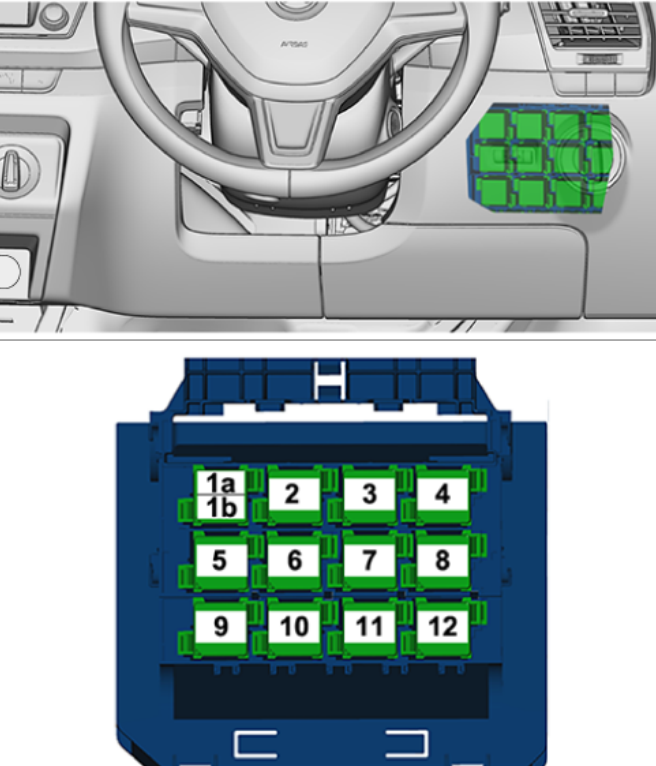
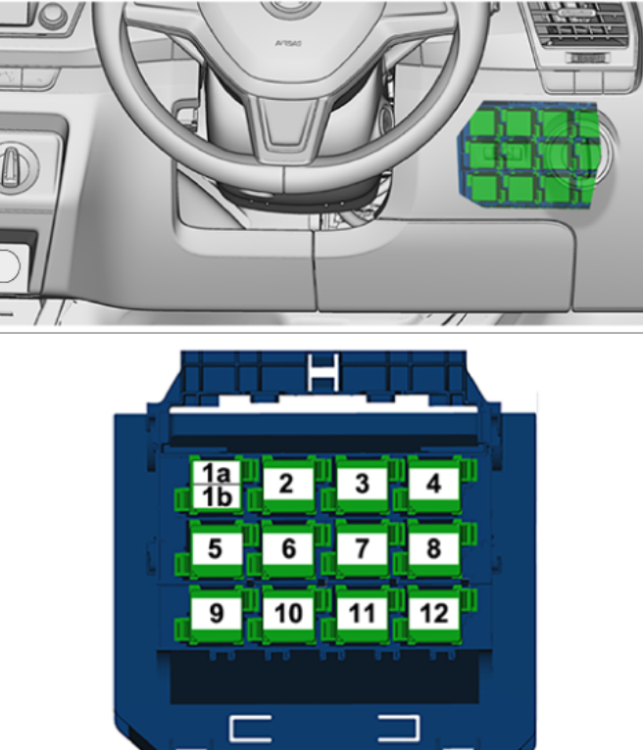
Location 1b houses what's described as 'fuel pump encoder'.
-
Interesting, thanks for posting. I see from the few other posts by @poloSDI that he/she had a 2006 Polo (for example this one), so if this thread relates to that car you were right, ASY! 😁 A good example of why it's always a good idea to tell the world exactly what car/engine code you are trying to work with when asking for help.
-
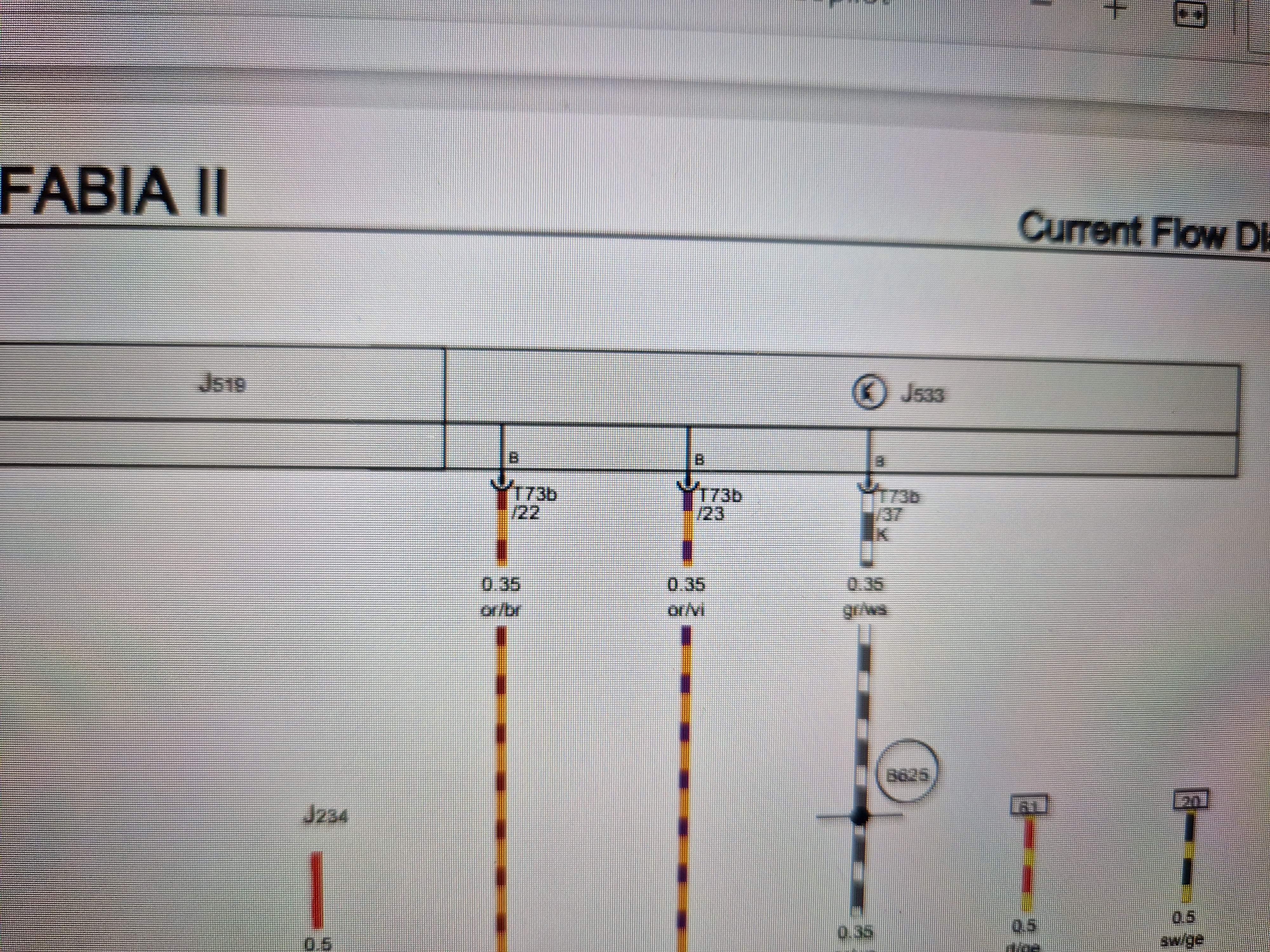
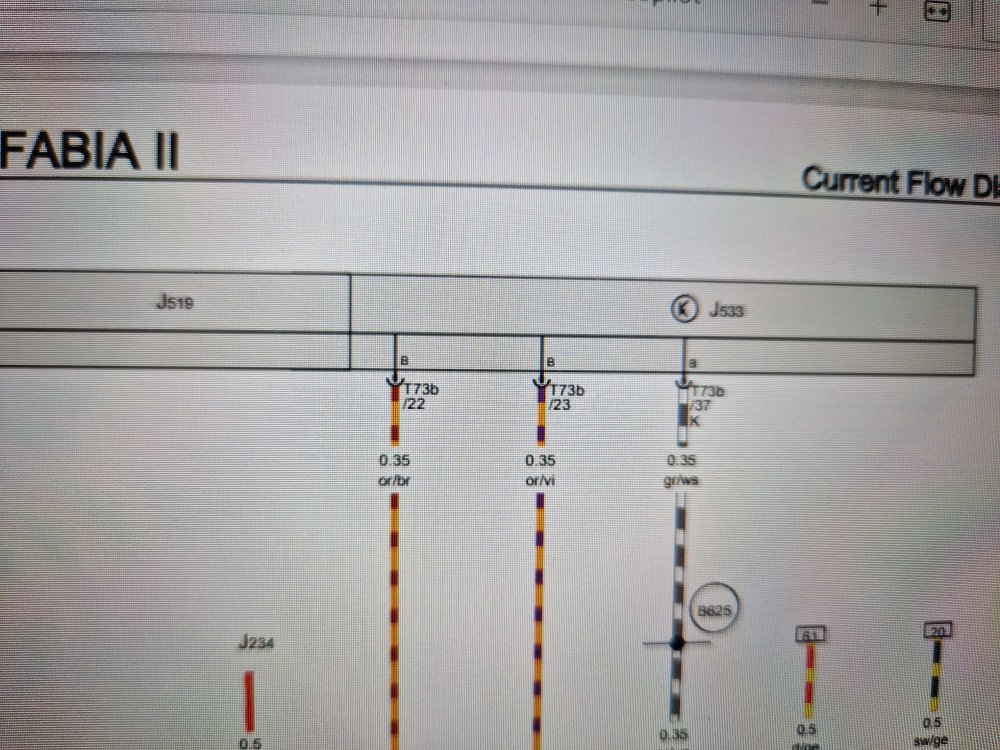
J533 shown like this on the relevant circuit for your build date (12 Oct 2010). J519 is the Onboard supply control unit/vehicle voltage control unit. In some of the later versions it is shown as a separate unit, presumably what your images above show.
-
Yes, that's why I said it. 😁 If you let me know the VIN of the car, I can find out the date of manufacture and be more certain.