langers2k
Resident Member
-
Joined
-
Last visited
Everything posted by langers2k
-
I think 03xx units can only officially run 03xx firmware, the latest being 0367. If you want to run 04xx firmware, it might be possible if you send the Bolero to be reworked. @pab567 can probably explain more
-
I expect this Superb guide is equally valid for the Octavia
-
Assuming you're using VCDS, can you post an adaption map for the BCM? Ideally before you made any changes but after is fine is you tell us what you changed
-
I just checked a BCM I have here and there is no pin 41 in connector C. Just as an example from eBay https://www.ebay.co.uk/itm/184480254453 that also doesn't have seem to have pin 41 fitted on connector C The pinout I have matches yours but it appears at least some BCM versions don't have that pin fitted...
-
Pretty sure the pairing fobs for remote unlock/lock is via adaption channels in 09 BCM. http://wiki.ross-tech.com/wiki/index.php/VW_Golf_(1K)_Comfort_System#Channel_000:_Remote_Control_Clearing You'll need other tools for the immobiliser side though.
-
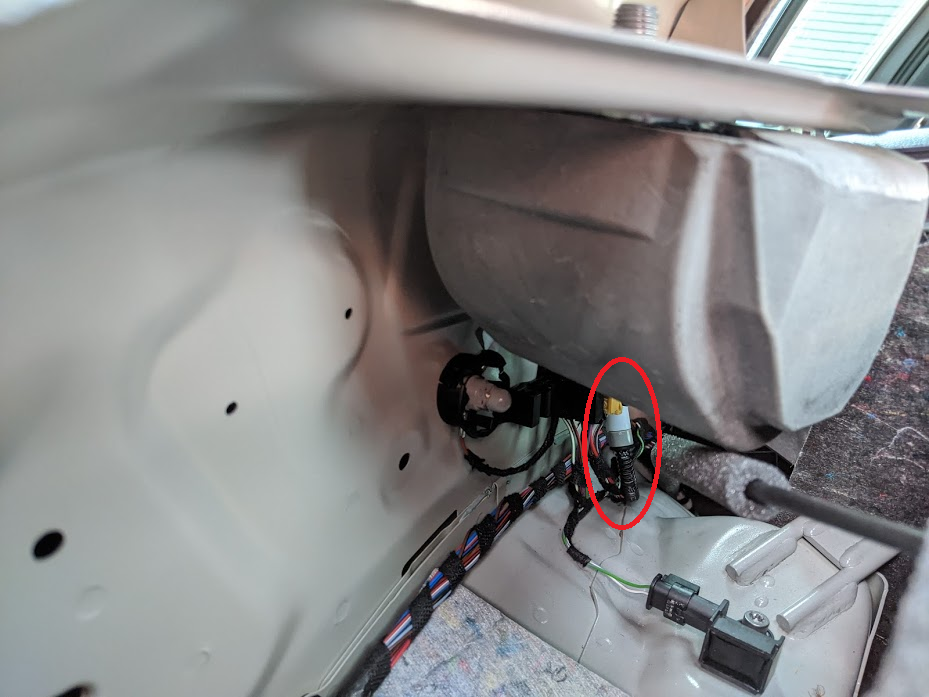
Do you mean the rubber gators? The connection I found was much lower down, around the rear seatbelt area:
-
Official source for the workshop manuals is here: https://erwin.skoda-auto.cz/erwin/ At least on my hatch, it just pulls off...
-
-
Some dealers may have offered the BT bodykit but I don't think Skoda did. You can still buy it from Superskoda: http://www.superskoda.com/Skoda/OCTAVIA-II/Octavia-II-RS-Facelift-09-13-original-RS-CONCEPT-bodykit-from-BT-with-ABE-KBA-homologation
-
The pump is at the washer bottle. Not sure on the exact route of the washer pipe but on my '18 plate vRS hatch, I noticed there is a also a connection on the left side of the boot before it goes up to the boot lid. If that's popped off, it's plausible the fluid could run down into the boot area
-
I didn't think the BCM needed an antenna wire? I thought it was part of the PCB or at least it has been on the ones I've taken apart and the spare I have here.
-
Pre-FL cars would have a separate CECM and CCM but all the FL cars should have a BCM which combines the functions of both in a single module. Address 46 is a 'virtual module' so although it appears, there is no coding/adaption - everything needs to be done via 09. @SashaGrace - I have a old/spare remote fob I can send you to check if your current BCM just need recoding
-
The reverse light isn't a clean power supply, you could try fitting something like this https://www.ebay.co.uk/itm/182274729146 - I've never tried one but it's pretty cheap. An original lowline camera has power, ground and reverse signal to avoid this problem
-
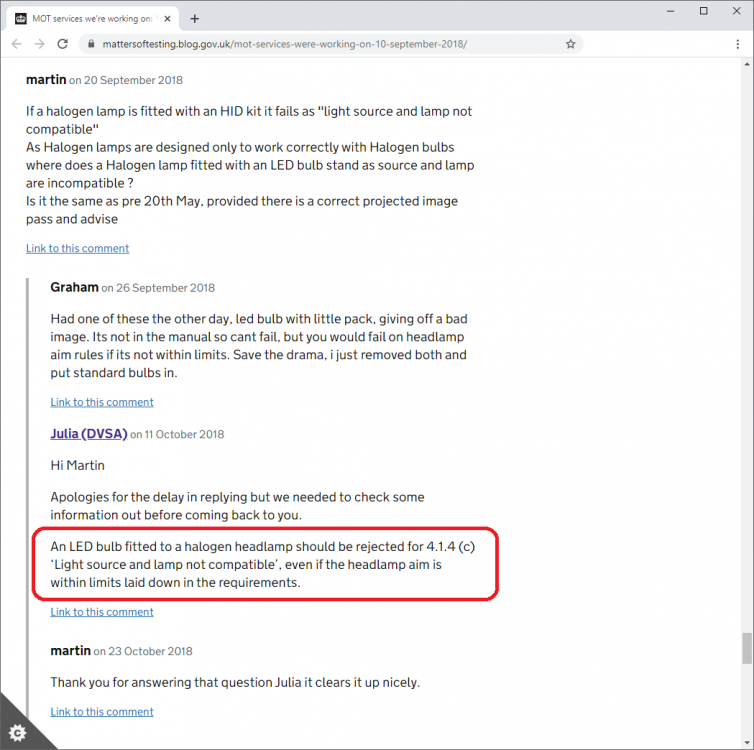
@skippy41 - despite what the three MOT testers are telling you, LED kits in headlights designed for halogen bulbs are a fail. It's in the current MOT inspection manual: 4.1.4 (c) 'Light source and lamp not compatible' It's was also confirmed by a DVSA worker back in 2018 shortly after the new regulations came out: If you really want to put your mind at rest, put halogen bulbs back in and stop messing around with LED conversion kits...
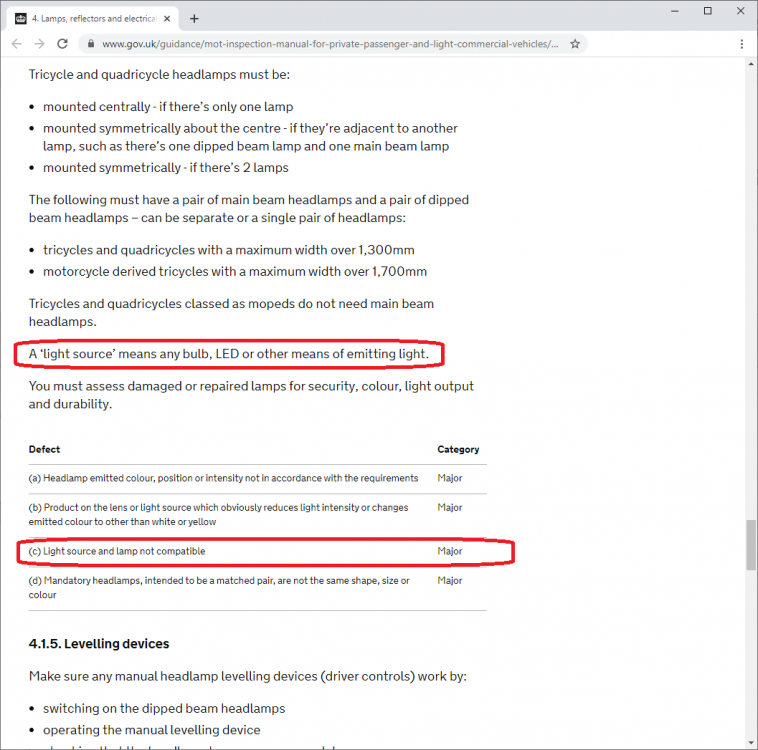
-
Heh, happens to the best of us! Does that mean it's working now?
-
At a guess, yes Someone may have removed the bumper and ripped the old sensor off by the look of that. As a test, I'd connect them together temporarily and see if you end up with a different fault code.
-
Have you tried pressing the 'android auto' logo on the screen you pictured above?
-
As strange as it sounds, if you fix the temperature sensor, that might sort the TPMS errors for you. Just as an example of a outdoor sensor playing havoc with other systems: https://forums.ross-tech.com/index.php?threads/12542/ It'll probably be behind the front grill somewhere at a guess
-
You have a speed sensor on each wheel that connects to the ABS module. The ABS module then provides the speed for the rest of the cars modules. If possible, it might be worth adding an autoscan from VCDS or similar to give some clues
-
Given the PIAA xtreme white plus are road legal they will still be the same 1500lm ±10% output of other H7 bulbs. As they have a blue coating, they will probably be very similar to the cool blue intense despite the PIAA 55w=110w marketing claims
-
Just make it clear you don't want it doing when you drop the car off. They wrote it on the job sheet and highlighted it whenever I mentioned it. Much easier to make sure they don't apply it rather than trying to have it removed after the fact
-
There are some 'bluetooth' personal CD players on Amazon: - https://www.amazon.co.uk/dp/B08H5H8G9B - https://www.amazon.co.uk/dp/B08BC9RKZ6 The first claims you need to use an aux cable to connect to the car so no use. The second states it's not compatible with "some car’s Bluetooth" but gives no indication how you find out more. I think it's going to be a bit of a minefield to actually find something that works as you want I'm afraid Spending time ripped CD's to an SD card will probably be a more sustainable solution. I'm not sure of your age but if you have kids or grand-kids, it could be an easy pocket money earner for them
-
I wouldn't expect any external USB CD drives to be supported as they aren't mentioned in the owners manual. I don't even think you have an "aux in" port so your options are even more limited. The only plausible way I can see to get it working is a personal CD player with a bluetooth transmitter fitted. You'll need to use the buttons on the CD player to play/pause/skip etc and probably need an anti-vibration mat along with 'anti-skip' technology in the CD player...
-
Please accept my apologies, it wasn't my intention to upset so sorry if it came across as snarky. For me, it came across as a suggested buy so had someone blindly purchased it based on that, they may have been disappointed it was incorrect for the car in question. I just feel it's worth adding a 'check this will fit' or similar to avoid any confusion or comeback I know you were helping out and I completely agree with the sentiment of trying to find a decent value alternative for the OP. Again, sorry to upset and please don't stop helping as that's what makes the forum such a great place.
-
I certainly agree a used part from eBay is a good shout and can save a good amount In future, it might be worth trying to find the correct part to avoid confusion or adding a caveat to make it clear you've not checked. For example, the MK3 boot handle is much larger than a MK2 version and doesn't bolt on this age of Octavia, instead it clips in as it's this style: https://www.theskodashop.co.uk/products/tail-gate-push-button I'd hate for someone to buy the wrong part unnecessarily On the plus, there should be quite a few of these handles around the forum given the number of reverse camera threads I've seen recently. I've dropped the OP a PM offering my old one and varaderoguy mentioned they had a spare too so I'm sure one of us can save the OP some money