




langers2k
Resident Member
-
Joined
-
Last visited
Everything posted by langers2k
-
It's still an RGB led with a small controller, it's pretty normal and standard for a car rather than having loads of wires everywhere. There are lots of other RGB lights that can be added, for example footwell, center console and door pocket using OEM parts + coding. For instance I've added OEM RGB footwell lights to my '18 Octavia. You might also want to look into the aftermarket Chinese footwell light controllers too as they might offer an easier way to interface into the car.
-
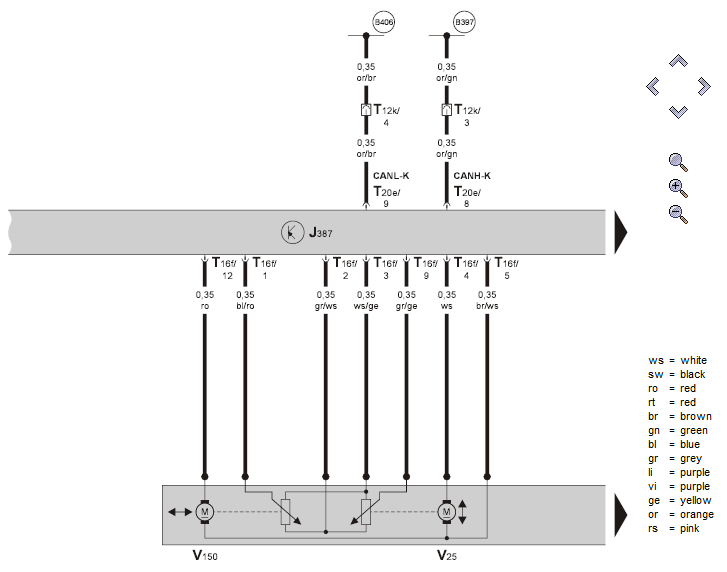
It's not the automatic folding that's important, it's the motor that moves the mirror. The 'basic' version only has 3 wires to allow it to move in all directions. The 'memory' version has 7 wires, the extra 4 are connected to potentiometers so it can also report it's position. It needs the position so it can accurately drop to the position you've set and then return back to the original position. This means you may also need a new door controller that supports it too 😕 Example wiring diagram showing both the motors and potentiometers:
-
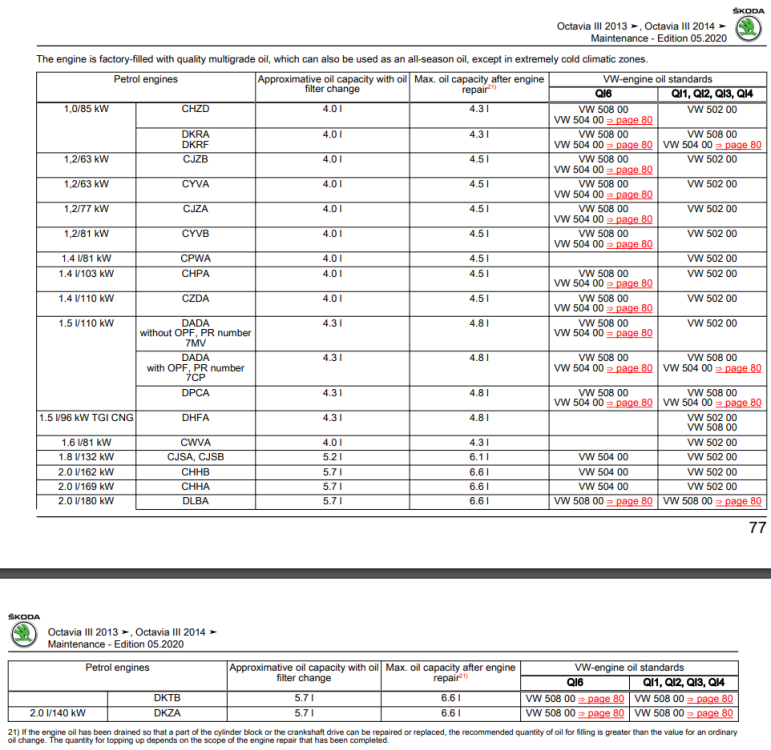
Yes but that doesn't mean you can use any 0W-20 oil... It still needs to meet the VW 508 00 spec As for the gearbox, I believe it's a sealed for life unit so I don't think it has a service schedule.
-
VW 508.00 for a 245
-
Perhaps try following the Apple guide: https://support.apple.com/en-gb/HT210892 What country are you based in?
-
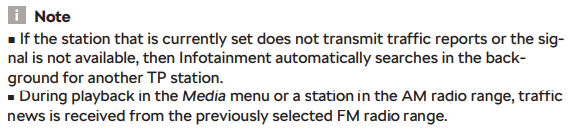
TP (traffic programme) which is also known as TA (traffic announcement) is definitely a FM/RDS function and has nothing to do with TMC or online services. The radio will be playing audio whilst also listening to a specific station for a TP flag. When the station sends the TP flag, the radio will automatically switch to the stations audio for the duration of the traffic announcement and then switch back to the previous audio source. Even the older manuals don't say much about TP I'm afraid, it might depend which station you last listened to:
-
Pretty sure all 2019 models would have got both bluetooth and smartlink from factory. If they aren't working, it seems more likely you've got a fault or someone has really messed things up previously. It might be worth adding some pictures to show exactly what you're dealing with along with any errors and ideally the system information showing version numbers etc.
-
Pretty sure you need a memory motor in the door mirror. There would only have been fitted with memory seats at the factory so if you don't have memory seats, you're unlikely to have the right motor
-
I believe so - I think it's to encourage you to turn the lights on.
-
Yes - I am aware of that I was just saying that if anywhere - that's where I'd expect,. For example on this VW Polo: You can probably retrofit it but you'll likely need to add three wires to the BCM and possibly recode it.
-
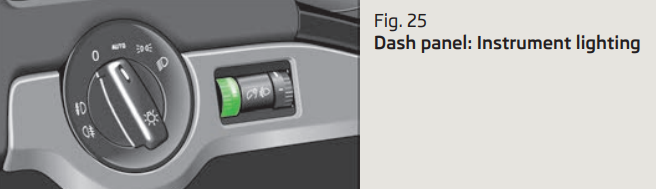
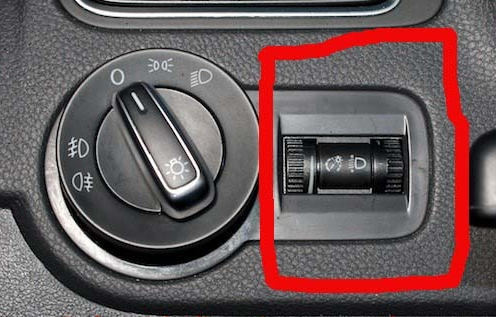
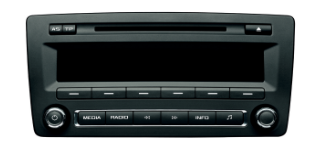
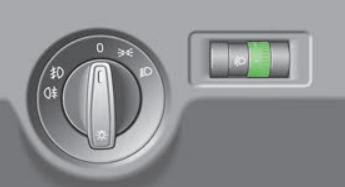
Assuming the radio is this style of Swing: I wouldn't expect it won't have any settings to adjust the brightness. If anywhere, I'd expect the adjustment to be next to the headlight switch on this age/platform: However, as the 2013 owners manual doesn't mention anything. I expect it's 'automatic' and no user adjustment can be performed 😞 Pretty sure that will only effect the headunit brightness and not the instrument cluster etc.
-
@meltemi - you might want to try speaking to a local VCDS owner? If nothing else they should be able to do an autoscan which should give you some pointers. Maps and list to help you find someone: - https://www.briskoda.net/forums/topic/224376-vcds-owners-map/ - https://www.briskoda.net/forums/topic/262215-list-of-vcds-owners-previously-known-as-vag-com-vcp-owners/
-
Assuming you want the backlights to be white, it's easy to do the steering wheel buttons and climate panel - they just need swapping for versions with white backlights. If you want to do the buttons near the gearstick and the window up/down buttons, I think the only option is to remove the old LED's and fit white LED's in their place I've not seen anyone fit RGB LED's to match the ambient lighting colour I'm afraid.
-
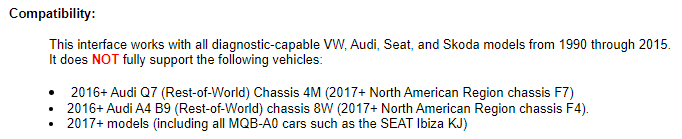
Details for the HEX+CAN: On a 2019/2020 car, I'd expect a HEX+CAN to be able to access some modules but not all For full compatibility, you'd need to upgrade to a newer interface like a HEX-V2 or HEX-NET.
-
Exactly this ^^
-
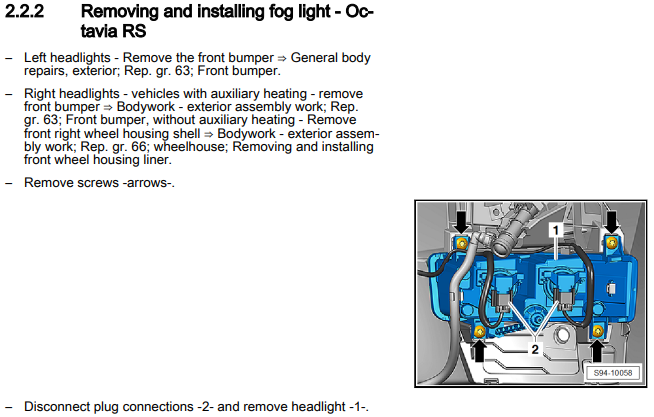
Other cars seem to share the lcode of 001000000000000001A481808080000000008181000000F400 so I doubt that's your issue. If you haven't already, check the adaption channels. I would expect one called "installation position" which should be set to "Memory seat driver side".Workshop manual suggests bumper off for the left fog:
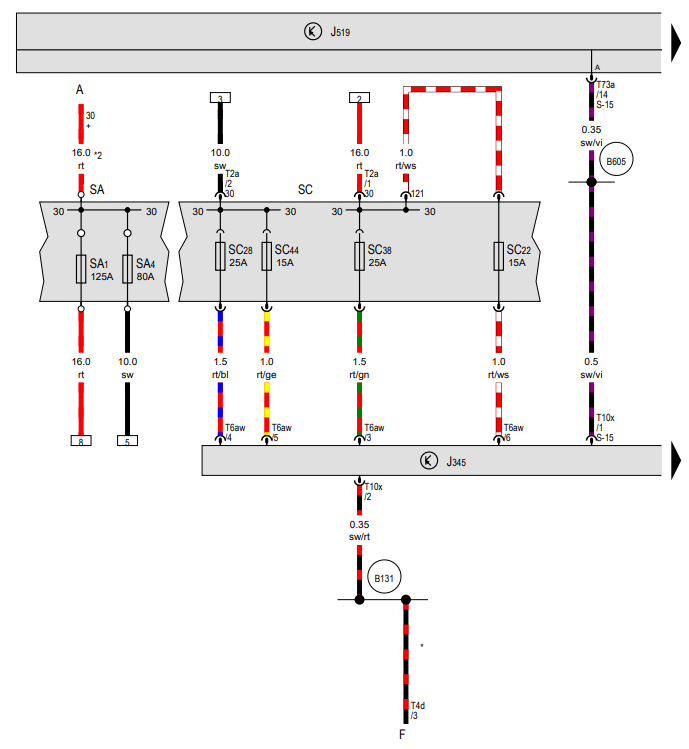
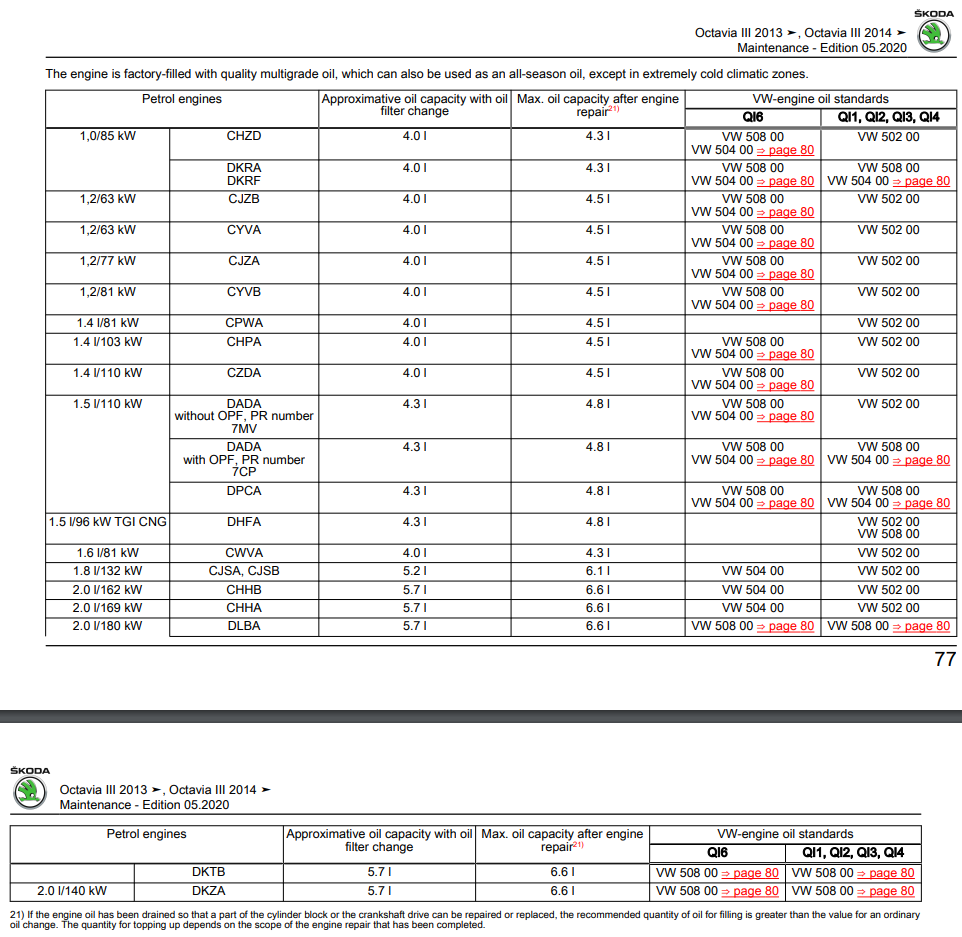
 Turn off personalisation... For some reason, if it's enabled then it won't let you keep sport as the default view after a restart 🤷♂️ If you have more than one driver this may not be an option.The OEM mic will be part of the large multiplug. I've no idea if the aftermarket headunit can use it or not 🤔White is AM/FM. Blue is GPS. Black is DAB.Yes - 1D0 means there is no factory wiring fitted You can double check by grabbing a torch and verifying that fuse positions 22, 28, 38 and 44 don't have both terminals fitted:
 I think @Breezy_Pete might be able to decode your VIN is you ask nicely and drop them a PM. Otherwise, you can do it yourself for a small fee via https://erwin.skoda-auto.cz/erwin/showHome.doBecause whoever bought it didn't spec them They were only standard on the SE L and vRS Challenge looking at the Nov 2019 brochure:


Important Information
Welcome to BRISKODA. Please note the following important links Terms of Use. We have a comprehensive Privacy Policy. We have placed cookies on your device to help make this website better. You can adjust your cookie settings, otherwise we'll assume you're okay to continue.