langers2k
Resident Member
-
Joined
-
Last visited
Everything posted by langers2k
-
There is no official kit from Skoda to add it so there is no part number. I'm not sure if you want AA or CarPlay support but a few random examples include: - https://www.aawireless.io/ - https://carsifi.com/ - https://cplay2air.com/ - https://www.carlinkit.com/ I'd suggest checking some of the many review/comparison sites to see which fits your needs For example: https://uk.pcmag.com/mobile-phone-accessories/141911/the-best-wireless-adapters-for-carplay-and-android-auto-in-2022
-
In which case, if it's a genuine VCDS interface I'd try the Rosstech VCDS forums. They have a sticky regarding similar issues: https://forums.ross-tech.com/index.php?threads/28988/ You should post a full unedited autoscan along with the following info: - VIN (and also make and model, body type) - Engine type and gearbox - Brake configuration - TPMS, ESP button behaviour, XDS, PLA, ACC, etc Just to point out, the txt file you posted is not a full autoscan as it only contains the ABS module. You should also make it clear the code was lost due to changing the cluster and the original cluster has been refitted 👍
-
As mentioned above, if you want wireless CarPlay or wireless AA, you will need a 3rd party adapter...
-
Given you've had the car a week - I'd go to the dealer and expect them to fix it. If it's a Skoda/VAG dealer, they should be able to perform an SVM reset and restore the original coding from the VAG servers. At least that way you have a known place to start from
-
^^ is the important thing to note... The headlights are on the AFS CAN-bus which is only for headlight aim/levelling - there will be no CAN messages about high beam status. There are multiple (4+?) different CAN-bus networks in your car so you need to check which the CAN-bus the module is designed to be connected to and then find a suitable splice point.
-
It should have all the info needed in it. As it's from OBDevelen, it somewhat difficult for me to parse and compare to a VCDS file. I'll try and get round to it soon...
-
Software Coding: 00000000000000000000000000000000000000 That's your problem... By replacing the cluster the ABS module has lost it's coding. Obvious options: - Check for old VCDS scans for this car to see if you have the original coding - Take it to a dealer and have their system retrieve the coding from the VAG servers - Try and work out what the coding was There are a few folk on the VCDS forum who can help regenerate an appropriate code assuming it's a genuine interface and fully updated.
-
Not only that, changing clusters frequently causes ABS modules to forget their coding so you might also find out needs recording 🤔
-
That VCDS install needs updating, free download is here: https://www.ross-tech.com/vcds/download/current.php Please don't upload pictures, just perform an autoscan and save it as a txt file. You can copy the contents of the txt file directly into a post making it much easier to see the state of the entire car. You might also want to look at this page: http://wiki.ross-tech.com/wiki/index.php/VW_Golf_(1K)_Brake_Electronics_(MK60EC1)
-
Can you add an autoscan showing the errors etc you have? I don't think your issue is related to the one I started the topic about 🤔
-
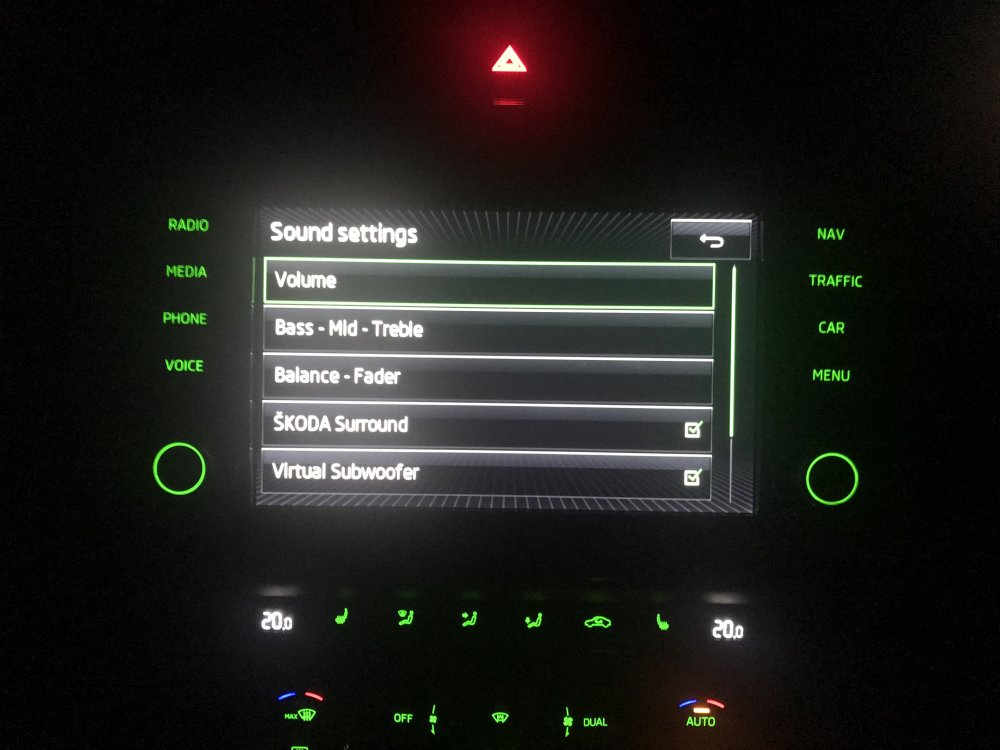
I'm not aware of it being a factory option. You'll know if it's enabled as you'll have two extra options in the sound settings menu:
-
Some of the cheaper versions are known to rust: https://www.briskoda.net/forums/topic/445018-retrofit-bonnet-strut/?do=findComment&comment=5369631 When I did it, I used the parts listed in this post: https://www.briskoda.net/forums/topic/445018-retrofit-bonnet-strut/?do=findComment&comment=5369638
-
Used VCDS interfaces hold their value well and can be almost as expensive as a brand new one. If you are buying used, a platform/payment method with buyer protection is definitely recommended given the numbers of fakes. Plenty of people here use OBDeleven as a cheaper alternative. The user interfaces are quite different and I don't know if OBDeleven gives the same level of support as VCDS. Personally, I use VCDS but it all depends what you're trying to achieve and your budget...
-
VCDS can perform the above change as I've done it in my '18 plate vRS. As to whether it sounds better, that subjective but given it's a two minute job to change it or change it back, I'd suggest you try it for yourself. The only oddness is the change doesn't effect all sources. If I remember correctly, it doesn't effect the radio but does for bluetooth/AndroidAuto etc...
-
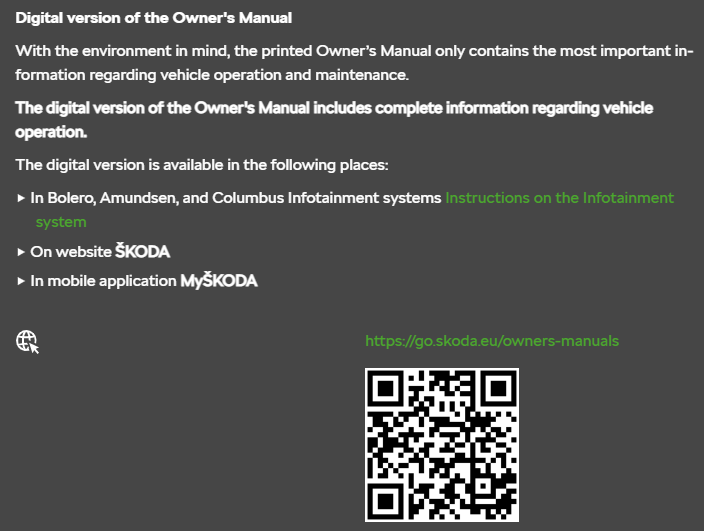
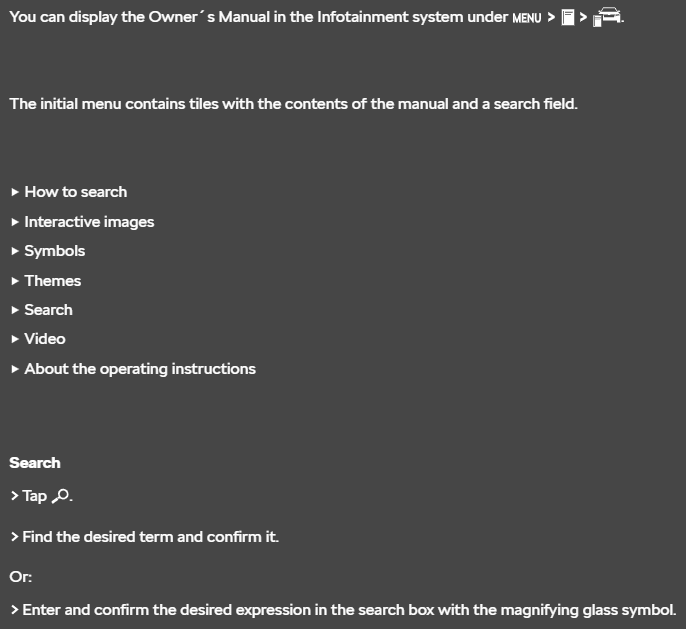
Manuals used to be a single PDF download but Skoda seem to have stopped that for some reason. The last PDF for a Karoq I could see is from 2018: https://ownersmanuals.blob.core.windows.net/ownersmanuals/en/Karoq_NU/11-2018/OwnersManual.pdf The latest online manual states: It might be worth trying to access the manual via the headunit: You could also ask questions regarding what you're trying to achieve as other users might have the answer for you.
-
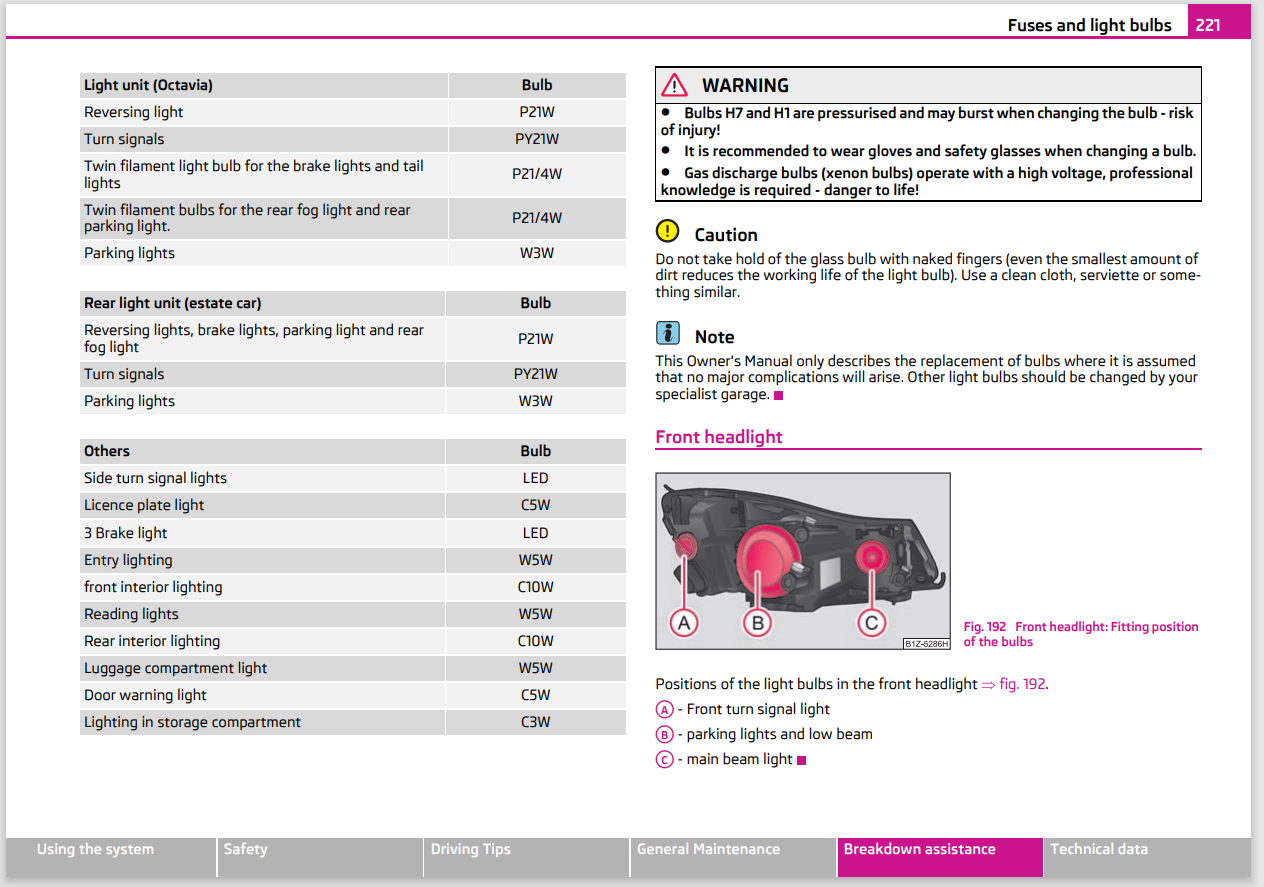
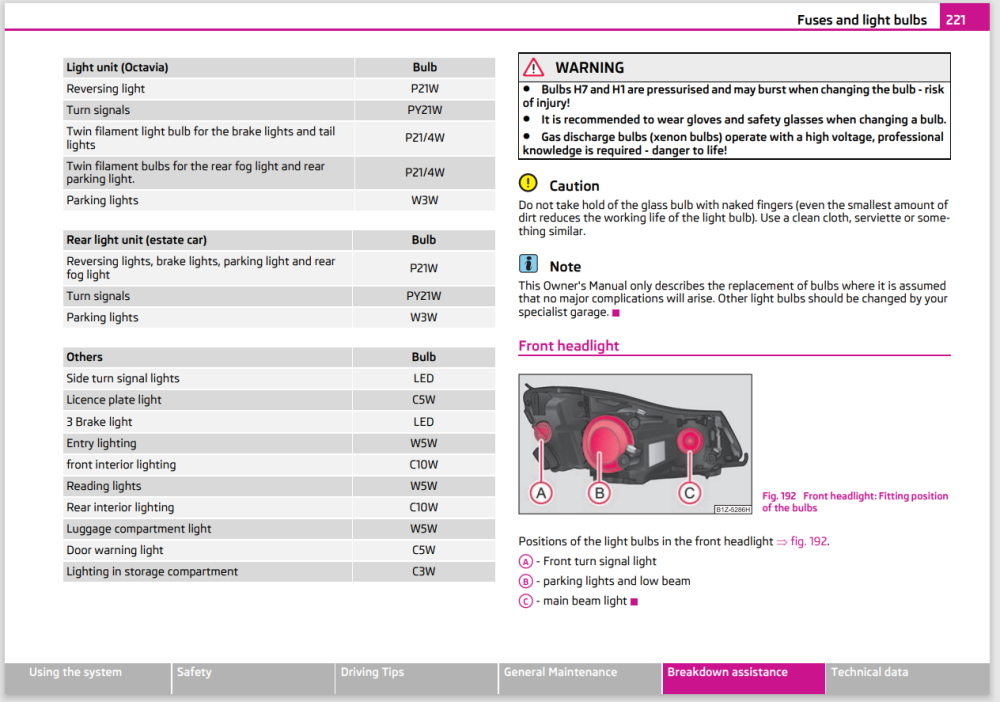
Don't touch byte 18 is it's set to 00!! Changes are irreversable and you'll probably need a trip to a dealer or someone with ODIS-e/VCP to fix it... The 2011 owners manual I have suggests you should be using W3W bulbs not W5W. I'd change those to the correct bulb and see if it resolves the warnings:
-
I have a ChromeCast Audio plugged into the back of a Connect which works well. I'm not sure I'd use an AirPort express though, they are pretty old and must be coming up to end of life now. Instead, something like the Belkin SoundForm might be a better option: https://www.amazon.co.uk/Belkin-SoundForm-Receiver-Wireless-Streaming/dp/B08YDTCNQH Alternatively, you could add a Sonos device that supports airplay and have it redirect to the Connect Just be careful of the S1 vs S2 compatibility stuffs...
-
Seems your caps lock key is stuck? The first posts states the maps are from 2022.05.24 but VW class them as 2023/2024. They are, at time of reply, the latest maps available for these headunits 👍
-
Can you post a vcds autoscan and adaption map for 09 (bcm) please 👍
-
It might well exist but that doesn't mean it's freely available online. Skoda don't publicly publish the updates so it relies on someone with a copy redistributing it. The best way to check is to sign up to erwin, buy an hours access and check the TPI against your VIN. If there is an update it will show there and a Skoda dealer should be able to apply it If they are friendly, you can always ask for a copy so you can help others.
-
I always assumed that the PQ version were fitted to older PQx platform cars. The only Skoda example would be the 2015+ FL Yeti. The ZR version is anything MQB based, so a MK3 Octavia, Superb etc. That would generally fit into the PQ being all-in-one and ZR being split units but there are a few MQB all-in-one units (Blues, Stream for example) but I'm not sure if updates exist for them
-
Depends what you consider a 'decent price' - just for example: https://www.carsystems.eu/skoda-octavia-nx-park-assist-pla-upgrade-kit,id4566.html Make sure you have someone local that can perform the coding as it'll probably need SFP unlock codes and possibly a new dataset...
-
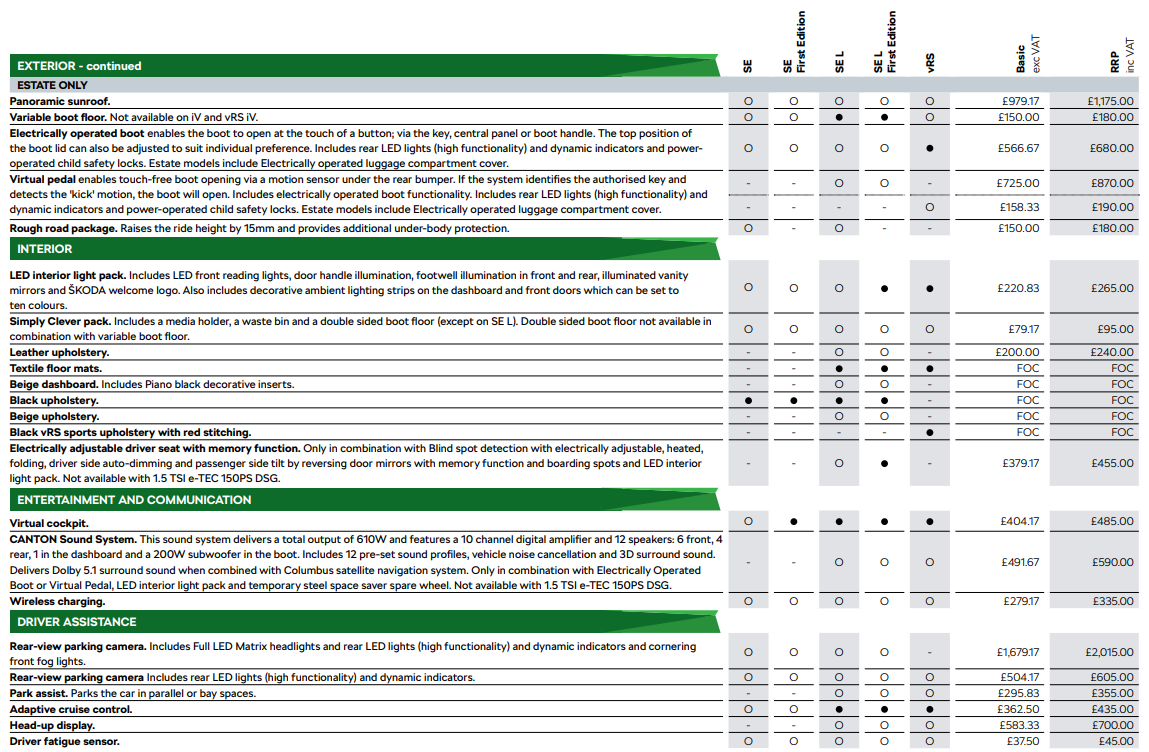
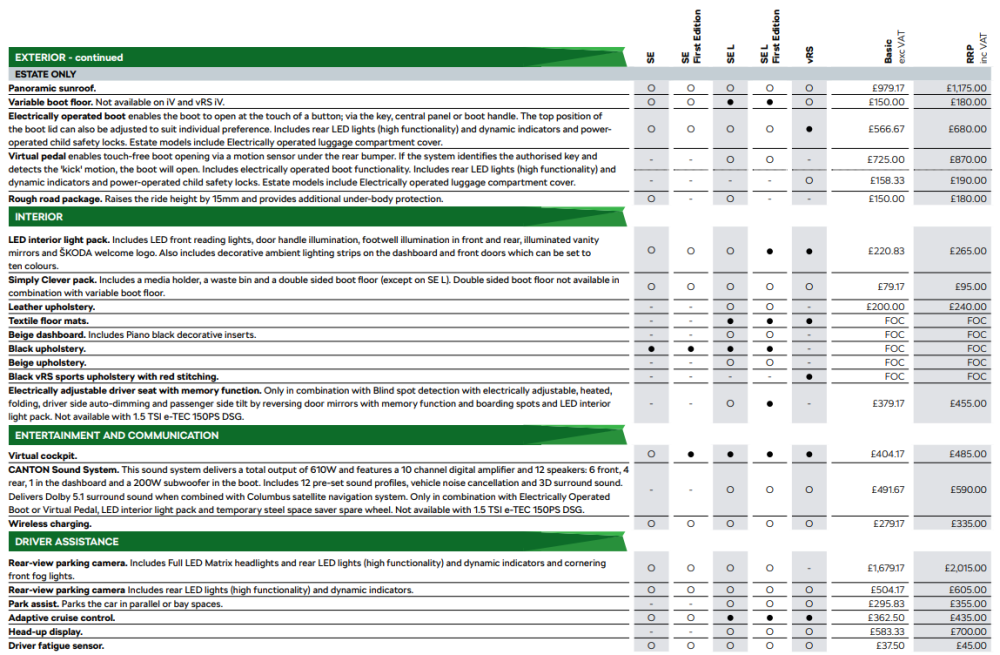
Doesn't seem to be an option at the moment, possible related to the ongoing chips shortage? It was an option in the April 2021 brochure called "Park Assist":
-
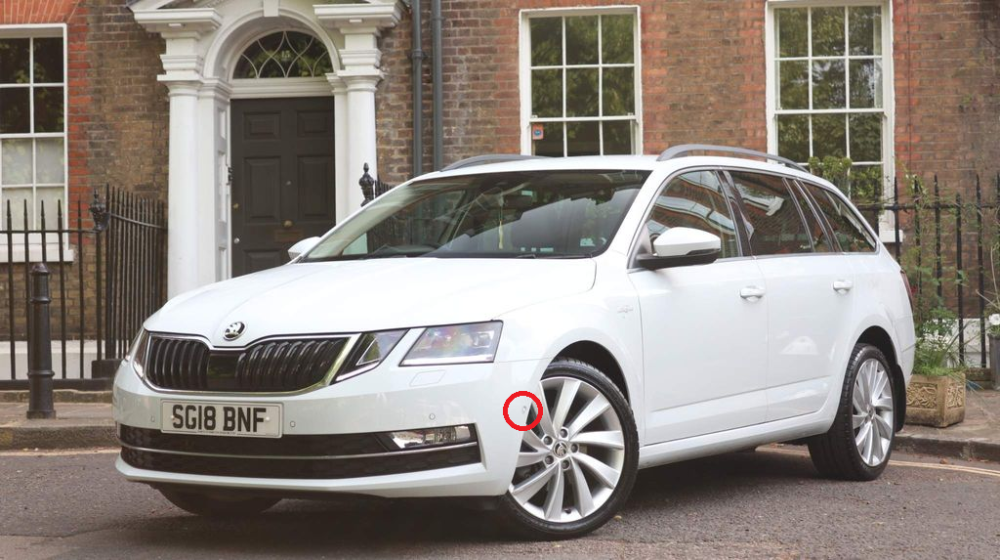
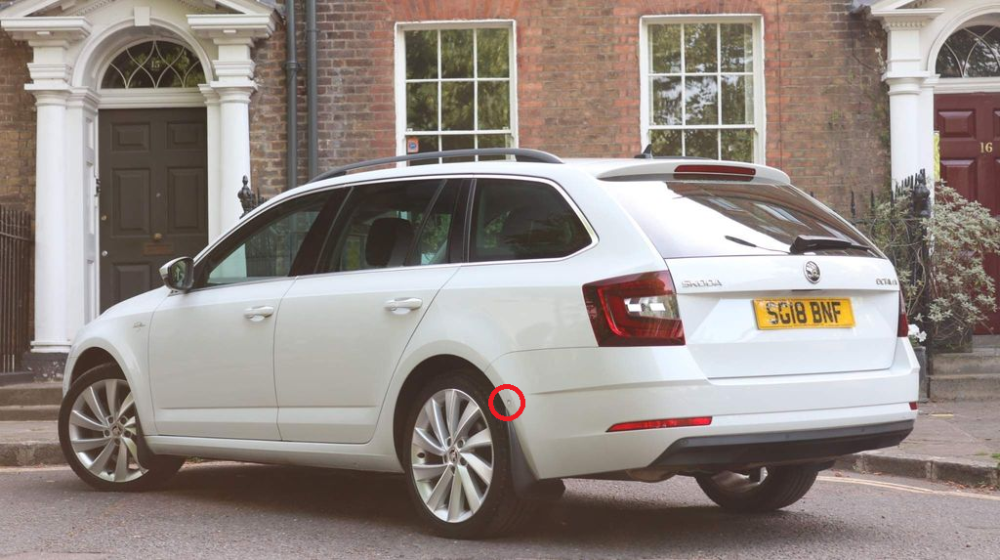
I wasn't able to find a MK4 with park assist but I would expect the extra sensors to be in a similar place to the MK3.
-
Seems you're correct based on the owners manual, I'll have to try mine when I next drive 👍 Wonder when/why it changed, certainly on the MK2 is wasn't possible: