langers2k
Resident Member
-
Joined
-
Last visited
Everything posted by langers2k
-
2049697/6 is about the GPS antenna but I imagine similar damage could occur to a dab connector.
-
There is a tpi regarding loose/damaged fakra connectors. The fix being to bend the outer metal connectors slightly to make a better connection 🤔
-
It'll very much depends on what cars and the generation of immobiliser. You might want to give some example of the year and models you're interested in 👍
-
Ease of manufacturing Rather than making 8 different hardware of each combination: - no assists - high beam assist (HBA) only - lane assist (LA) only - traffic sign recognition (TSR) only - HBA and LA - HBA and TSR - LA and TSR - HBA, LA and TSR They can fit one of the following 3 and turn the different options on or off depending on the car spec via software. - no front camera - 'lowline' camera capable of HBA only - 'highline' camera capable of HBA, LA and TSR The vRS got LA as standard so gets the 'highline' camera which means it's relatively easy to enable the other two features. Things are changing to make it harder. For example somewhere around 2019/20 the 'highline' camera was updated so it's no longer trivial to enable TSR. It now requires an appropriate licence/FeC/SWaP code which Skoda/VAG don't sell separately. New cars have SFD (Vehicle Diagnostic Protection) so you need a code from VAG to unlock a module before it'll accept any changes...
-
Given the part number starts 3V0, they are probably specific to the MK3 Superb...
-
Can you take a picture? Both the center console and boot ones work in my car and I'm not aware of any blanks... Might just need a new fuse at a guess.
-
Looks like the modules are still in the same place so it's plausible: https://www.ebay.co.uk/itm/115390854396 Part number has changed and now seems to be 8U0 941 329. Given you have extra lights fitted, I'd also be checking the wiring to the headlight to make sure it's not been messed with or damaged...
-
At a guess, 7L6 941 329 B but please check before ordering anything... You can see it on the underside of this headlight: https://www.ebay.co.uk/itm/234628708777
-
Corrosion on connectors for the module under the headlight due to water ingress would be my guess 😞 If you're lucky, you can clean it up and possibly replace the module.
-
What country are you based in? Different countries will have different spec levels. Do you have a vrs mode or drive select button on the center console?
-
I only tend to do a full car map backup on my own car. If I'm recoding other peoples cars, I'll use the same tool but typically only do maps for the modules I'll be touching. Pretty useful on the BCM given the number of similar looking German channels!
-
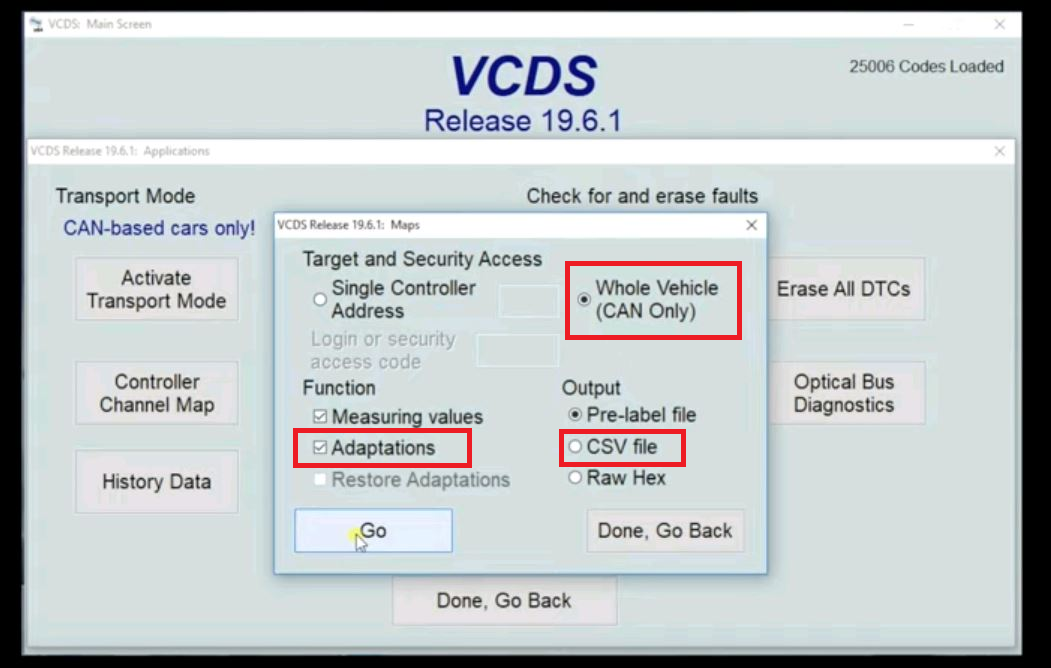
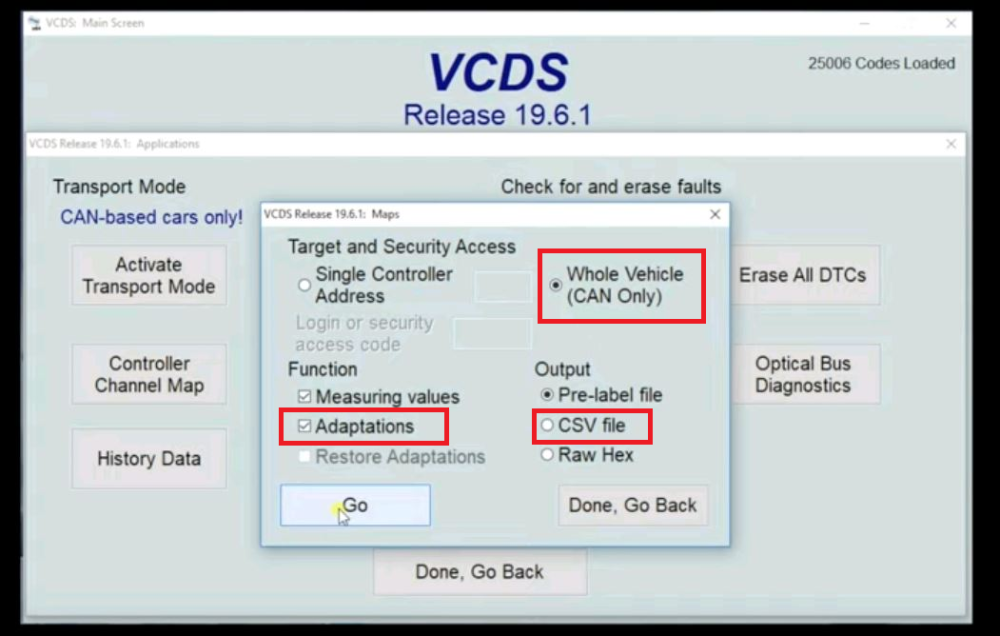
It can do adaption maps for all modules, it's just not part of the autoscan as it takes a while to complete - about 10 mins looking at the last one I did VCDS >> Applications >> Maps Random screenshot from google, I tend to choose the red highlighted options:
-
A genuine used HEX CAN-USB should be £250+ based looking at eBay. Anything significantly cheaper is probably a cloned/pirated version so you won't get any support from Rosstech. The software will have been modified so you're unlikely to get updates either and there's a risk it'll contain a virus or malware A HEX CAN-USB has unlimited VINs but won't support newer cars (2016 onwards). There is no registration or 'licence' required, you download the latest software from Rosstech and you're good to go. If you want support from Rosstech, then it'll be $99 to transfer ownership to yourself. If you decide you want a new interface, a 3-VIN HEX-V2 is around £225 from authorised suppliers. If you know it'll be used on multiple cars, the 10-VIN tends to work out as better value. With a new interface support is included so there is no extra $99 to pay. Personally, if it's just a single car, a 3-VIN makes sense. If you're at all likely to buy another VAG car or offer help to others, a 10-VIN is a better choice 👍
-
I'd be amazed if there wasn't a fault code somewhere... Do you have xenon headlights? Maybe it's the auto leveling system that's upset...
-
I don't think there is much simpleton stuff I'm afraid. Cars are just computers these days and tend to need another computer to find out what's happening As the garage has VCDS, you could ask them for an adaption map from 09. That will contain all the lighting configuration so we can take a look and flag up anything that's obviously incorrect. As mentioned above, the lack of warning is somewhat suspect so I wouldn't be surprised if the fog has been accidentally disabled. Just to check, if you have a towbar I assume there is nothing in the electrics socket...?
-
I'd be surprised it the BCM was faulty... Just to point out, stock cars only have a single fog on the drivers side so don't expect both sides to work. What's the vehicle history? Is it new to you or have you had it from new? Has you ever known the rear fog lamp to work? Can you confirm how you've performed the tests so far? I can only assume it's about to go through it's first MOT... A VCDS autoscan and ideally an adaption map from 09 would help
-
Pretty sure the originals are 5JA 601 151 FOD. If you don't care about them, grab a chunky self tapping screw and drive it half an inch into the old cap then pull... I believe they are just plastic these days without a metal retaining ring.
-
-
I don't want to jinx it but yes, I would expect the fault codes to give a good indication of where the issue is
-
At a guess, either water ingress to the underside of the headlight or a damaged level sensor It'll probably just mean the headlight drop to a 'safe' mode to avoid glare to other drivers. If you minimise night time driving, you'll probably be OK until you get home.
-
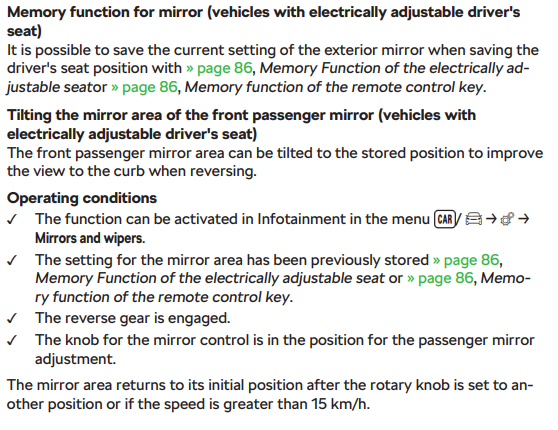
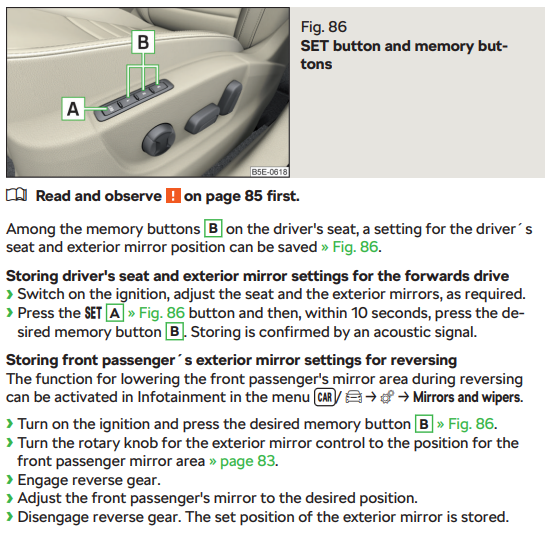
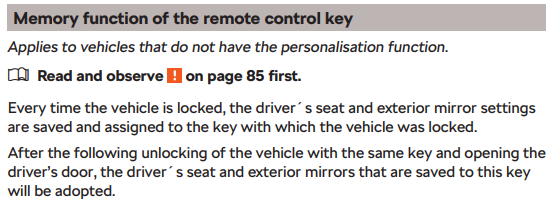
I assume you have memory seats? In which case, I'd try setting the memory positions again... From an Octavia manual but the Superb should be pretty similar if not identical. From page 86: And regarding memory per key:
-
You would need either an Amundsen or Columbus fitting. Just for example, these guys aren't far from Birmingham: https://www.vw-retrofit.co.uk/product/skoda-amundsen-mib2-5-set-with-8-glass-screen/ That being said, I have an Amundsen but I've probably used the inbuild satnav once? I much prefer to connect my phone to use Waze - mostly as it has live traffic and tends to be more current
-
I think you can submit corrections to HERE maps (source VW/Skoda use) but a quick search suggests it could be more complex than just incorrect limits. Just for example, take a look at this thread: https://forum.mapcreator.here.com/forums/topic/incorrect-speed-limits-causes-accidents/ Based from that, it appears HERE maps can have known roadwork areas with time based speed limits and the VW headunit applies them at all times rather than just the stated date/times. It's plausible that whenever VW do a map release, it'll have this data embedded and incorrectly applied by the headunit despite the roadworks being long gone etc 😕 You could try some older versions of the maps and see if you get different behaviour along some known issue areas? If so, it would definitely point at map data being the culprit. That being said, I'm not how you would get it resolved. I guess potentially the headunit would need to ignore roadwork data but I doubt VW would make such a change.
-
I see that all the time - the speed limit data seems terrible for the dual carriageways I use. It quite often flips between 60 and 70 mph. As far as I know, the GPS receiver is working correctly and I've never noticed any drift or obvious GPS errors. Whilst I don't have pACC, I would fully expect it to follow those speed limits and therefore keep flipping... At a guess, it treats all A roads as 60mph NSL and someone has done a poor job of labelling up 70mph sections
-
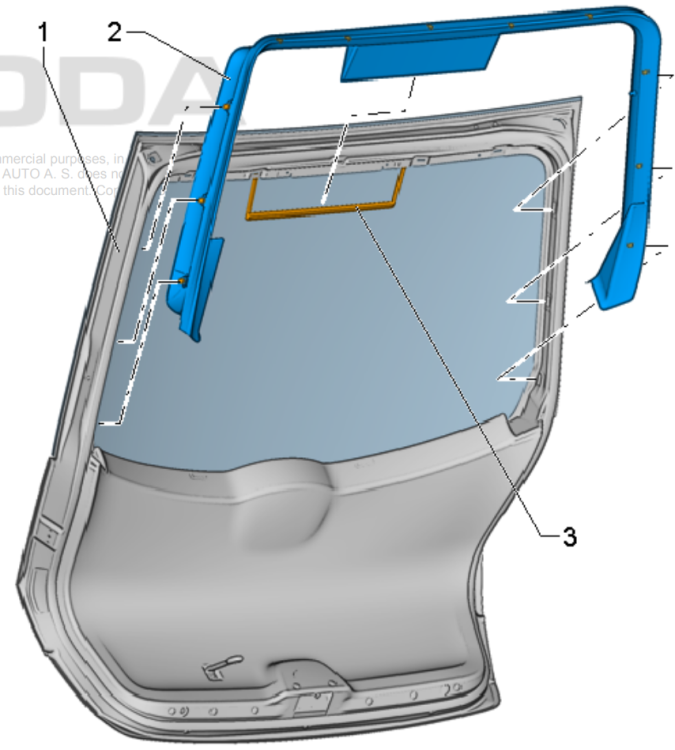
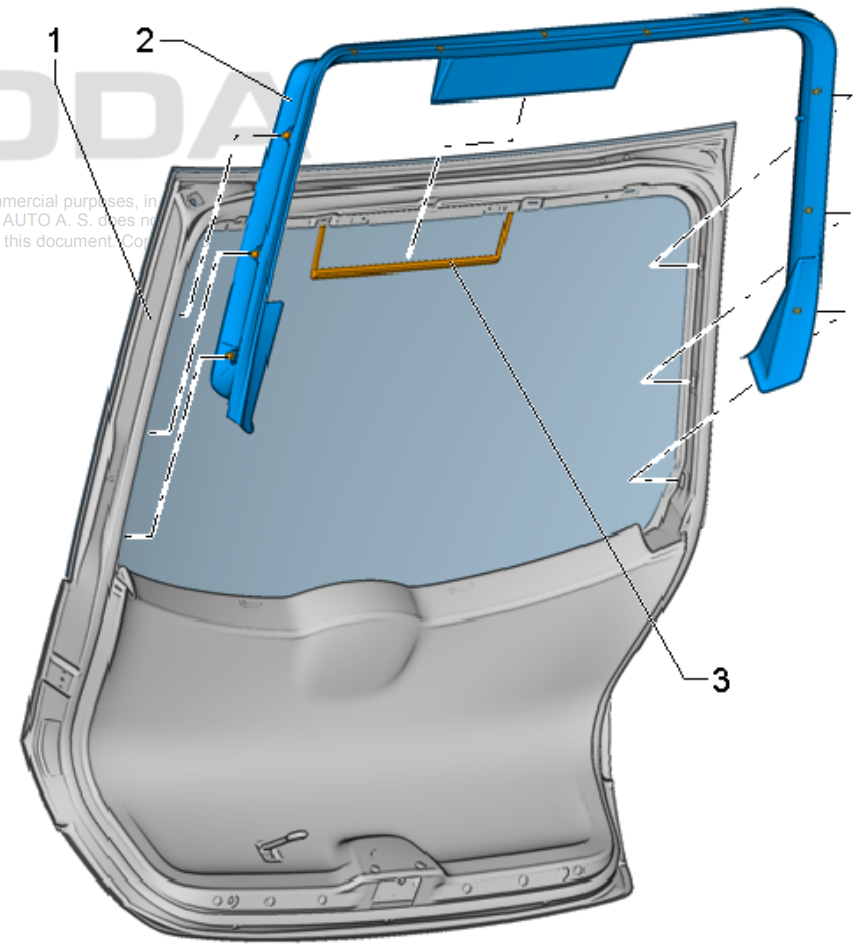
Yup, from the workshop manual. Removing – Unclip the retaining clips on the sides of the door. – Unclip the retaining clips on the upper side of the door. – Remove the trim panel. Installing – Push the trim panel onto the cover frame for the brake light -3-. – Clip the frame to the upper side of the door. – Insert the tailgate trim under the trim panel ends. – Clip in the windscreen trim at the sides.