langers2k
Resident Member
-
Joined
-
Last visited
Everything posted by langers2k
-
Given the part number starts 5E0, I expect they are unique to the MK3 Octavia A few example part numbers: - 5E0 857 537 - 5E0 857 537 A - 5E0 857 538 - 5E0 857 538 A
-
The coding will depend on what is fitted to your car, there is no guarantee the coding from someone else will be correct for you... You can check the operation of the buttons using the measuring blocks.
-
No idea about the cheap elm327 things, I've never used one. Carista, OBDeleven, VCDS, VCP, ODIS or anything VAG specific should be fine to clear an airbag code Check the compatibly list before you buy obviously...
-
A current autoscan will help us understand how your car is equipt and configured plus any fault codes that may be relevant. The old autoscan will confirm the original part number and coding which may help with the new coding. If you've ever done an autoscan previously, it's probably been saved in C:\Ross-Tech\VCDS\Scans
-
A wheel from a MK3 won't work in a MK2. The MFSW butons aren't compatible... You'll need a either a MFSW wheel from a MK2 or to change the buttons to a compatible version. Have you got a VCDS autoscan from your car? If it hasn't got a MFSW fitted, you'll probably need to replace the steering controller too...
-
It might be worth posting an autoscan from before you started changing things and a second one showing the current state It would also be helpful to know which MFSW you've fitted.
-
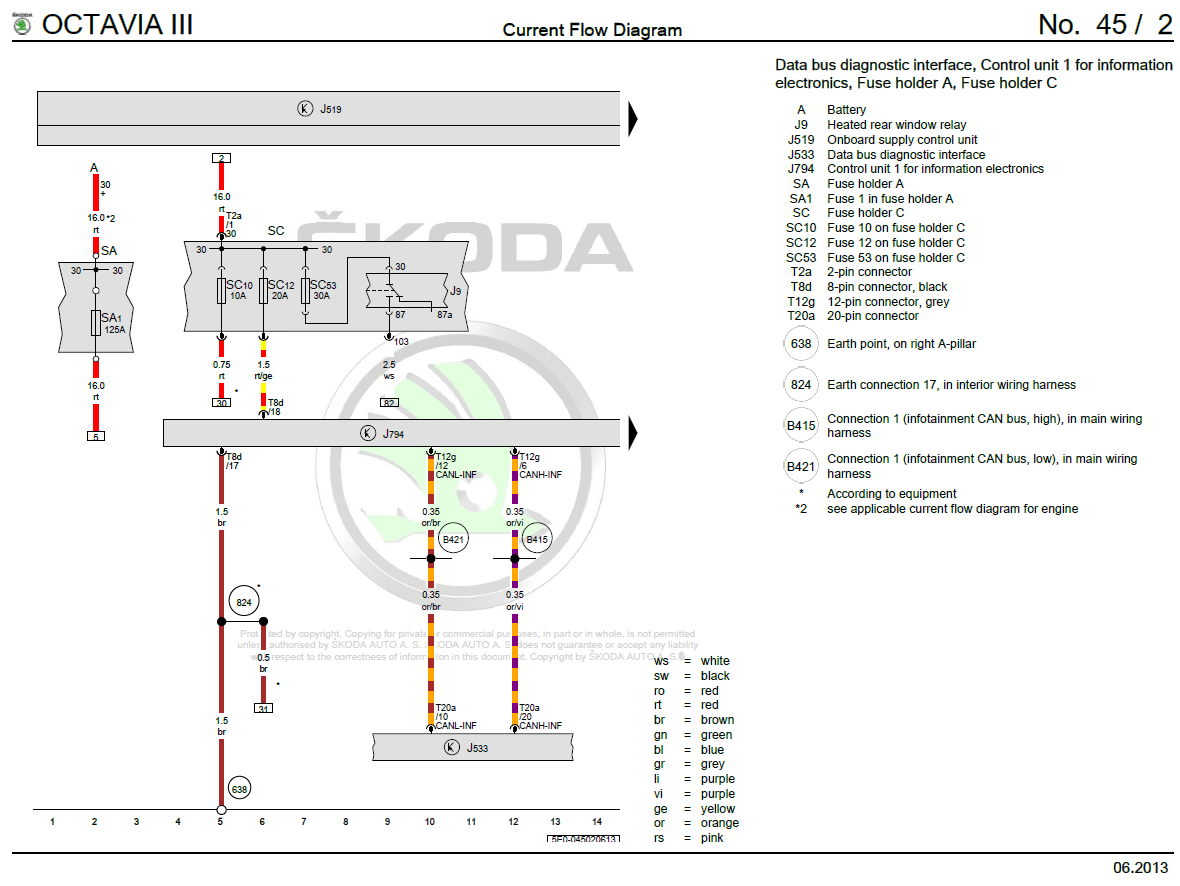
Pin 1 at the display connector end should be red based on the WD I have and posted above. It should go directly to fuse 10 and therefore have 12v on it. If it doesn't, you need to figure out why as that'll stop the display working...
-
Did you check pin 1 on the display connector had 12v?
-
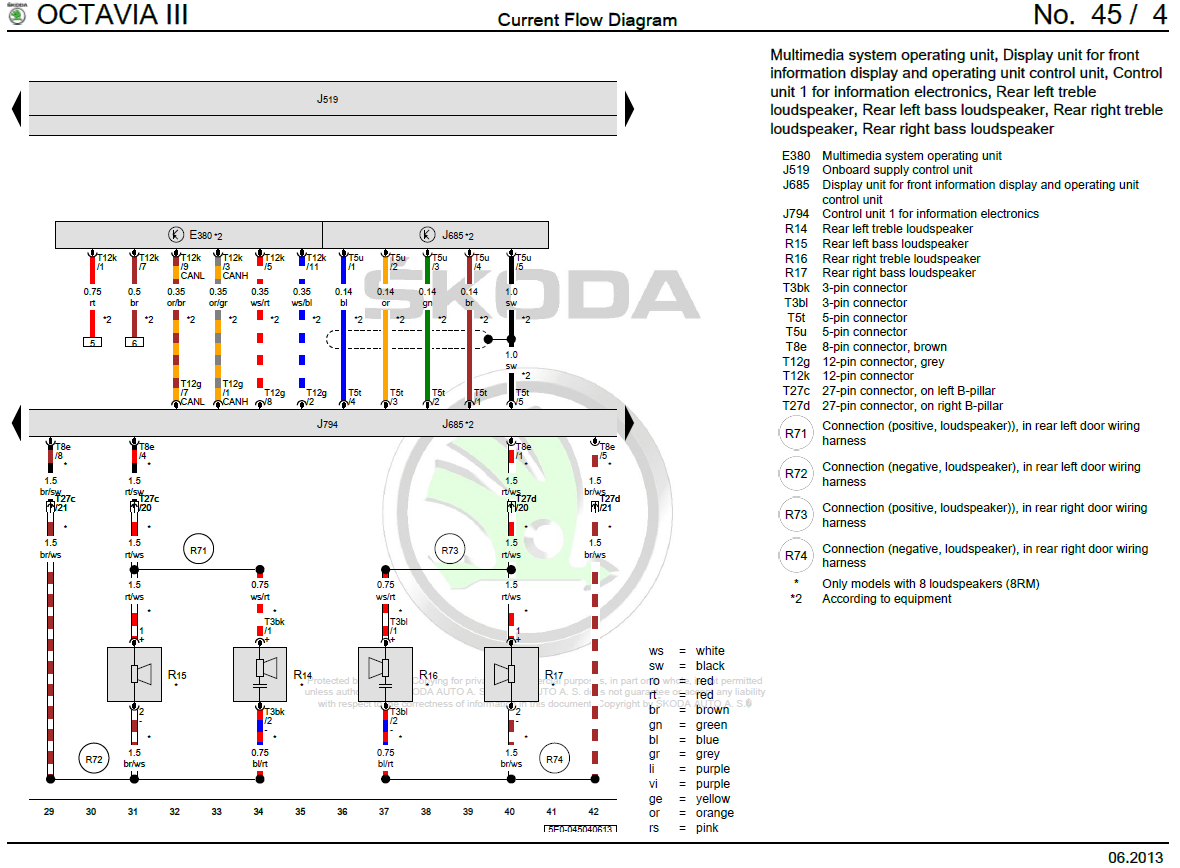
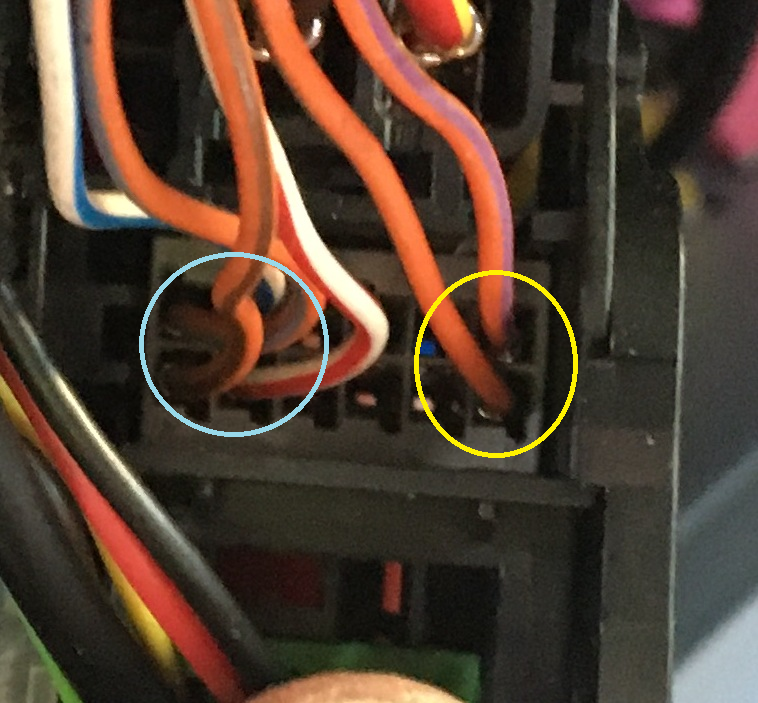
Added some circles: Assuming I'm in the right orientation: - The four wires circled in blue go to the display as per the WD - The two wires circled in yellow are CAN-bus for the headunit to communicate with the car It sounds like you've checked the four (blue circled) cables back to the display connector and they are fine which is good. We know the two (yellow circled) cables are fine as the headunit communicates with VCDS. Have you checked for power and ground at the display connector? If they also check out, I'd be looking for an inexpensive used display on eBay as a next stage. I think they are sub £100 for this headunit...
-
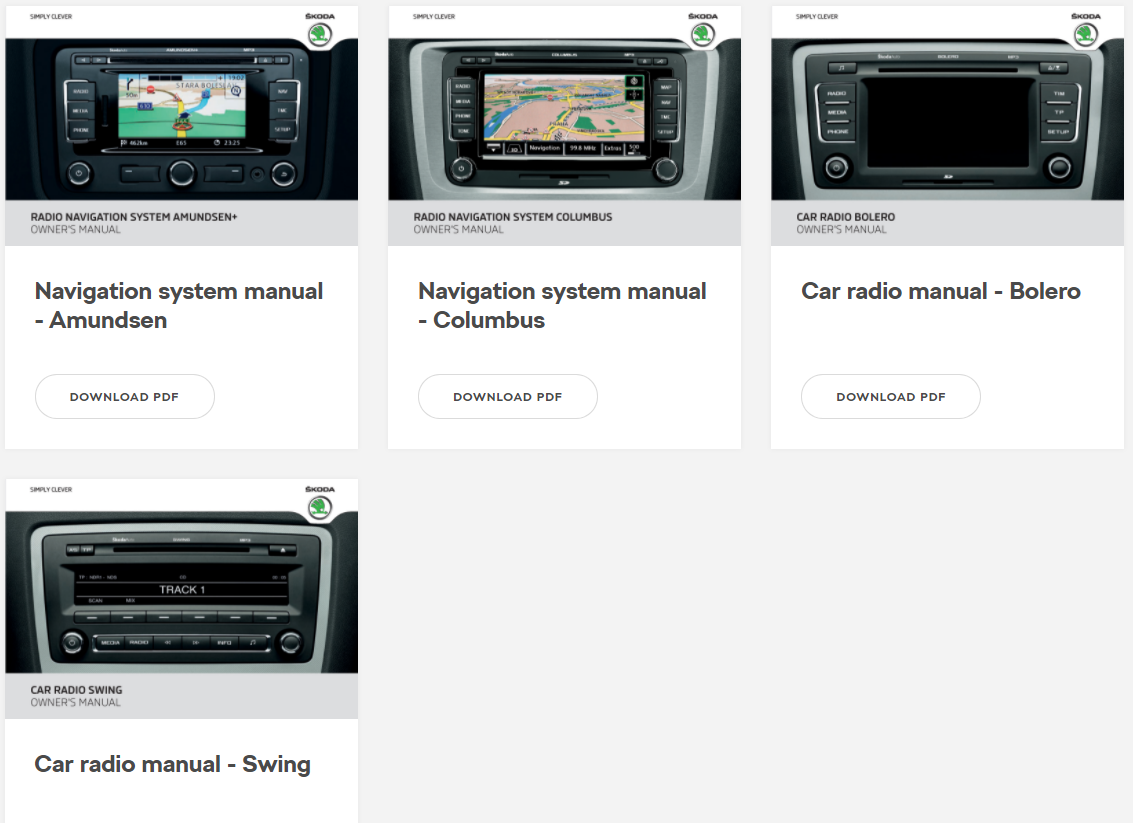
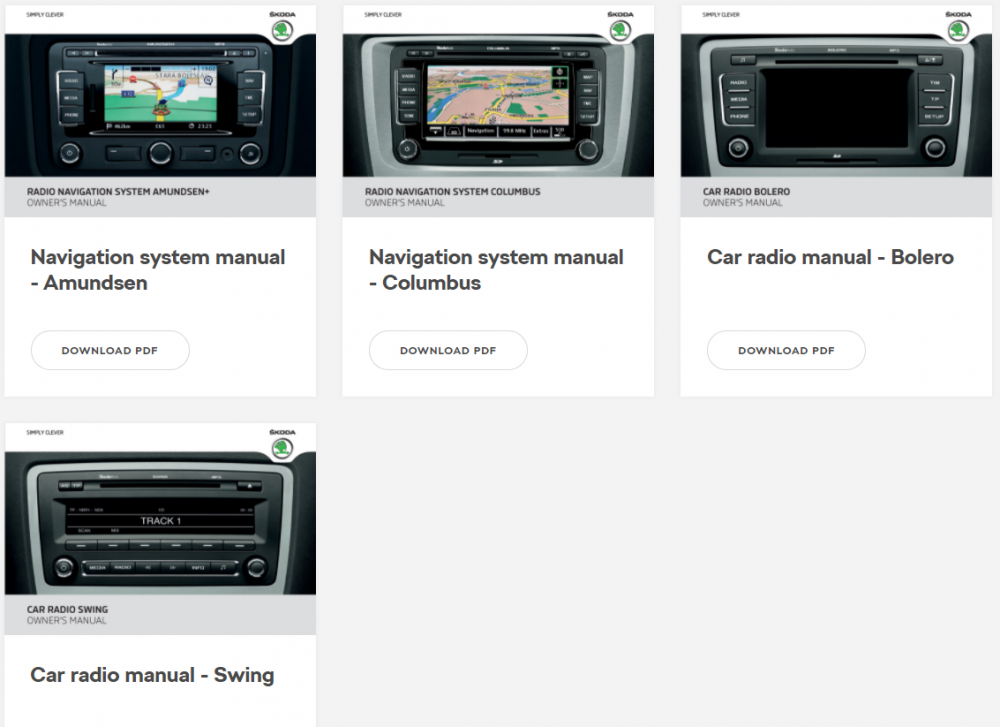
Really... OE radios include the Swing, Bolero, Amundsen and Columbus. None of which are made by Zenec
-
That's not a standard Skoda radio. I'd ask the dealer to fix it or try contacting the manufacturer: http://www.zenec.com/?lang=en
-
Yup, it's normal for a CFHC engine not to have temp sensor 2 fitted More confusing for me is that your oil ash volume is 0.00 l. It should be considerably higher than that in a car with 196k...
-
Would a suitably placed mirror help? Seems less faff
-
There are various instructions to disable stop/start which change depending on vehicle age. At least for MQB based vehicles the earliest version I'm aware of is to adjust the temperature range using these adaption channels: ENG137062-ENG100689-EM_start_stop_requirement_ambient_temperature-Maximum_temperature ENG137062-ENG137099-EM_start_stop_requirement_ambient_temperature-Minimum_temperature The channels eventually disappeared from CAN-gateways, instead, the voltage range would be changed using this adaption channel: IDE08348-Start/stop start voltage limit However, on newer cars, although this adaption exists, it no longer prevents stop/start. It's not entirely clear to me when this changed but at a guess, it's probably MY20 but might be MY19, I think MY18 should be OK. Given that @Diljit has a MY20 based on their other posts, I don't think changing the adaption channel is going to help I'm ignoring SFD as that's not relevant to a MK3 Octavia... edit: Looks like there are no hard and fast rules for MY19. Some claim it works, plenty claim it doesn't, some claim it does for one ignition cycle only
-
There are plenty of stop-start memory devices around. They connect between the button and the car and effectively press the button for you when the car starts Just as an example: https://www.aliexpress.com/item/4001012474153.html
-
Yup, it's currently on SW:1382 as shown in your screenshot. I believe the latest version is SW:1440 but now your inbox is clear, hopefully Pab will send you a link to download it They won't do any software updates unless you complain... But yes, I agree it really should be done during a service, especially given you've got issues with the headunit!
-
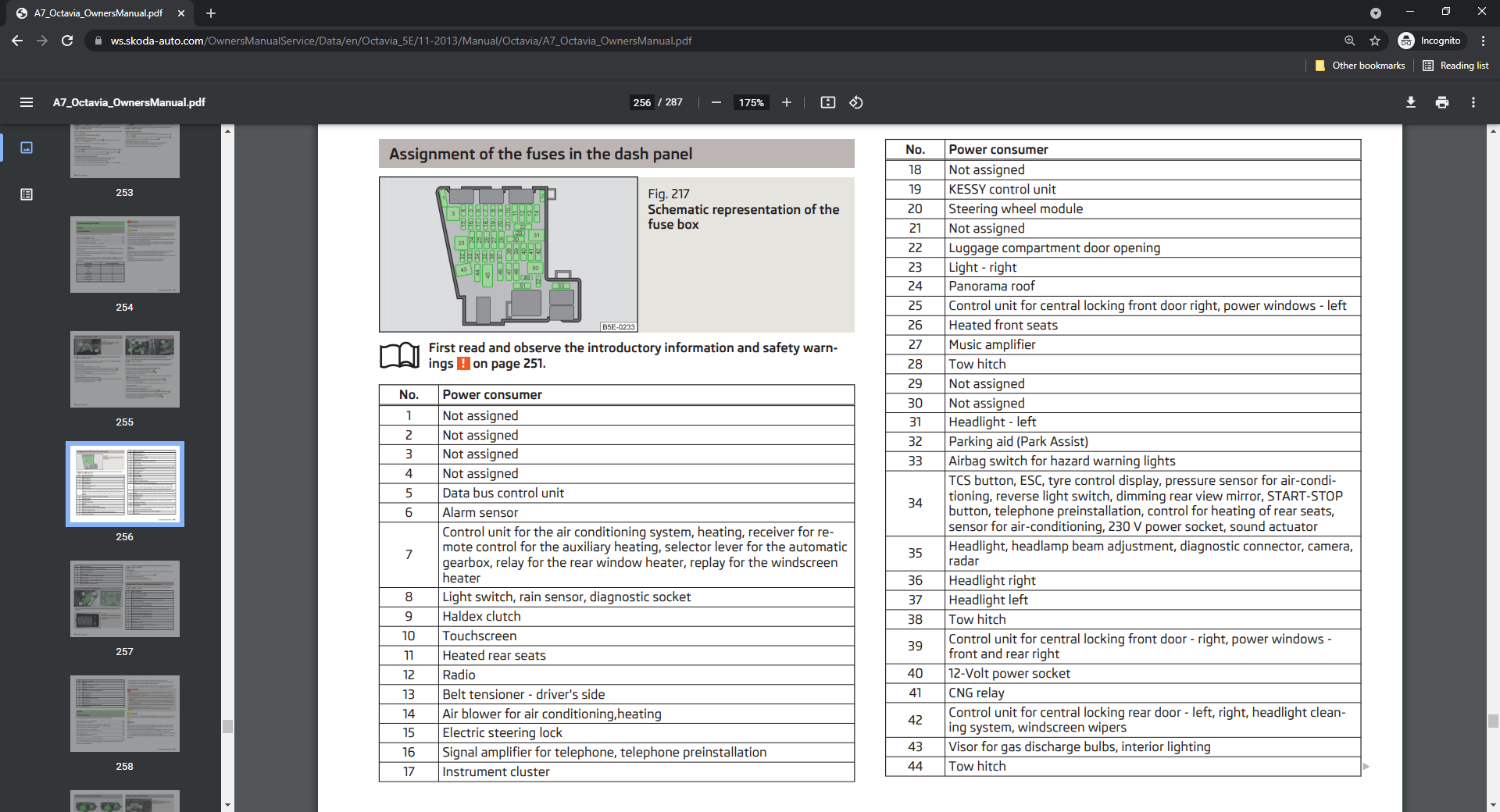
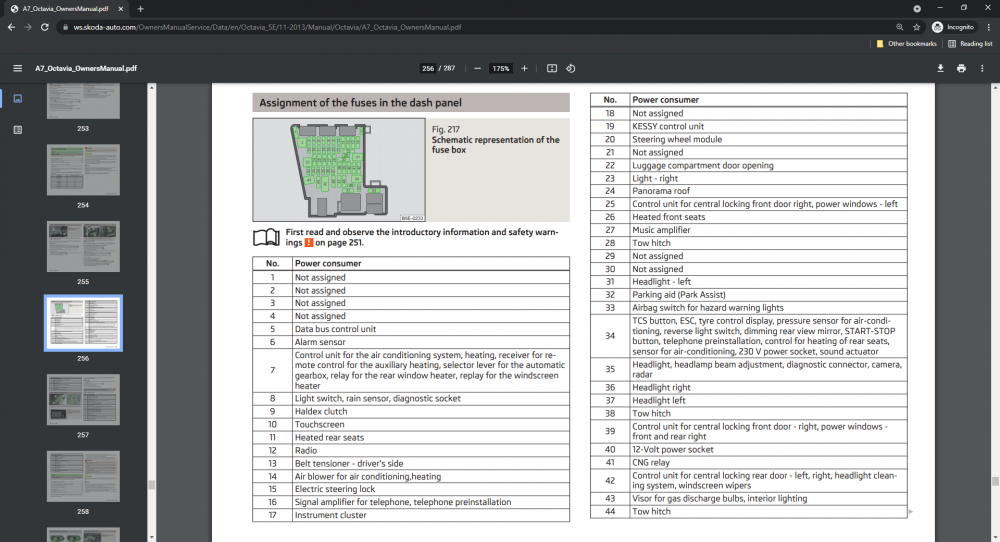
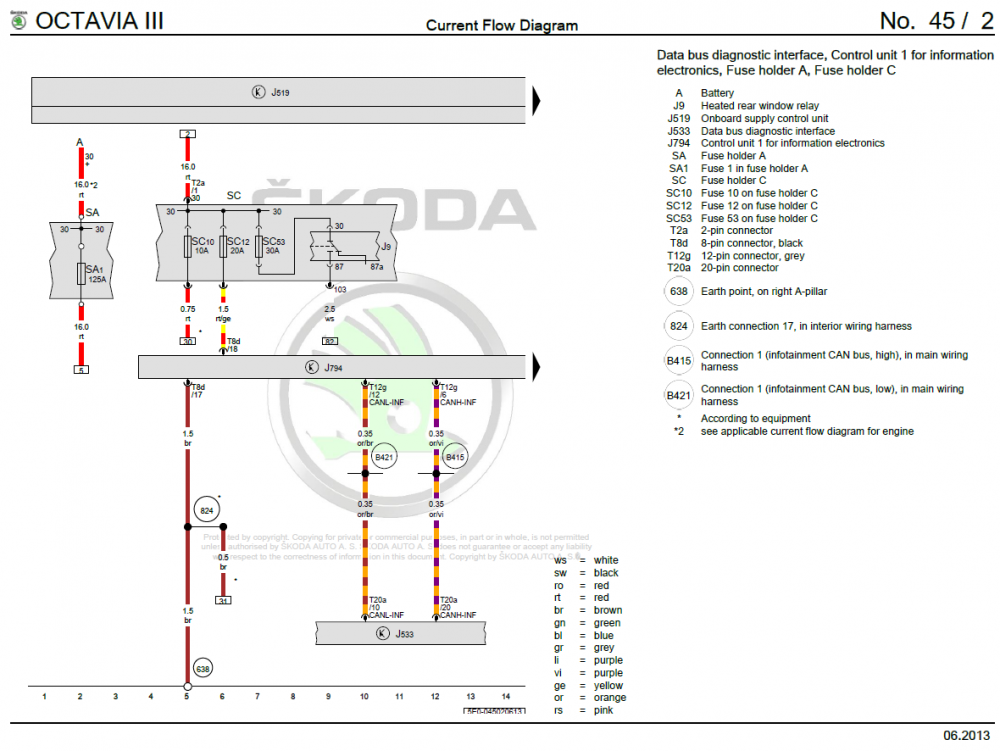
Most of those codes are just because you pulled the fuse Are you sure it's fuse 10 you've been removing? The online owners manual suggests 12 is the radio and 10 is the screen for your VIN: Which tallies with the factory WD I have: The six wires on the left (to E380) should be easy enough to check for continuity between the headunit quadlock and display connector as the WD shows both ends. The 4 wires and shield on the right (to J685) will be the fakra cable used for the video connection which is likely to be fine.
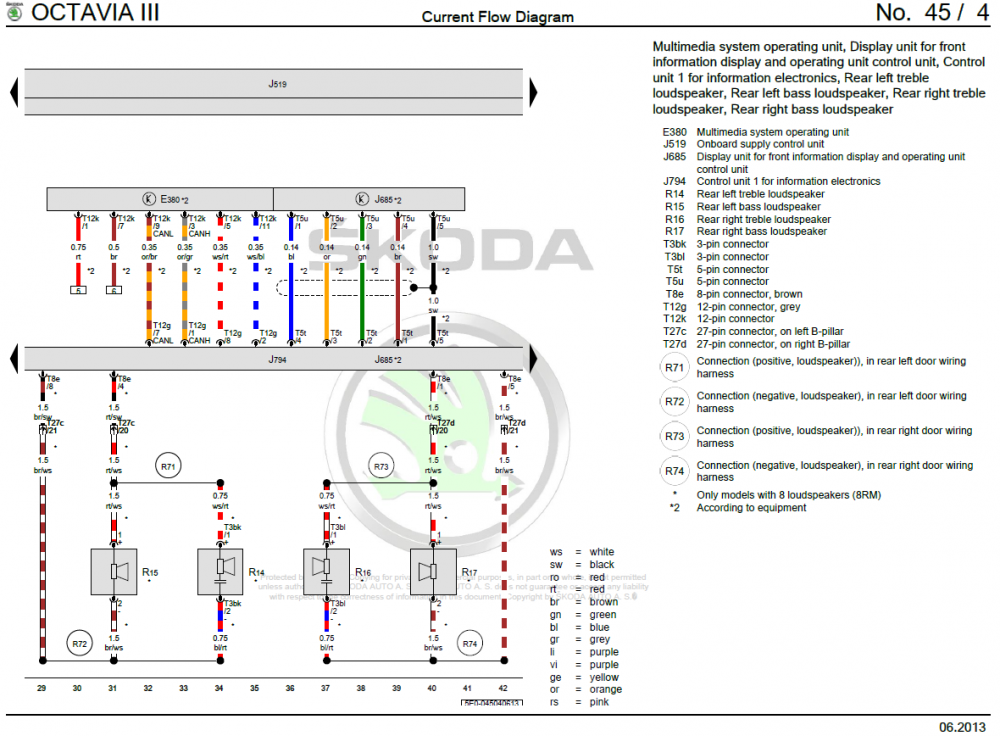
-
If you can, it's better to post a full auto scan (just copy and paste all of it) as that'll give more context On the face of it, that suggests the headunit is fine but the display might not be. I'd remove the display and check for power/ground and if they're fine, do some basic (continuity) checks for the data wires back to the headunit. At a guess, on the display's 12 pin connector pin 1 is power and pin 7 is ground. I'm not 100% on that so don't try and add power there unless you've checked the factory WD! I'm not sure on that age of car, but I think fuse 10 on the internal fuse panel (behind the glovebox) should be the screen. If you haven't already, I'd replace that with a new fuse or at least check the existing one for damage or microfractures.
-
I'm not super familiar with the MIB2.5 Columbus but I think there is 1440 for that headunit. @pab567 - can you confirm is that's correct? Then it's up to you @Gyp, you can either update it yourself or ask the dealer to
-
That would suggest the main headunit unit in the glovebox is sad. Nothing can be inferred about the state of the display The most basic check would be to make sure the quadlock at the back of the headunit has power and ground.
-
If you can source the correct XML file for ODIS I can. I've had a quick google and couldn't see any though...
-
Just be careful in regards to ground loops etc if you're using chargers/invertors on either the car or laptop with OBD devices connected. From Rosstech: And just as an example: https://www.ross-tech.com/vag-com/interfaces/warn-12v.html
-
Post your system information to check what software/hardware you have. If it is a conversion issue, then it should be present on all units with the same SW/HW. Given nobody else seems to be having the same issue it seems unlikely
-
Some parts don't have a suffix letter after them. Given 5Q4959393 and 5Q4959392 exist in various Golf scans, those are likely to be the full part number I think you'll need 5Q4 959 593 and 5Q4 959 592. I'm sure some of the suffix parts will be fine but I can't say for sure what changed between them. Just remember, if the modules aren't from a similar Octavia, they will probably need parametrising/dataset which OBDeleven can't do.
-
Either the MIB2.5 Amundsen or Columbus. The only difference between them in terms of a VC is that the Columbus can show the maps at the same time as the VC. With the Amundsen, the maps can only be displayed on one (so either the VC or radio display). I think your car is a 2018 so probably has a MIB2.5 as stock.